Introduction
eSignature software, also known as electronic signature tools, enables users to legally sign documents digitally, eliminating the need for printing, scanning, or physical mailing. These platforms allow sending documents for signature, adding fields for initials/dates/text, tracking progress, and storing completed agreements securely, often with audit trails proving authenticity and intent.
The importance of eSignature software has surged with remote work, digital transformation, and regulatory acceptance of electronic signatures under laws like ESIGN Act and eIDAS. They accelerate deal cycles, reduce costs, minimize errors, enhance security over email attachments, and support sustainability by going paperless. Advanced platforms now incorporate AI for form filling, workflow automation, and analytics. Key real-world use cases include sales teams closing contracts faster, HR onboarding new hires remotely, real estate agents handling offers digitally, legal firms managing NDAs/compliance docs, healthcare obtaining patient consents securely, and finance processing loans/approvals efficiently.
When evaluating eSignature tools, consider legal compliance and standards supported (ESIGN, eIDAS, HIPAA), signer authentication methods (SMS, knowledge-based), template/reusable document support, workflow automation (sequential/parallel signing), integrations with CRM/ERP, bulk sending capabilities, mobile signing experience, and audit trail completeness.
Best for: Sales professionals, HR managers, legal teams, real estate agents, healthcare administrators, and finance officers benefit most from eSignature software. It suits freelancers sending occasional contracts, SMBs streamlining approvals, mid-market companies automating sales/HR, and enterprises in regulated sectors like finance, healthcare, legal, and real estate requiring compliant, high-volume signing.
Not ideal for: Individuals with rare signing needs—free PDF tools or built-in previews suffice. Organizations mandating wet ink signatures for specific legal reasons. Those needing full contract lifecycle management might prefer dedicated CLM over basic eSign.
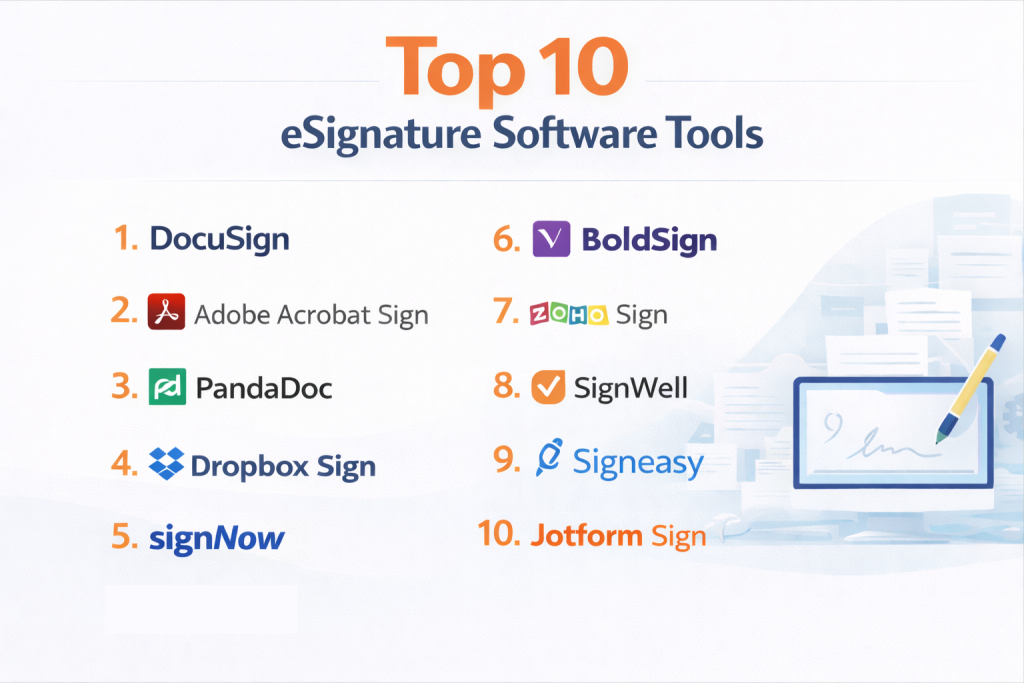
Top 10 eSignature Software Tools
1 — DocuSign
DocuSign is the market-leading eSignature platform trusted by millions for secure, compliant digital agreements, offering enterprise-grade features for complex workflows. It supports advanced authentication, payments, and AI insights, making it the choice for large organizations handling high-volume, regulated transactions across industries.
DocuSign streamlines sending, signing, and managing agreements with robust tracking and integrations, ideal for sales, legal, and HR teams needing reliable, auditable processes at scale.
Key features:
- Advanced signer authentication (SMS, ID verification).
- Payment collection during signing.
- AI-powered document analysis and insights.
- Bulk sending and templates.
- Conditional routing and fields.
- Extensive integrations (Salesforce, Microsoft, Google).
- Comprehensive audit trails.
Pros:
- Industry-standard compliance and security.
- Mature features for enterprise needs.
- Excellent reliability and uptime.
Cons:
- Premium pricing for full capabilities.
- Interface can feel overwhelming for casual users.
- Envelope limits on lower plans.
Security & compliance: SSO, encryption, audit logs; SOC 2, GDPR, HIPAA, ISO compliant.
Support & community: 24/7 support, extensive docs, large user base.
2 — Adobe Acrobat Sign
Adobe Acrobat Sign is a secure eSignature solution integrated with Adobe’s PDF ecosystem, providing enterprise-level compliance and workflow automation. It combines signature capabilities with PDF tools, suited for organizations needing seamless document creation, editing, and signing in one platform.
Adobe Sign offers robust authentication and Microsoft integrations, ideal for businesses in regulated sectors prioritizing legal validity and auditability.
Key features:
- Bi-directional Microsoft 365 integration.
- Advanced authentication and redaction.
- Workflow designer for automation.
- Shared templates and libraries.
- Mobile apps with offline support.
- Form field detection.
- Reporting and analytics.
Pros:
- Deep Adobe/Microsoft ecosystem ties.
- Strong for compliance-focused industries.
- High-quality PDF handling.
Cons:
- Higher cost structure.
- Less intuitive for non-Adobe users.
- Slower innovation pace.
Security & compliance: SSO, encryption, audit logs; SOC 2, GDPR, HIPAA compliant.
Support & community: Adobe resources, enterprise support.
3 — PandaDoc
PandaDoc is an all-in-one document automation platform with powerful eSignature capabilities, focused on sales proposals and contracts. It includes document creation, templates, and analytics, making it excellent for revenue teams closing deals faster.
PandaDoc goes beyond signing with content library and payment integration, perfect for sales and marketing teams needing branded, trackable documents.
Key features:
- Document builder with content blocks.
- Payment gateways integration.
- Analytics on document engagement.
- CPQ and quoting tools.
- Approval workflows.
- Custom branding.
- CRM integrations.
Pros:
- Accelerates sales cycles with insights.
- Strong templates and reuse.
- Good value for sales-focused.
Cons:
- Overkill for simple signing.
- Learning curve for full features.
- Envelope limits lower plans.
Security & compliance: Encryption, audit logs; SOC 2, GDPR, HIPAA.
Support & community: Chat, docs, academy.
4 — Dropbox Sign
Dropbox Sign (formerly HelloSign) is a straightforward, reliable eSignature tool integrated with Dropbox storage for seamless file management. It prioritizes simplicity and speed, ideal for small to mid-sized teams needing quick, compliant signing without complexity.
Dropbox Sign offers unlimited templates and easy integrations, suited for users valuing intuitive design and Dropbox ecosystem synergy.
Key features:
- Unlimited reusable templates.
- Signer attachments and comments.
- Status notifications.
- Dropbox/Google Drive integration.
- Team management.
- API for custom workflows.
- Mobile signing.
Pros:
- Clean, fast interface.
- Unlimited templates even lower plans.
- Strong Dropbox tie-in.
Cons:
- Fewer advanced workflows.
- Limited payment/collection.
- Basic reporting.
Security & compliance: Encryption, audit logs; SOC 2, GDPR, HIPAA.
Support & community: Help center, email.
5 — signNow
signNow is an affordable, feature-rich eSignature platform from airSlate, emphasizing automation and integrations for business processes. It supports conditional fields and payments, making it versatile for SMBs and teams needing cost-effective solutions.
signNow provides bulk sending and custom branding, ideal for growing businesses automating document-heavy workflows.
Key features:
- Conditional logic in documents.
- Payment requests.
- Bulk send to multiple recipients.
- Kiosk mode for in-person.
- 270+ integrations.
- Document generation.
- Reusable templates.
Pros:
- Competitive pricing.
- Strong automation.
- Mobile apps.
Cons:
- Interface less polished.
- OCR add-on.
- Support varies by plan.
Security & compliance: Encryption, audit logs; SOC 2, GDPR, HIPAA.
Support & community: Chat, knowledge base.
6 — BoldSign
BoldSign is a developer-friendly eSignature solution with clean API and customizable workflows, focused on simplicity and affordability.
BoldSign offers embedded signing and white-label options, suited for SaaS companies and businesses embedding signatures in apps.
Key features:
- Custom branding/white-label.
- Embedded signing requests.
- Webhooks and API.
- Templates and teams.
- Signer identity verification.
- Document links.
- Audit trails.
Pros:
- Excellent for integrations.
- Transparent pricing.
- Fast setup.
Cons:
- Fewer pre-built integrations.
- Limited advanced analytics.
- Newer, smaller community.
Security & compliance: Encryption; GDPR, SOC 2.
Support & community: Docs, email.
7 — Zoho Sign
Zoho Sign is an integrated eSignature tool within Zoho ecosystem, offering seamless CRM and app connectivity.
Zoho Sign provides unlimited templates and workflows, ideal for Zoho users needing affordable, embedded signing.
Key features:
- Zoho CRM/Books integration.
- Unlimited templates.
- Workflow automation.
- Signer authentication.
- Reports and reminders.
- Mobile apps.
- Custom domains.
Pros:
- Great value in Zoho suite.
- Strong integrations.
- Easy for existing users.
Cons:
- Limited outside Zoho.
- Basic UI.
- Fewer enterprise extras.
Security & compliance: Encryption; GDPR, HIPAA options.
Support & community: Zoho resources.
8 — SignWell
SignWell is a simple, affordable eSignature tool focused on ease and unlimited documents.
SignWell offers document tracking and templates, perfect for freelancers and small teams needing straightforward signing.
Key features:
- Unlimited documents.
- Bulk sending.
- Templates and reminders.
- Custom branding.
- Audit trails.
- Integrations (Zapier).
- Mobile.
Pros:
- Very affordable.
- Unlimited usage.
- Clean interface.
Cons:
- Limited advanced features.
- Basic automation.
- Fewer integrations.
Security & compliance: Encryption; GDPR.
Support & community: Email, docs.
9 — Signeasy
Signeasy is a mobile-first eSignature app with offline capabilities and business tools.
Signeasy supports in-person signing and integrations, suited for field teams and mobile professionals.
Key features:
- Offline signing.
- In-person mode.
- Zapier integrations.
- Templates.
- Team reports.
- Custom fields.
- Biometric auth.
Pros:
- Excellent mobile experience.
- Offline functionality.
- Good for field sales.
Cons:
- Desktop less robust.
- Pricing per user.
- Limited bulk.
Security & compliance: Encryption; GDPR, HIPAA.
Support & community: Chat, help.
10 — Jotform Sign
Jotform Sign is an eSignature builder integrated with forms for automated document generation.
Short description: Jotform Sign creates signable docs from forms, ideal for collecting data and signatures together.
Key features:
- Form-to-document automation.
- Conditional logic.
- Payments.
- Team inboxes.
- Integrations.
- Templates.
- Offline collection.
Pros:
- Seamless forms + signing.
- Automation strong.
- Affordable.
Cons:
- More form-focused.
- Limited pure signing.
- Design constraints.
Security & compliance: Encryption; GDPR, HIPAA.
Support & community: Help center.
Comparison Table
| Tool Name | Best For | Platform(s) Supported | Standout Feature | Rating |
|---|---|---|---|---|
| DocuSign | Enterprise/high-volume | Web, Mobile | AI insights & payments | N/A |
| Adobe Acrobat Sign | Compliance & Microsoft | Web, Desktop, Mobile | Redaction & forms | N/A |
| PandaDoc | Sales proposals | Web, Mobile | Document builder & analytics | N/A |
| Dropbox Sign | Simple & Dropbox users | Web, Mobile | Unlimited templates | N/A |
| signNow | Affordable automation | Web, Mobile | Conditional fields | N/A |
| BoldSign | Embedded/API | Web | White-label | N/A |
| Zoho Sign | Zoho ecosystem | Web, Mobile | Unlimited templates | N/A |
| SignWell | Unlimited small teams | Web | Document tracking | N/A |
| Signeasy | Mobile/in-person | Mobile, Web | Offline signing | N/A |
| Jotform Sign | Forms + signing | Web, Mobile | Automation from data | N/A |
Evaluation & Scoring of eSignature Software
| Tool Name | Core Features (25%) | Ease of Use (15%) | Integrations & Ecosystem (15%) | Security & Compliance (10%) | Performance & Reliability (10%) | Support & Community (10%) | Price / Value (15%) | Total Score |
|---|---|---|---|---|---|---|---|---|
| DocuSign | 10 (2.5) | 8.5 (1.275) | 9.5 (1.425) | 10 (1.0) | 9.5 (0.95) | 9 (0.9) | 7.5 (1.125) | 9.13 |
| Adobe Acrobat Sign | 9.5 (2.375) | 8 (1.2) | 9 (1.35) | 10 (1.0) | 9 (0.9) | 9 (0.9) | 7 (1.05) | 8.78 |
| PandaDoc | 9.5 (2.375) | 9 (1.35) | 9 (1.35) | 9 (0.9) | 9 (0.9) | 8.5 (0.85) | 8.5 (1.275) | 8.95 |
| Dropbox Sign | 8.5 (2.125) | 9.5 (1.425) | 8.5 (1.275) | 9 (0.9) | 9 (0.9) | 8 (0.8) | 9 (1.35) | 8.78 |
| signNow | 9 (2.25) | 9 (1.35) | 9 (1.35) | 8.5 (0.85) | 9 (0.9) | 8 (0.8) | 9.5 (1.425) | 8.93 |
| BoldSign | 8.5 (2.125) | 9 (1.35) | 8.5 (1.275) | 8 (0.8) | 8.5 (0.85) | 8 (0.8) | 9 (1.35) | 8.55 |
| Zoho Sign | 8 (2.0) | 9 (1.35) | 9 (1.35) | 8 (0.8) | 8.5 (0.85) | 8 (0.8) | 9.5 (1.425) | 8.58 |
| SignWell | 8 (2.0) | 9.5 (1.425) | 7.5 (1.125) | 8 (0.8) | 9 (0.9) | 7.5 (0.75) | 9.5 (1.425) | 8.43 |
| Signeasy | 8.5 (2.125) | 9 (1.35) | 8 (1.2) | 8.5 (0.85) | 9 (0.9) | 8 (0.8) | 8.5 (1.275) | 8.5 |
| Jotform Sign | 8.5 (2.125) | 9 (1.35) | 8.5 (1.275) | 8 (0.8) | 8.5 (0.85) | 8 (0.8) | 9 (1.35) | 8.55 |
Which eSignature Software Tool Is Right for You?
Solo users: SignWell or Dropbox Sign for simplicity; Zoho Sign free tier.
SMBs: PandaDoc or signNow for sales/automation; Smallpdf-like for basics.
Mid-market: DocuSign or Adobe Sign for compliance.
Enterprise: DocuSign or Adobe Sign for scale/security.
Budget-conscious: SignWell, Zoho Sign, or free trials.
Premium solutions: DocuSign for depth; PandaDoc sales-focused.
Feature depth vs. ease of use: DocuSign/Adobe depth; Dropbox Sign/SignWell ease.
Integration and scalability: DocuSign broad; PandaDoc sales; Adobe Microsoft.
Security and compliance: DocuSign/Adobe strongest certifications.
Consider volume—unlimited like Dropbox Sign; regulated DocuSign.
Frequently Asked Questions (FAQs)
Is eSignature legally binding? Yes—under ESIGN/eIDAS when using compliant tools with audit trails and intent proof.
How secure are these tools? Top ones use encryption, authentication, audits; enterprise plans add SSO/HIPAA.
Free vs paid? Free limited sends; paid unlimited, templates, integrations.
Best for sales teams? PandaDoc with proposals/analytics; DocuSign speed.
Mobile signing? All support; Signeasy/Dropbox strong apps.
Implementation time? Days for basic; weeks for enterprise integrations.
Common mistake? Not training signers—leads delays. Best: Use templates, reminders.
Bulk sending? DocuSign/signNow strong for mass.
Alternatives for simple? Free PDF fillers; full tools overkill.
Compliance needed? DocuSign/Adobe for HIPAA/GDPR depth.
Conclusion
The eSignature landscape features leaders like DocuSign and Adobe Sign for enterprise compliance, innovative all-in-ones like PandaDoc, and accessible options like Dropbox Sign and signNow. Key insights: focus shifting to workflow integration, AI assistance, and seamless mobile experiences.
What matters most is matching to use case—volume, compliance, sales acceleration. The “best” tool depends on your specific needs rather than one universal winner. Trial extensively, involve users, and choose one accelerating agreements while ensuring security. The right eSignature software transforms signing from bottleneck to advantage.