Introduction
Endpoint Protection Platforms (EPP) have become the cornerstone of enterprise cybersecurity. An EPP is a centralized security solution deployed on endpoint devices—such as laptops, desktops, servers, and mobile devices—to prevent file-based malware attacks, detect malicious activity, and provide the investigation and remediation tools necessary to respond to dynamic security incidents. Unlike traditional antivirus software that relies primarily on known file signatures, modern EPPs utilize Artificial Intelligence (AI), behavioral analysis, and real-time threat intelligence to stop both known and “zero-day” threats before they can execute.
The importance of EPP lies in its ability to secure a decentralized workforce. With the rise of remote work and Bring Your Own Device (BYOD) policies, every device represents a potential entry point for ransomware, phishing, and advanced persistent threats (APTs). Real-world use cases include automating the quarantine of infected devices, rolling back systems to a pre-infection state after a ransomware attempt, and enforcing web filtering to prevent users from visiting malicious domains. When evaluating a tool, organizations should look for low system impact, high detection accuracy in independent lab tests (like MITRE ATT&CK), and seamless integration with broader security ecosystems.
Best for: EPP tools are indispensable for organizations of all sizes, but they provide the highest value to mid-market and large enterprises in highly targeted sectors like finance, healthcare, government, and IT. They are primary tools for Security Operations Center (SOC) analysts and IT administrators who need centralized visibility across a distributed fleet of devices.
Not ideal for: Solo users or micro-businesses with only a few devices might find the administrative overhead and cost of a full enterprise-grade EPP unnecessary. For these users, high-quality consumer-grade antivirus suites or the built-in security features of modern operating systems (like standard Windows Defender) may suffice.
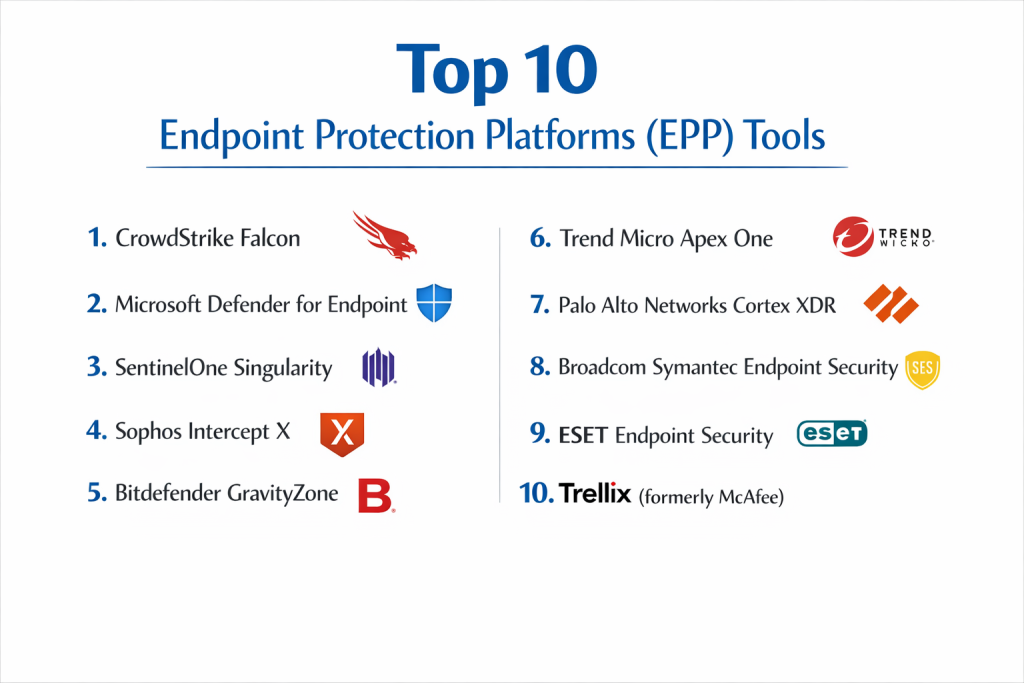
Top 10 Endpoint Protection Platforms (EPP) Tools
1 — CrowdStrike Falcon
CrowdStrike is widely considered the industry gold standard. Its Falcon platform is a cloud-native solution that pioneered the use of a single, lightweight agent to deliver protection, detection, and response.
- Key Features:
- Threat Graph AI: Predicts and prevents threats in real-time using trillions of data points.
- Indicator of Attack (IOA): Focuses on the “how” of an attack rather than just file signatures.
- Falcon Overwatch: Optional 24/7 managed threat hunting integrated directly into the platform.
- Zero Trust Assessment: Continuous health checks for endpoints before granting access.
- IT Hygiene: Visibility into unauthorized applications and unpatched assets.
- Pros:
- Extremely lightweight agent with virtually zero impact on system performance.
- Rapid deployment across thousands of endpoints in hours.
- Cons:
- Premium pricing that can be steep for budget-conscious organizations.
- Some advanced features require additional, modular licenses.
- Security & Compliance: SOC 2 Type II, ISO 27001, FedRAMP Authorized, HIPAA, and GDPR compliant.
- Support & Community: Excellent enterprise support, extensive technical documentation, and an active “CrowdStrike Community” for peer exchange.
2 — Microsoft Defender for Endpoint
Leveraging the massive telemetry data from the Windows ecosystem, Microsoft has built one of the most powerful and integrated EPP solutions available, specifically for organizations already in the Microsoft 365 stack.
- Key Features:
- Attack Surface Reduction (ASR): Hardens the OS by blocking common malware delivery paths.
- Automated Investigation: AI-driven remediation that mimics a human analyst’s workflow.
- Endpoint DLP: Integrated Data Loss Prevention to prevent sensitive info from leaving the device.
- Vulnerability Management: Real-time discovery and prioritization of software vulnerabilities.
- Deep Windows Integration: Native kernel-level protection without third-party agent conflicts.
- Pros:
- Often “free” or highly discounted for users already paying for E5 licenses.
- Unmatched visibility into Windows-specific attack vectors.
- Cons:
- Management console (Microsoft Defender XDR) can be complex and overwhelming.
- Support for macOS and Linux, while improving, is not as mature as the Windows version.
- Security & Compliance: Globally certified across almost all major frameworks (NIST, GDPR, HIPAA, FedRAMP).
- Support & Community: Massive global support network and extensive free training through Microsoft Learn.
3 — SentinelOne Singularity
SentinelOne is known for its “Autonomous AI,” which aims to detect and remediate threats on the device itself, even if it is not connected to the internet.
- Key Features:
- Static and Behavioral AI: Replaces traditional signatures with predictive models.
- One-Click Rollback: Automatically restores deleted or encrypted files after a ransomware attack.
- Storyline Technology: Automatically groups related events into a single attack chain for easy viewing.
- Ranger IoT: Identifies and secures unmanaged IoT devices on the network.
- Full Remote Shell: Allows administrators to troubleshoot and remediate endpoints remotely.
- Pros:
- High degree of automation reduces the workload for small security teams.
- Consistently high scores in MITRE ATT&CK evaluations.
- Cons:
- Occasional “noisy” alerts that require fine-tuning of the behavioral engine.
- User interface can be technical for non-security specialists.
- Security & Compliance: SOC 2, ISO 27001, GDPR, and HIPAA compliant.
- Support & Community: Strong technical support and a growing user community focused on automation.
4 — Sophos Intercept X
Sophos is a favorite for mid-market companies, offering a balanced mix of powerful protection and a highly intuitive cloud management console (Sophos Central).
- Key Features:
- Deep Learning Malware Detection: An advanced form of machine learning that detects unknown malware.
- CryptoGuard: Specialized technology that stops unauthorized encryption in its tracks.
- Anti-Exploit Technology: Blocks the techniques used in 90% of zero-day attacks.
- Synchronized Security: Shares info between endpoints and Sophos firewalls for instant isolation.
- Root Cause Analysis: Provides a visual “flight recorder” of how an attack started.
- Pros:
- One of the most user-friendly management interfaces in the industry.
- Excellent value-for-money, especially for multi-product customers.
- Cons:
- Agent can be slightly more resource-heavy than cloud-native competitors.
- Advanced EDR features may feel less granular than CrowdStrike’s.
- Security & Compliance: SOC 2, ISO 27001, GDPR, and HIPAA compliant.
- Support & Community: Highly rated “Sophos Community” and reliable 24/7 global support.
5 — Bitdefender GravityZone
Bitdefender is consistently ranked at the top of independent laboratory tests for pure detection and prevention accuracy, making it a favorite for performance-sensitive organizations.
- Key Features:
- Process Inspector: Monitors running processes for suspicious behavior.
- Risk Management: Analyzes endpoint settings to identify security misconfigurations.
- Content Control: Integrated web filtering and application control.
- Patch Management Add-on: Fully automated patching for OS and third-party apps.
- HyperDetect: Tunable machine learning to detect high-profile threats.
- Pros:
- Consistently the best detection rates in independent tests like AV-Comparatives.
- Very low system overhead and fast scanning.
- Cons:
- Management console can feel a bit dated compared to modern SaaS rivals.
- Reporting features are functional but less visual than competitors.
- Security & Compliance: ISO 27001, GDPR, and HIPAA reporting ready.
- Support & Community: Strong professional services and 24/7 technical support.
6 — Trend Micro Apex One
Trend Micro offers a massive breadth of protection, making it ideal for large enterprises with diverse infrastructures spanning on-premises, cloud, and hybrid setups.
- Key Features:
- Vulnerability Protection: Virtual patching to protect systems before an official patch is applied.
- Predictive Machine Learning: Stops new threats by analyzing file features.
- Data Loss Prevention: Integrated DLP across the endpoint and email.
- Vision One XDR: Broad visibility across endpoints, servers, and cloud workloads.
- Application Control: Prevents unauthorized or unrated apps from running.
- Pros:
- Exceptional at protecting legacy systems and diverse OS environments.
- Strong global threat intelligence network.
- Cons:
- The platform can be complex to configure initially.
- Deployment can be slower in large, complex environments.
- Security & Compliance: FedRAMP, SOC 2, ISO 27001, and GDPR compliant.
- Support & Community: Extensive global enterprise support and dedicated threat research teams.
7 — Palo Alto Networks Cortex XDR
While often associated with firewalls, Palo Alto’s endpoint solution is a top-tier contender that excels at correlating data from the network, cloud, and endpoint.
- Key Features:
- Managed Threat Hunting: Integrated access to Palo Alto’s Unit 42 research team.
- WildFire Integration: Uses the world’s largest malware analysis engine.
- Smart Score: AI-driven alert prioritization to focus on the most critical threats.
- Device Control: Granular control over USB and peripheral devices.
- Forensic Data Collection: Deep visibility for incident response teams.
- Pros:
- Unrivaled data correlation if you already use Palo Alto firewalls.
- Very high prevention accuracy against sophisticated exploits.
- Cons:
- High complexity; typically requires a dedicated security team to manage.
- Licensing is often part of a broader, more expensive security stack.
- Security & Compliance: SOC 2, ISO 27001, and GDPR compliant.
- Support & Community: Tier-1 enterprise support and a massive professional user base.
8 — Broadcom Symantec Endpoint Security (SES)
Symantec remains a titan in the security world, offering one of the most feature-complete platforms for traditional large enterprises that need highly granular control.
- Key Features:
- Intrusion Prevention (IPS): Scans network traffic to and from the endpoint.
- Deception Technology: Plants “decoys” on endpoints to trick and trap attackers.
- Behavioral Isolation: Limits what an app can do if it behaves suspiciously.
- Mobile Threat Defense: Dedicated protection for iOS and Android devices.
- Global Intelligence Network: One of the largest civilian threat databases.
- Pros:
- Highly granular policy controls for complex regulatory needs.
- Strong legacy in protecting large-scale Windows environments.
- Cons:
- Customer support feedback has been mixed since the Broadcom acquisition.
- Platform can feel “heavy” compared to nimble, cloud-native startups.
- Security & Compliance: Broad compliance support including HIPAA, PCI-DSS, and GDPR.
- Support & Community: Large-scale enterprise support, though response times can vary.
9 — ESET Endpoint Security
ESET is renowned for its speed and “light” touch on system resources, making it the preferred choice for organizations that cannot afford any dip in workstation performance.
- Key Features:
- LiveGuard: Cloud-based sandbox for analyzing suspicious files in seconds.
- Botnet Protection: Detects communication with malicious command-and-control servers.
- Brute Force Attack Protection: Blocks automated attempts to crack passwords.
- Unified Management: One console to manage physical, virtual, and mobile devices.
- Low System Footprint: Uses minimal CPU and RAM during operations.
- Pros:
- Extremely fast and un-intrusive; employees often won’t know it’s there.
- Very high malware detection rates with low false positives.
- Cons:
- Advanced EDR features are not as deep as CrowdStrike or SentinelOne.
- Fewer “automation” features for large-scale remediation.
- Security & Compliance: ISO 27001, GDPR, and HIPAA compliant.
- Support & Community: Excellent local support in many regions and strong documentation.
10 — Trellix (formerly McAfee)
Trellix was formed from the merger of McAfee and FireEye. It focuses on “Living Security,” an adaptive architecture designed to evolve alongside the threat landscape.
- Key Features:
- Dynamic Application Containment: Isolates suspicious apps before they can infect the host.
- Unified Console: A single pane of glass for both McAfee and FireEye legacy tools.
- Insight-Driven Security: Prioritizes threats based on their relevance to your specific sector.
- Broad OS Support: Comprehensive coverage for Windows, Mac, Linux, and specialized servers.
- XDR Capabilities: High-level correlation across endpoint, network, and cloud.
- Pros:
- Very strong at protecting large, heterogeneous environments.
- Advanced threat intelligence baked into the platform.
- Cons:
- The transition from legacy brands has led to some platform complexity.
- High system resource usage on older hardware.
- Security & Compliance: FedRAMP, SOC 2, ISO 27001, and HIPAA compliant.
- Support & Community: Robust global enterprise support and an extensive partner network.
Comparison Table
| Tool Name | Best For | Platform(s) Supported | Standout Feature | Rating (Gartner) |
| CrowdStrike Falcon | Large Enterprises | Win, Mac, Lin, Mobile | Lightweight Cloud Agent | 4.7 / 5 |
| Microsoft Defender | Microsoft-centric Orgs | Win, Mac, Lin, Mobile | Native OS Integration | 4.5 / 5 |
| SentinelOne | Automation-seekers | Win, Mac, Lin | One-Click Rollback | 4.6 / 5 |
| Sophos Intercept X | Mid-market / SMB | Win, Mac, Lin, Mobile | Anti-Exploit Engine | 4.8 / 5 |
| Bitdefender | Performance-focused | Win, Mac, Lin | Detection Accuracy | 4.7 / 5 |
| Trend Micro | Hybrid / Legacy IT | Win, Mac, Lin, Mobile | Virtual Patching | 4.6 / 5 |
| Palo Alto Cortex | SOC / Security Teams | Win, Mac, Lin | Data Correlation | 4.4 / 5 |
| Broadcom Symantec | Granular Policy | Win, Mac, Lin, Mobile | Deception Tech | 4.2 / 5 |
| ESET Endpoint | Speed / Low-Resource | Win, Mac, Lin, Mobile | Lightweight Footprint | 4.6 / 5 |
| Trellix | Large-scale XDR | Win, Mac, Lin | Adaptive Containment | 4.3 / 5 |
Evaluation & Scoring of [Endpoint Protection Platforms (EPP)]
The following rubric reflects the priorities of modern security leaders. While pure detection is vital, factors like ease of use and performance are equally important for long-term operational success.
| Criteria | Weight | Evaluation Focus |
| Core Features | 25% | Malware detection, ransomware rollback, anti-exploit, and AI analysis. |
| Ease of Use | 15% | Dashboard intuitiveness, policy configuration, and deployment speed. |
| Integrations | 15% | Compatibility with SIEM, SOAR, and other security stack components. |
| Security & Compliance | 10% | Third-party certifications (SOC2, HIPAA) and robust audit logs. |
| Performance | 10% | Impact on system boot times, CPU usage, and battery life. |
| Support & Community | 10% | Quality of documentation and availability of 24/7 technical experts. |
| Price / Value | 15% | Total cost of ownership relative to the features and protection offered. |
Which [Endpoint Protection Platforms (EPP)] Tool Is Right for You?
Solo Users vs SMB vs Mid-market vs Enterprise
- SMBs: Prioritize Sophos or ESET. They offer powerful protection without requiring a PhD in cybersecurity to manage.
- Enterprise: CrowdStrike and Microsoft Defender are the heavy hitters. They scale effortlessly to hundreds of thousands of devices and offer the deep analytics large firms require.
Budget-conscious vs Premium Solutions
- Budget-conscious: If you already pay for Microsoft 365 E5, the Defender for Endpoint is essentially “free.” Bitdefender and ESET also offer highly competitive per-device pricing for the performance they deliver.
- Premium: CrowdStrike and Palo Alto Networks are premium investments. You aren’t just buying software; you are buying elite threat intelligence and top-tier response capabilities.
Feature Depth vs Ease of Use
- If you want a “set it and forget it” tool with high automation, SentinelOne is your best bet.
- If you need granular, manual control over every network port and application behavior, Symantec or Trend Micro provide that depth.
Integration and Scalability Needs
Ask yourself: “What else do I use?” If your entire stack is Palo Alto firewalls, Cortex XDR is a no-brainer. If you are a cloud-first startup with a mix of Mac and Linux, a cloud-native agent like CrowdStrike will scale better than legacy on-premises platforms.
Frequently Asked Questions (FAQs)
1. Is EPP different from traditional antivirus?
Yes. Traditional antivirus relies on “signatures” (a list of known bad files). EPP uses behavioral analysis and AI to spot suspicious patterns, allowing it to stop new, never-before-seen threats.
2. What is the difference between EPP and EDR?
EPP focuses on prevention (blocking the attack), while EDR (Endpoint Detection and Response) focuses on detecting threats that have already bypassed defenses and providing tools for investigation. Most modern platforms now bundle both.
3. Does EPP work if the device is offline?
Most modern EPPs (like SentinelOne and Bitdefender) have “local” AI engines that can detect and block threats even without an internet connection, though cloud-based intelligence is lost.
4. How much does an EPP cost per year?
Prices vary wildly based on volume, but typically range from $30 to $80 per endpoint per year for enterprise-grade solutions.
5. Will an EPP slow down my computer?
Older security tools were known for this, but modern cloud-native tools (like CrowdStrike and ESET) are designed to use less than 1% of system resources.
6. Can I manage EPP for my remote workers’ home computers?
Yes. EPP is designed for this. As long as the device has the agent installed, it can be managed and monitored from the central cloud console, regardless of the network it’s on.
7. Do I need an EPP for macOS or Linux?
Absolutely. While Windows is the most common target, ransomware and malware attacks against macOS and Linux (especially servers) are rising rapidly.
8. What is “Ransomware Rollback”?
This feature (pioneered by SentinelOne) uses hidden snapshots of your files. If ransomware encrypts your data, the EPP can automatically revert the affected files to their original state with one click.
9. How long does it take to deploy an EPP?
For cloud-based solutions, you can often push the agent to your entire fleet in a few hours using a deployment tool like Intune or Jamf.
10. What is a “False Positive”?
This is when a security tool mistakenly flags a legitimate program as malware. Modern AI-driven tools are constantly tuned to minimize these, but they can still happen with custom business software.
Conclusion
The “best” Endpoint Protection Platform is rarely the one with the longest list of features; it is the one that best fits your organizational reality. For a Microsoft-heavy enterprise, Microsoft Defender for Endpoint offers integration that is hard to beat. For a high-growth tech startup, the nimbleness of CrowdStrike is often the top choice.
When making your final decision, prioritize prevention accuracy and operational efficiency. A tool that generates thousands of false alerts will only lead to “alert fatigue,” causing your team to miss a real attack. Start with a Proof of Concept (PoC) in your own environment to see how each tool handles your specific software and hardware mix.