Introduction
Employee Scheduling Software is a specialized digital platform that automates the process of creating, managing, and communicating work shifts. At its core, it allows managers to allocate human resources efficiently while giving employees a clear, accessible view of their work commitments. Beyond simple “start and end” times, these tools often incorporate labor cost forecasting, compliance tracking, and automated shift-swapping capabilities.
The importance of this software lies in its ability to reduce administrative overhead and eliminate costly errors like understaffing or accidental overtime. Real-world use cases are found in every corner of the economy: a restaurant manager balancing a front-of-house team during a busy holiday weekend, a hospital ensuring nursing ratios meet legal safety requirements, or a retail chain coordinating thousands of associates across various regions. When choosing a tool, users should evaluate mobile accessibility, ease of use, compliance automation, and the depth of integration with payroll systems.
Best for: Shift-based industries such as hospitality, retail, healthcare, manufacturing, and emergency services. It is essential for operations managers, HR directors, and small business owners who manage five or more employees with varying hours.
Not ideal for: Professional services with a standard “9-to-5” salaried structure or solo practitioners. If your team’s schedule never changes and labor laws regarding overtime don’t apply, a basic shared digital calendar or project management tool is likely sufficient.
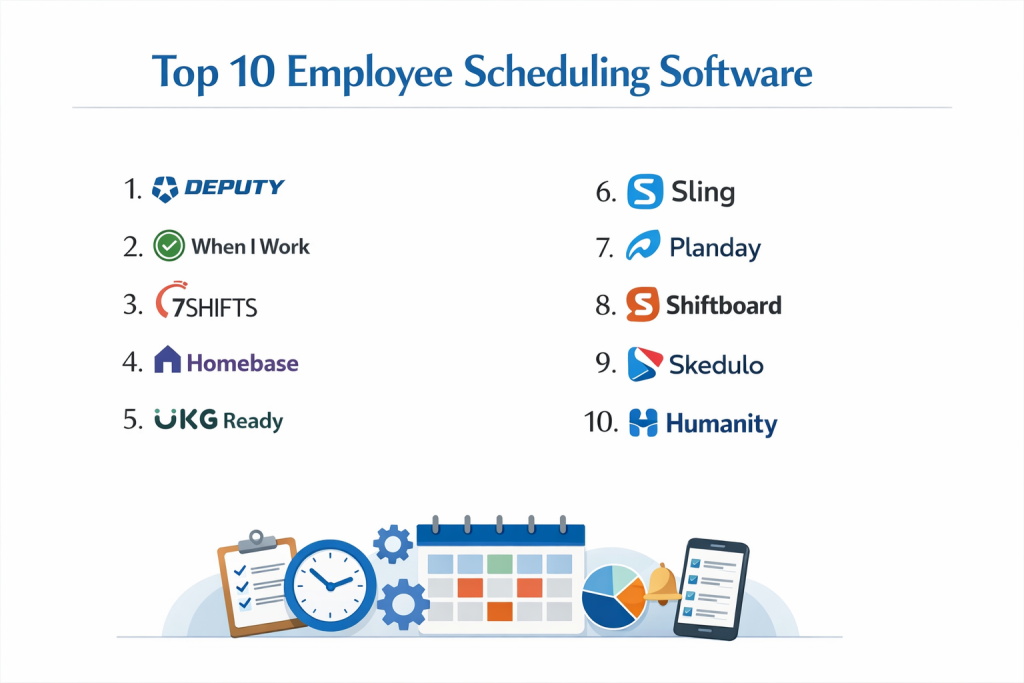
Top 10 Employee Scheduling Software Tools
1 — Deputy
Deputy is a global leader in the scheduling space, known for its clean interface and robust mobile functionality. It is designed to be the “all-in-one” hub for shift-based teams, combining scheduling with time tracking and task management.
- Key features:
- Auto-Scheduling: Uses AI to generate optimized schedules based on demand and budget.
- Shift Swapping: Allows employees to trade shifts directly through the mobile app with manager approval.
- Compliance Library: Pre-built rules for overtime, breaks, and fair workweek laws.
- News Feed: A centralized communication hub for team announcements and file sharing.
- Touchless Time Clock: Facial recognition and photo-verification for clocking in on shared tablets.
- Labor Cost Tracking: Real-time visibility into how scheduling decisions affect the bottom line.
- Pros:
- Exceptionally intuitive mobile experience for both managers and frontline staff.
- Powerful automation that significantly reduces the time spent on manual data entry.
- Cons:
- Advanced features like AI-based demand forecasting are locked behind higher-priced tiers.
- Some users find the setup of complex custom labor rules to be a bit technical.
- Security & compliance: SOC 2 Type II, GDPR compliant, HIPAA compliant (on specific configurations), and SSO support.
- Support & community: 24/7 chat support, a comprehensive knowledge base, and an active community of users across various industries.
2 — 7shifts
7shifts is a niche-specialized tool built from the ground up specifically for the restaurant industry. It addresses the unique challenges of food service, such as tip management and high-volume shift changes.
- Key features:
- POS Integration: Connects with major Point of Sale systems to schedule based on sales data.
- Tip Management: Tools for calculating, tracking, and distributing tips among the team.
- Communication Tools: Instant messaging for the team to handle call-outs and shift coverage.
- Labor Budgeting: Set labor targets and receive alerts if you are trending toward over-scheduling.
- Manager Log Book: A digital journal for shift notes, incidents, and daily performance tracking.
- Compliance Alerts: Notifies managers about meal break violations and “clopening” shifts.
- Pros:
- Tailor-made for restaurant workflows; no “extra” features that aren’t relevant to food service.
- Exceptional mobile app that caters to the fast-paced nature of kitchen and floor staff.
- Cons:
- Not suitable for any industry outside of hospitality.
- Lacks some of the deep HRIS features found in broader platforms.
- Security & compliance: GDPR compliant, encryption at rest and in transit, and robust audit logs.
- Support & community: Highly rated customer success team and a dedicated community of restaurant owners and managers.
3 — Homebase
Homebase is a popular choice for small businesses due to its generous free tier and ease of implementation. It focuses on the “core” needs of local businesses, including scheduling, time clocks, and hiring.
- Key features:
- Free Basic Plan: Offers scheduling and time tracking for one location with unlimited employees.
- Hiring & Onboarding: Post jobs to major boards and manage applicants within the platform.
- Mobile App: Real-time schedule updates and automated shift reminders.
- Compliance Protection: Tracks breaks and sends alerts for potential overtime violations.
- Employee Messaging: Simple chat features to keep the team connected.
- Payroll Integration: Syncs seamlessly with Gusto, QuickBooks, and ADP.
- Pros:
- The most accessible entry point for small businesses with limited budgets.
- Very fast setup—a manager can be up and running in under 30 minutes.
- Cons:
- Advanced features like geofencing and health screening are paid add-ons.
- The reporting suite is not as granular as enterprise-level solutions.
- Security & compliance: GDPR compliant, data encryption, and secure cloud hosting.
- Support & community: Strong library of “HR 101” resources and responsive email/phone support for paid plans.
4 — Sling
Sling is a highly versatile scheduling tool that emphasizes communication and task management. It is widely used in retail, healthcare, and non-profits for its flexibility.
- Key features:
- Shift Templates: Quickly replicate recurring schedules to save time.
- Task Management: Assign specific duties to employees within their shifts.
- Availability Management: Employees can input their “unavailability” to prevent scheduling conflicts.
- Overtime Alerts: Visual indicators that show when an employee is approaching their hour limit.
- Open Shifts: Post unassigned shifts for qualified employees to claim on a first-come, first-served basis.
- Labor Cost Forecasting: Predicts weekly labor spend as you build the schedule.
- Pros:
- Excellent balance between depth of features and simplicity of the user interface.
- The task management integration makes it more than just a scheduling tool; it’s an operational one.
- Cons:
- The free version is quite limited compared to the paid tiers.
- Mobile notifications can sometimes be delayed depending on the device settings.
- Security & compliance: GDPR compliant, SOC 2 (varies by tier), and SSL encryption.
- Support & community: Dedicated help center and email-based support with a reputation for helpfulness.
5 — When I Work
When I Work is a well-established player in the market, favoring a “mobile-first” approach that appeals to younger workforces. It is known for its speed and simplicity.
- Key features:
- Auto-Scheduling: One-click scheduling that accounts for availability and labor costs.
- Team Messaging: Built-in chat that replaces the need for WhatsApp or Slack.
- Time & Attendance: Integrated clock-in via mobile with GPS geofencing.
- Workplace Visibility: See who is currently on the clock from any device.
- Labor Reports: Simple, actionable data on labor spend vs. projected budgets.
- Multi-Unit Support: Manage different locations or departments under one account.
- Pros:
- Extremely fast interface; the “drag-and-drop” desktop scheduler is one of the best.
- Strong emphasis on employee self-service reduces the administrative burden on managers.
- Cons:
- Pricing has become more complex in recent years, with separate costs for scheduling and attendance.
- Customer support is primarily chat-based, which may not suit all users.
- Security & compliance: SOC 2 Type II, GDPR, and data encryption.
- Support & community: High-quality video training series and a large, searchable help database.
6 — Planday
Owned by Xero, Planday is an enterprise-ready scheduling solution that excels in complex environments, particularly across Europe and North America.
- Key features:
- Complex Contract Management: Handle different employee contracts, pay rates, and holiday rules.
- Xero Integration: Best-in-class sync with Xero for a seamless “schedule-to-payroll” workflow.
- Advanced Reporting: Detailed insights into labor percentages and productivity.
- Employee Portal: A professional space for staff to view schedules and submit time-off requests.
- Revenue Tracking: Sync sales data to see your labor cost percentage in real-time.
- Permission Levels: Highly granular control over what different managers can see and edit.
- Pros:
- Exceptionally strong for businesses with complex legal or union-based contract requirements.
- The most robust solution for businesses already operating within the Xero ecosystem.
- Cons:
- Higher learning curve than “plug-and-play” tools like Homebase or Sling.
- Can be expensive for very large teams due to the per-user pricing model.
- Security & compliance: ISO 27001, GDPR, and SOC 2 compliant.
- Support & community: Dedicated account managers for enterprise clients and localized support in multiple languages.
7 — TCP Humanity Scheduling
Humanity (by TCP Software) is a heavy-hitter in the healthcare and corporate sectors. It is designed to handle high-stakes scheduling where compliance is non-negotiable.
- Key features:
- Skills-Based Scheduling: Ensure only employees with specific certifications are assigned to critical shifts.
- Stress-Free Compliance: Built-in legal rules for over 80 countries.
- Conflict Detection: Real-time alerts for double-bookings or availability clashes.
- Mobile App: Full-featured app for employees to manage their work-life balance.
- Custom Reporting: Build bespoke reports to satisfy board members or auditors.
- Open API: Allows for deep integration with custom HRIS and ERP systems.
- Pros:
- Unmatched for industries like healthcare where “who” is working is as important as “when.”
- The customer support team is known for having high technical expertise.
- Cons:
- The user interface can feel a bit dated and “corporate” compared to Deputy.
- Pricing is generally custom and aimed at mid-market to enterprise buyers.
- Security & compliance: SOC 2, HIPAA, GDPR, and ISO 27001.
- Support & community: 24/7/365 support, professional onboarding services, and a deep technical library.
8 — ZoomShift
ZoomShift is a straightforward, no-nonsense scheduling tool that focuses on small to medium businesses. It is often praised for its “cleanliness” and lack of clutter.
- Key features:
- Weekly/Monthly Views: Toggle between views to see the big picture or daily details.
- Time Off Tracking: Manage all vacation and sick leave requests in one place.
- Employee Reminders: Automatic emails and push notifications for upcoming shifts.
- Labor Costing: Calculate wages automatically as you create the schedule.
- Shift Notes: Attach specific instructions or checklists to any shift.
- Simple Time Clock: A web-based or mobile clock-in system that syncs to the schedule.
- Pros:
- The learning curve is practically non-existent; managers can master it in minutes.
- Very reliable mobile notifications ensure employees never miss a shift update.
- Cons:
- Lacks the advanced AI and forecasting features of its larger competitors.
- Integration list is shorter than tools like Deputy or When I Work.
- Security & compliance: GDPR compliant and uses standard industry encryption.
- Support & community: Fast email support and a very clear, easy-to-navigate help center.
9 — Shiftboard
Shiftboard is an enterprise-level platform that specializes in high-complexity industries like manufacturing, energy, and public safety.
- Key features:
- SchedulePro & ScheduleFlex: Two distinct products tailored to specific operational needs.
- Automated Overtime Management: Intelligent rules to distribute overtime fairly and legally.
- Union Rule Compliance: Handles complex seniority-based bidding for shifts.
- Fatigue Management: Prevents scheduling employees for too many consecutive hours to ensure safety.
- Real-time Communication: Emergency mass-notification features for critical industries.
- Deep Analytics: Workforce optimization data that satisfies industrial engineers.
- Pros:
- The best solution for businesses with extreme compliance and safety requirements.
- Capable of managing thousands of employees across hundreds of locations.
- Cons:
- Not suitable for small businesses; the feature set would be overwhelming.
- Requires a significant investment in time and money for implementation.
- Security & compliance: SOC 2 Type II, HIPAA, GDPR, and FedRAMP (for government).
- Support & community: High-touch enterprise support and dedicated implementation consultants.
10 — Clockify
While primarily known as a time tracker, Clockify has introduced a robust scheduling module that is perfect for teams that need to bridge the gap between project management and shift work.
- Key features:
- Project Scheduling: Assign shifts based on specific project milestones.
- Capacity Planning: See who is over-worked and who has availability at a glance.
- Timesheet Sync: Schedules automatically pre-fill timesheets for easier payroll.
- Visual Timeline: A clean, horizontal view of the team’s upcoming weeks.
- Unlimited Users (Free Tier): One of the few professional tools with a truly free tier for large teams.
- Time Off Management: Integrated leave tracking that reflects on the schedule.
- Pros:
- Exceptional value for money, especially for large teams on a tight budget.
- Simplifies the workflow by keeping time tracking and scheduling in one place.
- Cons:
- Scheduling features are newer and less “battle-tested” than specialized tools like Deputy.
- Lacks the deep “shift-bidding” and union-rule logic of enterprise tools.
- Security & compliance: ISO 27001, GDPR, and SOC 2. Data residency options (US, EU, AU, UK) available.
- Support & community: Active user forums, 24/7 support for paid plans, and a vast video library.
Comparison Table
| Tool Name | Best For | Platform(s) Supported | Standout Feature | Rating (Gartner) |
| Deputy | All-in-one SMB Ops | Web, iOS, Android | AI Auto-Scheduling | 4.7 / 5 |
| 7shifts | Restaurants | Web, iOS, Android | POS Shift Integration | 4.8 / 5 |
| Homebase | Small Local Biz | Web, iOS, Android | Generous Free Tier | 4.4 / 5 |
| Sling | Task-based Teams | Web, iOS, Android | Integrated Task Mgmt | 4.5 / 5 |
| When I Work | Mobile-first Teams | Web, iOS, Android | Desktop Scheduling UI | 4.5 / 5 |
| Planday | Complex Contracts | Web, iOS, Android | Xero Native Sync | 4.3 / 5 |
| Humanity | Healthcare/Compliance | Web, iOS, Android | Skills-based Sorting | 4.4 / 5 |
| ZoomShift | Simplicity Seekers | Web, iOS, Android | Clean/Fast Interface | 4.6 / 5 |
| Shiftboard | Heavy Manufacturing | Web, iOS, Android | Fatigue Management | 4.2 / 5 |
| Clockify | Budget Constraints | Web, Desktop, Mobile | Unlimited Free Users | 4.7 / 5 |
Evaluation & Scoring of Employee Scheduling Software
Selecting the right software requires an objective look at how it fits your business model. We evaluate these tools using a weighted scoring rubric based on current industry standards:
| Category | Weight | Evaluation Focus |
| Core Features | 25% | Scheduling, shift swapping, time clocks, and forecasting. |
| Ease of Use | 15% | Intuitiveness for both managers and non-technical staff. |
| Integrations | 15% | Native connectivity with Payroll, POS, and HRIS systems. |
| Security & Compliance | 10% | Encryption, SOC 2 status, and labor law automation. |
| Performance | 10% | Reliability of mobile notifications and app uptime. |
| Support & Community | 10% | Quality of documentation and speed of technical support. |
| Price / Value | 15% | Feature set relative to the monthly per-user investment. |
Which Employee Scheduling Software Tool Is Right for You?
Solo Users vs. SMB vs. Mid-market vs. Enterprise
Solo practitioners generally do not need these tools. Small Businesses (SMB) should prioritize Homebase or ZoomShift for their low cost and quick setup. Mid-market companies with more complex needs (like multiple locations or specialized roles) will find the most value in Deputy or When I Work. Large Enterprises and industrial firms should look toward Shiftboard or Humanity, which are built for high-scale compliance and security.
Budget-conscious vs. Premium Solutions
If budget is your primary concern, Homebase and Clockify offer incredible value. Clockify, in particular, allows for unlimited users on its free tier. If you are a premium buyer looking for a “source of truth” that manages labor laws, employee engagement, and sales forecasting, UKG Pro or Planday are the industry benchmarks.
Feature Depth vs. Ease of Use
There is usually a trade-off here. 7shifts and ZoomShift are incredibly easy to use because they have a narrow focus. Planday and Shiftboard offer immense feature depth but require a dedicated administrator and a longer training period for the staff.
Integration and Scalability Needs
If your business runs on Xero, Planday is the logical choice. If you use QuickBooks or Gusto, Homebase or When I Work offer the most seamless experience. For companies planning to scale rapidly from 50 to 5,000 employees, Deputy offers the best balance of flexibility and enterprise-grade infrastructure.
Frequently Asked Questions (FAQs)
1. Is employee scheduling software hard to implement?
For small businesses, it can take less than an hour. For large enterprises with complex payroll and labor rules, implementation can take 3–6 months and usually involves a professional services team.
2. Can these tools help with labor law compliance?
Yes. Modern tools have built-in rules for overtime, mandatory breaks, and “fair workweek” laws (like those in NYC or Seattle), automatically alerting managers to potential violations.
3. Do employees actually like using these apps?
Generally, yes. Employees appreciate having a clear view of their schedule on their phone, the ability to request time off instantly, and a fair system for swapping shifts without a dozen phone calls.
4. What is “Auto-Scheduling”?
It is an AI feature that looks at your labor budget, employee availability, and historical demand to create a complete schedule with one click, which the manager then reviews and publishes.
5. How much does it cost?
Pricing varies widely. Some tools are free for a few users, while most charge between $2 and $10 per user, per month. Enterprise solutions often have a base monthly fee plus user costs.
6. Can I track time and attendance in the same app?
Most leading tools (Deputy, Homebase, When I Work) have integrated time clocks. This ensures that the hours worked are compared directly against the hours scheduled for better accuracy.
7. Is my data secure in the cloud?
Top-tier providers use SOC 2 Type II and ISO 27001 certifications, meaning they follow the highest standards of data security and privacy.
8. What happens if I have employees with different pay rates?
Most professional scheduling tools allow you to set unique pay rates for each employee and even different rates for the same employee if they work different roles (e.g., a server who also hosts).
9. Can I manage multiple locations?
Yes. Tools like When I Work and Deputy are built for multi-unit operators, allowing you to switch between locations or view an aggregated dashboard of your entire workforce.
10. What is a “Clopening” and why does it matter?
A clopening is when an employee works a late closing shift followed by an early opening shift. Many labor laws now prohibit this or require a “premium” pay rate if the gap between shifts is too short.
Conclusion
The “best” Employee Scheduling Software isn’t the one with the most bells and whistles—it’s the one that your managers and employees will actually use. If you are a restaurant owner, 7shifts is almost a mandatory investment. If you are a startup on a budget, Homebase or Clockify will serve you well. For those looking for operational excellence and AI automation, Deputy remains the gold standard.
Ultimately, scheduling software is an investment in your company culture. By providing a predictable, fair, and transparent schedule, you reduce employee turnover and create a more professional work environment. Accurate scheduling is the foundation of a profitable business.