Introduction
An Emergency Notification System (ENS) is a software platform that sends urgent messages to large groups of people during a crisis. It is a critical tool for safety and business continuity. Think of it as a digital megaphone that can reach everyone at once through text, email, phone calls, mobile apps, and more—instantly and reliably.
This software is vitally important because seconds count in an emergency. Whether it’s a fire, an active threat, severe weather, a power outage, or a public health alert, clear and rapid communication can save lives, protect property, and maintain operational stability. Without it, organizations rely on slow, unreliable methods like word-of-mouth or email chains. Real-world use includes a university warning students of a campus threat, a hospital activating its disaster response team, a corporation notifying employees of a global IT outage, or a city alerting residents to evacuate before a hurricane.
When choosing a tool, you should look for: multi-channel delivery (SMS, voice, email, app push, desktop alerts), speed and reliability, ease of message creation and sending, two-way communication for confirmation and updates, integration capabilities with other safety systems, and detailed reporting on who received the alert.
Best for: This software is essential for Campus Safety Directors, Security Managers, IT Disaster Recovery Teams, HR Leaders, Facility Managers, and Public Safety Officials. It benefits schools and universities, hospitals, large corporations, government agencies, manufacturing plants, and any organization with a responsibility for the safety of people in a specific location.
Not ideal for: A very small team that is always together in one room might manage with a simple group text or chat app for minor alerts. However, any organization with multiple locations, remote workers, or a responsibility for visitors or the public should have a dedicated system. It is not a general internal communication tool like Slack; it is a specialized system for high-stakes, time-sensitive broadcasting.
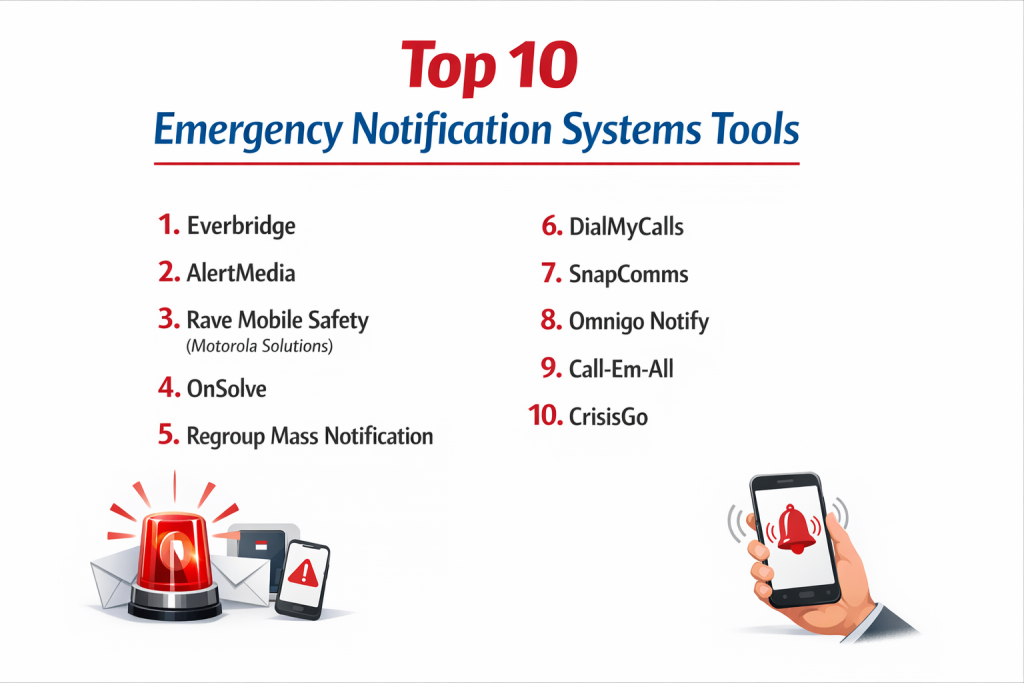
Top 10 Emergency Notification Systems Tools
1 — Everbridge
Everbridge is a global leader in critical event management. Its notification system is part of a comprehensive platform used by governments and large enterprises to manage all phases of a crisis.
Key features:
- Mass Notification: Send alerts via SMS, voice, email, social media, and digital signage.
- Critical Event Management (CEM): A full suite including incident collaboration, resource mobilization, and impact visualization.
- IPAWS Integration: Can broadcast alerts through the U.S. government’s Integrated Public Alert & Warning System to cell towers and NOAA radios.
- Location-Based Targeting: Send alerts only to people in a specific affected building, neighborhood, or geographic area.
- Two-Way Communication: Allows recipients to respond with their status (e.g., “Safe,” “Need Help”).
- Extensive Integrations: Works with IoT sensors, access control systems, weather feeds, and more.
Pros:
- The most powerful and scalable platform for large, complex organizations and governments.
- Goes beyond simple alerts to full-scale incident command and management.
- Unmatched global reach and reliability.
Cons:
- Can be very expensive and complex for small to mid-sized organizations.
- The full CEM suite has a steep learning curve; many features may be underutilized.
- Implementation and configuration require significant planning.
Security & compliance: Enterprise-grade with SOC 2 Type II, ISO 27001, FedRAMP (for gov’t), and compliance with global data privacy regulations (GDPR, etc.).
Support & community: Offers 24/7/365 dedicated support, professional services, and access to a large network of enterprise and public safety clients.
2 — AlertMedia
AlertMedia is a modern, user-friendly emergency communication platform known for its excellent interface and focus on employee safety. It’s popular with mid-market and enterprise companies.
Key features:
- Intuitive Threat Broadcasting: Simple, fast interface to create and send multi-channel alerts.
- Employee Safety Monitoring: “Check-in” features for employees during crises and travel risk monitoring.
- Global Threat Intelligence Feed: Integrated news and risk data to help identify emerging threats.
- Pre-built Message Templates & Scenarios: Libraries of approved messages for common emergencies.
- Mobile App for Administrators & Recipients: Easy alert management and receipt on the go.
- Detailed Delivery Analytics: Real-time reporting on who has and hasn’t received the message.
Pros:
- Exceptional user experience that reduces training time and speeds up response.
- Strong focus on the employee safety journey, from threat awareness to confirmation of safety.
- Reliable and fast delivery with high customer satisfaction ratings.
Cons:
- While feature-rich, it is more focused on communication than full-scale incident management (like Everbridge’s CEM).
- Primarily cloud/SaaS; may not offer the same level of on-premise deployment options.
- Pricing can be high for very small businesses.
Security & compliance: High standards with SOC 2 Type II certification, data encryption, and compliance with privacy laws.
Support & community: Known for outstanding, proactive customer success and support. Offers webinars and a resource library.
3 — Rave Mobile Safety (Motorola Solutions)
Rave Mobile Safety is a trusted provider, particularly in the education and public safety sectors. It’s known for robust features and strong integrations with 9-1-1 systems.
Key features:
- Mass Notification: Send alerts via SMS, voice, email, and desktop.
- Rave Panic Button: A dedicated mobile/app button for instantly alerting security and 9-1-1 to an active threat.
- Smart911 / Safety Profile: Allows individuals to create safety profiles that automatically display to 9-1-1 call-takers in an emergency.
- Collaborative Crisis Management: Tools for organizing response teams and managing incidents.
- Wide Public Sector Adoption: Deeply embedded in K-12 schools, universities, and municipal governments.
Pros:
- Strong, specialized features for life safety in educational environments (panic button).
- Valuable integration with the public safety answering point (PSAP/9-1-1) ecosystem.
- A trusted name with a long history in the community safety space.
Cons:
- The user interface can feel less modern compared to some newer cloud-native platforms.
- May be perceived as more focused on the public/education sector than pure corporate needs.
- Some users note a desire for more intuitive administrative controls.
Security & compliance: Meets stringent public safety and education data security requirements, including CJIS compliance where applicable.
Support & community: Strong support network tailored to its core markets of education and government.
4 — OnSolve
OnSolve provides AI-driven risk intelligence and communication solutions. Its platform is designed to help organizations anticipate disruptions and communicate proactively.
Key features:
- AI-Powered Risk Intelligence: Continuously monitors global data sources to provide early warnings of threats.
- Critical Communications: Mass notification system with multi-channel messaging.
- Incident Management: Tools to track, manage, and resolve critical events.
- Supply Chain Risk Monitoring: Can assess and alert on risks to your vendor and logistics network.
- Executive Protection: Features for monitoring risks to corporate travelers and executives.
Pros:
- Powerful predictive element helps organizations get ahead of emerging crises.
- Strong for global corporations concerned with supply chain and travel risk.
- Combines alerting with intelligent risk monitoring in one platform.
Cons:
- The AI/risk intelligence component adds complexity and cost that may not be needed by all organizations.
- Can be a comprehensive (and therefore potentially complex) suite.
- May be overkill for organizations with simpler, location-based alerting needs.
Security & compliance: Enterprise-level security infrastructure and compliance certifications relevant to global operations.
Support & community: Offers dedicated customer success managers and professional services for implementation.
5 — Regroup Mass Notification
Regroup is a straightforward, reliable mass notification platform that emphasizes ease of use and flexibility. It serves a wide range of clients from cities to corporations to hospitals.
Key features:
- Flexible Messaging: Send alerts via voice, text, email, social media, and more from a simple dashboard.
- Group Management: Easy to create and manage complex recipient groups (by location, role, department).
- Two-Way Messaging & Polling: Engage with your audience and gather real-time feedback.
- API for Integrations: Allows connection to HR databases, building sensors, and other systems.
- High Volume & Speed: Designed for rapid delivery to very large audiences.
Pros:
- Known for being user-friendly and quick to implement.
- Excellent customer support and a responsive team.
- Highly reliable and effective at its core task: sending mass notifications fast.
Cons:
- Less focused on the adjacent features like threat intelligence or deep incident management.
- While it has an API, its out-of-the-box ecosystem of integrations may be smaller than the largest players.
- Brand recognition is lower than some enterprise giants.
Security & compliance: Committed to security best practices, with data encryption and compliance with key regulations. Specific certifications should be confirmed.
Support & community: Frequently praised for responsive and helpful customer support.
6 — DialMyCalls
DialMyCalls is a simple, cost-effective mass notification service. It’s designed for small to medium-sized businesses, community groups, and organizations that need basic, reliable phone, text, and email broadcasting without complexity.
Key features:
- Voice Broadcast: Send pre-recorded voice messages to landlines and mobile phones.
- SMS Text Messaging: Send bulk text alerts.
- Email Blasts: Send mass email notifications.
- Simple Contact List Management: Upload contacts via spreadsheet or manually.
- Easy-to-Use Web Interface: Very straightforward dashboard for sending messages.
- Pay-As-You-Go Pricing: No long-term contracts; pay for credits you use.
Pros:
- Extremely affordable and has transparent, simple pricing.
- No learning curve; you can start sending alerts almost immediately.
- Fills the need for basic, reliable mass calling/texting perfectly.
Cons:
- Lacks advanced features like geographic targeting, full incident management, or mobile app alerts.
- Primarily a one-way broadcasting tool with limited two-way capabilities.
- Not designed for the complex needs of large enterprises or high-stakes public safety.
Security & compliance: Provides standard telephony and data security. For highly sensitive data, organizations should inquire about specific compliance measures.
Support & community: Offers basic customer support suitable for its product’s scale.
7 — SnapComms
SnapComms specializes in internal employee communication with a strong suite of tools for desktop and digital signage alerts. It’s ideal for organizations that need to guarantee message visibility on corporate devices.
Key features:
- Desktop Alerts: High-priority messages that appear directly on employee computer screens, bypassing email.
- Digital Signage Integration: Push alerts to TVs and screens in lobbies, breakrooms, and hallways.
- Scrolling Tickers & Lock Screen Alerts: Less intrusive but persistent notification methods.
- Employee App: Mobile channel for reaching deskless or remote workers.
- Two-Way Quizzes & Surveys: Engages employees and confirms understanding.
- Targeted Messaging: Send to specific teams, locations, or job roles.
Pros:
- Unbeatable for ensuring critical messages are seen by employees at their desks.
- Great for routine internal comms as well as emergencies, increasing overall platform usage.
- Strong for organizations with a large number of on-site, desk-based employees.
Cons:
- Less focused on SMS/voice broadcast to personal devices, which is critical for after-hours or off-site emergencies.
- Its core strength is internal; less suited for alerting the public or visitors.
- May require additional software for full multi-channel external alerting.
Security & compliance: Provides security features appropriate for internal corporate communications and data.
Support & community: Offers customer success management and training resources.
8 — Omnigo Notify
Omnigo Notify is part of the Omnigo public safety and security software suite. It’s designed to integrate tightly with security operations, access control, and video management systems.
Key features:
- Mass Notification: Send alerts via text, voice, email, and desktop.
- Tight Security System Integration: Can trigger alerts automatically from access control alarms, video analytics, or panic buttons.
- Incident Reporting & Management: Logs alerts as part of a broader incident record.
- Role-Based Alerting: Automatically notifies security personnel, first responders, or facility teams based on incident type.
- Floor Plan Mapping: Visualize an incident location and send targeted alerts to affected areas.
Pros:
- Excellent for organizations that want their alerting system to be a native part of their physical security ecosystem.
- Reduces response time by automating alerts based on security events.
- Strong for hospitals, campuses, and critical infrastructure where security and safety are combined.
Cons:
- Primarily valuable as part of the wider Omnigo ecosystem; may be less ideal as a stand-alone notification tool.
- May have a more specialized, security-operations-centric interface.
- Market presence is strongest in specific verticals like healthcare and education.
Security & compliance: Built for security-sensitive environments, with compliance measures for industries like healthcare (HIPAA potential).
Support & community: Support is tied to the broader Omnigo platform implementation.
9 — Call-Em-All
Call-Em-All is a straightforward group messaging service focused on voice and text broadcasting. It is known for its simplicity, reliability, and nonprofit/community group pricing.
Key features:
- Voice Broadcast: Record and send phone messages to large groups.
- Text Messaging: Send bulk SMS alerts.
- Simple Scheduling: Schedule messages to be sent at a later time.
- Basic Contact Management: Organize contacts into groups.
- No Long-Term Contracts: Flexible month-to-month or pay-as-you-go plans.
- Nonprofit Discounts: Offers special pricing for qualified organizations.
Pros:
- One of the most affordable and easy-to-use options for basic voice and text blasts.
- Excellent for community notifications, volunteer coordination, and small business updates.
- No commitment required.
Cons:
- Very limited feature set compared to full emergency notification platforms (no app push, limited integrations, no mapping).
- Not designed for complex targeting, two-way communication, or high-stakes crisis management.
- The name reflects its core function; it’s not perceived as an “enterprise” emergency solution.
Security & compliance: Provides standard service security. Organizations with advanced compliance needs should evaluate specifics.
Support & community: Offers good customer support for its product scope.
10 — CrisisGo
CrisisGo is a safety platform with a strong focus on K-12 schools. It combines mass notification with detailed safety plans, drill management, and a powerful mobile panic button for staff.
Key features:
- Staff Panic Button: Mobile app button that instantly alerts all responders with location and situation details.
- Digital Safety Plans & Blueprints: Access critical building plans and response procedures during an incident.
- Mass Notification: Integrated alerting to staff, students, and parents.
- Drill Management: Schedule, conduct, and report on safety drills (fire, lockdown, etc.).
- Reunification Tools: Manage student-parent reunification after a crisis.
- Attendance & Accountability: Real-time student/staff accounting during an emergency.
Pros:
- Purpose-built for the unique and critical needs of school safety.
- The panic button and digital plans provide actionable tools during the most critical moments.
- Moves beyond just alerting to provide a full suite of crisis response tools for educators.
Cons:
- Highly specialized for the education sector; not a general-purpose corporate tool.
- Features like reunification are not relevant outside of schools/youth organizations.
- May require significant training and cultural adoption within a school district.
Security & compliance: Meets stringent student data privacy requirements (like FERPA in the U.S.) and school security standards.
Support & community: Support and services are tailored to the education market.
Comparison Table
| Tool Name | Best For (target user or scenario) | Platform(s) Supported | Standout Feature | Rating |
|---|---|---|---|---|
| Everbridge | Governments & large global enterprises needing full critical event management. | Cloud, Web, Mobile, Integrations | Critical Event Management (CEM) & IPAWS Integration | High (Enterprise Leader) |
| AlertMedia | Mid-market to large companies prioritizing employee safety & user experience. | Cloud, Web, Mobile | Excellent UX & Integrated Threat Intelligence | High |
| Rave Mobile Safety | Schools, universities & public safety agencies. | Cloud, Web, Mobile, 9-1-1 | Panic Button & 9-1-1 Integration | High (Education/Public Safety) |
| OnSolve | Global corporations wanting AI-driven risk prediction with notification. | Cloud, Web | AI-Powered Risk Intelligence & Monitoring | High |
| Regroup | A wide range of organizations wanting a reliable, user-friendly notification workhorse. | Cloud, Web, Mobile | Simplicity, Reliability & Great Support | High |
| DialMyCalls | Small businesses & community groups needing basic, affordable voice/text blasts. | Cloud, Web (Voice/SMS) | Extreme Simplicity & Low Cost | Medium |
| SnapComms | Companies needing to guarantee internal message visibility on corporate desktops. | Cloud, Desktop, Digital Signage | Desktop & Digital Signage Alert Dominance | Medium/High |
| Omnigo Notify | Organizations with an Omnigo security ecosystem wanting integrated alerting. | Cloud, Web, Security Systems | Deep Integration with Physical Security Systems | Medium |
| Call-Em-All | Nonprofits, communities & very small teams needing simple voice/text broadcasting. | Cloud, Web (Voice/SMS) | Affordability & Nonprofit Focus | Medium |
| CrisisGo | K-12 school districts needing a complete safety platform. | Cloud, Mobile (App-First) | School-Specific Panic Button & Safety Plans | High (K-12 Niche) |
Evaluation & Scoring of Emergency Notification Systems
Score tools (1-10) using this rubric. Multiply by the weight to get a total score out of 100 for your needs.
| Evaluation Category | Weight | What to Look For |
|---|---|---|
| Core Features | 25% | Multi-channel delivery (SMS, voice, email, app, desktop), speed, two-way communication, targeting (geo/location), template library. |
| Ease of Use | 15% | Speed to create/send an alert, clarity of admin interface, ease of managing contact groups, minimal training required. |
| Integrations & Ecosystem | 15% | API availability, pre-built connectors to HRIS, security systems, IoT sensors, PA systems, digital signage, and weather feeds. |
| Security & Compliance | 10% | System uptime/redundancy, data encryption, compliance with relevant regulations (e.g., CJIS for public safety, FERPA for schools). |
| Performance & Reliability | 10% | Proven delivery speed at scale, 24/7/365 system availability, carrier relationships for SMS/voice delivery. |
| Support & Community | 10% | 24/7 support availability, quality of implementation help, training resources, and access to user best practices. |
| Price / Value | 15% | Total cost relative to the features, reliability, and the critical need it fulfills (safety is not an area to overly cheap out on). |
Which Emergency Notification Systems Tool Is Right for You?
Find the best match based on your organization:
- Solo Users vs SMB vs Mid-Market vs Enterprise:
- Very Small Business / Team: For basic alerts, DialMyCalls or Call-Em-All. For more robust needs, Regroup’s smaller plans.
- SMB / Mid-Market Company (50-1000 employees): AlertMedia and Regroup are excellent fits. SnapComms if internal desktop alerts are key.
- Large Enterprise / Government / University: Everbridge, AlertMedia, OnSolve, and Rave Mobile Safety are the top-tier choices.
- K-12 School District: CrisisGo and Rave Mobile Safety are the specialized leaders.
- Budget-Conscious vs Premium Solutions:
- Budget-Conscious: DialMyCalls and Call-Em-All for bare essentials. Regroup offers great value for more features.
- Premium Solutions: Everbridge and OnSolve represent top-tier investments for global scale and intelligence. You pay for ultimate reliability and features.
- Feature Depth vs Ease of Use:
- Prioritize Feature Depth/Management: Choose Everbridge (CEM) or OnSolve (Risk Intel).
- Prioritize Ease of Use/Simplicity: Choose AlertMedia, Regroup, or DialMyCalls.
- Integration and Scalability Needs:
- If you have a major physical security system (Omnigo, etc.), explore Omnigo Notify.
- If employee desktop visibility is critical, SnapComms is unique.
- If you are a public agency, IPAWS integration (Everbridge, Rave) is crucial.
- For scalability to millions, Everbridge is the benchmark.
- Security and Compliance Requirements:
- For public safety/criminal justice data, CJIS compliance (Rave, others) is mandatory.
- For student data, FERPA compliance (CrisisGo, Rave) is key.
- For general enterprise, SOC 2 Type II certification is the gold standard to look for.
Frequently Asked Questions (FAQs)
1. What’s the difference between an ENS and a regular mass texting app?
An ENS is built for reliability and speed under extreme load, has redundant systems, offers multiple channels (not just SMS), provides delivery confirmations, and often includes safety-specific features like two-way communication and incident management. A mass texting app might fail under crisis load.
2. How fast can these systems send an alert?
A well-architected system can initiate tens of thousands of messages (across all channels) within the first minute. The actual delivery to individual phones depends on cellular carrier networks.
3. Can we send alerts only to people in a specific building?
Yes, this is called geo-targeting or location-based alerting. It uses integration with Wi-Fi, badging systems, or mobile app location (with user permission) to send alerts only to those in a defined area.
4. How do we keep contact information (phone numbers) up to date?
The best practice is integration with your HR information system (HRIS) for automatic nightly updates. Manual uploads are error-prone and become outdated quickly.
5. What happens if the power or internet goes out?
A true ENS should have redundant data centers in different geographic regions. For sending, it uses multiple telecom carriers. For receipt, SMS and voice calls rely on cellular networks, which often have backup power.
6. Are there laws about sending emergency alerts?
Yes. In the U.S., you must comply with the Telephone Consumer Protection Act (TCPA). This generally requires prior express consent for automated calls/texts, but there is an emergency exception for alerts that pose a significant safety risk. Consent is still the safest path.
7. How much does it cost?
Pricing is typically per person per month, ranging from a few cents for basic services to several dollars per person for full enterprise suites with intelligence and management features. Some charge based on message volume.
8. What is a common mistake organizations make?
Testing only once a year. Regular, scheduled tests (quarterly) are needed to ensure data is accurate, users understand the alerts, and the system works as expected. Also, not having a clear communication policy on when and how to use it.
9. Can the system be used for non-emergency communication?
Yes, and it’s encouraged for routine updates (weather closures, IT maintenance). This increases familiarity with the system, which leads to better response in a real emergency.
10. Who should have permission to send an alert?
Access should be strictly controlled. A small, trained group of safety, security, HR, and executive leaders should have send privileges. The system should require two-factor authentication and keep detailed audit logs of every message sent.
Conclusion
Selecting the right Emergency Notification System is a foundational decision for organizational safety and resilience. It is the digital lifeline that connects you to your people when it matters most. From the global incident command power of Everbridge to the employee-centric design of AlertMedia and the life-saving specialization of CrisisGo for schools, there is a platform engineered for every type of risk and responsibility.
The critical insight is that the best system is not merely the one with the most features, but the one that will be used correctly under extreme stress. It must balance powerful capabilities with intuitive operation and integrate seamlessly into your daily operations and existing security infrastructure. Start by conducting a thorough risk assessment to understand your specific threats and communication gaps. Involve stakeholders from Security, IT, HR, Facilities, and Executive Leadership in the selection process. Investing in a robust ENS is not an IT expense; it is a direct investment in the well-being of your people and the continuity of your mission. In a crisis, the ability to communicate effectively isn’t just convenient—it’s essential.