Introduction
Email Security Tools are software programs designed to protect your electronic mailboxes from threats. Most people use email every day for work and personal life, which makes it the number one target for hackers. These tools act like a high-tech filter. They scan every message that comes into your inbox and every message you send out to make sure there are no viruses, trick links, or fake identities hidden inside.
Email security is important because a single bad link can lead to a company losing its data or its money. Modern attacks are very clever; they often look like a message from a boss or a bank. These tools use computer intelligence to spot the small signs of a scam that a human might miss. They keep your digital conversations private and your computer systems running smoothly.
Key Real-World Use Cases
- Blocking Phishing: Stopping “fake” emails that try to steal your login passwords.
- Stopping Malware: Finding and deleting attachments that contain hidden viruses.
- Preventing Impersonation: Spotting when someone pretends to be the CEO to ask for a wire transfer.
- Data Privacy: Encrypting sensitive messages so only the person you sent them to can read them.
Evaluation Criteria
When you are looking for an email security tool, you should look for:
- Threat Detection: How good is it at catching new and unknown scams?
- Ease of Setup: Can you connect it to your current email without a lot of technical work?
- User Experience: Does it flag too many “good” emails by mistake?
- Visibility: Does it show you clear reports on who is attacking your company?
Best for: Businesses of all sizes, IT managers, and security officers who handle sensitive customer data, financial transactions, or private internal plans. It is a must-have for healthcare, finance, and legal industries.
Not ideal for: People who only use personal email for casual talk with family, as basic free email providers already have simple built-in filters that are usually enough for home use.
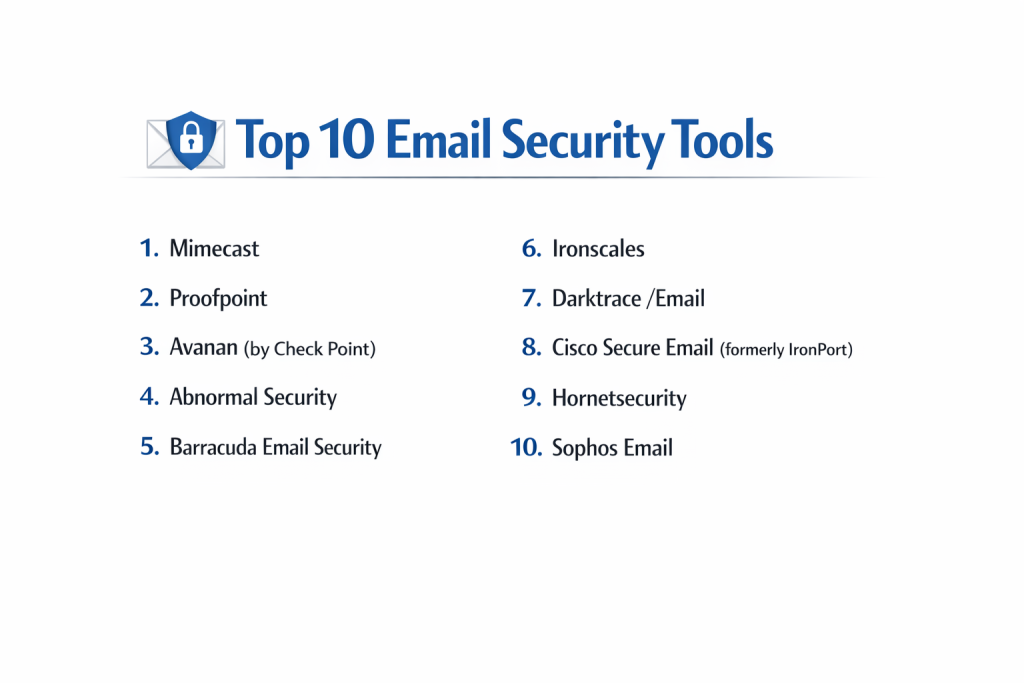
Top 10 Email Security Tools
1 — Mimecast
Mimecast is a large, all-in-one platform built for companies that want total control over their email. It does more than just stop spam; it also saves copies of every email for legal reasons.
Key Features
- Advanced protection against “zero-day” threats (brand new viruses).
- URL protecting that checks links every time you click them.
- Safe file opening in a “sandbox” to test for viruses.
- Email archiving for long-term record keeping.
- Tools to help employees learn how to spot scams.
- Large-scale data leak prevention.
Pros
- Very powerful and covers almost every possible email risk.
- Great for keeping records if your business has to follow strict laws.
Cons
- The dashboard can be very complicated for a beginner.
- Setting everything up correctly takes a long time.
Security & Compliance: Meets SOC 2, HIPAA, and GDPR standards. Includes full audit logs and SSO.
Support & Community: Offers 24/7 technical support and has a large community of security experts.
2 — Proofpoint
Proofpoint is known for focusing on the “human” side of security. It identifies which people in your company are targeted the most by hackers and gives them extra protection.
Key Features
- Identification of “Very Attacked People” (VAPs).
- Advanced blocking of fake “boss” emails (impersonation).
- Protection for social media accounts used for business.
- Automated removal of bad emails from the inbox.
- Deep analysis of email attachments.
- Detailed threat maps showing where attacks come from.
Pros
- Excellent at stopping targeted scams aimed at specific employees.
- The reporting is very clear and easy for managers to read.
Cons
- It can be more expensive than basic filters.
- Some features are only available in the higher-priced tiers.
Security & Compliance: Fully compliant with global privacy laws. Uses high-level encryption.
Support & Community: Provides excellent training videos and a strong customer service team.
3 — Avanan (by Check Point)
Avanan is a modern tool that lives “inside” your email system like Gmail or Outlook. It catches threats after they pass through basic filters but before they reach the user.
Key Features
- Invisible to hackers because it does not change your “MX records.”
- Protects shared folders in Google Drive and OneDrive.
- Scans internal emails sent between employees.
- One-click installation for Office 365 and G Suite.
- Uses AI to learn what a “normal” email looks like for you.
- Protects chat apps like Slack and Microsoft Teams.
Pros
- Very fast to set up and does not slow down email delivery.
- It stops threats that basic Microsoft or Google filters miss.
Cons
- It is a cloud-only tool, so it won’t work for old on-premise servers.
- The automatic blocking can sometimes be a little too strict.
Security & Compliance: SOC 2 Type II compliant. Supports GDPR and HIPAA requirements.
Support & Community: Good technical documentation and responsive chat support.
4 — Abnormal Security
Abnormal Security uses “behavioral AI.” Instead of looking for a list of bad words, it learns how you and your coworkers talk so it can spot an impostor instantly.
Key Features
- No “rules” to set up; the AI learns on its own.
- Spots unusual login locations or times.
- Detects changes in how a vendor asks for payment.
- Automatically closes accounts that appear to be hacked.
- Very clean dashboard that only shows the most important alerts.
- Direct API integration with major email providers.
Pros
- Very low maintenance because there are no manual rules to write.
- Specifically great at stopping “Invoice Fraud” scams.
Cons
- Because it is AI-based, it can be hard to explain why it blocked a specific email.
- It is a premium product with a price tag to match.
Security & Compliance: HIPAA and SOC 2 compliant. Data is encrypted at rest and in transit.
Support & Community: High-quality enterprise support and dedicated account managers.
5 — Barracuda Email Security
Barracuda is a classic choice for small and medium-sized businesses. It is easy to understand and provides solid protection against the most common email problems.
Key Features
- Protection against spam and bulk mail.
- Backup for all Office 365 data.
- AI-based protection for impersonation attacks.
- Automated incident response to clean up mailboxes.
- Outbound filtering to stop your company from sending spam.
- Simple reporting tools for IT staff.
Pros
- Very easy to use for people who are not security experts.
- Good value for money compared to larger enterprise tools.
Cons
- The user interface can feel a bit old-fashioned.
- It might lack some of the very deep features needed by giant corporations.
Security & Compliance: Meets major standards like SOC 2 and GDPR. Includes encryption.
Support & Community: Known for having a very friendly and helpful support team.
6 — Ironscales
Ironscales focuses on “Self-Healing” email security. It uses a combination of computer scanning and a community of human experts to identify and remove bad emails fast.
Key Features
- “Themis” AI virtual assistant to help with security.
- One-click reporting button for employees.
- Community-based threat sharing (if a link is bad for one user, it’s blocked for all).
- Phishing simulation to test your workers.
- Automated mailbox scanning for hidden threats.
- Mobile app for security managers to use on the go.
Pros
- Very fast at removing a bad email from every inbox in the company.
- Easy to set up and start using immediately.
Cons
- Relies heavily on user reports, which might not always be perfect.
- The reporting features are a bit simpler than some competitors.
Security & Compliance: GDPR and SOC 2 compliant. Offers SSO and audit trails.
Support & Community: Great user community that shares threat information in real-time.
7 — Darktrace /Email
Darktrace treats your email system like a living body. It uses “Digital Antibodies” to recognize and stop threats that have never been seen before by watching for strange patterns.
Key Features
- Self-learning AI that understands “normal” communication.
- Stops attacks that do not use links or attachments (like plain text scams).
- Protects against “Account Takeover” (hackers inside your system).
- Works across email and cloud collaboration tools.
- Neutralizes threats in real-time without stopping business flow.
- Visual threat maps to show the AI’s thinking process.
Pros
- Excellent at finding very “quiet” attacks that other tools miss.
- It does not need to be updated with lists of “bad” websites.
Cons
- It can take a few weeks for the AI to “learn” your business properly.
- Can be more expensive than standard email filters.
Security & Compliance: High-level encryption and SOC 2 compliance.
Support & Community: Expert technical support available globally.
8 — Cisco Secure Email (formerly IronPort)
Cisco is a giant in the tech world. Its email security tool is built on “Talos,” which is one of the largest threat-watching networks on the planet.
Key Features
- Powered by the global Cisco Talos threat intelligence network.
- Strong encryption for sending sensitive files.
- Advanced “spam” filtering for high-volume environments.
- Safe searching of links within emails.
- Built-in tools to prevent your data from being leaked.
- Scalable for the world’s largest companies.
Pros
- Extremely reliable and trusted by the largest banks and governments.
- Great if you already use other Cisco products in your office.
Cons
- Very complex to manage and usually requires a trained professional.
- Not a good fit for very small businesses due to its complexity.
Security & Compliance: Meets virtually all global government and financial standards.
Support & Community: Massive global support network and endless documentation.
9 — Hornetsecurity
Hornetsecurity is a popular choice for businesses that want a “hands-off” experience. It is simple, effective, and takes care of most security tasks automatically.
Key Features
- “365 Total Protection” specifically for Microsoft users.
- Automated email encryption for privacy.
- Protection against “CEO Fraud” and fake invoices.
- Spam filtering that learns over time.
- Easy backup of all email data.
- Legal archiving to keep records safe.
Pros
- Very simple to manage; you can “set it and forget it.”
- Affordable pricing for smaller companies.
Cons
- Not as many “deep” settings for experts who want total control.
- Support can sometimes be slower for non-European customers.
Security & Compliance: Compliant with strict European privacy laws (GDPR) and SOC 2.
Support & Community: Helpful online portal and email support.
10 — Sophos Email
Sophos is a well-known security company that offers a “synchronized” system. This means your email security talks to your antivirus software to keep you safe from every angle.
Key Features
- Predictive AI that catches new threats.
- Scanning of all outgoing mail to protect your reputation.
- “At-click” URL protection to stop you from visiting bad sites.
- Integration with the Sophos Central management screen.
- Easy-to-use encryption for sensitive messages.
- Blocks unwanted marketing and “graymail.”
Pros
- Great if you already use Sophos for your computer’s antivirus.
- Very easy-to-read dashboard for small IT teams.
Cons
- The mobile experience for managers could be improved.
- Some users report that it can occasionally block “good” emails.
Security & Compliance: SOC 2 and GDPR compliant. Includes detailed audit logs.
Support & Community: Active user forums and 24/7 technical support.
Comparison Table
| Tool Name | Best For | Platform(s) Supported | Standout Feature | Rating |
| Mimecast | Large Companies | Outlook, Gmail, Exchange | Legal Archiving | 4.5 / 5.0 |
| Proofpoint | Targeted Attacks | Outlook, Gmail | Human Risk Scoring | 4.6 / 5.0 |
| Avanan | Cloud Email | Office 365, G Suite | API-based (Invisible) | 4.8 / 5.0 |
| Abnormal | Invoice Fraud | Office 365, G Suite | No-Rule AI | 4.7 / 5.0 |
| Barracuda | Mid-Sized Business | Outlook, Exchange | Great Value | 4.4 / 5.0 |
| Ironscales | Fast Response | Outlook, Gmail | Self-Healing AI | 4.6 / 5.0 |
| Darktrace | Unknown Threats | All Cloud Platforms | Digital Antibodies | 4.5 / 5.0 |
| Cisco Secure | Large Enterprise | All Platforms | Talos Network | 4.3 / 5.0 |
| Hornetsecurity | Simple Management | Microsoft 365 | Easy 365 Protection | 4.4 / 5.0 |
| Sophos | Existing Sophos Users | Outlook, Gmail, Web | Synchronized Security | 4.4 / 5.0 |
Evaluation & Scoring of Email Security Tools
We use this scoring system to rank these tools fairly. This helps you see where a tool might be strongest or weakest.
| Criteria | Weight | What it Means |
| Core Features | 25% | How well it stops phishing, spam, and viruses. |
| Ease of Use | 15% | Is the dashboard simple or hard to use? |
| Integrations | 15% | Does it connect easily to Gmail or Outlook? |
| Security/Compliance | 10% | Is the tool itself safe and compliant? |
| Performance | 10% | Does it slow down how fast you get emails? |
| Support | 10% | Can you get a human to help you fast? |
| Price / Value | 15% | Is the cost fair for the protection you get? |
Which Email Security Tool Is Right for You?
The “best” tool depends on how your business is set up and what you are most afraid of.
By Company Size
- Solo Users: You likely do not need a separate tool. Make sure “Two-Factor Authentication” (2FA) is turned on in your Gmail or Outlook settings.
- Small Businesses (SMB): Look at Barracuda or Hornetsecurity. They are easy to use and won’t take up all your time or money.
- Large Enterprises: You need the power of Mimecast, Cisco, or Proofpoint. These tools can handle thousands of users and complex legal requirements.
By Your Main Goal
- If you want “invisible” protection: Choose Avanan. It works in the background without changing your email setup.
- If you are worried about fake invoices: Choose Abnormal Security. It is the best at spotting people pretending to be your vendors.
- If you want a “Set it and Forget it” tool: Hornetsecurity is built to run itself with very little help from you.
- If you already use other security tools: If you use Sophos for your laptop antivirus, use Sophos Email so they can work together.
Frequently Asked Questions (FAQs)
1. Why do I need a tool if Gmail and Outlook have filters?
Built-in filters are good for basic spam, but hackers are constantly finding ways to bypass them. A separate tool adds a second, much stronger layer of protection.
2. Will these tools slow down my email?
Most modern tools (especially API-based ones like Avanan) are so fast you will never notice a delay. Older tools might add a few seconds of lag, but it is very rare today.
3. Do I have to change my email address?
No. These tools work with your current email address. You just connect the tool to your account, and it starts scanning automatically.
4. Can these tools read my personal emails?
The tools scan the text for bad links and viruses. They generally do not “store” your messages unless you specifically turn on an “Archiving” feature for legal reasons.
5. How much do these tools cost?
Most charge a monthly fee per person. Small businesses can expect to pay between $2 and $5 per user per month. Larger enterprises pay more for extra features.
6. Can a tool stop 100% of attacks?
No tool is 100% perfect. However, a good tool can stop over 99% of threats. You still need to train your employees to be careful with suspicious emails.
7. Is it hard to set up?
Cloud tools like Avanan or Ironscales can be set up in 15 minutes. Larger systems like Mimecast or Cisco can take several days to configure perfectly.
8. What is “Phishing Simulation”?
Some tools send “fake” scam emails to your own employees to see who clicks. It is a safe way to teach them what a real scam looks like.
9. Can I use these tools on my phone?
Yes. Since they protect your email at the source, your inbox will be safe whether you check it on your computer, tablet, or smartphone.
10. What happens if the tool blocks a “good” email?
You will usually have a “Quarantine” folder where you can see blocked emails. If a good email is stuck there, you can release it and tell the tool to trust that sender in the future.
Conclusion
Email is the biggest doorway into your company, and you need a strong lock on it. Choosing the right email security tool depends on your budget and how much work you want to do yourself. If you are small, go for something simple like Barracuda. If you are large and have sensitive data, go for a deep tool like Mimecast or Proofpoint.
No matter which tool you pick, remember that security is an ongoing process. Use a tool that gives you clear visibility and strong protection, but also make sure to talk to your team about staying safe online. A good tool combined with a smart team is the best way to keep your business safe.