Introduction
An Electronic Lab Notebook (ELN) is a digital software solution designed to replace traditional paper notebooks in scientific research and development environments. At its core, an ELN allows scientists to document experiments, store data, and manage protocols in a searchable, secure, and collaborative digital space. Beyond simple note-taking, these platforms integrate sophisticated tools for chemical sketching, biological sequencing, and inventory management. By digitizing the lab bench, ELNs transform raw observations into structured data that can be analyzed across teams and preserved for years.
The importance of ELNs cannot be overstated in a data-driven scientific landscape. They ensure “Data Integrity” and “Reproducibility,” which are the bedrocks of the scientific method. Key real-world use cases include tracking intellectual property (IP) for patent filing, ensuring compliance with FDA regulations in clinical trials, and managing high-throughput genomic data in biotech startups. When evaluating ELNs, users should look for Searchability, Protocol Versioning, Electronic Signatures, and Compatibility with laboratory instruments. A high-quality ELN doesn’t just store data; it accelerates the pace of discovery by making information accessible and actionable.
Best for: Research scientists, lab managers, and Principal Investigators (PIs) in biotechnology, pharmaceuticals, academic research, and chemical engineering. It is particularly valuable for teams requiring strict regulatory compliance and IP protection.
Not ideal for: Solo hobbyists or students doing basic, non-regulated projects where a simple general-purpose note tool like Notion might suffice. It may also be overkill for labs that primarily perform repetitive, non-research testing, which might be better served by a LIMS (Laboratory Information Management System).
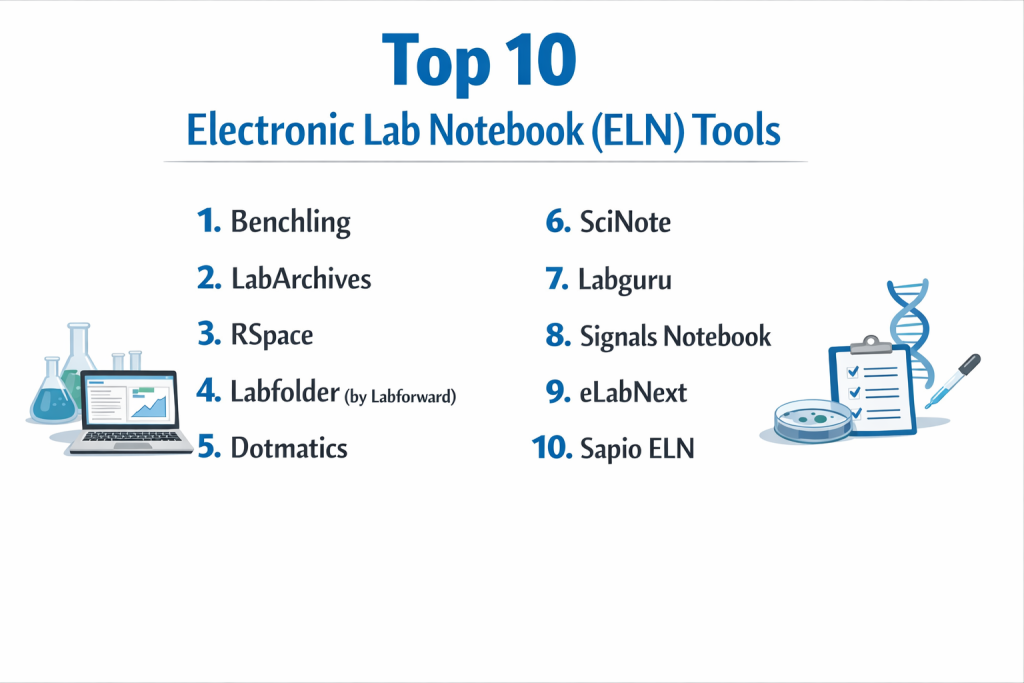
Top 10 Electronic Lab Notebook (ELN) Tools
1 — Benchling
Benchling is a cloud-based R&D platform specifically built for modern biology. It combines an ELN with molecular biology tools to streamline workflows in life sciences.
- Key features:
- Molecular Biology Suite: Integrated tools for DNA/RNA sequencing and CRISPR design.
- Structured Data Capture: Links experimental notes directly to biological entities.
- Registry & Inventory: Real-time tracking of samples, plates, and freezers.
- Workflow Management: Assigns tasks and tracks project progress across departments.
- Collaborative Notebooks: Live editing and commenting for team-based research.
- Pros:
- The most intuitive interface for biologists and geneticists.
- Highly scalable from small startups to global biopharma.
- Cons:
- Pricing can be very high for small private labs.
- Can feel overly complex for non-biological research (e.g., pure chemistry).
- Security & compliance: SOC 2 Type II, GDPR compliant, HIPAA ready, and supports 21 CFR Part 11.
- Support & community: Extensive online help center, dedicated customer success managers for enterprise, and a large global user base.
2 — LabArchives
LabArchives is a widely used ELN in academic and professional research, known for its flexibility and strong emphasis on the “FAIR” data principles.
- Key features:
- Widget Manager: Allows users to create custom forms for standardized data entry.
- Comprehensive Audit Trail: Unalterable record of every change made to a notebook.
- Inventory Integration: Seamlessly connects notes to a lab’s physical supplies.
- Professional & Education Editions: Specialized versions for research and teaching labs.
- Flexible File Support: Handles everything from GraphPad Prism files to high-res images.
- Pros:
- Very strong legal defensibility for intellectual property.
- Excellent integration with Microsoft Office and Google Workspace.
- Cons:
- The user interface feels slightly dated compared to “design-first” apps.
- Mobile app functionality is somewhat limited compared to the desktop web version.
- Security & compliance: SOC 2 Type II, HIPAA, GDPR, and NIST 800-171 compliant.
- Support & community: Robust documentation, live webinars, and an active academic user group.
3 — RSpace
RSpace is an ELN designed to act as a “connectivity hub,” bridging the gap between active research documentation and long-term data repositories.
- Key features:
- Document Linking: Create a complex web of internal links between experiments.
- Repository Export: One-click data export to OSF, Figshare, and Dataverse.
- Inventory & Sample Tracking: Integrated management of physical lab assets.
- Direct API Access: Allows developers to build custom integrations for lab hardware.
- Systemic Search: Powerful filters to find data across years of lab history.
- Pros:
- Best-in-class for institutions focused on “Open Science” and data sharing.
- Extremely flexible deployment (Cloud or On-Premise).
- Cons:
- Requires a bit of a learning curve to master the “connectivity” logic.
- Visual customization of the notebook layout is limited.
- Security & compliance: GDPR compliant, ISO 27001, and supports 21 CFR Part 11 workflows.
- Support & community: High-quality onboarding for large institutions and responsive technical support.
4 — Labfolder (by Labforward)
Labfolder is a versatile ELN designed to be as easy to use as a paper notebook while offering powerful digital advantages like search and collaboration.
- Key features:
- Design Elements: Allows users to “drag and drop” text, tables, and images anywhere.
- Template Library: Share standardized protocols across the entire lab group.
- Electronic Signatures: Compliant sign-off workflows for peer review.
- Search & Filter: Find data by date, author, or specific metadata tags.
- Device Integration: Connects with the Laboperator platform for automated data ingest.
- Pros:
- Exceptionally user-friendly; feels very much like a digital version of a physical page.
- Very transparent pricing for small teams and individual researchers.
- Cons:
- Lacks some of the deep “Biological” specialized tools found in Benchling.
- Advanced reporting features can be difficult to configure.
- Security & compliance: ISO 9001, GDPR compliant, and 21 CFR Part 11 ready.
- Support & community: Good documentation and a strong focus on the European research market.
5 — Dotmatics
Dotmatics provides a highly sophisticated, enterprise-level R&D platform that integrates ELN capabilities with deep data analytics for chemistry and biology.
- Key features:
- Chemistry Intelligence: Advanced chemical sketching and stoichiometry calculations.
- Multidisciplinary Support: Built to handle data from both small and large molecule R&D.
- Data Federation: Queries data from external sources and internal silos.
- Customizable Workflows: Tailor the software to specific drug discovery pipelines.
- Advanced Visualization: Built-in tools for analyzing SAR (Structure-Activity Relationship).
- Pros:
- Unmatched power for medicinal chemistry and large-scale pharma operations.
- Highly centralized—serves as a single “Source of Truth” for an entire company.
- Cons:
- High barrier to entry regarding cost and implementation time.
- Overkill for labs that do not require advanced chemical informatics.
- Security & compliance: Enterprise-grade security, SOC 2, and full 21 CFR Part 11 support.
- Support & community: High-touch enterprise support with dedicated implementation consultants.
6 — SciNote
SciNote is a top-rated ELN specifically known for its project management approach and its popularity with government and environmental labs.
- Key features:
- Project Hierarchy: Organize work by Project, Experiment, and Task.
- Automated Report Generation: Create PDF reports of experimental results instantly.
- Inventory Management: Track samples and reagents with barcode support.
- Manuscript Writer: Helps organize data in a format suitable for publication.
- Open Source Roots: Built with a commitment to data transparency and longevity.
- Pros:
- Excellent for managing complex, multi-year projects with many moving parts.
- Very strong customer support and onboarding for new users.
- Cons:
- The interface is functional but can feel “clunky” for very fast-paced labs.
- Free version is quite limited compared to the “Platinum” offering.
- Security & compliance: FDA 21 CFR Part 11, HIPAA, and GDPR compliant.
- Support & community: Renowned for their “customer-first” approach and extensive video tutorials.
7 — Labguru
Labguru is an all-in-one research and lab management platform that combines ELN, LIMS, and informatics into a single cohesive system.
- Key features:
- Comprehensive LIMS: Integrated tracking of equipment calibration and orders.
- Business Intelligence: Dashboards to monitor lab productivity and costs.
- Molecular Biology Tools: Plasmid maps and primer design tools.
- Dataset Management: Handles large-scale data imports from automated plate readers.
- Collaboration Feed: Social-media style updates for team communication.
- Pros:
- Best for labs that want to manage their “Business” (orders, stock) alongside their “Science.”
- Very strong at handling structured data from automated lab hardware.
- Cons:
- Can be expensive for academic labs only needing the notebook portion.
- The sheer number of features can lead to “feature fatigue” for new users.
- Security & compliance: SOC 2 Type II, ISO 27001, GDPR, and HIPAA compliant.
- Support & community: Professional onboarding and a high-quality knowledge base.
8 — Signals Notebook (by Revvity Signals)
Signals Notebook is a modern, web-based ELN that offers an incredibly fast and flexible environment for diverse scientific disciplines.
- Key features:
- Smart Search: Find chemical structures and text simultaneously.
- Microsoft Office Online: Edit Excel and Word files directly inside the browser.
- Inventory Lookup: Instant access to chemical catalogs and internal stock.
- No-Installation Required: Pure cloud experience with zero local maintenance.
- Flexible Templates: Create complex experiment layouts without coding.
- Pros:
- One of the fastest-performing ELNs on the market.
- Superior user experience for chemists who need to draw and calculate structures.
- Cons:
- Primarily focused on chemistry, though it is expanding into biology.
- Enterprise-level pricing might be out of reach for small labs.
- Security & compliance: SOC 2, HIPAA, GDPR, and 21 CFR Part 11 compliant.
- Support & community: Backed by the significant resources of Revvity (formerly PerkinElmer).
9 — eLabNext
eLabNext (part of Eppendorf Group) provides a modular ELN platform that allows labs to pick and choose the specific add-ons they need.
- Key features:
- Modular Marketplace: Dozens of add-ons for specific lab needs (e.g., barcode printing).
- Sample Management: Integrated eLabInventory for deep sample tracking.
- Data Storage Integration: Links to OneDrive, Dropbox, and local servers.
- Mobile App: One of the more functional mobile apps for lab-side data entry.
- Protocol Manager: Dedicated space for version-controlled lab SOPs.
- Pros:
- Extremely customizable—you only pay for the features you actually use.
- Backed by Eppendorf, ensuring long-term institutional stability.
- Cons:
- Costs can add up quickly as you add more “modules.”
- The interface can feel disjointed due to the modular nature.
- Security & compliance: ISO 27001, GDPR, HIPAA, and 21 CFR Part 11 compliant.
- Support & community: Excellent global support network and a helpful developer API community.
10 — Sapio ELN
Sapio Sciences offers a unified “Lab Triple Play” that combines ELN, LIMS, and Scientific Data Management (SDMS) on a single platform.
- Key features:
- Low-Code/No-Code Platform: Customize workflows without specialized IT knowledge.
- Science-Aware Search: Search by chemical similarity or biological sequence.
- Integrated SDMS: Automatically captures and indexes data from lab instruments.
- Scalable Data Model: Built to handle the massive data volumes of “Omics” research.
- Collaboration Portal: Securely share data with external CROs or partners.
- Pros:
- The most powerful “unified” platform for labs that hate switching between tools.
- Excellent for large-scale data processing and complex informatics.
- Cons:
- The complexity of the setup requires a significant initial time investment.
- The UI is built for power-users and can be intimidating for beginners.
- Security & compliance: SOC 2 Type II, GDPR, and full support for GxP environments.
- Support & community: Professional services for implementation and a dedicated help desk.
Comparison Table
| Tool Name | Best For | Platform(s) Supported | Standout Feature | Rating |
| Benchling | Modern Biologists | Cloud / Web | CRISPR & DNA Design Suite | 4.8/5 |
| LabArchives | Academic/Research | Cloud / Web | Professional IP Protection | 4.6/5 |
| RSpace | Open Science | Cloud / On-Premise | Direct Repository Export | 4.5/5 |
| Labfolder | Ease of Use | Cloud / Web | Drag-and-Drop Notebook Design | 4.6/5 |
| Dotmatics | Large Pharma/Chem | Cloud / Desktop | Advanced Chem-Informatics | 4.4/5 |
| SciNote | Project Management | Cloud / Web | Automated PDF Report Writer | 4.7/5 |
| Labguru | All-in-One Management | Cloud / Web | Integrated Business/Stock Tools | 4.6/5 |
| Signals Notebook | Fast Chemistry | Cloud / Web | Native MS Office Integration | 4.5/5 |
| eLabNext | Modular Flexibility | Cloud / Web | Marketplace of Add-on Modules | 4.5/5 |
| Sapio ELN | High-Volume Data | Cloud / On-Premise | Unified ELN/LIMS/SDMS | N/A |
Evaluation & Scoring of Electronic Lab Notebook (ELN)
| Category | Weight | Score | Evaluation Notes |
| Core Features | 25% | 9.5/10 | Most top-tier ELNs now have excellent sketching and protocol tools. |
| Ease of Use | 15% | 8.0/10 | A major gap exists between biology-first apps and older pharma systems. |
| Integrations | 15% | 8.8/10 | The move toward “Connected Labs” has made API access a standard. |
| Security & Compliance | 10% | 9.8/10 | Nearly all leaders now offer 21 CFR Part 11 and SOC 2 compliance. |
| Performance | 10% | 8.5/10 | Cloud tools perform well, but large data uploads can still be slow. |
| Support | 10% | 9.0/10 | Success managers and professional onboarding are becoming standard. |
| Price / Value | 15% | 7.5/10 | Costs are rising; value depends heavily on institutional license deals. |
Which Electronic Lab Notebook (ELN) Tool Is Right for You?
Solo Users vs. SMB vs. Mid-Market vs. Enterprise
Solo users and small academic labs should look toward Labfolder or the free tier of SciNote. They provide a “no-risk” entry point into digitization. SMBs and biotech startups are best served by Benchling or eLabNext, as these tools scale perfectly from a 5-person team to a 50-person department. Enterprises (Global Pharma) require the massive data-handling power and centralized governance of Dotmatics, Sapio, or Signals Notebook.
Budget-Conscious vs. Premium Solutions
If you are on a tight budget, focus on RSpace or LabArchives, which offer highly competitive academic pricing. These tools provide the “Core” features needed for science without the premium cost of specialized informatics. Premium solutions like Benchling and Dotmatics are expensive but provide specialized tools (like sequence alignment or SAR analysis) that can save scientists hundreds of hours of manual work.
Feature Depth vs. Ease of Use
There is often a trade-off here. Labfolder is the “Easiest to Use” because it mimics a paper page, but it lacks the “Feature Depth” of a tool like Sapio or Dotmatics. If your lab does complex drug discovery, you must sacrifice some simplicity for the power of structured data and chemical intelligence. If you are doing general academic biology, ease of use should be your priority to ensure student adoption.
Integration and Scalability Needs
Do you have lab robots, plate readers, or a separate LIMS? If so, you need a tool with a robust API and SDMS capabilities like Sapio or eLabNext. If you plan on publishing your data to public repositories for NIH or Horizon Europe grants, RSpace is the leader in integration for “Open Science.”
Security and Compliance Requirements
For any lab working toward FDA approval, compliance is not optional. You must choose an ELN that explicitly supports 21 CFR Part 11, which includes electronic signatures and unalterable audit trails. LabArchives, SciNote, and Dotmatics have long track records in these highly regulated “GxP” environments.
Frequently Asked Questions (FAQs)
1. What is the difference between an ELN and a LIMS?
An ELN is for “unstructured” research data (notes, observations, ideas). A LIMS is for “structured” testing data (tracking thousands of identical samples, QC results, and workflow management). Many modern tools now combine both.
2. Can I use an ELN offline?
Most ELNs are cloud-based and require an internet connection. However, tools like RSpace and Sapio offer on-premise installations that can work on internal local networks without internet access.
3. Is my data safe if the software company goes out of business?
Reputable ELN vendors have “Data Escrow” or easy “Bulk Export” features (PDF, XML, or HTML). Always check if a tool allows you to export your entire notebook in a human-readable format.
4. How do ELNs handle Intellectual Property (IP)?
ELNs use time-stamping and electronic signatures to prove “Date of Invention.” In a legal dispute, a digitally signed ELN entry is often more defensible than a handwritten page.
5. Can I search for chemical structures in an ELN?
Yes, advanced ELNs like Dotmatics and Signals Notebook allow you to “draw” a chemical structure and search for any experiment that contains a similar molecule.
6. Do ELNs work on tablets?
Most modern ELNs are “Mobile-Responsive,” meaning they work in a tablet’s web browser. Some, like eLabNext and LabArchives, have dedicated apps for better lab-side performance.
7. Can I share my notebook with external collaborators?
Yes, most platforms allow you to invite “Guest Users” or create “Read-Only” links for specific experiments, making it easy to collaborate with other universities or CROs.
8. How much does an ELN cost?
Academic pricing often starts around $150–$300 per user per year. Corporate/Enterprise pricing is much higher and is typically negotiated based on volume and required modules.
9. How long does it take to implement an ELN?
For a small lab, it takes about a week. For a large enterprise, it can take 6 months to a year to migrate data, set up permissions, and train hundreds of scientists.
10. Is an ELN better than a PDF or Word document?
Yes. Unlike a Word doc, an ELN is searchable across the whole lab, maintains a version history that cannot be faked, and links your notes directly to your samples and reagents.
Conclusion
The transition from paper to an Electronic Lab Notebook is the single most impactful change a modern laboratory can make. While the initial move requires a shift in mindset, the long-term rewards—searchable data, protected IP, and seamless collaboration—are essential for staying competitive in today’s scientific environment.
Ultimately, the “best” ELN is the one that your scientists will actually use. A biologist will thrive in Benchling, a chemist will excel in Dotmatics, and a university researcher will find great value in LabArchives. By prioritizing ease of use, security, and the specific technical needs of your discipline, you can turn your lab notebook from a static record into a powerful engine for discovery.