Introduction
An eLearning Authoring Tool is a software package that allows users to create digital training content. Think of it like a very advanced version of presentation software, but specifically designed for learning. Instead of just showing slides, these tools allow you to build quizzes, interactive simulations, branching scenarios (where a student’s choice changes the outcome), and video-based lessons. Once a course is built, the tool packages it into a standard format—most commonly SCORM or xAPI—so it can be uploaded to a Learning Management System (LMS) to track who has finished the training.
These tools are vital because they standardize how information is shared. In the real world, they are used by companies to train new employees (onboarding), by software companies to teach customers how to use their products, and by schools to provide online classes. Without these tools, digital learning would be limited to static PDFs or simple videos that offer no way to test if the learner actually understood the material.
Evaluation Criteria
When choosing an authoring tool, you should look for Ease of Use (how fast can you build a slide?), Asset Libraries (does it come with pre-made characters and photos?), and Responsive Design (does the course look good on a phone and a computer?). You also need to ensure the tool supports the technical standards required by your company’s hosting platform.
Best for:
- Instructional Designers: Professionals whose main job is building complex, high-quality training.
- Corporate Training Departments: Mid-to-large companies that need to train thousands of workers on safety, compliance, or sales.
- Commercial Course Creators: People who build online courses to sell to the public.
Not ideal for:
- Simple Meeting Records: If you just need to share a recording of a Zoom call, a video host is better.
- Very Small Teams with No Budget: If you only need to share a few documents, standard office software or free web-based builders may be enough.
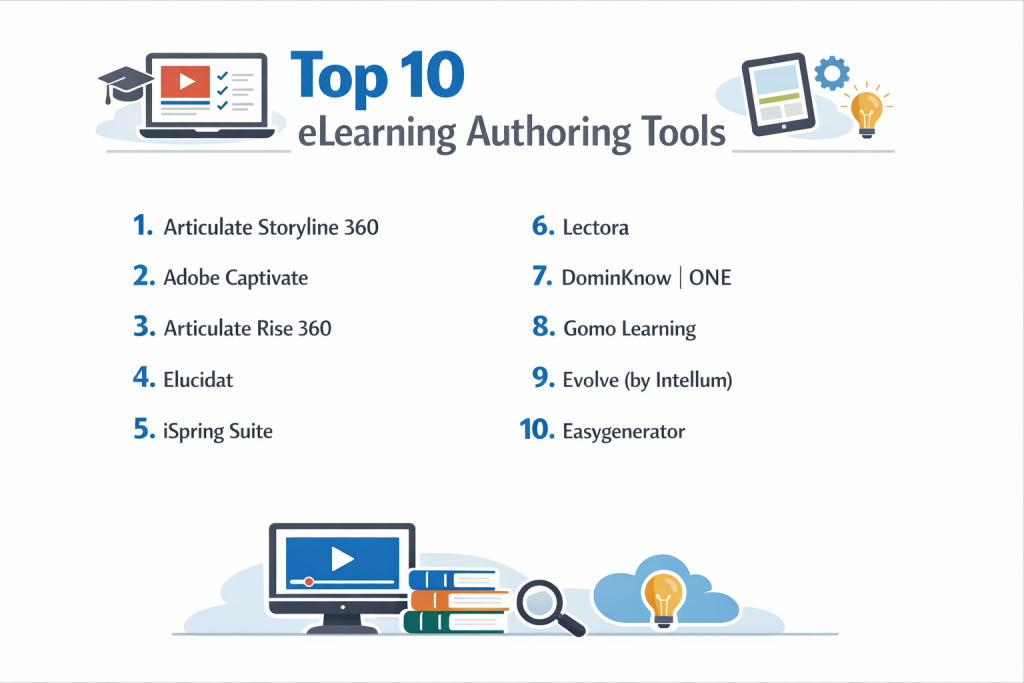
Top 10 eLearning Authoring Tools
1 — Articulate Storyline 360
Storyline 360 is often considered the industry standard for high-end instructional design. It uses an interface that looks similar to Microsoft PowerPoint, making it familiar to many, but it hides immense power for building custom interactions.
- Key Features:
- Slide-based layers and triggers for complex interactivity.
- Screen recording for software training and “how-to” demos.
- A massive “Content Library” with millions of photos and characters.
- Variables and conditions for advanced “if-this-then-that” learning paths.
- High-quality text-to-speech engine for quick voiceovers.
- Collaborative review tool (Review 360) for getting feedback from stakeholders.
- Pros:
- You can build almost anything you can imagine; there are very few limits to creativity.
- A massive community of users means you can find a tutorial for any problem.
- Cons:
- It only runs natively on Windows, which is a hurdle for Mac users.
- The learning curve for advanced features can be steep for beginners.
- Security & Compliance: SOC 2 Type II, GDPR compliant, SSO integration, and data encryption at rest.
- Support & Community: Articulate “E-Learning Heroes” is perhaps the largest and most active community in the industry, supported by deep documentation.
2 — Adobe Captivate
Adobe Captivate is a powerhouse tool famous for its ability to create software simulations and Virtual Reality (VR) learning experiences. It is favored by technical trainers who need to show exactly how a computer program works.
- Key Features:
- Advanced screen capturing that creates “try-it” simulations automatically.
- Virtual Reality walk-throughs using 360-degree images and video.
- “Fluid Box” technology for responsive design that rearranges content for mobile.
- Integration with Adobe Stock and Adobe Fonts.
- Interactive video features that let you overlay quizzes on top of a movie.
- Detailed “Variable” system for tracking complex learner data.
- Pros:
- Best-in-class for technical software simulations.
- One-time purchase or subscription options provide some financial flexibility.
- Cons:
- The user interface can be intimidating and feels more “technical” than Storyline.
- Updates can sometimes be less frequent than web-based competitors.
- Security & Compliance: SOC 2, GDPR, and Adobe’s standard enterprise security protocols.
- Support & Community: Strong professional support and a long-standing user community through Adobe’s forums.
3 — Articulate Rise 360
Rise 360 is the “brother” to Storyline. While Storyline is for custom slides, Rise is a web-based tool for building “scrollable” courses. It is designed to be incredibly fast and modern.
- Key Features:
- Fully responsive “block-based” builder (works perfectly on every screen size).
- Pre-built lesson templates for things like quizzes, sorting activities, and timelines.
- Web-based editing—no software to install.
- Built-in search for Content Library 360 assets.
- High-speed publishing; you can build a course in hours rather than days.
- Simple branching scenarios using a visual map.
- Pros:
- The easiest tool for beginners to produce professional-looking results.
- Courses look like modern websites, which learners often prefer over slides.
- Cons:
- Limited customization; you cannot move objects around pixel-by-pixel.
- Only available as part of the Articulate 360 subscription.
- Security & Compliance: SOC 2 Type II, GDPR, and SSO.
- Support & Community: Shared with the Articulate Storyline community; excellent 24/7 email support.
4 — Elucidat
Elucidat is a cloud-based authoring platform designed specifically for large “enterprise” teams. It focuses on helping big companies produce a high volume of courses without losing quality control.
- Key Features:
- “Parent-Child” linking (update one course and all translated versions update too).
- Sophisticated role-based permissions for different authors.
- Social polling features to let learners see how others answered.
- Advanced analytics that show exactly where learners are dropping out.
- Guided “Learning Accelerator” to help non-designers build lessons.
- Built-in translation management tools.
- Pros:
- Saves massive amounts of time for global companies with many languages.
- No software installation makes it easy for IT departments to manage.
- Cons:
- The pricing is geared toward large companies and is too high for solo users.
- Less “freedom” for custom animations compared to slide-based tools.
- Security & Compliance: ISO 27001, GDPR, SOC 2, and high-level data encryption.
- Support & Community: Dedicated customer success managers for all accounts and a professional support desk.
5 — iSpring Suite
iSpring is a unique tool that lives inside Microsoft PowerPoint as a “plug-in.” It turns the PowerPoint slides you already have into professional eLearning courses with a single click.
- Key Features:
- Dedicated “Talk-through” simulator for practicing sales or support calls.
- Video lecture studio for recording webcam and screen at once.
- High-speed conversion of PPT to SCORM/HTML5.
- Interactive quiz builder with 14 different question types.
- Library of over 80,000 eLearning assets (characters, locations).
- Mobile app that allows learners to view courses offline.
- Pros:
- Almost zero learning curve if you already know how to use PowerPoint.
- Excellent value for the price compared to more complex suites.
- Cons:
- You must have Microsoft PowerPoint installed to use it.
- It is a Windows-only software.
- Security & Compliance: GDPR compliant, encryption during transit, and SSO support.
- Support & Community: Known for very fast phone and chat support; includes a helpful knowledge base.
6 — Lectora
Lectora has a long history of being the most powerful tool for “web-style” eLearning. It is the tool of choice for organizations that have strict accessibility requirements (like government agencies).
- Key Features:
- Unmatched accessibility support (WCAG/Section 508) for disabled learners.
- Ability to write custom JavaScript for high-end functionality.
- Responsive wireframes to help design for mobile from the start.
- Integration with AssetLibrary and ReviewLink.
- Branching logic that can handle thousands of different variables.
- Cloud and Desktop versions available.
- Pros:
- The best tool for making sure your training can be used by everyone.
- Very powerful for developers who know how to code.
- Cons:
- The interface feels a bit dated and “clunky” compared to modern apps.
- It can be very difficult for a non-technical person to master.
- Security & Compliance: SOC 2, GDPR, and high-standard government-grade security options.
- Support & Community: Strong community of long-term users and professional training available.
7 — DominKnow | ONE
DominKnow | ONE combines a traditional slide-based builder with a modern responsive builder in one single cloud-based platform. It is built for teams that need to collaborate in real-time.
- Key Features:
- Centralized “Asset Repository” (reuse one image across 100 courses).
- Real-time co-authoring (two people can edit the same course at once).
- Built-in software simulation tool.
- One-click publishing to multiple formats and languages.
- Powerful search that lets you find content within any of your courses.
- Adaptive learning paths based on pre-test results.
- Pros:
- The “one-source” library means you never have to replace an outdated logo twice.
- Excellent for large teams working on the same projects simultaneously.
- Cons:
- Because it is so feature-heavy, it can take a long time to learn where everything is.
- Can be slow to load if your internet connection is weak.
- Security & Compliance: SOC 2 Type II, GDPR, and encryption at rest.
- Support & Community: Top-tier customer support and a dedicated “User Campus” for learning.
8 — Gomo Learning
Gomo is a cloud-based tool that focuses on “Mobile First” learning. It is designed to create content that looks and feels like a native smartphone app.
- Key Features:
- Multi-device responsive design as the default.
- Cloud-based collaboration for distributed teams.
- Instant content updates (change a slide and the live course updates immediately).
- Multi-language support within a single course file.
- Direct publishing to the Gomo central hosting platform or an LMS.
- Visual drag-and-drop builder.
- Pros:
- Perfect for companies with “deskless” workers who learn on their phones.
- Very easy to update content without having to re-upload files to an LMS.
- Cons:
- Not as much control over custom animations as Storyline.
- Requires a constant internet connection to build courses.
- Security & Compliance: ISO 27001, GDPR, and SSO support.
- Support & Community: Good technical support and a library of video tutorials.
9 — Evolve (by Intellum)
Evolve is a modern web-based authoring tool used by some of the world’s most recognizable tech brands. It creates courses that feel like scrolling through a high-end magazine or a modern website.
- Key Features:
- Extremely fast, modern user interface.
- Unique “Interactions” like flip cards, carousels, and interactive charts.
- Live preview that updates while you type.
- Theme-based styling (change your brand colors once, and it updates everything).
- Deep integration with the Intellum learning platform.
- Excellent branching and logic tools.
- Pros:
- Produces the most visually “stunning” courses with minimal effort.
- Very intuitive for people who have used modern website builders.
- Cons:
- Not slide-based, so it’s not the right choice for traditional presentations.
- Some advanced technical features are still being developed.
- Security & Compliance: SOC 2, GDPR, and enterprise-grade data protection.
- Support & Community: Fast email support and a growing user base in the tech industry.
10 — Easygenerator
As the name suggests, this tool is designed for people who are NOT professional instructional designers. It is for subject matter experts (SMEs) like a lead engineer or a sales manager who needs to share their knowledge quickly.
- Key Features:
- Simple “drag-and-drop” interface.
- Built-in “Feedback” tool for learners to rate the course.
- Automatic formatting; you provide the text, the tool makes it look good.
- Easy translation features.
- Support for basic quizzes and assessments.
- Cloud-based; no installation required.
- Pros:
- The fastest way to get a course online if you have no design experience.
- Very clean and uncluttered workspace.
- Cons:
- Very limited in terms of custom interactions or animations.
- Too simple for professional instructional designers who want full control.
- Security & Compliance: ISO 27001, GDPR, and SOC 2.
- Support & Community: Features a “success” team that helps you build your first few courses.
Comparison Table
| Tool Name | Best For | Platform(s) Supported | Standout Feature | Rating |
| Storyline 360 | Custom Interactivity | Windows (Desktop) | Advanced Logic/Triggers | 4.8/5 |
| Adobe Captivate | Tech Simulations | Windows, Mac | Software Record & VR | 4.3/5 |
| Rise 360 | Fast, Modern Lessons | Web-based | Speed & Responsiveness | 4.7/5 |
| Elucidat | Global Enterprises | Web-based | Parent-Child Linking | 4.4/5 |
| iSpring Suite | PowerPoint Users | Windows (Desktop) | PPT to SCORM Ease | 4.6/5 |
| Lectora | Accessibility Needs | Web & Windows | WCAG/508 Compliance | 4.2/5 |
| DominKnow | Team Collaboration | Web-based | Central Asset Sharing | 4.5/5 |
| Gomo Learning | Mobile-First Teams | Web-based | Instant Cloud Updates | 4.1/5 |
| Evolve | Beautiful UI/UX | Web-based | Modern Design Blocks | 4.6/5 |
| Easygenerator | Non-Designers | Web-based | Extreme Simplicity | 4.5/5 |
Evaluation & Scoring of eLearning Tools
We have evaluated these tools using a weighted rubric to ensure the rankings reflect what really matters in a professional environment.
| Criteria | Weight | Explanation |
| Core Features | 25% | Assessment tools, asset libraries, and interaction types. |
| Ease of Use | 15% | Time required for a new user to build their first lesson. |
| Integrations | 15% | Ability to export to SCORM, xAPI, and connect with LMS platforms. |
| Security | 10% | Data protection, SSO, and privacy compliance (GDPR/SOC 2). |
| Performance | 10% | Loading speeds and stability of the authoring environment. |
| Support | 10% | Quality of the user community and speed of technical help. |
| Price / Value | 15% | The balance between cost and the power provided. |
Which eLearning Authoring Tool Is Right for You?
Choosing a tool is a big decision because it often involves a steep investment in both money and training time.
Solo Users vs. SMB vs. Enterprise
- Solo Users: If you are working alone, iSpring Suite or Easygenerator are great because they are easy to manage. If you want to be a professional designer, Articulate 360 is the standard.
- Mid-Market (SMB): Rise 360 or Evolve are excellent for smaller HR teams that need to create beautiful courses quickly without a huge technical staff.
- Enterprise: Large global teams should look at Elucidat or DominKnow | ONE. These tools are built specifically to handle many authors working across different time zones and languages.
Budget-Conscious vs. Premium
If budget is tight, look for tools with a “perpetual” license or lower monthly tiers like iSpring. If you have a professional budget, the Articulate 360 subscription is the industry “must-have” because it gives you both Storyline and Rise.
Feature Depth vs. Ease of Use
If you need to build complex software simulations or high-end games, you must choose a “high-power” tool like Storyline 360 or Captivate. However, if you just need to share information and test knowledge, a “simple” tool like Rise 360 will actually produce better results because it is easier for learners to read on their phones.
Security and Compliance Requirements
Government, Healthcare, and Finance companies must prioritize Lectora or Elucidat for their high standards in accessibility and data security certifications. Always check that the tool supports the specific data standard your company uses (SCORM 1.2, 2004, or xAPI).
Frequently Asked Questions (FAQs)
1. What is SCORM and why does it matter?
SCORM is a set of technical standards for eLearning. It ensures that a course built in one tool will “talk” correctly to your LMS, telling it when a student has passed or failed a quiz.
2. Can I use these tools on a Mac?
Most web-based tools (Rise, Evolve, Elucidat) work perfectly on a Mac. However, Storyline and iSpring require Windows. Mac users often use “Parallels” software to run these Windows apps.
3. Do I need to know how to code?
No. Most modern tools are “drag-and-drop.” Coding (like JavaScript) is only needed if you want to do something very unusual that the tool doesn’t support by default.
4. Can I turn my existing PDFs into eLearning?
Yes, but you shouldn’t just upload the PDF. You should use an authoring tool to pull the information out and turn it into an interactive lesson with questions and activities.
5. How long does it take to build one hour of eLearning?
Industry experts say it takes between 40 and 100 hours of work to build one hour of high-quality, interactive training. Simple tools like Rise can cut that time in half.
6. What is “Responsive Design”?
This means the course automatically changes its layout to fit the screen. A responsive course looks like a slide on a desktop but turns into a vertical scrolling list on a smartphone.
7. Is cloud-based or desktop software better?
Cloud-based is better for collaboration and working from anywhere. Desktop software (like Storyline) is usually more powerful and works even if your internet goes down.
8. Can these tools create training for VR?
Adobe Captivate is currently the leader in built-in VR features, but other tools are starting to add support for 360-degree images and videos.
9. What is xAPI?
xAPI (or Tin Can) is the newer version of SCORM. It allows you to track learning that happens outside of a formal course, such as reading a blog post or watching a YouTube video.
10. What is the biggest mistake new authors make?
Putting too much text on a slide. Learners get bored quickly. The best courses use images, audio, and interactions to keep the learner active instead of just reading.
Conclusion
The “best” eLearning authoring tool is the one that fits your specific skills and your team’s goals. If you are new and need to work fast, Rise 360 or Easygenerator are fantastic starting points. If you want to build the next generation of complex, high-end training, Storyline 360 or Captivate are the tools you will need to master.
Remember, the tool is just a way to deliver information. A great course comes from understanding your learners and giving them the information they need in a clear, engaging way.