Introduction
An e-commerce platform is a software application that allows businesses to manage their online sales operations. At its core, it serves as the digital storefront where products are displayed, but modern platforms go much further, acting as a comprehensive operating system for a business. These platforms handle everything from website design and product catalogs to secure payment processing, shipping logistics, and customer data management. By centralizing these complex functions into a single interface, e-commerce platforms allow entrepreneurs and established brands to reach a global audience without needing to build a custom technical infrastructure from scratch.
Choosing the right platform is critical because it dictates how efficiently you can scale and how much control you have over the customer experience. Key real-world use cases include a local artisan transitioning from weekend markets to international shipping, a massive retail chain synchronizing online orders with physical store inventory, and a subscription-based beauty brand automating monthly recurring billing. When evaluating these tools, users should prioritize ease of use, the depth of the app ecosystem, mobile responsiveness, and the transparency of transaction fees.
Key Real-World Use Cases
- Omnichannel Retail: A fashion brand uses a platform to sell on their website, Instagram, and Amazon simultaneously while keeping a single, unified inventory count.
- Dropshipping: An entrepreneur sets up a store that automatically forwards customer orders to third-party suppliers, eliminating the need to hold physical stock.
- Global Expansion: A gourmet food company uses built-in localization tools to offer their site in multiple languages and accept payments in dozens of regional currencies.
- B2B Wholesale: A manufacturer creates a password-protected portal where bulk buyers can see discounted pricing and order in large quantities via invoice.
- Subscription Models: A coffee roaster uses recurring billing features to send a fresh bag of beans to customers every two weeks automatically.
What to Look For (Evaluation Criteria)
- Scalability: The platform’s ability to handle sudden spikes in traffic (like during Black Friday) and support thousands of products as the business grows.
- Customization: How much control you have over the look and feel of your store, from simple drag-and-drop editors to full access to the underlying code.
- App and Integration Ecosystem: The availability of third-party plugins for marketing, accounting, and shipping that can extend the platform’s core functionality.
- Payment Gateway Options: Support for various payment methods (credit cards, PayPal, Apple Pay) and the associated processing costs.
- SEO and Marketing Tools: Built-in features for blogging, meta-tag management, and email marketing to help drive traffic to the store.
Best for: Small business owners, digital entrepreneurs, mid-market retail brands, and enterprise-level corporations looking to establish or optimize their online sales presence. It is essential for any business selling physical or digital goods in a modern economy.
Not ideal for: Service-based businesses that only require a simple booking calendar (like a therapist or consultant) or very large-scale bespoke industrial operations that require a custom-built, proprietary ERP system.
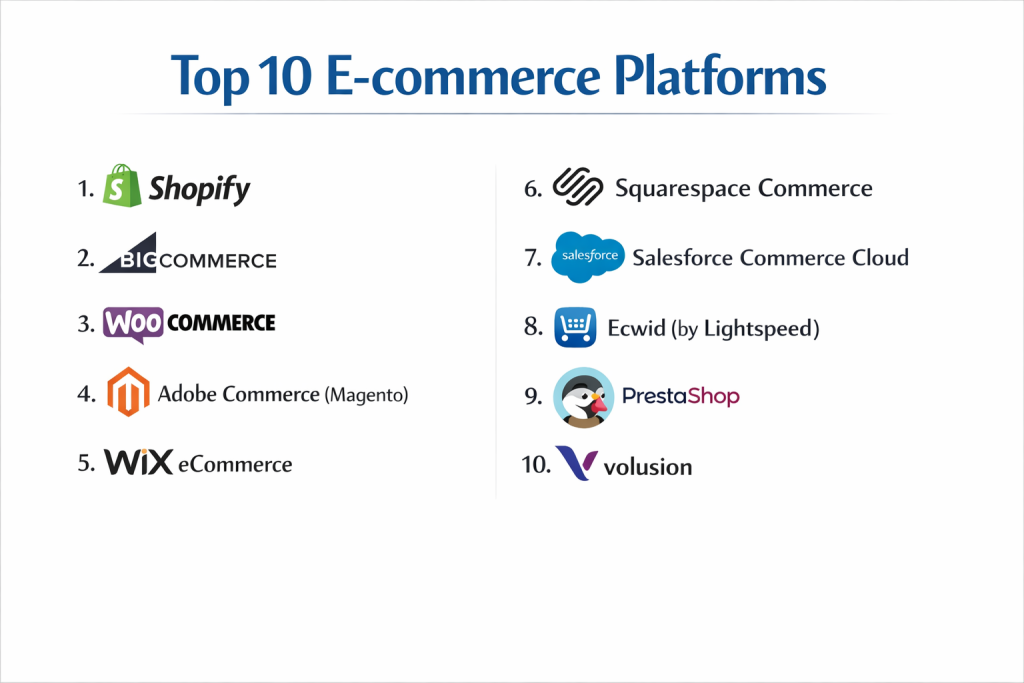
Top 10 E-commerce Platforms
1 — Shopify
Shopify is the most recognized name in e-commerce, known for its incredible ease of use and massive ecosystem. It is a fully hosted SaaS (Software as a Service) platform that caters to everyone from day-one startups to Fortune 500 companies.
- Key features:
- Highly intuitive drag-and-drop store builder.
- Shopify Payments for instant credit card processing.
- Over 8,000 apps in the Shopify App Store.
- Integrated POS (Point of Sale) for physical retail.
- Comprehensive mobile app for managing the store on the go.
- Robust abandoned cart recovery tools.
- Shopify Markets for international selling.
- Pros:
- The fastest “time-to-market” for new businesses.
- Exceptionally reliable hosting that handles massive traffic surges.
- Cons:
- Monthly costs can add up quickly with third-party app subscriptions.
- Transaction fees apply if you don’t use Shopify Payments.
- Security & compliance: PCI DSS Level 1 compliant, SOC 2, GDPR, and 2FA.
- Support & community: 24/7 live chat and phone support, massive community forums, and a vast network of “Shopify Experts.”
2 — BigCommerce
BigCommerce is a powerful SaaS platform that stands out for its “out-of-the-box” feature set. It is designed for growing businesses that need advanced functionality without relying heavily on third-party apps.
- Key features:
- Extremely deep native feature set (reduces the need for apps).
- Multi-storefront management from a single login.
- No transaction fees on any plan, even with third-party gateways.
- Strong SEO tools and customizable URLs.
- B2B-specific features like bulk pricing and customer groups.
- Visual Merchandiser for easy site layout changes.
- Pros:
- Excellent scalability for high-volume mid-market retailers.
- Better “built-in” features than Shopify, leading to lower app costs.
- Cons:
- Steeper learning curve due to the complexity of the built-in tools.
- Annual sales caps; if you exceed a certain limit, you are forced to upgrade plans.
- Security & compliance: ISO 27001, SOC 2 Type II, PCI DSS compliant, and GDPR.
- Support & community: 24/7 technical support, dedicated account managers for enterprise, and a robust help center.
3 — WooCommerce
WooCommerce is an open-source plugin for WordPress. It is the most flexible platform on the list, allowing users to turn any WordPress site into a highly customized online store.
- Key features:
- 100% open-source and customizable.
- Access to the entire WordPress plugin and theme library.
- Built-in blogging and content management.
- No monthly platform subscription (software is free).
- Large variety of payment gateways via extensions.
- Extensive developer documentation for custom builds.
- Pros:
- Unbeatable flexibility—you can build literally any type of store.
- Excellent for content-heavy brands that prioritize SEO and blogging.
- Cons:
- Requires the user to manage their own hosting, security, and updates.
- Can become “bloated” and slow if too many plugins are installed.
- Security & compliance: Varies by hosting provider; users are responsible for PCI compliance.
- Support & community: No official “live chat” for the core product; support comes via forums and hosting providers.
4 — Adobe Commerce (Magento)
Formerly known as Magento, Adobe Commerce is an enterprise-level platform designed for massive brands that require total control and complex integrations.
- Key features:
- Extreme scalability for millions of SKUs.
- Powerful AI-driven product recommendations (Adobe Sensei).
- Advanced B2B functionality and quote management.
- Multi-brand and multi-site management.
- High-level reporting and business intelligence.
- Flexible headless commerce architecture.
- Pros:
- The most powerful platform for complex, global enterprise needs.
- High degree of customization for unique business logic.
- Cons:
- Requires a dedicated team of developers to build and maintain.
- High cost of ownership (licensing and development fees).
- Security & compliance: SOC 2, PCI DSS Level 1, ISO 27001, and GDPR.
- Support & community: Enterprise-level account management and a massive global developer community.
5 — Wix eCommerce
Wix has evolved from a simple website builder into a legitimate e-commerce contender, focusing on stunning visual design and ease of use for small businesses.
- Key features:
- Industry-leading visual editor with pixel-perfect control.
- Wix Ascend for integrated marketing and CRM.
- Support for selling physical goods, digital products, and bookings.
- Wix Payments and third-party gateway support.
- Automated sales tax via Avalara.
- Multichannel selling on Amazon and eBay.
- Pros:
- The best platform for businesses where visual aesthetics are the top priority.
- Very affordable pricing for startups and small retailers.
- Cons:
- Not designed for large-scale inventory management.
- Once you pick a template, it is difficult to change it without rebuilding.
- Security & compliance: PCI DSS compliant, TLS 1.2 encryption, and GDPR.
- Support & community: 24/7 customer care, callback service, and a detailed help center.
6 — Squarespace Commerce
Squarespace is the go-to platform for creatives, artists, and boutique brands who want a sophisticated, minimalist design without any technical overhead.
- Key features:
- Award-winning, mobile-responsive templates.
- Integrated email marketing and social media tools.
- Simple inventory management and product variant tracking.
- Built-in tax and shipping calculation tools.
- Subscription and membership area support.
- Native integration with ShipStation and TaxJar.
- Pros:
- Minimalist, professional-grade design “out of the box.”
- Extremely stable and secure—no need to manage plugins or updates.
- Cons:
- Limited payment gateway options (mainly Stripe and PayPal).
- Not suitable for complex stores with thousands of products.
- Security & compliance: PCI DSS compliant, SSL certificates included, and GDPR.
- Support & community: 24/7 email support, live chat during business hours, and community forums.
7 — Salesforce Commerce Cloud
Salesforce Commerce Cloud is a cloud-native platform tailored for the world’s largest retail brands, emphasizing AI-driven personalization and unified commerce.
- Key features:
- Einstein AI for predictive sorting and customer insights.
- Unified commerce across web, mobile, social, and store.
- High-level multi-currency and multi-language support.
- Robust order management system (OMS).
- Headless commerce capabilities for custom front-ends.
- Deep integration with the Salesforce CRM ecosystem.
- Pros:
- Unmatched ability to provide personalized customer experiences at scale.
- Part of the most powerful business software ecosystem in the world.
- Cons:
- Prohibitively expensive for anyone but large enterprises.
- Implementation takes months and requires specialized consultants.
- Security & compliance: SOC 2, ISO 27001, PCI DSS, GDPR, and HIPAA.
- Support & community: Premier success plans, 24/7 global support, and a massive Trailblazer community.
8 — Ecwid (by Lightspeed)
Ecwid is unique because it isn’t just a platform; it’s a “widget” that allows you to add a shopping cart to any existing website (WordPress, Wix, or even a basic HTML site).
- Key features:
- Can be added to any existing CMS in minutes.
- Mobile app for managing the store and scanning barcodes.
- Automatic language translation for global storefronts.
- Synchronized sales across Facebook, Instagram, and TikTok.
- POS integration with Clover and Square.
- Free plan available for up to 5 products.
- Pros:
- The best choice for someone who already has a website and just wants to add a cart.
- Very simple and lightweight compared to full-blown platforms.
- Cons:
- Limited SEO customization compared to Shopify or BigCommerce.
- The design is restricted by the container of your existing website.
- Security & compliance: PCI DSS Level 1 compliant and GDPR.
- Support & community: Email support on lower tiers; live chat and phone on higher tiers.
9 — PrestaShop
PrestaShop is a popular European open-source platform that offers a balance between the flexibility of WooCommerce and the structured feel of a dedicated e-commerce tool.
- Key features:
- Completely customizable open-source code.
- Over 600 features built into the core software.
- Large marketplace for “modules” and themes.
- Strong multi-language and multi-currency support.
- Efficient product and inventory management.
- One-page checkout optimization.
- Pros:
- Excellent for international sellers who need deep localization.
- No monthly software license fee (though hosting and modules cost money).
- Cons:
- Can be technically challenging to set up and customize.
- Many “essential” modules are paid, which can increase the total cost.
- Security & compliance: GDPR compliant; users are responsible for server-level security.
- Support & community: Large global community, paid technical support plans, and extensive documentation.
10 — Volusion
Volusion is one of the oldest players in the industry, offering a clean, structured platform for small to medium-sized businesses that want to focus on data.
- Key features:
- No transaction fees on any plan.
- Built-in SEO management and metadata tools.
- Comprehensive reporting and analytics dashboard.
- Product “Deal of the Day” and social sharing features.
- Integrated eBay and Amazon selling tools.
- Clean, easy-to-navigate administrative backend.
- Pros:
- Very strong focus on the “business” side of e-commerce with great reporting.
- No hidden transaction fees, making it easier to predict costs.
- Cons:
- Lacks the modern app ecosystem of Shopify or BigCommerce.
- No built-in blogging functionality (must link to an external blog).
- Security & compliance: PCI DSS compliant and SSL included.
- Support & community: 24/7 support via phone and chat on higher plans.
Comparison Table
| Tool Name | Best For | Platform(s) Supported | Standout Feature | Rating |
| Shopify | All-in-One Growth | SaaS / Cloud | Massive App Ecosystem | 4.8 / 5 |
| BigCommerce | Mid-Market Scale | SaaS / Cloud | No Transaction Fees | 4.6 / 5 |
| WooCommerce | Total Flexibility | WordPress Plugin | Open-Source Freedom | 4.5 / 5 |
| Adobe Commerce | Complex Enterprise | Self-Hosted / Cloud | B2B & SKU Capacity | 4.1 / 5 |
| Wix eCommerce | Visual Design | SaaS / Cloud | Visual Drag-and-Drop | 4.4 / 5 |
| Squarespace | Creative Boutiques | SaaS / Cloud | Award-Winning Design | 4.3 / 5 |
| Salesforce | Global Retailers | SaaS / Cloud | Einstein AI Personalization | 4.2 / 5 |
| Ecwid | Existing Websites | Widget / SaaS | Add-to-Any-Site | 4.4 / 5 |
| PrestaShop | Euro Localization | Open-Source | Strong International Tools | 4.0 / 5 |
| Volusion | SMB Data-Focus | SaaS / Cloud | Built-in Reporting | 3.9 / 5 |
Evaluation & Scoring of E-commerce Platforms
| Criteria | Weight | Evaluation Rationale |
| Core Features | 25% | Quality of the storefront, inventory, and payment processing. |
| Ease of Use | 15% | Time required to set up a store and manage daily tasks. |
| Integrations | 15% | Availability of third-party apps and native API quality. |
| Security & Compliance | 10% | PCI DSS status, encryption, and data privacy (GDPR). |
| Performance | 10% | Page load speeds and uptime reliability during peaks. |
| Support & Community | 10% | Quality of documentation and availability of 24/7 help. |
| Price / Value | 15% | Monthly costs vs. transaction fees and features provided. |
Which E-commerce Platform Is Right for You?
Solo Users vs SMB vs Mid-Market vs Enterprise
If you are a solo user starting your first store, Shopify or Wix are the clear winners due to their low barrier to entry. For SMBs that are scaling quickly, BigCommerce provides the technical depth needed to manage growing pains without a huge dev team. Mid-market players who want complete control over their brand narrative often choose WooCommerce. Finally, Enterprise organizations require the heavy-duty infrastructure of Adobe Commerce or Salesforce Commerce Cloud to handle global logistics and complex buyer journeys.
Budget-conscious vs Premium Solutions
For those on a strict budget, WooCommerce and Ecwid offer the lowest starting costs, as the software itself has a free tier. However, if you are looking for a Premium experience where the platform handles everything for you—security, hosting, and updates—paying the monthly fee for Shopify or BigCommerce is almost always worth the investment in terms of time saved.
Feature Depth vs Ease of Use
If you prioritize Ease of Use, Squarespace and Wix are unbeatable; you can create a beautiful store in an afternoon. If you prioritize Feature Depth, Adobe Commerce and BigCommerce offer granular control over every aspect of the shopping journey, though they require much more time to master.
Integration and Scalability Needs
If you plan to scale into a multi-million dollar business, you need an ecosystem. Shopify is the leader here because every marketing or shipping tool in the world builds an integration for it first. If you have unique integration needs (like connecting to a 20-year-old warehouse system), the open-source nature of WooCommerce or Magento is necessary.
Security and Compliance Requirements
Every seller must be PCI compliant, but if you operate in Europe, PrestaShop and Shopify have the best built-in tools for GDPR. Large corporations with strict SOC 2 and ISO requirements will lean toward the high-level security of Salesforce or Adobe Commerce.
Frequently Asked Questions (FAQs)
What is the best e-commerce platform for beginners?
Shopify is widely considered the best for beginners because it handles hosting, security, and payments in one package with an easy interface.
Can I sell on Instagram and Facebook with these platforms?
Yes, most top platforms (Shopify, BigCommerce, Wix) have native integrations that allow you to sync your products directly to social media shops.
What are transaction fees?
Transaction fees are charges taken by the platform or payment gateway for every sale you make. Some platforms like Shopify charge an extra fee if you don’t use their own gateway.
Do I need to know how to code?
No. SaaS platforms like Squarespace, Wix, and Shopify use “No-Code” editors. You only need coding skills for platforms like Magento or custom WooCommerce builds.
What is the difference between hosted and self-hosted?
Hosted (SaaS) means the platform provider manages the servers and security. Self-hosted (Open Source) means you must pay for your own hosting and manage security yourself.
Can I move my store to a different platform later?
Yes, but it can be difficult. You can export product data, but you usually have to rebuild your design and customer data from scratch.
Which platform is best for SEO?
WooCommerce and BigCommerce are often cited as the best for SEO because they offer deep control over URLs, sitemaps, and content structures.
What is “Headless Commerce”?
It is an architecture where the “back-end” (inventory/payments) is separated from the “front-end” (the website design), allowing for total creative freedom.
How do I handle shipping?
Most platforms integrate with carriers like UPS, FedEx, and DHL, and tools like ShipStation to print labels and track packages automatically.
Is e-commerce safe for customers?
Yes, provided you use a platform that is PCI DSS compliant and uses SSL encryption to protect customer credit card data.
Conclusion
The “best” e-commerce platform is a relative term—it depends entirely on your technical skill, your budget, and the size of your inventory. If you want a platform that “just works” and grows with you, Shopify is the industry standard for a reason. If you want total creative control and don’t mind getting your hands dirty with technical details, WooCommerce offers unlimited potential.
For those in the enterprise space, the decision shifts toward Adobe Commerce or Salesforce, where the focus is on data intelligence and complex global logistics. Regardless of which you choose, the goal remains the same: to create a frictionless, secure, and enjoyable experience for your customers.