Introduction
Document Management Systems (DMS) are software solutions designed to store, organize, track, and manage documents digitally. Unlike traditional paper-based systems, DMS platforms centralize documents, provide secure access, enable collaboration, and improve workflow efficiency. These systems support various document types including text files, PDFs, spreadsheets, images, and multimedia content.
DMS is crucial for organizations of all sizes because it improves productivity, ensures compliance, reduces operational risk, and enhances collaboration. With centralized document storage, teams can easily search, retrieve, and share content, minimizing errors and delays in business processes. It also provides version control, audit trails, and secure access to sensitive information.
Real-world use cases include legal firms managing contracts, healthcare providers handling patient records, enterprises maintaining HR documentation, educational institutions organizing course materials, and government organizations ensuring regulatory compliance. Document management systems are vital for any organization dealing with high volumes of data and requiring operational efficiency.
When selecting a DMS, users should evaluate core features such as version control, search and indexing capabilities, workflow automation, integration options, security, and user-friendliness. Pricing, scalability, deployment options (cloud or on-premise), and compliance with standards like HIPAA or GDPR are also critical factors.
Best for:
Organizations of all sizes, particularly enterprises, SMBs, legal and healthcare firms, educational institutions, and government bodies that require secure, structured, and accessible document storage.
Not ideal for:
Small teams or individuals who only need basic file storage and sharing may not require a full DMS. Simple cloud storage solutions like Google Drive or Dropbox may suffice.
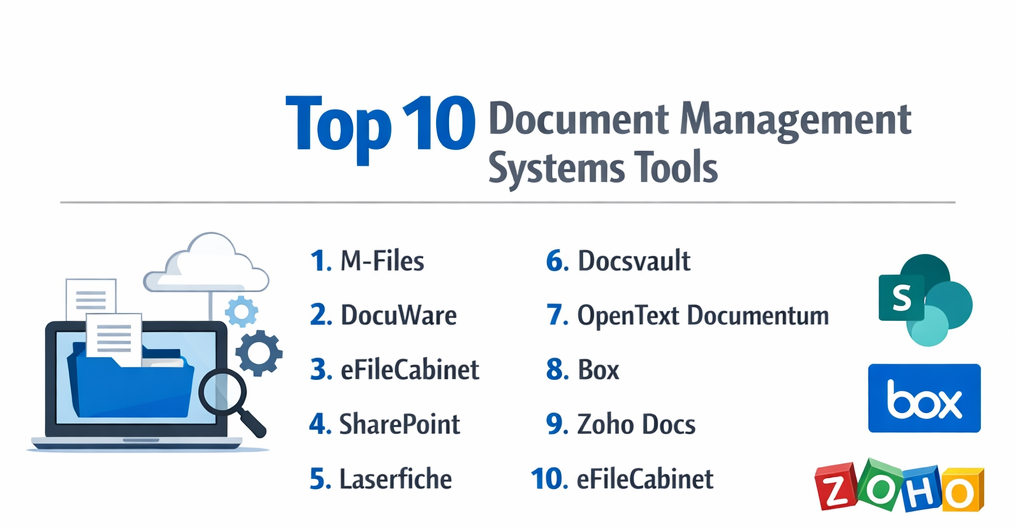
Top 10 Document Management Systems Tools
1 — M-Files
M-Files is an intelligent document management system that leverages metadata-driven organization to help businesses locate, manage, and secure documents efficiently. Designed for enterprises and SMBs, M-Files enhances workflows and ensures compliance while reducing time spent searching for files. Its AI-powered features automate classification and document routing.
Key features:
- Metadata-driven document organization
- Version control and audit trails
- Workflow automation for approvals
- AI-powered document classification
- Cloud and on-premise deployment
- Integration with Microsoft 365, Salesforce, and ERP systems
Pros:
- Reduces time spent on document searches
- Enhances compliance and security
- Streamlines workflows with automation
Cons:
- Higher learning curve for new users
- Premium pricing for advanced features
- May require IT support for complex integration
Security & compliance:
SSO, encryption, audit logs, GDPR, ISO compliance
Support & community:
Comprehensive documentation, training, webinars, and enterprise support.
2 — DocuWare
DocuWare is a cloud and on-premise DMS solution built to manage documents, automate business processes, and improve collaboration. It is suited for organizations seeking secure document storage, workflow automation, and centralized access across teams, enabling efficient management of both routine and critical documentation.
Key features:
- Cloud and on-premise deployment
- Workflow automation for approvals and routing
- Digital document archiving
- Optical Character Recognition (OCR)
- Integration with email, ERP, and CRM systems
- Mobile access for remote teams
Pros:
- Strong workflow automation
- Centralized document storage
- User-friendly interface
Cons:
- Premium plan needed for advanced features
- Initial setup may require training
- Limited offline access for cloud version
Security & compliance:
SSO, encryption, GDPR, HIPAA, SOC 2
Support & community:
Extensive documentation, webinars, and responsive customer support.
3 — eFileCabinet
eFileCabinet is a comprehensive document management system designed to centralize and secure corporate documents. Targeted at small to medium businesses, it offers workflow automation, document indexing, and file sharing. Its modular approach allows organizations to scale features according to their requirements.
Key features:
- Cloud and on-premise deployment
- Document scanning and indexing
- Workflow automation and approvals
- Secure file sharing
- Audit trails and version control
- Integration with Microsoft Office and QuickBooks
Pros:
- Affordable for SMBs
- Scalable modules
- Easy document retrieval
Cons:
- Limited advanced analytics
- Cloud storage limits on lower tiers
- Learning curve for complex workflows
Security & compliance:
SSO, encryption, GDPR, HIPAA, ISO
Support & community:
Documentation, webinars, and dedicated customer support.
4 — SharePoint
Microsoft SharePoint is a robust document management and collaboration platform widely used by enterprises. It allows teams to store, share, and co-author documents with seamless integration into the Microsoft ecosystem. SharePoint is designed for businesses needing strong compliance, workflow automation, and collaboration across departments.
Key features:
- Centralized document repository
- Versioning and audit trails
- Collaboration with Microsoft 365
- Workflow automation with Power Automate
- Customizable sites and document libraries
- Advanced search and metadata features
Pros:
- Deep integration with Microsoft tools
- Highly customizable and scalable
- Strong collaboration features
Cons:
- Complex setup and administration
- Learning curve for non-technical users
- Performance may vary with large datasets
Security & compliance:
SSO, encryption, HIPAA, GDPR, ISO
Support & community:
Microsoft documentation, community forums, and enterprise support.
5 — Laserfiche
Laserfiche is an enterprise-focused DMS offering document management, workflow automation, and electronic forms. It is designed for organizations seeking to streamline processes, improve compliance, and ensure secure access to sensitive documents. Its automation tools reduce manual tasks and accelerate decision-making.
Key features:
- Document capture and storage
- Workflow automation
- Business process management
- Audit trails and compliance tools
- Advanced search and indexing
- Cloud and on-premise deployment
Pros:
- Strong automation capabilities
- Enhances regulatory compliance
- Scalable for enterprises
Cons:
- Costly for smaller organizations
- Requires training for advanced features
- Complex initial implementation
Security & compliance:
SSO, encryption, HIPAA, SOC 2, GDPR
Support & community:
Extensive documentation, training programs, and enterprise support.
6 — Docsvault
Docsvault is a flexible DMS designed for secure document storage, indexing, and workflow automation. Suited for SMBs and mid-market businesses, it offers features like version control, audit trails, and role-based access to protect sensitive information and improve productivity.
Key features:
- Document indexing and search
- Version control and audit tracking
- Role-based access permissions
- Workflow automation
- Integration with Outlook and Office
- Cloud and on-premise deployment
Pros:
- Affordable for SMBs
- Secure document management
- Easy-to-use interface
Cons:
- Limited advanced collaboration features
- Cloud edition may have storage limits
- Smaller user community
Security & compliance:
SSO, encryption, GDPR, HIPAA
Support & community:
Documentation, tutorials, and responsive support.
7 — OpenText Documentum
OpenText Documentum is a high-end DMS for enterprises needing secure, compliant, and scalable document management. It supports content lifecycle management, workflow automation, and integration with ERP systems. Documentum is ideal for heavily regulated industries like healthcare, legal, and finance.
Key features:
- Enterprise content management
- Workflow automation and approvals
- Regulatory compliance support
- Integration with enterprise applications
- Advanced search and retrieval
- Document versioning and audit trails
Pros:
- Enterprise-grade scalability
- Strong compliance support
- Advanced workflow management
Cons:
- Expensive licensing
- Complex deployment
- Requires trained administrators
Security & compliance:
SSO, encryption, HIPAA, GDPR, ISO
Support & community:
Extensive enterprise documentation, training, and support.
8 — Box
Box is a cloud-first document management system focused on secure collaboration, file sharing, and workflow automation. It is suitable for enterprises and teams needing remote access, easy sharing, and integration with productivity tools.
Key features:
- Cloud storage with secure access
- Workflow automation and approvals
- Collaboration and commenting
- Version control
- Integration with Microsoft 365, Salesforce, and Google Workspace
- Mobile and desktop access
Pros:
- Cloud-first and easy to deploy
- Strong collaboration and sharing
- Secure for remote teams
Cons:
- Subscription-based pricing
- Limited offline functionality
- Less customizable than on-premise DMS
Security & compliance:
SSO, encryption, HIPAA, SOC 2, GDPR
Support & community:
Documentation, community forums, and enterprise support.
9 — Zoho Docs
Zoho Docs is a cloud-based DMS designed for small to medium businesses seeking cost-effective document management and collaboration. It provides centralized storage, access control, versioning, and team collaboration features.
Key features:
- Cloud document storage
- Role-based permissions
- Version control
- File sharing and collaboration
- Integration with Zoho suite and third-party apps
- Real-time editing
Pros:
- Affordable for SMBs
- Easy to use and set up
- Integrated with Zoho ecosystem
Cons:
- Limited advanced features
- Smaller enterprise adoption
- Customization options limited
Security & compliance:
SSO, encryption, GDPR
Support & community:
Documentation, tutorials, and email support.
10 — eFileCabinet
eFileCabinet provides document management, workflow automation, and secure storage for businesses of all sizes. It allows organizations to digitize paper documents, manage workflows, and enhance productivity with cloud and on-premise deployment options.
Key features:
- Document scanning and indexing
- Workflow automation
- Secure file storage
- Version control and audit trails
- Integration with Office and accounting software
- Cloud and on-premise options
Pros:
- Scalable for SMBs and enterprises
- Easy to organize and retrieve files
- Automation improves workflow efficiency
Cons:
- Advanced features require premium plans
- Learning curve for new users
- Cloud storage limits in lower tiers
Security & compliance:
SSO, encryption, HIPAA, GDPR, SOC 2
Support & community:
Documentation, webinars, and dedicated support.
Comparison Table
| Tool Name | Best For | Platform(s) | Standout Feature | Rating |
|---|---|---|---|---|
| M-Files | Enterprises | Windows, Web, Mobile | Metadata-driven organization | N/A |
| DocuWare | SMBs & Enterprises | Web, Desktop, Mobile | Workflow automation | N/A |
| eFileCabinet | SMBs & Enterprises | Windows, Web | Cloud + on-premise storage | N/A |
| SharePoint | Enterprises | Windows, Web, Mobile | Microsoft integration | N/A |
| Laserfiche | Enterprises | Windows, Web | Advanced automation | N/A |
| Docsvault | SMBs & Mid-market | Windows, Web, Mobile | Role-based access | N/A |
| OpenText Documentum | Regulated Enterprises | Windows, Web | Compliance & scalability | N/A |
| Box | Cloud-first Teams | Web, Desktop, Mobile | Secure cloud collaboration | N/A |
| Zoho Docs | SMBs | Web, Mobile | Cost-effective cloud DMS | N/A |
| eFileCabinet | SMBs & Enterprises | Windows, Web | Document digitization | N/A |
Evaluation & Scoring of Document Management Systems
| Criteria | Weight |
|---|---|
| Core features | 25% |
| Ease of use | 15% |
| Integrations & ecosystem | 15% |
| Security & compliance | 10% |
| Performance & reliability | 10% |
| Support & community | 10% |
| Price / value | 15% |
Which Document Management Systems Tool Is Right for You?
- Solo users / SMBs: Look for cost-effective, cloud-based systems like Zoho Docs, eFileCabinet, or Docsvault.
- Mid-market: Tools like DocuWare or M-Files balance scalability, collaboration, and automation.
- Enterprise: SharePoint, Laserfiche, OpenText, or Box are ideal for compliance, integrations, and robust security.
- Consider your budget, collaboration needs, and integration with existing productivity tools.
Frequently Asked Questions (FAQs)
- What is a document management system (DMS)?
A software platform to store, organize, and manage documents digitally for easy access and collaboration. - Why is DMS important?
It improves productivity, ensures compliance, secures sensitive data, and streamlines workflows. - Can small businesses benefit from DMS?
Yes, cloud-based solutions like Zoho Docs or eFileCabinet are affordable and scalable. - Are DMS tools secure?
Most offer encryption, SSO, audit logs, and compliance with HIPAA, GDPR, and SOC 2. - Do these tools support collaboration?
Yes, most allow real-time editing, sharing, and workflow automation. - Can documents be retrieved easily?
Advanced search, tagging, and metadata features enable fast retrieval. - Do DMS solutions integrate with other software?
Many integrate with Microsoft Office, CRM, ERP, and productivity suites. - Is training required?
For enterprise-grade DMS, onboarding or training may be needed to use advanced features. - Can DMS replace paper filing systems?
Yes, it digitizes and organizes documents, reducing dependency on paper. - Are there free DMS options?
Some tools offer limited free versions, but full features typically require subscription.
Conclusion
Document management systems are critical for modern organizations, enabling secure, efficient, and collaborative management of digital content. The choice depends on team size, workflow complexity, compliance needs, and budget. Evaluating core features, integrations, security, and support ensures long-term productivity and operational efficiency.