Introduction
Document conversion tools are software solutions designed to transform files from one format to another while preserving layout, formatting, text, images, and data integrity as much as possible. These tools handle conversions between PDFs, Word documents, Excel spreadsheets, PowerPoint presentations, images, and more, often including OCR for scanned files to make them editable and searchable.
document conversion tools are vital amid diverse file formats from various devices, apps, and legacy systems. They ensure compatibility, enable editing of locked files, facilitate sharing, support compliance through searchable archives, and automate workflows with AI-enhanced accuracy. Advanced OCR and batch processing reduce manual rework significantly. Key real-world use cases include converting scanned invoices to editable Excel for accounting, turning PDFs into Word for legal edits, batch-processing reports for analytics, migrating legacy docs to modern formats during digital transformation, and preparing presentations from research papers.
When selecting a tool, prioritize supported formats and conversion accuracy (layout retention, OCR quality), batch processing, cloud vs. desktop deployment, security features (encryption, no permanent storage), integration with storage/services, speed for large files, and cost model (free, subscription, one-time).
Best for: Administrative professionals, accountants, legal teams, educators, marketers, and IT staff benefit most from document conversion tools. They suit freelancers handling client files, SMBs digitizing paperwork, mid-market firms automating workflows, and enterprises in finance, healthcare, legal, and government managing high-volume, compliant conversions.
Not ideal for: Users with occasional simple needs—built-in OS exporters or basic online freebies suffice. Those requiring complex graphic design might prefer full editors. Highly sensitive data handlers may avoid online tools unless enterprise-grade.
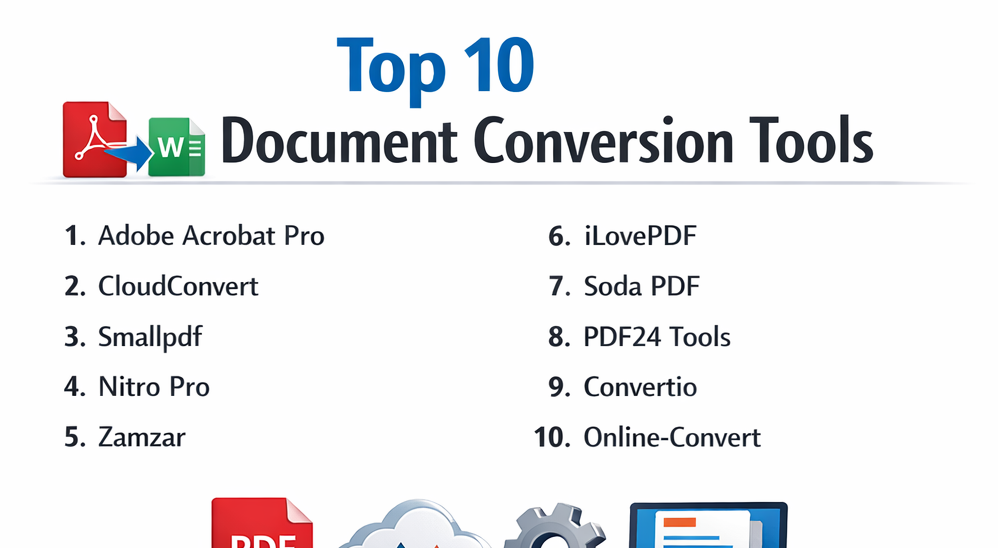
Top 10 Document Conversion Tools
1 — Adobe Acrobat Pro
Adobe Acrobat Pro is the gold-standard desktop and cloud PDF-focused conversion tool, offering unparalleled accuracy for creating, editing, and converting documents across formats. It excels in professional environments with advanced OCR, redaction, and signing, making it indispensable for businesses needing reliable, high-fidelity conversions in regulated workflows.
As the inventor of PDF, Adobe provides robust bidirectional conversions with layout preservation, ideal for enterprises and professionals handling complex, multi-page documents daily.
Key features:
- High-accuracy OCR for scanned docs.
- Batch processing and actions automation.
- Export to Word, Excel, PowerPoint with reflow.
- AI-assisted enhancements and forms.
- Secure redaction and certification.
- Mobile scanning and conversion.
- Integration with Microsoft 365 and Dropbox.
Pros:
- Best-in-class conversion quality and formatting retention.
- Comprehensive tools beyond conversion (editing, signing).
- Strong compliance and security.
Cons:
- Subscription-based and premium pricing.
- Steeper learning curve for full features.
- Resource-heavy desktop app.
Security & compliance: Encryption, audit logs, redaction; SOC 2, GDPR, HIPAA, ISO compliant.
Support & community: Extensive tutorials, forums, phone/chat support; enterprise plans.
2 — CloudConvert
CloudConvert is a versatile online file conversion platform supporting over 200 formats, including documents, images, audio, and video, with API for automation. It offers high-quality, customizable conversions without software installation, perfect for developers, teams, and individuals needing broad format support and integrations.
Key features:
- 200+ formats including Office, PDF, EPUB.
- API and webhook automation.
- Cloud storage integrations (Drive, Dropbox).
- Quality/settings customization.
- Batch conversion.
- Secure file handling (auto-delete).
- No account required for basic use.
Pros:
- Extremely broad format support.
- Developer-friendly API.
- Fast and reliable.
Cons:
- File size limits on free plan.
- Internet-dependent.
- Premium for unlimited/high-volume.
Security & compliance: Encryption; GDPR compliant.
Support & community: Docs, email support.
3 — Smallpdf
Smallpdf is an intuitive online PDF toolkit with strong conversion capabilities, emphasizing simplicity and mobile access for everyday users. It provides quick, accurate PDF-to-Office and vice-versa conversions with e-signing, ideal for small teams and individuals prioritizing ease over advanced features.
Key features:
- PDF to Word/Excel/PPT/JPG.
- Compress, merge, split tools.
- OCR for scanned PDFs.
- e-Sign and protect.
- Mobile apps.
- Google Drive/Dropbox integration.
- Batch export in pro.
Pros:
- Very user-friendly interface.
- Fast processing.
- Affordable pro plan.
Cons:
- Free version limits (daily tasks).
- Less formats than universal converters.
- Online-only.
Security & compliance: Encryption, auto-delete; GDPR.
Support & community: Help center, chat.
4 — Nitro Pro
Nitro Pro is a cost-effective PDF alternative to Acrobat, focused on productivity for business users with conversion, editing, and collaboration. It delivers high-accuracy Office-to-PDF and back with batch tools, suited for enterprises seeking Acrobat features at lower cost.
Key features:
- Batch conversion and processing.
- OCR and searchable PDFs.
- e-Signature and security.
- Cloud collaboration.
- Integration with storage.
- Custom stamps and bates.
- Analytics in enterprise.
Pros:
- Excellent value vs. Acrobat.
- Strong business features.
- One-time or subscription.
Cons:
- Windows primary.
- OCR slower than leaders.
- Interface dated.
Security & compliance: Encryption; GDPR, HIPAA options.
Support & community: Support portal, resources.
5 — Zamzar
Zamzar is a long-standing online converter supporting thousands of formats with email delivery options. It handles document, image, audio conversions simply, great for occasional users needing no-account quick jobs.
Key features:
- 1200+ formats.
- Email results.
- API for developers.
- Batch in paid.
- URL conversion.
- History in account.
- No install.
Pros:
- Vast format support.
- Simple no-signup use.
- Reliable history.
Cons:
- Free limits (size, daily).
- Slower large files.
- Paid for priority.
Security & compliance: Encryption, delete policy.
Support & community: FAQs, email.
6 — ILovePDF
ILovePDF is a popular online PDF suite with strong conversion and manipulation tools. It offers free, fast PDF-to-Office conversions with merge/compress, ideal for students and small businesses.
Key features:
- PDF to Word/Excel/PPT/JPG.
- Merge, split, compress.
- OCR premium.
- Sign and protect.
- Mobile app.
- Desktop version.
- Batch tools.
Pros:
- Generous free tier.
- Fast and simple.
- Mobile/desktop options.
Cons:
- Watermarks free on some.
- Premium for advanced.
- Ads free.
Security & compliance: Encryption, GDPR.
Support & community: Help, premium support.
7 — Soda PDF
Soda PDF is a versatile PDF solution with conversion, editing, and security features in desktop/online versions. It provides accurate bidirectional conversions with OCR, suited for users needing full PDF workflow.
Key features:
- Convert to/from Office.
- Batch processing.
- OCR and forms.
- e-Sign.
- Secure and redact.
- 3D view.
- Cloud storage.
Pros:
- Good balance features/price.
- Desktop/offline option.
- Strong editing.
Cons:
- Subscription heavy.
- Interface cluttered.
- Slower OCR.
Security & compliance: Encryption; compliance options.
Support & community: Support, resources.
8 — PDF24 Tools
PDF24 Tools is a free online/offline PDF suite with comprehensive conversion and editing. It offers no-limit free conversions with desktop app, ideal for privacy-conscious users avoiding uploads.
Key features:
- PDF to Word/Excel/image.
- Merge, compress, protect.
- OCR offline.
- Desktop creator.
- No registration.
- Tools bundle.
- Print to PDF.
Pros:
- Truly free/unlimited.
- Offline desktop.
- No data collection.
Cons:
- Basic interface.
- No cloud sync.
- Limited advanced.
Security & compliance: N/A – Local/offline focus.
Support & community: Forum, email.
9 — Convertio
Convertio is an online converter supporting 300+ formats with cloud integrations. It handles documents, ebooks, archives with OCR, great for versatile, quick conversions.
Key features:
- OCR for scans.
- Batch and archive.
- Cloud upload (Drive).
- API.
- Custom settings.
- Ebook formats.
- Secure delete.
Pros:
- Many formats including rare.
- Easy cloud access.
- Fast.
Cons:
- Free credits limit.
- Premium needed heavy use.
- Ads free.
Security & compliance: Encryption, delete.
Support & community: Help.
10 — Online-Convert
Online-Convert is a feature-rich online converter for documents, media, with advanced options. It provides detailed settings for precise conversions, suited for users needing control over output.
Key features:
- Document to/from many.
- OCR and hashing.
- Custom compression.
- Archive tools.
- Ebook conversion.
- API.
- No limits paid.
Pros:
- Granular controls.
- Broad categories.
- Reliable.
Cons:
- Interface busy.
- Free limits.
- Slower free.
Security & compliance: Encryption.
Support & community: Docs.
Comparison Table
| Tool Name | Best For | Platform(s) Supported | Standout Feature | Rating |
|---|---|---|---|---|
| Adobe Acrobat Pro | Professional/enterprise PDF | Desktop, Web, Mobile | Advanced OCR & editing | N/A |
| CloudConvert | Broad format support | Web | API & 200+ formats | N/A |
| Smallpdf | Quick online PDF tasks | Web, Mobile | Simple interface & tools | N/A |
| Nitro Pro | Business PDF alternative | Desktop, Web | Batch & security | N/A |
| Zamzar | No-account quick conversions | Web | Email delivery | N/A |
| ILovePDF | Free PDF suite | Web, Desktop, Mobile | Merge/compress | N/A |
| Soda PDF | Full PDF workflow | Desktop, Web | e-Sign & 3D | N/A |
| PDF24 Tools | Free/offline PDF | Web, Desktop | No limits offline | N/A |
| Convertio | Versatile with OCR | Web | Cloud integrations | N/A |
| Online-Convert | Advanced settings | Web | Custom options | N/A |
Evaluation & Scoring of Document Conversion Tools
| Tool Name | Core Features (25%) | Ease of Use (15%) | Integrations & Ecosystem (15%) | Security & Compliance (10%) | Performance & Reliability (10%) | Support & Community (10%) | Price / Value (15%) | Total Score |
|---|---|---|---|---|---|---|---|---|
| Adobe Acrobat Pro | 10 (2.5) | 8 (1.2) | 9 (1.35) | 10 (1.0) | 9 (0.9) | 9 (0.9) | 7 (1.05) | 8.9 |
| CloudConvert | 9.5 (2.375) | 9 (1.35) | 9.5 (1.425) | 8 (0.8) | 9 (0.9) | 8 (0.8) | 9 (1.35) | 8.98 |
| Smallpdf | 9 (2.25) | 10 (1.5) | 8 (1.2) | 8 (0.8) | 9 (0.9) | 8 (0.8) | 9 (1.35) | 8.8 |
| Nitro Pro | 9 (2.25) | 8 (1.2) | 8 (1.2) | 9 (0.9) | 9 (0.9) | 8 (0.8) | 9 (1.35) | 8.65 |
| Zamzar | 8.5 (2.125) | 9.5 (1.425) | 7 (1.05) | 7 (0.7) | 8 (0.8) | 7 (0.7) | 9 (1.35) | 8.13 |
| ILovePDF | 8.5 (2.125) | 10 (1.5) | 8 (1.2) | 8 (0.8) | 9 (0.9) | 8 (0.8) | 9.5 (1.425) | 8.73 |
| Soda PDF | 9 (2.25) | 8 (1.2) | 8 (1.2) | 8 (0.8) | 8 (0.8) | 8 (0.8) | 8 (1.2) | 8.25 |
| PDF24 Tools | 8 (2.0) | 9 (1.35) | 6 (0.9) | 8 (0.8) | 9 (0.9) | 7 (0.7) | 10 (1.5) | 8.15 |
| Convertio | 9 (2.25) | 9 (1.35) | 8 (1.2) | 8 (0.8) | 9 (0.9) | 8 (0.8) | 9 (1.35) | 8.65 |
| Online-Convert | 8.5 (2.125) | 8 (1.2) | 7 (1.05) | 7 (0.7) | 8 (0.8) | 7 (0.7) | 9 (1.35) | 7.93 |
Which Document Conversion Tools Tool Is Right for You?
Solo users: Smallpdf or ILovePDF for quick free jobs; Typora-like for focus.
SMBs: CloudConvert or Zamzar for versatility; Nitro for business.
Mid-market: Adobe or Soda PDF for features.
Enterprise: Adobe Acrobat or Nitro enterprise.
Budget-conscious: PDF24, Zamzar free; CloudConvert paid reasonable.
Premium solutions: Adobe for quality; Nitro alternative.
Feature depth vs. ease of use: Adobe/Nitro depth; Smallpdf/ILovePDF ease.
Integration and scalability: CloudConvert API; Adobe Microsoft.
Security and compliance: Adobe/HIPAA tools; online check delete policies.
Test free trials—PDF-heavy Adobe; multi-format CloudConvert.
Frequently Asked Questions (FAQs)
What are document conversion tools? They transform files between formats like PDF to Word, preserving content for editing/sharing.
Why important in 2026? Handle diverse formats, automate with AI, ensure compatibility in hybrid work.
Best free tool? ILovePDF or PDF24 for unlimited basic; Smallpdf generous.
Accuracy concerns? Premium like Adobe best layout/OCR; test complex files.
Batch conversion needed? Yes for volume—Adobe/Nitro strong.
Online vs desktop? Online convenient; desktop (Adobe) offline/privacy.
Common mistake? Not checking OCR/layout—preview results. Best: Use high-quality source.
Privacy worries? Choose auto-delete online; desktop for sensitive.
Mobile conversion? Smallpdf/Adobe apps good.
Alternatives? Built-in Office export; specialized for niche.
Conclusion
document conversion tools range from comprehensive like Adobe Acrobat Pro to versatile online like CloudConvert and free-friendly ILovePDF. Trends: AI OCR, batch automation, secure cloud.
Prioritize accuracy for pros, ease for casual, integrations for teams. No universal best—match format needs, volume, security. Trial to ensure quality output. Right tool saves hours, reduces errors, streamlines digital docs.