Introduction
DNS Management Tools provide a centralized interface for controlling domain records, traffic steering, and security protocols. Without these tools, managing a large portfolio of domains would require manual, error-prone updates that could lead to website downtime or security vulnerabilities. These platforms have evolved from simple record editors into complex traffic management systems that use global Anycast networks to minimize latency.
The importance of professional DNS management lies in resilience and performance. A slow DNS lookup directly increases the “Time to First Byte” (TTFB) for a website, making it feel sluggish to users. Real-world use cases include Global Server Load Balancing (GSLB), where traffic is automatically routed to the nearest healthy server, and protection against Distributed Denial of Service (DDoS) attacks that target the DNS layer to take entire companies offline.
When evaluating tools, users should look for propagation speed (how fast changes go live), Anycast network density, secondary DNS support, and Advanced Traffic Steering (Geo-DNS).
Best for: Web developers, DevOps engineers, IT managers, and security professionals across all company sizes. It is particularly vital for e-commerce, SaaS providers, and global enterprises where every millisecond of uptime translates to revenue.
Not ideal for: Casual bloggers or tiny local businesses with a single domain and low traffic. For these users, the basic DNS hosting provided by their domain registrar or a standard web host is usually sufficient.
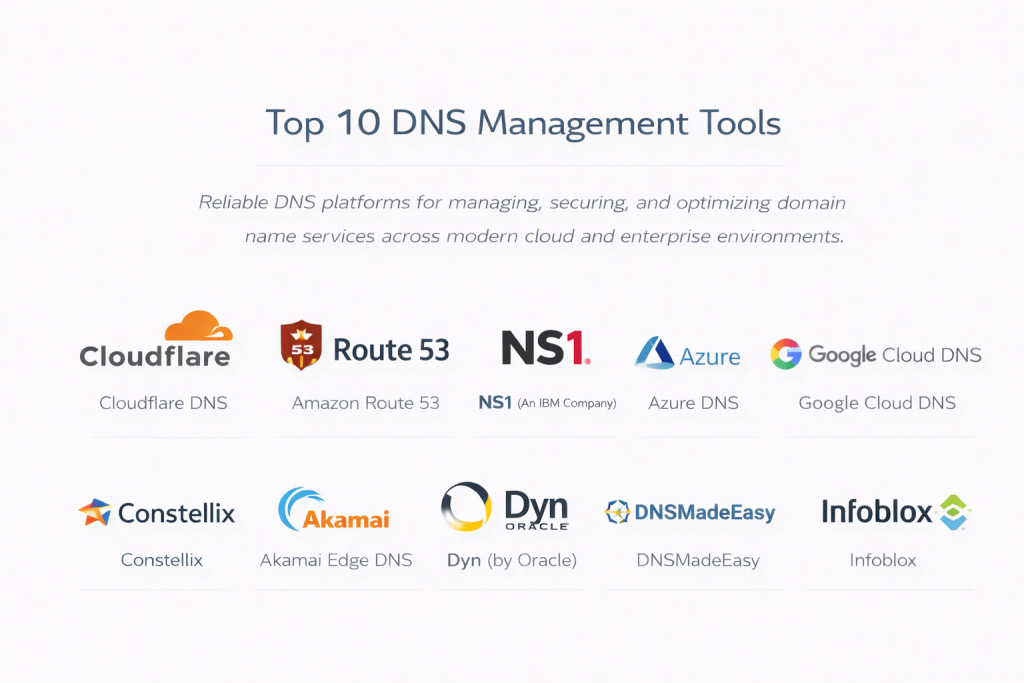
Top 10 DNS Management Tools
1 — Cloudflare DNS
Cloudflare is widely recognized as the fastest and most popular DNS provider globally. It serves as a comprehensive security and performance layer for millions of websites, ranging from personal blogs to the world’s largest corporations.
- Key Features:
- Global Anycast Network: Operates in hundreds of cities worldwide to ensure ultra-low latency.
- 1-Click DNSSEC: Easy deployment of DNS security to prevent cache poisoning.
- CNAME Flattening: Allows CNAME records at the root domain without breaking RFC standards.
- Fast Propagation: Record updates usually take effect globally in under 10 seconds.
- Terraform Integration: Supports Infrastructure-as-Code for automated management.
- Analytics and Logs: Detailed insights into DNS query volumes and geographic origin.
- Pros:
- Incredible performance; consistently ranked as the fastest DNS provider in the world.
- The free tier is exceptionally generous, including DDoS protection.
- Cons:
- Some advanced traffic steering features require high-tier Enterprise plans.
- The interface can be overwhelming because it is bundled with dozens of other CDN and security features.
- Security & Compliance: SOC 2 Type II, ISO 27001, PCI DSS, GDPR, and HIPAA compliant. Includes advanced DDoS mitigation.
- Support & Community: Massive community forum, extensive developer documentation, and 24/7 enterprise support.
2 — Amazon Route 53
Amazon Route 53 is a highly available and scalable cloud DNS web service provided by AWS. It is designed to give developers an extremely reliable way to route end users to internet applications.
- Key Features:
- Health Checking: Automatically monitors application health and redirects traffic if a server fails.
- Latentcy-Based Routing: Directs users to the AWS region that provides the lowest latency.
- Geoproximity Routing: Allows for complex routing rules based on the physical location of users and resources.
- Alias Records: Integrates natively with AWS resources like S3 buckets and CloudFront.
- Private DNS: Allows for internal domain management within a Virtual Private Cloud (VPC).
- Pros:
- Deeply integrated into the AWS ecosystem, making it the default choice for AWS users.
- Offers a 100% Availability SLA, which is rare in the industry.
- Cons:
- The pricing model is complex and based on queries, which can be hard to predict.
- The management console is utilitarian and less user-friendly than modern competitors.
- Security & Compliance: HIPAA, SOC 1/2/3, ISO 27001/27017/27018, and PCI DSS Level 1 compliant.
- Support & Community: Backed by AWS Support and a vast network of certified AWS architects.
3 — NS1 (An IBM Company)
NS1 is built for modern, high-traffic applications that require complex, data-driven traffic steering. It is favored by major streaming platforms and global gaming companies.
- Key Features:
- Filter Chain: A unique visual tool to build complex routing logic based on real-time data.
- Pulsar RUM: Uses Real-User Monitoring data to steer traffic based on actual internet conditions.
- API-First Design: Everything in NS1 is controllable via a robust and fast API.
- Managed and Dedicated DNS: Options for both cloud-based and on-premise DNS delivery.
- Global Anycast Fabric: High-performance network designed for massive scale.
- Pros:
- The Filter Chain technology is the most powerful traffic steering engine available.
- Excellent for multi-cloud strategies where you need to balance traffic between different providers.
- Cons:
- Geared heavily toward high-end enterprises; may be “overkill” for simple domain needs.
- Setup and configuration require a higher level of technical networking knowledge.
- Security & Compliance: SOC 2 Type II compliant; features strong audit logs and SSO integration.
- Support & Community: High-touch enterprise support with dedicated engineering resources for large clients.
4 — Azure DNS
Azure DNS is Microsoft’s hosting service for DNS domains, providing name resolution using the Microsoft Azure infrastructure.
- Key Features:
- Global Network of Name Servers: Uses Anycast networking to provide high performance and availability.
- Azure Resource Manager Integration: Manage DNS records using the same tools as other Azure services.
- Private Zones: Supports internal DNS within private virtual networks without custom DNS servers.
- Alias Record Sets: Supports aliasing Azure resources that have dynamic IP addresses.
- Role-Based Access Control (RBAC): Granular control over who can modify specific DNS zones.
- Pros:
- Seamless experience for organizations already utilizing Active Directory and Azure.
- Fast propagation and reliable performance backed by Microsoft’s backbone.
- Cons:
- Lacks some of the specialized traffic steering features (like RUM-based routing) found in NS1.
- Not as cost-effective for organizations that don’t already have an Azure commitment.
- Security & Compliance: ISO 27001, SOC 1/2/3, HIPAA, and GDPR compliant.
- Support & Community: Professional Microsoft support and a massive ecosystem of enterprise partners.
5 — Google Cloud DNS
Google Cloud DNS is a reliable, resilient, low-latency DNS serving from Google’s worldwide network.
- Key Features:
- Scalable and Low Latency: Leverages the same infrastructure that powers Google’s own services.
- Cloud Logging: Automatically tracks every DNS change and query for auditing.
- Managed Zones: Easily organize records for thousands of domains.
- Peering and Forwarding: Complex internal routing for hybrid cloud environments.
- DNSSEC Support: Automated signing of DNS zones to protect against hijacking.
- Pros:
- Extremely stable and simple to use through the Google Cloud Console.
- Very competitive pricing for high-volume query traffic.
- Cons:
- Fewer advanced “intelligent” steering features compared to dedicated DNS players.
- Documentation can sometimes be thin on complex hybrid-cloud configurations.
- Security & Compliance: SOC 2/3, ISO 27001, HIPAA, and PCI DSS compliant.
- Support & Community: Comprehensive support tiers and deep integration with the GCP developer community.
6 — Constellix
Constellix is a leader in “DNS Traffic Management,” offering some of the most granular analytics and monitoring tools in the industry.
- Key Features:
- Sonar Monitoring: Integrated monitoring that can trigger DNS changes based on outages.
- Multi-CDN Management: Automatically routes users to the best performing CDN at that moment.
- Geo-DNS: Precision routing based on a user’s continent, country, or even city.
- Real-time Statistics: Instant visibility into query traffic patterns.
- Anomalous Traffic Detection: Alerts you if there is a sudden spike in DNS queries.
- Pros:
- The most detailed analytics dashboard among all DNS providers.
- Excellent value for organizations that need high-end traffic steering without the enterprise price tag.
- Cons:
- The user interface is feature-dense and can feel cluttered to new users.
- Propagation is fast, but the initial setup of complex “Geo-filters” takes time.
- Security & Compliance: SOC 2 compliant; features advanced two-factor authentication and IP restrictions.
- Support & Community: Highly responsive technical support and a wealth of educational webinars.
7 — Akamai Edge DNS
Akamai is a pioneer in the CDN space, and their Edge DNS is built for mission-critical applications that require 100% uptime.
- Key Features:
- Architected for Uptime: Uses a highly distributed network separate from the Akamai CDN.
- Zone Apex Mapping: Optimizes performance for the root of the domain.
- DDoS Protection: Leveraging Akamai’s massive scale to absorb the world’s largest attacks.
- Secondary DNS: Can act as a hidden or secondary provider for redundancy.
- Global Traffic Management (GTM): Enterprise-grade load balancing across data centers.
- Pros:
- Offers one of the strongest security postures in the industry.
- Proven track record with Fortune 500 companies and government agencies.
- Cons:
- Pricing is opaque and generally starts at a much higher point than cloud providers.
- Not ideal for agile startups due to the formal sales and onboarding process.
- Security & Compliance: ISO 27001, SOC 2, PCI DSS, HIPAA, and FedRAMP compliant.
- Support & Community: World-class 24/7 global support and professional services.
8 — Dyn (by Oracle)
Once a dominant force in DNS, Dyn is now part of the Oracle Cloud Infrastructure (OCI), offering enterprise-grade reliability with Oracle’s corporate backing.
- Key Features:
- Traffic Management: Advanced steering based on health and geographic location.
- Active Failover: Automatically switches to a backup site if the primary goes down.
- Enterprise Visibility: Deep reporting on DNS performance and security events.
- API Integration: Full control over DNS records via OCI APIs.
- Global Anycast Network: Managed nodes across all major internet hubs.
- Pros:
- Extremely reliable with a long history of serving the world’s biggest brands.
- Now integrates perfectly with Oracle’s broader cloud and database offerings.
- Cons:
- The transition to Oracle Cloud has changed the pricing and support model.
- Lacks the “developer-first” feel of newer platforms like Cloudflare.
- Security & Compliance: SOC 1/2/3, ISO 27001, HIPAA, and GDPR compliant.
- Support & Community: Enterprise support through the Oracle Global Support network.
9 — DNSMadeEasy
DNSMadeEasy has built its reputation on two things: incredible speed and a perfect uptime record stretching back over a decade.
- Key Features:
- Perfect Uptime Record: One of the most stable records in the industry.
- Global Traffic Director: Easy-to-use Geo-DNS steering.
- Real-time Analytics: See where your traffic is coming from instantly.
- Secondary DNS: Easy setup for provider redundancy.
- Bulk Editing: Excellent tools for managing large portfolios of domains.
- Pros:
- Very affordable pricing for the level of performance provided.
- One of the fastest query response times in North America and Europe.
- Cons:
- The dashboard interface looks dated compared to Cloudflare or NS1.
- Fewer integrations with third-party cloud tools like Terraform.
- Security & Compliance: SOC 2 compliant; features multi-factor authentication and comprehensive audit logs.
- Support & Community: Friendly, technical support and a library of “how-to” documentation.
10 — Infoblox
Infoblox is the leader in “DDI” (DNS, DHCP, and IPAM), making it the gold standard for internal enterprise networks.
- Key Features:
- IP Address Management (IPAM): Tracks every IP address on your network alongside DNS.
- BloxOne Threat Defense: Blocks malicious domains at the DNS level.
- Grid Technology: Provides high availability for internal DNS across multiple offices.
- Hybrid Cloud Support: Syncs DNS records between on-prem and cloud environments.
- Reporting and Analytics: Comprehensive views of internal network traffic.
- Pros:
- The best tool for managing internal DNS for a large workforce.
- Combines security and networking into a single hardware or virtual appliance.
- Cons:
- Primarily focused on internal/enterprise DNS rather than public/external hosting.
- Very expensive and requires specialized training to manage.
- Security & Compliance: FIPS 140-2, Common Criteria, SOC 2, and HIPAA compliant.
- Support & Community: Extensive enterprise support and a professional training certification program.
Comparison Table
| Tool Name | Best For | Platform(s) Supported | Standout Feature | Rating (Gartner) |
| Cloudflare | Speed & Security | Cloud (SaaS) | Global Speed/Free Tier | 4.8 / 5 |
| Amazon Route 53 | AWS Users | AWS Native | 100% Uptime SLA | 4.6 / 5 |
| NS1 | Complex Routing | Cloud / Hybrid | Filter Chain Logic | 4.7 / 5 |
| Azure DNS | Enterprise Microsoft | Azure Native | RBAC & Private Zones | 4.5 / 5 |
| Google Cloud DNS | GCP Users | GCP Native | Google Backbone | 4.4 / 5 |
| Constellix | Traffic Analytics | Cloud (SaaS) | Sonar Real-time Monitoring | 4.7 / 5 |
| Akamai Edge DNS | Mission-Critical | Global Edge | Massive DDoS Capacity | 4.6 / 5 |
| Dyn (Oracle) | Legacy Enterprise | Oracle Cloud | Active Failover | 4.2 / 5 |
| DNSMadeEasy | Reliability/Value | Cloud (SaaS) | Long-term Uptime Record | 4.6 / 5 |
| Infoblox | Internal Network | On-Prem / Cloud | Integrated DDI/IPAM | 4.5 / 5 |
Evaluation & Scoring of DNS Management Tools
| Evaluation Criteria | Weight | What We Looked For |
| Core Features | 25% | API support, DNSSEC, Geo-DNS, and propagation speed. |
| Ease of Use | 15% | Dashboard clarity, bulk editing, and onboarding simplicity. |
| Integrations | 15% | Terraform/Ansible support and cloud provider synergy. |
| Security & Compliance | 10% | DDoS protection, 2FA, SSO, and SOC 2/HIPAA certifications. |
| Performance | 10% | Global Anycast network density and query response times. |
| Support & Community | 10% | Documentation quality and 24/7 technical availability. |
| Price / Value | 15% | Predictability of pricing and free-tier availability. |
Which DNS Management Tool Is Right for You?
Solo Users vs SMB vs Mid-Market vs Enterprise
- Solo Users: Cloudflare is the undisputed winner. Its free tier provides professional-grade speed and security that is more than enough for any personal project.
- Small to Medium Businesses (SMBs): DNSMadeEasy or Constellix offer a great balance of performance and advanced features (like failover) without the massive “enterprise” price tags of companies like Akamai.
- Mid-Market / High-Traffic SaaS: NS1 or Cloudflare Enterprise are the best choices here. They provide the API-first workflows that DevOps teams need to automate their infrastructure.
- Global Enterprise: Akamai or Azure/AWS DNS are standard for their compliance certifications, support for hybrid-cloud environments, and deep integration with existing corporate ecosystems.
Budget-Conscious vs Premium Solutions
If your primary goal is to keep costs low, Cloudflare’s free/pro tiers and Google Cloud DNS provide the most predictable costs. If performance and uptime are worth any price, NS1 and Akamai Edge DNS offer premium features that justify their higher cost.
Feature Depth vs Ease of Use
- Ease of Use: Google Cloud DNS and Cloudflare are designed for the modern web and are very intuitive.
- Feature Depth: Constellix and NS1 offer the most “knobs and dials” for traffic steering, though they take longer to master.
Frequently Asked Questions (FAQs)
1. What is “Propagation Speed” and why does it matter?
Propagation is the time it takes for a DNS change to spread across the entire internet. If a tool has slow propagation, your website might be unreachable for hours after you move to a new server. Modern tools propagate in seconds.
2. Is a free DNS provider safe?
Yes, if it’s from a reputable company like Cloudflare. However, free versions often lack advanced support and Service Level Agreements (SLAs) that businesses need.
3. What is Anycast DNS?
Anycast is a networking technique where multiple servers around the world share the same IP address. The user is automatically routed to the closest server, making the DNS lookup much faster.
4. What is DNSSEC?
DNSSEC adds a digital signature to your DNS records. It prevents “DNS hijacking” or “cache poisoning,” where a hacker redirects your visitors to a fake website.
5. Do I need a professional DNS tool if I use a domain registrar?
Registrars (like GoDaddy or Namecheap) provide basic DNS, but it is often slow and lacks advanced features like health monitoring, failover, and DDoS protection.
6. Can I use two DNS providers at once?
Yes, this is called “Secondary DNS.” It provides a fallback so that if one provider has an outage, your website stays online using the second provider.
7. How much does a professional DNS tool cost?
Costs range from free (Cloudflare) to $0.40 per million queries (AWS) to thousands of dollars per month for custom enterprise contracts (Akamai).
8. What is Geo-DNS?
Geo-DNS detects where a visitor is located and sends them to the closest server. For example, a user in London gets sent to a UK server, while a user in New York gets sent to a US server.
9. What is a “DDoS” attack on DNS?
This is when hackers flood a DNS server with trillions of fake requests to crash it. If the DNS server crashes, your domain can’t be found, and your website disappears.
10. What is “DDI”?
DDI stands for DNS, DHCP, and IPAM. It refers to the integrated management of these three core network services, usually managed by tools like Infoblox.
Conclusion
The “best” DNS management tool is the one that fits your technical requirements and your team’s workflow. If you are an AWS power user, Route 53 is the logical choice. If you are a DevOps professional looking for complex traffic steering, NS1 or Cloudflare will serve you best. For budget-conscious speed, DNSMadeEasy is nearly impossible to beat.
DNS is no longer just a “set it and forget it” service. In an era of cyber threats and high user expectations, your DNS management platform is a critical component of your security and performance strategy. Choose a provider that offers an Anycast network, supports DNSSEC, and provides the visibility you need to keep your digital front door open 24/7.