Introduction
Disaster Recovery (DR) Tools are specialized software and infrastructure solutions designed to restore IT systems, applications, and data following a catastrophic event. While standard backup tools focus on preserving data, DR tools focus on continuity—the ability to failover to a secondary site and resume business operations in minutes or hours rather than days. These tools automate the complex orchestration of spinning up virtual machines, reconfiguring networks, and verifying data integrity in a secondary location, whether that be a physical data center or the public cloud.
The importance of DR tools has surged as the cost of downtime becomes unsustainable. For many modern enterprises, a single hour of downtime can result in millions of dollars in lost revenue and permanent reputational damage. Key real-world use cases include failing over to a different geographic region during a massive power grid failure, recovering from a total ransomware encryption event via immutable snapshots, and maintaining service during a critical hardware failure in a primary data center. When evaluating DR tools, users must look for low Recovery Time Objectives (RTO), minimal Recovery Point Objectives (RPO), and robust automated orchestration.
Best for: IT Directors, Chief Information Security Officers (CISOs), and Enterprise Architects in mid-market to large enterprises. It is critical for industries with zero-downtime requirements, such as healthcare, finance, e-commerce, and SaaS providers.
Not ideal for: Small businesses with purely non-critical data or businesses that can afford 24–48 hours of downtime. In these cases, simpler (and cheaper) cloud backup solutions are often more appropriate than full-scale DR orchestration.
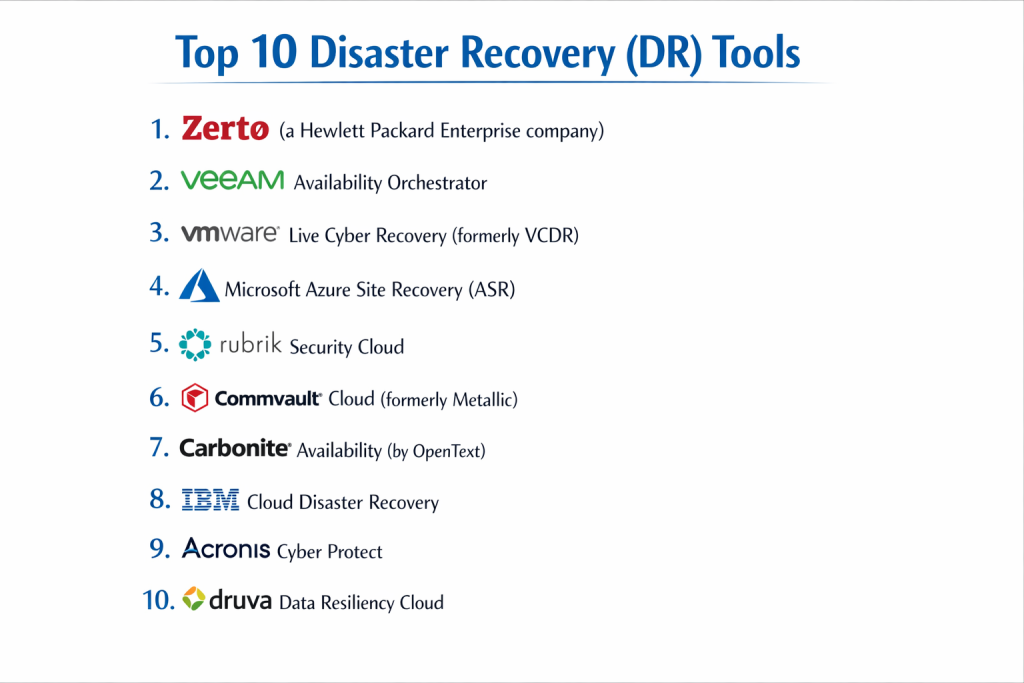
Top 10 Disaster Recovery (DR) Tools
1 — Zerto (a Hewlett Packard Enterprise company)
Zerto is widely considered the gold standard for continuous data protection (CDP). It is designed for virtualized and cloud environments that require near-zero RPOs and RTOs.
- Key Features:
- Continuous Data Protection: Captures every write in real-time without the use of snapshots.
- Journal-Based Recovery: Allows you to rewind to a specific second in time before a corruption or attack.
- Hypervisor-Agnostic: Move workloads between VMware, Hyper-V, AWS, and Azure seamlessly.
- Automated Orchestration: Single-click failover, failback, and non-disruptive testing.
- Multi-Cloud Mobility: Easily migrate or protect workloads across different public clouds.
- Long-Term Retention: Integrated backup for cost-effective data storage over years.
- Pros:
- Offers the lowest RPOs in the industry, often measured in seconds.
- The orchestration engine simplifies the “human” element of a disaster, reducing the chance of manual errors.
- Cons:
- Significant cost; it is a premium enterprise product.
- Can be resource-intensive on the network due to constant data replication.
- Security & compliance: SOC 2, ISO 27001, HIPAA, GDPR, and AES-256 encryption.
- Support & community: High-tier enterprise support, extensive documentation, and an active “Zerto Alliance” partner network.
2 — Veeam Availability Orchestrator
Veeam is a household name in backup, but its Orchestrator tool elevates the suite into a full-scale disaster recovery solution for VMware environments.
- Key Features:
- Dynamic Documentation: Automatically generates and updates DR plan reports for audit compliance.
- Automated Testing: Schedules “Checklist” tests to ensure DR sites are always ready.
- One-Click Failover: Orchestrates the boot order of VMs to ensure complex apps start correctly.
- Snapshot Integration: Works directly with storage arrays (NetApp, HPE, Pure) for high-speed replication.
- Recovery Verification: Scans for malware during the recovery process to prevent re-infection.
- Role-Based Access: Allows specific teams to manage their own application failovers.
- Pros:
- If you already use Veeam for backup, the Orchestrator adds massive value with minimal learning.
- The automated reporting is a lifesaver for companies undergoing SOC 2 or HIPAA audits.
- Cons:
- Primarily focused on VMware; support for other hypervisors is not as deep.
- License costs can add up quickly as it is often sold as an add-on.
- Security & compliance: FIPS 140-2, SOC 2, GDPR, HIPAA, and ISO 27001.
- Support & community: One of the largest IT communities in the world; vast third-party forums and 24/7 support.
3 — VMware Live Cyber Recovery (formerly VCDR)
This is VMware’s cloud-native DR-as-a-Service (DRaaS) solution, specifically designed to protect on-premise VMware environments using AWS.
- Key Features:
- SaaS Management: No need to manage a secondary DR site; VMware handles the infrastructure in AWS.
- Scale-Out Cloud File System: Stores backups in an efficient cloud format until a disaster occurs.
- Instant Power-On: Mounts VMs directly from cloud storage to AWS hosts for rapid RTO.
- Ransomware Recovery: Integrated behavioral analysis to identify the last “clean” point in time.
- Delta-Based Replication: Only sends changed blocks to the cloud to save bandwidth.
- Consistent UI: Uses the same vCenter interface that IT teams already know.
- Pros:
- Eliminates the capital expense of buying hardware for a secondary data center.
- The “Guided Recovery” workflow is excellent for teams under high stress during an outage.
- Cons:
- High dependency on AWS availability and region-specific pricing.
- Can become expensive if large amounts of data are stored in the cloud “ready” state.
- Security & compliance: SOC 2, HIPAA, GDPR, ISO 27001, and PCI DSS.
- Support & community: Comprehensive VMware Global Support and deep integration with AWS support.
4 — Microsoft Azure Site Recovery (ASR)
ASR is a cornerstone for any organization heavily invested in the Microsoft ecosystem, providing DR for Windows and Linux machines to the Azure cloud.
- Key Features:
- Native Azure Integration: Seamlessly failover on-premise servers to Azure Virtual Machines.
- No-Impact Testing: Run DR drills without affecting your production environment or replication.
- Custom Recovery Plans: Use PowerShell scripts and Azure Automation to handle complex app tiers.
- Consistency Groups: Ensures that multi-tier apps (like SQL + Web) failover at the exact same point in time.
- Global Footprint: Replicate data to any Azure region worldwide for geographic redundancy.
- Encryption at Rest: All data replicated to Azure is automatically encrypted.
- Pros:
- Highly cost-effective for Windows-centric shops, especially with Azure Hybrid Benefit.
- Very reliable and benefits from Microsoft’s massive global infrastructure.
- Cons:
- The Azure portal can be overwhelming and has a significant learning curve.
- Non-Windows workloads (like certain Linux distros) can be more difficult to configure.
- Security & compliance: FedRAMP High, SOC 1/2/3, ISO 27001, HIPAA, and GDPR.
- Support & community: Extensive Microsoft Learn documentation and a global network of MSPs.
5 — Rubrik Security Cloud
Rubrik disrupted the market by focusing on “Cyber Recovery,” blending traditional DR with heavy-duty ransomware protection and data observability.
- Key Features:
- Immutable Snapshots: Data cannot be modified or deleted, even by an admin with compromised credentials.
- AppFlows: Automated blueprinting for failing over complex, multi-tiered applications.
- Threat Hunting: Scans backups for indicators of compromise (IOCs) before restoring.
- Quarantine: Automatically isolates infected snapshots to prevent re-infection during DR.
- SLA-Driven Automation: Assign a single policy to a VM, and Rubrik handles all replication and retention.
- Cloud-Native Protection: Protects AWS, Azure, and Google Cloud workloads alongside on-premise.
- Pros:
- The most secure choice for companies worried about “living off the land” ransomware attacks.
- Extremely modern, clean interface that reduces “alert fatigue.”
- Cons:
- Premium pricing; it is rarely the “budget” choice.
- Requires specific Rubrik appliances or managed cloud instances, leading to vendor lock-in.
- Security & compliance: FIPS 140-2 Level 2, SOC 2 Type II, HIPAA, and GDPR.
- Support & community: High-touch support model with proactive monitoring and a strong enterprise presence.
6 — Druva Data Resiliency Cloud
Druva is a 100% SaaS-based platform that manages DR without any local hardware, making it ideal for the “cloud-first” enterprise.
- Key Features:
- Serverless Architecture: No hardware or virtual appliances to manage on-site.
- AWS-Native Failover: Converts on-premise VM snapshots into EBS volumes and EC2 instances automatically.
- One-Click Orchestration: Simplifies the recovery of entire data centers into AWS VPCs.
- Global Deduplication: Reduces the amount of data sent to the cloud, lowering costs.
- Automated DR Testing: Regularly tests recovery readiness and provides success reports.
- Unified Console: Manage endpoints, data centers, and SaaS apps (like M365) in one place.
- Pros:
- Lowest administrative overhead; you don’t have to “manage the management server.”
- Transparent, consumption-based pricing model.
- Cons:
- Large initial data uploads can take a significant amount of time depending on bandwidth.
- RTOs can be slightly higher than on-premise-to-on-premise solutions due to cloud spin-up time.
- Security & compliance: FedRAMP, HIPAA, SOC 2, ISO 27001, and GDPR.
- Support & community: Strong documentation and 24/7 technical support.
7 — Commvault Cloud (formerly Metallic)
Commvault is a veteran of the data space, and its new cloud-centric platform provides enterprise-grade DR for even the most complex legacy environments.
- Key Features:
- Broadest Platform Support: Manages everything from Mainframes and Unix to Kubernetes and Cloud.
- Air-Gapped Copies: Maintains “isolated” copies of data to ensure recovery from total network wipes.
- Intelligent Indexing: Makes finding specific data for recovery incredibly fast.
- Automated Workflow Engine: Thousands of pre-built scripts for complex enterprise application recovery.
- Cloud Bursting: Use the cloud for DR and then “burst” back to on-premise when the disaster is over.
- Data Sovereignty: Choose exactly which geographic region your DR data resides in.
- Pros:
- The only tool that can realistically handle a “mixed” environment of old legacy and new cloud.
- Extremely granular security controls and audit trails.
- Cons:
- The legacy of the product makes it complex; it requires a trained expert to manage.
- Professional services are often needed for the initial setup.
- Security & compliance: ISO 27001, SOC 2, HIPAA, GDPR, and FedRAMP authorized.
- Support & community: Massive enterprise support infrastructure and specialized training certifications.
8 — Carbonite Availability (by OpenText)
Carbonite (formerly DoubleTake) is a specialized tool for organizations that require “Always On” availability for specific, critical servers.
- Key Features:
- Asynchronous Replication: Keeps a secondary copy of a server in sync in real-time.
- Byte-Level Changes: Only sends the smallest possible changes to the secondary site to save bandwidth.
- Hardware Independence: Replicate between different brands of servers or different hypervisors.
- Push-Button Failover: Almost instantaneous switchover to the secondary server.
- Non-Disruptive Drills: Test your failover without any downtime for the users.
- Physical-to-Virtual (P2V): Excellent at protecting old physical servers by failing them over to a VM.
- Pros:
- One of the best solutions for protecting individual, mission-critical legacy servers.
- Very reliable for over-the-WAN (Wide Area Network) replication.
- Cons:
- Lacks the “Total Data Center” orchestration of tools like Zerto or Veeam.
- Managed on a server-by-server basis, which can be tedious for large fleets.
- Security & compliance: AES 256-bit encryption, HIPAA, and GDPR readiness.
- Support & community: Strong technical support and a long history in the disaster recovery market.
9 — IBM Cloud Disaster Recovery
IBM provides a high-touch, managed approach to DR, often used by banks and large retailers who need guaranteed recovery times backed by strict Service Level Agreements (SLAs).
- Key Features:
- Managed DRaaS: IBM experts can manage the entire recovery process for you.
- Cyber Resilience Services: Deep focus on recovering from cyberattacks, not just hardware failure.
- Heterogeneous Support: Manages IBM i (AS/400), AIX, and Linux alongside Windows.
- Sanitized Recovery: Automated cleaning of data as it is restored to ensure no malware remains.
- Global Data Centers: Leverage IBM’s global network for data residency requirements.
- Virtual Drill Capability: Comprehensive testing environments that mirror production.
- Pros:
- If you lack a large in-house IT team, IBM’s managed services act as an extension of your staff.
- Best-in-class for specialized enterprise hardware (IBM Power Systems).
- Cons:
- Very high cost; focused squarely on the Fortune 500.
- Contracting and onboarding can be a long, corporate process.
- Security & compliance: FIPS 140-2, SOC 2, ISO 27001, HIPAA, and GDPR.
- Support & community: White-glove enterprise support and dedicated technical account managers.
10 — Acronis Cyber Protect
Acronis is the best choice for small-to-midsized businesses (SMBs) who want a single, easy-to-use tool that handles backup, DR, and antivirus.
- Key Features:
- Integrated DRaaS: Flip a switch in the cloud console to run your server in the Acronis Cloud.
- Universal Restore: Restore your system to entirely different hardware without driver errors.
- AI-Based Ransomware Protection: Automatically stops attacks and reverses any file encryption.
- VPN Setup: Automatically builds a VPN bridge between the DR site and your office.
- Instant Restore: Run a backup as a virtual machine in seconds.
- Runbooks: Simple, drag-and-drop orchestration for server boot order.
- Pros:
- The most “all-in-one” solution; you don’t need separate antivirus or backup vendors.
- Very affordable and easy to manage for a generalist IT person.
- Cons:
- Not designed for massive, multi-petabyte enterprise environments.
- Advanced network orchestration is not as deep as Zerto or Azure Site Recovery.
- Security & compliance: ISO 27001, SOC 2, HIPAA, and GDPR.
- Support & community: 24/7 support, active user forums, and a large partner ecosystem.
Comparison Table
| Tool Name | Best For | Platform(s) Supported | Standout Feature | Rating (Gartner) |
| Zerto | Lowest RPO/RTO | VMware, Hyper-V, AWS, Azure | Journal-Based Rewind | 4.7 / 5 |
| Veeam Orchestrator | Compliance Audits | VMware | Automated DR Documentation | 4.6 / 5 |
| VMware Live CR | VMware-to-AWS | VMware / AWS | Cloud-Native Ransomware Recovery | 4.5 / 5 |
| Azure Site Recovery | Windows Shops | Windows, Linux, Azure | Native Azure Integration | 4.4 / 5 |
| Rubrik | Ransomware Safety | All Cloud & Virtual | Immutable AppFlows | 4.8 / 5 |
| Druva | SaaS-Only Management | Cloud, Hybrid, Endpoints | 100% Serverless DR | 4.7 / 5 |
| Commvault Cloud | Complex Legacy | All Platforms | Massive Platform Breadth | 4.3 / 5 |
| Carbonite | Individual Servers | Windows, Linux, Physical | Byte-Level Replication | 4.0 / 5 |
| IBM Cloud DR | Managed Enterprise | All Platforms + Power Systems | Managed Expert Services | 4.2 / 5 |
| Acronis | SMB All-in-One | Win, Mac, Linux, Cloud | Integrated Cyber Protection | 4.4 / 5 |
Evaluation & Scoring of Disaster Recovery (DR) Tools
| Category | Weight | Evaluation Criteria |
| Core Features | 25% | Orchestration, RPO/RTO speed, Failback capability, and Ransomware scanning. |
| Ease of Use | 15% | Dashboard clarity, setup speed, and simplicity of the failover process. |
| Integrations | 15% | Support for various hypervisors, cloud providers, and hardware vendors. |
| Security & Compliance | 10% | Immutability, encryption, SSO, and audit-ready reporting. |
| Performance | 10% | Impact on production networks and speed of cloud spin-up. |
| Support & Community | 10% | Quality of documentation and availability of 24/7 emergency support. |
| Price / Value | 15% | Licensing transparency and Total Cost of Ownership (TCO). |
Which Disaster Recovery (DR) Tool Is Right for You?
Solo Users vs. SMB vs. Mid-Market vs. Enterprise
- SMBs (10–100 employees): Focus on Acronis or Druva. You need a tool that doesn’t require a secondary data center and can be managed by a “jack-of-all-trades” IT person.
- Mid-Market (100–1,000 employees): Veeam and Azure Site Recovery are the sweet spots. They offer professional-grade orchestration without the seven-figure price tags of high-end enterprise managed services.
- Enterprise (1,000+ employees): Zerto, Rubrik, or Commvault are necessary. At this scale, you need the ability to orchestrate thousands of VMs across different continents and legacy hardware.
Budget-Conscious vs. Premium Solutions
- On a Budget: Azure Site Recovery is extremely cost-effective because you only pay for storage until you actually turn the servers on during a disaster.
- Premium: Zerto and Rubrik are premium tools. You are paying for the peace of mind that your RPO will be measured in seconds, not hours.
Feature Depth vs. Ease of Use
If your primary pain point is meeting an audit, choose Veeam Orchestrator. If your primary pain point is recovering from ransomware, choose Rubrik. If you want a tool that just works with zero infrastructure, choose Druva.
Frequently Asked Questions (FAQs)
1. What is the difference between Backup and Disaster Recovery (DR)?
Backup is the act of copying data; it’s like a spare tire in your trunk. Disaster Recovery is the plan and tools to keep the car driving; it’s like an automated system that swaps the tire while you’re still moving. DR focuses on uptime (RTO), while backup focuses on data retention.
2. What are RTO and RPO?
RTO (Recovery Time Objective) is how long it takes to get back online. RPO (Recovery Point Objective) is how much data you lose (e.g., an RPO of 1 hour means you lose the last hour of work).
3. Is the cloud safe for Disaster Recovery?
Yes, it is often safer than a local secondary site. Leading providers like AWS and Azure offer higher physical security and geographic redundancy than most private data centers.
4. How often should I test my DR plan?
At a minimum, once a quarter. Modern tools like Veeam and Zerto allow you to run “non-disruptive” tests that won’t affect your production users, making frequent testing much easier.
5. What is DRaaS?
Disaster Recovery as a Service (DRaaS) is a model where a third party hosts and manages your DR environment in the cloud. You pay a monthly fee, and they ensure the infrastructure is ready for a failover.
6. Can DR tools protect against ransomware?
Yes. Modern DR tools use immutability (data that can’t be changed) and sanitized recovery (scanning for viruses during restore) to ensure you don’t just restore the ransomware along with your data.
7. Do I need a secondary data center for DR?
Not anymore. Most companies now use “Cloud DR,” using providers like AWS, Azure, or Google Cloud as their secondary site, which eliminates the cost of renting a second building and buying extra hardware.
8. Can I failback easily after a disaster?
This is a critical feature. “Failback” is the process of moving the data back to your original site once it’s fixed. Good tools like Zerto automate this so that only the “changed” data is sent back, saving time.
9. How does DR pricing work?
It varies. Some charge per virtual machine per month, while others charge based on the total amount of data replicated. Cloud DR also involves “egress” fees and compute costs when the servers are actually running.
10. Is an Excel sheet a DR tool?
An Excel sheet is a DR Plan, but it is not a tool. In a real disaster, trying to manually follow an Excel sheet leads to mistakes. Automation tools execute the plan perfectly every time.
Conclusion
A Disaster Recovery (DR) Tool is the ultimate insurance policy for the digital age. As cyber threats like ransomware evolve and the global economy becomes 24/7, the ability to recover from a total system failure in minutes is a competitive necessity.
The “best” tool for your organization depends on your Tolerance for Downtime. If you can afford a few hours of disruption, Azure Site Recovery or Druva offer incredible value and simplicity. If your business stops the moment the servers do, investing in a high-fidelity orchestration engine like Zerto or the cyber-resilience of Rubrik is mandatory.
Ultimately, a tool is only as good as its last test. Regardless of which solution you choose, ensure it allows for frequent, automated testing so that when the worst happens, you can recover with a single click.