Introduction
Digital Adoption Walkthrough Tools are specialized software layers that sit on top of other applications to guide users through workflows in real-time. Often referred to as Digital Adoption Platforms (DAP), these tools use interactive elements like tooltips, pop-ups, and progress bars to provide “just-in-time” learning. Instead of forcing a user to watch a 20-minute training video or read a PDF manual, these platforms offer step-by-step instructions directly within the interface as the user performs a task. This creates a “learning by doing” environment that significantly reduces the friction associated with introducing new software or complex updates.
The importance of these tools has grown as companies increasingly rely on diverse software stacks. Without proper guidance, employees or customers often underutilize expensive software or make costly errors. Key real-world use cases include onboarding new hires onto a complex CRM like Salesforce, guiding customers through a first-time setup of a SaaS product, and providing instant support for infrequent tasks like annual benefits enrollment. When evaluating these tools, users should look for no-code content creation, robust analytics, user segmentation, and cross-application support to ensure the tool can grow with their digital ecosystem.
Best for: Customer Success Managers, L&D (Learning and Development) professionals, and Product Managers at companies of all sizes. They are essential for industries like FinTech, Healthcare, and large-scale Enterprise SaaS where user error can have significant consequences.
Not ideal for: Simple, single-purpose apps with extremely intuitive “one-button” interfaces, or small businesses with a very low volume of software users where manual, personalized training is still more cost-effective.
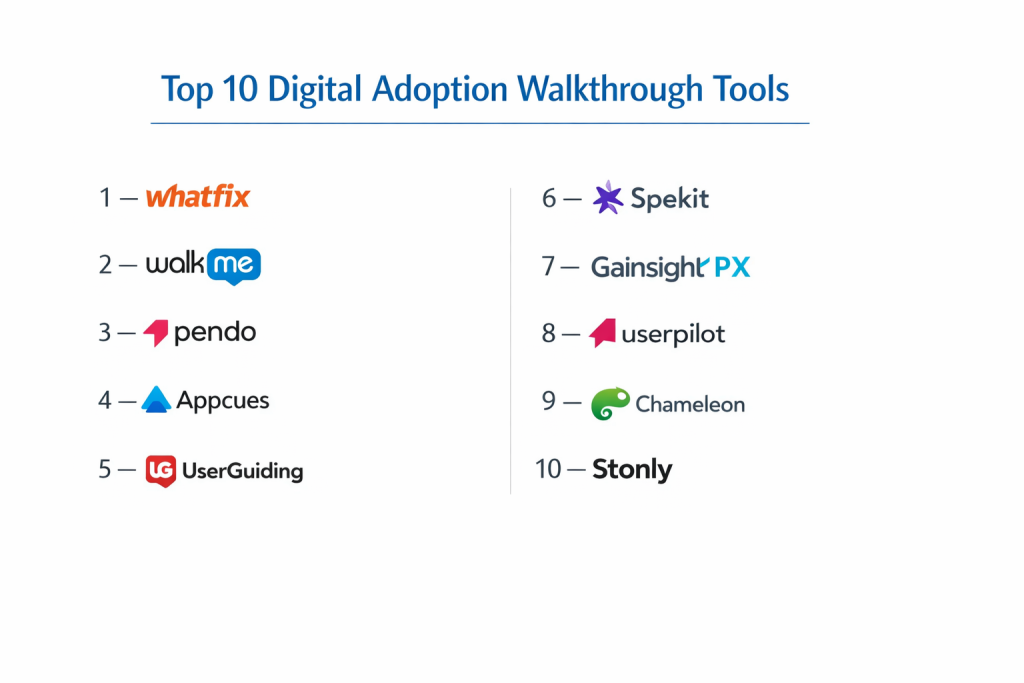
Top 10 Digital Adoption Walkthrough Tools
1 — Whatfix
Whatfix is a leader in the DAP space, known for its focus on personalization and its ability to deliver guidance across web, mobile, and desktop applications. It is designed to help organizations simplify the user experience for both employees and customers.
- Key features:
- Flows: Step-by-step interactive walkthroughs that guide users through live tasks.
- Self-Help Widget: A searchable in-app knowledge base that pulls content from external sources.
- Smart Tips: Contextual cues that appear when users hover over specific elements.
- Task Lists: Progress tracking for users to see what onboarding steps are remaining.
- Whatfix Mirror: A safe “sandbox” environment for training without affecting live data.
- Beacon Insights: Visual heatmaps showing where users are struggling or dropping off.
- Pros:
- Ease of Content Creation: The no-code editor allows non-technical staff to build complex guides.
- Versatility: Works seamlessly across diverse environments, including legacy enterprise software.
- Cons:
- Implementation Depth: Initial setup can be complex for very large, multi-app environments.
- Analytics Learning Curve: The depth of data available requires some time to fully master.
- Security & compliance: ISO 27001, SOC 2 Type II, GDPR, and HIPAA compliant. Offers SSO and data encryption.
- Support & community: High-touch enterprise support, dedicated account managers, and a robust online academy.
2 — WalkMe
As a pioneer in the industry, WalkMe offers a sophisticated, AI-driven platform that specializes in large-scale digital transformation projects for global enterprises.
- Key features:
- Walk-Thrus: Highly sophisticated branching paths for user guidance.
- ActionBot: A conversational interface that completes tasks for the user via natural language.
- UI Intelligence: AI that identifies where users are frustrated based on cursor movement and speed.
- Workstation: A centralized desktop hub for employees to access all company resources.
- Deep Analytics: Extensive tracking of software ROI and user productivity.
- Cross-App Guidance: Ability to maintain a walkthrough as a user moves from one app to another.
- Pros:
- Unmatched Power: The most feature-rich tool available for complex enterprise workflows.
- AI Capabilities: Proactively identifies friction points before users even ask for help.
- Cons:
- High Cost: Generally the most expensive option, often out of reach for smaller startups.
- Technical Overhead: Requires a dedicated “WalkMe Builder” role to manage the platform effectively.
- Security & compliance: SOC 2 Type II, ISO 27001, GDPR, and Skyhigh CloudTrust certified.
- Support & community: Large global community, professional certification programs, and 24/7 enterprise support.
3 — Pendo
Pendo is a unique hybrid that combines digital adoption walkthroughs with deep product analytics and feedback loops. It is a favorite among product-led growth (PLG) companies.
- Key features:
- In-App Guides: Pop-ups, banners, and walkthroughs tailored to user segments.
- Product Analytics: See exactly which features are being used and which are ignored.
- Feedback Management: In-app polls and surveys to gather user sentiment directly.
- Visual Designer: A “What You See Is What You Get” editor for creating guides.
- Roadmap Integration: Connect user feedback directly to your product development plan.
- Pendo Free: A robust free tier for startups to begin tracking and guiding users.
- Pros:
- Data-Driven: The integration of analytics and guidance means you can target guides to users who actually need them.
- Ease of Use: The visual editor is very intuitive for marketing and product teams.
- Cons:
- Web-Centric: While they have mobile support, the web experience is significantly more mature.
- Performance: Very complex guide setups can occasionally impact page load times if not managed carefully.
- Security & compliance: SOC 2 Type II, GDPR, and HIPAA compliant. Uses TLS 1.2+ for all data in transit.
- Support & community: Active user community (Pendo Neighborhood), extensive documentation, and annual user conferences.
4 — Appcues
Appcues focuses on the “user onboarding” segment of digital adoption, helping SaaS companies create beautiful, engaging experiences for new users without needing developers.
- Key features:
- Checklists: Gamified onboarding tasks to encourage user completion.
- Tooltips & Slideouts: Small, non-intrusive elements for feature discovery.
- NPS Surveys: Net Promoter Score tracking built directly into the flow.
- Event Tracking: Trigger guides based on specific user actions (e.g., clicking a button).
- A/B Testing: Compare two different walkthrough versions to see which performs better.
- Pros:
- Design Flexibility: Offers some of the best-looking UI components out of the box.
- Fast Deployment: Teams can often go from purchase to live guides in a single afternoon.
- Cons:
- Less Enterprise Focus: Not as well-suited for internal employee training on legacy systems like SAP.
- Pricing Tiers: Costs can scale quickly as your Monthly Active User (MAU) count grows.
- Security & compliance: SOC 2 Type II and GDPR compliant. Data is hosted on secure AWS infrastructure.
- Support & community: Excellent blog and “Product-Led University” for learning best practices.
5 — UserGuiding
UserGuiding is a budget-friendly, no-code digital adoption tool that offers the core features of high-end platforms at a fraction of the price.
- Key features:
- Interactive Guides: Simple step-by-step walkthroughs.
- Onboarding Checklists: Keep users engaged with a clear list of objectives.
- Resource Centers: In-app hubs for documentation and support links.
- User Segmentation: Target guides based on user role or language.
- NPS Surveys: Integrated sentiment tracking.
- Pros:
- Value for Money: One of the most accessible price points in the market.
- Simplicity: Extremely easy to set up for small to medium-sized businesses.
- Cons:
- Limited Complexity: Lacks the advanced AI and cross-app features of WalkMe or Whatfix.
- Customization: Fewer options to highly brand or customize the “look and feel” of elements.
- Security & compliance: GDPR compliant and SOC 2 Type II certified. Data encryption at rest and in transit.
- Support & community: Helpful support team and a solid knowledge base for self-service.
6 — Spekit
Spekit is a “just-in-time” learning platform that specializes in surfacing training content directly inside the tools employees use, like Salesforce, Slack, and Outreach.
- Key features:
- Speks: Small, embeddable cards that provide definitions or instructions on hover.
- Knowledge Checks: Brief quizzes to ensure employees understand new processes.
- Spotlights: Banner alerts for announcing changes or new software features.
- Wiki Integration: Syncs with existing documentation tools like SharePoint or Guru.
- Analytics: Tracks which “Speks” are being used most by which teams.
- Pros:
- Micro-learning: Focuses on small, bite-sized information rather than long, overwhelming tours.
- Sales Stack Focus: Specifically optimized for modern revenue and sales teams.
- Cons:
- Specific Use Case: More of a training tool than a customer-facing onboarding tool.
- UI Constraints: The “Spek” icon can sometimes clutter an already busy interface.
- Security & compliance: SOC 2 Type II and GDPR compliant. Offers SSO and enterprise-grade security.
- Support & community: Highly praised customer success team and personalized onboarding.
7 — Gainsight PX
Gainsight PX (Product Experience) is a powerful tool for companies that want to combine customer success data with in-app walkthroughs and analytics.
- Key features:
- Product Mapper: Easily track every click and interaction on your site without coding.
- Multi-Channel Engagement: Send guides via in-app, email, or mobile push.
- Retention Analytics: Identify which behaviors lead to users staying or churning.
- Custom User Journeys: Map out the “Golden Path” for users to find value.
- Knowledge Center Bot: A bot that serves up relevant help articles based on the user’s current page.
- Pros:
- Unified Platform: If you already use Gainsight CS, the integration is seamless and powerful.
- Sophisticated Segmenting: Highly granular targeting based on account health or usage data.
- Cons:
- Learning Curve: A complex tool that requires significant time to set up and manage correctly.
- Price: Targeted at mid-market and enterprise companies with larger budgets.
- Security & compliance: SOC 2 Type II, ISO 27001, and GDPR compliant.
- Support & community: Extensive training through Gainsight University and a massive global user base.
8 — Userpilot
Userpilot is a mid-market favorite that offers high levels of customization and “contextual” triggers to ensure users only see guides when they are relevant.
- Key features:
- Growth Insights: Track feature adoption and funnel completion.
- Contextual Triggers: Show a guide only after a user has performed a specific set of actions.
- Checklists & Micro-Surveys: Standard onboarding and feedback tools.
- Localization: Easily translate your walkthroughs into dozens of languages.
- Native Styling: Change every aspect of the guide’s CSS to match your brand perfectly.
- Pros:
- No-Code Control: Gives marketers high control over the UI without developer help.
- Balance: Offers a great middle ground between the simplicity of UserGuiding and the power of Pendo.
- Cons:
- Web Only: Does not currently support native mobile apps or desktop software.
- Analytics Depth: While good, the analytics are not quite as deep as Pendo or Gainsight PX.
- Security & compliance: GDPR compliant and SOC 2 Type II certified.
- Support & community: Responsive support and a very active blog on SaaS growth strategies.
9 — Chameleon
Chameleon is designed for teams that want “pixel-perfect” control over their in-app guides. It is known for its elegant design and deep integrations with modern data stacks.
- Key features:
- Tours & Launchers: Create multi-step guides and “help menus.”
- Microsurveys: Get feedback using emojis, stars, or text inputs.
- Segement Integration: Pull data directly from Segment, Mixpanel, or Amplitude.
- Command Bar: A searchable bar for users to find features or documentation.
- Custom CSS: High-level design control for developers.
- Pros:
- Design Quality: Chameleon guides often look like they were custom-coded by your own team.
- Integration Ecosystem: Best-in-class for companies using a modern “composable” data stack.
- Cons:
- Technical Edge: Some features require a bit more technical knowledge to get the design “just right.”
- Price per MAU: Can become expensive for apps with very high traffic.
- Security & compliance: SOC 2 Type II and GDPR compliant. High focus on data privacy.
- Support & community: Personalized support and high-quality templates for inspiration.
10 — Stonly
Stonly takes a different approach by using “interactive explanations.” Instead of just pointers, it uses branching choice-based guides to help users find the exact answer they need.
- Key features:
- Branching Paths: Users click on their specific problem to get a tailored solution.
- Step-by-Step Guides: Can be used as pop-ups or embedded directly on a page.
- Powerful Search: A search bar that queries your entire interactive knowledge base.
- Banners & Tooltips: Standard digital adoption elements.
- Multiple Formats: Content can live in your app, on your website, or in your help center.
- Pros:
- Solves Complex Logic: Better than standard “Next, Next, Next” tours for complex troubleshooting.
- Multipurpose: Great for both customer support and internal training.
- Cons:
- Different Feel: It feels more like a “knowledge base” than a “layer” compared to tools like WalkMe.
- Manual Setup: Requires more thought into the “logic tree” of the guides.
- Security & compliance: GDPR compliant and SOC 2 certified.
- Support & community: Strong documentation and a focus on help-center optimization.
Comparison Table
| Tool Name | Best For | Platform(s) Supported | Standout Feature | Rating |
| Whatfix | Enterprise Training | Web, Mobile, Desktop | Whatfix Mirror (Sandbox) | 4.6/5 |
| WalkMe | Global Transformation | Web, Mobile, Desktop | ActionBot AI | 4.5/5 |
| Pendo | Product-Led Growth | Web, Mobile | Integrated Product Analytics | 4.7/5 |
| Appcues | User Onboarding | Web, Mobile | Visual Flow Builder | 4.4/5 |
| UserGuiding | Small Businesses | Web | Affordability/Simplicity | 4.2/5 |
| Spekit | Sales Enablement | Web (Extensions) | Micro-learning “Speks” | 4.8/5 |
| Gainsight PX | Customer Success | Web, Mobile | Product Mapper | 4.3/5 |
| Userpilot | Contextual Guidance | Web | Native CSS Customization | 4.5/5 |
| Chameleon | Modern Data Stacks | Web | Composable Integrations | 4.6/5 |
| Stonly | Complex Support | Web | Choice-Based Branching | 4.4/5 |
Evaluation & Scoring of Digital Adoption Walkthrough Tools
| Category | Weight | Evaluation Criteria |
| Core Features | 25% | Interactive flows, tooltips, checklists, and survey capabilities. |
| Ease of Use | 15% | No-code editor quality and ease of deployment for non-devs. |
| Integrations | 15% | Ability to sync with Salesforce, Zendesk, Slack, and data tools. |
| Security | 10% | SOC 2, GDPR, HIPAA, and SSO support. |
| Performance | 10% | Impact on host application load times and stability. |
| Support | 10% | Documentation, customer success, and user community resources. |
| Price / Value | 15% | Fairness of pricing relative to features and MAU limits. |
Which Digital Adoption Walkthrough Tool Is Right for You?
Small to Mid-Market vs. Enterprise
For Small Businesses, UserGuiding or Userpilot are the most logical starting points. They offer the necessary tools without the “Enterprise overhead” in price or complexity. Mid-Market companies focused on growth usually lean toward Appcues or Chameleon for their design flexibility. Large Enterprises with thousands of employees on complex legacy systems almost always choose Whatfix or WalkMe because they are the only tools that can truly span across different desktop and web applications.
Budget and Value
If you are strictly Budget-Conscious, UserGuiding is the clear winner for paid plans, while Pendo offers the best “Free” tier for startups. If you are looking for Premium Value, Whatfix often wins over WalkMe because its pricing is typically more transparent and its implementation is slightly less labor-intensive.
Technical Depth vs. Simplicity
If you want Simplicity, Appcues and UserGuiding are designed so a marketing intern could set up a tour in an hour. If you need Technical Depth—meaning you want guides that can calculate values, complete forms for users, or trigger based on complex database events—WalkMe and Gainsight PX are the heavyweight options.
Security and Compliance Requirements
Companies in Healthcare or Finance should prioritize Whatfix or WalkMe. Both have long histories of working with highly regulated industries and offer the most robust HIPAA and SOC 2 Type II documentation. Always ensure the tool you choose allows for “PII Masking” so that sensitive user data isn’t accidentally recorded by the adoption platform.
Frequently Asked Questions (FAQs)
1. What exactly is a Digital Adoption Platform (DAP)?
A DAP is a software layer that integrates with other applications to provide real-time guidance, automated tasks, and analytics. It helps users learn software as they use it, rather than through traditional training.
2. How do these tools connect to my existing software?
Most use a small snippet of JavaScript (like a tracking pixel) or a browser extension. For native desktop apps, some require a small software installation on the user’s computer.
3. Do I need to be a developer to create walkthroughs?
No. Most modern tools like Appcues, Userpilot, and Whatfix offer “no-code” visual editors where you point and click on elements to create tooltips and flows.
4. Will these tools slow down my website?
If configured correctly, the impact is minimal. These tools usually load “asynchronously,” meaning they don’t stop your main site from loading while they initialize.
5. Can I use these for mobile apps?
Yes, but support varies. Pendo, WalkMe, and Appcues have strong mobile SDKs, while others like Userpilot are currently web-only.
6. What is the difference between a tour and a flow?
A tour is usually a linear “Next, Next, Next” introduction. A flow is often contextual and branching, reacting to what the user actually does in the app.
7. How do these tools help with Customer Success?
By reducing initial friction, these tools improve “Time to Value.” When users see value quickly, they are much less likely to churn.
8. Can these tools help with internal employee training?
Absolutely. Whatfix and WalkMe are specifically designed to help employees navigate complex internal tools like ERPs or HRIS systems.
9. Are these tools GDPR compliant?
The top 10 listed here all prioritize GDPR compliance. However, you must configure them to ensure you aren’t capturing sensitive PII (Personally Identifiable Information) without consent.
10. How long does it take to see ROI?
Most companies see an immediate reduction in support tickets for the specific features they “guide.” Training time reductions are usually measurable within the first 3 months.
Conclusion
The “best” digital adoption tool is the one that fits into your existing workflow without creating more work for your team. If your goal is to improve SaaS onboarding with beautiful, branded guides, Appcues or Userpilot are fantastic choices. If you are a Product Manager who wants to base every guide on hard data, Pendo is your best bet. For the Global Enterprise looking to fix a broken internal training process across 50 different apps, Whatfix provides the most robust path forward.
Ultimately, digital adoption is about empathy—meeting the user where they are and giving them exactly the help they need at the moment they need it. By choosing the right tool, you turn your software from a source of frustration into a source of productivity.