Introduction
Diagramming tools are software applications that enable users to create visual representations of information, such as flowcharts, mind maps, network diagrams, org charts, UML models, wireframes, and process maps. These tools typically feature drag-and-drop interfaces, shape libraries, connectors, templates, and collaboration options to simplify turning complex ideas into clear, structured visuals.
In today’s fast-paced work environment, diagramming tools are essential for improving communication, aligning teams, and accelerating decision-making. They help break down silos in remote and hybrid settings by making abstract concepts tangible. With AI advancements automating layouts and generating diagrams from text, these tools save time while enhancing creativity. Key real-world use cases include mapping business processes for optimization, designing software architecture for developers, brainstorming product roadmaps, creating user journey maps in UX design, visualizing data flows in IT, and planning projects with timelines or dependencies.
When selecting a diagramming tool, evaluate template variety and shape libraries, real-time collaboration, AI-assisted creation (like text-to-diagram), integrations with tools like Slack or Jira, export options (PDF, PNG, Visio), offline access, performance with large diagrams, and mobile support. Also consider whether it’s web-based for accessibility or desktop for advanced features.
Best for: Project managers, software developers, UX/UI designers, business analysts, educators, and marketing teams benefit most from diagramming tools. They suit solo professionals for quick sketches, SMBs for team brainstorming, mid-market companies for process documentation, and enterprises in tech, consulting, finance, and education needing secure, scalable visual collaboration.
Not ideal for: Users needing only basic shapes—free drawing apps or PowerPoint suffice. Those requiring highly specialized CAD might prefer dedicated engineering software. Absolute beginners overwhelmed by options may start with simple whiteboard apps before advanced diagramming.
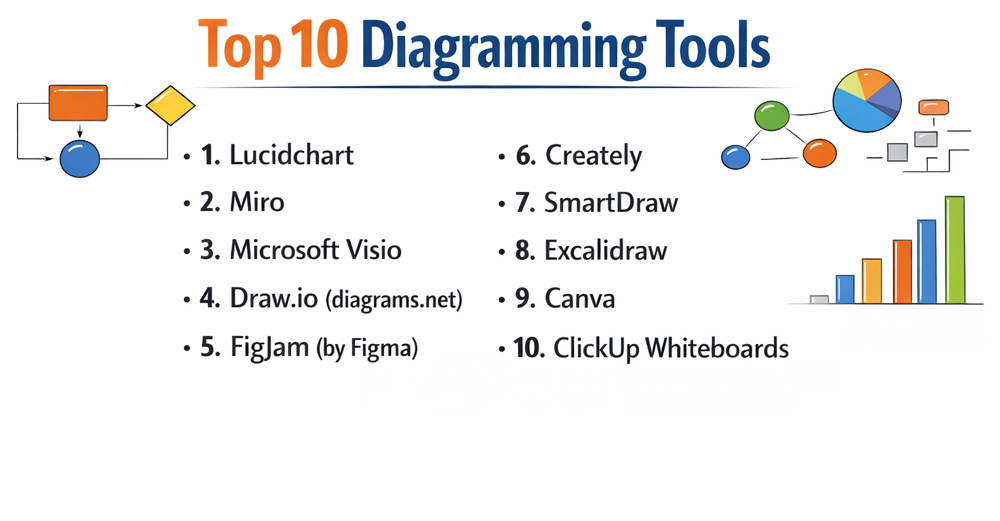
Top 10 Diagramming Tools
1 — Lucidchart
Lucidchart is a cloud-based intelligent diagramming platform that combines powerful visualization with AI and data integration, making it the go-to for teams creating professional flowcharts, process maps, and system architectures. It supports a wide range of diagram types with real-time collaboration and automation, ideal for business analysts, IT teams, and enterprises needing data-linked visuals and seamless integrations. With features like conditional formatting and smart containers, it streamlines complex workflows and ensures diagrams stay dynamic and up-to-date.
Key features:
- AI-powered diagram generation from text prompts.
- Data import for automatic org charts and process maps.
- Conditional formatting and smart containers.
- Extensive shape libraries and templates.
- Real-time co-editing with comments and @mentions.
- Integrations with Google Workspace, Microsoft 365, Slack, and Jira.
- Visual collaboration boards with presentation mode.
Pros:
- Highly intuitive with advanced automation saving significant time.
- Excellent for data-driven diagrams and team alignment.
- Strong security features for enterprise use.
Cons:
- Higher pricing for full features.
- Can slow down with extremely large diagrams.
- Some advanced automation limited to premium plans.
Security & compliance: SSO, encryption, audit logs; SOC 2, GDPR, HIPAA compliant.
Support & community: Comprehensive help center, tutorials, live chat; large user community and enterprise support.
2 — Miro
Miro is an infinite online whiteboard platform that excels in visual collaboration, offering robust diagramming alongside brainstorming and workshop tools. It provides flexible canvases for flowcharts, mind maps, and retrospectives, perfect for remote teams, product managers, and agile groups needing dynamic, creative workspaces. The platform’s widgets, voting, and AI features foster engaging sessions, turning ideas into actionable visuals quickly and inclusively.
Key features:
- Infinite canvas with sticky notes, shapes, and widgets.
- AI clustering and summarization for ideas.
- Ready-made templates for journeys, Kanban, and diagrams.
- Real-time voting, timers, and video chat.
- Integrations with Jira, Asana, and Google Drive.
- Talktrack for async video walkthroughs.
- Embed live apps and frames.
Pros:
- Extremely versatile for workshops and ideation.
- Fun, engaging interface boosts team participation.
- Generous free plan for starters.
Cons:
- Less structured for precise technical diagrams.
- Performance lags on very crowded boards.
- Export limitations in free tier.
Security & compliance: SSO, encryption; SOC 2, GDPR compliant in enterprise.
Support & community: Extensive templates, academy courses, community forums; dedicated enterprise support.
3 — Microsoft Visio
Microsoft Visio is a comprehensive desktop and web diagramming tool integrated with Microsoft 365, focused on precise, data-connected visuals for business and IT. It offers advanced stencils and shapes for org charts, floor plans, and network diagrams, suited for professionals in large organizations leveraging Microsoft ecosystem. With data linking and compliance templates, it ensures accurate, standards-based diagrams that scale across enterprise environments.
Key features:
- Data-linked diagrams from Excel or Azure.
- Extensive industry-specific templates and shapes.
- Co-authoring in web version.
- Advanced layout and routing options.
- Integration with Teams and Power BI.
- Compliance-ready templates.
- Touch and pen support.
Pros:
- Deep integration with Microsoft tools.
- Professional output for print and presentations.
- Robust for complex, standards-compliant diagrams.
Cons:
- Subscription or one-time cost through Microsoft.
- Web version less feature-rich than desktop.
- Steeper learning curve.
Security & compliance: SSO, encryption, audit logs; SOC 2, GDPR, HIPAA, ISO compliant.
Support & community: Microsoft docs, forums, enterprise support.
4 — Draw.io (diagrams.net)
Draw.io is a free, open-source diagramming tool with no accounts required, offering secure, flexible creation integrated with cloud storage. It provides comprehensive shape libraries and offline capability, ideal for technical users, developers, and privacy-conscious individuals needing quick, no-frills diagrams. Its lightweight design and broad import/export support make it a reliable choice for everything from simple sketches to detailed system maps without vendor lock-in.
Key features:
- Integration with Confluence, Google Drive, OneDrive.
- Custom shape libraries and import from Visio/Gliffy.
- Automatic layout and connector routing.
- Offline desktop app.
- Export to multiple formats including SVG.
- No watermarks or limits.
- Device-independent viewing.
Pros:
- Completely free with full features.
- High privacy—no data tracking.
- Fast and lightweight.
Cons:
- Interface less modern.
- Collaboration requires storage integration.
- Fewer AI or automation features.
Security & compliance: N/A – Local/offline focus; user-controlled storage.
Support & community: Documentation, forums, GitHub issues.
5 — FigJam (by Figma)
FigJam is a collaborative whiteboard tool from Figma, optimized for brainstorming and diagramming in design and product teams. It features open sessions and AI tools for rapid ideation, perfect for designers and cross-functional teams integrating with Figma files. The playful elements like stamps and music create an inclusive environment that bridges prototyping and planning seamlessly.
Key features:
- Open sessions for easy joining.
- AI-generated brainstorming prompts.
- Stamps, cursors, and music widgets.
- Flow arrows and smart connectors.
- Integration with Figma prototypes.
- Templates for jams and diagrams.
- Voice chat and timers.
Pros:
- Extremely fun and engaging for teams.
- Seamless with Figma design workflow.
- Free for starters.
Cons:
- Less suited for rigid technical diagrams.
- Tied to Figma ecosystem.
- Limited export options.
Security & compliance: Encryption; GDPR compliant; enterprise features.
Support & community: Figma help, community files.
6 — Creately
Creately is a visual workspace for diagramming with AI acceleration and data-linked visuals, supporting diverse teams. It offers infinite canvases and advanced databases, great for strategic planning and technical documentation. The platform’s video collaboration and smart notes turn diagrams into living documents that evolve with projects.
Key features:
- AI text-to-visual generation.
- Data-linked shapes from spreadsheets.
- Real-time collaboration with video.
- 1000s of templates.
- Integrations with Google, Microsoft.
- Custom databases and notes.
- Presentation mode.
Pros:
- Powerful AI speeds creation.
- Versatile for both creative and technical.
- Good pricing.
Cons:
- Can feel overwhelming initially.
- Some features premium-locked.
- Performance varies on large canvases.
Security & compliance: SSO, encryption; GDPR, SOC 2.
Support & community: Tutorials, chat support.
7 — SmartDraw
SmartDraw is an automated diagramming tool that builds visuals quickly with intelligent formatting. It excels in engineering and business diagrams, suited for users needing fast, professional results without manual alignment. With CAD-like precision and mind map conversions, it caters to professionals who prioritize accuracy and speed in regulated or technical fields.
Key features:
- Automatic diagram creation from data.
- Vast template and symbol libraries.
- Mind map to diagram conversion.
- Integration with Microsoft Office.
- CAD-like precision tools.
- Export to Visio/PDF.
- Org chart automation.
Pros:
- Extremely fast for common diagrams.
- Excellent for non-designers.
- Strong engineering support.
Cons:
- Desktop-heavy (web limited).
- Higher cost.
- Less collaborative.
Security & compliance: Varies – Enterprise options.
Support & community: Tutorials, phone support.
8 — Excalidraw
Excalidraw is a minimalist, hand-drawn style whiteboard for quick sketches and collaboration. It offers AI enhancements and open-source flexibility, ideal for casual diagramming and brainstorming without polish. The deliberate rough aesthetic encourages free thinking, making it popular for early-stage ideas and remote pair programming.
Key features:
- Hand-drawn aesthetic with AI generation.
- Real-time collaboration.
- Self-hostable Excalidraw+.
- Library of assets.
- Export to SVG/PNG.
- End-to-end encryption option.
- No sign-up required.
Pros:
- Super simple and fun.
- Free and open-source.
- Privacy-focused.
Cons:
- Limited advanced features.
- Style not for formal diagrams.
- Fewer templates.
Security & compliance: N/A – Open-source.
Support & community: GitHub, community.
9 — Canva
Canva is a design platform with strong diagramming via Magic Studio AI and templates. It enables beautiful visuals quickly, perfect for marketers and educators needing attractive diagrams. By blending professional templates with easy customization, it helps non-designers produce polished flowcharts, infographics, and presentations that stand out.
Key features:
- AI Magic Design for diagrams.
- Thousands of templates.
- Brand kit consistency.
- Real-time team editing.
- Animations and presentations.
- Print/export options.
- Photo/video integration.
Pros:
- Stunning, easy designs.
- Free tier robust.
- Great for non-experts.
Cons:
- Less precise for technical.
- Internet required.
- Premium assets extra.
Security & compliance: Encryption, SSO; GDPR.
Support & community: Help center, designs.
10 — ClickUp Whiteboards
ClickUp Whiteboards is part of a project management platform, linking diagrams directly to tasks. It supports mind maps and flowcharts tied to workflows, ideal for teams managing projects end-to-end. This tight integration turns visual planning into executable actions, reducing context switching for productivity-focused groups.
Key features:
- Convert nodes to tasks.
- AI image generation.
- Real-time collaboration.
- Embed in docs/tasks.
- Templates for planning.
- Infinite canvas.
- Integration with ClickUp ecosystem.
Pros:
- Seamless planning to execution.
- Part of all-in-one tool.
- Good for agile teams.
Cons:
- Best within ClickUp.
- Fewer pure diagramming shapes.
- Learning curve if new to ClickUp.
Security & compliance: SSO, encryption; SOC 2, GDPR.
Support & community: Help docs, community.
Comparison Table
| Tool Name | Best For | Platform(s) Supported | Standout Feature | Rating |
|---|---|---|---|---|
| Lucidchart | Enterprise & technical diagrams | Web, Desktop | AI generation & data linking | N/A |
| Miro | Collaborative workshops | Web, Mobile | Infinite canvas & AI clustering | N/A |
| Microsoft Visio | Microsoft-integrated precision | Windows, Web | Data-connected visuals | N/A |
| Draw.io | Free & privacy-focused | Web, Desktop | Offline & integrations | N/A |
| FigJam | Design team brainstorming | Web | Open sessions & AI prompts | N/A |
| Creately | AI-accelerated visuals | Web | Text-to-visual AI | N/A |
| SmartDraw | Automated professional diagrams | Web, Desktop | Intelligent formatting | N/A |
| Excalidraw | Quick hand-drawn sketches | Web | Minimalist AI collaboration | N/A |
| Canva | Beautiful marketing diagrams | Web, Mobile | Magic Studio AI | N/A |
| ClickUp Whiteboards | Project-linked diagramming | Web | Nodes to tasks conversion | N/A |
Evaluation & Scoring of Diagramming Tools
| Tool Name | Core Features (25%) | Ease of Use (15%) | Integrations & Ecosystem (15%) | Security & Compliance (10%) | Performance & Reliability (10%) | Support & Community (10%) | Price / Value (15%) | Total Score |
|---|---|---|---|---|---|---|---|---|
| Lucidchart | 10 (2.5) | 9 (1.35) | 10 (1.5) | 9 (0.9) | 9 (0.9) | 9 (0.9) | 8 (1.2) | 9.25 |
| Miro | 9 (2.25) | 9 (1.35) | 9 (1.35) | 8 (0.8) | 8 (0.8) | 9 (0.9) | 9 (1.35) | 8.8 |
| Microsoft Visio | 10 (2.5) | 7 (1.05) | 9 (1.35) | 10 (1.0) | 9 (0.9) | 9 (0.9) | 7 (1.05) | 8.75 |
| Draw.io | 8 (2.0) | 9 (1.35) | 9 (1.35) | 7 (0.7) | 9 (0.9) | 8 (0.8) | 10 (1.5) | 8.6 |
| FigJam | 8 (2.0) | 10 (1.5) | 8 (1.2) | 8 (0.8) | 9 (0.9) | 8 (0.8) | 9 (1.35) | 8.55 |
| Creately | 9 (2.25) | 8 (1.2) | 8 (1.2) | 8 (0.8) | 8 (0.8) | 8 (0.8) | 8 (1.2) | 8.25 |
| SmartDraw | 9 (2.25) | 8 (1.2) | 7 (1.05) | 7 (0.7) | 9 (0.9) | 7 (0.7) | 8 (1.2) | 8.0 |
| Excalidraw | 7 (1.75) | 10 (1.5) | 6 (0.9) | 7 (0.7) | 9 (0.9) | 7 (0.7) | 10 (1.5) | 7.95 |
| Canva | 8 (2.0) | 10 (1.5) | 8 (1.2) | 8 (0.8) | 9 (0.9) | 9 (0.9) | 9 (1.35) | 8.65 |
| ClickUp Whiteboards | 8 (2.0) | 9 (1.35) | 9 (1.35) | 8 (0.8) | 8 (0.8) | 8 (0.8) | 9 (1.35) | 8.45 |
Which Diagramming Tools Tool Is Right for You?
Solo users: Draw.io or Excalidraw for free flexibility; Canva or FigJam for creative ease.
SMBs: Miro or Creately for team collaboration; Lucidchart for structured processes.
Mid-market: Lucidchart or Visio for integrations; Miro for workshops.
Enterprise: Lucidchart, Visio, or Miro for security and scale.
Budget-conscious: Draw.io, Excalidraw, or free tiers of Miro/Canva.
Premium solutions: Lucidchart or Visio for advanced data/AI.
Feature depth vs. ease of use: Visio/Lucidchart depth; Canva/Excalidraw simplicity.
Integration and scalability: Lucidchart/Miro broad; Visio Microsoft-focused; ClickUp project-tied.
Security and compliance: Enterprise plans in Lucidchart, Miro, Visio.
Trial tools—technical favor Lucidchart/Visio; collaborative Miro/FigJam.
Frequently Asked Questions (FAQs)
What are diagramming tools used for? They visualize processes, ideas, and systems via flowcharts, mind maps, etc., improving clarity and collaboration.
How much do diagramming tools cost? Free (Draw.io, Excalidraw) to $10-30/user/month (Lucidchart, Miro); some one-time like older Visio.
Best free diagramming tool? Draw.io for features; Excalidraw for simplicity.
Collaboration important? Yes—tools like Miro/Lucidchart excel in real-time editing.
AI features useful? Increasingly—text-to-diagram in Lucidchart/Creately speeds creation.
Alternatives to Visio? Lucidchart for cloud; Draw.io for free.
Common mistake? Overcomplicating diagrams—keep simple. Best: Use templates, iterate collaboratively.
Offline access needed? Draw.io desktop; most others web-based.
Integrations matter? Very—for Jira/Slack in Lucidchart/Miro.
Scalability for large teams? Enterprise plans in Lucidchart/Miro handle permissions/analytics.
Conclusion
Diagramming tools offer remarkable variety, from AI-powered precision in Lucidchart to infinite creative canvases in Miro, free powerhouses like Draw.io, and integrated solutions like Visio. Trends highlight AI automation, real-time collaboration, and data linking for smarter visuals.
Focus on your primary use—technical depth, team workshops, or quick sketches—plus integrations and budget. The “best” tool aligns with your workflow, enhancing communication without complexity. Experiment with free versions to discover what transforms your ideas into impactful visuals.