Introduction
Deep learning frameworks are sets of tools and libraries that help people build and train artificial intelligence. Building an AI from scratch is very hard because it involves a lot of complex math and computer science. These frameworks provide a foundation so that developers do not have to “reinvent the wheel.” They handle the heavy lifting of how a computer processes data and learns from it. Think of them like a specialized toolbox for building smart software. Without these frameworks, creating things like voice assistants or self-driving cars would take many years and require thousands of experts.
These tools are important because they make AI faster to build and more reliable. They allow computers to look at images, understand human speech, and predict the future based on past information. By using a framework, a company can turn a big pile of data into a useful tool that solves real problems.
Key Real-World Use Cases
- Recognizing Faces and Objects: Frameworks help security cameras identify people or help medical tools find signs of sickness in X-rays.
- Talking to Computers: When you speak to a phone and it types out your words, a deep learning framework is working behind the scenes to understand your voice.
- Self-Driving Vehicles: These tools process data from car sensors in real-time to decide when to stop, turn, or speed up.
- Suggesting Products: Online stores use these frameworks to look at what you bought before and suggest what you might like next.
- Translating Languages: They help instantly change text from one language to another while keeping the meaning the same.
What to Look For (Evaluation Criteria)
When you are looking for a deep learning framework, you should check for these things:
- Ease of Learning: Is it easy for a regular programmer to understand, or is the code too confusing?
- Speed: Does it work fast when it is processing millions of pieces of information?
- Community Support: Are there a lot of people using it who can help you if you get stuck?
- Hardware Support: Can it run on different types of computer chips, like those made for gaming or specialized AI tasks?
- Flexibility: Can you change how it works to try new ideas, or are you stuck with only a few options?
Best for
These tools are best for software developers, data scientists, and large technology companies. They are also very helpful for university researchers who are trying to discover new ways for computers to think. Large industries like healthcare, banking, and car manufacturing benefit the most because they have a lot of data to work with.
Not ideal for
These tools are not ideal for small businesses that only need to do basic math or simple data tracking. If you are just making a basic website or a simple mobile app that doesn’t need to “think,” these frameworks will be too much work and too expensive to run. They are also not for people who do not know how to write computer code.
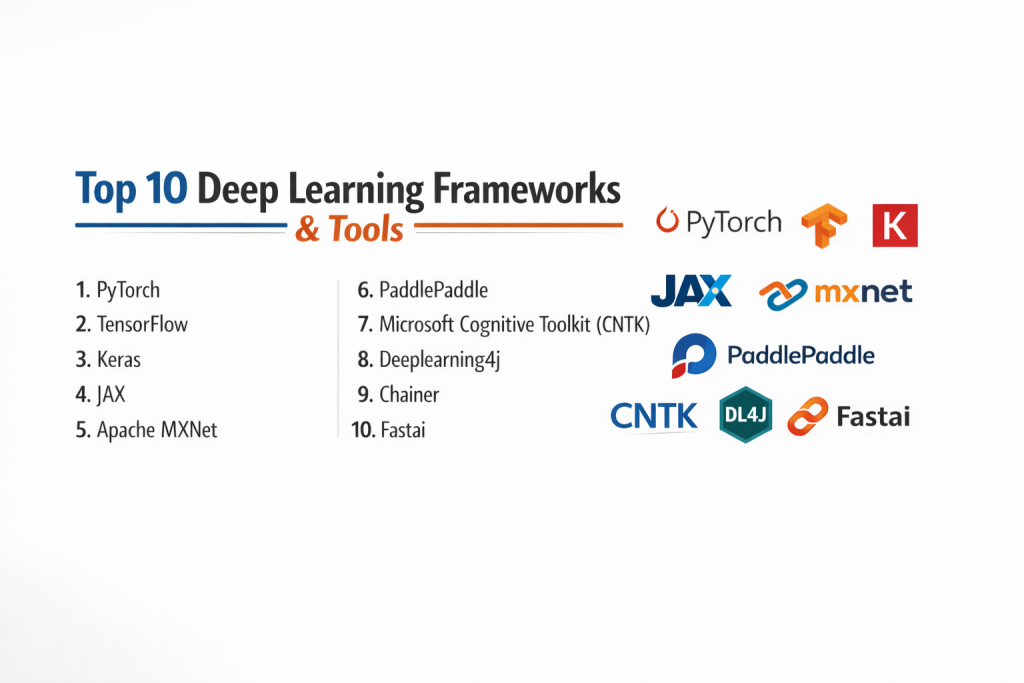
Top 10 Deep Learning Frameworks
1 — PyTorch
PyTorch is a tool made by the people at Meta. It is loved by many because it feels like writing a normal computer program. It is very flexible and easy to fix when there is a mistake.
- Key features:
- It uses a “dynamic” way of working, meaning you can change the model while it is running.
- The code looks very much like the Python language, which many people already know.
- It has a huge library of pre-made parts that you can just plug in and use.
- It is great for research and trying out brand-new ideas.
- It works very well with cloud computing services.
- Pros:
- Very easy to understand for beginners who know Python.
- It is the most popular choice for scientists writing new papers.
- Cons:
- It can sometimes be a bit slower when you try to put it into a final product for millions of people.
- It doesn’t have as many built-in tools for managing the whole business process as some others.
- Security & compliance: It is safe for enterprise use and works with standard data protection rules.
- Support & community: It has a massive community of helpful people and excellent online guides.
2 — TensorFlow
TensorFlow was created by Google. It is a very large and powerful system that is meant for big jobs. It is very good at taking an idea and turning it into a product that works for a whole country.
- Key features:
- It has a specialized tool called TensorBoard that lets you see how your AI is learning with pictures and graphs.
- It can run on almost anything, from a tiny chip to a massive server.
- It has many extra tools that help manage data and keep track of different versions of your work.
- It is built to handle massive amounts of data without breaking.
- Pros:
- It is the best choice for very large companies that need everything in one place.
- It has been around a long time, so it is very stable.
- Cons:
- It is harder to learn because the code is more complicated.
- It can feel “heavy” and slow to set up for small projects.
- Security & compliance: Very high. It follows all major security standards and is used by big banks.
- Support & community: Very strong support from Google and a large professional community.
3 — Keras
Keras is a “user-friendly” layer that sits on top of other frameworks like TensorFlow. It is designed to be as simple as possible so that you can build things quickly.
- Key features:
- It uses very simple commands to build complex neural networks.
- It is designed to be human-friendly rather than machine-friendly.
- It catches mistakes early and explains them in simple language.
- It is very modular, which means you can snap pieces together like building blocks.
- Pros:
- You can build a working AI in just a few lines of code.
- It is the absolute best place for a student to start.
- Cons:
- It might not be powerful enough for experts who want to change every tiny detail.
- It depends on other frameworks to do the actual work.
- Security & compliance: Varies depending on which framework it is sitting on.
- Support & community: Excellent. There are thousands of tutorials for beginners.
4 — JAX
JAX is a newer tool from Google that is built for people who need extreme speed. It is mostly used for high-level math and scientific research.
- Key features:
- It can automatically do the complex math (calculus) needed for AI.
- It turns your code into a very fast version that the computer can run easily.
- It is very lightweight and does not have a lot of extra “clutter.”
- Pros:
- It is incredibly fast for certain types of math problems.
- It is very clean and elegant for experts.
- Cons:
- It is very hard for beginners because it uses a different way of thinking.
- It doesn’t have as many “ready-to-use” parts as PyTorch or TensorFlow.
- Security & compliance: Varies / N/A.
- Support & community: Growing fast, but mostly made up of math experts and researchers.
5 — Apache MXNet
MXNet is a framework that is known for being able to grow. It is used by some of the biggest cloud companies in the world because it can handle many computers working together.
- Key features:
- It supports many different coding languages, not just Python.
- It is very efficient with a computer’s memory.
- It can scale up to use hundreds of GPUs at the same time.
- Pros:
- Very fast and does not waste computer resources.
- Great for people who want to use languages like R or Scala.
- Cons:
- It is not as popular as the top two, so it might be harder to find help.
- The learning guides are not always as clear as they could be.
- Security & compliance: Very good; it is used in many professional cloud environments.
- Support & community: Supported by the Apache Foundation and has a solid professional following.
6 — PaddlePaddle
This framework was developed by Baidu. It is very popular in industrial settings, especially for companies that need to build things like search engines or massive translation tools.
- Key features:
- It comes with a lot of “ready-made” models for common business tasks.
- It is designed to work well on many different types of hardware.
- It has special tools for processing text and images at a very large scale.
- Pros:
- Very reliable for big factory or office jobs.
- Has a lot of support for different types of hardware chips.
- Cons:
- Most of the community and guides are in Chinese, which can be hard for others.
- It is not used very much outside of Asia.
- Security & compliance: High; it meets many industrial safety standards.
- Support & community: Huge community in China, but smaller elsewhere.
7 — Microsoft Cognitive Toolkit (CNTK)
This is a framework created by Microsoft. It is known for being very fast at handling speech and text data.
- Key features:
- It is built to be very efficient on multiple computers.
- It works very well with other Microsoft products.
- It is designed to handle very large “datasets” (piles of information).
- Pros:
- It is extremely fast at processing language and speech.
- It is very stable for enterprise use.
- Cons:
- It is not as flexible for trying out brand-new, strange AI ideas.
- Microsoft is not updating it as much as they used to.
- Security & compliance: Very safe; follows standard enterprise rules.
- Support & community: Good documentation, but the community is shrinking.
8 — Deeplearning4j
This is a special tool for people who use the Java programming language. Most AI tools use Python, but this one is built for the big systems that banks and large offices already use.
- Key features:
- It runs on the “Java Virtual Machine,” which is very common in big companies.
- It can handle “big data” tools like Spark and Hadoop.
- It is designed for business use rather than just scientific research.
- Pros:
- Perfect if your company already uses Java and doesn’t want to switch to Python.
- Very good at handling massive amounts of business data.
- Cons:
- It is much harder to find pre-made AI models for this tool.
- It is not as popular for cutting-edge scientific work.
- Security & compliance: Excellent; it fits right into existing corporate security.
- Support & community: Strong support for businesses and professional users.
9 — Chainer
Chainer was one of the first tools to allow people to change their AI models while they were running. It is a very flexible tool mostly used in Japan.
- Key features:
- It uses a “define-by-run” approach which makes it very easy to debug.
- It is written purely in Python.
- It is very good for complex models that need to change over time.
- Pros:
- It is very powerful for people doing complex research.
- The code is very clean and easy to read.
- Cons:
- Most people have moved to PyTorch because it does the same things but has more support.
- It is becoming a “niche” tool.
- Security & compliance: N/A.
- Support & community: Small community, mostly based in Japan.
10 — Fastai
Fastai is a layer built on top of PyTorch. Its goal is to make deep learning accessible to everyone, even if you don’t have a PhD in math.
- Key features:
- It uses “best practices” automatically so you don’t have to be an expert.
- It has very high-level commands that do a lot of work at once.
- It is very good for teaching people how AI works.
- Pros:
- You can get world-class results very quickly.
- It has one of the best free online courses to help you learn.
- Cons:
- It can be hard to understand what is happening “under the hood” because it is so automated.
- It is very “opinionated,” meaning it wants you to do things in one specific way.
- Security & compliance: Varies; inherits what PyTorch has.
- Support & community: Incredible community of learners and teachers.
Comparison Table
| Tool Name | Best For | Platform(s) Supported | Standout Feature | Rating |
| PyTorch | Researchers | Linux, Windows, Mac | Very flexible code | 4.8 / 5 |
| TensorFlow | Big Companies | All Platforms | Full set of tools | 4.7 / 5 |
| Keras | Beginners | All Platforms | Extremely simple | 4.9 / 5 |
| JAX | Math Experts | Linux, Mac | Super fast math | N/A |
| MXNet | Cloud Scaling | Many Languages | Uses very little memory | 4.5 / 5 |
| PaddlePaddle | Factories/Industry | Linux, Windows | Industrial models | N/A |
| CNTK | Speech/Voice | Windows, Linux | Fast at speech tasks | 4.3 / 5 |
| Deeplearning4j | Java Users | All Java Systems | Works with Java | 4.4 / 5 |
| Chainer | Complex AI | Linux | Flexible research | N/A |
| Fastai | Students | Linux, Windows, Mac | Fast to learn | 4.8 / 5 |
Evaluation & Scoring of Deep Learning Frameworks
| Feature Category | Weight | Score (1-10) | Why this score? |
| Core features | 25% | 9 | Most tools have everything you need to build AI. |
| Ease of use | 15% | 7 | Some are very easy (Keras), but others are very hard (JAX). |
| Integrations | 15% | 8 | Most work well with cloud and other software. |
| Security & compliance | 10% | 8 | Large tools are very safe; smaller ones are less tested. |
| Performance | 10% | 9 | Most are optimized to work very fast on good hardware. |
| Support & community | 10% | 9 | The AI community is very active and helpful. |
| Price / value | 15% | 10 | These tools are free, which is incredible value. |
Which Deep Learning Framework Tool Is Right for You?
Solo users vs SMB vs mid-market vs enterprise
If you are working alone or in a small team, Keras or PyTorch are usually the best. They allow you to move fast without needing a whole department of experts. For medium-sized businesses, PyTorch offers a good balance. For very large enterprises that need to run AI for millions of people, TensorFlow or MXNet are the standard choices because they are built to never break.
Budget-conscious vs premium solutions
Since these tools are free and open-source, your main cost will be the electricity and the computer chips (GPUs) needed to run them. If you have a small budget, stick with Keras because it is efficient and there are many free ways to run it online. If you have a big budget, you can afford the expert staff needed to run JAX or TensorFlow at a massive scale.
Feature depth vs ease of use
If you want to understand every single detail and change how the math works, you should choose PyTorch or JAX. If you just want to get a project finished quickly and you don’t care about the tiny details, Keras or Fastai are much better options.
Integration and scalability needs
If your business already uses a specific technology, like Java or Microsoft Windows, you should pick the tool that fits best. Deeplearning4j is perfect for Java, and CNTK is perfect for Microsoft-heavy offices. If you need to grow from one computer to a thousand, TensorFlow is the most proven path.
Security and compliance requirements
For companies in health or finance, security is everything. TensorFlow has the most “enterprise” features for keeping data safe and creating logs that prove you followed the law. Deeplearning4j is also very strong in this area because it uses the same security systems that banks have used for years.
Frequently Asked Questions (FAQs)
1. Is deep learning the same as AI?
Deep learning is a specific type of AI. It uses “neural networks” to help computers learn in a way that is similar to a human brain.
2. Do I need to be a math genius to use these?
No. While math helps, tools like Keras and Fastai handle most of the hard math for you so you can focus on building.
3. Which framework is the most popular?
PyTorch and TensorFlow are the two most popular. Most jobs in the AI field will ask you to know one of these two.
4. Can I run these on a normal laptop?
You can, but it will be very slow. Most people use a computer with a “GPU” (a graphics card) to make the work go much faster.
5. Are these tools actually free?
Yes, they are open-source. This means anyone can download them and use them for free, even for a big business.
6. Is Python the only language for AI?
It is the most common, but you can also use Java, C++, or Julia with some of these frameworks.
7. How long does it take to build an AI model?
It can take a few minutes for a very simple one or several months for a complex one like a voice assistant.
8. Can I switch from one framework to another?
Yes, there is a special format called ONNX that allows you to move your AI model from one tool to another.
9. What is a pre-trained model?
It is an AI that has already been taught by someone else. You can download it and give it a “final polish” for your own task.
10. What is the biggest mistake beginners make?
Trying to start with a very hard tool like JAX. It is much better to start with Keras and build your confidence first.
Conclusion
Choosing a deep learning framework is about finding a tool that fits your current skills and your future goals. If you are just starting, the most important thing is to pick a tool that is easy to understand, like Keras. If you are building a product for a large company, you might need the power and stability of TensorFlow.
The “best” tool does not exist because every project is different. Some need speed, some need simplicity, and some need to work with existing office software. The most important step is to pick one and start building. As you learn more, you will find it easier to switch between these tools. Privacy, safety, and ease of use should be your main guides as you explore the world of artificial intelligence.