Introduction
DDI Platforms are unified software or hardware solutions that combine DNS, DHCP, and IPAM into a single integrated framework. In a traditional setup, an admin might update an IP address in a spreadsheet (IPAM), then manually update a record on a DNS server, and finally configure a lease on a DHCP server. DDI platforms automate this entire lifecycle. When a device joins the network, the DDI platform assigns it an IP, updates the DNS record, and logs the entry in the IPAM database simultaneously.
This integration is critical for security and uptime. Real-world use cases include automating the deployment of virtual machines in the cloud, managing thousands of IoT devices in a manufacturing plant, and protecting against “DNS tunneling” attacks. When choosing a DDI platform, organizations must evaluate multi-vendor support, API robustness, high availability (HA) capabilities, and security features like DNS firewalling.
Best for: Network architects, security engineers, and IT directors in large enterprises, government agencies, and healthcare providers. It is a “must-have” for organizations with hybrid-cloud environments or those managing more than 1,000 connected devices.
Not ideal for: Small offices with a handful of static computers or micro-businesses using basic “consumer-grade” routers. For these users, the built-in services of a standard ISP router or a basic Windows Server role are usually sufficient and more cost-effective.
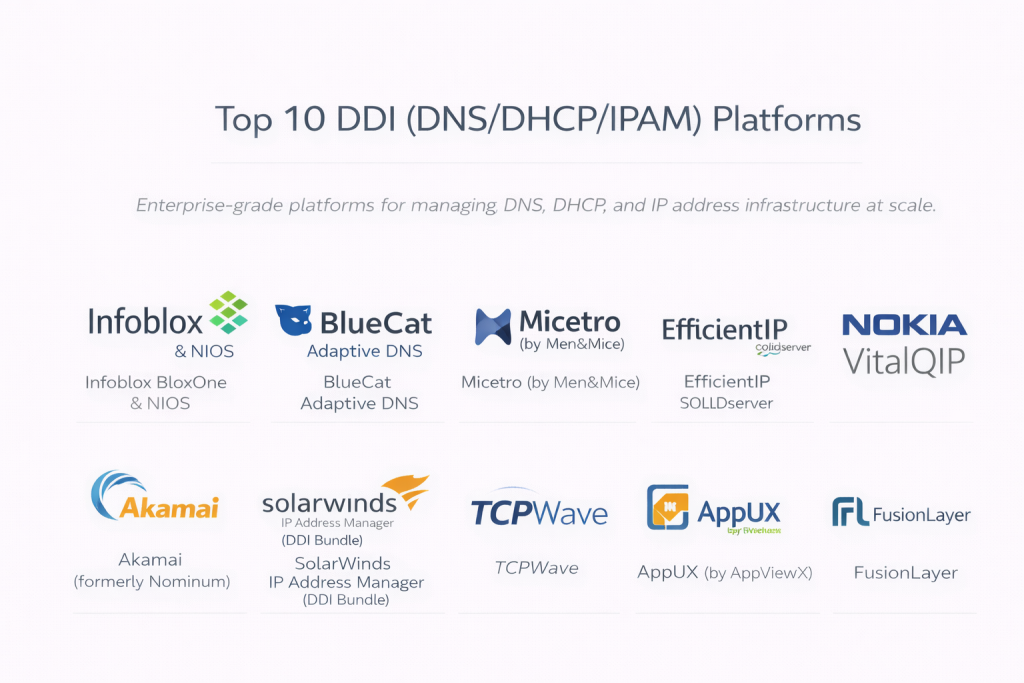
Top 10 DDI (DNS/DHCP/IPAM) Platforms
1 — Infoblox BloxOne & NIOS
Infoblox is the undisputed global leader in the DDI space. Their NIOS platform (for on-prem) and BloxOne (for cloud-native) provide a highly secure and automated foundation for the world’s largest networks.
- Key Features:
- Grid Technology: A patented architecture that ensures high availability and resilience across global locations.
- Advanced DNS Security: Built-in protection against DDoS, data exfiltration, and malware.
- Cloud-Native DDI: Specialized tools for AWS, Azure, Google Cloud, and Kubernetes environments.
- Discovery Engine: Automatically finds every device on the network, including rogue hardware.
- Ecosystem Integration: Extensive APIs that connect with security tools and ITSM platforms like ServiceNow.
- Automation Workflows: Speeds up IP provisioning for DevOps teams using Terraform or Ansible.
- Pros:
- Exceptionally high reliability; it is built for “five-nines” (99.999%) uptime.
- The most comprehensive security feature set in the industry.
- Cons:
- Premium pricing that can be a barrier for mid-sized organizations.
- Significant complexity requires specialized training or certified staff.
- Security & Compliance: SOC 2 Type II, ISO 27001, HIPAA, GDPR, and FIPS 140-2 compliant.
- Support & Community: World-class 24/7 technical support and an extensive “Infoblox Community” portal for knowledge sharing.
2 — BlueCat Adaptive DNS
BlueCat focuses on “Adaptive DNS,” a philosophy that prioritizes flexibility and automation for organizations transitioning to software-defined environments.
- Key Features:
- Service Assurance: Validates configurations before they go live to prevent manual errors.
- API-First Design: A robust RESTful API that makes it a favorite for automation-heavy teams.
- Intelligent Redirection: Steers traffic based on real-time application health.
- Gateway Automation: A specialized layer for building custom workflows and self-service portals.
- Hybrid Cloud Visibility: Centralized management for on-prem and multi-cloud footprints.
- Pros:
- Highly flexible; it adapts well to non-standard or rapidly changing network designs.
- Excellent at reducing “trouble tickets” through self-service automation.
- Cons:
- The reporting engine, while powerful, can be complex to customize.
- Initial implementation and “gateway” setup can take considerable time.
- Security & Compliance: SOC 2, GDPR, and HIPAA compliant. Features strong audit logs and SSO support.
- Support & Community: High-rated professional services and a dedicated “Care” support program.
3 — Micetro by Men&Mice
Micetro is a unique “overlay” DDI solution. It doesn’t replace your existing DNS/DHCP servers (like Windows or Linux); it sits on top of them to provide a unified management layer.
- Key Features:
- Multi-Vendor Overlay: Manages Microsoft, Linux (BIND/ISC), Cisco, and Cloud-native DNS/DHCP in one screen.
- Non-Disruptive Deployment: Can be installed without rebuilding your existing network infrastructure.
- Role-Based Access Control (RBAC): Granular permissions for different teams across different vendors.
- Workflow Approval: Built-in “request and approve” logic for making sensitive changes.
- Cloud Sync: Synchronizes and manages DNS for Azure, AWS, and Route 53.
- Pros:
- Perfect for organizations that don’t want to get locked into a single hardware vendor.
- Very lightweight and fast to implement compared to “rip-and-replace” solutions.
- Cons:
- Since it is an overlay, you are still somewhat limited by the features of the underlying servers.
- Not a standalone hardware appliance for those looking for a physical DDI box.
- Security & Compliance: ISO 27001 compliant; supports SAML/SSO and encrypted communication between nodes.
- Support & Community: Direct access to senior engineering support and clear, technical documentation.
4 — EfficientIP SOLIDserver
EfficientIP is known for its high-performance security features and its “Smart-DDI” approach, which focuses on business logic and automation.
- Key Features:
- DNS Guardian: A specialized technology that protects against DNS-based attacks without slowing down legitimate traffic.
- One-Click Provisioning: Automates the lifecycle of IPs and DNS records for cloud apps.
- Global Server Load Balancing (GSLB): Built-in traffic steering for application availability.
- Net-Change Visibility: Detailed tracking of every change made across the infrastructure.
- IPAM-Centric Management: A very powerful IPAM engine that acts as the “Source of Truth.”
- Pros:
- Often cited as having one of the best “price-to-performance” ratios in the enterprise market.
- Superior security features that can detect “slow-drip” data exfiltration.
- Cons:
- Smaller market share in North America compared to Infoblox or BlueCat.
- The UI can feel a bit technical and less “modern” than SaaS-first tools.
- Security & Compliance: Common Criteria certified, SOC 2, and GDPR compliant.
- Support & Community: Robust enterprise support with a strong presence in Europe and Asia.
5 — Nokia VitalQIP
Nokia VitalQIP is a legacy powerhouse. It has been a staple in large telecommunications and government networks for decades, known for managing millions of IP addresses.
- Key Features:
- Massive Scalability: Designed to manage some of the largest IP spaces in the world (ISPs).
- Centralized Policy Management: Set rules for the whole network from a single location.
- Multi-Vendor DHCP Support: Manages Lucent, Microsoft, and ISC DHCP servers.
- IPv6 Transition Tools: Mature features for managing the move from IPv4.
- Audit and Compliance: Extremely detailed historical logs for regulatory requirements.
- Pros:
- Battle-tested in the most demanding environments imaginable.
- Unmatched stability for very large-scale, static infrastructure.
- Cons:
- The interface and architecture can feel dated and “legacy” compared to modern cloud-first tools.
- Not as agile for DevOps-focused teams who need rapid API-driven changes.
- Security & Compliance: Meets high-level military and government security standards; Varies by version.
- Support & Community: Enterprise-level support through Nokia’s global technical centers.
6 — Akamai (formerly Nominum)
Acquired by Akamai, this platform is built with a focus on “Carrier-Grade” DNS and security for service providers and massive enterprises.
- Key Features:
- Carrier-Grade Performance: Designed to handle billions of DNS queries per day.
- Cloud-First Security: Leverages Akamai’s global threat intelligence to block malicious domains.
- Managed DDI: Options for Akamai to manage the infrastructure for you.
- SaaS Delivery: High focus on cloud-delivered DDI rather than physical appliances.
- DDoS Resilience: Utilizing Akamai’s global backbone to absorb massive attacks.
- Pros:
- Best-in-class performance for organizations with high external traffic volumes.
- Strongest threat intelligence integration on this list.
- Cons:
- Can be very expensive for standard “internal-only” enterprise needs.
- Less focus on the “IPAM” side compared to the “DNS” security side.
- Security & Compliance: SOC 2, PCI DSS, ISO 27001, and HIPAA compliant.
- Support & Community: World-class 24/7 global support and professional security services.
7 — SolarWinds IP Address Manager (DDI Bundle)
SolarWinds offers a more modular approach, allowing businesses to combine their IPAM, DNS, and DHCP modules into a unified DDI suite.
- Key Features:
- Unified Dashboard: View and manage IP addresses and DNS/DHCP records in one place.
- Conflict Detection: Alerts you if two devices are trying to use the same IP.
- Microsoft & Cisco Integration: Direct management of Windows and Cisco DHCP/DNS.
- Subnet Allocation Wizard: Simplifies the process of creating and sizing new subnets.
- Automated Scanning: Periodically checks the network to ensure the IPAM is accurate.
- Pros:
- Much more affordable than “Big 3” solutions (Infoblox/BlueCat/EfficientIP).
- Very easy to use for IT teams already familiar with the SolarWinds Orion platform.
- Cons:
- It is primarily an “overlay/management” tool; it doesn’t provide its own hardened DNS/DHCP engine.
- Requires a Windows Server and SQL database to run.
- Security & Compliance: FIPS 140-2 compatible, SOC 2 ready, and features granular RBAC.
- Support & Community: Excellent “Thwack” community and 24/7 phone support.
8 — TCPWave
TCPWave is a modern DDI solution that prides itself on “Software-Defined DDI” and a focus on security and cloud-native automation.
- Key Features:
- T-Scan: A built-in vulnerability scanner for your network infrastructure.
- AI-Driven Analytics: Uses machine learning to detect anomalies in DNS traffic.
- REST API: 100% of the platform’s features are available via API.
- Multi-Cloud Integration: Native support for managing DDI in hybrid environments.
- Hardened Appliances: Available as physical, virtual, or cloud instances.
- Pros:
- One of the most modern and “clean” user interfaces in the industry.
- Highly focused on preventing “DNS Tunnelling” and other sophisticated attacks.
- Cons:
- Smaller community and fewer third-party integrations than Infoblox.
- May be considered a “niche” player in some global regions.
- Security & Compliance: SOC 2 Type II and GDPR compliant. Strong focus on data encryption.
- Support & Community: Responsive technical support and a growing developer documentation portal.
9 — AppUX (by AppViewX)
AppUX provides a DDI platform that is heavily focused on “Automation and Orchestration,” specifically for application delivery.
- Key Features:
- Visual Workflow Builder: Drag-and-drop tool to create complex DDI automations.
- Self-Service Portals: Allows app owners to request IPs and DNS changes without IT intervention.
- Multi-Vendor Management: Works across different DNS and DHCP providers.
- Cert Management: Often bundled with SSL/TLS certificate automation.
- Inventory Discovery: Deep discovery of application-related network assets.
- Pros:
- Best for teams moving toward “NetDevOps” or “Infrastructure as Code.”
- Dramatically reduces the time it takes to “spin up” new applications.
- Cons:
- More of an automation layer than a “core” networking platform.
- Can be overkill for organizations that don’t do frequent application deployments.
- Security & Compliance: SOC 2 and GDPR compliant; focused on secure application delivery.
- Support & Community: High-touch enterprise support with a focus on customer success.
10 — FusionLayer
FusionLayer is designed for the “Edge” and “Service Provider” market, focusing on high-speed automation for software-defined data centers.
- Key Features:
- Infinity Architecture: Designed for massive scale across distributed edge locations.
- REST API: Strong focus on automation for “Zero-Touch” provisioning.
- Hybrid Cloud DDI: Seamless management across physical and virtual sites.
- Patented Data Modeling: Ensures data consistency across the whole network.
- Lightweight Footprint: Optimized to run in resource-constrained edge environments.
- Pros:
- Extremely fast and efficient for automated, software-driven environments.
- Great for companies building “private clouds” or edge computing sites.
- Cons:
- Not as “feature-rich” on the reporting/auditing side for traditional office networks.
- Requires a high level of technical proficiency to implement.
- Security & Compliance: GDPR compliant; features secure APIs and audit logs.
- Support & Community: Direct technical support and specialized professional services.
Comparison Table
| Tool Name | Best For | Platform(s) Supported | Standout Feature | Rating (Gartner) |
| Infoblox | Global Enterprise | Hardware, Virtual, SaaS | Grid / High Security | 4.6 / 5 |
| BlueCat | Automation / DevOps | Virtual, Cloud, SaaS | Gateway Workflows | 4.5 / 5 |
| Micetro | Multi-Vendor / Legacy | Software Overlay | Non-Disruptive Sync | 4.6 / 5 |
| EfficientIP | Security & ROI | Hardware, Virtual | DNS Guardian | 4.7 / 5 |
| Nokia VitalQIP | ISPs / Telcos | Software / Linux | Extreme Scalability | N/A |
| Akamai DDI | Service Providers | SaaS / Cloud | Threat Intelligence | 4.6 / 5 |
| SolarWinds | Mid-Market / IT Ops | Windows / Orion | Ease of Use / Value | 4.4 / 5 |
| TCPWave | AI / Security Ops | Virtual, Cloud | AI Threat Detection | 4.7 / 5 |
| AppUX | App Delivery | Virtual / SaaS | Workflow Automation | 4.5 / 5 |
| FusionLayer | Edge Computing | Software / Virtual | Zero-Touch Ops | N/A |
Evaluation & Scoring of DDI Platforms
The following scoring reflects the criteria we used to rank these platforms, prioritizing the needs of modern, secure enterprises.
| Category | Weight | Evaluation Rationale |
| Core Features | 25% | Integration of DNS/DHCP/IPAM, HA, and automation capabilities. |
| Ease of Use | 15% | Dashboard clarity, setup time, and day-to-day management. |
| Integrations | 15% | Support for Cloud (AWS/Azure), APIs, and security tools. |
| Security & Compliance | 10% | DDoS protection, encryption, RBAC, and audit certifications. |
| Performance | 10% | Stability at scale and query response times. |
| Support & Community | 10% | Vendor responsiveness, documentation, and user forums. |
| Price / Value | 15% | ROI and total cost of ownership (TCO). |
Which DDI Platform Is Right for You?
Solo Users vs SMB vs Mid-Market vs Enterprise
- Solo Users/Small Labs: Micetro (Free tier/Small version) or simply sticking to Windows Server roles is the best choice. DDI platforms are generally too expensive for single users.
- SMBs (100–500 devices): SolarWinds or a smaller instance of EfficientIP provide the necessary visibility without the six-figure price tag.
- Mid-Market (500–2,000 devices): Micetro is excellent for its flexibility, while TCPWave offers modern security features for growing tech-savvy teams.
- Large Enterprise (2,000+ devices): Infoblox and BlueCat are the standard. When downtime costs millions, the resilience and automation of these giants are worth the investment.
Budget-Conscious vs Premium Solutions
If budget is the primary concern, SolarWinds or Micetro provide “management-only” overlays that use your existing servers. For those who need a “premium” hardened solution that provides its own high-performance DNS/DHCP engine, Infoblox and EfficientIP are the leaders.
Feature Depth vs Ease of Use
- Ease of Use: SolarWinds and Micetro have the shortest learning curves.
- Feature Depth: Infoblox and BlueCat offer nearly limitless customization and security features, but they require a dedicated administrator to manage.
Frequently Asked Questions (FAQs)
1. What is the difference between IPAM and DDI?
IPAM is just the “inventory” of your IP addresses. DDI is the “trinity” that integrates IPAM with the active services (DNS and DHCP) that actually make the network work.
2. Can I use a DDI platform with my existing Windows DNS servers?
Yes. “Overlay” tools like Micetro or SolarWinds are specifically designed to manage your existing Microsoft or Linux servers from a single dashboard.
3. Does DDI help with IPv6 migration?
Absolutely. IPv6 addresses are too long to manage manually. DDI platforms automate the subnetting and assignment of IPv6 addresses, making the transition seamless.
4. How does DDI improve network security?
It identifies rogue devices instantly, prevents “IP conflicts” that cause outages, and high-end DDI tools like Infoblox or EfficientIP can block malware and data theft at the DNS level.
5. Is DDI worth it for a cloud-only company?
Yes. While cloud providers (AWS/Azure) have their own DNS, a DDI platform provides a “single source of truth” if you use multiple clouds, preventing you from losing track of your assets.
6. What is “DNS Tunneling” and can DDI stop it?
It’s a way for hackers to steal data by hiding it inside DNS requests. Advanced DDI platforms use AI and behavioral analysis to spot and block this “leaking” data.
7. Do I need hardware for a DDI platform?
In the past, yes. Today, almost every vendor offers “Virtual Appliances” (software that runs on your servers) or “SaaS” versions that run in the cloud.
8. What happens if the DDI platform crashes?
Leading platforms use “High Availability” pairs and “Grid” technology. If one server fails, the other takes over instantly so that users never lose their internet connection.
9. Can DDI platforms automate my “Infrastructure as Code”?
Yes. Most modern DDI tools have “Terraform Providers” or “Ansible Modules,” allowing developers to automatically get an IP and DNS record when they create a new server.
10. How long does it take to implement DDI?
An overlay tool can be up in a few days. A full hardware replacement for a global enterprise can take 3 to 6 months of planning and execution.
Conclusion
The “best” DDI platform is not the one with the most features, but the one that aligns with your organization’s technical maturity and growth strategy. If you are a traditional enterprise where stability is everything, Infoblox remains the benchmark. If you are a modern, cloud-first organization, BlueCat or TCPWave offer the agility you need. For those looking for maximum flexibility without changing their current setup, Micetro is an elegant solution.
Managing DNS, DHCP, and IPAM in silos is a risk that modern businesses can no longer afford. By unifying these services into a single DDI platform, you move from a reactive “firefighting” mode to a proactive, automated, and secure network environment.