Introduction
Database Security Tools are specialized software solutions designed to protect the “crown jewels” of an organization: its data. While general cybersecurity focuses on perimeters and endpoints, these tools zoom in on the database layer to prevent unauthorized access, detect malicious queries, and ensure data integrity. They function through a combination of Database Activity Monitoring (DAM), encryption, vulnerability scanning, and automated discovery of sensitive information. In an era where data is the new oil, these tools act as the high-security vault and the silent sentinel that watches every transaction in real-time.
The importance of database security cannot be overstated. A single breach can lead to catastrophic financial loss, legal penalties under frameworks like GDPR or HIPAA, and irreparable reputational damage. Key real-world use cases include protecting customer PII (Personally Identifiable Information) in e-commerce databases, securing patient health records in medical systems, and preventing SQL injection attacks on web applications. When choosing a tool, users should evaluate real-time monitoring capabilities, granularity of access controls, compliance reporting automation, and the ability to operate across hybrid-cloud environments without degrading database performance.
Best for:
Database security tools are most beneficial for Database Administrators (DBAs), Chief Information Security Officers (CISOs), and Compliance Officers at mid-to-large enterprises. They are essential in highly regulated industries such as finance, healthcare, and government, where the volume and sensitivity of data require automated oversight beyond manual checks.
Not ideal for:
Small businesses with minimal data footprints or those using simple, non-sensitive data collections may find these tools’ cost and complexity unnecessary. In such cases, the native security features built into the database engine (like standard user permissions and basic encryption) are often sufficient.
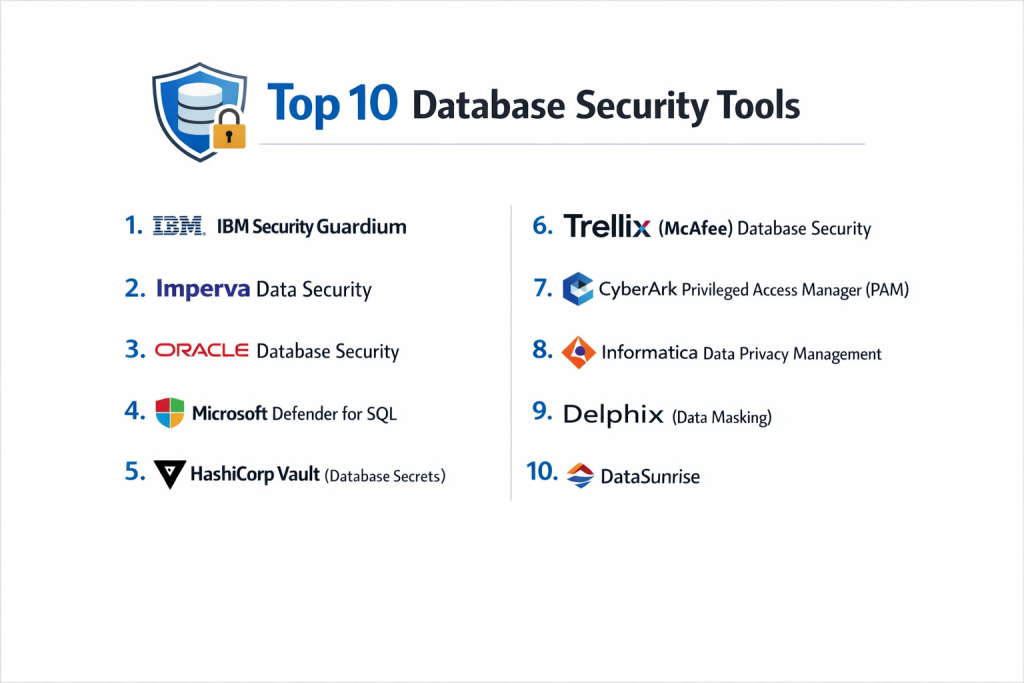
Top 10 Database Security Tools
1 — IBM Security Guardium
IBM Guardium is a heavyweight in the market, providing a unified platform for data security that scales across huge enterprise environments. It is designed to handle the complexity of multi-cloud and on-premises setups simultaneously.
- Key features:
- Automated sensitive data discovery and classification.
- Real-time Database Activity Monitoring (DAM).
- Advanced analytics to detect behavioral anomalies (e.g., a DBA accessing tables they never touched before).
- Vulnerability assessment and hardening recommendations.
- Compliance reporting for GDPR, HIPAA, and PCI-DSS.
- Static and dynamic data masking for non-production environments.
- Pros:
- Unmatched scalability for global organizations with thousands of database instances.
- Deep support for almost every database type, including legacy mainframes and modern NoSQL.
- Cons:
- Very high cost and complex implementation process.
- The user interface is often described as dense and requiring a steep learning curve.
- Security & compliance: SOC 2, HIPAA, GDPR, PCI-DSS, FIPS 140-2; robust audit logging and SSO integration.
- Support & community: Extensive enterprise-grade support; massive knowledge base; dedicated global partner network.
2 — Imperva Data Security
Imperva is widely recognized for its “Defense-in-Depth” approach. It offers a powerful database firewall and activity monitoring suite that stops attacks before they reach the core data.
- Key features:
- Real-time blocking of unauthorized queries via Database Firewall.
- User Rights Management (URM) to identify over-privileged accounts.
- Discovery of hidden or “shadow” databases across the network.
- Advanced risk analytics based on machine learning.
- Seamless integration with SIEM and SOAR platforms.
- Support for big data platforms like Hadoop and NoSQL.
- Pros:
- Excellent real-time threat prevention (not just detection).
- Strong “Virtual Patching” that protects unpatched databases from known vulnerabilities.
- Cons:
- Can be resource-heavy on the network if not configured properly.
- Premium features often require a significant financial investment.
- Security & compliance: ISO 27001, SOC 2, HIPAA, GDPR; features granular audit trails.
- Support & community: 24/7 technical support; active user community; comprehensive training webinars.
3 — Oracle Database Security
For organizations running on Oracle, there is no better choice than their native security stack. It provides deep, kernel-level integration that third-party tools sometimes struggle to match.
- Key features:
- Transparent Data Encryption (TDE): Encrypts data at rest without changing applications.
- Oracle Database Vault: Prevents even powerful DBAs from seeing sensitive application data.
- Data Masking and Subsetting: Secures data used for testing and development.
- Audit Vault and Database Firewall: Unified monitoring and auditing across Oracle and non-Oracle DBs.
- Label Security: Row-level access control for highly sensitive data.
- Pros:
- Deepest possible integration with the Oracle ecosystem.
- High performance with minimal latency compared to external agents.
- Cons:
- Limited effectiveness for non-Oracle databases.
- Licensing can be confusing and expensive due to the “add-on” model.
- Security & compliance: FedRAMP, FIPS 140-2, GDPR, HIPAA, SOC 1/2/3.
- Support & community: World-class Oracle support; massive global user group (OUC); extensive documentation.
4 — Microsoft Defender for SQL
Microsoft Defender for SQL (part of the Defender for Cloud suite) is a cloud-native solution optimized for Azure SQL and SQL Server on-premises.
- Key features:
- Vulnerability assessments with actionable remediation steps.
- Advanced Threat Protection (detects SQL injection and unusual access).
- Automated discovery of PII and sensitive data labels.
- One-click security policy enforcement.
- Integration with Microsoft Sentinel for a unified security view.
- Pros:
- Extremely easy to deploy for existing Azure users (often just a checkbox).
- Very cost-effective for small-to-midmarket companies using SQL Server.
- Cons:
- Primarily focused on the Microsoft ecosystem; less robust for Oracle or MySQL.
- Reporting is less detailed than standalone enterprise tools like Guardium.
- Security & compliance: SOC 2, ISO 27001, HIPAA, GDPR, FedRAMP.
- Support & community: Massive Microsoft Learn library; vast community forums; Enterprise support available.
5 — HashiCorp Vault (Database Secrets)
While primarily a secrets manager, HashiCorp Vault has become an essential security tool for modern database architectures by managing how applications connect to data.
- Key features:
- Dynamic Credentials: Generates unique, temporary database logins for every application request.
- Lease-based Access: Credentials automatically expire, eliminating the risk of “stolen” passwords.
- Encryption as a Service: Offloads encryption tasks from the database to Vault.
- Centralized Secret Storage: No more hardcoded passwords in configuration files.
- Multi-Cloud Support: Works across AWS, Azure, GCP, and on-prem.
- Pros:
- Virtually eliminates the risk of credential theft.
- Highly flexible and “developer-friendly” for modern DevOps workflows.
- Cons:
- Not a monitoring tool; you still need a DAM for activity auditing.
- Requires a significant shift in how developers write application code.
- Security & compliance: FIPS 140-2 Level 3 (Enterprise), SOC 2, GDPR, HIPAA.
- Support & community: Massive open-source community; premium 24/7 support for Enterprise tiers.
6 — Trellix (McAfee) Database Security
Trellix offers a suite of tools that provide real-time protection and monitoring, particularly famous for its “Virtual Patching” capabilities.
- Key features:
- Virtual Patching protects databases even when official vendor patches aren’t applied.
- Real-time monitoring for unauthorized data access and anomalies.
- Automated discovery of all database instances on the network.
- Simplified compliance reporting via pre-built templates.
- Integration with Trellix ePO for centralized security management.
- Pros:
- Strongest solution for protecting legacy databases that are no longer receiving updates.
- Lightweight monitoring agents with minimal performance overhead.
- Cons:
- The transition from McAfee to Trellix branding has caused some interface inconsistencies.
- Less focus on cloud-native NoSQL databases compared to newer competitors.
- Security & compliance: SOC 2, HIPAA, GDPR, ISO 27001.
- Support & community: Robust technical support; extensive documentation; established enterprise user base.
7 — CyberArk Privileged Access Manager (PAM)
CyberArk focuses on the “human” element of database security, securing the privileged accounts that have the keys to the kingdom.
- Key features:
- Credential vaulting and automated rotation for DBA accounts.
- Session Recording: Records everything a DBA does while logged into the database.
- Just-in-Time (JIT) Access: Grants temporary privileges only when a task is required.
- Privilege elevation and delegation management.
- Analytics to detect hijacked privileged accounts.
- Pros:
- The gold standard for preventing “Insider Threats” and lateral movement by attackers.
- Essential for meeting strict auditing requirements in banking and finance.
- Cons:
- High friction for admins; they must log in through a “jump box” or portal.
- Expensive and complex to roll out across a large organization.
- Security & compliance: FIPS 140-2, SOC 2, HIPAA, GDPR, PCI-DSS.
- Support & community: Excellent professional services; large partner ecosystem; “CyberArk University” for training.
8 — Informatica Data Privacy Management
Informatica approaches database security from a governance perspective, focusing on knowing exactly where sensitive data lives and how it moves.
- Key features:
- AI-powered sensitive data discovery and classification.
- Data Lineage: Visualizes how data flows from one database to another.
- Risk scoring based on data volume, sensitivity, and location.
- Subject Registry for managing GDPR “Right to be Forgotten” requests.
- Persistent and dynamic data masking.
- Pros:
- The best tool for organizations whose primary goal is regulatory compliance and data privacy.
- Excellent at finding “dark data” that security teams didn’t know existed.
- Cons:
- Not a real-time “threat blocking” tool like a database firewall.
- Can be very expensive as it is part of a larger data management suite.
- Security & compliance: SOC 2, HIPAA, GDPR, ISO 27001.
- Support & community: Strong enterprise support; comprehensive technical documentation; global user network.
9 — Delphix (Data Masking)
Delphix specializes in securing non-production environments (test, dev, and QA), which are often the weakest link in database security.
- Key features:
- Automated masking for data across all non-production environments.
- Data Virtualization: Provides “clones” of databases that are secure by default.
- Compliance dashboards for identifying unmasked PII.
- Integration with CI/CD pipelines for automated testing.
- Irreversible masking that preserves data format for realistic testing.
- Pros:
- Dramatically reduces the risk of developers accidentally leaking production data.
- Speeds up the development cycle by providing secure data instantly.
- Cons:
- Specialized focus; it is not a general-purpose monitoring or firewall tool.
- Requires significant storage and compute resources for virtualization.
- Security & compliance: SOC 2, GDPR, HIPAA, PCI-DSS.
- Support & community: High-touch enterprise support; modern documentation; active developer community.
10 — DataSunrise
DataSunrise is a versatile, high-performance suite that offers a comprehensive set of features for both cloud and on-prem databases in a unified package.
- Key features:
- Database Firewall to block SQL injections and unauthorized queries.
- Dynamic and Static Data Masking.
- Sensitive Data Discovery and classification.
- Real-time Activity Monitoring and auditing.
- Support for multi-cloud data synchronization.
- Specialized protection for AWS Redshift, Snowflake, and Google BigQuery.
- Pros:
- Very high performance with low latency even during heavy traffic.
- Offers a “best-of-all-worlds” feature set in a single, easier-to-manage UI.
- Cons:
- Smaller market share compared to giants like IBM or Imperva.
- Enterprise support network is not as vast as the top-tier legacy players.
- Security & compliance: SOC 2, HIPAA, GDPR, PCI-DSS; comprehensive audit logs.
- Support & community: Responsive technical support; detailed documentation; growing online community.
Comparison Table
| Tool Name | Best For | Platform(s) Supported | Standout Feature | Rating (Gartner) |
| IBM Guardium | Large Enterprises | Hybrid-Cloud, On-Prem | Behavioral Analytics | 4.6 / 5 |
| Imperva | Real-time Blocking | Multi-Cloud, Hybrid | Database Firewall | 4.7 / 5 |
| Oracle Security | Oracle Users | Oracle (Cloud/On-Prem) | Kernel-level Database Vault | 4.5 / 5 |
| MS Defender | Azure/SQL Users | Azure, Windows Server | One-click Azure Setup | 4.4 / 5 |
| HashiCorp Vault | Credential Mgmt | Cloud-Native, Any DB | Dynamic Credentials | 4.8 / 5 |
| Trellix | Legacy Protection | On-Prem, Multi-Cloud | Virtual Patching | 4.3 / 5 |
| CyberArk | Admin Security | Enterprise-wide | Privileged Session Recording | 4.7 / 5 |
| Informatica | Data Governance | Multi-Cloud, Big Data | Data Lineage Tracking | 4.4 / 5 |
| Delphix | Test/Dev Security | Hybrid-Cloud | Masked Data Virtualization | 4.5 / 5 |
| DataSunrise | High Performance | Cloud-Native, Snowflake | Integrated Firewall + Masking | 4.6 / 5 |
Evaluation & Scoring of Database Security Tools
| Criteria | Weight | Evaluation Rationale |
| Core features | 25% | Presence of DAM, firewall, masking, and discovery capabilities. |
| Ease of use | 15% | Intuitiveness of the UI and simplicity of the deployment architecture. |
| Integrations | 15% | Compatibility with SIEM, SOAR, and major cloud providers (AWS/GCP/Azure). |
| Security & compliance | 10% | Certification status (SOC 2, ISO) and automated compliance reporting. |
| Performance | 10% | Impact on database latency and network throughput during monitoring. |
| Support & community | 10% | Availability of 24/7 support and a healthy user ecosystem for troubleshooting. |
| Price / value | 15% | Total cost of ownership relative to the security risk mitigated. |
Which Database Security Tool Is Right for You?
Small to Mid-Market vs. Enterprise
For Small to Mid-Market companies, the priority is usually low overhead and high value. Microsoft Defender for SQL or DataSunrise are excellent choices because they offer strong protection without requiring a dedicated security team to manage them. Enterprises, however, need the industrial-scale monitoring of IBM Guardium or Imperva. These tools are designed to handle the complexity of thousands of databases and provide the unified reporting necessary for global audits.
Budget and Value
If you are budget-conscious, look for the native security tools provided by your cloud vendor (AWS, Azure, or Google Cloud). They often have a lower entry price and require no extra hardware. For premium value, HashiCorp Vault offers a unique ROI by solving the “secret sprawl” problem across your entire company, not just your databases.
Technical Depth vs. Simplicity
If your team consists of DevOps engineers and developers, HashiCorp Vault and DataSunrise will feel natural because of their API-first approach and modern UIs. If your security is managed by traditional IT administrators, tools like Trellix or CyberArk provide the structured workflows and dashboard-centric views they are accustomed to.
Security and Compliance Requirements
If you are in a highly regulated field (e.g., Banking or Healthcare), you cannot compromise on auditing. CyberArk (for session recording) and Informatica (for data lineage) are often mandatory to satisfy auditors that you know exactly who did what and where the data went. For those needing to protect unpatchable legacy systems, Trellix with its Virtual Patching is the only viable path.
Frequently Asked Questions (FAQs)
1. What is Database Activity Monitoring (DAM)?
DAM is the process of observing and analyzing all queries and actions performed on a database in real-time. It helps identify suspicious behavior, such as bulk data exports or unauthorized schema changes, and creates a permanent audit log.
2. Is standard encryption enough to secure a database?
No. Encryption protects data-at-rest (e.g., if a hard drive is stolen), but it doesn’t stop a logged-in user with valid credentials from stealing data. You need access controls and activity monitoring to protect data while the database is “live.”
3. What is “Virtual Patching”?
Virtual Patching is a security layer (usually a firewall) that blocks attempts to exploit known database vulnerabilities. This allows you to stay protected even if you cannot immediately restart the database to apply an official security patch.
4. How does data masking differ from encryption?
Encryption is reversible (with a key) and is used to protect data in storage. Masking is often irreversible and changes the data (e.g., turning a real credit card number into XXXX-XXXX-XXXX-1234) so it can be used safely by developers or testers.
5. Do these tools slow down database performance?
Any security tool adds some overhead, but modern tools like DataSunrise and Imperva are designed to be extremely lightweight. In most cases, the performance hit is less than 3–5%, which is a small price for total data security.
6. Do I need security for NoSQL databases like MongoDB?
Yes. NoSQL databases are just as prone to unauthorized access and “NoSQL Injection” as traditional SQL databases. Many modern tools like IBM Guardium now support NoSQL natively.
7. What are “Dynamic Credentials”?
Offered by tools like HashiCorp Vault, these are database logins created on-the-fly that expire after a set time (e.g., 15 minutes). This ensures that even if an application is hacked, the attacker only has a very short window of access.
8. Can a database security tool prevent an “Insider Threat”?
Yes. By using behavioral analytics (identifying unusual query patterns) and session recording (like in CyberArk), these tools can detect and stop a malicious employee from exfiltrating data.
9. What is the most common mistake in database security?
The most common mistake is using “live” production data in testing or development environments. This can be solved by using a tool like Delphix to mask and virtualize the data before it leaves the production server.
10. How much do these tools cost?
Cloud-native tools can start as low as a few dollars per database per month. Enterprise-wide deployments of tools like Guardium can cost hundreds of thousands of dollars annually, depending on the scale and number of licenses.
Conclusion
The “best” Database Security Tool is not a single universal winner; it is the one that maps most closely to your specific risks and infrastructure. For those deeply embedded in a specific cloud, native tools like Microsoft Defender offer the path of least resistance. For the high-compliance enterprise, the deep auditing of IBM Guardium or the privileged access management of CyberArk is indispensable.
the strategy is shifting from “blocking” to “intelligence”—using AI to understand user intent and automate the defense of your data. Regardless of the tool you choose, remember that security is a lifestyle, not a product. Regular audits, strict credential management, and automated monitoring are the three pillars that will keep your organization’s data safe from the evolving threats of the digital age.