Introduction
Database Monitoring Tools are specialized software solutions designed to track, analyze, and optimize the performance and health of database systems. Unlike general infrastructure monitors, these tools dive deep into the database engine to provide visibility into query execution times, indexing efficiency, disk I/O, memory usage, and connection pools. They act as an early warning system, identifying “slow queries” and bottlenecks before they escalate into full-scale application outages. By collecting real-time and historical telemetry, these tools allow administrators to maintain the high availability and responsiveness that modern digital users expect.
In the data-driven landscape , the health of your database is the health of your business. Monitoring is vital because databases are often the single point of failure in an application stack. Key real-world use cases include troubleshooting sudden latency spikes in e-commerce checkout flows, capacity planning for seasonal traffic surges, and auditing database access for compliance. When choosing a tool, users should evaluate multi-platform support (SQL vs. NoSQL), granularity of metrics, AI-driven anomaly detection, and the overhead impact the monitor has on the database itself.
Best for:
These tools are indispensable for Database Administrators (DBAs), Site Reliability Engineers (SREs), and Backend Developers. They are highly beneficial for mid-to-large enterprises in fintech, e-commerce, and SaaS sectors where database performance directly correlates with revenue and user retention.
Not ideal for:
Very small-scale projects or static websites where the database load is negligible. If you are using a managed service like a tiny AWS RDS instance for a personal blog, the basic, built-in cloud metrics provided by the provider are usually sufficient without a third-party monitoring suite.
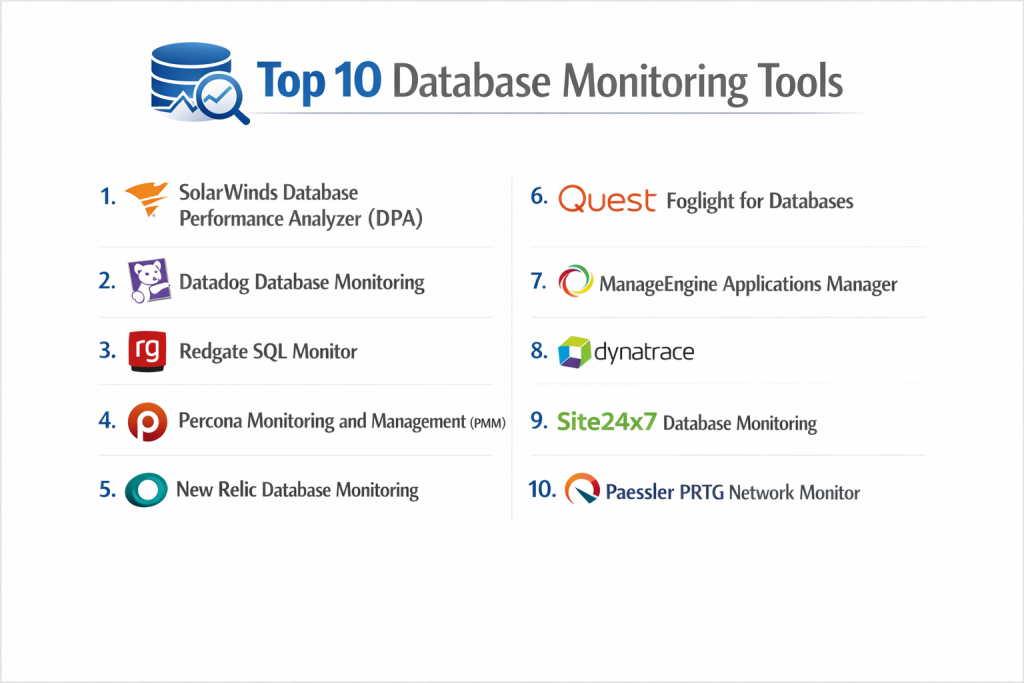
Top 10 Database Monitoring Tools
1 — SolarWinds Database Performance Analyzer (DPA)
SolarWinds DPA is a comprehensive, cross-platform tool designed to provide deep visibility into database performance through a unique “Wait Time Analysis” methodology. It is built for teams managing complex, heterogeneous environments.
- Key features:
- Wait time analysis to pinpoint exactly what is delaying a query.
- Anomaly detection powered by machine learning to identify deviations from “normal.”
- Real-time and historical performance dashboards.
- Detailed advice for index tuning and query optimization.
- Support for SQL Server, Oracle, MySQL, MariaDB, and PostgreSQL.
- Resource metrics correlated with database performance.
- Pros:
- Excellent at identifying the “root cause” of a slowdown rather than just showing symptoms.
- Very low overhead on the monitored database instances.
- Cons:
- The licensing cost can be steep for smaller organizations.
- The interface, while powerful, feels a bit dated compared to modern SaaS tools.
- Security & compliance: FIPS 140-2, SOC 2, HIPAA, GDPR; features robust audit logs and SSO support.
- Support & community: Large user community (THWACK); extensive technical documentation; premium enterprise support available 24/7.
2 — Datadog Database Monitoring
Datadog offers a cloud-native, unified monitoring experience that correlates database metrics with application-level traces and infrastructure logs in a single pane of glass.
- Key features:
- Detailed “Explain Plan” visualizations for slow SQL queries.
- Correlation between database performance and application code via APM.
- Automated service discovery for cloud-hosted databases.
- Highly customizable dashboards and intelligent alerting.
- Support for specialized engines like Snowflake, MongoDB, and Redis.
- Historical trend analysis and forecasting.
- Pros:
- Exceptional for modern DevOps teams using a multi-cloud or hybrid-cloud stack.
- Rapid deployment and excellent out-of-the-box visualizations.
- Cons:
- Pricing can become unpredictable as you scale the number of metrics and hosts.
- Can feel overwhelming due to the sheer volume of data and features.
- Security & compliance: SOC 2 Type II, HIPAA, GDPR, ISO 27001; encryption at rest and in transit.
- Support & community: Extensive online learning platform; 24/7 chat and email support; active developer community.
3 — Redgate SQL Monitor
Redgate SQL Monitor is specifically optimized for SQL Server and PostgreSQL environments. It focuses on providing a clear, intuitive overview of server health and performance across vast estates.
- Key features:
- Centralized “Estate View” to monitor hundreds of servers at once.
- Real-time alerts for deadlocks, long-running queries, and disk space.
- Integration with Active Directory for seamless access control.
- Detailed blocking process overviews to resolve concurrency issues.
- Query plan history to see how performance changed over time.
- Native support for Azure SQL and Amazon RDS (SQL Server).
- Pros:
- The interface is incredibly clean and designed specifically for the DBA workflow.
- Very easy to set up and get meaningful data within minutes.
- Cons:
- Limited support for NoSQL or specialized database engines.
- Primarily focused on the Windows/SQL Server ecosystem.
- Security & compliance: GDPR compliant; supports SSO; provides detailed activity and alert auditing.
- Support & community: Strong community presence through “SQLServerCentral”; high-quality technical webinars and documentation.
4 — Percona Monitoring and Management (PMM)
Percona PMM is a powerful, open-source tool designed to manage and monitor MySQL, PostgreSQL, and MongoDB. It is highly favored by teams who want enterprise-grade monitoring without vendor lock-in.
- Key features:
- Query Analytics (QAN) to identify and optimize resource-heavy queries.
- Deep observability for MariaDB and MongoDB environments.
- Automated security threat tool to identify misconfigured databases.
- Visualizations for database “bloat” and fragmented indexes.
- Deployment via Docker or virtual appliance for total data control.
- Integrated advisor for identifying performance “anti-patterns.”
- Pros:
- Completely free and open-source, providing incredible value.
- Highly customizable for technical teams who like to “tinker” with their setup.
- Cons:
- Requires more manual configuration and maintenance than SaaS-based tools.
- Steeper learning curve for users who are not comfortable with open-source deployments.
- Security & compliance: Open-source (auditable code); GDPR compliant; relies on host security for SSO.
- Support & community: Massive community forum; professional support available through Percona paid services.
5 — New Relic Database Monitoring
New Relic provides an “all-in-one” observability platform that treats database performance as a critical component of the overall user experience.
- Key features:
- N-Plus-One (N+1) query detection to find inefficient application patterns.
- Real-time query performance breakdown by throughput and response time.
- Integration with over 500 third-party services.
- AI-driven “Applied Intelligence” to reduce alert noise.
- Support for distributed tracing across the database layer.
- Detailed visualizations of database transaction volumes.
- Pros:
- Excellent for identifying how database issues affect the end-user.
- The “free tier” is quite generous for small teams and developers.
- Cons:
- Pricing model (based on data ingestion and users) can be complex to calculate.
- Advanced features often require a high-tier subscription.
- Security & compliance: SOC 2, HIPAA, GDPR, FedRAMP; robust data masking for sensitive queries.
- Support & community: “New Relic University” for training; active user forums; tiered enterprise support.
6 — Quest Foglight for Databases
Foglight is a specialized enterprise monitoring tool that excels in large-scale, complex environments requiring deep-dive diagnostics across multiple database brands.
- Key features:
- Unified monitoring for SQL Server, Oracle, DB2, SAP, and more.
- Change tracking to see how schema changes impacted performance.
- “Playback” feature to revisit past performance issues in real-time.
- Advanced storage and virtualization monitoring integration.
- Executive-level reporting and SLA tracking.
- Predictive analytics to forecast future resource needs.
- Pros:
- Perhaps the most detailed diagnostic tool for legacy and enterprise databases (DB2, Sybase).
- Powerful for organizations with massive, complex data centers.
- Cons:
- The setup is heavyweight and requires significant infrastructure resources.
- The UI can feel cluttered and overwhelming to junior administrators.
- Security & compliance: FIPS 140-2, GDPR, HIPAA; enterprise-grade SSO and audit logs.
- Support & community: Extensive professional services; global support network; detailed technical knowledge base.
7 — ManageEngine Applications Manager
ManageEngine offers an affordable, comprehensive monitoring solution that covers both the database and the underlying server infrastructure.
- Key features:
- Support for 20+ database types, including NoSQL and Big Data.
- Capacity planning reports based on historical growth.
- Automated remediation (e.g., running a script when disk space is low).
- Monitoring of database background processes and buffer hits.
- End-user experience monitoring via synthetic transactions.
- Mobile app for on-the-go performance monitoring and alerts.
- Pros:
- One of the most cost-effective tools for mid-market businesses.
- Very broad feature set that covers the entire application stack.
- Cons:
- Not as “deep” in query-level diagnostics as SolarWinds or Quest.
- Reporting can be somewhat rigid compared to modern SaaS competitors.
- Security & compliance: GDPR, HIPAA, ISO 27001; supports SSO via Active Directory.
- Support & community: Good documentation; responsive email support; frequent training webinars.
8 — Dynatrace
Dynatrace is an AI-driven “full-stack” monitoring platform that emphasizes automated root-cause analysis without manual configuration.
- Key features:
- “Davis” AI engine that automatically identifies the source of performance issues.
- Automated discovery of database dependencies across the network.
- Real-time monitoring of database statements and execution plans.
- Automatic baseline creation for every database metric.
- Strong focus on cloud-native databases (DynamoDB, CosmosDB).
- “OneAgent” technology for simplified installation.
- Pros:
- The best solution for teams who want “zero-config” AI-driven alerting.
- Unmatched visibility into how containers and microservices interact with databases.
- Cons:
- High cost of entry, making it more suitable for large enterprises.
- The “black box” nature of its AI can sometimes make manual overrides difficult.
- Security & compliance: SOC 2 Type II, FedRAMP, HIPAA, GDPR; comprehensive security auditing.
- Support & community: Robust documentation; active user community; premium 24/7 expert support.
9 — Site24x7 Database Monitoring
Site24x7 is a cloud-native monitoring tool from the Zoho family that provides a lightweight, easy-to-use experience for small and mid-market teams.
- Key features:
- Monitoring for 15+ database types across cloud and on-prem.
- Visualizations for locks, blocks, and deadlocks.
- Key Performance Indicators (KPIs) like buffer cache hit ratios.
- Global monitoring locations to check database availability.
- Integration with Slack, Microsoft Teams, and Jira for alerting.
- Affordable pricing based on the number of monitors.
- Pros:
- Very easy to set up for teams with simple requirements.
- Excellent value for money, especially for cloud-first organizations.
- Cons:
- Lacks the deep-dive “Explain Plan” analysis found in premium tools.
- Reporting features are more basic compared to SolarWinds or Datadog.
- Security & compliance: SOC 2, GDPR, ISO 27001; data encryption at rest.
- Support & community: Responsive customer support; growing library of help docs; user forum.
10 — Paessler PRTG Network Monitor
PRTG is a flexible infrastructure monitor that uses “sensors” to track database health. It is designed for IT generalists who want one tool for everything.
- Key features:
- Pre-configured sensors for SQL Server, MySQL, Oracle, and PostgreSQL.
- Real-time maps and dashboards for visual infrastructure overviews.
- Flexible alerting via SMS, push notifications, or email.
- On-premises deployment ensures data stays within your network.
- History and trend analysis for up to one year.
- Monitoring of database execution times and row counts.
- Pros:
- Great “all-rounder” for monitoring databases alongside network switches and UPS.
- Licensing is based on the number of sensors, which can be very cost-effective.
- Cons:
- Lacks deep SQL diagnostic features like index tuning or query plan analysis.
- Can be complex to configure custom SQL sensors for niche databases.
- Security & compliance: GDPR compliant; supports local SSO/AD integration; audit logs.
- Support & community: Large, helpful user community; excellent video tutorials; 24/5 support.
Comparison Table
| Tool Name | Best For | Platform(s) Supported | Standout Feature | Rating (Gartner) |
| SolarWinds DPA | Complex Troubleshooting | Multi-Platform (SQL) | Multi-Dimensional Wait Analysis | 4.6 / 5 |
| Datadog | Modern DevOps Teams | Cloud, Multi-Cloud | Trace & Log Correlation | 4.7 / 5 |
| Redgate SQL Monitor | SQL Server Estates | SQL Server, Postgres | Estate-wide Health View | 4.5 / 5 |
| Percona PMM | Open-Source Enthusiasts | MySQL, MongoDB, PG | Free Enterprise-Grade QAN | 4.4 / 5 |
| New Relic | End-User Experience | Multi-Cloud, NoSQL | N+1 Query Detection | 4.4 / 5 |
| Quest Foglight | Large Enterprise/Legacy | All (inc. DB2, Sybase) | Transaction Playback | 4.3 / 5 |
| ManageEngine | Mid-Market Value | 20+ Database Types | Auto-Remediation Scripts | 4.2 / 5 |
| Dynatrace | Automated Enterprise | Cloud-Native, Hybrid | AI Root-Cause Analysis | 4.6 / 5 |
| Site24x7 | Cloud SMBs | Cloud, On-Prem | Lightweight SaaS UX | 4.1 / 5 |
| Paessler PRTG | IT Generalists | On-Prem infrastructure | Comprehensive Sensor Map | 4.3 / 5 |
Evaluation & Scoring of Database Monitoring Tools
| Criteria | Weight | Evaluation Rationale |
| Core features | 25% | Presence of wait-time analysis, query profiling, and anomaly detection. |
| Ease of use | 15% | Intuitiveness of the dashboards and the complexity of the initial setup. |
| Integrations | 15% | Native support for cloud vendors, APM tools, and messaging platforms. |
| Security & compliance | 10% | Certification status (SOC 2, ISO) and ability to mask sensitive data in queries. |
| Performance | 10% | The amount of CPU/Memory overhead the tool places on the database. |
| Support & community | 10% | Depth of technical documentation and availability of expert human support. |
| Price / value | 15% | Transparency of pricing and feature set relative to the cost. |
Which Database Monitoring Tool Is Right for You?
Small to Mid-Market vs. Enterprise
For Small to Mid-Market companies, the goal is often simplicity and cost-efficiency. Site24x7 or ManageEngine are excellent choices because they offer a “good enough” set of monitoring features without requiring a full-time expert to manage them. Enterprises, however, need the industrial-strength analytics provided by SolarWinds DPA or Quest Foglight. These tools are designed to handle the complexity of heterogeneous data centers where a five-minute outage can cost millions in revenue.
Budget and Value
If you are strictly budget-conscious, the winner is Percona PMM. It provides enterprise-level query analysis for free, provided your team has the skills to manage the software. For those with a moderate budget who want a SaaS experience, Datadog offers incredible value by combining database monitoring with your entire infrastructure, though you must watch the data ingestion costs carefully.
Feature Depth vs. Ease of Use
If you need Feature Depth (e.g., you need to know exactly why an Oracle query is waiting on a latch), Foglight or SolarWinds are the standard. If you prioritize Ease of Use and want your developers to be able to see database performance without training, New Relic or Datadog provide the most intuitive, modern interfaces.
Integration and Scalability Needs
For organizations scaling rapidly in the cloud with Kubernetes and microservices, Dynatrace is the leader. Its “OneAgent” technology and automatic dependency mapping make it the most scalable solution for modern architectures. If you are a traditional “on-prem” shop with a massive SQL Server farm, Redgate SQL Monitor provides the most streamlined management experience.
Security and Compliance Requirements
In highly regulated sectors like Healthcare or Finance, the ability to mask sensitive data in SQL queries is non-negotiable. SolarWinds, Datadog, and Dynatrace all offer sophisticated data masking and SOC 2 compliance, ensuring that your monitoring tool doesn’t become a security liability.
Frequently Asked Questions (FAQs)
1. Does database monitoring slow down my production database?
Most modern tools use “agentless” or low-overhead agent technology that typically consumes less than 1–3% of CPU. However, high-frequency polling can occasionally cause spikes, so it’s important to tune the collection intervals.
2. What is “Wait Time Analysis”?
Instead of just looking at CPU usage, wait time analysis looks at what the database is waiting for (e.g., disk I/O, locks, or network). This is the most effective way to find the real root cause of performance issues.
3. Can I monitor NoSQL databases like MongoDB?
Yes. Tools like Datadog, Percona PMM, and ManageEngine have dedicated integrations for NoSQL engines, tracking specific metrics like document operations and memory mapping.
4. What are “Slow Queries”?
A slow query is any SQL statement that takes longer than a predefined threshold (e.g., 100ms) to execute. Monitoring tools identify these and provide “Explain Plans” to help developers optimize them.
5. Do I need a separate tool for cloud databases like AWS RDS?
While AWS provides CloudWatch for basic metrics, it lacks deep query-level diagnostics. Using a tool like SolarWinds or Datadog alongside RDS provides the granular visibility needed for professional performance tuning.
6. What is anomaly detection in database monitoring?
It uses machine learning to learn the normal patterns of your database. If your database usually processes 1,000 queries at 2 PM but suddenly jumps to 10,000, the tool will alert you even if no hard “limit” was hit.
7. Can monitoring tools fix my database issues automatically?
Some tools, like ManageEngine, can trigger scripts to clear logs or restart services. However, most focus on providing the diagnostic data so a human can make the right architectural change.
8. Is open-source monitoring as good as paid?
Percona PMM is as good as many paid tools for MySQL and Postgres. The trade-off is that you don’t get the “easy button” support and maintenance that comes with a SaaS tool like Datadog.
9. How long should I keep historical database metrics?
For capacity planning, it’s best to keep at least 13 months of data to see year-over-year trends. For daily troubleshooting, 30 days of high-granularity data is usually sufficient.
10. What is a “Query Explain Plan”?
It is a visual representation of how the database engine plans to execute a query. Monitoring tools show you these plans so you can see if the database is doing an inefficient “Full Table Scan” instead of using an index.
Conclusion
Selecting the right Database Monitoring Tool is a matter of matching your technical environment with your team’s expertise. For the traditional DBA managing a massive SQL Server or Oracle estate, the deep diagnostics of SolarWinds DPA or Quest Foglight are unmatched. For the modern DevOps team working with microservices and cloud-native data, the unified observability of Datadog or Dynatrace is the path forward.
Remember that the “best” tool is the one that your team will actually use. A tool with 1,000 features is useless if the dashboard is so cluttered that your developers ignore it. Focus on tools that provide actionable insights—not just more charts—and you will find that your database performance becomes a competitive advantage rather than a source of stress.