Introduction
Database Administration Tools (DBA tools) are specialized software applications designed to simplify the management, development, and maintenance of database systems. These tools act as a powerful interface between the administrator and the raw data, providing a graphical or command-line environment to perform complex tasks such as schema design, SQL querying, user permission management, data backup, and performance tuning. Instead of manually typing long strings of code into a terminal, these tools allow for visual data manipulation and automated workflows that significantly reduce the risk of human error.
The importance of these tools is amplified in 2026 as data volumes explode and organizations move toward multi-cloud architectures. They are essential for ensuring data integrity, optimizing system uptime, and accelerating development cycles. Key real-world use cases include migrating data from on-premises servers to the cloud, synchronizing development and production schemas, and identifying inefficient queries that are draining system resources. When choosing a tool, users should evaluate multi-engine compatibility, visual modeling capabilities, automated documentation features, and security integration (such as MFA and role-based access).
Best for:
These tools are most beneficial for Database Administrators (DBAs), Data Engineers, Backend Developers, and Data Analysts. They are essential for companies of all sizes—from startups managing a single app database to global enterprises overseeing massive, heterogeneous data environments across banking, healthcare, and retail sectors.
Not ideal for:
Front-end developers who only interact with data via APIs or business users who require high-level visualization dashboards (BI tools) rather than direct data manipulation. If your interaction with a database is limited to pre-built reports, a full-scale DBA tool might be overly complex.
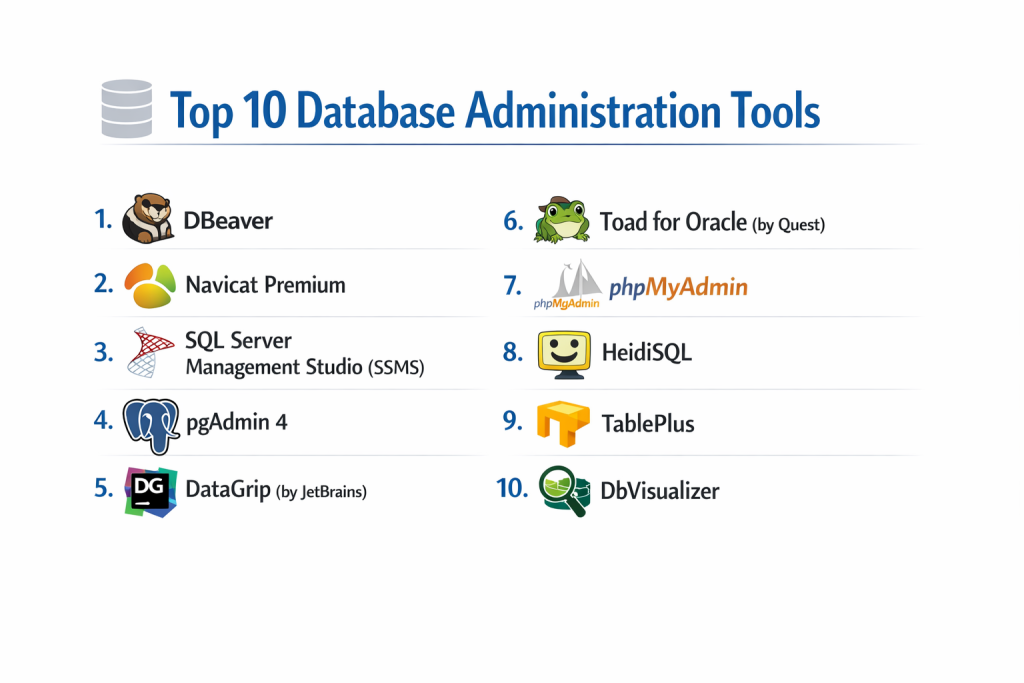
Top 10 Database Administration Tools
1 — DBeaver
DBeaver is a universal database tool for developers and database administrators. It is an open-source, multi-platform application that supports almost any database that has a JDBC driver.
- Key features:
- Support for 80+ database engines including MySQL, PostgreSQL, Oracle, and MongoDB.
- Visual Query Builder for creating complex SQL statements without coding.
- Data migration tools to transfer data between different database types.
- Entity Relationship Diagrams (ERD) generated automatically from existing schemas.
- Analytical charts for data visualization and reporting.
- Mock data generator for testing purposes.
- Pros:
- Incredible versatility; it is truly a “one-stop shop” for varied environments.
- The free Community Edition is remarkably powerful and feature-rich.
- Cons:
- Built on Java, which can result in high memory usage.
- The UI can feel cluttered due to the massive number of available buttons and options.
- Security & compliance: Supports SSL, SSH tunneling, and integrated Windows Authentication; Enterprise version offers SSO and advanced audit logs.
- Support & community: Massive GitHub community; extensive Wiki; professional support available for Enterprise users.
2 — Navicat Premium
Navicat Premium is a highly polished, commercial database development tool that allows you to simultaneously connect to MySQL, MariaDB, MongoDB, SQL Server, Oracle, PostgreSQL, and SQLite databases.
- Key features:
- Seamless data synchronization and structure synchronization between environments.
- Advanced “Data Modeling” tool to design and manipulate database structures visually.
- Automated batch job scheduling for backups and report generation.
- Visual SQL Builder with code completion and syntax highlighting.
- Cloud collaboration features to share connection settings and queries with team members.
- Dark mode and high-DPI support for a modern workstation experience.
- Pros:
- Exceptional user interface that is intuitive for both beginners and experts.
- Extremely stable and fast, even when handling large datasets.
- Cons:
- High licensing costs compared to free alternatives.
- No free version exists, only a limited-time trial.
- Security & compliance: Supports SSH Tunneling and SSL; GDPR and HIPAA-ready configurations; multi-factor authentication for cloud sync.
- Support & community: High-quality official technical support; detailed video tutorials; global user forum.
3 — SQL Server Management Studio (SSMS)
SSMS is the definitive tool for managing Microsoft SQL Server environments. It is a free, integrated environment for managing any SQL infrastructure, from SQL Server to Azure SQL Database.
- Key features:
- Deep integration with SQL Server features like Integration Services and Analysis Services.
- Object Explorer for navigating server hierarchies and schemas.
- Activity Monitor to view real-time process information and resource usage.
- Visual Execution Plans to troubleshoot and optimize slow-running queries.
- Policy-Based Management for enforcing security and configuration standards across servers.
- Integration with Azure Data Studio for cloud-centric workflows.
- Pros:
- The most comprehensive tool available for the SQL Server ecosystem.
- Completely free to use with no hidden tiers.
- Cons:
- Windows-only; no support for macOS or Linux.
- Can feel “bloated” and slow to launch on older hardware.
- Security & compliance: Native support for Active Directory; Always Encrypted management; comprehensive audit logs; SOC 2 and ISO compliant.
- Support & community: Massive global community; extensive Microsoft Learn documentation; priority support via enterprise Microsoft contracts.
4 — pgAdmin 4
pgAdmin is the most popular and feature-rich Open Source administration and development platform for PostgreSQL, the world’s most advanced open-source database.
- Key features:
- Web-based and desktop deployment options.
- Powerful Query Tool with color syntax highlighting and auto-completion.
- Graphical Dashboard for monitoring server activity and locks.
- Procedural Language (PL/pgSQL) debugger for troubleshooting stored procedures.
- Schema Diff tool for comparing and synchronizing database structures.
- Built-in support for PostGIS for managing geographical data.
- Pros:
- Specifically designed to expose every feature of PostgreSQL natively.
- Completely open-source and free for life.
- Cons:
- The web-based architecture can sometimes feel less “snappy” than a native desktop app.
- Limited primarily to PostgreSQL; not suitable for multi-database environments.
- Security & compliance: Supports SSL, Kerberos, and LDAP; detailed audit logging; GDPR compliant.
- Support & community: Highly active developer mailing list; vast community documentation; frequent update cycles.
5 — Datagrip (by JetBrains)
DataGrip is the “developer’s choice” for database administration. It is an intelligent IDE that supports a wide range of databases and focuses on coding efficiency.
- Key features:
- Context-sensitive code completion and on-the-fly code analysis.
- Refactoring support to rename objects and automatically update all references.
- Intelligent version control integration (Git, SVN, Mercurial).
- Integrated terminal and text editor for advanced scripting.
- Smart “Go to” navigation to find any table or column instantly.
- CSV/JSON import and export with advanced formatting options.
- Pros:
- The most powerful SQL editor on the market for pure productivity.
- Excellent cross-platform performance (Windows, macOS, Linux).
- Cons:
- Subscription-based pricing model (part of the JetBrains Toolbox).
- Higher hardware requirements (RAM) than simpler management tools.
- Security & compliance: SSH Tunneling; SSL/TLS support; enterprise SSO via JetBrains Account.
- Support & community: Excellent documentation; active blog; dedicated support team for subscribers.
6 — Toad for Oracle (by Quest)
Toad is the “gold standard” for Oracle database administration. It is a comprehensive toolset that focuses on reducing the manual labor of DBAs and ensuring code quality.
- Key features:
- Automated code reviews to ensure PL/SQL follows industry best practices.
- SQL Optimizer to automatically rewrite queries for better performance.
- Database health checks and automated reporting.
- Team Coding for integrating database changes with source control.
- Advanced data profiling to identify data quality issues.
- Support for both on-premises and cloud-hosted Oracle instances.
- Pros:
- Unmatched depth for Oracle-specific features and performance tuning.
- Powerful automation that saves DBAs hours of routine work.
- Cons:
- Extremely expensive, targeted primarily at large enterprises.
- Very steep learning curve due to the complexity of the tool.
- Security & compliance: FIPS 140-2; SOC 2; detailed audit trails; advanced encryption management.
- Support & community: Professional enterprise-grade support; “Toad World” user community; extensive whitepapers.
7 — phpMyAdmin
phpMyAdmin is a classic, web-based tool written in PHP, primarily used for managing MySQL and MariaDB over the web. It remains a staple for web developers worldwide.
- Key features:
- Entirely web-based; requires no software installation on the local machine.
- Simple interface for browsing tables, views, and running SQL queries.
- Import/Export support for a wide range of formats (SQL, CSV, XML).
- Visual management of users and their specific permissions.
- Query-by-example (QBE) for non-technical users to find data.
- Support for managing multiple MySQL servers from a single interface.
- Pros:
- Accessible from any browser, making it ideal for managing web hosting servers.
- Extremely easy for beginners to understand and use.
- Cons:
- Not suitable for high-security environments due to potential web vulnerabilities if misconfigured.
- Lacks advanced performance tuning and data modeling features.
- Security & compliance: Supports SSL and 2FA via plugins; GDPR compliant; security depends largely on the web server configuration.
- Support & community: Massive community knowledge; available in dozens of languages; mature documentation.
8 — HeidiSQL
HeidiSQL is a lightweight, fast, and free tool for managing MariaDB, MySQL, SQL Server, and PostgreSQL. It is designed to be a “fast and lean” alternative for Windows users.
- Key features:
- Connects to multiple servers in one window.
- Bulk table editing (change engine, collation, etc.).
- Synchronize data between two databases directly.
- Repair and optimize tables via the graphical interface.
- Export database/table structures to SQL files or other servers.
- View and edit binary data (BLOBs) easily.
- Pros:
- Very small footprint and fast startup time.
- Completely free (Donationware) with a very straightforward UI.
- Cons:
- Windows only (though it can run on Linux via Wine).
- Lacks advanced enterprise features like data modeling or automated reporting.
- Security & compliance: SSH Tunneling and SSL; basic audit logging; HIPAA and GDPR ready for local use.
- Support & community: Active support forum; simple and clear documentation; community-driven development.
9 — TablePlus
TablePlus is a modern, native, and fast database tool with an elegant user interface. It is designed to be lightweight and efficient for developers who value UX.
- Key features:
- Native app performance for macOS, Windows, and Linux (no Electron/Java).
- Inline editing of data, similar to a spreadsheet.
- “Safe Mode” and “Read-only” mode to prevent accidental data changes.
- Multiple tab/window support for complex workflows.
- Powerful filtering and sorting mechanisms.
- Expandable via a plugin system (written in JavaScript).
- Pros:
- One of the fastest and most beautiful interfaces in the category.
- Very simple to learn; great for developers who need to jump in and out of data.
- Cons:
- The free version is heavily restricted (limits the number of open tabs/connections).
- Lacks deep DBA-specific features like server health monitoring.
- Security & compliance: End-to-end encryption; SSH Tunneling; TLS support; GDPR compliant.
- Support & community: Active GitHub issue tracker; fast email support for paid users; growing plugin community.
10 — DbVisualizer
DbVisualizer is a universal database tool for developers, DBAs, and analysts. It provides a consistent interface across almost all commercial and open-source databases.
- Key features:
- Visual representation of database structures and object dependencies.
- Reference graphs to automatically show how tables are linked.
- SQL editor with auto-completion and “Explain Plan” support.
- Data export/import in various formats (JSON, Excel, XML).
- Monitoring tools to track server performance and session activity.
- Advanced management of storage, security, and session objects.
- Pros:
- Excellent visual tools for understanding complex, legacy database schemas.
- Cross-platform consistency; looks the same on every OS.
- Cons:
- The free version is quite limited; many essential features require the “Pro” version.
- Java-based UI can feel slightly “non-native” on macOS.
- Security & compliance: SSH Tunneling; SSL; integrated security management; SOC 2 and ISO compliant.
- Support & community: Professional technical support; high-quality documentation; active user forums.
Comparison Table
| Tool Name | Best For | Platform(s) Supported | Standout Feature | Rating (Gartner / TrueReview) |
| DBeaver | General Multi-DB | Win, Mac, Linux | 80+ Engine Support | 4.6 / 5 |
| Navicat Prem. | SMB/Ent Dev | Win, Mac, Linux | Visual Data Sync | 4.8 / 5 |
| SSMS | SQL Server Admins | Windows Only | Deep Native Integration | 4.7 / 5 |
| pgAdmin 4 | PostgreSQL Users | Web, Win, Mac | Native PG Features | 4.2 / 5 |
| DataGrip | Power Coders | Win, Mac, Linux | Intelligent Refactoring | 4.8 / 5 |
| Toad for Oracle | Oracle Enterprises | Windows Only | PL/SQL Optimization | 4.5 / 5 |
| phpMyAdmin | Web Developers | Web-based | Browser Access | 4.0 / 5 |
| HeidiSQL | Windows SMBs | Windows Only | Lightweight Performance | 4.3 / 5 |
| TablePlus | Modern Devs | Win, Mac, Linux | Spreadsheet-style UI | 4.7 / 5 |
| DbVisualizer | Visual Analysis | Win, Mac, Linux | ERD Reference Graphs | 4.4 / 5 |
Evaluation & Scoring of Database Administration Tools
| Criteria | Weight | Evaluation Basis |
| Core features | 25% | Ability to manage schemas, sync data, and write complex SQL. |
| Ease of use | 15% | Intuitiveness of UI and the learning curve for new users. |
| Integrations | 15% | Connection to cloud (AWS/Azure), Git, and local files. |
| Security & compliance | 10% | Support for SSL, SSH, SSO, and compliance audit logs. |
| Performance | 10% | Speed of data loading and resource impact on the workstation. |
| Support & community | 10% | Quality of documentation and availability of community/pro help. |
| Price / value | 15% | Cost relative to the productivity gain and enterprise features. |
Which Database Administration Tool Is Right for You?
Small to Mid-Market vs. Enterprise
Small and Mid-Market companies usually prioritize cost and versatility. DBeaver is the clear winner here, as it allows a small team to manage diverse databases (MySQL for the app, PostgreSQL for analytics) without buying multiple licenses. Enterprises, however, should look toward tools like Navicat Premium or Toad for Oracle. These organizations need the stability, professional support, and advanced synchronization features that prevent data loss across massive teams.
Budget and Value
If you are strictly budget-conscious, stick with DBeaver Community, pgAdmin, or SSMS. These are high-quality, professional tools that cost zero dollars. For those looking for premium value, DataGrip is worth the subscription cost for developers who spend 8 hours a day writing SQL, as the time saved through auto-completion and refactoring pays for the license in weeks.
Technical Depth vs. Simplicity
If you need Technical Depth (e.g., you are performance tuning a complex Oracle cluster), Toad is the only logical choice. If you prioritize Simplicity and just need to quickly edit a row of data or browse a table, TablePlus or HeidiSQL provide a frictionless experience without the heavy menus and configurations of more “serious” tools.
Security and Compliance Requirements
For industries like Banking or Healthcare, security is the top priority. You should choose tools that support SSH tunneling, SSL, and SSO. SSMS and Navicat have excellent reputations for meeting enterprise compliance standards. Ensure that if you use a web-based tool like phpMyAdmin, it is restricted behind a VPN to meet HIPAA or GDPR requirements for data access.
Frequently Asked Questions (FAQs)
1. Is DBeaver really free?
Yes, the Community Edition of DBeaver is completely free and open-source. There is an Enterprise Edition that adds support for NoSQL databases, cloud SSO, and professional support for a fee.
2. Why should I use a DBA tool instead of the command line?
While the command line is powerful, DBA tools offer visual confirmation of actions, ER diagrams to understand data relationships, and “Safety Modes” that prevent you from running a DELETE command without a WHERE clause.
3. Can I use SSMS on a Mac?
No, SSMS is built on a Windows-only framework. However, you can use Azure Data Studio (also by Microsoft) or DBeaver to manage SQL Server on a Mac.
4. What is the difference between Navicat and DBeaver?
DBeaver is open-source and very flexible but can be resource-heavy. Navicat is a commercial product with a much more polished user interface, better performance, and superior data synchronization tools.
5. Is phpMyAdmin safe for production databases?
It can be, but it is often a target for hackers. If you use it, ensure it is always updated to the latest version and ideally protected by a VPN or a strong IP-based whitelist.
6. Do I need an IDE like DataGrip if I already have a DBA tool?
If you are a developer writing thousands of lines of SQL, an IDE’s “refactoring” and “Git integration” are life-savers. If you are just an admin managing users and backups, a tool like Navicat or SSMS is better.
7. What is an ERD (Entity Relationship Diagram)?
An ERD is a visual map showing how tables in your database relate to each other (e.g., how an ‘Orders’ table connects to a ‘Customers’ table). Good DBA tools generate these automatically.
8. Can these tools handle “Big Data”?
Tools like DBeaver and Navicat can connect to Hive, Spark, and BigQuery. However, for massive datasets, they primarily act as query interfaces rather than data processing engines.
9. What is the best tool for MongoDB?
While many SQL tools add NoSQL support, DBeaver Enterprise and Navicat for MongoDB are excellent. MongoDB Compass is the official free tool for this specific database.
10. How do I migrate data between two different databases?
Tools like Navicat and DBeaver have “Data Transfer” wizards. You select the source (e.g., MySQL) and the target (e.g., PostgreSQL), and the tool handles the translation of data types automatically.
Conclusion
The “best” Database Administration Tool is the one that fits your specific ecosystem and workflow. If you are a specialist in the Microsoft or Oracle world, sticking with SSMS or Toad is the logical path to mastery. For everyone else, the versatility of DBeaver or the polished efficiency of Navicat Premium offers a safety net that protects your data while making your daily tasks significantly faster.
the complexity of data management is only increasing. Choosing a tool that offers Security, Automation, and Visual Clarity is no longer a luxury—it is a requirement for any data professional. Focus on a tool that scales with your needs, and you will find that the “black box” of your database becomes a transparent, manageable asset.