Introduction
Data Observability Tools are specialized software programs designed to help businesses monitor the health, reliability, and quality of their information. To understand them in simple terms, imagine a large city’s water system. It is not enough to just know that water is moving through the pipes; you need to know if the water is clean, if the pressure is steady, and if there are any leaks before they cause a flood. Data observability tools do exactly this for your company’s “data pipes.” They constantly watch the information as it travels from your website or apps into your databases and reports, ensuring it is accurate, arrives on time, and hasn’t been corrupted along the way.
These tools have become essential because almost every modern business decision is based on data. If your sales report is missing half its numbers due to a technical glitch, or if a software update accidentally changes how customer addresses are stored, it can lead to massive financial mistakes and lost trust. In the past, data problems were often found days or weeks later by a frustrated manager. Data observability tools change this by providing “eyes” on your data 24/7. They catch “data downtime”—the periods when your data is broken or missing—immediately, often alerting your team before any human ever sees the error. By using these tools, your team moves from being “firefighters” who react to disasters to “guards” who prevent them from ever happening.
Key Real-World Use Cases
- Fixing “Broken” Dashboards: When a CEO opens a morning report and sees a 0% growth rate, it’s usually a data error, not a business failure. Observability tools identify where the data flow stopped so it can be fixed before the meeting.
- Catching Schema Changes: If a developer changes a field in the database from “User_Name” to “Customer_Name,” it can break every report connected to it. These tools alert you the moment such a change occurs.
- Monitoring Data Freshness: For businesses that need real-time info (like a delivery app tracking drivers), these tools ensure the data is “fresh” and hasn’t stalled from an hour ago.
- Mapping Data Lineage: When an error is found, these tools show you a visual “family tree” of the data. You can trace exactly which source caused the problem and which other reports are also affected.
- Validating Data Volume: If your system usually receives 10,000 orders an hour but suddenly receives 50 or 500,000, the tool flags this as an anomaly so you can investigate potential system failures or bot attacks.
What to Look For (Evaluation Criteria)
- Ease of Setup: The best tools should “plug and play” with your existing databases like Snowflake, BigQuery, or Redshift without requiring months of manual coding.
- Machine Learning Automation: Look for a tool that automatically learns what your data “normally” looks like. It should set its own thresholds for what counts as an error so you don’t have to write thousands of rules by hand.
- End-to-End Lineage: A high-quality tool must provide a map. You need to see how data moves from the very beginning (the source) to the very end (your charts and graphs).
- Integration with Team Apps: It should send clear, simple alerts to the places your team already spends time, such as Slack, Microsoft Teams, or email.
- Root Cause Analysis: Instead of just saying “something is wrong,” the tool should point to the specific line of code or the specific table that caused the issue.
Best for:
- Data Engineering Teams: Who are tired of manual checks and want to automate their “on-call” duties.
- Mid-to-Large Enterprises: Organizations managing complex data from many different sources (Salesforce, SQL, Web logs, etc.).
- Data-Driven Roles: Analysts and managers who need to guarantee that the numbers they present to stakeholders are 100% correct.
Not ideal for:
- Solo Founders or Tiny Startups: If you only have one or two simple tables that you check yourself, a full observability platform might be overkill.
- Static Data Environments: If your data rarely changes and you only update your reports once a year, manual checking is likely sufficient.
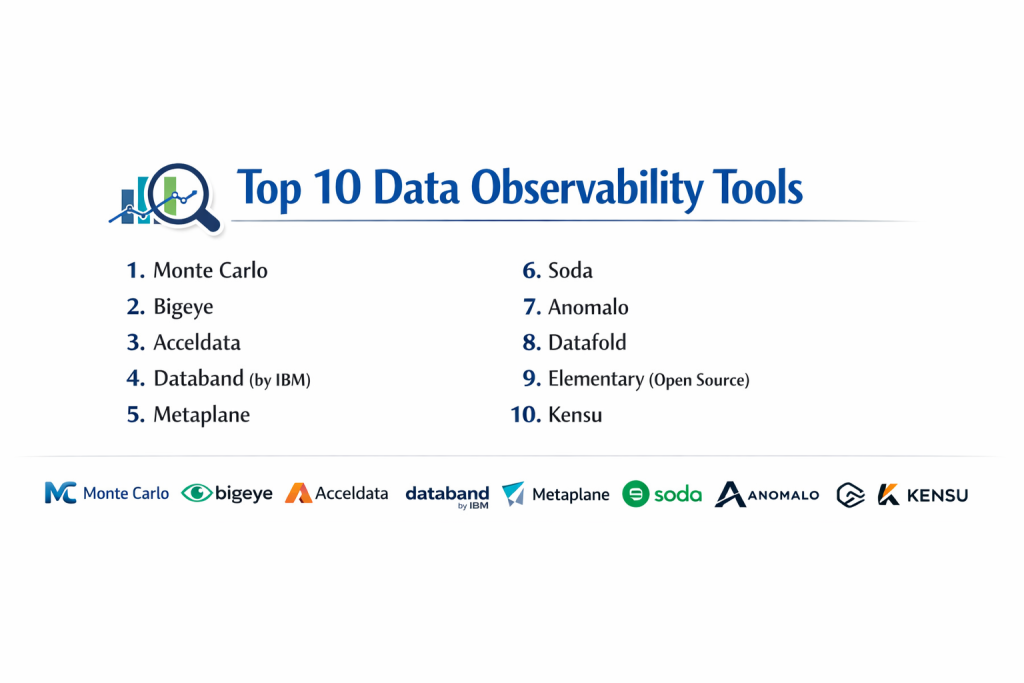
Top 10 Data Observability Tools
1 — Monte Carlo
Monte Carlo is often called the leader in the data observability world. It is a comprehensive platform built to handle the needs of very large, complex organizations.
- Key features:
- Full “Data Lineage” that automatically maps every connection in your data warehouse.
- Automated monitors that detect anomalies in volume, freshness, and quality.
- Field-level lineage to see exactly how specific columns change over time.
- A “Data Health” dashboard for executives to see overall reliability.
- Deep integrations with almost every modern data tool (dbt, Snowflake, Looker, etc.).
- Pros:
- Extremely fast “time to value” because it automates the monitoring setup.
- The most complete feature set available on the market today.
- Cons:
- One of the most expensive options, making it difficult for smaller budgets.
- The vast number of features can be a bit overwhelming for beginners.
- Security & compliance: SOC 2 Type II compliant, GDPR ready, and offers secure SSO login options.
- Support & community: Offers top-tier enterprise support and runs a massive community for data quality experts.
2 — Bigeye
Bigeye focuses on “data reliability.” It is designed to help teams define exactly what “good data” looks like and ensures the system stays within those boundaries.
- Key features:
- “Autometrics” that look at your tables and suggest what you should be monitoring.
- Reliability SLAs (Service Level Agreements) to track if your data is meeting business goals.
- Detailed “Data Profiling” to help you understand the distribution and shape of your data.
- Smart alerts that adjust for seasonality (like knowing sales are higher on holidays).
- Pros:
- Very intuitive and user-friendly interface that doesn’t require deep coding.
- Excellent for finding “hidden” errors like a sudden increase in empty (null) fields.
- Cons:
- Costs can scale up quickly as the number of monitored tables grows.
- Requires a bit more initial “tuning” than some fully automatic tools.
- Security & compliance: Standard enterprise-grade encryption and SOC 2 compliance.
- Support & community: Highly rated for its customer success team and one-on-one onboarding help.
3 — Acceldata
Acceldata is a “multi-layered” platform. It doesn’t just watch the data; it also watches the computers and the costs associated with running your data systems.
- Key features:
- Combines data quality monitoring with infrastructure and cost monitoring.
- Excellent for managing “Big Data” tools like Hadoop, Spark, or Databricks.
- Real-time alerts for streaming data (data that moves as it happens).
- A “no-code” rule builder for teams that want to set specific business rules.
- Pros:
- Great for saving money by identifying which queries are wasting your cloud budget.
- Works well for companies that use both “on-premise” servers and the cloud.
- Cons:
- The setup process is more technical and takes longer than simple SaaS tools.
- The interface can feel a bit crowded because it does so many different things.
- Security & compliance: Meets very strict standards including HIPAA for healthcare and SOC 2.
- Support & community: Provides dedicated professional services to help large companies set up.
4 — Databand (by IBM)
Now a part of IBM, Databand is built specifically for “DataOps” teams. It focuses heavily on the health of the pipelines and the code that moves the data.
- Key features:
- Deep tracking of “Airflow” and “Spark” jobs to see if they fail or run too long.
- “Pipeline-centric” lineage that shows how one failed job affects others.
- Historical comparisons to see if a data process is getting slower over time.
- Automated impact analysis for business users.
- Pros:
- The best choice for engineers who care most about the “pipes” and the code.
- Comes with the global support and long-term stability of IBM.
- Cons:
- The visual look of the tool is a bit more technical and less “modern” than others.
- It isn’t quite as deep at checking the actual values inside the data rows.
- Security & compliance: Inherits IBM’s massive list of global compliance certifications.
- Support & community: Extensive documentation and a worldwide network of support staff.
5 — Metaplane
Metaplane is often called the “observability tool for the rest of us.” It is designed to be set up in minutes by almost anyone on the data team.
- Key features:
- “Instant” connection to major warehouses like Snowflake or BigQuery.
- Automatic monitoring for common issues like row counts and data freshness.
- Lineage that connects your database all the way to your BI tools (Tableau, etc.).
- A very clean and simple Slack integration for alerts.
- Pros:
- The fastest tool to get running (often under 10 or 20 minutes).
- Offers a free tier and transparent pricing for growing companies.
- Cons:
- Lacks some of the “heavyweight” engineering features for massive enterprises.
- Not designed for companies that keep all their data on local, physical servers.
- Security & compliance: SOC 2 Type II compliant and focuses on data privacy.
- Support & community: Very active on social media and Slack; very fast response times.
6 — Soda
Soda provides a framework that allows technical teams and business owners to “speak the same language” when it comes to data quality.
- Key features:
- “SodaCL,” a language that uses simple English-like terms to write data checks.
- Soda Cloud for viewing reports and Soda Library for developers to run tests.
- Can be integrated directly into your coding process to catch bad data early.
- An open-source version that is free to use.
- Pros:
- The “SodaCL” language is very easy for non-programmers to read and write.
- Great for companies that want to start for free with open source.
- Cons:
- Requires more manual “rule-writing” compared to fully automated tools.
- Managing the open-source version requires someone with technical skills.
- Security & compliance: Highly customizable depending on how you deploy it.
- Support & community: A very large and helpful community of developers on Slack and GitHub.
7 — Anomalo
Anomalo focuses on “deep scanning.” While other tools check if data arrived, Anomalo looks inside to see if the information actually makes sense.
- Key features:
- Unsupervised learning that finds “hidden” mistakes in your data values.
- Root cause analysis that groups errors (e.g., “all errors are from the iOS app”).
- A “no-code” setup for data quality checks.
- Visualizations that show you how your data is changing or “drifting” over time.
- Pros:
- Catches subtle “logical” errors that would fool a simple row-count check.
- Extremely easy to use once it is connected to your data.
- Cons:
- Can be computationally expensive because it processes a lot of data.
- Pricing is aimed at enterprise customers rather than small businesses.
- Security & compliance: SOC 2 compliant; designed so your data never leaves your VPC.
- Support & community: Excellent customer service with a focus on high-touch support.
8 — Datafold
Datafold is a tool built for developers and engineers. It is most famous for its “Data Diff” feature, which helps you see changes before they become permanent.
- Key features:
- “Data Diff” compares billions of rows to show exactly how a code change affects data.
- Integrates with GitHub to show data impacts directly inside your code reviews.
- Column-level lineage to track how data moves between different tables.
- Automated regression testing for your data models.
- Pros:
- Perfect for preventing “bad code” from ever breaking your production data.
- Saves engineers hours of manual testing time.
- Cons:
- Requires a technical team that knows how to use Git and SQL.
- Not a “general” monitoring dashboard for business managers.
- Security & compliance: Fully SOC 2 Type II and GDPR compliant.
- Support & community: Very strong technical documentation and responsive engineering support.
9 — Elementary (Open Source)
Elementary is an open-source solution that lives inside “dbt,” which is a very popular tool that data teams use to transform their data.
- Key features:
- dbt-native monitoring that doesn’t require a separate platform.
- Anomaly detection for your dbt models and tests.
- Sends simple, helpful alerts to Slack when something fails.
- Provides a basic web interface to see your data health over time.
- Pros:
- Completely free if you use the open-source version.
- If you already use dbt, it takes almost no effort to set up.
- Cons:
- Only monitors the data that your dbt project touches.
- Does not have the “fancy” AI features found in high-priced paid tools.
- Security & compliance: Varies based on whether you host it yourself or use their cloud.
- Support & community: Very fast-growing community of dbt users and developers.
10 — Kensu
Kensu takes a “real-time” approach to observability, focusing on checking data while it is actually being moved by your applications.
- Key features:
- “Data Circuit Breakers” that stop a process if the data is found to be bad.
- Real-time tracking of data quality at the “source.”
- SDKs (tools for developers) to add observability to Python, Java, or Spark code.
- Detailed lineage that shows how data changes at every single step.
- Pros:
- Stops bad data before it ever reaches your main database.
- Perfect for high-stakes industries like finance or real-time logistics.
- Cons:
- Requires more “manual” work from developers to set up in their code.
- Not a “plug-and-play” solution for non-technical teams.
- Security & compliance: Built to support the highest levels of enterprise security.
- Support & community: Dedicated professional support for technical engineering teams.
Comparison Table
| Tool Name | Best For | Platform(s) Supported | Standout Feature | Rating |
| Monte Carlo | Large Enterprises | Snowflake, BigQuery, Databricks | Full Automated Lineage | 4.7/5 |
| Bigeye | Reliability/SLAs | Snowflake, Redshift, Google Cloud | Autometrics (Auto-Rules) | 4.6/5 |
| Acceldata | Cost & Cloud | Hybrid, Data Lakes, Snowflake | Infrastructure + Cost View | N/A |
| Databand | Pipeline Health | Airflow, Spark, IBM Stack | Job Execution Tracking | 4.5/5 |
| Metaplane | Small/Mid Teams | Modern Data Stack | Fast 10-Minute Setup | 4.8/5 |
| Soda | Collaboration | Most SQL Databases | Simple English Rule Language | N/A |
| Anomalo | Deep Quality | Warehouse (BigQuery, etc.) | Unsupervised Deep Scan | N/A |
| Datafold | Developers | GitHub, dbt, Warehouses | Data Diffing (Comparison) | N/A |
| Elementary | dbt Users | dbt-managed warehouses | dbt-native Open Source | N/A |
| Kensu | Real-time Data | Spark, Python, Java | Real-time Circuit Breakers | N/A |
Evaluation & Scoring of Data Observability Tools
| Category | Weight | How We Score It |
| Core Features | 25% | Does it have lineage, anomaly detection, and smart alerts? |
| Ease of Use | 15% | Can a non-expert set it up and understand the dashboard? |
| Integrations | 15% | Does it work with the tools you already use (Slack, Snowflake)? |
| Security | 10% | Does it have SOC 2, encryption, and safe data handling? |
| Performance | 10% | Does it run quickly without slowing down your database? |
| Support | 10% | Is there a helpful community or a fast support team? |
| Price / Value | 15% | Is the cost fair for the time and money it saves your team? |
Which Data Observability Tool Is Right for You?
Small to Mid-Market vs. Enterprise
For smaller companies or teams just starting out, simplicity is key. Tools like Metaplane or Elementary are excellent because they are affordable and won’t take weeks to set up. For large enterprises with thousands of data tables and complex global regulations, Monte Carlo or Acceldata are better choices because they can handle massive scale and offer the deep security certifications required by big corporations.
Budget and Value
If you have no budget but plenty of technical skill, start with the open-source versions of Elementary or Soda. If you have a budget, think about the “cost of failure.” If one bad data report costs your company $50,000 in lost sales, spending $20,000 on a premium tool like Anomalo is actually a very smart investment that pays for itself.
Technical Depth vs. Simplicity
Does your team want to write code and customize every single rule? If so, Soda or Datafold will make them very happy. If your team is busy and wants a tool that “just works” automatically using AI, Monte Carlo or Metaplane are much better fits because they do the heavy lifting for you.
Security and Compliance Requirements
If you work in a highly regulated industry like banking or healthcare, you need a tool that can be deployed “on-premise” or within your own private cloud so data never leaves your control. Anomalo and Acceldata are particularly strong in these high-security scenarios, ensuring your information stays private and safe.
Frequently Asked Questions (FAQs)
What exactly is “Data Observability”?
It is the ability of a business to constantly monitor its data pipelines to ensure the information is accurate, arrives on time, and is reliable for making decisions.
How is this different from simple “Data Quality” checks?
Data quality is usually a one-time check (like a snapshot). Observability is a continuous process that looks at the entire system, the code, and the data over time.
Will these tools slow down my database or website?
Most modern tools are very “lightweight.” They usually look at the “metadata” (the logs) rather than the actual data, so they won’t slow down your systems.
Can I use these tools if I don’t know how to code?
Yes. Many tools like Metaplane and Anomalo are “no-code,” meaning you can set them up and use them entirely through a simple website interface.
What is “Data Lineage” and why do I need it?
Lineage is a visual map showing where data came from and where it goes. It helps you quickly find the source of a mistake and see which reports are affected.
Do these tools store my customers’ private information?
Most observability tools only collect “metadata” (like the number of rows or the time an update happened) and do not store sensitive names or emails.
How long does it take to see results?
With simple tools like Metaplane, you can start seeing alerts and health reports in less than 30 minutes after connecting your database.
What is a “Data Circuit Breaker”?
It is a feature that automatically stops a data pipeline from running if the tool detects bad data, preventing the error from reaching your final reports.
Can these tools help me save money?
Yes, tools like Acceldata help you find “slow” or “expensive” queries that are making your cloud bills higher than they should be.
Is open source always the best choice for small teams?
Open source is free to buy, but you have to pay with your own time to set it up and fix it. Sometimes a cheap paid tool is actually “cheaper” because it saves you time.
Conclusion
In the end, the best data observability tool is the one that your team will actually use every day. If you choose a tool that is too complex, it will just become another “shelf-ware” product. If you choose one that is too simple, it might miss the important errors that cost you money.
Managing data does not have to be a constant struggle with “fires” and “broken reports.” By choosing the right observability tool, you can build a system that tells you when it’s sick, shows you where it hurts, and helps you fix it before anyone else even notices. The goal isn’t just to have “perfect” data—it’s to have a business that you can trust.