Introduction
Data Encryption Tools are specialized software applications designed to protect digital information by converting it into an unreadable format, known as ciphertext, which can only be decoded using a specific cryptographic key. These tools serve as the ultimate line of defense for sensitive information. Even if a cybercriminal successfully breaches a network or steals a physical hard drive, the data remains useless without the corresponding key. Encryption applies to data in three primary states: at rest (stored on drives), in transit (moving across networks), and in use (active in memory).
The importance of these tools has escalated as data breaches become more sophisticated and regulatory penalties more severe. Beyond security, encryption is a cornerstone of digital trust. It ensures that personal records, financial transactions, and intellectual property remain confidential. Furthermore, it provides “integrity,” meaning any unauthorized tampering with the data will be immediately evident because the decryption process will fail. In a world where data is a company’s most valuable asset, encryption tools are not just a luxury—they are a fundamental requirement for operational resilience and legal compliance.
Key Real-World Use Cases
- Full Disk Encryption (FDE): Protecting every bit of data on a laptop or mobile device so that if the hardware is lost or stolen, no data is exposed.
- Secure File Sharing: Encrypting specific documents before sending them via email or cloud storage to ensure only the intended recipient can view them.
- Database Protection: Masking sensitive customer information, such as Social Security numbers or credit card details, within a company’s database.
- Cloud Storage Security: Adding an extra layer of encryption to files stored in services like Google Drive or Dropbox so that even the cloud provider cannot read the content.
- Email Privacy: Using end-to-end encryption to ensure that private communications cannot be intercepted by intermediate servers or malicious actors.
What to Look For (Evaluation Criteria)
When selecting an encryption tool, you must prioritize Algorithm Strength (such as AES-256). Equally important is Key Management—how the software handles the keys is often more critical than the encryption itself. Look for Performance Impact, as heavy encryption can sometimes slow down system processes. Finally, ensure the tool offers Cross-Platform Compatibility so that encrypted data can be accessed across Windows, macOS, and mobile environments.
Best for:
These tools are most beneficial for IT Security Officers, Compliance Managers, Remote Workers, and Legal Professionals. They are essential for organizations in healthcare (HIPAA), finance (PCI-DSS), and government sectors, as well as any business that handles personal identifiable information (PII).
Not ideal for:
Individuals who only handle public, non-sensitive information or very small hobbyist projects with no data privacy risks. If you are a casual user who already utilizes modern operating systems with built-in basic features (like FileVault or BitLocker) and does not handle third-party data, high-end enterprise encryption suites may be unnecessary.
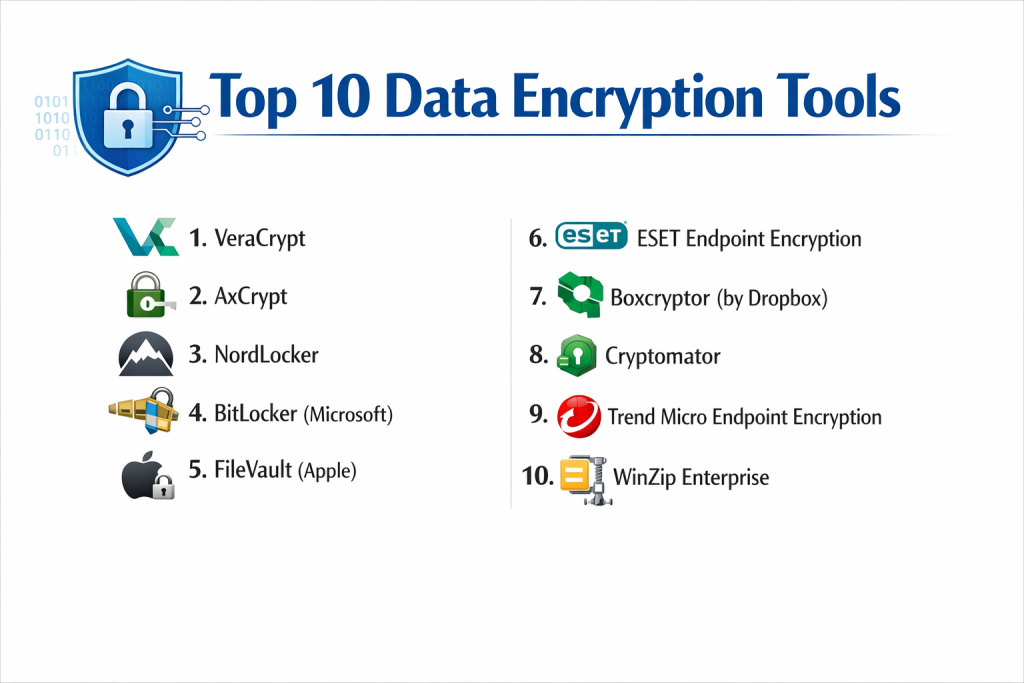
Top 10 Data Encryption Tools
1 — VeraCrypt
VeraCrypt is an open-source utility used for on-the-fly encryption. It is a successor to the legendary TrueCrypt and is designed for users who want maximum control over their local data security without relying on proprietary vendors.
- Key features:
- Creates a virtual encrypted disk within a file and mounts it as a real disk.
- Encrypts an entire partition or storage device such as a USB flash drive.
- Encrypts the entire system partition where Windows is installed.
- Supports multiple encryption algorithms: AES, Serpent, and Twofish.
- Offers “Plausible Deniability” through hidden volumes.
- Advanced security against “brute-force” attacks using increased iterations.
- Pros:
- Completely free and open-source, allowing for independent security audits.
- Extremely powerful for power users who need “hidden” containers.
- Cons:
- The user interface is complex and intimidating for non-technical users.
- No centralized management, making it difficult to deploy across a large company.
- Security & compliance: Open-source (auditable); uses AES-256; GDPR compliant; No native SOC 2 as it is a standalone tool.
- Support & community: Massive community forum; extensive technical documentation; no official enterprise phone support.
2 — AxCrypt
AxCrypt is a highly popular file encryption software designed specifically for individuals and small businesses. It focuses on simplicity and seamless integration with cloud storage services like Dropbox and Google Drive.
- Key features:
- Strong AES-256 bit encryption for individual files.
- Cloud storage awareness; automatically detects and secures cloud-synced folders.
- “Key Sharing” allows users to share encrypted files with others using their own passwords.
- Password management suite included within the application.
- Mobile apps for iOS and Android to access encrypted files on the go.
- Automatic encryption of files upon saving.
- Pros:
- One of the easiest tools to use for beginners.
- Excellent integration with the Windows File Explorer right-click menu.
- Cons:
- Limited features in the free version (often restricted to AES-128).
- Desktop app is primarily focused on Windows, with limited macOS features.
- Security & compliance: AES-256 encryption; GDPR and HIPAA compliant; uses standard audit logs.
- Support & community: Responsive email support for premium users; extensive online FAQ and video tutorials.
3 — NordLocker
NordLocker, created by the team behind NordVPN, is a modern encryption tool that provides a “private cloud” experience. It is designed for users who want to secure their files with a drag-and-drop interface.
- Key features:
- Drag-and-drop “Lockers” for easy file organization.
- End-to-end encrypted cloud storage (up to several TB depending on plan).
- Zero-knowledge architecture; the vendor cannot see your files.
- Secure file sharing via encrypted links.
- Syncing across multiple devices including Windows, macOS, and mobile.
- Support for both local and cloud-based encryption.
- Pros:
- Sleek, modern interface that feels like using a standard file manager.
- Part of a larger, trusted security ecosystem.
- Cons:
- Requires a subscription for meaningful cloud storage capacity.
- Less granular control compared to technical tools like VeraCrypt.
- Security & compliance: AES-256, Argon2, and ECC (Elliptic-curve cryptography); GDPR compliant; SOC 2 Type II audit history.
- Support & community: 24/7 email and chat support; comprehensive help center; active blog on privacy.
4 — BitLocker (Microsoft)
BitLocker is a full-volume encryption feature included with professional and enterprise versions of Microsoft Windows. It is designed for businesses that want a native, integrated solution for protecting device data.
- Key features:
- Full Disk Encryption (FDE) for system and data drives.
- Integration with Trusted Platform Module (TPM) for hardware-level security.
- Network Unlock for automated boot-up in a managed corporate environment.
- “BitLocker To Go” for encrypting removable USB drives.
- Group Policy integration for centralized management by IT admins.
- Recovery key backup to Microsoft Account or Active Directory.
- Pros:
- No additional cost for Windows Pro/Enterprise users.
- Minimal performance overhead as it is deeply integrated into the OS.
- Cons:
- Only available on Windows; no support for macOS or Linux.
- Proprietary code means users must trust Microsoft’s implementation.
- Security & compliance: FIPS 140-2 certified; ISO 27001 compliant; supports SSO via Active Directory.
- Support & community: Massive enterprise support via Microsoft; extensive documentation; global IT pro community.
5 — FileVault (Apple)
FileVault 2 is the built-in disk encryption for macOS. Much like BitLocker, it is designed to provide seamless, high-performance security for Mac users without requiring third-party software.
- Key features:
- Full Disk Encryption using XTS-AES-128 with 256-bit keys.
- Integration with the Apple T2 and Apple Silicon (M1/M2/M3) security chips.
- Secure wipe capability (instantly destroys the key to “delete” data).
- Automated setup during the initial macOS installation.
- Support for multiple user accounts with individual decryption rights.
- Recovery key management via iCloud or local storage.
- Pros:
- Completely seamless; once enabled, the user barely notices it is running.
- Hardware acceleration makes the performance impact virtually zero.
- Cons:
- Strictly limited to Apple hardware.
- Fewer advanced options for custom algorithms compared to open-source tools.
- Security & compliance: FIPS 140-2 compliant; GDPR and HIPAA ready; SOC 2 (via Apple’s infrastructure).
- Support & community: AppleCare support; massive worldwide user base; excellent official documentation.
6 — ESET Endpoint Encryption
Formerly known as DESlock+, ESET Endpoint Encryption is a high-end enterprise solution. It is designed for organizations that need to manage encryption across hundreds of devices from a single dashboard.
- Key features:
- Centralized management server for remote policy enforcement.
- Full Disk Encryption, File/Folder Encryption, and Email Encryption in one tool.
- Removable media encryption based on specific user policies.
- “Remote Wipe” capability for lost or stolen laptops.
- No-contact deployment (users don’t need to interact with the setup).
- Encrypted text and clipboard features for secure messaging.
- Pros:
- Exceptional management console for IT security teams.
- Very easy to meet compliance audits with built-in reporting.
- Cons:
- Expensive for small teams or individual users.
- Setup and server configuration require professional IT knowledge.
- Security & compliance: FIPS 140-2 Level 1; GDPR, HIPAA, and PCI-DSS compliant; full audit logs.
- Support & community: Professional enterprise support; localized partners; high-quality technical whitepapers.
7 — Boxcryptor (by Dropbox)
Recently acquired by Dropbox but still widely discussed for its legacy, Boxcryptor is a specialized tool that adds a layer of encryption to cloud storage. It is designed for users who don’t trust the cloud providers with their raw data.
- Key features:
- Support for over 30 cloud providers (Dropbox, OneDrive, iCloud, etc.).
- Zero-knowledge encryption—the service provider never sees the password.
- Seamless integration as a “Virtual Drive” on the computer.
- Collaboration features for teams to share encrypted folders.
- Mobile apps for secure file access on iOS and Android.
- Support for Whisply (secure file transfer).
- Pros:
- The gold standard for cloud-specific encryption.
- Allows for “Collaboration” without compromising the zero-knowledge model.
- Cons:
- Future availability as a standalone product is shifting due to the Dropbox acquisition.
- Free version is limited to two devices and one cloud provider.
- Security & compliance: AES-256 and RSA encryption; ISO 27001; GDPR and HIPAA compliant.
- Support & community: Dedicated support for business users; active community in the cloud storage space.
8 — Cryptomator
Cryptomator is a free, open-source tool specifically built for cloud storage encryption. It is designed for privacy-conscious users who want an alternative to proprietary cloud-encryption tools.
- Key features:
- Client-side encryption; files are encrypted before they leave the computer.
- “Vault-based” system where each file is encrypted individually.
- No account or cloud service required for the software to work.
- Available for Windows, macOS, Linux, Android, and iOS.
- Transparent encryption; the virtual drive looks like a regular folder.
- No “backdoors” due to the open-source nature of the code.
- Pros:
- Completely free for desktop users (mobile apps have a small one-time fee).
- Very lightweight and doesn’t clutter the system.
- Cons:
- Lacks the enterprise management features (like remote wipe).
- No built-in secure file sharing/links; you must share the whole vault.
- Security & compliance: AES-256; Open-source (independently audited); GDPR compliant.
- Support & community: Very active GitHub community and Discourse forum; excellent community-driven documentation.
9 — Trend Micro Endpoint Encryption
Trend Micro offers a robust encryption suite as part of its wider security ecosystem. It is designed for enterprises that want to unify encryption with their antivirus and threat detection systems.
- Key features:
- Full Disk Encryption for Windows and macOS (manages BitLocker/FileVault).
- Encryption for removable media (USB) and optical media (CD/DVD).
- Policy-based encryption for folders and cloud storage.
- Integration with Trend Micro Apex Central for unified visibility.
- Pre-boot authentication for enhanced device security.
- Automated key recovery for locked-out employees.
- Pros:
- Great for companies already using the Trend Micro security suite.
- Simplifies the management of “Native” encryption like BitLocker.
- Cons:
- Can feel bloated if you only need simple file encryption.
- Interface is geared toward security professionals, not end-users.
- Security & compliance: FIPS 140-2; SOC 2; GDPR, HIPAA, and PCI compliant; extensive audit reporting.
- Support & community: 24/7 global enterprise support; massive library of compliance guides.
10 — WinZip Enterprise
While known primarily for compression, WinZip Enterprise is a powerful data security tool. It is designed for large organizations that need to combine file packaging with high-level encryption and policy control.
- Key features:
- Military-grade AES-256 encryption for zipped archives.
- Integration with major cloud services (OneDrive, Google Drive, SharePoint).
- Automated “Wiping” of temporary files to prevent data leakage.
- Policy control for IT admins to enforce encryption on all shared files.
- Secure file sharing via email and cloud links.
- Support for FIPS 140-2 compliance modes.
- Pros:
- Familiar interface for most employees, reducing training needs.
- Combines compression and encryption, making it ideal for large data transfers.
- Cons:
- Not a “Full Disk Encryption” solution; only for files and folders.
- Requires a license fee for a tool that many people associate with free utilities.
- Security & compliance: FIPS 140-2; AES-256; GDPR compliant; supports SSO for enterprise environments.
- Support & community: Standard corporate support; global presence; extensive FAQ.
Comparison Table
| Tool Name | Best For | Platform(s) Supported | Standout Feature | Rating (TrueReviewnow) |
| VeraCrypt | Power Users / Local | Win, Mac, Linux | Hidden Volume Containers | 4.6 / 5 |
| AxCrypt | SMBs / Individuals | Win, Mac, Mobile | One-Click File Sharing | 4.8 / 5 |
| NordLocker | Modern Cloud Users | Win, Mac, Mobile | Drag-and-Drop UX | 4.5 / 5 |
| BitLocker | Windows Enterprises | Windows Only | Native OS Integration | 4.4 / 5 |
| FileVault | Apple Mac Users | macOS Only | Hardware-Level Security | 4.7 / 5 |
| ESET Encryption | IT Managed Teams | Win, Mac, iOS | Remote Policy Enforcement | 4.6 / 5 |
| Boxcryptor | Multi-Cloud Users | Win, Mac, Mobile | Zero-Knowledge Cloud | 4.2 / 5 |
| Cryptomator | Privacy Enthusiasts | Win, Mac, Mobile | Open-Source Cloud Vaults | 4.9 / 5 |
| Trend Micro | Large Corporations | Win, Mac | Unified Security Ecosystem | 4.3 / 5 |
| WinZip Ent. | File Packaging | Windows | Compression + Encryption | 4.1 / 5 |
Evaluation & Scoring of Data Encryption Tools
| Criteria | Weight | Evaluation Method |
| Core features | 25% | Presence of AES-256, FDE, and key management. |
| Ease of use | 15% | Intuitiveness for non-technical employees. |
| Integrations | 15% | Connection with Cloud (S3, Drive) and SSO (Okta, Azure). |
| Security & compliance | 10% | FIPS 140-2, GDPR, HIPAA, and SOC 2 status. |
| Performance | 10% | Impact on CPU/RAM and file read/write speeds. |
| Support & community | 10% | Documentation depth and support response times. |
| Price / value | 15% | Feature set relative to licensing or subscription cost. |
Which Data Encryption Tool Is Right for You?
Solo Users vs. SMB vs. Mid-Market vs. Enterprise
For solo users, the choice is between simplicity and control. If you want simplicity, NordLocker or AxCrypt are perfect. If you want absolute control, VeraCrypt is the gold standard. SMBs should look for tools that don’t require a dedicated server, making AxCrypt Business or Cryptomator great choices. Mid-market and Enterprise firms need centralized oversight, making ESET Endpoint Encryption or Trend Micro non-negotiable, as they allow an admin to manage thousands of devices and recovery keys remotely.
Budget-Conscious vs. Premium Solutions
If you are budget-conscious, you cannot beat BitLocker and FileVault, which are already included in your hardware. For cloud-specific needs, Cryptomator is an incredible free resource. If you have the budget for a premium solution, ESET or NordLocker provide a much better user experience and additional layers of security like encrypted cloud backups and dedicated support.
Feature Depth vs. Ease of Use
There is often a trade-off here. VeraCrypt has immense feature depth (hidden volumes, custom iterations) but a very steep learning curve. NordLocker prioritizes ease of use, meaning you lose some technical “knobs” but gain a tool that you can actually use every day without frustration.
Integration and Scalability Needs
Large organizations must prioritize Integration. If your company uses Azure AD or Okta, you need an encryption tool that supports SSO to manage access. Scalability is also vital; look for tools that offer “No-Contact Deployment,” allowing your IT team to encrypt every laptop in the company automatically without having to touch each machine.
Security and Compliance Requirements
If you are in a highly regulated industry like healthcare or government, you must ensure your tool is FIPS 140-2 certified. For those concerned about government backdoors, Open-Source tools like VeraCrypt or Cryptomator are preferred because the code is public and can be audited by anyone.
Frequently Asked Questions (FAQs)
1. Does encryption slow down my computer?
Modern computers have specialized hardware (AES-NI) that handles encryption. For tools like BitLocker or FileVault, the performance impact is usually less than 1%, which is imperceptible to most users.
2. What happens if I forget my encryption password?
In a “Zero-Knowledge” system like VeraCrypt or NordLocker, the data is gone forever. However, enterprise tools like ESET allow IT admins to use a “Recovery Key” to get you back into your system.
3. Is AES-256 the best encryption?
AES-256 is the current industry standard used by banks and governments. While there are other algorithms, AES-256 is widely considered “unbreakable” by modern brute-force standards.
4. Can I encrypt files already on Google Drive?
Most cloud services encrypt data on their servers, but they hold the keys. To be truly safe, you should use a tool like Cryptomator to encrypt the files before you upload them.
5. Is BitLocker safe from hackers?
BitLocker is very secure against physical theft. However, it does not protect you if a hacker gains remote access to your logged-in computer. It is meant to protect data at rest.
6. What is “Zero-Knowledge” encryption?
This means the software company has no way to reset your password or see your files. Even if they are subpoenaed by the government, they have nothing to hand over but scrambled code.
7. Do I need to encrypt my phone?
Most modern iPhones and Android devices are encrypted by default as soon as you set a passcode. These tools are primarily for laptops, desktops, and cloud storage.
8. Can I send encrypted files via email?
Yes. You can encrypt a file with AxCrypt or WinZip, send it as an attachment, and then share the password with the recipient through a different channel (like a phone call).
9. What is “Full Disk Encryption” (FDE)?
FDE encrypts everything on the drive, including the operating system itself. You must enter a password before the computer even starts loading Windows or macOS.
10. Is open-source encryption better than proprietary?
Open-source is often preferred by privacy purists because anyone can check for “backdoors.” Proprietary software (like BitLocker) is often preferred by businesses for its ease of use and professional support.
Conclusion
Choosing the right data encryption tool is a balancing act between the level of security you require and the amount of “friction” you are willing to tolerate. For most users, the native tools like BitLocker and FileVault provide a perfect foundation. However, as your data moves to the cloud or across a team, specialized tools like NordLocker or ESET become essential.
The most important takeaway is that encryption should not be an afterthought. By implementing these tools today, you are ensuring that even in the worst-case scenario of a device theft or a cloud breach, your private information remains exactly that—private.