Introduction
A data catalog and metadata management tool is essentially a “search engine” and “encyclopedia” for a company’s vast information assets. As businesses collect more data, they often lose track of what they have, where it is stored, and who owns it. Metadata management involves collecting “data about data”—such as the date a file was created, its format, its sensitivity level, and its definition. A data catalog organizes this metadata into a searchable interface, allowing employees to find the right information quickly, much like looking up a book in a library.
These tools are critical because they solve the problem of “data discovery.” Without them, data scientists and analysts spend up to 80% of their time just trying to find and understand data rather than analyzing it. By providing a clear map of the data landscape, these platforms ensure that everyone in the company is using the same definitions and high-quality sources. This creates a “single source of truth,” which reduces expensive mistakes, improves collaboration, and helps the legal team ensure that private information is being handled according to the law.
Key Real-World Use Cases
- Self-Service Analytics: A marketing analyst needs to find the “active customer list.” Instead of emailing a busy IT person, they search the data catalog, see which table is the most popular and verified, and start their work immediately.
- Regulatory Compliance: When a GDPR “Right to be Forgotten” request comes in, the privacy team uses the catalog to find every single place where a specific customer’s email might be stored across the entire company.
- Impact Analysis: If an engineer wants to change a column in a database, they use the “lineage” feature of the catalog to see exactly which executive dashboards will break if they make that change.
- Onboarding New Hires: New data scientists use the catalog to read descriptions and see “top users” of different datasets, helping them become productive in days instead of months.
What to Look For (Evaluation Criteria)
When evaluating these platforms, focus on these four essential areas:
- Automation: Does the tool use AI to automatically tag and describe data, or do you have to type everything in manually?
- Lineage: Can the tool show you a “map” of where data comes from and where it goes?
- Collaboration: Can users leave comments, rate datasets, or “watch” certain tables for changes?
- Connectivity: Does the catalog have “out-of-the-box” connectors for your specific databases, cloud lakes, and BI tools?
Best for: Data stewards, data engineers, and business analysts at mid-to-large sized enterprises. It is essential for companies in regulated industries like Finance, Healthcare, and Insurance that need strict oversight of their information.
Not ideal for: Very small startups with a single database and a two-person team. If everyone already knows where everything is, a formal catalog is an unnecessary expense and a time-consuming administrative burden.
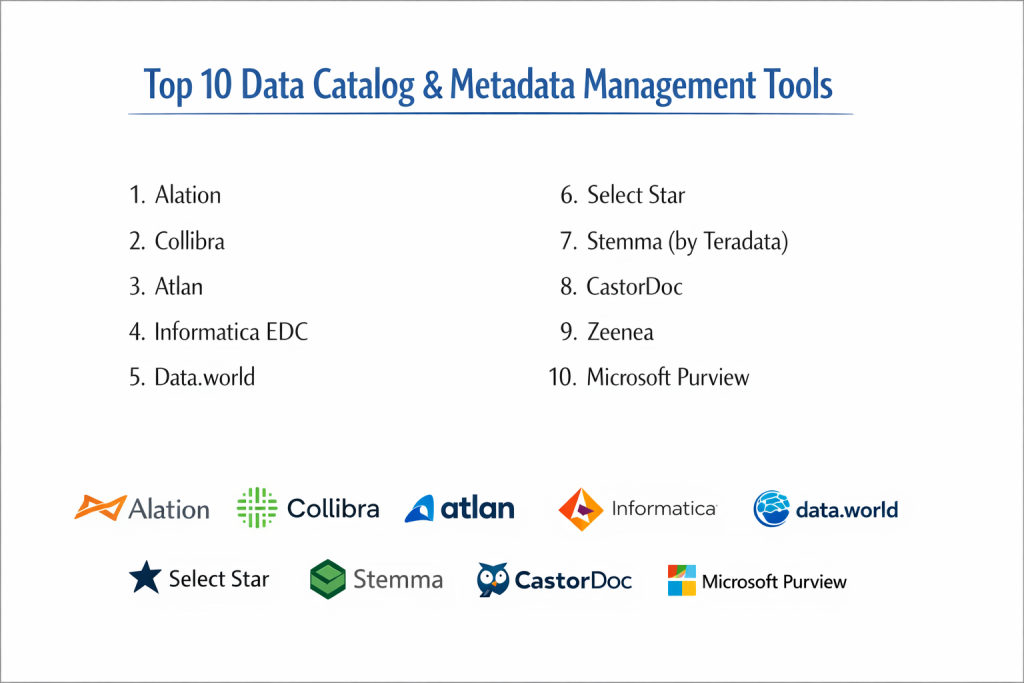
Top 10 Data Catalog & Metadata Management Tools
1 — Alation
Alation is often credited with creating the modern data catalog category. It focuses heavily on the “people” side of data, using a social-media-like interface to encourage collaboration and knowledge sharing.
- Key features:
- Behavior I/O which uses AI to see how people actually use data.
- Trust Check flags that warn users if a dataset is outdated or deprecated.
- SQL editor built directly into the catalog for immediate searching.
- Automated data profiling to show the quality of a table.
- A “Lexicon” feature to manage business definitions across the company.
- Pros:
- The user interface is very friendly and encourages “regular” employees to participate.
- Excellent at showing which datasets are the most popular and trustworthy.
- Cons:
- The cost is at the premium end of the market.
- Requires a dedicated “Data Steward” to keep the content fresh and useful.
- Security & compliance: SOC 2 Type II, ISO 27001, and HIPAA compliant. Supports SSO and fine-grained access.
- Support & community: Active user community (Alation University) and high-touch enterprise support.
2 — Collibra
Collibra is widely considered the most powerful tool for “Data Governance.” It is designed for giant corporations that need to manage not just a catalog, but a whole set of rules, policies, and legal requirements.
- Key features:
- End-to-end data lineage that tracks data across the entire organization.
- Automated policy management to ensure data follows company rules.
- Data Helpdesk for users to report issues with specific information.
- Deep integration with Collibra’s Data Quality and Privacy modules.
- Workflow engine to manage how new data is approved.
- Pros:
- The best choice for massive companies with strict legal and compliance needs.
- Extremely customizable to fit any business structure.
- Cons:
- It is a very “heavy” tool that can take a long time to implement.
- The learning curve is steep for non-technical users.
- Security & compliance: FedRAMP, SOC 2, ISO 27001, and GDPR compliant.
- Support & community: Extensive professional services and a global network of certified partners.
3 — Atlan
Atlan is a “modern” data catalog built for teams that work in the cloud. It is designed to feel like Slack or Notion—fast, collaborative, and easy to set up.
- Key features:
- Chrome extension that brings the catalog into your BI tools (like Tableau).
- “Playbooks” for automating repetitive metadata tasks.
- Deep integration with the modern data stack (Snowflake, dbt, Fivetran).
- Social features like “announcements” and “verified” badges.
- Automated lineage from SQL code.
- Pros:
- Setup is much faster than traditional enterprise tools.
- The “human-first” design makes people actually want to use it.
- Cons:
- Focuses mostly on cloud-based data; not as strong for old “on-prem” systems.
- The pricing model can be tricky as you scale your team.
- Security & compliance: SOC 2 Type II compliant; supports SSO and private cloud deployment.
- Support & community: Very responsive Slack-based support and a growing modern data community.
4 — Informatica Enterprise Data Catalog (EDC)
Informatica is the “heavyweight” of data management. Their catalog is part of a massive platform that handles everything from moving data to cleaning it.
- Key features:
- CLAIRE AI engine that automatically discovers and tags data.
- Scanner library that connects to almost every database ever made.
- Technical and business lineage for a 360-degree view.
- Strong focus on “Data Privacy” discovery (finding social security numbers).
- Collaborative ratings and reviews for datasets.
- Pros:
- If your data is spread across very old and very new systems, this tool can handle it all.
- Highly stable and trusted by the world’s largest banks.
- Cons:
- The interface can feel “corporate” and less exciting than newer apps.
- Requires significant technical resources to maintain.
- Security & compliance: Highly secure; meets global banking and government standards.
- Support & community: 24/7 global support and a massive ecosystem of consultants.
5 — Data.world
Data.world is unique because it is built on “Graph” technology. This means it is very good at showing how different pieces of data are connected across the whole business.
- Key features:
- Knowledge Graph that maps relationships between data and business concepts.
- Native integration with Excel and Google Sheets.
- Agile Data Governance features for faster decision making.
- Live “Data Notebooks” to share analysis within the catalog.
- Federated search across multiple different clouds.
- Pros:
- Excellent at showing the “context” and “meaning” behind the data.
- The pricing is often more accessible for mid-market companies.
- Cons:
- The graph-based approach can be confusing for teams used to simple lists.
- Lineage visualization can sometimes get too complex to read.
- Security & compliance: SOC 2 Type II and HIPAA compliant.
- Support & community: Active community of data professionals and good online documentation.
6 — Select Star
Select Star focuses on “Automated Documentation.” It is built for companies that want a catalog that builds itself by looking at how data is actually used in dashboards and code.
- Key features:
- Automatic column-level lineage from your SQL history.
- Popularity scores to show which tables are actually used.
- Automatic discovery of “Downstream” impacts on BI reports.
- Clean, minimalist interface.
- Integration with Slack for alerts on data changes.
- Pros:
- Requires almost zero manual typing to get started.
- Incredible for engineers who need to fix broken pipelines quickly.
- Cons:
- Fewer “business glossary” features than tools like Alation.
- Best suited for cloud-native companies only.
- Security & compliance: SOC 2 Type II compliant; data is encrypted and never stored permanently.
- Support & community: Great direct support from the engineering team.
7 — Stemma (by Teradata)
Stemma was built by the creators of Amundsen (Lyft’s open-source catalog). It is designed to be a “high-definition” catalog that understands the technical details of data perfectly.
- Key features:
- Automatic metadata harvesting from query logs.
- Social signals that show who the “experts” are for each table.
- Integration with modern orchestration tools like Airflow.
- Search results based on actual usage patterns.
- Deep lineage across complex SQL transformations.
- Pros:
- Very accurate technical information without manual entry.
- Built by people who managed data at one of the world’s largest tech companies.
- Cons:
- Now part of Teradata, so its future roadmap may change.
- Less focus on the “non-technical” business user.
- Security & compliance: Enterprise-grade security through Teradata’s platform.
- Support & community: Professional support via Teradata’s global network.
8 — CastorDoc
CastorDoc is a European-based catalog that focuses on “Data Democratization.” Their goal is to make data as easy to find as a file in a shared folder.
- Key features:
- Intuitive search bar that understands natural language.
- Automated documentation for Snowflake and BigQuery.
- Chrome extension to see metadata while inside your BI tools.
- Collaboration tools that look like Google Docs comments.
- Simple setup that can be done in an afternoon.
- Pros:
- Extremely easy to use for marketing, sales, and finance teams.
- Very fast time-to-value for small and medium businesses.
- Cons:
- Lacks the deep “governance” workflows of a tool like Collibra.
- Not designed for very complex, multi-cloud legacy environments.
- Security & compliance: GDPR specialist; SOC 2 Type II compliant.
- Support & community: Strong focus on customer success and personalized onboarding.
9 — Zeenea
Zeenea is a “Next-Gen” catalog that promotes the idea of a “Data Discovery Platform.” It focuses on giving different views to different people (e.g., a simple view for a manager, a deep view for an engineer).
- Key features:
- Multi-experience interface tailored to user roles.
- Automated metadata harvesters for cloud and on-prem.
- Graph-based exploration of data relationships.
- Business Glossary with version control.
- Smart search based on synonyms and tags.
- Pros:
- Very flexible; it scales well as a company grows.
- The “role-based” views prevent users from feeling overwhelmed.
- Cons:
- The brand is smaller, so there are fewer independent consultants available.
- Integration library is not as vast as Informatica.
- Security & compliance: SOC 2 and GDPR compliant.
- Support & community: High-quality documentation and responsive help desk.
10 — Microsoft Purview
For companies that are “All-In” on the Microsoft cloud, Purview is the logical choice. It is a unified service that handles data mapping, cataloging, and risk management.
- Key features:
- Automatic data classification (finding sensitive data).
- Deep integration with Azure, Office 365, and Power BI.
- Sensitivity labels that follow the data everywhere.
- Map of your entire data estate across different clouds.
- Asset insights to see how data is being used.
- Pros:
- If you already use Azure, it is incredibly easy to turn on.
- Unbeatable for managing the security of Excel and Power BI files.
- Cons:
- Can be very difficult to use for data that is not in the Microsoft cloud.
- The user interface can feel very “technical” and dry.
- Security & compliance: World-class Microsoft security; meets almost every global standard.
- Support & community: Massive global support and extensive Microsoft Learn resources.
Comparison Table
| Tool Name | Best For | Platform(s) Supported | Standout Feature | Rating |
| Alation | Collaborative Teams | Cloud & On-Prem | Trust Check Warnings | 4.7 / 5 |
| Collibra | Large Corporations | Multi-Cloud | Governance Workflows | 4.6 / 5 |
| Atlan | Modern Data Stacks | Cloud-Native | BI Chrome Extension | 4.8 / 5 |
| Informatica | Complex Legacy | Multi-Cloud | CLAIRE AI Engine | 4.4 / 5 |
| Data.world | Context & Meaning | Cloud-Native | Knowledge Graph | 4.5 / 5 |
| Select Star | Automated Docs | Cloud-Native | Usage-based Lineage | 4.6 / 5 |
| Stemma | Technical Accuracy | Cloud-Native | Query Log Harvesting | 4.3 / 5 |
| CastorDoc | Non-Tech Users | Cloud-Native | Natural Language Search | 4.4 / 5 |
| Zeenea | Role-based Views | Cloud & On-Prem | Multi-Experience UI | 4.2 / 5 |
| MS Purview | Microsoft Shops | Azure / Multi-Cloud | Sensitivity Labels | 4.1 / 5 |
Evaluation & Scoring of Data Catalog Tools
| Criteria | Weight | Evaluation Focus |
| Core features | 25% | Automated discovery, lineage, and business glossary. |
| Ease of use | 15% | Can a non-technical manager find what they need? |
| Integrations | 15% | Does it connect to Snowflake, Tableau, and S3? |
| Security & compliance | 10% | SSO, encryption, and GDPR/HIPAA readiness. |
| Performance | 10% | Search speed and metadata harvesting stability. |
| Support & community | 10% | Documentation, Slack community, and help desk. |
| Price / value | 15% | Is the ROI clear based on time saved for analysts? |
Which Data Catalog Tool Is Right for You?
Small to Mid-Market vs. Enterprise
If you are a Small to Mid-Market company, you should prioritize speed and ease of use. Tools like Atlan, CastorDoc, and Select Star are designed to be set up quickly and don’t require a whole department to run. For Large Enterprises with thousands of employees and complex “legacy” data (old systems), Collibra, Alation, or Informatica are the better choices because they have the “muscle” to handle massive scale.
Budget and Value
For companies on a tight budget, Microsoft Purview can be very cost-effective if you already have an Azure agreement. Select Star and CastorDoc offer more transparent pricing for growing teams. If budget is not an issue and you want the most “complete” governance solution, Collibra and Alation provide the most value for long-term strategic management.
Technical Depth vs. Simplicity
If your team consists mainly of engineers and developers, they will love Select Star and Stemma because these tools focus on code-level accuracy and technical lineage. If your main goal is to help marketing and sales people find data, Atlan and CastorDoc are superior because they use simple language and social features.
Security and Compliance Requirements
If your main reason for getting a catalog is to avoid a lawsuit or a security breach, Microsoft Purview and Collibra are the top tier. They focus heavily on “Sensitivity Labels” and “Policy Management,” ensuring that your most private data (like customer credit card numbers) is automatically found and protected across the whole company.
Frequently Asked Questions (FAQs)
1. What is a data catalog?
It is a central place where all your company’s data is listed and described so that people can find, understand, and trust it.
2. Is a data catalog the same as a data warehouse?
No. A warehouse stores the actual data. A catalog stores information about the data (metadata) so you can find it.
3. Do I have to manually type in all the descriptions?
Modern catalogs use AI to suggest descriptions based on table names and how people are using the data, but some human review is always better.
4. What is “Lineage”?
It is a map that shows where data started, how it was changed, and where it ended up (e.g., from a database to a Power BI chart).
5. How long does it take to implement?
Cloud-native tools like Atlan can be up in a few days. Large enterprise tools like Collibra can take several months to fully configure.
6. Will a data catalog slow down my database?
No. Most catalogs only “scan” the metadata occasionally (like once a day) or read query logs, so they don’t impact your actual data performance.
7. Can it find sensitive data automatically?
Yes, most top-tier tools have “PII Discovery” that looks for patterns like social security numbers or credit card formats.
8. Do these tools work with Excel?
Yes, many (like Data.world) allow you to catalog Excel files and even see the metadata while you are working inside a spreadsheet.
9. Who should own the data catalog?
Usually, it is owned by a “Data Governance” team or a “Chief Data Officer,” but it requires help from IT to set up the connections.
10. What is a “Business Glossary”?
It is a list of company terms (like “Churn Rate” or “Gross Revenue”) that ensures everyone in the company defines these numbers the same way.
Conclusion
A data catalog is no longer a “luxury” for businesses; it is a necessity for anyone who wants to be truly data-driven. As the world moves toward AI, having a catalog becomes even more important, because an AI model is only as good as the data it is trained on. If your team cannot find or trust their data, your AI projects will fail.
The “best” tool is the one that fits your company’s culture. If you are a fast-moving cloud startup, a modern tool like Atlan will serve you well. If you are a global bank with deep security needs, Informatica or Collibra are the standard. The most important step is simply to start—mapping your data today prevents the “data swamp” of tomorrow.