Introduction
A Customer Success Platform is a centralized software system that aggregates data from various sources—such as email, support tickets, product usage, and financial records—to provide a 360-degree view of the customer. Unlike a CRM, which is primarily designed to manage the sales pipeline and contact information, a CSP is built to manage the post-sale relationship. It helps teams identify which customers are thriving and which are at risk of “churning” (canceling their subscription).
The importance of these platforms lies in their ability to transition a company from being reactive to being proactive. Instead of waiting for a customer to call with a problem, success teams use these tools to spot declining usage patterns early and intervene. Key real-world use cases include managing the onboarding process for new clients, tracking health scores to predict renewals, and automating outreach to ensure customers are using all the features they pay for.
Evaluation Criteria
When choosing a platform, you should look for Data Integration Capabilities (how well it talks to your existing software), Health Scoring Logic (how it calculates if a customer is “happy”), and Automation Playbooks (the ability to trigger tasks for your team automatically). A good tool should also offer robust Reporting to show executives how success efforts are impacting the company’s bottom line.
Best for:
- B2B SaaS Companies: Any business with a recurring revenue model.
- Account Managers & CSMs: Roles focused on retention, renewals, and upselling.
- Customer-Centric Enterprises: Large organizations that need to scale their “white-glove” service to thousands of clients.
Not ideal for:
- Transactional Businesses: If you sell a product once and never speak to the buyer again, a CSP is not necessary.
- Very Early Startups: If you have fewer than 20 customers, you can likely manage them with a simple spreadsheet or your existing CRM until you scale.
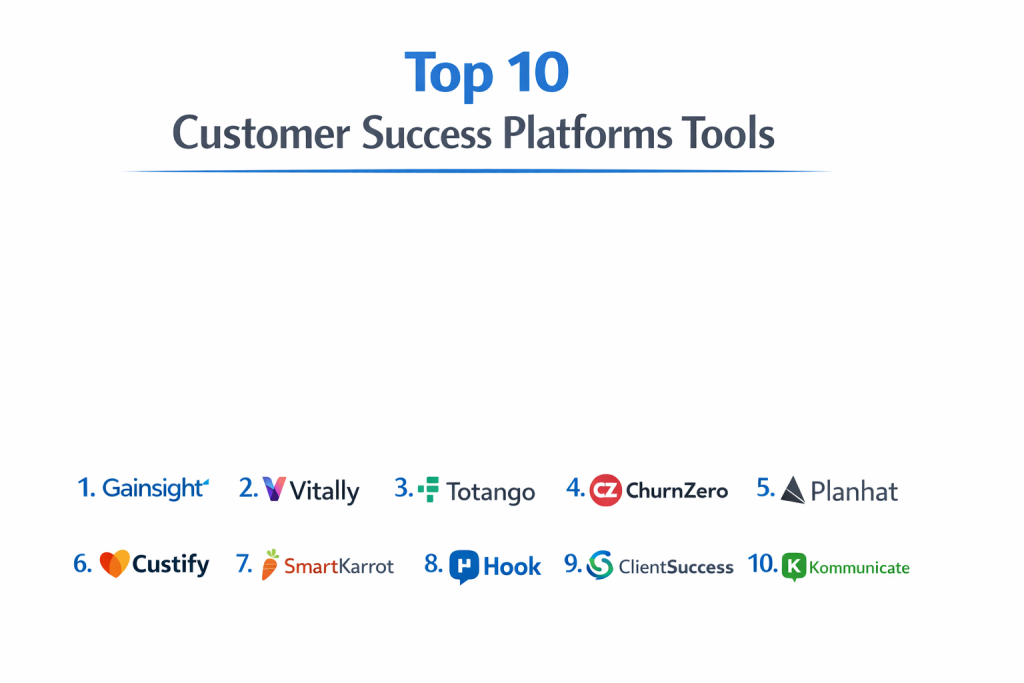
Top 10 Customer Success Platforms
1 — Gainsight CS
Gainsight is widely recognized as the industry leader and the most powerful platform available. It is designed for large enterprises and complex organizations that require deep data analysis and highly sophisticated automation.
- Key Features:
- “Customer Health Scoring” based on multi-dimensional data points.
- Journey Orchestration to manage the entire lifecycle from onboarding to renewal.
- “Sally,” an AI-powered bot for quick data retrieval and task management.
- Detailed renewal and expansion forecasting tools.
- Success Plans to help CSMs and customers align on shared goals.
- Robust survey tools including NPS and CSAT integration.
- Pros:
- Unmatched depth of features; it can handle the most complex business logic.
- A massive ecosystem and community of professionals who know the software.
- Cons:
- Extremely steep learning curve; often requires a dedicated administrator.
- Implementation is a long, expensive process that can take several months.
- Security & Compliance: SOC 2 Type II, ISO 27001, GDPR, HIPAA, and SSO support.
- Support & Community: World-class documentation, “Gainsight University” for training, and an active global user community.
2 — Totango
Totango is a high-growth platform known for its “SuccessBLOCs”—pre-built modules that help teams launch specific success initiatives (like onboarding or renewal management) very quickly.
- Key Features:
- SuccessBLOCs for modular, goal-oriented implementation.
- Real-time customer health monitoring with customizable alerts.
- Automated playbooks to trigger emails or internal tasks.
- Visual customer journey designer.
- Integration with major CRMs like Salesforce and HubSpot.
- “Canvas” view for high-level lifecycle mapping.
- Pros:
- Much faster to set up and see value compared to other enterprise tools.
- The modular approach allows teams to start small and scale over time.
- Cons:
- As you add more modules, the pricing can become quite high.
- Some users find the interface slightly less intuitive as the data volume grows.
- Security & Compliance: SOC 2 Type II, GDPR, and data encryption at rest and in transit.
- Support & Community: Strong online resource center and responsive customer success managers for accounts.
3 — ChurnZero
ChurnZero is built specifically for high-growth SaaS companies that want a tool that lives where their CSMs work. It is praised for its “Command Center” and its ability to help teams work efficiently without switching tabs.
- Key Features:
- Real-time alerts based on specific in-app customer behaviors.
- “Chime” browser extension to access data while inside other web apps.
- Walkthroughs and in-app communications for customers.
- Customer “Segments” for targeted automated outreach.
- Revenue management and forecasting dashboards.
- Step-by-step playbooks for team consistency.
- Pros:
- Excellent focus on productivity; it helps CSMs manage high book-of-business volumes.
- Very strong integration with product usage data.
- Cons:
- The interface can feel a bit “busy” or data-heavy for new users.
- Less focus on high-level strategic planning compared to Gainsight.
- Security & Compliance: SOC 2 Type II, GDPR, and SSO integration.
- Support & Community: Known for a very helpful customer support team and an annual user conference.
4 — Catalyst
Catalyst is often called the “most intuitive” platform. It focuses on a beautiful, simple design and deep integrations to make sure data is clean and actionable for the average user.
- Key Features:
- Bi-directional sync with Salesforce (updates in Catalyst show in Salesforce).
- Simple, spreadsheet-like views for managing lists of customers.
- Automated “Playbooks” that are easy to build without technical help.
- Note-taking features that automatically sync back to the CRM.
- Flexible health scores that can be updated in seconds.
- Unified customer profiles that look like modern social media pages.
- Pros:
- Highly praised for its modern, easy-to-use user interface.
- Teams actually enjoy using it, which leads to better data entry.
- Cons:
- Lacks some of the “deep-end” analytical power of Gainsight or Totango.
- It is a younger tool, so it has fewer native integrations with legacy software.
- Security & Compliance: SOC 2 Type II, GDPR, and data encryption.
- Support & Community: Excellent white-glove onboarding and a growing Slack community for users.
5 — Planhat
Planhat is a flexible, modern platform that excels in data visualization. It is designed to be used not just by the success team, but by sales, product, and leadership as well.
- Key Features:
- Highly customizable dashboards and reporting.
- Customer Portal that allows you to share data and plans directly with clients.
- Built-in automation engine for emails and internal workflows.
- Robust API for custom data connections.
- Product usage tracking and time-series data analysis.
- Revenue management for renewals and multi-year contracts.
- Pros:
- The “Customer Portal” is a standout feature for building transparency with clients.
- Very flexible; it can be adapted to many different business models.
- Cons:
- Because it is so flexible, it requires more “thinking” during the initial setup.
- The mobile experience is not as strong as the desktop web version.
- Security & Compliance: SOC 2 Type II, GDPR, and SSO support.
- Support & Community: Responsive global support and a detailed technical knowledge base.
6 — ClientSuccess
ClientSuccess is built for mid-market companies that want a straightforward, “no-fluff” tool. It focuses on the “Success Cycle” and making sure CSMs know exactly what to do every morning.
- Key Features:
- “SuccessScore” for a simplified view of customer health.
- Renewal and expansion management modules.
- “SuccessCycle” for defining consistent stages for every customer.
- Collaborative notes and task management.
- Pulse checks for quick, manual health updates.
- Clean executive dashboards for reporting to the board.
- Pros:
- Very simple to learn; most CSMs are up and running in a few days.
- Focuses on the “essential” tasks without overcomplicating the process.
- Cons:
- Not powerful enough for massive global enterprises with thousands of employees.
- Automation features are more basic than the top-tier competitors.
- Security & Compliance: SOC 2 Type II, GDPR, and encryption.
- Support & Community: Known for having a very “human” and accessible support team.
7 — Vitally
Vitally is a high-productivity platform that treats customer success like a modern project management task. It is popular with tech-forward companies that want a fast, sleek interface.
- Key Features:
- Advanced “Variables” for creating dynamic health scores.
- Task and Project management tailored for customer onboarding.
- Automated email campaigns with personalized data fields.
- “Notes” system that connects to accounts and specific contacts.
- Collaborative workspaces for teams to work together on accounts.
- Deep integrations with tools like Slack, Jira, and Zendesk.
- Pros:
- Extremely fast and snappy interface; it feels like a modern productivity app.
- Excellent for managing the onboarding and project side of success.
- Cons:
- Can feel a bit “technical” for users who aren’t comfortable with data variables.
- Less focus on long-term revenue forecasting than some other tools.
- Security & Compliance: SOC 2 Type II, GDPR, and SSO.
- Support & Community: Fast chat-based support and clear, concise documentation.
8 — Custify
Custify is a newer player focused on the European market and mid-sized SaaS businesses. It emphasizes a “low-effort” setup and automated health tracking.
- Key Features:
- Auto-assignment of customers to specific CSMs.
- Automated playbooks based on lifecycle stages.
- “Concierge” onboarding service to help you get started.
- Unified view of support tickets, emails, and product usage.
- KPIs and health scores that update in real-time.
- Customer feedback and survey management.
- Pros:
- The “Concierge” onboarding is a great help for teams with limited time.
- Very strong focus on GDPR and European data privacy needs.
- Cons:
- Smaller ecosystem and fewer third-party integrations than US-based giants.
- Reporting can be somewhat rigid for highly custom needs.
- Security & Compliance: GDPR (EU-based), SOC 2, and encryption.
- Support & Community: High-touch personal support and a growing knowledge base.
9 — SmartKarrot
SmartKarrot is an “all-in-one” platform that tries to bring everything—surveys, health, playbooks, and incentives—into one single screen. It is designed to be a comprehensive cockpit for the CSM.
- Key Features:
- Predictive health scoring using machine learning.
- Operations dashboard for success leaders.
- In-app engagement and feedback tools.
- “Success playbooks” for repeatable processes.
- Stakeholder management for tracking key contacts at client companies.
- Gamification features to keep teams motivated.
- Pros:
- Includes many “extra” features (like surveys) that other tools charge for.
- The predictive analytics are quite advanced for the price point.
- Cons:
- The interface can feel a bit crowded due to the sheer number of features.
- The branding and UI are not as “slick” as tools like Catalyst or Vitally.
- Security & Compliance: SOC 2 Type II, GDPR, and SSO.
- Support & Community: 24/5 support and a library of educational webinars.
10 — Strikedeck (by Medallia)
Strikedeck is owned by Medallia, a leader in “Experience Management.” It is built for companies that want to combine customer success data with deep “Voice of the Customer” feedback.
- Key Features:
- Real-time “Happy/Sad” sentiment tracking.
- Automated workflow triggers based on customer feedback.
- Financial modeling for renewals and churn impact.
- Integration with the larger Medallia ecosystem.
- Customizable “Playbooks” for different customer tiers.
- Comprehensive data lake for advanced reporting.
- Pros:
- Best-in-class for companies that prioritize customer feedback and sentiment.
- Strong stability and performance backed by a large parent company.
- Cons:
- Can feel a bit disconnected for teams not using other Medallia products.
- Pricing is generally geared toward the enterprise market.
- Security & Compliance: ISO 27001, SOC 2, GDPR, and HIPAA.
- Support & Community: Enterprise-grade support with global coverage.
Comparison Table
| Tool Name | Best For | Platform(s) Supported | Standout Feature | Rating |
| Gainsight | Large Enterprises | Web, Mobile | AI “Sally” & Deep Analytics | 4.4/5 |
| Totango | Modular Scaling | Web, Mobile | SuccessBLOCs | 4.3/5 |
| ChurnZero | High-Volume SaaS | Web, Browser Ext. | “Chime” Browser Extension | 4.6/5 |
| Catalyst | Ease of Use | Web | Bi-directional CRM Sync | 4.7/5 |
| Planhat | Transparency | Web | Shared Customer Portal | 4.5/5 |
| ClientSuccess | Mid-Market | Web | “SuccessCycle” Workflow | 4.4/5 |
| Vitally | Tech-Forward Teams | Web | Project Management Focus | 4.6/5 |
| Custify | European Mid-Sized | Web | Concierge Onboarding | 4.2/5 |
| SmartKarrot | All-in-One Features | Web | Predictive ML Health Scores | 4.1/5 |
| Strikedeck | Sentiment-Driven | Web | Voice of Customer Integration | 4.0/5 |
Evaluation & Scoring
We evaluated these tools using a weighted rubric to ensure a fair comparison for professional buyers.
| Criteria | Weight | Explanation |
| Core Features | 25% | Health scoring, playbooks, and lifecycle management. |
| Ease of Use | 15% | How quickly a non-technical CSM can master the tool. |
| Integrations | 15% | Ability to connect to CRM, Support, and Product usage data. |
| Security | 10% | Adherence to SOC 2, GDPR, and encryption standards. |
| Performance | 10% | Uptime, data refresh speeds, and software stability. |
| Support | 10% | Quality of documentation and speed of the help desk. |
| Price / Value | 15% | Does the feature set justify the per-user cost? |
Which Customer Success Platform Tool Is Right for You?
Choosing a CSP is a major investment of time and resources. You should choose based on where your company is today and where you expect to be in two years.
Solo Users vs. SMB vs. Mid-Market vs. Enterprise
- Solo Users: You do not need a CSP. Focus on using your CRM to track customer notes.
- SMB (Small Teams): Look for ClientSuccess or Catalyst. You need a tool that is easy to set up and doesn’t require a full-time person to manage it.
- Mid-Market: ChurnZero, Vitally, or Planhat are excellent choices. They offer the automation you need as your customer list grows into the hundreds.
- Enterprise: Gainsight or Totango are the industry standards. You need the deep security, complex permissions, and massive data handling they provide.
Budget-Conscious vs. Premium
If budget is a concern, Custify and SmartKarrot often offer more aggressive pricing for smaller teams. If budget is not an issue and you want the “best of the best,” Gainsight is the premium choice that most large companies eventually move to.
Feature Depth vs. Ease of Use
If your team is not very technical, Catalyst is the best way to ensure they actually use the software. If your team is data-hungry and loves building complex systems, Gainsight or Quantive (formerly Gtmhub) will give them the power they crave.
Integration and Scalability Needs
Before buying, list every piece of software you use (Salesforce, Zendesk, Slack, Stripe, etc.). Ensure the CSP has a native integration for these. If you have to build custom code for every connection, the tool will become a burden.
Frequently Asked Questions (FAQs)
1. Is a Customer Success Platform just a CRM for the success team?
Not exactly. A CRM is for the sales process (deals and contacts). A CSP is for the “health” of the relationship. It tracks how often a customer uses your software, whether they are meeting their goals, and if they are likely to quit.
2. How long does it take to set up a CSP?
For a simple tool like Catalyst, it might take 2 to 4 weeks. For a complex tool like Gainsight, it can take 3 to 6 months. This is because you have to clean your data and decide on your health scores before you can use the tool.
3. Do these tools automatically stop customers from canceling?
No, but they give you a “warning bell.” They tell your team, “Hey, this customer hasn’t logged in for two weeks.” It is still up to your CSM to call the customer and fix the problem.
4. Can I use a CSP if I don’t have product usage data?
Yes, but you will lose much of the power. You can still use it for manual health updates, managing renewals, and organizing notes, but the real “magic” happens when you can see if the customer is actually using what they bought.
5. Is the data in these tools private?
Yes. These tools use high-level encryption and are built to follow strict laws like GDPR. However, you should always check the security certificates (like SOC 2) of any software you buy.
6. Do I need a dedicated person to manage these tools?
For small teams, no. For companies with more than 10-15 CSMs, you will likely need a “CS Ops” (Customer Success Operations) person to manage the platform and keep the data clean.
7. How much do these platforms cost?
Most charge “per user, per month.” Prices can range from $50 to $500 per user. Many also charge a one-time “implementation fee” to help you get started.
8. Can I use these tools for remote teams?
Yes, they are all cloud-based. In fact, they are perfect for remote teams because they give everyone a single “source of truth” so they don’t have to constantly ask each other for customer updates.
9. What is “Customer Health Scoring”?
It is a grade (like A through F, or 1 to 100) that tells you how well a customer is doing. It is usually based on things like their usage, their support tickets, and their NPS score.
10. What is the most common mistake companies make?
Buying a tool before they have a process. If you don’t know how you want to manage your customers, the software will just make your confusion more expensive. Fix your process on paper first, then buy the tool.
Conclusion
A Customer Success Platform is no longer a luxury; it is the engine that drives retention and growth in a modern business. Whether you choose the sheer power of Gainsight, the intuitive beauty of Catalyst, or the project-focused speed of Vitally, the most important thing is that you start listening to what your customer data is telling you.
The “best” tool is the one that your team will actually log into every day. Take the time to do a trial, talk to your CSMs, and ensure the tool you choose can grow with you.