Introduction
Customer journey mapping tools are specialized design and data platforms that help businesses visualize the entire experience a customer has with their brand. Instead of looking at isolated data points, these tools allow teams to see the “story” of a customer, from the moment they first hear about a product to the point of purchase and long-term advocacy. By creating a visual map of every touchpoint—social media ads, website visits, customer support calls, and email follow-ups—companies can identify “pain points” where customers get frustrated or drop off. These platforms act as a bridge between marketing, sales, and product teams, ensuring everyone understands the user’s emotional state and practical needs at every stage of the funnel.
The importance of these tools has skyrocketed as the “customer experience” (CX) becomes the primary differentiator in competitive markets. Research shows that companies that effectively map their customer journeys see higher conversion rates and improved customer retention. Key real-world use cases include redesigning a clunky checkout process, identifying why users are abandoning a mobile app after three days, and aligning global teams on a unified “brand voice.” When evaluating these tools, users should look for collaborative editing features, the ability to link real-time data to map stages, customizable personas, and professional export options for boardroom presentations.
Key Real-World Use Cases
- Reducing Churn: A SaaS company maps the onboarding journey to find exactly where new users stop engaging, allowing them to trigger helpful tutorials at the right moment.
- Omnichannel Alignment: A retail brand uses mapping to ensure the transition from their Instagram shop to their physical store return policy is seamless and logical for the buyer.
- Persona Development: Marketing teams create detailed “ideal buyer” profiles and map different paths for a “Budget-Conscious Parent” versus a “High-End Tech Enthusiast.”
- Product Innovation: Product managers use journey maps to visualize a “future state” experience, helping them decide which new features will add the most value to the user’s life.
- Crisis Management: Customer support teams map the “complaint journey” to identify bottlenecks in their ticketing system that lead to negative public reviews.
What to Look For (Evaluation Criteria)
- Collaboration Capabilities: Since journey mapping is a team sport, look for real-time cursors, commenting, and shared workspaces.
- Data Integration: The best tools don’t just use static drawings; they pull in real data from Google Analytics, Salesforce, or HubSpot to validate the map.
- Customization & Templates: A strong library of pre-built templates for different industries (Retail, B2B, Healthcare) saves hours of initial setup.
- Visualization Depth: Look for the ability to add “Emotional Lanes” (tracking the customer’s mood) and “Service Blueprints” (tracking what happens behind the scenes).
- Export & Presentation: The tool should allow you to export high-resolution PDFs or interactive links to share with executives and stakeholders.
Best for: UX/UI Designers, Customer Experience (CX) Managers, Product Managers, and Marketing Strategists in mid-sized to enterprise-level organizations. It is essential for any business where the digital-to-physical transition is complex.
Not ideal for: Freelancers or tiny startups with a single-step sales process (e.g., a one-page landing page). In these cases, a simple whiteboard session or a basic flow-chart tool like Lucidchart might be more than enough.
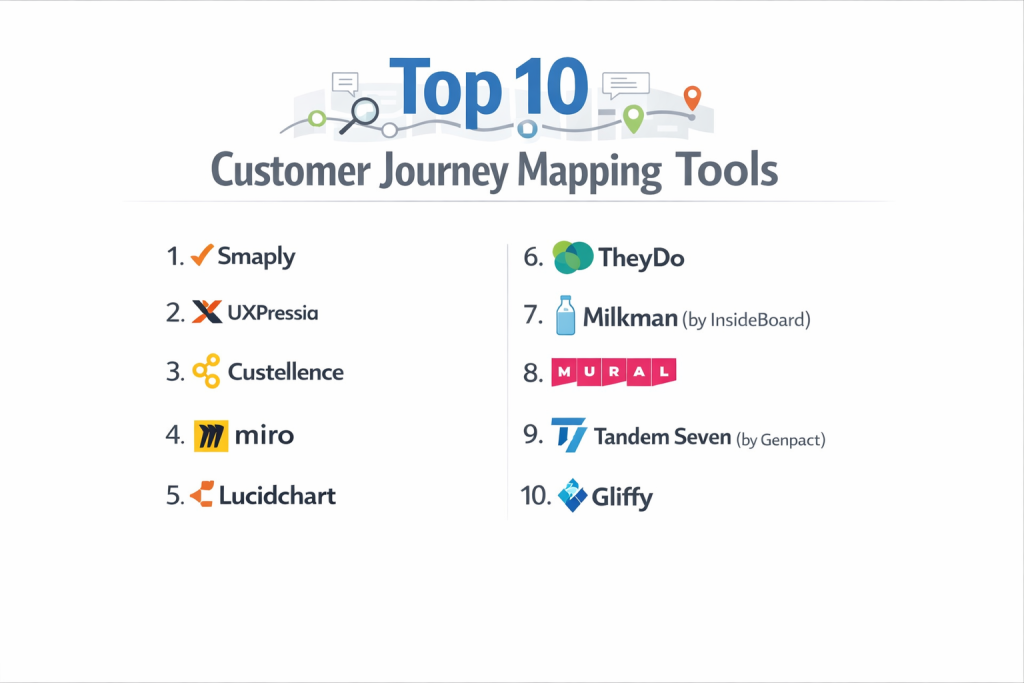
Top 10 Customer Journey Mapping Tools
1 — Smaply
Smaply is a dedicated CX management tool that focuses heavily on personas, journey maps, and stakeholder maps. It is designed for professional CX teams who need a structured environment for complex projects.
- Key features:
- Visual Persona Editor for building deep, empathetic user profiles.
- Journey maps with “Emotional Graphs” to visualize user frustration.
- Stakeholder mapping to see how internal teams impact the customer.
- Live collaboration features for remote workshops.
- Multi-lane maps that include “Backstage” processes and “Touchpoints.”
- Professional PDF and Excel export options.
- Pros:
- Extremely focused on CX methodology, making it great for experts.
- The linking between personas and maps is the most logical in the industry.
- Cons:
- It has a steeper learning curve for those who aren’t familiar with CX theory.
- The interface can feel a bit rigid compared to open-canvas tools.
- Security & compliance: GDPR compliant, SSO available, and data encryption.
- Support & community: High-quality blog, “Journey Mapping Academy,” and dedicated enterprise support.
2 — UXPressia
UXPressia is a modern, web-based platform known for its beautiful, “presentation-ready” maps. It offers a balance between ease of use and professional depth.
- Key features:
- 70+ industry-specific templates to get started quickly.
- Impact Map tool for linking business goals to user actions.
- Real-time collaborative editing with team presence.
- Integrated “Empathy Map” tool for deeper persona insights.
- Direct integrations with Google Analytics and Mixpanel.
- Mixed-mode views (Grid vs. Canvas).
- Pros:
- The final outputs are incredibly visually appealing and don’t require further design work.
- Very intuitive; a new user can build a basic map in under 15 minutes.
- Cons:
- Pricing can get expensive quickly as you add more team members.
- Some of the advanced data-linking features are still maturing.
- Security & compliance: SOC 2, GDPR, and SSO for Enterprise plans.
- Support & community: Excellent documentation, live chat support, and regular webinars.
3 — Custellence
Custellence is built for teams that need to handle extremely large, complex maps without losing the big-picture view. Its unique “curved” map style is a differentiator.
- Key features:
- Flexible map structure that allows for “Sub-Maps” and nested journeys.
- “Lane” management that tracks goals, pain points, and solutions.
- Image and video embedding directly into touchpoints.
- Easy drag-and-drop interface for moving stages of the journey.
- Collaboration with unlimited “View-only” guests.
- Unique visualization that emphasizes the “flow” of a journey.
- Pros:
- Handles massive, multi-stage journeys better than almost any other tool.
- Very easy to “zoom in” on a specific detail and “zoom out” to the whole ecosystem.
- Cons:
- Lacks some of the “Empathy Mapping” specific tools found in Smaply.
- Fewer integrations with external marketing data tools.
- Security & compliance: GDPR compliant and encrypted data hosting.
- Support & community: Personal onboarding for teams and a solid knowledge base.
4 — Miro
While Miro is a general-purpose digital whiteboard, it has become one of the most popular journey mapping tools because of its total creative freedom and massive template library.
- Key features:
- Infinite canvas for mapping every possible customer path.
- Thousands of community-created journey mapping templates.
- Interactive “Sticky Notes” and voting for team brainstorming.
- Live video calling and timers built directly into the board.
- Huge integration ecosystem (Jira, Slack, Salesforce, Google).
- Mobile and tablet apps for mapping on the go.
- Pros:
- Unrivaled for the “Brainstorming” and “Discovery” phase of journey mapping.
- Almost everyone already knows how to use it, reducing training time.
- Cons:
- Because it isn’t “purpose-built” for CX, it lacks structured emotional graphing.
- Maps can become messy and unorganized if not strictly managed.
- Security & compliance: SOC 2 Type II, ISO 27001, GDPR, and HIPAA (on Enterprise).
- Support & community: Massive “Miroverse” community and 24/7 global support.
5 — Lucidchart
Lucidchart is the “gold standard” for technical flowcharts and diagrams. It is the best choice for teams that want to map the logical “logic gates” and technical steps of a journey.
- Key features:
- Intelligent diagramming with automated layout tools.
- Data-linked shapes that update based on Excel or Google Sheets.
- Layering system to show “Current State” vs. “Future State” on one map.
- Integration with Microsoft 365 and Google Workspace.
- Hotspots for linking different maps together.
- Robust revision history for auditing changes.
- Pros:
- The best tool for mapping the technical “plumbing” of a customer journey.
- Very strong for large enterprises that require strict diagramming standards.
- Cons:
- Less focus on the “human/emotional” side of the journey (it’s very clinical).
- Templates are functional but not as visually “inspiring” as UXPressia.
- Security & compliance: SOC 2 Type II, ISO 27001, GDPR, and PCI compliance.
- Support & community: Extensive training videos (Lucid University) and enterprise success managers.
6 — TheyDo
TheyDo is a modern “Journey Management” platform that treats journeys as living data sets rather than static images. It is built for large-scale CX transformation.
- Key features:
- “Journey Framework” that links every journey in your company together.
- Opportunity tracking to prioritize which “pain point” to fix first.
- Direct links between customer insights and product requirements.
- Standardized persona library that syncs across all maps.
- Global search for finding specific touchpoints across the organization.
- Automated reporting on “Journey Health.”
- Pros:
- The best choice for “scaling” journey mapping across a large corporation.
- Moves journey mapping from a “design task” to a “business strategy.”
- Cons:
- High price point makes it inaccessible for smaller businesses.
- Requires a significant cultural shift in how a company views data.
- Security & compliance: SOC 2 Type II, GDPR, and Enterprise-grade SSO.
- Support & community: Focused on “Journey Management” thought leadership and enterprise onboarding.
7 — Milkman (by InsideBoard)
Milkman is a specialized tool that focuses on the “Emotional” and “Behavioral” aspects of the customer journey, often used in retail and service design.
- Key features:
- Behavioral mapping tools to track user decision-making logic.
- Multi-channel journey tracking (Email, Phone, In-person).
- Collaborative workspace with “Action Item” tracking.
- Customizable icons and themes for brand alignment.
- Simplified export for stakeholders.
- Real-time feedback loops integrated into the map.
- Pros:
- Excellent for identifying the psychological barriers in a journey.
- Very clean and uncluttered user interface.
- Cons:
- Smaller user community compared to Miro or Smaply.
- Fewer third-party app integrations.
- Security & compliance: GDPR compliant and standard SSL encryption.
- Support & community: Direct email support and personalized training sessions.
8 — Mural
Mural is the primary competitor to Miro, offering a digital canvas that is more focused on “Facilitation” and guided workshops for design thinking.
- Key features:
- Guided “Facilitation Superpowers” (locking objects, private mode).
- Extensive library of Design Thinking and CX templates.
- Collaborative “Voting” sessions to prioritize journey touchpoints.
- Integration with Microsoft Teams and Outlook.
- Custom room permissions for different departments.
- Content “Libraries” for reusable journey components.
- Pros:
- Superior to Miro for “guided” sessions with executives who aren’t tech-savvy.
- Very strong focus on education and “how to” map a journey correctly.
- Cons:
- The canvas performance can struggle with very high numbers of users.
- Mobile app is slightly less polished than Miro’s.
- Security & compliance: SOC 2 Type II, ISO 27001, GDPR, and HIPAA.
- Support & community: Mural Learning programs and a very active “Facilitator” community.
9 — Tandem Seven (by Genpact)
Tandem Seven is an enterprise-level CX platform that combines journey mapping with heavy-duty data analytics for global organizations.
- Key features:
- Data-driven personas that update based on CRM data.
- Journey mapping with integrated quantitative “Impact Scores.”
- High-level CX strategy dashboards for the C-suite.
- Global collaboration for thousands of internal users.
- Integration with Genpact’s broader business transformation suite.
- Advanced security and compliance for financial sectors.
- Pros:
- Built for the needs of Fortune 500 companies with massive datasets.
- Provides deep analytical proof for why a journey change is needed.
- Cons:
- Extremely complex and requires professional implementation.
- Not suitable for businesses that just want a “quick map.”
- Security & compliance: SOC 2, ISO 27001, GDPR, and FedRAMP (Varies).
- Support & community: Enterprise-only support model with dedicated account teams.
10 — Gliffy
Gliffy is a lightweight, easy-to-use diagramming tool that lives inside Jira and Confluence, making it the favorite for software developers and engineering teams.
- Key features:
- Native integration with the Atlassian ecosystem (Jira/Confluence).
- Drag-and-drop shapes for quick journey sketching.
- Version control that tracks changes alongside software code.
- Collaborative editing for technical documentation.
- Simple flowchart and journey map templates.
- Very fast, browser-based performance.
- Pros:
- If your team lives in Jira, this is the most convenient way to map.
- Very affordable and doesn’t require a separate standalone subscription.
- Cons:
- Lacks the “beauty” and emotional tracking features of CX-specific tools.
- Limited templates for non-software journeys.
- Security & compliance: SOC 2 and GDPR compliant.
- Support & community: Robust documentation and Atlassian community support.
Comparison Table
| Tool Name | Best For | Platform(s) Supported | Standout Feature | Rating |
| Smaply | CX Professionals | Web / Cloud | Emotional Graphing | 4.4 / 5 |
| UXPressia | Beautiful Design | Web / Cloud | Impact Mapping | 4.8 / 5 |
| Custellence | Large Scale Maps | Web / Cloud | Nested Sub-Maps | 4.6 / 5 |
| Miro | Remote Brainstorming | Web, iOS, Android | Infinite Whiteboard | 4.7 / 5 |
| Lucidchart | Technical Logic | Web, iOS, Android | Data-Linked Shapes | 4.5 / 5 |
| TheyDo | Journey Management | Web / Cloud | Opportunity Prioritization | 4.9 / 5 |
| Milkman | Behavioral Insights | Web / Cloud | Behavioral Logic Lanes | 4.2 / 5 |
| Mural | Guided Workshops | Web, iOS, Android | Facilitation Features | 4.6 / 5 |
| Tandem Seven | Global Enterprise | Web / Cloud | Quantitative Analytics | N/A |
| Gliffy | Jira/Confluence Users | Web / Atlassian App | Atlassian Integration | 4.1 / 5 |
Evaluation & Scoring of Customer Journey Mapping Tools
| Criteria | Weight | Evaluation Rationale |
| Core Features | 25% | Presence of personas, emotional graphs, and multi-lane mapping. |
| Ease of Use | 15% | How quickly a non-designer can create a professional map. |
| Integrations | 15% | Connectivity with Google Analytics, CRM, and task managers. |
| Security & Compliance | 10% | SOC 2 status and handling of GDPR data for personas. |
| Performance | 10% | Canvas speed when handling large maps or many users. |
| Support & Community | 10% | Training quality and “how-to” CX resources. |
| Price / Value | 15% | Does the cost justify the business insights gained? |
Which Customer Journey Mapping Tool Is Right for You?
Solo Users vs SMB vs Mid-Market vs Enterprise
If you are a solo designer, Miro or UXPressia offer great “Free” tiers that give you the power you need. SMBs should look at UXPressia or Smaply for a more structured CX approach. Mid-Market teams who need to link journeys to product roadmaps will find Custellence or Mural very effective. For Global Enterprises, the choice is between TheyDo (for strategy) and Tandem Seven (for data).
Budget-conscious vs Premium Solutions
For those with no budget, Miro and Lucidchart have free versions that are very generous. If you are looking for a Premium solution that acts as a “source of truth” for your entire company, TheyDo is a high-cost but high-return investment that transforms how you do business.
Feature Depth vs Ease of Use
If you want ease of use, UXPressia and Miro are the clear winners; you can be productive within minutes. If you want feature depth—meaning you want to calculate the financial impact of a pain point or map technical logic—Lucidchart and Smaply are the better bets.
Integration and Scalability Needs
If your company lives in Microsoft Teams, Mural has the tightest integration. If you live in Atlassian/Jira, Gliffy is the obvious choice. For those who need to scale CX across 10+ different departments, TheyDo is the only tool designed to prevent “Journey Silos.”
Security and Compliance Requirements
Banking and Healthcare sectors should stick with Lucidchart, Miro, or Mural as they offer the most robust SOC 2 and HIPAA compliance options. For general GDPR needs, all the European-based tools like Smaply and Custellence are highly reliable.
Frequently Asked Questions (FAQs)
What is a customer journey map?
It is a visual representation of every experience a customer has with your brand. It helps identify gaps between the customer’s expectations and the actual service they receive.
Can I do this in PowerPoint?
You can, but it is not recommended. PowerPoint is static and hard to update. Dedicated tools allow for real-time data integration, collaboration, and deeper visualization of emotions.
What is an “Empathy Map”?
An empathy map is a tool used within journey mapping to understand what the customer is Thinking, Feeling, Saying, and Doing at a specific moment.
How often should we update our maps?
A journey map should be a “living document.” At a minimum, it should be updated whenever you launch a new product feature or change a major marketing channel.
Do these tools work for B2B?
Absolutely. In fact, B2B journeys are often more complex (involving more stakeholders), making these tools even more valuable for tracking long sales cycles.
Is Miro better than Smaply?
It depends on your goal. Miro is a “blank slate” for brainstorming. Smaply is a structured tool that forces you to follow CX best practices.
What is a “Service Blueprint”?
A service blueprint is a journey map that also shows what’s happening “backstage”—the internal processes and staff actions that the customer doesn’t see.
Can I map a “Future State” journey?
Yes. Most pros use these tools to map the “Current State” (what’s happening now) and then create a second map for the “Future State” (the ideal experience).
How do I get my team to use these tools?
Start with a template. Don’t show them a blank screen. Use a tool like UXPressia to show them a beautiful, completed example to get them excited.
What is the biggest mistake in journey mapping?
Mapping based on “internal assumptions” rather than actual customer feedback. Always try to validate your map with real data or customer interviews.
Conclusion
The “best” customer journey mapping tool isn’t necessarily the one with the most icons or the highest price tag; it’s the one that effectively breaks down the silos within your company. If your marketing team sees one journey and your product team sees another, the customer is the one who suffers.
For quick collaboration and creative freedom, Miro and Mural are unrivaled. For professional CX practitioners who need structured empathy and persona data, Smaply and UXPressia provide the perfect framework. And for large organizations ready to move from “drawing maps” to “managing journeys” at scale, TheyDo represents the future of the industry. By choosing a tool that fits your team’s technical comfort level and your company’s data needs, you can turn abstract “user experiences” into a concrete roadmap for growth.