Introduction
Customer Identity and Access Management (CIAM) is a specialized subset of cybersecurity focused on managing and securing the identities of external users—your customers. Unlike traditional “Workforce IAM,” which is built to control employees within a corporate network, CIAM is designed to provide a seamless, branded, and secure experience for millions of users across web, mobile, and IoT platforms.
The importance of CIAM cannot be overstated. A poor login experience is one of the leading causes of “cart abandonment” and user churn. CIAM solutions bridge the gap between high-level security (protecting sensitive customer data) and marketing efficiency (gathering user insights and personalization). Key real-world use cases include providing Single Sign-On (SSO) across a suite of consumer apps, enabling Social Login (signing in with Google or Apple), and managing Progressive Profiling, where you collect user data gradually over time to avoid overwhelming them during registration. When choosing a CIAM tool, organizations should prioritize scalability, ease of integration via SDKs, and robust consent management to comply with global privacy laws.
Best for: CIAM tools are essential for B2C and B2B companies that interact with external users. This includes e-commerce retailers, financial services (FinTech), media streaming platforms, and SaaS providers. Roles such as Product Managers, Developers, and Digital Marketers benefit most from the data insights and conversion-focused features these tools provide.
Not ideal for: Small internal teams looking only to manage employee access to office tools like email or HR systems. For those needs, a standard Workforce IAM or a simple directory service is more cost-effective and appropriate.
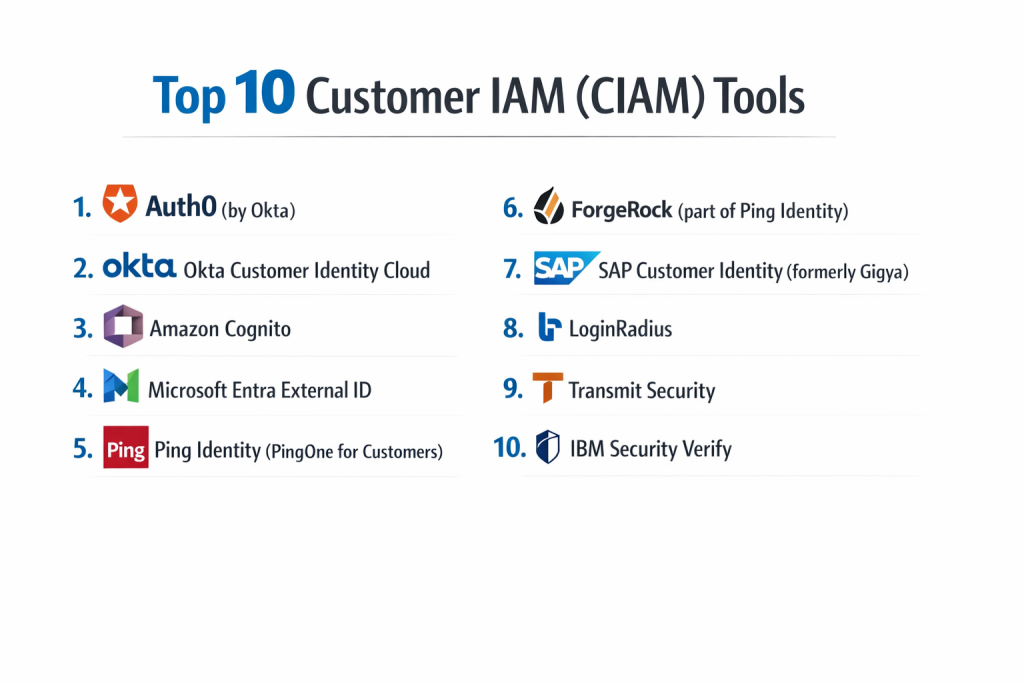
Top 10 Customer IAM (CIAM) Tools
1 — Auth0 (by Okta)
Auth0 is a developer-centric CIAM platform designed for teams that need high levels of customization and “extensibility.” It allows developers to “hook” into any part of the identity journey with custom code.
- Key Features:
- Universal Login: A pre-built, brandable login page that works across all platforms.
- Auth0 Actions: A serverless environment to add custom logic during the login flow.
- Extensive SDK Library: Support for almost every modern programming language and framework.
- Attack Protection: Built-in bot detection and breached credential alerts.
- Social & Passwordless Login: One-click integration for social providers and biometrics.
- Pros:
- Unmatched flexibility for developers to build unique user journeys.
- Excellent documentation and “quick start” guides that reduce deployment time.
- Cons:
- Pricing can escalate quickly as “Monthly Active Users” (MAU) grow.
- The highly customizable nature can lead to configuration complexity.
- Security & Compliance: SOC 2 Type II, ISO 27001, HIPAA-ready, GDPR, and PCI DSS compliant.
- Support & Community: Large developer community, extensive documentation, and tiered enterprise support.
2 — Okta Customer Identity Cloud
While Auth0 handles the developer-heavy use cases, the core Okta Customer Identity Cloud provides a highly reliable, enterprise-grade identity layer for businesses that prioritize security and uptime.
- Key Features:
- Identity Orchestration: Visual tools to design complex user flows without heavy coding.
- Adaptive MFA: Intelligence-based multi-factor authentication that only triggers on high-risk logins.
- Progressive Profiling: Collects data in stages to keep the initial sign-up friction-low.
- B2B SaaS Support: Specialized features for organizations selling to other businesses.
- API Access Management: Secures the backend APIs that power mobile and web apps.
- Pros:
- Industry-leading reliability with high availability SLAs.
- Strong balance between security features and user experience.
- Cons:
- Can be more expensive than “niche” CIAM providers.
- Some advanced features require additional add-on licenses.
- Security & Compliance: FedRAMP authorized, SOC 2, ISO 27017/18, and HIPAA compliant.
- Support & Community: 24/7 global support, dedicated account managers for large enterprises, and a robust partner ecosystem.
3 — Amazon Cognito
Amazon Cognito is the CIAM solution built for the AWS ecosystem. it is designed for developers who are already hosting their applications on Amazon’s cloud and want a deeply integrated identity store.
- Key Features:
- User Pools: A managed user directory that scales to millions of users.
- Identity Pools: Provides temporary AWS credentials to users for accessing services like S3 or DynamoDB.
- Hosted UI: A basic, customizable web UI for sign-up and sign-in.
- Advanced Security: Risk-based authentication and compromised credential checking.
- Lambda Triggers: Use AWS Lambda functions to customize sign-up and authentication.
- Pros:
- Extremely cost-effective, especially for the first 50,000 monthly active users.
- Seamless integration with other AWS services.
- Cons:
- The user interface for the “Hosted UI” is quite basic and often needs a custom build.
- Steeper learning curve for those not familiar with the AWS Console.
- Security & Compliance: HIPAA eligible, PCI DSS, SOC, ISO, and GDPR compliant.
- Support & Community: Backed by AWS Support tiers and a vast library of AWS developer resources.
4 — Microsoft Entra External ID
Formerly known as Azure AD B2C, Microsoft Entra External ID is the primary choice for enterprises that use the Microsoft cloud but need a separate, highly customizable tenant for their external customers.
- Key Features:
- Custom Policies: Deep XML-based configuration for highly specific user journeys.
- Social Identity Federation: Support for Google, Facebook, Apple, and local accounts.
- Conditional Access: Apply security rules based on user location, device, or risk.
- API Protection: Integrated with Azure API Management for secure data flow.
- Branding & Localization: Multi-language support and full UI customization.
- Pros:
- Deeply integrated with the Azure ecosystem and security stack.
- Very scalable, handling millions of users and billions of authentications per day.
- Cons:
- “Custom Policies” have a very steep learning curve and are difficult to debug.
- Not as “platform agnostic” as some other independent providers.
- Security & Compliance: Global compliance footprint including FedRAMP, SOC, ISO, and GDPR.
- Support & Community: Enterprise Microsoft support and extensive documentation on Microsoft Learn.
5 — Ping Identity (PingOne for Customers)
Ping Identity specializes in complex, high-performance identity needs for large enterprises. PingOne for Customers is their cloud-native CIAM platform focused on “Identity Orchestration.”
- Key Features:
- DaVinci Orchestration: A drag-and-drop “canvas” to design user journeys across different tools.
- Fraud & Risk Intelligence: Integrated signals to detect bot attacks and account takeovers.
- Identity Verification: Built-in tools for document and biometric verification (KYC).
- Multi-Cloud Support: Can run in hybrid environments or across multiple cloud providers.
- Consent Management: Fine-grained control over what data users share and why.
- Pros:
- The DaVinci orchestrator is widely considered the best in the industry for visual design.
- Exceptional performance for large-scale, global deployments.
- Cons:
- Higher price point targeted at the upper mid-market and enterprise.
- Can be complex to set up due to the sheer number of options.
- Security & Compliance: ISO 27001, SOC 2, HIPAA-ready, and GDPR compliant.
- Support & Community: High-touch enterprise support and a professional services organization.
6 — ForgeRock (part of Ping Identity)
ForgeRock (recently merged with Ping Identity) is a favorite among organizations that require an “API-first” approach and the ability to handle both workforce and consumer identities in one flexible platform.
- Key Features:
- Identity Trees: A visual way to map out exactly how a user logs in and resets a password.
- Self-Service Workflows: Users can manage their own profiles and privacy settings easily.
- IoT Integration: Capable of managing identities for “things” as well as people.
- Hybrid Deployment: Can be run as SaaS, in a private cloud, or on-premises.
- Advanced Security: Integrated AI for detecting anomalous behavior.
- Pros:
- Incredible flexibility for unique, non-standard business models.
- Strong focus on privacy and user-managed consent.
- Cons:
- Requires a higher level of technical expertise to fully utilize.
- Roadmap questions exist due to the recent merger with Ping Identity.
- Security & Compliance: SOC 2, ISO 27001, and GDPR compliant.
- Support & Community: Strong developer forums and “ForgeRock University” for training.
7 — SAP Customer Identity (formerly Gigya)
SAP’s CIAM solution is built with a heavy focus on the “Customer Journey” and marketing. It is ideal for companies already using the SAP Customer Experience (CX) suite.
- Key Features:
- Consent & Preference Management: Centrally manage user permissions for marketing.
- Social Login & Registration: Streamlined flows to boost conversion rates.
- Progressive Profiling: Deeply integrated with SAP marketing tools.
- Customer Insights: Analytics that show how users are interacting with the brand.
- Global Privacy Compliance: Pre-built tools for localized regulations worldwide.
- Pros:
- Best-in-class for turning identity data into marketing insights.
- Excellent for large global brands needing strict regional data compliance.
- Cons:
- Primarily beneficial if you are already in the SAP ecosystem.
- Not as “developer-first” as tools like Auth0.
- Security & Compliance: ISO 27001, SOC 2, GDPR, and HIPAA compliant.
- Support & Community: Standard SAP enterprise support and documentation.
8 — LoginRadius
LoginRadius is a SaaS-native CIAM platform that prides itself on being an “all-in-one” solution that is easy to deploy without needing a team of identity experts.
- Key Features:
- Pre-built Hosted Pages: Ready-to-use registration and login pages that only need branding.
- 40+ Social ID Providers: One of the widest selections of social login options.
- User Management Dashboard: A simple interface for support teams to manage accounts.
- Single Sign-On (SSO): Easy setup for connecting multiple web and mobile properties.
- Security as a Service: Built-in MFA, password hashing, and encryption.
- Pros:
- Very fast time-to-market with many “out-of-the-box” features.
- Predictable, transparent pricing models.
- Cons:
- Less customization “under the hood” compared to ForgeRock or Auth0.
- Support for extremely complex, custom B2B flows is not as deep.
- Security & Compliance: ISO 27001, SOC 2, PCI DSS, GDPR, and HIPAA compliant.
- Support & Community: 24/7 technical support and dedicated onboarding assistance.
9 — Transmit Security
Transmit Security has emerged as a leader in “Modern CIAM,” focusing heavily on the elimination of passwords and the use of biometric-first journeys.
- Key Features:
- BindID: A passwordless authentication service that uses mobile biometrics.
- Identity Orchestration: Visual design of user journeys without code changes.
- Fraud Prevention: Integrated behavioral biometrics to stop bots and account takeovers.
- Native Mobile Integration: Specialized SDKs for seamless iOS and Android logins.
- Consolidated Identity: Merges identities from different silos into one view.
- Pros:
- Leading the charge in “Passwordless” technology to reduce login friction.
- Very high security without sacrificing the user experience.
- Cons:
- Can be a more specialized choice compared to “general purpose” CIAMs.
- Relatively newer player compared to giants like Microsoft or IBM.
- Security & Compliance: SOC 2, ISO 27001, and GDPR compliant.
- Support & Community: High-growth support model and specialized technical account teams.
10 — IBM Security Verify
IBM Security Verify is an identity-as-a-service (IDaaS) platform that provides robust CIAM capabilities, leveraging IBM’s deep history in enterprise security and AI.
- Key Features:
- AI-Infused Risk Detection: Real-time analysis of user behavior to spot fraud.
- Consent Management: Built-in tools for managing privacy and regulatory requirements.
- Passwordless Authentication: Support for FIDO2 and biometric logins.
- Orchestration Workflows: Drag-and-drop editor for user onboarding and login.
- Comprehensive Analytics: Deep reporting on user engagement and security events.
- Pros:
- Extremely stable and reliable for the world’s largest enterprises.
- Excellent AI-driven security features that reduce false positives in fraud detection.
- Cons:
- The setup and interface can feel more “corporate” and complex.
- Licensing can be complicated due to the broad IBM Security portfolio.
- Security & Compliance: Extensive global certifications including GDPR, ISO, and HIPAA.
- Support & Community: 24/7 world-class enterprise support and a large knowledge base.
Comparison Table
| Tool Name | Best For | Platform(s) Supported | Standout Feature | Rating (Gartner) |
| Auth0 | Developers | SaaS, Hybrid | Custom Logic (Actions) | 4.6 / 5 |
| Okta CIAM | Enterprise Security | SaaS | Adaptive MFA & Uptime | 4.6 / 5 |
| Amazon Cognito | AWS Developers | AWS Cloud | Cost-effectiveness | 4.0 / 5 |
| Microsoft Entra | Azure Ecosystem | SaaS | Conditional Access | 4.5 / 5 |
| Ping Identity | Complex Orchestration | SaaS, Hybrid | DaVinci Visual Design | 4.4 / 5 |
| ForgeRock | API-First / Privacy | Cloud, On-prem | Identity Trees | 4.4 / 5 |
| SAP Identity | Marketing / CX | SaaS | Consent & Insights | 4.1 / 5 |
| LoginRadius | Mid-Market / Speed | SaaS | 40+ Social Providers | 4.4 / 5 |
| Transmit Security | Passwordless First | SaaS | BindID Biometrics | 4.7 / 5 |
| IBM Verify | Global Corporate | SaaS, Hybrid | AI-Driven Risk Analysis | 4.3 / 5 |
Evaluation & Scoring of [Customer IAM (CIAM)]
Choosing a CIAM tool is a strategic decision that affects both your security posture and your top-line revenue. We evaluate these tools based on seven key pillars:
| Criteria | Weight | What We Evaluate |
| Core Features | 25% | Presence of SSO, MFA, Social Login, and Progressive Profiling. |
| Ease of Use | 15% | Developer experience (SDKs/Docs) and end-user login friction. |
| Integrations | 15% | Connectivity with CRMs (Salesforce), CMS, and marketing tools. |
| Security & Compliance | 10% | Encryption, bot detection, and global certifications (SOC2/GDPR). |
| Performance | 10% | Scalability to millions of users and global low-latency uptime. |
| Support & Community | 10% | Availability of support and health of the developer ecosystem. |
| Price / Value | 15% | Licensing transparency and cost efficiency at scale (TCO). |
Which Customer IAM (CIAM) Tool Is Right for You?
Selecting the right CIAM solution depends heavily on your technical stack and your business goals.
Solo Users & Startups
If you are a solo developer or a small startup, Amazon Cognito is often the winner due to its “Free Tier” that covers the first 50,000 users. It gives you enterprise-grade security for nearly zero cost while you are building your MVP.
SMBs and Growing Mid-Market
For businesses that need to go live fast but want a better user experience than Cognito, LoginRadius or Auth0 are excellent. They provide “plug-and-play” login screens that look great and work instantly, allowing your team to focus on building your actual product.
Large Enterprise & Global Brands
Large corporations with millions of customers need the “heavy hitters.” Okta, Ping Identity, and IBM Security Verify offer the highest levels of security, fraud prevention, and global compliance. If your company is heavily invested in a specific ecosystem, Microsoft Entra (Azure) or SAP Customer Identity are the most logical choices.
The “Privacy-First” or “Passwordless” Goal
If your primary goal is to provide a “futuristic” login experience—eliminating passwords entirely to stop phishing—Transmit Security or the passwordless modules of Auth0 should be your top priority.
Frequently Asked Questions (FAQs)
1. Is CIAM different from the login system I build myself?
Yes. While you can build a basic login system, a CIAM tool handles the complex stuff: multi-factor authentication, social login updates, security patches, bot protection, and compliance with laws like GDPR. It is usually much cheaper to buy than to build and maintain.
2. What is “Monthly Active Users” (MAU) pricing?
Most CIAM tools charge based on how many unique users log in each month. If you have 1 million registered users but only 10,000 log in this month, you only pay for those 10,000.
3. Does CIAM slow down my website or mobile app?
Modern CIAM tools use global “Edge” networks to ensure the login happens in milliseconds. Most users actually find that a professional CIAM (like Social Login) makes the process much faster for them.
4. How does CIAM help with marketing?
CIAM tools collect “First-Party Data.” Instead of guessing who your users are, you can see their preferences and behavior. This data can be automatically sent to your CRM (like Salesforce) to help your marketing team send better emails and offers.
5. What is “Social Login”?
Social login allows users to sign in using their existing accounts from Google, Facebook, Apple, or LinkedIn. This reduces “password fatigue” and significantly increases the number of people who complete the sign-up process.
6. Can I move my users from one CIAM tool to another?
Yes, but it requires a “migration.” Most CIAM providers offer tools to import your existing user database. The biggest challenge is moving passwords, which usually requires a “lazy migration” where users are moved over the next time they log in.
7. Is passwordless login actually secure?
Actually, it is more secure than passwords. By using biometrics (like FaceID) or “Magic Links” sent to an email, you eliminate the risk of users choosing weak passwords or being victims of “Credential Stuffing” attacks.
8. What is “Progressive Profiling”?
This is a technique where you don’t ask for a user’s address, phone number, and job title all at once. You ask for their email first. Then, the third time they visit, you might ask for their city. This keeps the user experience smooth and builds trust over time.
9. Do I need CIAM if I only have 1,000 customers?
At 1,000 users, you can probably manage with a simple system. However, starting with a CIAM tool like Cognito or Auth0 early on makes it much easier to scale when you suddenly grow to 100,000 users.
10. How does CIAM handle global privacy laws like GDPR or CCPA?
CIAM tools have built-in “Consent Managers.” They can show different privacy notices to a user in Germany versus a user in California, and they store a digital record of exactly when and what the user agreed to.
Conclusion
Choosing the right Customer IAM (CIAM) tool is one of the few technical decisions that directly impacts your company’s revenue. A smooth, secure login process is the “front door” of your digital business. If that door is hard to open, customers will walk away; if it’s too loose, your data is at risk.
The “best” tool doesn’t exist in a vacuum—it depends on your specific needs. Auth0 is king for developer flexibility, Amazon Cognito wins on price for AWS users, and Ping Identity leads the way for enterprise orchestration. When evaluating your options, remember that identity is not just a security hurdle—it is a competitive advantage. Focus on a tool that scales with your growth, respects user privacy, and, above all, makes it as easy as possible for your customers to say “hello.”