Introduction
A Customer Feedback Tool is a software application designed to capture the “voice of the customer” through various channels like surveys, website widgets, email, or in-app prompts. Unlike simple contact forms, these tools are built to measure specific metrics such as Net Promoter Score (NPS), Customer Satisfaction (CSAT), and Customer Effort Score (CES). They help bridge the gap between what a company thinks it is delivering and what the customer is actually experiencing.
The importance of these tools cannot be overstated. In a world where a single bad review can go viral, staying ahead of customer sentiment is vital for retention and growth. Key real-world use cases include identifying “bugs” in a website’s checkout process, testing new product ideas before building them, and catching unhappy customers before they leave for a competitor. When evaluating these tools, you should look for ease of survey creation, advanced targeting (so you don’t annoy users with too many pop-ups), and powerful analytics that can turn thousands of comments into clear, actionable themes.
Target Audience Analysis
Best for:
- Product Managers and UX Designers: Who need to know how people are interacting with specific features.
- Customer Success Teams: Who want to track long-term happiness and prevent churn.
- Marketing Teams: Who need to understand brand perception and gather testimonials.
- E-commerce Businesses: Large and small, looking to improve the shopping experience.
Not ideal for:
- Solo Operators with One-Time Sales: If you sell a single digital book once and never interact again, a simple free form is usually enough.
- Internal-Only Feedback: While some of these tools can be used for employees, specialized HR “engagement” tools are usually better for internal culture.
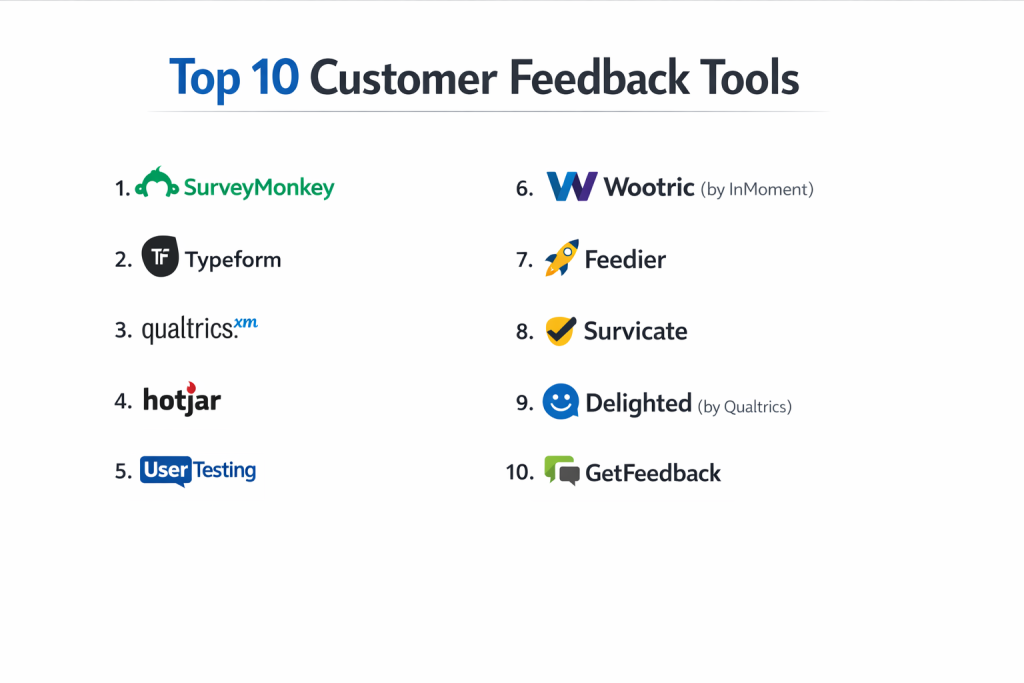
Top 10 Customer Feedback Tools
1 — SurveyMonkey
SurveyMonkey is perhaps the most well-known name in the world of surveys. It has evolved from a simple poll builder into a massive “Momentive” AI-powered platform that handles everything from basic questions to complex global market research.
- Key Features:
- Over 250 expert-written survey templates.
- AI-powered “Genius” tool that predicts how well your survey will perform.
- Advanced logic and branching to show different questions based on previous answers.
- Multi-channel distribution via email, web, social media, and offline.
- Powerful data visualization and export options for reports.
- Built-in panels to buy responses from specific demographic groups.
- Pros:
- Extremely reliable and trusted by millions of users worldwide.
- Incredible variety of question types and logic options.
- Cons:
- The free version is very limited (only allows you to see a few responses).
- Can feel expensive for small businesses that don’t need the advanced features.
- Security & Compliance: HIPAA compliant, SOC 2, GDPR, SSO support, and data encryption.
- Support & Community: 24/7 email support for most plans, phone support for enterprise, and a massive library of help articles.
2 — Typeform
Typeform changed the industry by making surveys feel like a conversation. Instead of a long list of checkboxes, it shows one question at a time, which significantly increases the number of people who actually finish the survey.
- Key Features:
- “One question at a time” interface that looks beautiful on mobile.
- Built-in “Logic Jumps” to create customized paths for users.
- VideoAsk integration to allow video-based feedback.
- Highly customizable themes to match your brand perfectly.
- Easy integration with Slack, HubSpot, and Google Sheets.
- Use of “Hidden Fields” to pull in customer data without asking for it.
- Pros:
- Completion rates are much higher than traditional, boring forms.
- The design is modern and makes your brand look professional.
- Cons:
- Not ideal for very long, complex scientific surveys.
- The pricing structure has become more expensive in recent years.
- Security & Compliance: GDPR compliant, SOC 2 Type II, and SSO available for Enterprise.
- Support & Community: Help center with video tutorials and a dedicated community forum.
3 — Qualtrics
Qualtrics is the heavy-duty “Experience Management” platform used by the world’s largest corporations. It is designed to handle millions of data points and provide deep statistical analysis.
- Key Features:
- “Predictive Intelligence” that finds patterns in customer comments.
- Specialized modules for Product, Brand, Design, and Employee experience.
- Sophisticated text analytics using natural language processing (iQ).
- Integration with almost every major enterprise CRM and ERP.
- Support for over 100 different question types.
- Real-time dashboards for executives to see company health.
- Pros:
- The most powerful analytical engine on the market.
- Can handle massive global surveys in dozens of languages simultaneously.
- Cons:
- Extremely high price point; usually requires an annual contract.
- Requires significant training or a dedicated expert to operate.
- Security & Compliance: ISO 27001, FedRAMP authorized, HIPAA, SOC 2, and GDPR.
- Support & Community: 24/7 technical support and the “Qualtrics Basecamp” training academy.
4 — Hotjar
Hotjar is different because it captures feedback while the user is actually on your website. It combines surveys with visual tools like “Heatmaps” to show you exactly where people are getting frustrated.
- Key Features:
- In-app feedback widgets that slide out from the side of the screen.
- “Session Recordings” to watch how a user struggled before they gave feedback.
- Heatmaps to see where users click, move, and scroll.
- NPS and exit-intent surveys (pops up when someone tries to leave).
- Highlight tool to share specific feedback clips with your team.
- Recruitment tool to find users for live interviews.
- Pros:
- Provides the “Why” behind the data by showing you the user’s actual behavior.
- Very easy to install with a single piece of code.
- Cons:
- Can slow down your website slightly if not configured correctly.
- The feedback is mostly limited to website users, not email or offline.
- Security & Compliance: GDPR, CCPA, and PCI compliant; data is anonymized by default.
- Support & Community: Extensive documentation and a helpful blog on UX and optimization.
5 — UserTesting
If you want to hear the thoughts of your customers out loud, UserTesting is the leader. It allows you to watch videos of real people using your product while they “think out loud” about their experience.
- Key Features:
- Video-based feedback from a massive global panel of testers.
- “Live Conversation” for real-time interviews.
- Sentiment analysis that automatically flags when a user is frustrated in a video.
- Mobile app testing for iOS and Android.
- Highlight reels to summarize the most important findings for stakeholders.
- Quick-answer templates for common questions like “Why did you leave the cart?”
- Pros:
- Provides deep emotional context that you can’t get from a text survey.
- You can get feedback from people who aren’t your customers yet.
- Cons:
- Very expensive compared to text-based survey tools.
- It takes more time to watch videos than it does to read a report.
- Security & Compliance: SOC 2 Type II, HIPAA, and GDPR compliant.
- Support & Community: Dedicated account managers and professional services for study design.
6 — Wootric (by InMoment)
Wootric is built specifically around “Micro-surveys.” It is designed to be as invisible as possible, popping up at the right moment to ask a single question like “How likely are you to recommend us?”
- Key Features:
- Native support for NPS, CSAT, and CES.
- Multi-channel collection (In-app, Email, SMS, and Intercom).
- Automated “Closing the Loop” by triggering emails to unhappy customers.
- AI-driven sentiment analysis for open-ended comments.
- Comparison tools to see how your scores change over time.
- Easy integration with Salesforce and Slack.
- Pros:
- High response rates because the surveys are so short.
- Focuses on long-term trends rather than one-off feedback.
- Cons:
- Not suitable for in-depth research with long questionnaires.
- The interface for building custom surveys is less flexible than SurveyMonkey.
- Security & Compliance: SOC 2, GDPR, and data encryption.
- Support & Community: Reliable customer support and a focused blog on customer success.
7 — Feedier
Feedier is designed to make feedback feel like a game. It uses “Gamification” to encourage users to give more detailed answers by offering rewards or using interactive designs.
- Key Features:
- Gamified survey flows with progress bars and rewards.
- Multi-channel feedback (Email, SMS, QR Codes).
- Automated reports that pull out the “key insights” for you.
- Integration with over 1,000 apps via Zapier.
- Management dashboard to track team responses to feedback.
- Privacy-first design with easy data deletion.
- Pros:
- Excellent for B2C brands that want to engage a younger or more casual audience.
- Very visual and modern dashboard.
- Cons:
- The gamified approach might feel too “unprofessional” for some B2B industries.
- Smaller user base means fewer third-party community tutorials.
- Security & Compliance: GDPR compliant and hosted on secure EU servers.
- Support & Community: Fast chat support and a dedicated onboarding process.
8 — Survicate
Survicate is an all-in-one feedback tool that focuses on the “Customer Journey.” It allows you to send different surveys at every step—from the first visit to the final purchase.
- Key Features:
- One-click surveys that can be embedded directly into emails.
- In-app surveys for web and mobile apps.
- Automated feedback collection based on user behavior.
- Great library of 125+ survey templates.
- Native integrations with Intercom, HubSpot, and Mailchimp.
- Central “Feedback Hub” to store all your data in one place.
- Pros:
- The email embedding feature is excellent and boosts response rates.
- Very fair pricing for the number of features you get.
- Cons:
- Analytics are good but not as deep as enterprise-level tools.
- The mobile app surveys require some technical setup.
- Security & Compliance: GDPR, SOC 2, and SSO.
- Support & Community: Excellent knowledge base and responsive live chat.
9 — Delighted (by Qualtrics)
Delighted is the “simple version” of Qualtrics. It is designed for companies that want a very professional, clean way to track NPS and CSAT without the complexity of a giant enterprise platform.
- Key Features:
- Simple, elegant survey design that works on all devices.
- Support for Email, Web, SMS, Link, and In-App surveys.
- Automated “Autopilot” to send surveys on a schedule.
- Real-time dashboard with “trending” keywords.
- Integration with Slack to notify the team of new feedback instantly.
- Support for 37+ languages.
- Pros:
- Beautifully simple; you can be up and running in 15 minutes.
- Backed by the power and security of the Qualtrics infrastructure.
- Cons:
- Limited customization for the survey layout.
- You can only ask a limited number of follow-up questions.
- Security & Compliance: SOC 2, GDPR, and enterprise-grade encryption.
- Support & Community: Fast email support and very clear “getting started” guides.
10 — GetFeedback
GetFeedback is a tool designed specifically for companies that use Salesforce. It is built to make sure that every piece of feedback is instantly attached to the customer’s record in your CRM.
- Key Features:
- Deep, native Salesforce integration (bi-directional sync).
- Drag-and-drop survey builder that is very easy to use.
- Ability to trigger surveys based on Salesforce events (like a closed ticket).
- Mobile-responsive themes that look great on any device.
- Automated text analysis for customer comments.
- Multi-channel distribution (Email, SMS, Web).
- Pros:
- If you use Salesforce, this is almost certainly the best tool for you.
- The interface is very modern and user-friendly.
- Cons:
- Not as useful if you use a different CRM like HubSpot or Zoho.
- Pricing can be high for teams not using the Salesforce integration.
- Security & Compliance: SOC 2 Type II, GDPR, and SSO.
- Support & Community: Strong technical support and Salesforce-specific training modules.
Comparison Table
| Tool Name | Best For | Platform(s) Supported | Standout Feature | Rating |
| SurveyMonkey | Market Research | Web, iOS, Android | Huge Template Library | 4.4/5 |
| Typeform | Completion Rates | Web | Conversational UI | 4.5/5 |
| Qualtrics | Global Enterprises | Web, iOS, Android | Predictive Analytics | 4.8/5 |
| Hotjar | UX & Website Help | Web | Heatmaps & Recordings | 4.3/5 |
| UserTesting | Video Feedback | Web, iOS, Android | Real-person Video Logs | 4.5/5 |
| Wootric | Micro-surveys | Web, Mobile, Email | Minimalist In-app Popups | 4.2/5 |
| Feedier | Gamification | Web, SMS | Reward-based Surveys | 4.0/5 |
| Survicate | Integrated Apps | Web, iOS, Android | One-click Email Surveys | 4.4/5 |
| Delighted | Simple NPS/CSAT | Web, SMS | Clean, Fast Setup | 4.6/5 |
| GetFeedback | Salesforce Users | Web, iOS, Android | Native Salesforce Sync | 4.5/5 |
Evaluation & Scoring of Customer Feedback Tools
We evaluated these tools based on a weighted rubric to help you see which one fits your specific business priorities.
| Criteria | Weight | What We Looked For |
| Core Features | 25% | Variety of questions, logic, and survey types (NPS/CSAT). |
| Ease of Use | 15% | How quickly a non-technical person can launch a survey. |
| Integrations | 15% | Does it connect to Slack, Salesforce, and HubSpot? |
| Security | 10% | GDPR, SOC 2, and data privacy for customer protection. |
| Performance | 10% | Does the tool load quickly and work on all mobile devices? |
| Support | 10% | Speed of chat support and depth of the help center. |
| Price / Value | 15% | Is the cost fair for the features provided? |
Which Customer Feedback Tool Is Right for You?
Choosing a tool is not about finding the “best” one, but the “best for you.” Here is a practical guide to making that choice.
Solo Users and Small Businesses (SMB)
If you are just starting out, Typeform or Delighted are fantastic choices. They are easy to set up and make your company look professional from day one. If you have a very tight budget, look for tools with a strong “Free” tier like Survicate or SurveyMonkey, but be aware that you will eventually need to pay to see your best data.
Mid-Market and High-Growth Companies
As you grow, you need to “Close the Loop.” This means you need a tool that doesn’t just collect feedback but tells your team to take action. Survicate, Wootric, and Hotjar are excellent here because they connect to your other apps (like Slack) and tell you immediately when a customer is unhappy.
Global Enterprises
For very large companies, there is usually only one choice: Qualtrics. You need the security, the millions of responses, and the deep statistical data that a simple tool cannot provide. If your company is entirely built on Salesforce, GetFeedback is the alternative that will save your team the most time.
Feature Depth vs. Ease of Use
If you need to know everything about a customer, you need “Feature Depth” (Qualtrics, SurveyMonkey). If you just want to know if people like your new website design, you need “Ease of Use” (Hotjar, Typeform). Don’t buy a Ferrari if you only need to drive to the grocery store—complex tools can sometimes slow you down.
Security and Compliance Requirements
If you work in Healthcare (HIPAA) or Finance (SOC 2), you must choose a tool that takes security seriously. Qualtrics, SurveyMonkey, and Delighted have the most robust legal certifications to protect your customer’s private information.
Frequently Asked Questions (FAQs)
1. What is the difference between NPS, CSAT, and CES?
NPS (Net Promoter Score) measures long-term loyalty. CSAT (Customer Satisfaction) measures how happy they are with a specific event. CES (Customer Effort Score) measures how easy it was for them to get help.
2. How often should I ask for feedback?
Don’t overdo it. If you ask every time a user logs in, they will get annoyed. A good rule of thumb is to ask for an NPS score once every 3 to 6 months.
3. Do these tools work on mobile phones?
Yes, all the tools on this list are “mobile-responsive,” meaning they automatically change their shape to fit a smartphone screen.
4. Can I get feedback for free?
Yes, many tools have a free version, but they usually limit how many responses you can see (for example, you might get 100 responses but can only see the first 10).
5. Is it better to send a survey by email or show it in the app?
In-app surveys usually have higher response rates because the user is already thinking about your product. Email is better for customers who haven’t logged in for a while.
6. What is “Closing the Loop”?
This is the process of reaching out to a customer after they give you bad feedback. If you just collect data and never fix the problem, the customer will feel ignored.
7. Can I white-label these surveys?
“White-labeling” means removing the software’s logo and adding your own. Most paid plans allow this, but free plans usually keep their own branding.
8. How do I get more people to finish my survey?
Keep it short! Every extra question you ask reduces the number of people who will finish the survey. Use tools like Typeform to make the process feel more fun.
9. Can these tools handle multiple languages?
Yes, enterprise tools like Qualtrics and SurveyMonkey are excellent at translating surveys and organizing the data into one report.
10. Do I need an IT person to set this up?
For most tools, no. You usually just need to copy and paste a single line of code into your website, which is as easy as adding a Google Analytics tag.
Conclusion
The “best” customer feedback tool is the one that your team actually uses and your customers actually answer. If you find that your surveys have low response rates, you might need a more conversational tool like Typeform. If you find that you have a lot of data but no insights, you might need the AI power of SurveyMonkey or Qualtrics.
Remember, collecting feedback is only the first step. The real value comes from what you do next. A tool is just a way to listen—it is up to you to act on what you hear.