Introduction
A Customer Relationship Management (CRM) platform is a centralized software system designed to manage all of a company’s interactions with current and potential customers. At its core, a CRM gathers data from various communication channels—including email, phone, social media, and live chat—into a single interface. This allows teams across sales, marketing, and customer service to access a comprehensive history of a customer’s journey. By organizing this data, businesses can streamline their workflows, improve customer retention, and drive sales growth through more personalized and timely interactions.
The importance of CRM platforms lies in their ability to turn scattered data into actionable insights. In a competitive marketplace, personalizing the customer experience is a necessity rather than a luxury. CRMs enable businesses to track leads through the sales funnel, automate repetitive follow-up tasks, and analyze buying patterns. Key real-world use cases include lead scoring to prioritize high-value prospects, automated email marketing campaigns, and unified support ticketing systems. When evaluating a CRM, users should look for ease of use, mobile accessibility, robust integration capabilities with existing software (like email and accounting), and the ability to scale as the business expands.
Best for: Sales teams, marketing professionals, and customer support departments across various industries such as B2B technology, real estate, retail, and manufacturing. These tools are ideal for any organization looking to scale their operations and maintain high levels of customer satisfaction through data-driven decisions.
Not ideal for: Solo hobbyists with very few clients or businesses with extremely simple, one-off transaction models that do not require relationship nurturing. In such cases, a basic spreadsheet or a simple contact manager might be more cost-effective than a full-scale CRM platform.
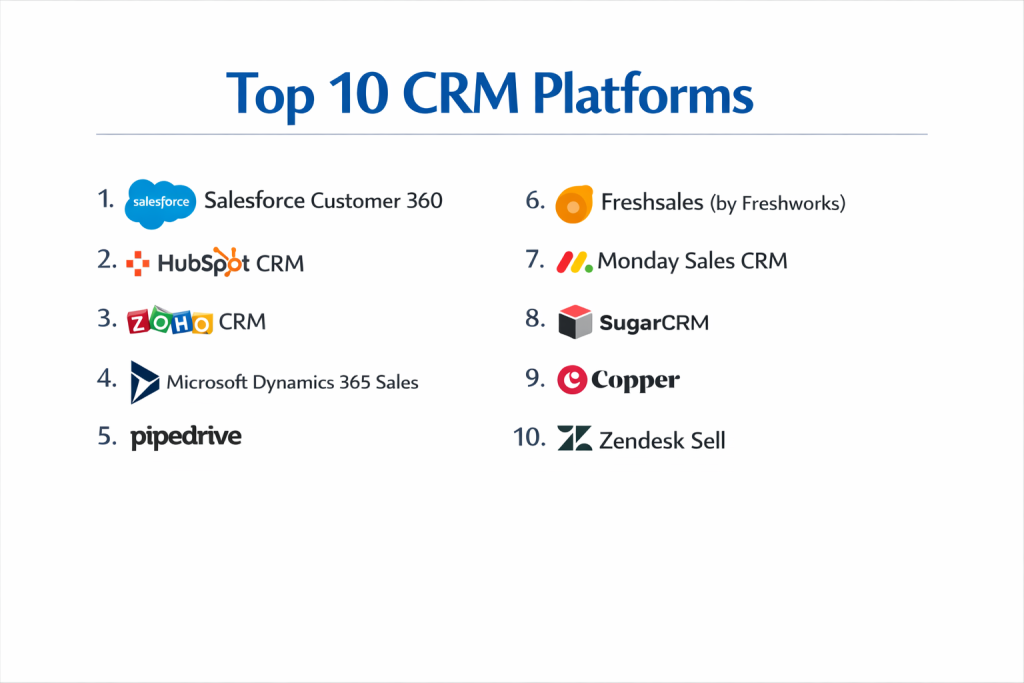
Top 10 CRM Platforms
1 — Salesforce Customer 360
Salesforce is the global market leader in the CRM space, offering a massive, cloud-based ecosystem that connects sales, service, marketing, and IT. It is designed for businesses that need deep customization and enterprise-grade power.
- Key features:
- Advanced Opportunity and Lead Management with AI-driven Einstein insights.
- Highly customizable reporting dashboards and real-time forecasting.
- Comprehensive AppExchange marketplace with thousands of third-party integrations.
- Integrated Slack collaboration for deal-specific internal communication.
- Workflow automation via the powerful Salesforce Flow builder.
- Mobile app that provides a full desktop experience on the go.
- Pros:
- Unmatched scalability that can handle the needs of global conglomerates.
- The most extensive feature set available in the CRM market.
- Cons:
- Steep learning curve and usually requires a dedicated administrator.
- High total cost of ownership once add-ons and implementation fees are factored in.
- Security & compliance: SOC 2, ISO 27001, GDPR, HIPAA, and Shield encryption.
- Support & community: “Trailhead” learning platform, 24/7 global support, and a massive community of certified consultants.
2 — HubSpot CRM
HubSpot is famous for its “inbound” methodology and user-friendly design. It offers a powerful “all-in-one” platform that feels cohesive because its sales, marketing, and service modules were built from the same foundation.
- Key features:
- Universal inbox for managing sales, marketing, and service conversations.
- Robust email tracking, templates, and automated sequences.
- Free-forever tier that includes basic lead and contact management.
- Native meeting scheduler and live chat integration.
- Predictive lead scoring and automated pipeline management.
- Seamless integration with HubSpot’s Marketing and CMS Hubs.
- Pros:
- Exceptionally easy to use, leading to high adoption rates among sales reps.
- Great “all-in-one” experience where data flows perfectly between departments.
- Cons:
- Pricing can jump significantly when moving to higher tiers or adding more contacts.
- Advanced customization is more limited compared to Salesforce.
- Security & compliance: SOC 2 Type II, GDPR, and HIPAA (on Enterprise tier).
- Support & community: Award-winning HubSpot Academy and a highly active user forum.
3 — Zoho CRM
Zoho CRM is a part of the extensive Zoho ecosystem and is known for being a feature-rich, affordable alternative for small to medium businesses that still need advanced automation.
- Key features:
- “Zia” AI assistant for sales predictions and best-time-to-contact alerts.
- Canvas design studio for a completely customized user interface.
- Built-in telephony and multi-channel social media integration.
- “Blueprint” feature to enforce specific sales processes and steps.
- Multi-currency and multi-language support for international teams.
- Robust workflow automation and inventory management modules.
- Pros:
- Excellent value for money with a very competitive pricing structure.
- Highly customizable without requiring extensive coding knowledge.
- Cons:
- The user interface can feel cluttered and slightly dated in some areas.
- Customer support response times can be inconsistent across regions.
- Security & compliance: SOC 2, ISO 27001, GDPR, and HIPAA compliant.
- Support & community: 24/5 support, extensive webinars, and a global partner network.
4 — Microsoft Dynamics 365 Sales
Microsoft Dynamics is the go-to choice for organizations already utilizing the Microsoft stack (Office 365, Teams, Azure). It combines CRM and ERP capabilities into a single intelligence-driven platform.
- Key features:
- Deep, native integration with Outlook, Teams, and Excel.
- LinkedIn Sales Navigator integration for advanced social selling.
- AI-driven “Next Best Action” suggestions for sales representatives.
- Predictive forecasting and lead scoring powered by Azure AI.
- Advanced territory and quota management for large teams.
- Strongest “Quote-to-Cash” workflows in the industry.
- Pros:
- Perfect for businesses that need a unified Microsoft-centric ecosystem.
- Powerful business intelligence capabilities via Power BI.
- Cons:
- Significant implementation complexity requiring technical expertise.
- User interface can be overwhelming for non-enterprise users.
- Security & compliance: FedRAMP, SOC 2, ISO 27001, and HIPAA.
- Support & community: Enterprise-grade global support and a vast Microsoft partner network.
5 — Pipedrive
Pipedrive was designed by salespeople for salespeople. It is a “sales-first” CRM that focuses on visual pipeline management and activity-based selling to help small teams stay organized.
- Key features:
- Clean, visual sales pipeline with drag-and-drop deal management.
- Activity-based tracking that prioritizes the actions that lead to sales.
- “Smart Contact Data” that pulls public info from social media and web.
- Automated workflow “recipes” for common sales tasks.
- Revenue forecasting based on deal probability and age.
- Leadbooster add-on for chatbots and web forms.
- Pros:
- One of the fastest implementation times; you can be live in hours.
- Extremely focused on the sales process, preventing “feature bloat.”
- Cons:
- Lacks native marketing automation and support ticketing features.
- Reporting is basic compared to enterprise-tier competitors.
- Security & compliance: SOC 2, SOC 3, and GDPR compliant.
- Support & community: 24/7 chat support and a helpful “Pipedrive Academy.”
6 — Freshsales (by Freshworks)
Freshsales is a modern CRM that emphasizes AI-powered insights and a “360-degree” customer view. It is designed to be a high-performance alternative to legacy systems.
- Key features:
- “Freddy” AI for lead scoring, deal insights, and “next-best” tasks.
- Built-in cloud telephony and email integration in a single view.
- Visual sales sequences for automated multi-channel outreach.
- Auto-profile enrichment that gathers company and social data.
- Multi-currency and multi-language support.
- Robust mobile app with check-in and offline access.
- Pros:
- Very modern, “snappy” interface that reps enjoy using.
- Built-in communication tools reduce the need for third-party apps.
- Cons:
- The free tier is quite restricted compared to HubSpot.
- Some advanced reporting features can be difficult to configure.
- Security & compliance: SOC 2 Type II, ISO 27001, and GDPR compliant.
- Support & community: 24/5 phone and email support; active user community.
7 — Monday Sales CRM
Monday.com expanded from project management into the CRM space. Its Sales CRM is highly visual and incredibly flexible, allowing teams to build their own custom workflows without any code.
- Key features:
- Highly customizable “Board” view for tracking leads and deals.
- Automated lead capture from web forms and direct email sync.
- Visual deal management with color-coded status updates.
- Activity tracking for calls, meetings, and notes.
- Built-in document management for contracts and proposals.
- Mobile app that mirrors the flexibility of the desktop version.
- Pros:
- The most visually flexible CRM on the market.
- Bridges the gap between project management and sales perfectly.
- Cons:
- Lacks deep, specialized sales features like predictive AI or territory management.
- Pricing is based on “seat bundles,” which can be annoying for small teams.
- Security & compliance: SOC 2 Type II, ISO 27001, GDPR, and HIPAA.
- Support & community: 24/7 support and a very large library of video tutorials.
8 — SugarCRM
SugarCRM is known for being a “no-compromise” platform. It provides a high degree of openness and flexibility, making it a favorite for mid-market companies that want to build unique workflows.
- Key features:
- “Sugar Hint” for automatic data enrichment of leads and contacts.
- Sophisticated customer journey mapping and workflow automation.
- Predictive lead scoring and advanced pipeline analytics.
- Self-service customer portals and support management.
- On-premise or cloud deployment options.
- Open API for unlimited custom integrations.
- Pros:
- Excellent balance of enterprise power and mid-market flexibility.
- Strongest option for companies that require on-premise data hosting.
- Cons:
- The learning curve is steeper than modern SaaS tools like Pipedrive.
- Interface can feel a bit technical for non-power users.
- Security & compliance: SOC 2, ISO 27001, and GDPR compliant.
- Support & community: Dedicated support portal and an active developer community.
9 — Copper
Copper is a specialized CRM designed specifically for companies that use Google Workspace. It lives entirely inside your Gmail and Google Drive, eliminating manual data entry.
- Key features:
- Native integration into Gmail, Google Calendar, and Drive.
- Automatic relationship tracking (no manual logging of emails).
- Visual pipeline management and automated task alerts.
- Lead and contact management within the Gmail sidebar.
- Chrome extension for managing deals without leaving your inbox.
- Reporting on sales activities and revenue goals.
- Pros:
- The highest adoption rate because it feels like part of Google.
- Requires almost zero training for Google Workspace users.
- Cons:
- Only works for companies that use Google (not for Outlook/Microsoft).
- Lacks advanced AI and deep marketing automation capabilities.
- Security & compliance: SOC 2 Type II and GDPR compliant.
- Support & community: Responsive chat/email support and clear documentation.
10 — Zendesk Sell
Zendesk Sell is the sales-focused arm of the Zendesk suite. It is built to create a seamless handoff between the sales team and the customer support team.
- Key features:
- Native integration with Zendesk Support for a full customer view.
- Built-in power dialer and call recording.
- Email tracking with real-time notifications for opens.
- Visual sales pipeline with “Smart Lists” for lead prioritization.
- Robust mobile app for field sales and lead capture.
- Advanced sales forecasting and goal tracking.
- Pros:
- Best-in-class integration between sales and support teams.
- Very strong telephony features built directly into the platform.
- Cons:
- Can be expensive if you only need the CRM without the Support suite.
- Customization is less extensive than Salesforce or Zoho.
- Security & compliance: ISO 27001, SOC 2, and GDPR compliant.
- Support & community: Global 24/7 support and an extensive knowledge base.
Comparison Table
| Tool Name | Best For | Platform(s) Supported | Standout Feature | Rating |
| Salesforce | Enterprise / Scalability | Web, iOS, Android | Einstein AI Insights | 4.4 / 5 |
| HubSpot | All-in-One SMB / Mid | Web, iOS, Android | Inbound Methodology | 4.5 / 5 |
| Zoho CRM | Budget / Feature Depth | Web, iOS, Android | Multi-channel Social | 4.0 / 5 |
| MS Dynamics | Microsoft Ecosystem | Web, iOS, Android | LinkedIn Integration | 4.3 / 5 |
| Pipedrive | Simple Sales Cycles | Web, iOS, Android | Activity-Based Sell | 4.2 / 5 |
| Freshsales | Modern AI Experience | Web, iOS, Android | Built-in Telephony | 4.6 / 5 |
| Monday CRM | Visual Flexibility | Web, iOS, Android | Custom Board Views | 4.6 / 5 |
| SugarCRM | Custom Workflows | Web / On-Premise | Journey Mapping | 3.9 / 5 |
| Copper | Google Workspace | Web, Chrome, iOS | Zero-Entry Design | 4.3 / 5 |
| Zendesk Sell | Support/Sales Sync | Web, iOS, Android | Power Dialer | 4.1 / 5 |
Evaluation & Scoring of CRM Platforms
To help you objectively compare these tools, we have evaluated them against a weighted scoring rubric that reflects the priorities of modern businesses.
| Criteria | Weight | Evaluation Focus |
| Core Features | 25% | Lead/deal management, pipeline, and automation. |
| Ease of Use | 15% | User interface, adoption rate, and setup speed. |
| Integrations | 15% | App ecosystem and API quality. |
| Security & Compliance | 10% | Certifications (SOC 2, GDPR) and data privacy. |
| Performance | 10% | Mobile app quality and system uptime. |
| Support & Community | 10% | Documentation, training, and customer service. |
| Price / Value | 15% | Cost vs. features and long-term ROI. |
Which CRM Platform Is Right for You?
Choosing the right CRM depends on the intersection of your company size, technical resources, and specific business goals.
Small to Mid-Market vs. Enterprise
If you are an SMB (Small to Medium Business), your biggest challenge is usually adoption. Tools like HubSpot, Pipedrive, or Copper are ideal because they require minimal training. However, for Enterprises, the priority is data governance and scalability. Salesforce and Microsoft Dynamics 365 are the heavyweights here, capable of managing thousands of users across multiple global divisions.
Budget and Value
For budget-conscious organizations, Zoho CRM offers the most “bang for your buck,” providing features that usually cost double on other platforms. If you have no budget but need a professional tool, HubSpot’s Free CRM is surprisingly robust. At the premium end, Salesforce is an investment that pays off through its massive ecosystem, but you must be prepared for the ongoing costs of specialized administrators.
Technical Depth vs. Simplicity
If you have a developer team or complex, non-standard sales cycles, SugarCRM or Salesforce offer the technical depth needed to build custom objects and advanced logic. Conversely, if you want simplicity, Monday Sales CRM or Pipedrive are built on visual logic that anyone can understand without a background in software administration.
Security and Compliance Requirements
Companies in healthcare or finance must prioritize security. Salesforce and Dynamics 365 offer the most advanced compliance packages (like Shield for Salesforce) to meet strict federal and international regulations. Always verify if the tool is SOC 2 Type II certified before committing to a multi-year contract.
Frequently Asked Questions (FAQs)
What is the difference between SFA and CRM?
Sales Force Automation (SFA) focuses specifically on automating tasks for sales reps (like logging calls). CRM is broader, encompassing marketing, sales, and long-term customer service.
How long does a CRM implementation usually take?
For small businesses using tools like Pipedrive, it can take 1–2 days. For enterprises implementing Salesforce, it can take 3–12 months depending on customization.
Can I switch CRMs easily?
Most platforms allow you to export data into CSV files. However, switching is complex because you have to remap your custom fields and retrain your entire staff.
Do these CRMs work on mobile?
Yes, all the top 10 platforms have native iOS and Android apps. However, Pipedrive and Freshsales are particularly praised for their “sales-on-the-road” mobile designs.
What is lead scoring?
Lead scoring is a feature that assigns numerical values to prospects based on their actions (e.g., +10 points for visiting a pricing page), helping sales reps know who to call first.
Is my data safe in the cloud?
Yes, reputable providers use the same level of encryption as banks. Ensure the provider has SOC 2 Type II certification to guarantee their security protocols are audited.
How does CRM help with marketing?
CRMs allow marketing teams to segment customers based on their purchase history, allowing for highly targeted email campaigns that convert at a higher rate.
What is the most common mistake when buying a CRM?
Buying too much complexity. If a tool is too hard to use, sales reps won’t enter data, leading to a “garbage in, garbage out” scenario that makes the CRM useless.
Can a CRM integrate with my accounting software?
Most do. Salesforce and Zoho have native integrations with tools like QuickBooks and Xero, ensuring that when a deal closes, an invoice is automatically generated.
What is the “Total Cost of Ownership” (TCO)?
TCO includes the monthly subscription price plus the cost of implementation, third-party integrations, and any staff time needed to manage the system.
Conclusion
Finding the “perfect” CRM platform is less about finding the one with the most features and more about finding the one that fits your team’s actual habits. If your sales reps love the interface, they will keep the data clean. If the data is clean, your managers can forecast accurately. If forecasts are accurate, your business can grow with confidence.
Whether you choose the enterprise dominance of Salesforce, the inbound elegance of HubSpot, or the visual simplicity of Pipedrive, remember that the software is only as good as the strategy behind it. Start with your specific business requirements, involve your sales team in the trial process, and prioritize scalability. The right CRM is the one that grows with you, turning your customer data into your most valuable asset.