Introduction
Crash reporting tools are special software kits that developers put inside their mobile apps or websites to watch for errors. When an app “crashes” or closes suddenly, these tools record exactly what happened in the seconds before the failure. They act like a “black box” on an airplane, gathering data like the type of phone used, the battery level, and the specific line of code that broke. Instead of waiting for an angry user to write a bad review saying “the app doesn’t work,” developers get an instant alert so they can fix the problem immediately.
These tools are vital because a stable app is the foundation of a good business. If an app crashes often, users will delete it and never come back. Crash reporting tools help teams prioritize their work by showing them which bugs affect the most people. They also provide “stack traces,” which are step-by-step maps that show engineers exactly where the logic failed. This saves hours of manual testing and helps companies release updates faster and with more confidence.
Key Real-World Use Cases
- Solving Rare Bugs: Finding out why an app only crashes on one specific brand of phone in a certain country.
- Release Monitoring: Watching a new update in real-time to make sure it doesn’t break for users as they download it.
- Customer Support: Helping a specific user by looking up their device history to see why their app keeps closing.
- Performance Tracking: Identifying parts of the app that are slow or “freeze” even if they don’t fully shut down.
- Beta Testing: Gathering data from a small group of testers before launching the app to the whole world.
What to Look For (Evaluation Criteria)
When choosing a tool, you should look for Symbolication Support, which turns messy computer code into readable text for your engineers. Real-time Alerting is also critical so your team knows about a crash the moment it happens. You should also check for User Breadcrumbs, which show the last five or ten actions the user took before the crash. Finally, evaluate the Impact on App Performance. The tool should be “lightweight” so it doesn’t slow down the app while it tries to help.
Best for:
- Mobile Developers and QA Engineers: Who need to keep their apps stable on thousands of different device types.
- Startup Founders: Who want to ensure their new product provides a perfect first impression to early users.
- Enterprise IT Teams: Large companies managing many apps that require high security and detailed data.
- Game Developers: Who need to monitor heavy graphics and memory usage across different hardware.
Not ideal for:
- Simple, Static Websites: If your site is just text and pictures with no complex code, these tools are overkill.
- Internal Tools with Few Users: If only five people use your app, you can usually just talk to them to find out what went wrong.
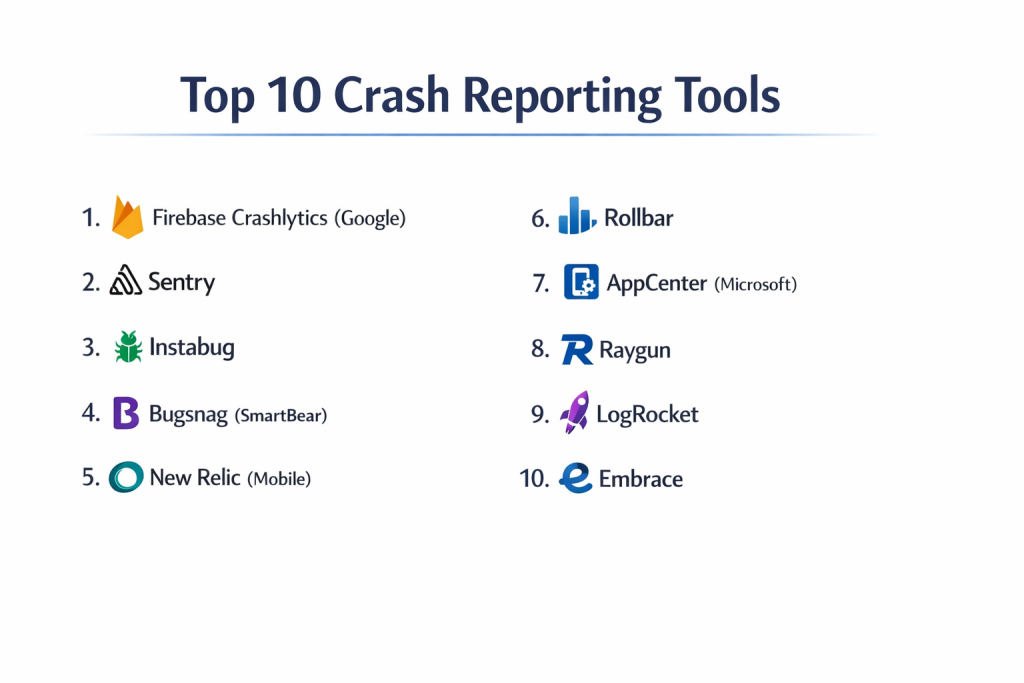
Top 10 Crash Reporting Tools
1 — Firebase Crashlytics (Google)
Firebase Crashlytics is the most popular tool in the world. It is owned by Google and is famous for being powerful and free. It helps developers track, prioritize, and fix stability issues that erode app quality.
- Key features:
- Automatic grouping of crashes by “issue” to prevent data overload.
- Real-time alerts that link directly to your team’s chat tools.
- Deep integration with Google Analytics to see how crashes affect sales.
- “Custom Keys” to record specific app states during a crash.
- Breadcrumbs that show the user’s path before the error.
- Pros:
- It is completely free to use for any number of users.
- It is very easy to set up if you are already using Google’s Firebase.
- Cons:
- It can be difficult to export raw data for custom reports.
- Customer support is mostly through community forums unless you pay for Google Cloud support.
- Security & compliance: GDPR, SOC 1/2/3, ISO 27001, and standard Google encryption.
- Support & community: Massive community of developers and thousands of guides available online.
2 — Sentry
Sentry is a very popular “open-source” tool that works for almost everything, from mobile apps to giant websites. It focuses on the “full stack,” meaning it can see errors on both the user’s phone and the company’s servers.
- Key features:
- Support for over 100 different coding languages and frameworks.
- “Session Replay” that lets you watch a video-like recreation of the crash.
- Release tracking to see if a specific update made things worse.
- Advanced filtering to hide “noise” or unimportant errors.
- Distributed tracing to see how an error moves through different systems.
- Pros:
- The visual “Replay” feature makes it incredibly easy to see what the user did wrong.
- It offers a great “Self-Hosted” option for companies that want to keep data on their own servers.
- Cons:
- The pricing can get complicated as your traffic grows.
- The dashboard has so many features that it can feel a bit cluttered.
- Security & compliance: SOC 2 Type II, HIPAA, GDPR, and PCI compliance.
- Support & community: Very active GitHub community and professional support for paid tiers.
3 — Instabug
Instabug is unique because it combines crash reporting with “Bug Reporting.” If a user sees a problem, they can just shake their phone to send a screenshot and a report to the developer.
- Key features:
- “Shake to Report” feature for easy user feedback.
- Screen recordings and screenshots sent automatically with every report.
- In-app chat to talk directly to the user who had the crash.
- Network logs to see if a slow internet connection caused the problem.
- Surveys to ask users how they like the app.
- Pros:
- Excellent for beta testing and getting direct feedback from real people.
- The reports are very visual, which helps non-engineers understand the problem.
- Cons:
- It can be more expensive than tools that only do crash reporting.
- The SDK is a bit “heavier” because it does so many things.
- Security & compliance: GDPR, SOC 2 Type II, and 2FA.
- Support & community: High-quality live chat support and a very helpful onboarding process.
4 — Bugsnag (SmartBear)
Bugsnag is built for “Search and Action.” It is designed to help large teams manage thousands of errors without getting overwhelmed. It focuses on the “User Stability Score” to show if your app is getting better or worse.
- Key features:
- Stability targets to help teams decide when to stop building features and start fixing bugs.
- Automatic “Breadcrumbs” for system events like low memory or lost Wi-Fi.
- Powerful search to find one specific crash among millions.
- Clear “ownership” tools to assign bugs to specific engineers.
- Detailed data on every “session” even if it didn’t crash.
- Pros:
- The “Stability Score” is a great way to explain app health to managers.
- The user interface is very fast and clean.
- Cons:
- The free plan is quite limited compared to Firebase.
- Setting up custom data fields requires more work than some other tools.
- Security & compliance: SOC 2, GDPR, HIPAA, and SSO for teams.
- Support & community: Reliable email support and clear technical documentation.
5 — New Relic (Mobile)
New Relic is a giant in the world of “Observability.” It doesn’t just look at crashes; it looks at how the whole app is performing, including how fast images load and how much data the app uses.
- Key features:
- Full-stack monitoring from the mobile app to the database.
- Real-time dashboards that show “Global Health” at a glance.
- Detailed memory and CPU usage tracking.
- HTTP request monitoring to find slow web services.
- AI-driven alerts that find patterns in your errors.
- Pros:
- Perfect for large companies that need to see everything in one big dashboard.
- The data is very deep, which is great for “Power Users.”
- Cons:
- It is a very complex tool that requires training to use correctly.
- It can be very expensive for small startups.
- Security & compliance: FedRAMP, HIPAA, SOC 2, and GDPR.
- Support & community: Extensive training through “New Relic University” and 24/7 support.
6 — Rollbar
Rollbar focuses on “Continuous Code Improvement.” It is built to help developers find and fix errors in real-time as they write and deploy new code. It is very popular with teams that use “Agile” methods.
- Key features:
- “Error Grouping” that uses AI to be more accurate than other tools.
- Telemetry that shows exactly what happened before a crash.
- Instant notifications through Slack, PagerDuty, or Email.
- Support for “Version Tracking” to see which update caused a bug.
- Very fast API for sending custom data.
- Pros:
- The AI grouping is very good at reducing “spam” alerts.
- It is very fast and doesn’t add much weight to your code.
- Cons:
- The mobile features are not as deep as some mobile-only tools like Instabug.
- The interface can feel a bit technical for non-developers.
- Security & compliance: SOC 2 Type II, ISO 27001, and HIPAA.
- Support & community: Responsive ticket support and a solid knowledge base.
7 — AppCenter (Microsoft)
Microsoft AppCenter is an all-in-one shop for mobile developers. It helps you build your app, test it on real devices in a cloud, and track crashes once people start using it.
- Key features:
- Crash reporting that works even when the device is offline.
- Integration with “Build and Deploy” tools to automate your work.
- Ability to attach files (like logs) to every crash report.
- Testing on thousands of real physical devices in the Microsoft cloud.
- Usage analytics to see who is using your app.
- Pros:
- It is great for teams already using Microsoft Azure or Windows.
- Having “Build, Test, and Crash” in one tool saves a lot of time.
- Cons:
- Microsoft has been making changes to this product, so the future is a bit uncertain.
- It can be slow to update with new features compared to Sentry or Bugsnag.
- Security & compliance: GDPR, SOC 1/2/3, and standard Microsoft Enterprise security.
- Support & community: Documentation is good, and there is a large group of enterprise users.
8 — Raygun
Raygun is a tool that helps you see “User Experience” from every angle. It covers crash reporting, real user monitoring, and server-side performance. It is known for its high-quality dashboard and “Error Grouping.”
- Key features:
- Full-stack error tracking for mobile, web, and server.
- Real User Monitoring (RUM) to see how fast pages load for real people.
- Detailed “Snapshot” of every crash, including local variables.
- Smart alerts that only ping you when a bug is actually a problem.
- Support for a wide variety of development platforms.
- Pros:
- The “User Timelines” show exactly what a person did across your whole site.
- The customer support team is very friendly and fast.
- Cons:
- The pricing is based on “segments,” which can be expensive if you want everything.
- Small teams might find it has more features than they actually need.
- Security & compliance: HIPAA, GDPR, and SOC 2.
- Support & community: Active community forums and fast email-based support.
9 — LogRocket
LogRocket is a “Modern Frontend Monitoring” tool. It is famous for “Session Replay,” which is like a DVR for your app. It shows you exactly what the user saw and what they clicked before the crash.
- Key features:
- Video-like replay of every user session.
- Network logs that show every data request the app made.
- “Heatmaps” that show where people click the most.
- Integration with help desk tools to help customer support.
- Search for sessions based on “Rage Clicks” or “Dead Clicks.”
- Pros:
- It is the best tool for seeing the “Human” side of a crash.
- Very helpful for fixing bugs that aren’t technically “crashes” but still frustrate users.
- Cons:
- Storing video data can be more expensive than storing text data.
- It is primarily focused on web and web-based mobile apps.
- Security & compliance: SOC 2, HIPAA, and GDPR with data masking for privacy.
- Support & community: Great chat support and a very helpful blog on web development.
10 — Embrace
Embrace is a newer tool that is built specifically for “Mobile-First” companies. It doesn’t just look at crashes; it looks at every single user session to see where the app was slow or frustrating.
- Key features:
- 100% Session Collection: It records every single user visit, not just the crashes.
- “Stitch” technology that connects every data point in a session.
- Automatic tracking of “ANRs” (App Not Responding) on Android.
- Monitoring for third-party tools (like ads or maps) that slow down your app.
- Alerts for “Networking Spikes” or high data usage.
- Pros:
- It gives you a complete picture of why an app is “slow,” not just why it “died.”
- It helps you find problems with external services you don’t even own.
- Cons:
- It collects a massive amount of data, which can be overwhelming.
- It is a premium tool and is not as well-known as the giants.
- Security & compliance: GDPR and SOC 2 compliant.
- Support & community: High-touch support for enterprise clients and clear setup guides.
Comparison Table
| Tool Name | Best For | Platform(s) Supported | Standout Feature | Rating |
| Firebase | Budget-Conscious | iOS, Android, Unity, C++ | Totally Free Forever | 4.7/5 |
| Sentry | Full-Stack Teams | Web, Mobile, Desktop | Session Replay | 4.8/5 |
| Instabug | Beta Testing | iOS, Android, React Native | Shake to Report | 4.6/5 |
| Bugsnag | Large Teams | Web, Mobile | Stability Scores | 4.5/5 |
| New Relic | Enterprise IT | Full Stack | Deep AI Analytics | 4.2/5 |
| Rollbar | Agile Developers | Web, Mobile | AI Error Grouping | 4.4/5 |
| AppCenter | Microsoft Users | iOS, Android, Windows | Cloud Device Testing | 4.1/5 |
| Raygun | UX Monitoring | Web, Mobile | User Timelines | 4.3/5 |
| LogRocket | Visual Debugging | Web, Mobile Web | Pixel-Perfect Replay | 4.6/5 |
| Embrace | Mobile-Only | iOS, Android | 100% Session Data | 4.4/5 |
Evaluation & Scoring of Crash Reporting Tools
We have evaluated these tools using a weighted scoring system to help you see which one is the most balanced for a typical business.
| Evaluation Category | Weight | Firebase | Sentry | Instabug | Bugsnag |
| Core Features | 25% | 8 | 10 | 9 | 9 |
| Ease of Use | 15% | 9 | 8 | 10 | 9 |
| Integrations | 15% | 10 | 9 | 8 | 9 |
| Security/Compliance | 10% | 9 | 9 | 8 | 9 |
| Reliability | 10% | 10 | 10 | 9 | 10 |
| Support/Community | 10% | 10 | 9 | 9 | 8 |
| Price / Value | 15% | 10 | 8 | 7 | 7 |
| TOTAL SCORE | 100% | 9.2 | 9.1 | 8.6 | 8.6 |
Which Crash Reporting Tool Is Right for You?
Solo Users vs SMB vs Mid-Market vs Enterprise
If you are a solo user or a hobbyist, Firebase Crashlytics is the easy winner because it is free and reliable. SMBs (Small to Medium Businesses) should look at Sentry or Instabug because they provide a lot of “visual” help that saves a small team time. Mid-Market companies will benefit from Bugsnag or Rollbar to manage growing teams of engineers. Enterprises (very large companies) usually choose New Relic or Embrace because they need to see the “Big Picture” and have very high security.
Budget-Conscious vs Premium Solutions
For those with zero budget, Firebase is the only way to go. If you have a small budget and want to see “Video Replays,” LogRocket or Sentry offer great value. Premium solutions like Embrace or New Relic are expensive but they find “invisible” problems that cheaper tools miss, which can save a big company millions of dollars in the long run.
Feature Depth vs Ease of Use
If you want Ease of Use, Instabug is the best. It is designed so that even non-technical people can understand what happened. If you want Feature Depth—meaning you want to see every tiny detail about the server, the phone, and the code—Sentry and New Relic are the best choices.
Integration and Scalability Needs
If you use Slack, Jira, and GitHub, almost all these tools will work. However, Sentry and Bugsnag have the best “automation” for large teams. If you need to scale to millions of users, Firebase and Sentry are built on the world’s largest cloud systems and will never slow down.
Security and Compliance Requirements
If you work in a bank or hospital, you need HIPAA or SOC 2 compliance. Sentry, New Relic, and Bugsnag are the leaders in this area. They allow you to “scrub” or hide private user data so you never accidentally record a password or a credit card number.
Frequently Asked Questions (FAQs)
What is a “Stack Trace”?
A stack trace is like a list of instructions that were running when the app crashed. It shows the engineer exactly which line of code was the last one to work correctly.
Will these tools slow down my app?
Most modern SDKs are very “light.” They wait until the app is not busy to send their data. However, tools that record video (like session replays) use more data and battery than those that only send text.
Is it safe to put these tools in my app?
Yes, if you pick a reputable one. You should always use the “Data Scrubbing” features to make sure you aren’t recording personal info like names or addresses.
What is the difference between a “Crash” and an “Error”?
A crash is when the app shuts down completely. An error is when something goes wrong (like a picture not loading) but the app stays open. Most of these tools track both.
How do I get my users to report bugs?
Tools like Instabug allow users to just “shake” their phone to report a problem. This is much easier for them than writing an email or a review.
Do these tools work if the user has no internet?
Yes. Most tools save the crash data on the phone’s memory and send it to the developer as soon as the user connects to Wi-Fi again.
What is “Symbolication”?
Computers use numbers to run code. Symbolication turns those numbers back into words so developers can read them. Good tools do this automatically.
Can I use these tools for free?
Firebase is totally free. Many others like Sentry or Raygun have a “Free Tier” that works well for small apps with only a few users.
What is an “ANR”?
It stands for “App Not Responding.” It’s when the app “freezes” and the phone asks the user if they want to wait or close it. These are harder to fix than regular crashes.
How often should I check my crash reports?
Most teams check them every morning. For big updates, you should watch the dashboard in real-time for the first few hours after the update goes live.
Conclusion
A crash reporting tool is like an insurance policy for your app. You hope you don’t need it, but you are very glad it’s there when something goes wrong. For most people, Firebase Crashlytics or Sentry are the perfect places to start. They offer a great mix of power, ease of use, and value.
The “best” tool really depends on what you care about most. If you want to see what users see, go with LogRocket. If you want to fix complex server problems, go with Sentry. The most important thing is to pick one and set it up today. Don’t wait for your users to tell you your app is broken—find and fix the bugs before they even notice.