Introduction
Corporate Performance Management (CPM) is a set of processes and software tools designed to help a company track its health and plan its future. Think of it as a “command center” for a business. While standard accounting tools look at the past, CPM software connects that financial data with the company’s goals to help leaders make better choices. It pulls information from all parts of a business—like sales, marketing, and human resources—to create one clear picture. By using these tools, companies can move away from messy, manual spreadsheets and use real data to drive their growth.
The importance of CPM software lies in its ability to bring order to chaos. As a business grows, it becomes harder to keep everyone on the same page. CPM tools automate the hard work of collecting data, making sure that every department is looking at the same “single version of the truth.” This is vital for tasks like budgeting for the next year, predicting how much money will come in, and closing the financial books at the end of the month. With a good CPM system, a company can react quickly to changes in the market and ensure they are spending their money in the right places.
Key Real-World Use Cases
- Speeding Up the Monthly Close: Finance teams use CPM tools to collect data from many different bank accounts and branches automatically. This allows them to finish their end-of-month reports in days instead of weeks.
- Planning for “What-If” Situations: Companies can model different paths. For example, “What happens to our profit if the price of shipping goes up by 20%?” The software calculates the answer instantly across the whole business.
- Creating Departmental Budgets: Instead of emailing spreadsheets back and forth, department heads enter their needs directly into the CPM tool. The system checks if these requests fit the overall company goal.
- Monitoring Key Metrics (KPIs): Leaders use visual dashboards to see how the company is doing in real-time. If sales are dropping in one specific region, the CPM tool flags it so the team can fix the problem.
- Handling Global Operations: For businesses that work in many countries, CPM software handles the headache of converting different currencies and following different tax rules automatically.
What to Look For (Evaluation Criteria)
When picking a CPM tool, you should look at these simple but important points:
- Connection to Other Software: How well does it talk to your existing tools? It should easily pull data from your accounting software and your sales database.
- Flexibility in Modeling: Can the tool handle the unique way your business works, or is it too rigid?
- Ease of Use for Non-Finance People: Your sales and operations managers will need to use this too. It should be easy enough for them to navigate without constant help.
- Speed and Stability: The software should stay fast even when you are dealing with large amounts of data from many different branches.
- Trustworthy Reporting: It should be easy to create professional reports that you can show to investors or bank managers.
Best for: CFOs, Finance Managers, and Executive Teams in growing mid-sized companies and large global corporations. It is perfect for businesses that have complex data and need to plan more than one year ahead.
Not ideal for: Very small businesses or solo owners who only have a few transactions. If a simple spreadsheet still works for you without errors, you might not be ready for the cost and setup of a full CPM system.
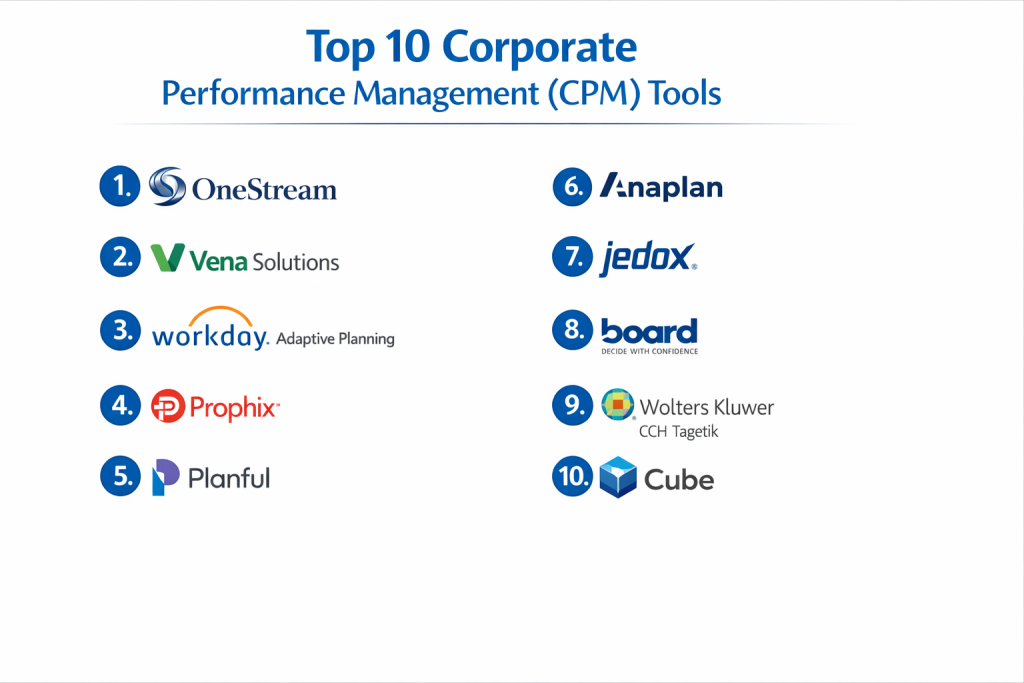
Top 10 Corporate Performance Management (CPM) Tools
1 — OneStream
OneStream is a powerful, all-in-one platform built to replace many smaller, disconnected tools. It is designed for very large companies that need to handle complex financial tasks in a single place.
- Key features:
- A single platform for financial closing, budgeting, and reporting.
- “Extensible Dimensionality” which lets different branches have their own detail levels.
- Built-in tools for checking data quality before it enters the system.
- A “MarketPlace” with over 50 pre-built apps for specific tasks.
- Advanced currency conversion for global teams.
- Pros:
- You don’t have to jump between different apps; everything is in one spot.
- Very strong at handling the needs of massive, global corporations.
- Cons:
- It is very expensive and takes a long time to set up.
- It might be “too much” software for a medium-sized company.
- Security & compliance: SOC 1, SOC 2, ISO 27001, and FedRAMP authorized.
- Support & community: Offers high-end enterprise support and has a large network of expert consultants.
2 — Vena Solutions
Vena is unique because it works directly with Microsoft Excel. It gives you the familiar feel of a spreadsheet but adds a powerful, secure database in the background to keep everything organized.
- Key features:
- Uses a native Excel interface so your team doesn’t have to learn a new tool.
- Centralized database to prevent different versions of the same file.
- Detailed audit trails that show who changed what and when.
- Automated workflows to remind people to finish their budgets.
- Easy-to-read visual dashboards for the leadership team.
- Pros:
- Most finance people already love Excel, so they will start using it quickly.
- It is much faster to implement than many enterprise-heavy tools.
- Cons:
- Performance can sometimes slow down if your Excel files are massive.
- You are stuck within the Microsoft ecosystem.
- Security & compliance: SOC 1 and SOC 2 Type II, and AES 256-bit encryption.
- Support & community: Known for great customer success managers and a helpful training site called Vena Academy.
3 — Workday Adaptive Planning
Often just called “Adaptive,” this is a cloud-native tool that is famous for being easy to use. It is a favorite for companies that want a modern, web-based way to plan their future.
- Key features:
- Fast calculation engine that updates plans instantly.
- Simple drag-and-drop reporting for non-technical users.
- Seamless connection to the rest of the Workday HR and Finance suite.
- Advanced modeling for workforce and sales planning.
- Automated rolling forecasts.
- Pros:
- One of the most user-friendly interfaces in the business.
- Great for companies that want to move away from Excel entirely.
- Cons:
- Can get expensive as you add more users.
- Some of the most advanced features require a lot of initial setup.
- Security & compliance: ISO 27001, SOC 2 Type II, and HIPAA compliant.
- Support & community: Huge user community and a very well-documented help center.
4 — Prophix
Prophix focuses on making financial automation simple for mid-sized companies. It helps teams spend less time on manual entry and more time on analyzing their numbers.
- Key features:
- Automated financial consolidation for companies with multiple entities.
- AI-powered “Task Assistant” to help catch errors in the data.
- Pre-built templates for common financial reports.
- Easy tools for planning employee costs and headcounts.
- Strong integration with common mid-market accounting tools.
- Pros:
- Very solid choice for mid-sized companies that need professional power.
- Excellent customer support that really knows the needs of finance teams.
- Cons:
- The interface can look a bit old-fashioned compared to newer tools.
- Not as flexible for extremely complex, non-financial modeling.
- Security & compliance: SOC 2 Type II, ISAE 3402, and GDPR compliant.
- Support & community: Offers a structured onboarding program and a responsive support team.
5 — Planful
Planful is designed to help finance teams work faster. It is an end-to-end platform that handles everything from the day you close the books to the day you present the final budget.
- Key features:
- Structured planning that keeps the whole company on a schedule.
- Automated financial close tools to reduce manual work.
- Dynamic reports that update as soon as the data changes.
- “Narrative Reporting” which helps you add text to explain the numbers.
- AI tools to help predict future trends.
- Pros:
- Excellent for teams that want a very organized and disciplined process.
- Reduces the stress of the monthly financial close significantly.
- Cons:
- It feels more rigid than “blank canvas” tools like Anaplan.
- Building very custom reports can be a little technical.
- Security & compliance: SOC 1, SOC 2 Type II, and ISO 27001 certified.
- Support & community: Good customer training and a strong focus on community events.
6 — Anaplan
Anaplan is a “Connected Planning” giant. It is designed for the world’s largest companies that need to connect their finance plans with their sales and supply chain plans.
- Key features:
- In-memory processing that allows for real-time planning across thousands of users.
- A completely flexible modeling engine (you can build almost anything).
- Advanced security settings for large, global teams.
- Predictive AI to help make more accurate guesses about the future.
- Handles massive amounts of data without slowing down.
- Pros:
- The most powerful and flexible tool on this list.
- Great for connecting many different departments together.
- Cons:
- Extremely difficult to learn; you will likely need to hire a specialist.
- Very high cost, both for the software and the setup.
- Security & compliance: SOC 1, SOC 2, ISO 27001, and FedRAMP.
- Support & community: Professional enterprise support and a large network of certified partners.
7 — Jedox
Jedox is a flexible platform that is very popular in Europe. It is known for being adaptable and for its ability to work across Excel, the web, and mobile devices.
- Key features:
- A single engine that powers many different ways to view data.
- AI-assisted forecasting to help you see where the business is going.
- Very strong visual dashboards and data displays.
- Pre-built models for specific industries like retail or manufacturing.
- Can be installed on your own servers or used in the cloud.
- Pros:
- Highly customizable; it can change as your business changes.
- Very strong at making data look easy to understand.
- Cons:
- Can become a bit messy if you don’t have a clear plan for your models.
- Not as much community support in North America compared to Europe.
- Security & compliance: SOC 2 and ISO 27001 certified.
- Support & community: Offers a structured Academy for training and a global partner network.
8 — Board
Board is a tool that combines CPM with Business Intelligence (BI). This means you can use it to build reports and dashboards, and then use those same screens to enter your budget numbers.
- Key features:
- “No-code” environment, so you don’t need to be a programmer to use it.
- Integrated predictive analytics to help with forecasting.
- Drag-and-drop tool for building your own custom planning apps.
- Strong data write-back (you enter a number and it updates the database).
- Handles both simple and complex business rules.
- Pros:
- Great for teams that want to do their analysis and their planning in one tool.
- Easier for the finance team to “own” without needing constant help from IT.
- Cons:
- Combining so many features can make the initial learning curve feel steep.
- Performance depends heavily on how you build your custom apps.
- Security & compliance: SOC 1, SOC 2, and ISO 27001 compliant.
- Support & community: Good global presence with professional training services.
9 — Wolters Kluwer CCH Tagetik
This tool is built specifically for the needs of the CFO. It focuses heavily on the technical parts of finance, like legal reporting, tax, and complex consolidations.
- Key features:
- Strong “Finance Transformation” focus for modernizing old departments.
- Automated legal and regulatory reporting for many different countries.
- Advanced tools for ESG (Environmental, Social, and Governance) tracking.
- Handles very complex company structures and hierarchies.
- Built-in financial intelligence for better decision making.
- Pros:
- Excellent for companies that have very strict legal and tax requirements.
- Very reliable and trusted by some of the world’s biggest banks.
- Cons:
- It is a very technical tool that can feel “heavy” to casual users.
- Setup requires a high level of finance expertise.
- Security & compliance: SOC 1, SOC 2, and HIPAA compliant.
- Support & community: High-end professional support and a long history of expertise.
10 — Cube
Cube is a “lean” CPM platform for mid-sized companies. It is designed for teams that want a professional tool but want to get up and running very quickly without a massive bill.
- Key features:
- Connects directly to your spreadsheets (Excel or Google Sheets).
- Central data warehouse that cleans and organizes your data automatically.
- Fast implementation that often takes weeks instead of months.
- Automated variance analysis (Actuals vs. Budget).
- Multi-currency support for growing teams.
- Pros:
- One of the fastest ways to move from manual spreadsheets to a real tool.
- Very affordable for teams that don’t need “enterprise” bells and whistles.
- Cons:
- It doesn’t have the deep operational modules that giants like Anaplan offer.
- Relies on your team being comfortable using spreadsheets.
- Security & compliance: SOC 2 Type II compliant.
- Support & community: Very responsive support team and plenty of helpful guides.
Comparison Table
| Tool Name | Best For | Platform(s) Supported | Standout Feature | Rating |
| OneStream | Global Giants | Web / Cloud | All-in-One Platform | 4.7 / 5 |
| Vena | Excel Users | Excel / Web | Native Excel Feel | 4.6 / 5 |
| Adaptive | Modern Teams | Cloud / Web | User-Friendly Web UI | 4.7 / 5 |
| Prophix | Mid-Market | Web / Cloud | AI Task Assistant | 4.4 / 5 |
| Planful | Structured Finance | Web / Cloud | Close Automation | 4.3 / 5 |
| Anaplan | Complex Planning | Cloud / Web | Connected Ecosystem | 4.5 / 5 |
| Jedox | Flexibility | Web / Excel / Mobile | Self-Service Focus | 4.4 / 5 |
| Board | BI + CPM | Web / Cloud | No-Code App Builder | 4.4 / 5 |
| CCH Tagetik | Legal & Tax | Web / Cloud | Regulatory Strength | 4.5 / 5 |
| Cube | Fast Setup | Excel / Sheets | Lean Data Bridge | 4.6 / 5 |
Evaluation & Scoring of Corporate Performance Management (CPM)
To help you choose, we have scored these tools based on a simple weighted rubric. A score of 10 is perfect.
| Criteria | Weight | What it Means |
| Core Features | 25% | Can it handle budgeting, forecasting, and closing? |
| Ease of Use | 15% | How quickly can a regular person learn it? |
| Integrations | 15% | Does it connect to your bank and accounting tools? |
| Security & Compliance | 10% | Is the data safe and audit-ready? |
| Performance | 10% | Does it stay fast with lots of data? |
| Support & Community | 10% | Is there help when you get stuck? |
| Price / Value | 15% | Is the ROI worth the cost? |
Which Corporate Performance Management (CPM) Tool Is Right for You?
Solo Users vs. SMB vs. Mid-Market vs. Enterprise
Solo users and very small businesses usually don’t need a CPM tool. A simple spreadsheet is enough. Mid-Market companies should look at Cube, Prophix, or Vena. These tools provide professional power without needing a massive team to run them. Enterprises (large companies with many branches) need the heavy-duty power of OneStream, Anaplan, or Workday Adaptive Planning to handle their complex data.
Budget-Conscious vs. Premium Solutions
If you are worried about the budget, Cube and Zoho offer great value. They give you the basics of data organization at a lower price. If you want a premium solution and have the budget to invest in the best technology, OneStream and Anaplan are the top choices. They cost more, but they can save huge amounts of time for very complex businesses.
Feature Depth vs. Ease of Use
If you want something easy to use, Vena is great because it feels like Excel, and Adaptive is known for its clean web look. If you need deep features and have a very technical team, Anaplan or OneStream offer the most power, even though they are much harder to learn.
Integration and Scalability Needs
If you plan to grow very fast, pick a tool that scales well, like Workday Adaptive Planning. If your main goal is to connect to a specific tool like Salesforce or a niche accounting system, look for a tool with many “pre-built connectors” like Planful or Prophix.
Security and Compliance Requirements
If your company is “public” (on the stock market) or in a field like banking, you must pick a tool with the highest security, such as CCH Tagetik or OneStream. These tools have the deep audit trails and legal reporting features that regulators demand.
Frequently Asked Questions (FAQs)
How is CPM different from simple accounting software?
Accounting software records what happened. CPM software uses that data to plan what should happen in the future.
Do I have to stop using Excel?
No. Many tools like Vena and Cube let you keep using Excel while they manage the data in a secure way.
How long does it take to set up?
Simple tools take 3 to 6 weeks. Massive enterprise tools can take 6 months to a year to fully implement.
Can non-finance people use these tools?
Yes. Modern CPM tools have simple “input screens” so sales or marketing managers can enter their budgets easily.
Will this tool help me with my taxes?
Some tools, like CCH Tagetik, have specific modules for tax, but most focus on general financial planning and closing.
Is my data safe in these tools?
Yes. These are professional platforms used by large banks. They use high-level encryption to keep your data private.
What is a “Single Version of the Truth”?
It means everyone in the company is looking at the exact same numbers, so there are no arguments over whose data is correct.
Can these tools predict the future?
They can’t see the future perfectly, but they use AI and math to help you make much better guesses based on past trends.
What is a “Rolling Forecast”?
Instead of just making a budget once a year, you update your guess for the next 12 months every single month.
How much does CPM software cost?
Prices start at around $15,000 per year for mid-market tools and can go well over $100,000 for enterprise systems.
Conclusion
Picking a Corporate Performance Management tool is one of the most important steps a growing company can take. It marks the moment you move away from messy, error-prone manual work and start running your business with real data. The “best” tool isn’t always the one with the most features; it is the one that your team will actually use and that fits your current budget.
Whether you prefer the familiar feel of Vena’s Excel integration, the modern simplicity of Adaptive Planning, or the massive power of OneStream, the goal is the same: to get a clear picture of your company’s health so you can plan for a successful future. By centralizing your data and automating your forecasts, you can stop worrying about the numbers and start focusing on growing your business.