Introduction
Contract Lifecycle Management (CLM) is the proactive, methodical management of a contract from its initial initiation through to its final expiration or renewal. Unlike a simple digital filing cabinet, a CLM platform automates the entire journey of a legal document, including request intake, drafting, negotiation via redlining, approval workflows, electronic signature, and post-execution obligation tracking. By digitizing these stages, organizations can move away from fragmented processes—where contracts are buried in email threads or local hard drives—to a centralized “source of truth” that provides visibility into every legal obligation the company has committed to.
The importance of CLM software has surged as businesses face increasing regulatory scrutiny and the need for operational speed. Manually managing hundreds of contracts leads to “contract leakage,” where companies lose revenue due to missed renewals or pay for services they no longer use. A robust CLM tool mitigates these risks by providing automated alerts for key dates and ensuring that every contract uses pre-approved, compliant language. Key real-world use cases include sales teams accelerating deal closures by generating contracts directly from a CRM, procurement departments managing thousands of vendor NDAs, and legal teams using AI to scan legacy contracts for hidden liabilities during a merger or acquisition.
Key Real-World Use Cases
- Sales Acceleration: A sales representative generates a standard service agreement within Salesforce. The CLM automatically populates the client’s data, sends it for internal legal review if the terms are changed, and routes it to the client for an e-signature.
- Procurement Compliance: When a renewal date for a multi-million dollar software vendor approaches, the system alerts the procurement lead 90 days in advance, providing them enough time to negotiate better terms rather than being locked into an auto-renewal.
- Legal Department Efficiency: Instead of manually reviewing 500 NDAs a month, the legal team uses a “self-service” portal where employees can generate pre-approved contracts that only require legal intervention if “non-standard” clauses are added.
- M&A Due Diligence: During a company acquisition, the legal team uses AI-powered search to identify all contracts containing “Change of Control” clauses across thousands of uploaded PDFs in minutes.
- Obligation Management: In complex construction or engineering projects, the CLM tracks specific milestones and performance bonds, ensuring that payments are only released when contractual conditions are met.
What to Look For (Evaluation Criteria)
- Clause Library and Templating: Does the tool allow you to store pre-approved language that non-legal users can easily drop into documents?
- AI and Machine Learning: Can the platform “read” third-party paper (contracts sent by other companies) and flag risky clauses automatically?
- Integration Depth: Does it connect seamlessly with your existing tech stack, specifically your CRM (Salesforce/HubSpot), ERP (SAP/Oracle), and e-signature provider?
- Ease of Redlining: Is the negotiation interface intuitive? Most legal teams prefer a tool that integrates directly with Microsoft Word, as that is where they spend their workday.
- Post-Execution Analytics: Once a contract is signed, can you easily report on expirations, total contract value, and specific obligations?
Best for: Legal counsel, procurement managers, sales operations, and executive leadership in mid-to-large enterprises. It is particularly valuable in highly regulated industries like healthcare, finance, and technology where contract compliance is a critical business function.
Not ideal for: Freelancers or very small businesses with low contract volumes (e.g., fewer than 20 contracts per year). For these users, a simple e-signature tool combined with a well-organized cloud storage folder is often more efficient and cost-effective.
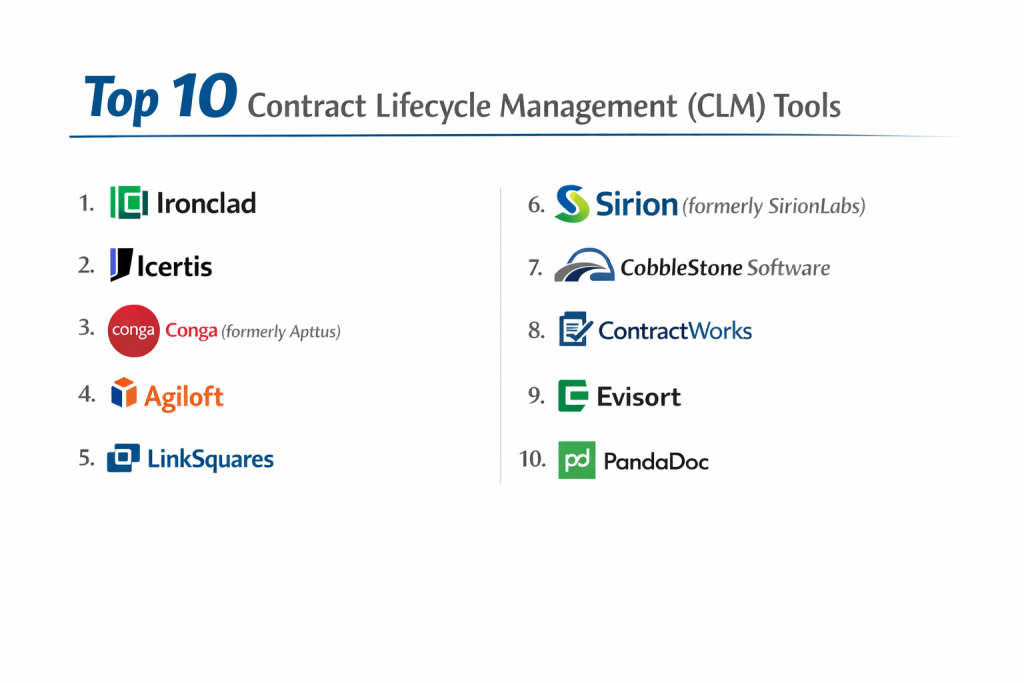
Top 10 Contract Lifecycle Management (CLM) Tools
1 — Ironclad
Ironclad is widely recognized as one of the most modern and user-friendly CLM platforms on the market. It focuses on “Digital Contracting,” aiming to make the legal process as fast as a digital transaction.
- Key features:
- Workflow Designer that allows non-technical users to build approval paths.
- Ironclad Editor for real-time, browser-based redlining and negotiation.
- AI-powered “Smart Repository” that automatically extracts data from signed contracts.
- Deep integration with Salesforce, Google Drive, and Slack.
- Native e-signature capabilities (Ironclad Sign) or integration with DocuSign.
- Public Link feature for easy sharing of standard templates like NDAs.
- Pros:
- Excellent user interface that encourages adoption across non-legal departments.
- The Workflow Designer is arguably the most flexible and intuitive in the industry.
- Cons:
- Can be expensive for smaller organizations.
- Some advanced reporting features require a higher level of setup expertise.
- Security & compliance: SOC 2 Type II, GDPR, HIPAA compliant, and ISO 27001.
- Support & community: Extensive documentation, a dedicated customer success manager, and a very active “Ironclad Community” of legal ops professionals.
2 — Icertis
Icertis is an enterprise-grade powerhouse designed for the world’s largest and most complex organizations. It is known for its “Contract Intelligence,” which treats contracts as living data pools.
- Key features:
- AI-driven risk assessment and compliance tracking.
- Massive scalability for managing millions of contracts across global divisions.
- Specialized “Experiences” for different roles (Sales, Procurement, Legal).
- Robust obligation management that tracks performance after the signature.
- Integration with major ERPs like SAP and Oracle.
- Advanced multi-currency and multi-language support.
- Pros:
- Unmatched power for handling highly complex, multi-national corporate structures.
- Exceptional at post-execution monitoring and risk management.
- Cons:
- Very steep learning curve and long implementation times (often several months).
- Implementation usually requires professional services or third-party consultants.
- Security & compliance: SOC 1, SOC 2, ISO 27001, GDPR, and HIPAA compliant.
- Support & community: Global 24/7 enterprise support and a large network of implementation partners.
3 — Conga (formerly Apttus)
Conga offers a suite of tools that go beyond just CLM, including document generation and revenue management. It is a favorite for companies that live and breathe within the Salesforce ecosystem.
- Key features:
- Conga Composer for automated, high-fidelity document generation.
- Integrated “Grid” views for managing large volumes of contract data.
- AI-powered clause analysis for third-party paper review.
- Seamless Quote-to-Cash workflows when paired with Conga CPQ.
- Robust redlining and version control within Microsoft Word.
- Advanced analytics for revenue lifecycle management.
- Pros:
- The gold standard for Salesforce-native contract management and document generation.
- Highly reliable for companies with complex pricing and contract structures.
- Cons:
- The interface can feel “legacy” or cluttered compared to newer SaaS tools.
- Can be very complex to configure without specialized Salesforce knowledge.
- Security & compliance: SOC 2 Type II, ISO 27001, and GDPR compliant.
- Support & community: Massive user base, extensive training through “Conga University,” and a global support network.
4 — Agiloft
Agiloft is a “No-Code” CLM platform that is highly praised for its extreme customizability. It is designed for businesses that have unique processes that don’t fit into a standard “out-of-the-box” tool.
- Key features:
- Fully customizable data schema and workflow engine without writing code.
- AI Core that identifies and flags high-risk clauses in incoming documents.
- Integrated email-to-contract functionality.
- Precision search and granular permission levels for security.
- Support for procurement, sales, and internal legal workflows.
- Free implementation for many of its standard modules.
- Pros:
- You can build virtually any workflow or data field you need.
- High ROI due to its flexibility and the lack of “per-feature” hidden costs.
- Cons:
- The interface is not as visually modern as Ironclad or LinkSquares.
- The sheer amount of customization options can be overwhelming for small teams.
- Security & compliance: SOC 2 Type II, GDPR, and HIPAA compliant.
- Support & community: Excellent customer support and a long-standing reputation for high user satisfaction.
5 — LinkSquares
LinkSquares is built for legal teams that want to move fast. It is known for its powerful AI that makes both writing new contracts and searching old ones incredibly simple.
- Key features:
- “Finalize” module for drafting and negotiating new agreements.
- “Analyze” module for extracting data from your existing contract repository.
- Native Microsoft Word add-in for seamless redlining.
- Strategic dashboards that visualize contract trends and bottlenecks.
- Automated reminders for renewals and terminations.
- Self-service portal for non-legal users to request contracts.
- Pros:
- One of the best AI engines for accurately extracting data from PDFs.
- Very fast implementation time compared to enterprise competitors.
- Cons:
- Not as deep in “post-execution” obligation tracking as Icertis.
- Pricing is generally higher than entry-level tools.
- Security & compliance: SOC 2 Type II, GDPR, and HIPAA compliant.
- Support & community: Strong onboarding support and a very responsive customer success team.
6 — Sirion (formerly SirionLabs)
Sirion is an AI-first CLM that focuses heavily on the “Intelligence” part of the contract lifecycle. It is built to manage the entire relationship with a vendor or customer, not just the document.
- Key features:
- Advanced AI that acts as a “virtual legal assistant” during negotiation.
- Real-time tracking of service levels (SLAs) and financial obligations.
- Automated invoice auditing against contract terms.
- Dynamic clause library with fallback suggestions.
- Collaborative workspace for both buyers and sellers.
- High-level dashboards for executive risk oversight.
- Pros:
- Superior at managing “the performance” of a contract after it is signed.
- Excellent AI capabilities that actually improve the speed of negotiation.
- Cons:
- May be too complex for companies that only need a basic repository.
- Higher price point geared toward enterprise-level budgets.
- Security & compliance: ISO 27001, SOC 2 Type II, and GDPR.
- Support & community: Dedicated enterprise support and a focus on high-touch professional services.
7 — CobbleStone Software
CobbleStone is a veteran in the CLM space, offering a feature-rich platform (Contract Insight) that is highly configurable and can be deployed in the cloud or on-premise.
- Key features:
- “VISUAL Task Manager” for tracking contract milestones.
- Intelligent contract authoring with automated templates.
- Electronic signatures via IntelliSign or third-party providers.
- Vendor and client management portals.
- Advanced search and OCR (Optical Character Recognition) for legacy files.
- Compliance tracking for OFAC and other regulatory lists.
- Pros:
- Extremely robust feature set that covers every niche of contract management.
- Flexible deployment options (Cloud SaaS or On-Premise).
- Cons:
- The user interface can feel a bit traditional compared to newer “SaaS-native” apps.
- Some of the advanced features require significant training to master.
- Security & compliance: SOC 2 Type II, HIPAA, and GDPR compliant.
- Support & community: Comprehensive “CobbleStone University” and strong technical support.
8 — ContractWorks
ContractWorks focuses on simplicity and speed. It is an ideal solution for companies that want to get their contracts organized without a long implementation process.
- Key features:
- Secure, centralized repository with automatic OCR.
- Simple, easy-to-use search and reporting.
- Unlimited users on all plans (great for company-wide access).
- Built-in electronic signatures.
- Milestone alerts and automated notifications.
- Drag-and-drop setup that can be completed in minutes.
- Pros:
- The most affordable and easy-to-set-up tool for basic repository needs.
- Transparent, flat-fee pricing with no “per-user” charges.
- Cons:
- Lacks the advanced “Drafting and Negotiation” workflows of Ironclad.
- AI features are not as sophisticated as Icertis or Sirion.
- Security & compliance: SOC 2 Type II compliant and uses 256-bit encryption.
- Support & community: Highly rated 24/7 customer support and an easy-to-navigate help center.
9 — Evisort
Evisort is an AI-native platform that made its name by being able to “read” and analyze thousands of contracts in seconds. It is built for teams that need deep data insights from their legal documents.
- Key features:
- Proprietary AI that requires zero training to start identifying clauses.
- Unified platform for both pre-signature drafting and post-signature analysis.
- Automated data entry for key fields like dates, parties, and values.
- Search capabilities that can scan through millions of pages.
- Seamless integrations with Box, SharePoint, and Salesforce.
- Risk modeling and “what-if” scenario planning.
- Pros:
- Arguably the most powerful AI for contract analysis on the market.
- Very low manual data entry required; the tool does the heavy lifting.
- Cons:
- The drafting tools are good, but the “Analysis” side is clearly the star of the show.
- Can be expensive for companies with low document volumes.
- Security & compliance: SOC 2 Type II, GDPR, and ISO 27001.
- Support & community: Professional onboarding and a focus on “Legal Ops” excellence.
10 — PandaDoc
PandaDoc is widely known as a sales document tool, but its CLM features make it an excellent choice for SMBs that want to combine proposals, contracts, and payments in one place.
- Key features:
- Drag-and-drop document builder with an extensive template library.
- Real-time document tracking (see when a client opens or reads a contract).
- Integrated legally-binding e-signatures.
- Payment processing integrated directly into the contract.
- Approval workflows and role-based permissions.
- Robust mobile app for signatures on the go.
- Pros:
- The easiest tool to use for creating visually stunning contracts.
- Perfect for high-velocity sales teams that need to close deals fast.
- Cons:
- Not built for complex “Third-Party Paper” negotiations or AI clause analysis.
- Lacks the deep repository and audit features of enterprise CLMs.
- Security & compliance: SOC 2 Type II, GDPR, and HIPAA (with specific plans).
- Support & community: 24/7 chat support and a huge community of sales and small business users.
Comparison Table
| Tool Name | Best For | Platform(s) Supported | Standout Feature | Rating |
| Ironclad | Modern Teams | Web / Cloud | Workflow Designer | 4.6 / 5 |
| Icertis | Global Enterprise | Web / Cloud | Contract Intelligence | 4.4 / 5 |
| Conga | Salesforce Users | Web / Salesforce | Composer Doc Gen | 4.3 / 5 |
| Agiloft | Customization | Web / Cloud | No-Code Flexibility | 4.7 / 5 |
| LinkSquares | Legal Speed | Web / Cloud | AI Analysis Engine | 4.5 / 5 |
| Sirion | Vendor Mgmt | Web / Cloud | Obligation Tracking | 4.4 / 5 |
| CobbleStone | Configuration | Web / On-Prem | Compliance Tools | 4.1 / 5 |
| ContractWorks | Affordability | Web / Cloud | Unlimited Users | 4.8 / 5 |
| Evisort | AI Insights | Web / Cloud | Data Extraction | 4.5 / 5 |
| PandaDoc | Small Business | Web / Mobile | Sales/Payment Sync | 4.7 / 5 |
Evaluation & Scoring of CLM Tools
| Criteria | Weight | Evaluation Focus |
| Core Features | 25% | Drafting, redlining, repository, and AI capabilities. |
| Ease of Use | 15% | Adoption speed for both legal and non-legal staff. |
| Integrations | 15% | Quality of sync with Salesforce, ERPs, and Email. |
| Security & Compliance | 10% | SOC 2 status, GDPR, and HIPAA protections. |
| Performance | 10% | Speed of OCR and system reliability. |
| Support & Community | 10% | Help docs, onboarding quality, and community events. |
| Price / Value | 15% | Total cost vs. time/revenue saved. |
Which CLM Tool Is Right for You?
Solo Users vs SMB vs Mid-Market vs Enterprise
If you are a solo user, a full CLM is likely overkill; stick to a simple tool like PandaDoc or even just DocuSign. SMBs (under 100 people) should prioritize ease of use and low cost, making ContractWorks or PandaDoc the best fits. Mid-market companies (100–1,000 employees) need the automation and speed of Ironclad or LinkSquares. Enterprise organizations (1,000+ employees) with complex global needs will likely find only Icertis, Conga, or Sirion have the raw power required to manage their scale.
Budget-Conscious vs Premium Solutions
For those on a strict budget, ContractWorks is the winner due to its flat-fee, unlimited-user model. If you have a premium budget and need high-end AI that essentially does the legal research for you, Evisort or Icertis are the preferred investments. Remember that the “price” of a CLM is often offset by the reduction in legal fees and the prevention of missed renewals.
Feature Depth vs Ease of Use
This is the classic trade-off in the CLM world. Agiloft and Icertis have incredible feature depth but can be difficult for a casual user to navigate. Ironclad and PandaDoc win on ease of use, making them much more likely to be adopted by sales and marketing teams who just want to get a contract signed without learning a new, complex software system.
Integration and Scalability Needs
If your entire company lives in Salesforce, Conga or Ironclad are the natural choices. If you plan on growing significantly and need a tool that can eventually talk to a complex SAP ERP system, starting with Agiloft or Icertis will save you from a painful software migration down the road.
Security and Compliance Requirements
In the legal world, security is non-negotiable. If you are in healthcare, ensure your provider will sign a BAA (Business Associate Agreement) for HIPAA compliance. If you are a global firm, GDPR and ISO 27001 are essential. CobbleStone and Qvidian are particularly strong in the highly regulated government and financial sectors.
Frequently Asked Questions (FAQs)
What is the difference between an e-signature tool and a CLM?
An e-signature tool only handles the final step: the signature. A CLM manages everything before the signature (drafting, redlining, approvals) and everything after (milestones, renewals, analytics).
How long does it take to implement a CLM?
For small businesses, it can take 2–4 weeks. For large enterprises with thousands of legacy contracts to upload and analyze, it can take 3–9 months.
Can a CLM help me reduce legal costs?
Yes, by allowing non-legal staff to use “self-service” templates for standard agreements and using AI to flag risky clauses, reducing the billable hours spent on routine reviews.
Do these tools work with Microsoft Word?
Yes, most top-tier CLMs (like LinkSquares, Ironclad, and Conga) have Word add-ins, as that is the preferred environment for legal professionals.
What is “Third-Party Paper”?
This refers to a contract that is drafted by the other party (e.g., a vendor’s agreement). Good CLMs use AI to scan this document and compare it against your company’s standard “Playbook.”
Is my contract data safe in the cloud?
Yes, CLM providers use bank-level encryption and undergo regular security audits like SOC 2 Type II to ensure that your most sensitive legal documents are protected.
Can a CLM track renewals?
Absolutely. This is one of the most immediate ROI features; the system will send email or Slack alerts 30, 60, or 90 days before a contract is set to expire.
Do I need an IT team to set this up?
For “No-Code” tools like Ironclad or Agiloft, an IT team is helpful but not strictly necessary. For enterprise tools like Icertis, a technical implementation team is usually required.
Can I search for specific terms across all my contracts?
Yes, most CLMs use OCR (Optical Character Recognition) which allows you to search for a phrase like “Limitation of Liability” across every PDF in your repository.
What is the most common reason CLM implementations fail?
Lack of user adoption. If the tool is too complex, employees will go back to using email and local folders, leaving the CLM repository incomplete.
Conclusion
Contract Lifecycle Management is no longer a luxury reserved for the Fortune 500; it is a vital operational tool for any company that wants to move fast without sacrificing legal safety. The market has evolved to provide specialized solutions: from the AI-heavy insights of Evisort to the visually elegant workflows of Ironclad and the robust, enterprise-scale of Icertis.
When selecting your tool, remember that the best platform is the one that your team will actually use. A complex system with every feature imaginable is useless if it sits empty because it’s too difficult to navigate. Focus on the integration with your current tools, the quality of the “Pre-Signature” negotiation experience, and the reliability of the AI. By centralizing your legal documents, you turn static contracts into dynamic data that can drive better business decisions.