Introduction
Content Management Systems (CMS) are software platforms that enable users to create, manage, edit, and publish digital content, typically for websites, without requiring deep technical coding knowledge. They separate content from design through templates and databases, allowing easy updates to text, images, videos, and other media while maintaining consistent layouts. Modern CMS often include SEO tools, analytics, e-commerce integration, and AI for content generation or personalization.
CMS platforms are indispensable in today’s digital landscape, powering everything from blogs to enterprise portals. They democratize web publishing, reduce development costs, improve collaboration among teams, ensure mobile responsiveness, and support scalability as businesses grow. With rising demands for personalized experiences and omnichannel delivery, CMS with headless architecture or AI capabilities help organizations stay competitive. Key real-world use cases include building e-commerce stores for online retail, managing corporate intranets for internal communications, creating blogs or news sites for publishers, developing membership portals for associations, and handling multilingual sites for global brands.
When choosing a CMS, evaluate ease of customization (themes/plugins), content editing interface, scalability for traffic/users, built-in SEO and performance optimization, integration with third-party services (CRM, email marketing), security features like automatic updates, and hosting options (self-hosted vs. cloud). Also consider community support, migration tools, and total ownership cost including add-ons.
Best for: Web developers, marketers, content creators, e-commerce managers, bloggers, and IT administrators benefit most from CMS tools. They suit solo bloggers or freelancers for simple sites, SMBs for affordable online presence, mid-market companies for customizable portals, and enterprises in retail, media, education, and finance needing robust, secure content delivery at scale.
Not ideal for: Users needing highly custom-coded applications—static site generators or full frameworks might be better. Those with minimal content updates could use basic page builders. Non-web focused organizations may find dedicated document management systems more suitable.
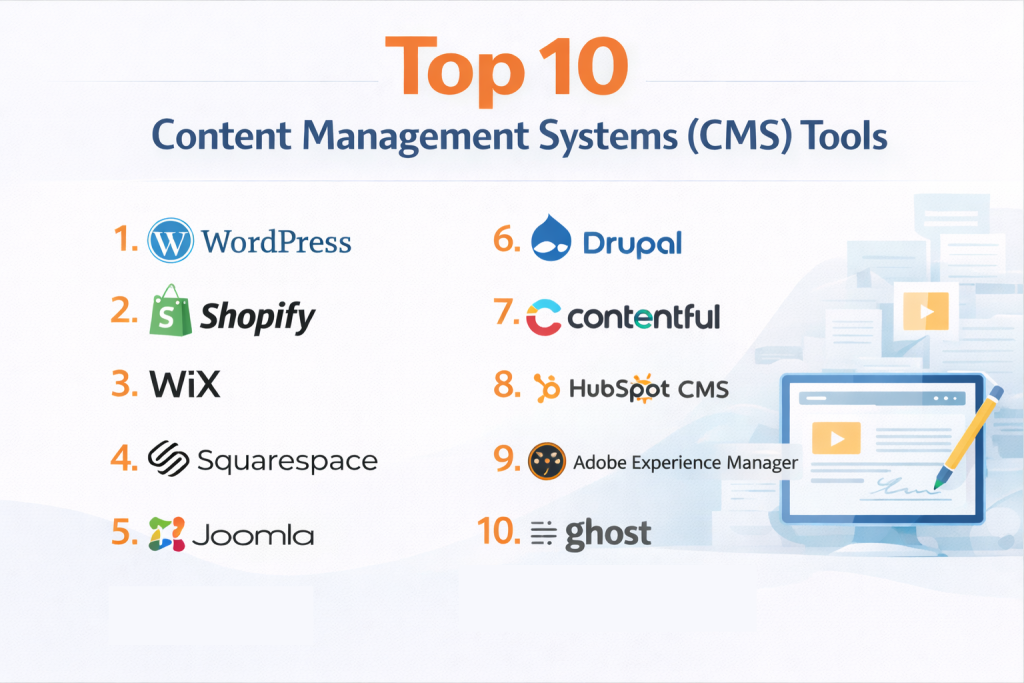
Top 10 Content Management Systems (CMS) Tools
1 — WordPress
WordPress is an open-source CMS powering over 40% of websites, known for its flexibility through thousands of themes and plugins. It caters to beginners with drag-and-drop builders and pros with custom code, ideal for blogs, e-commerce, and corporate sites. WordPress offers a vast ecosystem for building anything from simple blogs to complex portals, with self-hosted freedom or managed hosting options, making it the go-to for users valuing community-driven extensibility and SEO strengths.
Key features:
- Thousands of free/paid themes and plugins.
- Gutenberg block editor for intuitive content creation.
- Built-in SEO tools and caching for performance.
- WooCommerce integration for e-commerce.
- Multisite support for managing networks.
- REST API for headless setups.
- Automatic updates and security monitoring.
Pros:
- Highly customizable and scalable.
- Massive community and resources.
- Cost-effective for most users.
Cons:
- Requires maintenance for security.
- Can bloat with too many plugins.
- Steeper curve for advanced customizations.
Security & compliance: Varies – Plugins for SSO/encryption; GDPR tools available.
Support & community: Vast forums, docs, paid support; huge developer ecosystem.
2 — Shopify
Shopify is a cloud-based CMS focused on e-commerce, providing store builders, inventory management, and payment gateways. It’s designed for merchants and brands launching online shops quickly. Shopify combines CMS with e-commerce tools like abandoned cart recovery and analytics, ideal for retailers needing seamless selling across channels.
Key features:
- Drag-and-drop store builder with themes.
- Integrated payments and shipping.
- App store for extensions.
- POS for in-person sales.
- SEO and marketing tools.
- Headless commerce API.
- Inventory tracking.
Pros:
- Easy setup for non-tech users.
- Reliable hosting and security.
- Strong sales features.
Cons:
- Transaction fees on lower plans.
- Limited non-e-commerce CMS use.
- Monthly costs add up.
Security & compliance: Encryption, audit logs; PCI, GDPR compliant.
Support & community: 24/7 chat, forums, app ecosystem.
3 — Wix
Wix is a user-friendly website builder CMS with drag-and-drop editing and AI site generation, aimed at beginners and small businesses creating professional sites. Wix offers templates, apps, and e-commerce, perfect for users wanting quick, visually appealing sites without coding.
Key features:
- AI site builder (ADI).
- App market for functionality.
- Built-in e-commerce and bookings.
- SEO Wiz and analytics.
- Mobile optimization.
- Custom code with Velo.
- Domain and hosting included.
Pros:
- Extremely intuitive interface.
- All-in-one hosting/solution.
- Good for creative sites.
Cons:
- Less flexible for advanced devs.
- Vendor lock-in on templates.
- Ads on free plan.
Security & compliance: Encryption; GDPR compliant.
Support & community: Help center, chat.
4 — Squarespace
Squarespace is a premium CMS for beautiful, responsive websites with built-in blogging and e-commerce, targeted at creatives and small businesses. Squarespace emphasizes design templates and tools for portfolios, blogs, and stores, ideal for users prioritizing aesthetics.
Key features:
- Professional templates.
- Integrated blogging/e-commerce.
- Image editing and SEO.
- Scheduling and memberships.
- Analytics dashboard.
- Custom CSS.
- Domain/email included.
Pros:
- Stunning design out-of-box.
- Reliable hosting.
- Simple management.
Cons:
- Higher pricing.
- Limited third-party apps.
- Less scalable for large sites.
Security & compliance: Encryption; GDPR.
Support & community: 24/7 email, forums.
5 — Joomla
Joomla is an open-source CMS known for flexibility in building community sites, intranets, and portals with extensions. Joomla supports multilingual content and user management, suited for developers and organizations needing custom functionality.
Key features:
- Extension directory for modules.
- Multilingual support.
- User access controls.
- Custom fields.
- SEO and caching.
- Template framework.
- Workflow management.
Pros:
- Highly extensible.
- Free and community-driven.
- Good for complex sites.
Cons:
- Steeper learning curve.
- Requires more maintenance.
- Design less modern default.
Security & compliance: Varies – Extensions for compliance.
Support & community: Forums, docs, extensions.
6 — Drupal
Drupal is a powerful open-source CMS for enterprise-level sites with strong content modeling and security. Drupal excels in scalable, custom content types, ideal for large organizations needing robust governance.
Key features:
- Content entities and fields.
- Module ecosystem.
- Multilingual and accessibility.
- Workflow and moderation.
- API-first headless.
- Performance caching.
- Security team updates.
Pros:
- Highly secure and scalable.
- Flexible for custom needs.
- Strong community.
Cons:
- Complex for beginners.
- Hosting/maintenance costs.
- Slower initial setup.
Security & compliance: Audit logs; GDPR tools.
Support & community: Forums, enterprise.
7 — Contentful
Contentful is a headless CMS providing content as API for omnichannel delivery. Contentful focuses on structured content, perfect for developers building apps/websites with modern stacks.
Key features:
- Content modeling.
- API delivery.
- Visual editing.
- Integrations (Gatsby, Next.js).
- Localization.
- Webhooks.
- AI content generation.
Pros:
- Flexible headless architecture.
- Fast performance.
- Developer-friendly.
Cons:
- Requires frontend dev.
- Pricing based on usage.
- Less for non-tech users.
Security & compliance: SSO, encryption; SOC 2, GDPR.
Support & community: Docs, enterprise.
8 — HubSpot CMS
HubSpot CMS is a marketing-focused CMS integrated with CRM for personalized experiences. HubSpot offers drag-and-drop with lead tracking, ideal for inbound marketing teams.
Key features:
- Drag-and-drop modules.
- CRM integration.
- Personalization.
- SEO recommendations.
- Blogging tools.
- A/B testing.
- Hosting included.
Pros:
- Marketing ecosystem.
- Easy personalization.
- Good for growth.
Cons:
- Higher cost for full suite.
- Less flexible custom.
- Tied to HubSpot.
Security & compliance: Encryption; GDPR.
Support & community: Academy, support.
9 — Adobe Experience Manager
Adobe Experience Manager is an enterprise CMS for digital experiences with AI personalization. AEM combines content management with assets, ideal for large brands delivering omnichannel.
Key features:
- Asset management.
- AI personalization.
- Sites and forms.
- Workflow automation.
- Integration with Adobe suite.
- Headless delivery.
- Analytics.
Pros:
- Powerful for enterprises.
- AI-driven insights.
- Comprehensive.
Cons:
- Very expensive.
- Complex implementation.
- Overkill small.
Security & compliance: SSO, encryption; SOC 2, GDPR.
Support & community: Enterprise support.
10 — Ghost
Ghost is a headless CMS focused on publishing with fast performance and memberships. Ghost offers clean blogging and newsletters, suited for creators and publishers needing simple, speedy sites.
Key features:
- Headless API.
- Memberships and subscriptions.
- SEO and AMP.
- Custom themes.
- Newsletter tools.
- Zapier integrations.
- ActivityPub support.
Pros:
- Lightning fast.
- Modern publishing.
- Affordable hosted.
Cons:
- Less for complex sites.
- Limited e-commerce.
- Headless requires dev.
Security & compliance: Encryption; GDPR.
Support & community: Forums, docs.
Comparison Table
| Tool Name | Best For | Platform(s) Supported | Standout Feature | Rating |
|---|---|---|---|---|
| WordPress | Flexible web building | Self-hosted/Cloud | Plugin ecosystem | N/A |
| Shopify | E-commerce stores | Cloud | Integrated payments | N/A |
| Wix | Beginner sites | Cloud | AI builder | N/A |
| Squarespace | Design-focused sites | Cloud | Professional templates | N/A |
| Joomla | Custom community sites | Self-hosted | Multilingual support | N/A |
| Drupal | Enterprise portals | Self-hosted/Cloud | Content modeling | N/A |
| Contentful | Headless content delivery | Cloud | API-first | N/A |
| HubSpot CMS | Marketing-driven sites | Cloud | CRM personalization | N/A |
| Adobe Experience Manager | Omnichannel experiences | Cloud/On-premise | AI personalization | N/A |
| Ghost | Publishing & newsletters | Self-hosted/Cloud | Memberships | N/A |
Evaluation & Scoring of Content Management Systems (CMS)
| Tool Name | Core Features (25%) | Ease of Use (15%) | Integrations & Ecosystem (15%) | Security & Compliance (10%) | Performance & Reliability (10%) | Support & Community (10%) | Price / Value (15%) | Total Score |
|---|---|---|---|---|---|---|---|---|
| WordPress | 10 (2.5) | 8 (1.2) | 10 (1.5) | 8 (0.8) | 9 (0.9) | 10 (1.0) | 10 (1.5) | 9.4 |
| Shopify | 9.5 (2.375) | 9 (1.35) | 9.5 (1.425) | 9 (0.9) | 9.5 (0.95) | 9 (0.9) | 8 (1.2) | 9.1 |
| Wix | 8.5 (2.125) | 10 (1.5) | 8 (1.2) | 8 (0.8) | 9 (0.9) | 8 (0.8) | 8 (1.2) | 8.53 |
| Squarespace | 8.5 (2.125) | 9.5 (1.425) | 8 (1.2) | 8 (0.8) | 9 (0.9) | 8 (0.8) | 7.5 (1.125) | 8.38 |
| Joomla | 9 (2.25) | 7.5 (1.125) | 9 (1.35) | 8 (0.8) | 8.5 (0.85) | 9 (0.9) | 9.5 (1.425) | 8.7 |
| Drupal | 9.5 (2.375) | 7 (1.05) | 9.5 (1.425) | 9 (0.9) | 9 (0.9) | 9 (0.9) | 9 (1.35) | 8.9 |
| Contentful | 9 (2.25) | 8 (1.2) | 9.5 (1.425) | 9 (0.9) | 9.5 (0.95) | 8 (0.8) | 7.5 (1.125) | 8.65 |
| HubSpot CMS | 9 (2.25) | 9 (1.35) | 9.5 (1.425) | 9 (0.9) | 9 (0.9) | 9 (0.9) | 7 (1.05) | 8.78 |
| Adobe Experience Manager | 10 (2.5) | 7 (1.05) | 10 (1.5) | 10 (1.0) | 9.5 (0.95) | 9 (0.9) | 6 (0.9) | 8.8 |
| Ghost | 8.5 (2.125) | 8.5 (1.275) | 8 (1.2) | 8 (0.8) | 9.5 (0.95) | 8 (0.8) | 8.5 (1.275) | 8.43 |
Which Content Management Systems (CMS) Tool Is Right for You?
Selecting a CMS depends on your technical expertise, content needs, and growth plans.
For solo users, WordPress or Wix provide easy starts with templates—WordPress for customization, Wix for no-code simplicity.
SMBs benefit from Shopify for e-commerce or Squarespace for design-focused sites, offering built-in tools without heavy maintenance.
Mid-market organizations often choose Drupal or Joomla for flexibility in custom portals, with strong community support for scaling.
Enterprises favor Adobe Experience Manager or HubSpot CMS for AI personalization and integrations, ensuring secure, high-traffic performance.
If you’re budget-conscious, opt for open-source like WordPress, Joomla, or Ghost—their free cores save costs, though hosting/add-ons add up.
Premium solutions like Adobe or HubSpot justify investment with advanced analytics and marketing tools for ROI-driven businesses.
Balance feature depth (Drupal/Adobe for complex needs) vs. ease of use (Wix/Squarespace for quick launches)—depth suits devs, ease non-tech users.
For integration and scalability, Contentful’s headless API excels in multi-channel, while WordPress plugins handle most ecosystems.
Security and compliance requirements are critical in regulated fields—Drupal/Adobe offer robust controls; always check certifications.
Test demos, consider migration ease, and align with your team’s skills for the best fit.
Frequently Asked Questions (FAQs)
What is a Content Management System (CMS)? A CMS is software for creating, managing, and publishing web content without coding, separating design from data for easy updates.
Why is a CMS important for businesses? It reduces development time, enables non-tech users to manage sites, improves SEO, and scales content delivery for growth.
How much does a CMS cost? Free open-source like WordPress, $5-50/month hosted like Wix, or custom enterprise pricing for Adobe (thousands annually).
Is WordPress secure for e-commerce? Yes with plugins like WooCommerce, but requires updates/security measures; hosted alternatives offer built-in protection.
Headless vs traditional CMS? Headless (Contentful) separates backend for flexibility; traditional (WordPress) combines for simplicity.
Implementation time for CMS? Days for basic (Wix), weeks for custom (Drupal); plan migration/testing.
Common mistake when choosing CMS? Overlooking scalability—leads to rework. Best: Assess future needs, start small.
Best for e-commerce? Shopify for dedicated; WordPress/WooCommerce for custom.
Security concerns? Choose with auto-updates, SSL; enterprises need audit/compliance features.
Alternatives to CMS for static sites? Generators like Jekyll/Gatsby for simple, fast sites without database.
Conclusion
This guide highlights the diversity of CMS options, from versatile open-source like WordPress and Drupal to design-focused Wix and Squarespace, e-commerce leader Shopify, and enterprise-grade Adobe Experience Manager. Key insights include the shift toward headless architectures for omnichannel delivery, AI for content optimization, and emphasis on SEO/performance for user experience.
What matters most is alignment with your goals—ease for beginners, customization for devs, scalability for growth. No single CMS reigns supreme; the “best” depends on your content type, team skills, budget, and industry requirements. Experiment with trials, consult experts, and choose one empowering efficient content creation and management. The right CMS turns your website from static to dynamic asset driving engagement and business success.