Introduction
A container platform is a comprehensive suite of tools designed to manage the entire lifecycle of software containers. While a “container” is a lightweight package of software that includes everything needed to run an application (code, runtime, system tools, libraries), the platform is the orchestration and management layer that ensures these containers run reliably at scale. These platforms automate critical tasks such as deployment, networking, scaling, and security monitoring.
The importance of these tools lies in their ability to bridge the gap between development and production. By ensuring that an application runs the same way on a developer’s laptop as it does in a global data center, container platforms eliminate the “it works on my machine” syndrome, drastically reducing time-to-market.
Key real-world use cases include:
- Microservices Architecture: Breaking down monolithic applications into smaller, manageable services.
- Hybrid Cloud Deployment: Moving workloads seamlessly between on-premises servers and public clouds like AWS or Azure.
- Continuous Integration/Continuous Deployment (CI/CD): Automating the testing and release of software updates.
- Edge Computing: Deploying lightweight applications to remote IoT devices or branch offices.
When choosing a platform, users should evaluate ease of use, scalability, ecosystem support, and security compliance.
Best for: Large enterprises scaling microservices, DevOps teams seeking automated CI/CD, and software companies prioritizing multi-cloud flexibility.
Not ideal for: Simple, static websites that can be hosted on basic shared hosting, or legacy monolithic applications that cannot be easily decomposed into independent services.
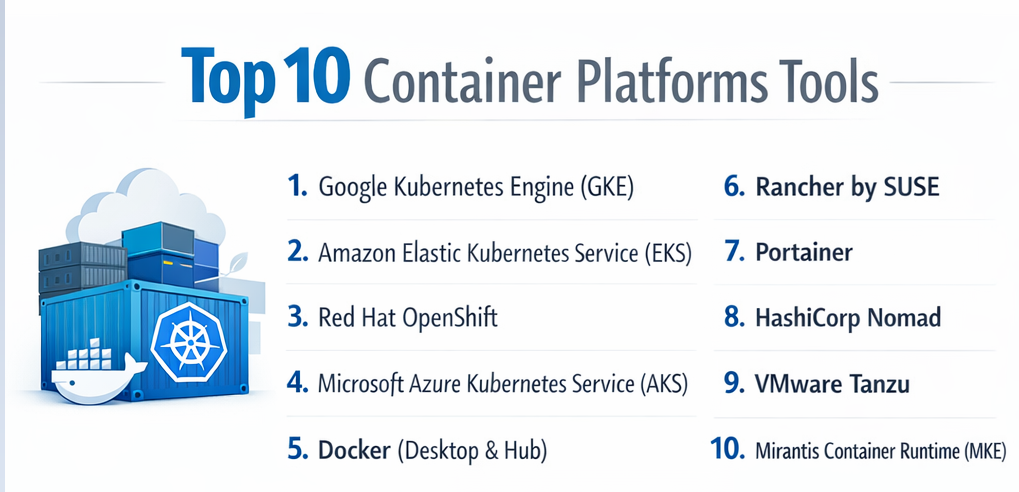
Top 10 Container Platforms Tools
1 — Google Kubernetes Engine (GKE)
GKE is often considered the gold standard for managed Kubernetes. Developed by the same company that created Kubernetes, it offers the most automated and high-performance environment for containerized apps.
- Key Features:
- GKE Autopilot: A fully managed mode where Google handles the entire infrastructure and node management.
- Binary Authorization: Ensures only trusted images are deployed to production.
- Multi-Cluster Ingress: Simplifies load balancing across multiple geographical regions.
- Vertical Pod Autoscaling: Automatically adjusts CPU and memory for containers.
- Native TPU/GPU Support: Optimized for massive AI and Machine Learning workloads.
- Pros:
- Highest level of automation in the industry (especially with Autopilot).
- Seamless integration with Google’s data and AI ecosystem (BigQuery, Vertex AI).
- Cons:
- Premium pricing can be high for small-scale projects.
- Can feel “opinionated,” making certain custom configurations difficult.
- Security & Compliance: SOC 2, HIPAA, GDPR, ISO 27001, and FedRAMP High.
- Support & Community: Backed by Google Cloud Support; home to a massive open-source community as the primary driver of Kubernetes development.
2 — Amazon Elastic Kubernetes Service (EKS)
EKS is the most widely used managed Kubernetes service, primarily because of its deep integration with the vast AWS ecosystem.
- Key Features:
- AWS Fargate Integration: Serverless compute for containers, removing the need to manage EC2 instances.
- IAM Roles for Service Accounts (IRSA): Provides fine-grained security permissions at the pod level.
- EKS Anywhere: Allows users to run EKS on their own on-premises hardware.
- Managed Node Groups: Automates the provisioning and lifecycle of worker nodes.
- App Mesh: Standardizes how microservices communicate with built-in observability.
- Pros:
- Unrivaled integration with other AWS services (S3, RDS, Lambda).
- Extreme reliability and scalability for massive, global workloads.
- Cons:
- Complex setup compared to GKE or AKS.
- Management fee of $0.10/hour per cluster (plus resource costs).
- Security & Compliance: FedRAMP, HIPAA, SOC 1/2/3, PCI DSS, and ISO 27001.
- Support & Community: Comprehensive AWS support tiers and an immense library of documentation and community tutorials.
3 — Red Hat OpenShift
OpenShift is a leading enterprise-grade platform built on top of Kubernetes, adding extra layers of security, developer tools, and governance.
- Key Features:
- Source-to-Image (S2I): Automatically builds container images from your source code.
- Operator Framework: Automates the management of complex stateful applications like databases.
- Integrated CI/CD Pipelines: Built-in Tekton-based pipelines for automated delivery.
- Unified Web Console: A powerful GUI for both developers and administrators.
- Advanced Cluster Security (ACS): Deep visibility and runtime threat detection.
- Pros:
- “Self-service” developer experience that abstracts away Kubernetes complexity.
- Exceptional security defaults out of the box.
- Cons:
- High licensing costs (Enterprise-focused).
- Significant resource overhead to run the control plane.
- Security & Compliance: SOC 2, HIPAA, GDPR, FIPS 140-2, and ISO 27001.
- Support & Community: World-class 24/7 support from Red Hat/IBM and a strong enterprise user base.
4 — Microsoft Azure Kubernetes Service (AKS)
AKS provides the best integration for organizations already invested in the Microsoft ecosystem, particularly those using Entra ID (Active Directory) and GitHub.
- Key Features:
- Azure Active Directory Integration: Secure identity management for users and applications.
- Azure Dev Spaces: Allows developers to test code directly in the cluster.
- Serverless Kubernetes: Via Azure Container Instances (ACI).
- Cost Analysis Tools: Built-in visualization of cluster spending.
- Windows Server Container Support: Top-tier support for legacy .NET applications.
- Pros:
- Free control plane (you only pay for worker nodes).
- The most seamless transition for .NET and Windows-centric teams.
- Cons:
- UI can sometimes feel cluttered or sluggish compared to GKE.
- Documentation can occasionally lag behind new feature releases.
- Security & Compliance: ISO, SOC, HIPAA, PCI DSS, and GDPR compliant.
- Support & Community: Backed by Microsoft’s global support network and strong enterprise community.
5 — Docker (Desktop & Hub)
While Kubernetes handles the “running” part, Docker remains the dominant platform for “building” and “sharing” containers.
- Key Features:
- Docker Desktop: A local GUI for building and testing containers on Windows, Mac, and Linux.
- Docker Hub: The world’s largest registry of container images.
- Docker Build Cloud: Offloads image builds to the cloud for 10x faster performance.
- Docker Scout: Real-time vulnerability analysis and supply chain security.
- Docker Extensions: Third-party add-ons to enhance the development workflow.
- Pros:
- Standard-bearer for developer experience; incredibly easy to start.
- Lightweight and portable across almost any hardware.
- Cons:
- Docker Swarm (its native orchestrator) is less powerful than Kubernetes.
- New licensing terms require paid subscriptions for large enterprises.
- Security & Compliance: SSO (OAuth/SAML), audit logs, and SOC 2.
- Support & Community: The largest container community in the world; extensive self-help resources.
6 — Rancher by SUSE
Rancher is an open-source multi-cluster management platform that allows you to manage any Kubernetes cluster (EKS, GKE, on-prem) from a single dashboard.
- Key Features:
- Multi-Cluster Orchestration: Manage dozens of clusters across different clouds in one UI.
- Fleet: GitOps-based management for large-scale cluster deployments.
- Harvester Integration: Manage virtual machines and containers side-by-side.
- Centralized RBAC: Unified access control across all managed environments.
- K3s Support: Specifically designed for lightweight edge computing.
- Pros:
- Eliminates “provider lock-in” by managing all clouds equally.
- Excellent for hybrid-cloud strategies.
- Cons:
- Requires a separate management cluster to host the Rancher UI.
- The learning curve for “Fleet” and advanced GitOps can be steep.
- Security & Compliance: CIS Benchmarks, SOC 2, and FIPS-compliant distributions.
- Support & Community: Strong open-source community; professional support available via SUSE.
7 — Portainer
Portainer is a lightweight management UI that makes Docker and Kubernetes accessible to teams without deep command-line expertise.
- Key Features:
- Human-Friendly Interface: Manage containers, volumes, and networks via a GUI.
- App Templates: One-click deployment for common apps (WordPress, Databases).
- Edge Agent: Manage containers on remote devices via low-bandwidth links.
- GitOps Integration: Automatically sync container state with Git repositories.
- Environments Management: Support for Docker Standalone, Swarm, and Kubernetes.
- Pros:
- Extremely fast to set up; “Kubernetes for humans.”
- Low resource footprint; ideal for home labs or small dev teams.
- Cons:
- Not a compute provider (you still need servers to run it).
- Lacks the advanced automation of GKE Autopilot.
- Security & Compliance: SSO, RBAC, and audit logs; GDPR compliant.
- Support & Community: Vibrant community on Discord; paid support for Business Edition.
8 — HashiCorp Nomad
Nomad is a simple, flexible orchestrator that can manage containers, virtual machines, and legacy applications using a single workflow.
- Key Features:
- Single Binary: The entire platform is a single, lightweight executable file.
- Multi-Region Federation: Connect clusters across data centers easily.
- Vault & Consul Integration: Native security and service discovery.
- Device Plugins: First-class support for GPUs and other specialized hardware.
- Simple HCL Configuration: Uses HashiCorp Configuration Language (like Terraform).
- Pros:
- Much simpler to operate and maintain than Kubernetes.
- Can manage non-containerized apps, making it great for legacy migrations.
- Cons:
- Smaller ecosystem of third-party plugins compared to K8s.
- Requires other HashiCorp tools (Vault/Consul) for a complete experience.
- Security & Compliance: Vault integration for secrets; SOC 2 and GDPR compliant.
- Support & Community: Excellent documentation; professional support from HashiCorp.
9 — VMware Tanzu
Tanzu allows enterprises to run Kubernetes directly within their existing VMware vSphere environments, bridging the gap between VMs and containers.
- Key Features:
- vSphere with Tanzu: Run K8s clusters inside the vSphere Client you already use.
- Mission Control: Centralized policy management for multiple clusters.
- Tanzu Application Catalog: Curated, hardened images for enterprise use.
- Service Mesh: Built-in Istio support for secure service communication.
- Pros:
- Best-in-class for companies with huge existing VMware investments.
- Simplifies networking by treating containers like VMs.
- Cons:
- Complex licensing and pricing structure.
- Requires deep knowledge of the VMware ecosystem.
- Security & Compliance: SOC 2, HIPAA, GDPR, and FIPS 140-2.
- Support & Community: Backed by Broadcom/VMware’s global enterprise support.
10 — Mirantis Container Runtime (MKE)
Formerly known as Docker Enterprise, Mirantis provides a hardened, security-focused platform for mission-critical workloads.
- Key Features:
- Swarm and K8s Support: Run both orchestrators on the same nodes.
- FIPS 140-2 Validation: Critical for government and high-security sectors.
- Mirantis Secure Registry: Built-in image scanning and signing.
- Zero-Downtime Updates: Seamlessly upgrade the platform.
- Pros:
- Hardened security for highly regulated industries (finance, gov).
- Simplifies the transition from legacy Docker Swarm to Kubernetes.
- Cons:
- High cost per node.
- Focuses more on stability than the latest “bleeding edge” features.
- Security & Compliance: FIPS 140-2, FISMA, SOC 2, and HIPAA.
- Support & Community: High-touch enterprise support with dedicated account managers.
Comparison Table
| Tool Name | Best For | Platform(s) Supported | Standout Feature | Rating (Gartner) |
| Google GKE | AI/ML & Automation | Google Cloud | Autopilot Mode | 4.8 / 5 |
| Amazon EKS | AWS Ecosystem Users | AWS, On-prem | Fargate Serverless | 4.6 / 5 |
| Azure AKS | Microsoft Shops | Azure | Free Control Plane | 4.5 / 5 |
| OpenShift | Hybrid Cloud Enterprise | All Clouds, On-prem | Source-to-Image (S2I) | 4.5 / 5 |
| Docker Hub | Developers & Building | Windows, Mac, Linux | Largest Image Library | 4.6 / 5 |
| Rancher | Multi-Cloud Mgmt | Multi-Cloud | Centralized Control | 4.7 / 5 |
| Portainer | Low-Complexity Teams | Docker, K8s, Edge | GUI-driven Management | 4.8 / 5 |
| Nomad | Mixed Workloads | Multi-Cloud, Edge | Single Binary Architecture | 4.1 / 5 |
| VMware Tanzu | VMware vSphere Users | On-prem, Cloud | vSphere Native K8s | 4.0 / 5 |
| Mirantis (MKE) | Secure Government | On-prem, Cloud | Hardened FIPS Security | 4.3 / 5 |
Evaluation & Scoring of Container Platforms
To provide an objective ranking, we have evaluated these platforms based on a weighted rubric reflecting the needs of modern DevOps teams.
| Category | Weight | Top Performer | Evaluation Notes |
| Core Features | 25% | GKE | GKE leads with advanced autoscaling and AI-ready nodes. |
| Ease of Use | 15% | Portainer | Simplest GUI; lowest barrier to entry. |
| Integrations | 15% | Amazon EKS | Unmatched AWS service catalog connectivity. |
| Security & Compliance | 10% | OpenShift | Best “secure by default” posture. |
| Performance | 10% | GKE | Industry-leading startup times and reliability. |
| Support & Community | 10% | Docker | Largest global pool of experts and community content. |
| Price / Value | 15% | Azure AKS | Free control plane and competitive node pricing. |
Which Container Platform Tool Is Right for You?
Selecting the right platform depends on your organizational structure, technical maturity, and budget.
1. Solo Users vs. Enterprises
- Solo/Small Teams: Start with Docker Desktop and Portainer. They provide the fastest path to value without the overhead of a full Kubernetes cluster.
- Enterprises: Look toward OpenShift or GKE. These provide the governance, audit trails, and multi-team isolation required for corporate environments.
2. Budget vs. Premium
- Budget-Conscious: Azure AKS is the winner here due to the free management tier. Nomad is also an excellent open-source alternative that runs on cheaper, low-spec hardware.
- Premium Needs: If you have the budget, OpenShift and VMware Tanzu offer high-touch support and integrated stacks that can save thousands in “engineering hours” spent on DIY setups.
3. Feature Depth vs. Simplicity
- High Feature Depth: GKE and EKS offer thousands of configuration options for specialized networking, storage, and computing.
- Simplicity: Portainer and Nomad focus on getting the job done with a 10-minute setup time.
4. Integration & Security
If you are already 100% on AWS, stick with EKS. If you have strict FIPS or HIPAA requirements, Mirantis or OpenShift are the safest bets for compliance out of the box.
Frequently Asked Questions (FAQs)
1. Is Kubernetes better than Docker?
They are not direct competitors. Docker is a tool for creating containers, while Kubernetes is a platform for orchestrating them. Most teams use Docker to build the images and Kubernetes to run them in production.
2. Can I run container platforms on-premises?
Yes. Tools like OpenShift, Rancher, Nomad, and EKS Anywhere are specifically designed to run on your own hardware while providing a cloud-like experience.
3. What is the difference between Managed and Unmanaged Kubernetes?
In a managed service (like GKE or AKS), the cloud provider handles the “brains” (control plane) of the cluster. In unmanaged (DIY) setups, you must configure, patch, and scale the control plane yourself, which is highly complex.
4. How do I secure my container images?
Use tools like Docker Scout or Mirantis Secure Registry to scan for vulnerabilities. Always use “minimal” base images (like Alpine Linux) to reduce the attack surface.
5. Which platform is best for AI/ML workloads?Google Kubernetes Engine (GKE) is widely considered the leader due to its native support for TPUs (Tensor Processing Units) and tight integration with NVIDIA GPUs.
6. Do I need a container platform for a simple website?
Probably not. If you only have one or two web pages, a simple Virtual Private Server (VPS) or a platform-as-a-service like Heroku might be easier and cheaper.
7. What is “Serverless Containers”?
Services like AWS Fargate allow you to run containers without managing any servers or clusters. You simply provide the image, and the provider handles the rest, charging you only for the time the container runs.
8. Is Docker Hub still free?
Docker Hub has a free tier for individuals and small public projects, but large companies and teams now require a paid subscription (Docker Business or Pro).
9. Can I move my apps from one platform to another?
Yes, because containers are based on open standards (OCI). However, you may need to update your networking and storage configurations when moving from, say, EKS to GKE.
10. How much do container platforms cost?
Costs vary wildly. AKS has a free management tier, while EKS costs about $73/month just to keep the cluster “alive.” On top of that, you pay for the actual servers (compute) the containers run on.
Conclusion
The “best” container platform is the one that aligns with your current cloud provider and your team’s technical expertise. For most, Google GKE remains the performance leader, while Amazon EKS is the choice for AWS-heavy environments. If you find Kubernetes too daunting, Portainer or Nomad offer a breath of fresh air with their simplicity.
Regardless of your choice, the industry is moving toward automation and serverless models. Investing in a platform that reduces your operational “to-do” list—like GKE Autopilot or AWS Fargate—will allow your team to focus on what matters most: building great software.