Introduction
Container Orchestration is the automated process of managing the lifecycle of containers, including deployment, scaling, load balancing, and health monitoring. While Kubernetes (often abbreviated as K8s) is the industry-standard open-source engine for this task, the “category” has expanded to include managed services, enterprise distributions, and lightweight alternatives that make Kubernetes easier to consume.
The importance of these tools cannot be overstated. Without orchestration, manually managing container networking, storage, and failover would be an operational nightmare. Key real-world use cases include:
- Auto-scaling Web Applications: Dynamically adding server capacity during high-traffic events (like Black Friday).
- Zero-Downtime Deployments: Rolling out new software versions without interrupting the end-user.
- Self-Healing Systems: Automatically restarting containers that crash or fail health checks.
When evaluating a platform, users should look for high availability, robust security defaults, community support, and vendor lock-in risks.
Best for: DevOps engineers, SREs, and medium-to-large enterprises running complex, distributed applications. It is essential for high-growth tech startups and industries requiring extreme reliability, such as FinTech and E-commerce.
Not ideal for: Small businesses with single-server needs, simple static websites, or teams without the technical bandwidth to manage the underlying complexity of distributed systems.
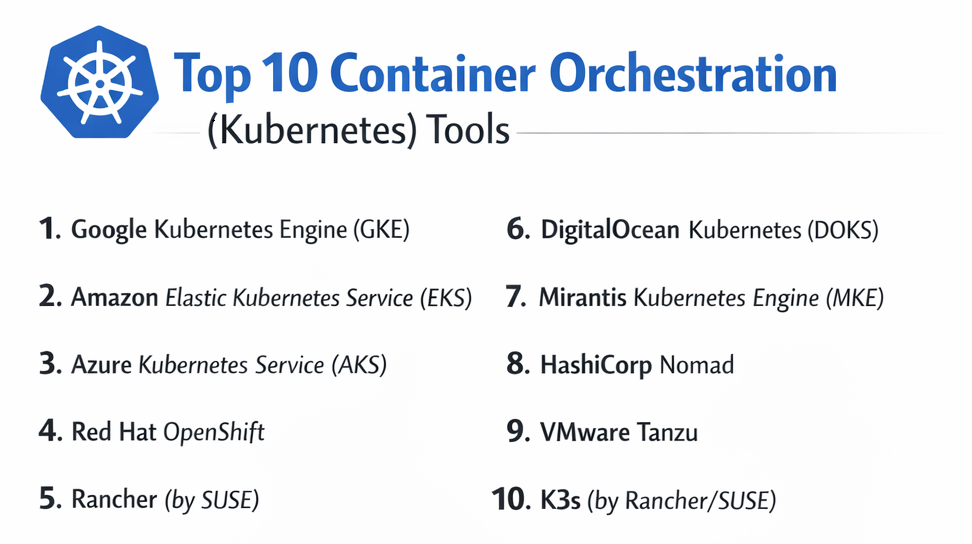
Top 10 Container Orchestration (Kubernetes) Tools
1 — Google Kubernetes Engine (GKE)
GKE is the premier managed Kubernetes service from the pioneers of the technology. It offers the most advanced automation features, designed to take the “operational tax” off the developer.
- Key Features:
- Autopilot Mode: Hands-off cluster management where Google manages nodes and infrastructure.
- Multi-cluster Ingress: Simplifies global load balancing across different regions.
- Native TPU Support: Specialized hardware integration for AI and Machine Learning workloads.
- Four-way Auto-scaling: Scales pods, nodes, and clusters vertically and horizontally.
- Binary Authorization: Ensures only signed and verified images are deployed.
- Pros:
- Arguably the best automation and ease of management in the industry.
- The “home court” advantage, as Google originally developed Kubernetes.
- Cons:
- The “Autopilot” mode limits some deep-level cluster customizations.
- Cost management can be tricky as workloads scale across regions.
- Security & Compliance: SOC 2, HIPAA, GDPR, ISO 27001, and FedRAMP High.
- Support & Community: Extensive documentation, a massive global user base, and premium 24/7 enterprise support tiers.
2 — Amazon Elastic Kubernetes Service (EKS)
EKS is the industry leader by market share, offering a highly flexible, deeply integrated experience for organizations already living within the Amazon Web Services (AWS) ecosystem.
- Key Features:
- Fargate for EKS: A serverless compute engine that eliminates the need to manage EC2 instances.
- IAM Integration: Fine-grained access control using AWS Identity and Access Management.
- EKS Anywhere: Enables running the same Kubernetes distribution on-premises.
- Managed Node Groups: Automates the lifecycle of worker nodes (updates and patching).
- VPC CNI: Provides high-performance networking by giving pods actual IP addresses from your VPC.
- Pros:
- Unrivaled integration with AWS services (S3, RDS, CloudWatch).
- Extreme reliability and proven scalability for the world’s largest enterprises.
- Cons:
- Steeper learning curve for initial configuration compared to GKE.
- A flat $0.10/hour management fee per cluster can add up for small dev environments.
- Security & Compliance: FedRAMP, HIPAA, SOC, PCI DSS, and ISO compliant.
- Support & Community: Largest community of AWS-certified professionals and exhaustive technical guides.
3 — Azure Kubernetes Service (AKS)
AKS is Microsoft’s answer to container orchestration, providing a bridge between the Windows-centric enterprise world and the Linux-heavy Kubernetes ecosystem.
- Key Features:
- Azure Dev Spaces: Allows rapid iterative development directly in the cluster.
- Entra ID (Active Directory) Integration: Seamless identity management for corporate environments.
- KEDA Support: Event-driven autoscaling that works perfectly with Azure Functions.
- Visual Studio Code Extension: Manage clusters directly from the world’s most popular code editor.
- Windows Container Support: First-class support for legacy .NET applications.
- Pros:
- Free cluster management (no hourly fee for the control plane).
- Best-in-class integration for organizations using Microsoft 365 and Azure DevOps.
- Cons:
- The web portal can occasionally be slower and more complex than its competitors.
- Performance in some regions can be inconsistent compared to GKE.
- Security & Compliance: ISO, SOC, HIPAA, and GDPR; integration with Azure Policy for governance.
- Support & Community: Strong Microsoft support network; growing community of enterprise users.
4 — Red Hat OpenShift
OpenShift is a comprehensive enterprise Kubernetes platform that adds a significant layer of abstraction and developer productivity tools on top of standard Kubernetes.
- Key Features:
- Source-to-Image (S2I): Direct deployment from source code to running container.
- Integrated Registry: Built-in storage and management for container images.
- OperatorHub: A marketplace of automated lifecycle managers for complex apps like databases.
- Advanced Cluster Security: Powerful runtime security and compliance monitoring built-in.
- Unified Console: A cohesive UI for both administrators and developers.
- Pros:
- Extremely high “out-of-the-box” security defaults (hardened by default).
- Provides a consistent experience across on-prem, AWS, Azure, and Google Cloud.
- Cons:
- Higher licensing costs; generally tailored for large corporate budgets.
- The additional layers can make it “heavy” and resource-intensive to run.
- Security & Compliance: FIPS 140-2, SOC 2, HIPAA, and extensive federal certifications.
- Support & Community: Elite 24/7 enterprise support from Red Hat/IBM.
5 — Rancher (by SUSE)
Rancher is an open-source multi-cluster management platform. It doesn’t just run Kubernetes; it manages other Kubernetes distributions (EKS, AKS, GKE) from a single glass pane.
- Key Features:
- Multi-Cluster Management: Centralized control for clusters across any cloud or data center.
- Fleet: GitOps-driven management for massive numbers of clusters (edge computing).
- RKE2: A security-hardened Kubernetes distribution.
- Unified RBAC: Manage user permissions across all your clouds in one place.
- App Marketplace: Easy Helm-chart based deployments of popular software.
- Pros:
- Excellent for avoiding vendor lock-in; you can switch cloud providers easily.
- The most user-friendly GUI for administrators managing complex fleets.
- Cons:
- Requires a dedicated management cluster, which adds infrastructure overhead.
- The wide variety of configuration options can be overwhelming for beginners.
- Security & Compliance: CIS Benchmarks, SOC 2, and FIPS-compliant components available.
- Support & Community: Very active open-source community and professional support from SUSE.
6 — DigitalOcean Kubernetes (DOKS)
DOKS is the “developer’s favorite” for its simplicity, transparent pricing, and ease of use, making Kubernetes accessible to small teams.
- Key Features:
- One-Click Apps: Quickly deploy databases and monitoring tools.
- Managed Control Plane: DigitalOcean manages the master nodes for free.
- Surge Upgrades: Ensures zero downtime during cluster version updates.
- Simple Load Balancers: Easily provisioned and managed networking.
- VPC Integration: Isolated private networking for all droplets and clusters.
- Pros:
- Highly predictable billing; no hidden data transfer fees.
- Incredibly fast setup—go from zero to cluster in minutes.
- Cons:
- Lacks the advanced enterprise features (like TPU support) of GKE.
- Global footprint is smaller than the “Big Three” cloud providers.
- Security & Compliance: SOC 2, HIPAA (with BAA), and GDPR.
- Support & Community: Known for having some of the best technical tutorials on the internet.
7 — Mirantis Kubernetes Engine (MKE)
Formerly known as Docker Enterprise, Mirantis provides a secure, hardened environment designed for mission-critical and government-grade workloads.
- Key Features:
- Dual Orchestration: Ability to run Kubernetes and Docker Swarm side-by-side.
- Mirantis Secure Registry: Highly secure image storage with scanning.
- FIPS 140-2 Validation: Critical for government and defense contracts.
- Zero-Downtime Updates: High-availability architecture during platform maintenance.
- GPU Orchestration: Support for AI/ML workloads in restricted environments.
- Pros:
- Ideal for organizations transitioning from legacy Docker Swarm to K8s.
- Top-tier security for highly regulated industries.
- Cons:
- Pricing is not transparent and can be very high for small teams.
- Feature release cycle is slower than the major cloud providers.
- Security & Compliance: FIPS, SOC 2, FISMA, and HIPAA.
- Support & Community: High-touch, white-glove enterprise support.
8 — HashiCorp Nomad
Nomad is a flexible, lightweight alternative to Kubernetes. While it isn’t “Kubernetes,” it is a major player in the orchestration space, often used when K8s is “too much.”
- Key Features:
- Single Binary: No complex dependencies; just one file to run.
- Multi-Workload Support: Can orchestrate containers, VMs, and standalone binaries.
- HashiCorp Stack: Native integration with Vault (secrets) and Consul (service mesh).
- Global Federation: Easily link multiple clusters across different regions.
- Declarative HCL: Uses the same language as Terraform for configuration.
- Pros:
- Significantly lower operational overhead than Kubernetes.
- Much easier to learn and deploy for small-to-midsize teams.
- Cons:
- Smaller ecosystem of third-party tools compared to the Kubernetes world.
- Not as many “managed service” options available in the cloud.
- Security & Compliance: Vault-driven security; SOC 2 and GDPR compliant.
- Support & Community: Excellent documentation and strong enterprise support from HashiCorp.
9 — VMware Tanzu
Tanzu is designed to help legacy enterprises modernize by allowing them to run Kubernetes directly inside their existing VMware vSphere infrastructure.
- Key Features:
- vSphere Integration: Manage containers just like you manage Virtual Machines.
- Mission Control: A centralized hub for managing multiple clusters across different clouds.
- Tanzu Application Platform: A pre-paved path for developers to get code to production.
- Service Mesh: Built-in enterprise-grade Istio support.
- Data Services: Automated management of SQL/NoSQL databases in the cluster.
- Pros:
- Leverages existing VMware skills and hardware.
- Best-in-class for hybrid cloud (on-prem + public cloud) scenarios.
- Cons:
- Extremely complex product portfolio and licensing.
- Requires a significant investment in the VMware ecosystem.
- Security & Compliance: SOC 2, ISO, HIPAA, and FIPS 140-2.
- Support & Community: Extensive enterprise support network via Broadcom/VMware.
10 — K3s (by Rancher/SUSE)
K3s is a highly available, certified Kubernetes distribution designed for low-resource environments and edge computing.
- Key Features:
- Ultra-Lightweight: Packaged as a single binary of less than 100MB.
- Optimized for Edge: Designed to run on Raspberry Pi and IoT devices.
- SQLite Support: Can use SQLite as a lightweight alternative to the etcd database.
- Automated TLS: Built-in management for security certificates.
- Air-Gap Support: Can be easily installed in environments without internet access.
- Pros:
- The perfect choice for IoT, retail branch offices, and edge locations.
- Extremely easy to set up for local development or CI/CD pipelines.
- Cons:
- Not suitable for massive, multi-petabyte data center workloads.
- Lacks the full “batteries included” feature set of OpenShift or GKE.
- Security & Compliance: CIS hardened; GDPR compliant.
- Support & Community: Massive open-source community and SUSE support.
Comparison Table
| Tool Name | Best For | Platform(s) Supported | Standout Feature | Rating (Gartner) |
| GKE | AI/ML & Automation | Google Cloud | Autopilot Mode | 4.8 / 5 |
| EKS | AWS Enterprises | AWS | AWS Service Integration | 4.7 / 5 |
| AKS | Microsoft Shops | Azure | Free Control Plane | 4.6 / 5 |
| OpenShift | Hybrid Enterprise | Multi-cloud, On-prem | Source-to-Image (S2I) | 4.5 / 5 |
| Rancher | Multi-cluster Mgmt | Agnostic | Multi-cloud Dashboard | 4.7 / 5 |
| DigitalOcean | Startups / SMBs | DigitalOcean | Simplicity & Price | 4.5 / 5 |
| Mirantis | Government / Sec | On-prem, Cloud | Swarm + K8s Support | 4.3 / 5 |
| Nomad | Simple Orchestration | Multi-cloud | Single Binary / VM support | 4.2 / 5 |
| VMware Tanzu | VMware Users | vSphere, Cloud | vSphere Native K8s | 4.1 / 5 |
| K3s | Edge / IoT | Bare Metal, ARM | Lightweight Footprint | 4.8 / 5 |
Evaluation & Scoring of [Container Orchestration (Kubernetes)]
| Criterion | Weight | Score (Avg) | Notes |
| Core Features | 25% | 9.5/10 | Most tools now offer the full K8s spec plus extras. |
| Ease of Use | 15% | 7.0/10 | Still a high barrier to entry for beginners. |
| Integrations | 15% | 9.0/10 | Cloud providers excel here; Nomad/K3s are slightly lower. |
| Security | 10% | 8.5/10 | OpenShift and Mirantis set the bar for the industry. |
| Performance | 10% | 9.0/10 | GKE and EKS offer industry-leading reliability. |
| Support | 10% | 8.0/10 | Enterprise support is great; community support varies. |
| Price / Value | 15% | 7.5/10 | Costs can spiral without careful monitoring. |
Which [Container Orchestration (Kubernetes)] Tool Is Right for You?
1. Solo Users vs. Enterprises
If you are a solo developer, don’t start with a massive enterprise tool. DigitalOcean (DOKS) or K3s on a local machine are perfect. They give you the Kubernetes experience without the high bill. Conversely, Enterprises must prioritize OpenShift or VMware Tanzu for their governance and compliance features.
2. Budget vs. Premium
If you are budget-conscious, AKS is highly attractive because you don’t pay for the management nodes. Nomad is another great cost-saver because it requires fewer resources to run. Premium solutions like GKE Autopilot cost more per pod but save you thousands in “Engineer Time.”
3. Feature Depth vs. Ease of Use
If you need feature depth (complex networking, AI workloads), go with GKE. If you need ease of use, Rancher provides a graphical interface that makes Kubernetes feel more like a traditional dashboard and less like a complex command-line tool.
4. Security and Compliance
For highly regulated industries (Banking, Healthcare), do not take shortcuts. Use Mirantis or OpenShift. They come with FIPS-validated cryptography and pre-configured security policies that would take a DevOps team months to build from scratch.
Frequently Asked Questions (FAQs)
1. Is Kubernetes hard to learn?
Yes, it has a steep learning curve. However, managed services like GKE and tools like Portainer or Rancher significantly lower the barrier to entry by providing visual interfaces.
2. Can I run Kubernetes for free?
You can run it for free on your own computer using tools like Minikube or K3s. In the cloud, some providers like Oracle Cloud or Google Cloud have “Free Tier” options with limited resources.
3. What is the difference between Docker and Kubernetes?
Docker is for building and running individual containers. Kubernetes is for managing a whole fleet of them across multiple servers. They work together, not against each other.
4. Does EKS cost more than GKE?
Generally, they are priced similarly, but EKS has a flat $0.10/hour fee for every cluster. GKE has a similar fee but offers “Autopilot,” which can be more cost-effective for smaller workloads.
5. What is “Serverless Kubernetes”?
This is where the cloud provider manages the underlying servers entirely. You only upload your container and tell the provider how many resources it needs. AWS Fargate and GKE Autopilot are the leaders here.
6. Is Nomad a good alternative to Kubernetes?
Yes, especially for teams that find Kubernetes too complex. Nomad is easier to install and manage but has a smaller ecosystem of pre-built integrations.
7. How do I handle persistent storage in Kubernetes?
Kubernetes uses Persistent Volumes (PVs). Cloud providers automate this by linking your cluster to their storage services (like AWS EBS or Google Persistent Disk).
8. Can I move my cluster from one cloud to another?
Technically yes, but “gravity” makes it hard. While the K8s code is portable, your networking, storage, and security configurations are often specific to the cloud provider.
9. What is GitOps?
GitOps is a practice where you define your Kubernetes cluster configuration in a Git repository. Tools like ArgoCD or Flux (often used with Rancher) then automatically sync the cluster to match the code.
10. Do I really need Kubernetes?
If you have fewer than 10 containers and don’t need high availability, probably not. A simple VPS or a service like App Engine might be much more efficient.
Conclusion
The world of Container Orchestration is no longer a one-size-fits-all market. While Kubernetes is the undisputed engine under the hood, the “best” platform is entirely dependent on your existing ecosystem.
- Google GKE remains the most technically advanced.
- Amazon EKS is the most widely supported.
- Rancher and OpenShift are the kings of the hybrid-cloud enterprise.
When making your choice, prioritize the platform that matches your team’s current skill level. It is better to start simple with DigitalOcean or K3s and migrate upward than to drown in the complexity of a platform your team isn’t ready to manage.