Introduction
A Contact Center Platform is a specialized software solution that helps businesses manage all their customer interactions in one place. While a traditional call center only handles phone calls, a modern contact center platform is “omnichannel.” This means it brings together phone calls, emails, live website chats, social media messages, and even SMS texts into a single dashboard for support agents.
These platforms are vital because they allow companies to provide a fast, consistent, and personalized experience to customers. Instead of a customer having to repeat their problem every time they switch from a chat to a phone call, the platform keeps a record of every interaction. This leads to higher customer satisfaction and much higher efficiency for the staff.
Key real-world use cases include:
- Customer Support: Managing a high volume of help requests across multiple channels.
- Inbound Sales: Routing potential buyers to the best-qualified salesperson based on their needs.
- Technical Troubleshooting: Using screen sharing and video to solve complex product issues.
- Proactive Outreach: Sending automated updates or reminders to customers via their preferred channel.
When choosing a platform, you should look for omnichannel capabilities, AI-powered automation (like chatbots), deep CRM integrations, and real-time analytics to track how your team is performing.
Best for: Customer support managers, sales directors, and business owners in industries like retail, finance, healthcare, and travel. It is ideal for mid-sized to large companies that handle hundreds or thousands of customer inquiries daily.
Not ideal for: Very small businesses that only receive a few calls a week, or solo entrepreneurs who can manage their communication through a simple business phone app or a basic email inbox.
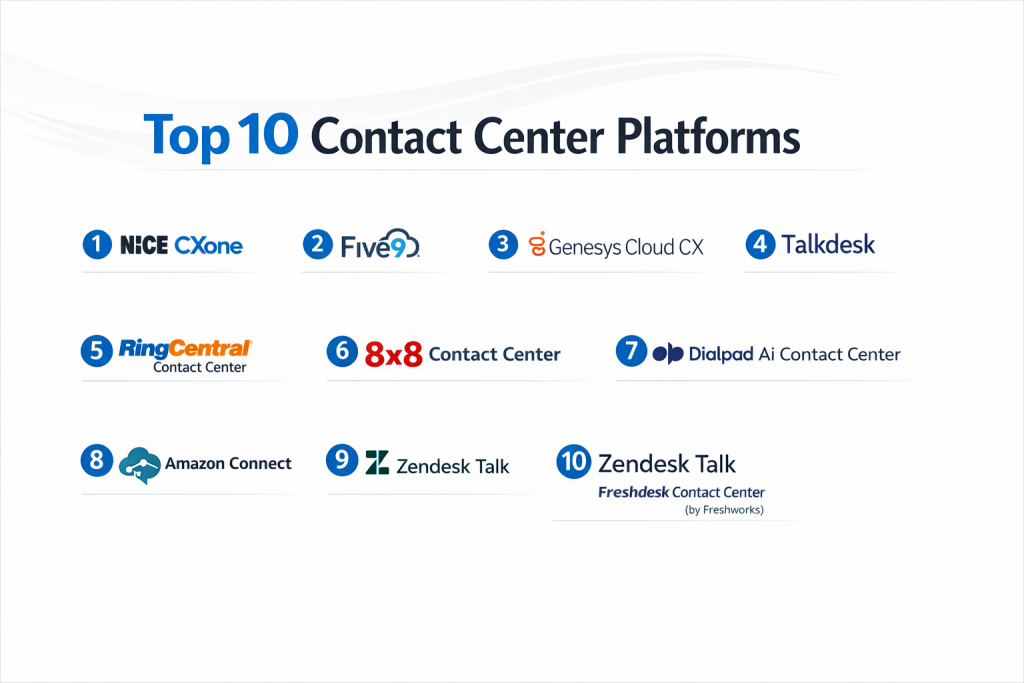
Top 10 Contact Center Platforms
1 — Nice CXone
Nice CXone is widely considered a world leader in cloud contact center software. It is a massive, enterprise-grade platform designed for organizations that need heavy-duty automation and deep data insights.
- Key Features:
- Smart routing that sends callers to the agent best suited for their specific problem.
- Enlighten AI which analyzes every interaction to measure customer sentiment.
- Self-service bots that can handle basic questions without a human agent.
- Integrated workforce management to help schedule agent shifts perfectly.
- Omnichannel support across more than 30 digital channels.
- Real-time dashboards that show exactly what is happening in the center at any second.
- Pros:
- Incredible depth of features that can handle the most complex business needs.
- High reliability and excellent performance for global teams.
- Cons:
- The system is very complex and takes a significant amount of time to learn.
- Pricing is on the higher end, making it less accessible for small startups.
- Security & compliance: SOC 2, GDPR, HIPAA, PCI DSS Level 1, and ISO 27001.
- Support & community: High-end enterprise support, a huge user community, and extensive professional training certifications.
2 — Five9
Five9 is a pioneer in the cloud contact center space. It is known for being powerful yet slightly easier to get up and running compared to some legacy enterprise systems. It is perfect for fast-growing companies.
- Key Features:
- Intelligent Virtual Assistant (IVA) that uses natural language to talk to customers.
- Powerful “Predictive Dialer” that helps sales teams make more calls in less time.
- Pre-built integrations with major CRMs like Salesforce, Zendesk, and ServiceNow.
- Workflow automation that triggers actions across different software apps.
- Real-time supervisor tools to “listen in” or “whisper” to agents during calls.
- Engagement workflow that tracks the customer journey across all channels.
- Pros:
- Very strong integration capabilities that make it a natural extension of your CRM.
- Excellent balance between advanced features and user-friendliness.
- Cons:
- Some of the administrative interfaces can feel a bit dated.
- International calling rates can be higher than some smaller competitors.
- Security & compliance: SOC 2, HIPAA, PCI DSS, and GDPR compliant.
- Support & community: 24/7 technical support, a dedicated customer success manager for larger accounts, and a helpful online University.
3 — Genesys Cloud CX
Genesys is a top-tier platform that focuses on “empathy at scale.” It is designed for businesses that want to use AI to make every customer interaction feel personal and thoughtful.
- Key Features:
- Unified agent desktop that puts all customer history in one view.
- Advanced AI that predicts what a customer might need before they ask.
- Voice and digital channels (Email, Chat, Social) all in one license.
- Quality management tools to record calls and evaluate agent performance.
- Built-in employee engagement tools to keep staff motivated.
- Open API architecture that allows for massive customization.
- Pros:
- One of the most modern and “pretty” user interfaces in the industry.
- Highly flexible—you can turn features on and off as your needs change.
- Cons:
- The sheer number of options can be overwhelming for small teams.
- Customizing the platform often requires specialized technical knowledge.
- Security & compliance: ISO 27001, SOC 2 Type II, HIPAA, GDPR, and FedRAMP.
- Support & community: Strong global support presence and an active online developer community.
4 — Talkdesk
Talkdesk is known for being “cloud-native” and very fast to deploy. It is a great choice for companies that want an enterprise-level platform but need to move quickly and value a modern design.
- Key Features:
- “Talkdesk Builder” which lets non-tech users customize the platform.
- AI-powered “Agent Assist” that suggests answers to agents in real-time.
- Industry-specific solutions (e.g., specialized tools for Healthcare or Retail).
- Over 60 integrations that can be set up with a few clicks.
- High-quality voice clarity with a global network of data centers.
- Mobile agent app that allows staff to work from anywhere.
- Pros:
- Very easy to set up compared to traditional enterprise systems.
- The interface is very intuitive and requires less training for new agents.
- Cons:
- Pricing can get expensive as you add more specialized AI features.
- Some users find the reporting tools could be more customizable.
- Security & compliance: SOC 2, HIPAA, GDPR, PCI-DSS, and ISO certifications.
- Support & community: 24/7 support and a dedicated “Talkdesk Academy” for learning.
5 — RingCentral Contact Center
RingCentral is famous for business phones, and their contact center solution is a top-rated product that combines great communication with world-class support tools.
- Key Features:
- Seamless integration with RingCentral MVP (Phone, Video, Message).
- Skills-based routing to ensure calls go to the right department.
- Advanced IVR (Interactive Voice Response) with self-service options.
- Workforce optimization to track agent productivity.
- Collaborative tools that let agents chat with experts during a live call.
- Support for voice, chat, SMS, and over 30 digital social channels.
- Pros:
- Ideal for companies that already use RingCentral for their office phones.
- Very high uptime and reliability record.
- Cons:
- Can be a bit “overkill” for very small teams.
- The setup process usually requires a professional implementation team.
- Security & compliance: HITRUST, SOC 2, HIPAA, GDPR, and PCI-DSS.
- Support & community: 24/7 phone support and a massive global network of partners.
6 — 8×8 Contact Center
8×8 offers a highly integrated solution that is perfect for companies looking for a single provider for both their office phones and their customer support center.
- Key Features:
- Integrated UCaaS and CCaaS (Phone + Contact Center) in one app.
- Post-call surveys to automatically gather customer feedback.
- Speech analytics that “reads” calls to find common customer complaints.
- Global coverage with unlimited calling to many countries.
- Co-browsing features so agents can see the customer’s screen.
- Quality management tools for supervisor reviews.
- Pros:
- Having your office phone and contact center on one bill is very convenient.
- Excellent value for money, especially for international businesses.
- Cons:
- The user interface is functional but not as modern as Talkdesk or Genesys.
- Technical support can sometimes have longer wait times during peak hours.
- Security & compliance: FISMA, HIPAA, GDPR, and ISO 27001.
- Support & community: Solid knowledge base and 24/7 global support.
7 — Dialpad Ai Contact Center
Dialpad is the leader in “AI-first” communication. It is designed for modern, tech-savvy teams that want the software to do the heavy lifting of note-taking and analysis.
- Key Features:
- Real-time transcription that shows text on the screen as you talk.
- “Ai Scorecards” that automatically grade agents on their performance.
- Live sentiment tracking (shows if a customer is happy or angry).
- Instant “Real-time Assist” cards for agents when certain words are said.
- Simple, browser-based interface that requires no software downloads.
- Built-in coaching features for managers to help their teams.
- Pros:
- The AI features are truly helpful and save agents a lot of time.
- Very easy to set up—you can be live in hours, not weeks.
- Cons:
- The AI transcriptions are good but not always 100% accurate.
- Fewer complex routing features than enterprise giants like Nice CXone.
- Security & compliance: SOC 2 Type II, HIPAA, and GDPR.
- Support & community: Great online documentation and 24/7 support for Pro/Enterprise users.
8 — Amazon Connect
Amazon Connect is a unique “pay-as-you-go” platform. It is a highly technical solution that is perfect for companies with developers who want to build their own custom contact center.
- Key Features:
- Pay-only-for-what-you-use pricing (no monthly per-user fees).
- Uses the same technology that powers Amazon’s own customer service.
- High-quality AI via “Amazon Lex” (the brain behind Alexa).
- Very easy to scale up to thousands of agents instantly.
- Deep integration with all other AWS (Amazon Web Services) tools.
- Contact Lens feature for advanced speech and sentiment analysis.
- Pros:
- Can be much cheaper for companies with seasonal or fluctuating call volumes.
- Virtually unlimited scalability.
- Cons:
- Requires a high level of technical skill to set up and maintain.
- Because you pay by the minute, your monthly bill can be hard to predict.
- Security & compliance: High-level AWS security, HIPAA, GDPR, and SOC compliant.
- Support & community: Enterprise support plans are available, but most help is community or documentation-based.
9 — Zendesk Talk
Zendesk is primarily a “help desk” software, but their Talk product turns it into a full contact center. It is the best choice for teams that live inside Zendesk to manage their tickets.
- Key Features:
- Phone calls are automatically turned into Zendesk tickets.
- Text messaging (SMS) that flows into the ticket history.
- One-click calling from the browser for agents.
- Group routing and “round-robin” call distribution.
- Warm transfer features so agents can talk before passing a call.
- Detailed reporting on wait times and call duration.
- Pros:
- If you already use Zendesk for email, adding Talk is incredibly simple.
- Agents don’t have to switch between different apps to answer calls.
- Cons:
- Not as powerful as a “standalone” contact center for high-volume voice calls.
- Pricing can get expensive because you have to pay for the help desk plus the talk features.
- Security & compliance: SOC 2, HIPAA (with BAA), and GDPR compliant.
- Support & community: Massive user community and a very large library of helpful articles.
10 — Freshdesk Contact Center (by Freshworks)
Freshdesk Contact Center (formerly Freshcaller) is designed for small to mid-sized businesses that want a simple, modern, and affordable way to handle phone calls.
- Key Features:
- Purchase local or toll-free numbers in over 90 countries.
- “Bring Your Own Carrier” (BYOC) support if you already have a phone company.
- Simple IVR to help callers choose which department they need.
- Call masking to show a local number when calling out.
- Holiday and business hour settings that are easy to change.
- Mobile app for agents who aren’t at their desks.
- Pros:
- Extremely user-friendly; you can learn it in five minutes.
- Very fair pricing for smaller businesses that don’t need enterprise features.
- Cons:
- Lacks the high-end AI and workforce management of enterprise tools.
- Reporting is good but not as deep as Nice CXone or Five9.
- Security & compliance: SOC 2 Type II, GDPR, and HIPAA compliant.
- Support & community: 24/7 email support and 24/5 phone support.
Comparison Table
| Tool Name | Best For | Platform(s) Supported | Standout Feature | Rating (Gartner) |
| Nice CXone | Enterprise Power | Win, Mac, Web | Enlighten AI Sentiment | 4.5 / 5 |
| Five9 | CRM Integration | Win, Mac, Web | Intelligent Virtual Assistant | 4.4 / 5 |
| Genesys Cloud | Modern Omnichannel | Win, Mac, Web | “Empathy at Scale” AI | 4.4 / 5 |
| Talkdesk | Fast Deployment | Win, Mac, Web | App App-Connect Ecosystem | 4.6 / 5 |
| RingCentral | Integrated Phone/CC | Win, Mac, Web | 99.999% Reliability | 4.3 / 5 |
| 8×8 | Global Businesses | Win, Mac, Web | Unified UC + CC Billing | 4.2 / 5 |
| Dialpad Ai | Ease of Use & AI | Web, iOS, Android | Real-time Transcription | 4.4 / 5 |
| Amazon Connect | Technical Customization | Web | Pay-as-you-go Pricing | 4.2 / 5 |
| Zendesk Talk | Current Zendesk Users | Web, iOS, Android | Integrated Help Desk | 4.3 / 5 |
| Freshdesk CC | Startups & SMBs | Web, iOS, Android | Ultra-simple Setup | 4.1 / 5 |
Evaluation & Scoring of Contact Center Platforms
We used the following weighted criteria to evaluate these platforms, ensuring we look at both technical power and daily usability.
| Criteria | Weight | What We Evaluated |
| Core Features | 25% | Reliability of voice, omnichannel support, and routing power. |
| Ease of Use | 15% | How quickly an agent can learn the dashboard. |
| Integrations | 15% | How well it talks to Salesforce, Zendesk, and HubSpot. |
| Security | 10% | Compliance standards (HIPAA, PCI) and data encryption. |
| Performance | 10% | Uptime guarantees and voice quality on various connections. |
| Support | 10% | Availability of 24/7 help and training resources. |
| Price / Value | 15% | Whether the features justify the monthly cost. |
Which Contact Center Platform Tool Is Right for You?
1. Solo Users vs. SMB vs. Enterprise
- Solo/Micro: You likely don’t need a full contact center. A simple VoIP app is better.
- Small Business (5-50 agents): Freshdesk Contact Center or Dialpad are great because they aren’t scary to set up and don’t cost a fortune.
- Mid-Market to Enterprise (50+ agents): You need the power of Nice CXone, Five9, or Genesys. These tools can handle the complex “traffic jams” of thousands of calls.
2. Budget-Conscious vs. Premium
- Budget: Amazon Connect is the most affordable if you have low call volumes. Freshdesk is the best value for small teams.
- Premium: Nice CXone and Talkdesk are high-end solutions that offer a “concierge” experience but come with a higher price tag.
3. Feature Depth vs. Ease of Use
- If you want every possible feature, choose Nice CXone.
- If you want something simple that works today, choose Talkdesk or Dialpad.
Frequently Asked Questions (FAQs)
1. What is the difference between a Call Center and a Contact Center?
A call center only handles phone calls. A contact center handles calls, emails, live chat, social media, and SMS all in one unified place.
2. Do I need to buy special desk phones for my agents?
No. Most modern platforms use “Softphones,” which are just apps on the computer. Agents use a USB or Bluetooth headset to talk.
3. Can my agents work from home with these platforms?
Yes. Since these are cloud-based, agents just need a laptop and a decent internet connection to log in and start helping customers from anywhere.
4. How long does it take to set up a contact center?
Simple tools like Freshdesk can be ready in an hour. Complex enterprise systems like Nice CXone can take 3 to 6 months to fully customize.
5. What is “Skills-Based Routing”?
It is a feature that identifies why a customer is calling and sends them to the agent with the right skills (like speaking a certain language or being an expert in a specific product).
6. Is my customer data safe in the cloud?
Yes, as long as you choose a platform with high security standards. Look for SOC 2, HIPAA (if you are in healthcare), and PCI DSS (if you handle credit cards).
7. Can I keep my existing business phone numbers?
Yes. You can “port” your existing numbers to these platforms so your customers don’t have to learn a new number.
8. What is an IVR?
IVR stands for Interactive Voice Response. It is the “Press 1 for Sales, Press 2 for Support” menu that helps route callers before they talk to a human.
9. Do these platforms use AI?
Yes! Many now use AI to transcribe calls, summarize meetings, and even help agents find the right answer to a question while they are still on the phone.
10. How much does it cost?
Most platforms charge per user, per month. Prices typically range from $50 to $150 per agent, depending on the features you need.
Conclusion
Choosing a Contact Center Platform is a major decision that will impact your customers’ happiness and your agents’ daily stress levels. There is no “one-size-fits-all” answer. If you are a small team that wants simplicity, Dialpad or Freshdesk are fantastic. If you are a massive corporation with complex rules, Nice CXone or Five9 are the industry leaders for a reason.
What matters most is that you choose a tool that grows with you. Look for a platform that has the integrations you need today and the AI features you might want tomorrow. Most of these companies offer a demo or a free trial—make sure to involve your actual support agents in the testing process before you sign a long-term contract!