Introduction
A Computerized Maintenance Management System (CMMS) is a centralized software platform designed to simplify the management of maintenance operations. It serves as a digital database that houses information about a company’s maintenance activities, including work order generation, asset history tracking, inventory management, and preventative maintenance scheduling. By replacing paper-based systems and fragmented spreadsheets, a CMMS allows organizations to transition from “firefighting” reactive maintenance to a strategic, data-driven approach that extends the lifespan of critical machinery and infrastructure.
The importance of a CMMS lies in its ability to optimize resource allocation and reduce downtime. In capital-intensive industries, a single hour of unplanned equipment failure can cost thousands of dollars. A CMMS mitigates this risk by providing real-time visibility into asset health and ensuring that technicians have the right parts and instructions at the right time. Furthermore, it creates a robust audit trail, which is essential for meeting safety regulations and industry compliance standards.
Key Real-World Use Cases
- Preventative Maintenance (PM): Automatically triggering a service request for an HVAC system every six months to prevent failure during peak summer months.
- Work Order Automation: Allowing a floor manager to scan a QR code on a broken conveyor belt to instantly alert the maintenance team.
- Inventory Control: Tracking spare part quantities so the system can auto-order a specific bearing when stock falls below a critical threshold.
- Audit Compliance: Generating a report of all fire safety inspections performed over the last year for a regulatory inspector.
What to Look For (Evaluation Criteria)
When selecting a CMMS, prioritize mobile functionality, as maintenance teams spend the majority of their time on the plant floor or in the field. You should also evaluate the ease of data entry, reporting capabilities, and the ability to integrate with existing ERP or IoT systems. A tool that is too complex will suffer from low user adoption, rendering the data inaccurate.
Best for: Maintenance managers, facilities directors, and reliability engineers in manufacturing, healthcare, fleet management, and heavy industry. It is ideal for any organization managing a high volume of physical assets or strict compliance requirements.
Not ideal for: Small businesses with fewer than five pieces of simple equipment or companies with no dedicated maintenance staff, where a basic task manager or shared calendar might suffice.
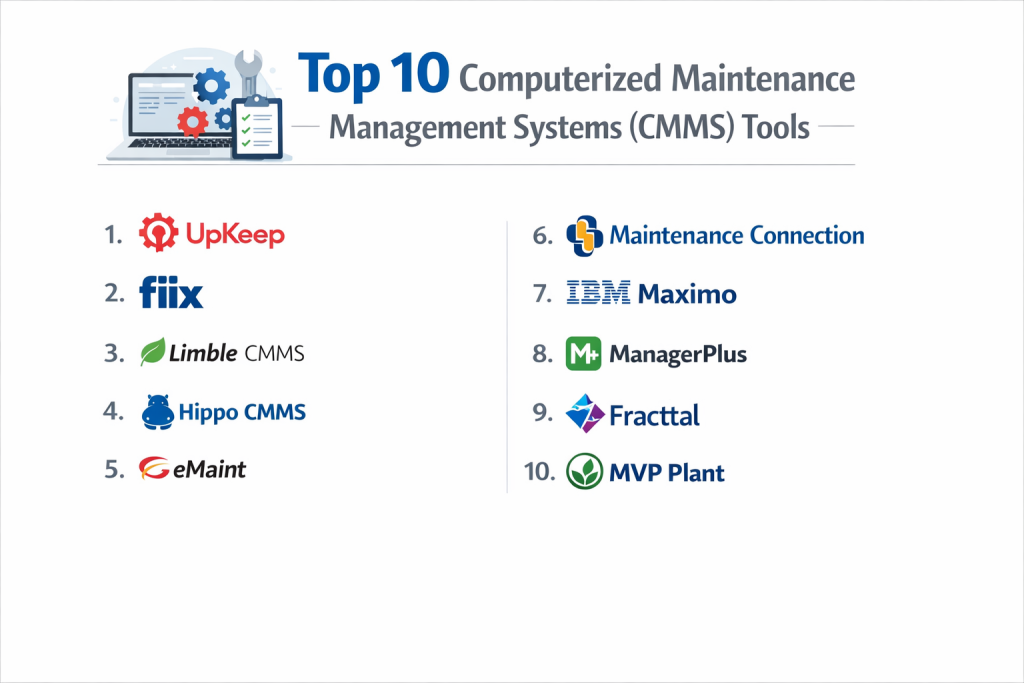
Top 10 Computerized Maintenance Management Systems (CMMS) Tools
1 — UpKeep
UpKeep is a mobile-first CMMS designed to empower frontline technicians. It focuses on removing the friction between identifying a problem and documenting the fix.
- Key features
- Mobile-first work order management with photo and video uploads.
- Asset management with QR code and barcode scanning capabilities.
- Preventative maintenance scheduling based on time or meter readings.
- Inventory management with “low-stock” automated alerts.
- IoT sensor integration for real-time condition monitoring.
- Signature capture for work order sign-offs.
- Comprehensive analytics and custom dashboard reporting.
- Pros
- Extremely high adoption rates due to the intuitive, consumer-grade mobile app.
- Eliminates the need for technicians to return to a central office for data entry.
- Cons
- Advanced reporting and API access are restricted to high-cost enterprise tiers.
- Can become expensive as the number of “full-access” users increases.
- Security & compliance: SOC 2 Type II, GDPR, SSO (SAML), and data encryption at rest and in transit.
- Support & community: 24/7 customer support, a massive “Maintenance Community” Slack group, and extensive online training via UpKeep Academy.
2 — MaintainX
MaintainX is a modern, fast, and collaborative CMMS that feels like a social productivity app. It emphasizes real-time communication among maintenance teams.
- Key features
- Built-in instant messaging within work orders for real-time collaboration.
- Digitized checklists and SOPs for standardized maintenance procedures.
- Automated preventative maintenance triggers and calendars.
- Vendor management portal for tracking external contractor work.
- Parts and inventory management with usage tracking.
- Mobile-responsive web interface and native iOS/Android apps.
- Resource planning to balance technician workloads.
- Pros
- The built-in chat function significantly reduces the “back-and-forth” time between managers and technicians.
- One of the fastest implementation timelines in the industry.
- Cons
- Reporting is visual but lacks some of the hyper-granular customization of legacy systems.
- The free version is great but limits the number of repeatable “procedural” templates.
- Security & compliance: SOC 2 Type II, ISO 27001, GDPR, and secure SSO integrations.
- Support & community: High-touch onboarding, a deep knowledge base, and very responsive live chat support.
3 — Fiix (by Rockwell Automation)
Fiix is an AI-driven CMMS that focuses on taking organizations from reactive to predictive maintenance using advanced data modeling.
- Key features
- Fiix Foresight AI to identify failure patterns before they happen.
- Multi-site management from a centralized cloud dashboard.
- Work order rotation and automated technician assignment logic.
- Deep integration with industrial PLC and SCADA systems.
- Inventory and parts management with purchase order automation.
- Configurable dashboards for high-level KPI tracking.
- Pros
- Backed by Rockwell Automation, making it the top choice for heavy industrial manufacturing.
- Excellent for data-heavy organizations that want to leverage machine learning.
- Cons
- The platform has a steeper learning curve compared to UpKeep or MaintainX.
- Initial configuration for AI insights requires a high volume of historical data.
- Security & compliance: SOC 2 Type II, GDPR, and ISO-standard data hosting.
- Support & community: Fiix University for certification, dedicated account managers, and 24/5 support.
4 — Limble CMMS
Limble CMMS prides itself on being “built for the people who actually do the work,” offering a highly customizable yet simple interface.
- Key features
- Drag-and-drop preventative maintenance calendar.
- Custom fields for assets and work orders to match specific workflows.
- Automatic parts tracking and low-inventory notifications.
- Vendor management and cost tracking.
- Mobile app with offline capabilities for remote sites.
- Request portal for non-maintenance staff to report issues.
- Pros
- Highly configurable without needing a developer or IT consultant.
- Excellent customer retention due to a very responsive product roadmap.
- Cons
- The interface is functional but lacks the modern “sleekness” of MaintainX.
- Some integrations require third-party middleware like Zapier.
- Security & compliance: SOC 2 Type II, GDPR, and SSO support.
- Support & community: Every customer gets a dedicated success manager, and the support response time is remarkably low.
5 — eMaint (by Fluke Reliability)
eMaint is a highly scalable, enterprise-grade CMMS that focuses on reliability-centered maintenance and deep asset insights.
- Key features
- Advanced asset hierarchy and parent-child relationship tracking.
- Condition-based maintenance integrated with Fluke sensors.
- Robust multi-site and multi-language support.
- Interactive floor plans and “drill-down” maps.
- Financial reporting and budget management tools.
- Comprehensive audit logs for regulatory compliance (FDA, ISO).
- Pros
- Ideal for global enterprises that need strict standardization across many locations.
- Native hardware integration with Fluke’s world-renowned sensors and tools.
- Cons
- The user interface can feel dated and “clunky” compared to newer competitors.
- Requires more formal training to master all the advanced features.
- Security & compliance: SOC 2 Type II, GDPR, ISO 27001, and HIPAA-ready.
- Support & community: Global 24/7 support and a large network of reliability experts.
6 — Hippo CMMS (by iOFFICE + SpaceIQ)
Hippo CMMS is designed for simplicity and visual clarity, making it a popular choice for healthcare, hospitality, and education sectors.
- Key features
- Graphical dashboard using interactive floor plans.
- User-friendly request portal for facility occupants.
- Preventative maintenance scheduling with color-coded status views.
- Asset management with storage for manuals and warranty info.
- Simplified inventory tracking for basic facility needs.
- Customizable user permissions based on site location.
- Pros
- The visual “floor plan” approach makes it very easy to locate assets in a large building.
- Very straightforward pricing that is easy for non-profits and schools to manage.
- Cons
- Lacks the heavy-duty industrial integrations (PLC/SCADA) found in Fiix.
- Not as robust in inventory forecasting for complex parts.
- Security & compliance: SOC 2 Type II, GDPR, and SSO.
- Support & community: Strong library of video tutorials and proactive customer success onboarding.
7 — Asset Essentials (by Brightly / Dude Solutions)
Brightly’s Asset Essentials is a cloud-based CMMS that specializes in the public sector, education, and government infrastructure.
- Key features
- GIS and mapping integrations for managing infrastructure (pipes, roads, etc.).
- Advanced capital planning and budgeting tools.
- IoT connectivity for smart building management.
- Regulatory compliance tracking specifically for government standards.
- Workflow automation for service requests.
- Benchmarking data against other similar organizations.
- Pros
- Unrivaled for managing city-wide infrastructure or large school campuses.
- Strong focus on “Capital Planning”—helping you decide when to replace vs. repair.
- Cons
- Implementation can be slow due to the breadth of the system.
- Pricing is often opaque and requires a detailed sales consultation.
- Security & compliance: SOC 2, GDPR, and high-level government security standards.
- Support & community: Excellent regional user groups and government-specific training.
8 — Fracttal
Fracttal is a modern, IoT-integrated CMMS that emphasizes “Intelligent Maintenance” and 100% cloud availability.
- Key features
- Fracttal Predict: Native AI to forecast asset health.
- Asset tracking with “Fracttal Box” IoT hardware.
- Mobile app with offline mode and QR code scanning.
- Resource and technician availability planning.
- Deep inventory and purchase order modules.
- Customizable API for third-party software connections.
- Pros
- Strong native IoT hardware makes it easy to start condition-based maintenance.
- Very clean, modern dashboard with excellent data visualization.
- Cons
- Stronger presence in Europe and Latin America; North American support is growing.
- Advanced AI features require a higher level of data maturity from the user.
- Security & compliance: ISO 27001, GDPR, and SSO support.
- Support & community: High-quality webinars, multi-lingual support, and a detailed blog.
9 — MicroMain
MicroMain is a veteran in the CMMS space, offering a stable and comprehensive platform for facilities and manufacturing.
- Key features
- Work order management with labor tracking and cost analysis.
- Preventative maintenance with automated scheduling.
- Asset lifecycle tracking and depreciation reports.
- Inventory management with “parts-room” optimization.
- Fleet management module for vehicles and heavy equipment.
- Enterprise-wide reporting for ROI analysis.
- Pros
- Known for its extreme stability and “all-in-one” approach for facilities.
- Excellent for tracking the financial side of maintenance (depreciation and costs).
- Cons
- The mobile app experience is less refined than UpKeep.
- Updates and new feature releases are slower than modern SaaS competitors.
- Security & compliance: GDPR, SSO, and standard data encryption.
- Support & community: Professional training services and a long-standing customer base.
10 — IBM Maximo
IBM Maximo is the enterprise “Titan” of Asset Management. It is a full Enterprise Asset Management (EAM) suite rather than just a simple CMMS.
- Key features
- IBM Watson AI for predictive maintenance and visual inspections.
- Comprehensive supply chain and inventory integration.
- Health, Safety, and Environment (HSE) management modules.
- Civil infrastructure management for bridges, rail, and roads.
- Highly customizable workflows for nuclear and aerospace regulations.
- Strategic asset management for massive portfolios.
- Pros
- There is no asset-heavy challenge too large for Maximo to handle.
- Unmatched for compliance in high-risk industries (Oil & Gas, Nuclear).
- Cons
- Excessively expensive for mid-sized businesses.
- Requires a dedicated IT team or external consultants to maintain and configure.
- Security & compliance: ISO 27001, SOC 2, HIPAA, GDPR, and FedRAMP authorized.
- Support & community: Global partner network and an immense enterprise user community.
Comparison Table
| Tool Name | Best For | Platform(s) Supported | Standout Feature | Rating |
| UpKeep | Mobile Maintenance | iOS, Android, Web | QR Code/Barcode Scans | 4.8 / 5 |
| MaintainX | Team Collaboration | iOS, Android, Web | Built-in Real-time Chat | 4.9 / 5 |
| Fiix | Industrial / AI | Web, iOS, Android | Fiix Foresight AI | 4.6 / 5 |
| Limble CMMS | Ease of Use | Web, iOS, Android | Dedicated Success Manager | 4.8 / 5 |
| eMaint | Global Enterprises | Web, Mobile | Fluke Sensor Integration | 4.4 / 5 |
| Hippo CMMS | Facility Managers | Web, Mobile | Interactive Floor Plans | 4.5 / 5 |
| Asset Essentials | Public Sector | Web, Mobile | GIS Infrastructure Mapping | 4.3 / 5 |
| Fracttal | IoT-first Teams | Web, iOS, Android | Native IoT Hardware | 4.5 / 5 |
| MicroMain | Facility Financials | Web, Mobile | Fleet Management | 4.2 / 5 |
| IBM Maximo | Global Infrastructure | Web, Mobile | Watson AI & EAM Scope | N/A |
Evaluation & Scoring of Computerized Maintenance Management Systems (CMMS)
The following scores represent a weighted average based on industry performance and buyer satisfaction.
| Category | Weight | Score (1-10) | Evaluation Rationale |
| Core Features | 25% | 9 | Most modern tools now cover the “essential” CMMS bases. |
| Ease of Use | 15% | 8 | Huge gap between mobile-first apps and legacy enterprise tools. |
| Integrations | 15% | 7 | IoT and ERP connectivity is still maturing for many vendors. |
| Security & Compliance | 10% | 10 | Strict adherence to SOC 2 and GDPR is now the baseline. |
| Performance | 10% | 9 | Cloud-native systems have brought high uptime and speed. |
| Support & Community | 10% | 8 | Varies; modern SaaS tools tend to have better online communities. |
| Price / Value | 15% | 7 | CMMS ROI is high, but upfront costs can be significant. |
Which Computerized Maintenance Management Systems (CMMS) Tool Is Right for You?
Solo Users vs SMB vs Mid-Market vs Enterprise
If you are a solo maintenance manager or a small operation, MaintainX or the free tier of UpKeep is the best starting point due to their low barrier to entry. SMBs should look at Limble CMMS, which offers the perfect balance of professional features and ease of setup. Mid-Market manufacturers will find the most value in Fiix, particularly for its AI capabilities. Finally, for Enterprises with multi-national footprints and millions of assets, IBM Maximo or eMaint are the only tools with the necessary scale and depth.
Budget-Conscious vs Premium Solutions
If you are budget-conscious, prioritize tools like Hippo CMMS or Skedda (for simple space-based maintenance). They offer predictable, tiered pricing. If you are looking for a premium solution where ROI is more important than the initial check, Fiix and Fracttal offer AI and IoT features that can save hundreds of thousands in downtime, making their higher price tag a strategic investment.
Technical Depth vs Simplicity
Do you want your team to start logging work orders today? Go with MaintainX. Do you need to track the vibration levels of a turbine to predict a bearing failure in six weeks? You need the technical depth of Fiix or eMaint. Never buy a tool that is more complex than your team is willing to use, or you will end up with a “shelfware” product that gathers digital dust.
Integration and Scalability Needs
Before buying, ask: “Will this talk to our accounting software or our building sensors?” If you are a growing company, ensure the CMMS has an Open API. Tools like UpKeep and Fracttal are built to be part of a larger ecosystem, whereas some legacy systems can feel like “data silos.”
Security and Compliance Requirements
If you work in a highly regulated field like pharmaceuticals or food production, ensure the tool is CFR 21 Part 11 compliant or can provide a full audit trail. IBM Maximo and eMaint are the market leaders in high-stakes compliance. For general corporate use, ensure the vendor is SOC 2 Type II certified to protect your operational data.
Frequently Asked Questions (FAQs)
1. What is the difference between CMMS and EAM?
A CMMS focuses primarily on maintenance (work orders, parts, PMs). An EAM (Enterprise Asset Management) is broader, covering the entire asset lifecycle from procurement and commissioning to decommissioning and financial depreciation.
2. Can I use these tools offline?
Yes, most top-tier mobile apps like MaintainX, UpKeep, and Fracttal allow technicians to complete work orders in areas without Wi-Fi (like basements or remote sites); the data syncs as soon as they regain a connection.
3. How long does it take to implement a CMMS?
A simple system for a small team can be live in a few days. For an enterprise-wide rollout with thousands of assets and multiple integrations, expect a timeline of 3 to 6 months.
4. Will a CMMS really reduce my maintenance costs?
Industry data suggests that moving from reactive to preventative maintenance can reduce maintenance costs by 15% to 30% by avoiding emergency repairs and extending asset life.
5. How much does a CMMS typically cost?
Pricing is usually “per user, per month.” Basic tiers start around $30–$50 per user, while enterprise tiers with AI and advanced integrations can exceed $100–$150 per user.
6. Is training required for my maintenance staff?
For mobile-first tools, a 1-hour session is usually enough. For complex enterprise systems, formal training and certification (like those offered by Fiix or IBM) are highly recommended.
7. Can I track external contractors in a CMMS?
Yes, most modern CMMS platforms have a “Vendor Portal” or allow you to assign work orders to external emails, tracking their time and cost just like an internal employee.
8. Do these tools handle safety checklists?
Yes. Modern CMMS tools allow you to attach mandatory safety checklists (e.g., LOTO – Lock Out Tag Out) to work orders that must be completed before a task can be closed.
9. What is “Condition-Based Maintenance”?
This is maintenance triggered by actual machine data (like a temperature sensor exceeding 200°F) rather than just a calendar date. Tools like eMaint and Fracttal excel at this via IoT.
10. What is the most common reason CMMS implementation fails?
Poor data quality. If you don’t take the time to accurately name your assets and clean your parts list before uploading them, the system becomes confusing and technicians will stop using it.
Conclusion
The evolution of Computerized Maintenance Management Systems (CMMS) has transformed maintenance from a cost center into a strategic advantage. Whether you choose the mobile simplicity of MaintainX, the visual ease of Hippo CMMS, or the enterprise power of IBM Maximo, the core goal remains the same: eliminating unplanned downtime and protecting your company’s physical investments.
The “best” tool isn’t necessarily the one with the most features; it is the one that your technicians will actually use every day. As you evaluate these top 10 options, focus on user adoption, mobile accessibility, and the quality of data reporting. By choosing a system that fits your team’s specific workflow, you are not just buying software—you are building a foundation for a more reliable, efficient, and profitable operation.