Introduction
Computational Fluid Dynamics (CFD) software is a class of simulation tools used to analyze and predict fluid flow, heat transfer, chemical reactions, and related physical phenomena using numerical methods and algorithms. Instead of relying only on physical experiments or prototypes, CFD enables engineers and researchers to simulate real-world fluid behavior digitally with high accuracy.
CFD software is critically important because it reduces development cost, shortens design cycles, and improves performance and safety. Industries such as aerospace, automotive, energy, manufacturing, civil engineering, biomedical engineering, and electronics depend on CFD to optimize designs before production. From airflow over aircraft wings to cooling systems in data centers, CFD plays a central role in modern engineering.
When selecting CFD software, users should consider solver accuracy, turbulence and multiphysics models, meshing capabilities, scalability, hardware support, ease of use, post-processing quality, integration with CAD tools, and licensing cost. Performance, support, and long-term reliability are equally important for production-grade simulations.
Best for:
Mechanical engineers, aerospace engineers, automotive designers, HVAC consultants, energy analysts, research scientists, and engineering teams in startups, SMBs, and large enterprises that require accurate simulation of fluid flow and heat transfer.
Not ideal for:
Users who only need basic calculations, conceptual sketches, or non-physics-based visualization. For such cases, analytical methods or simplified engineering tools may be sufficient.
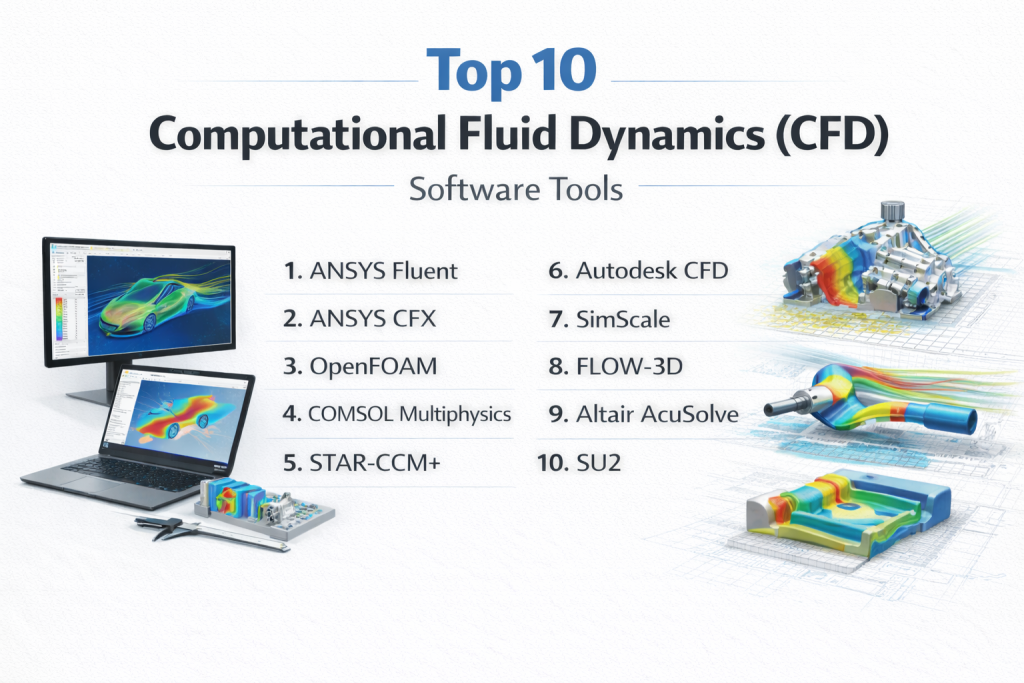
Top 10 Computational Fluid Dynamics (CFD) Software Tools
1 — ANSYS Fluent
Short description:
ANSYS Fluent is a leading CFD solver used for advanced fluid flow, heat transfer, and multiphysics simulations across industries.
Key features:
- Advanced turbulence and combustion models
- Multiphase flow simulation
- High-performance parallel computing
- Dynamic mesh and moving boundaries
- Strong heat transfer and radiation modeling
- Extensive post-processing tools
Pros:
- Highly accurate and reliable solvers
- Scales well for complex industrial problems
- Widely accepted in regulated industries
Cons:
- High licensing cost
- Steep learning curve for beginners
Security & compliance:
Enterprise-grade security, ISO-aligned processes, compliance varies by deployment
Support & community:
Extensive documentation, professional enterprise support, large global user community.
2 — ANSYS CFX
Short description:
ANSYS CFX specializes in high-accuracy simulations for rotating machinery and turbomachinery applications.
Key features:
- Advanced rotating frame models
- Robust turbulence solvers
- Multiphase and thermal modeling
- High numerical stability
- Parallel processing support
- Tight integration with CAD systems
Pros:
- Excellent for turbomachinery
- Highly stable convergence behavior
- Strong validation history
Cons:
- Limited flexibility outside core focus areas
- Expensive for small teams
Security & compliance:
Enterprise security standards, ISO-compliant workflows
Support & community:
Strong professional support and industry-focused documentation.
3 — OpenFOAM
Short description:
OpenFOAM is an open-source CFD platform offering deep customization for advanced users and researchers.
Key features:
- Open-source and highly customizable
- Wide range of solvers and models
- Strong parallel computing support
- Advanced mesh handling
- Active developer ecosystem
- Suitable for research and academia
Pros:
- No licensing cost
- Full control over solver development
- Highly flexible
Cons:
- Very steep learning curve
- Limited official commercial support
Security & compliance:
N/A (depends on deployment environment)
Support & community:
Large academic and research community, extensive forums, mixed-quality documentation.
4 — COMSOL Multiphysics
Short description:
COMSOL Multiphysics is a simulation platform focused on coupled multiphysics problems including fluid flow.
Key features:
- Strong multiphysics coupling
- User-friendly graphical interface
- Custom equation modeling
- Parametric and optimization studies
- High-quality visualization tools
- Extensive physics libraries
Pros:
- Excellent for coupled simulations
- Intuitive interface
- Flexible modeling approach
Cons:
- High licensing cost
- Performance limitations for very large models
Security & compliance:
Enterprise-grade security controls, compliance varies
Support & community:
High-quality documentation, training programs, responsive customer support.
5 — STAR-CCM+
Short description:
STAR-CCM+ is a fully integrated CFD solution known for automation, robustness, and industrial scalability.
Key features:
- End-to-end simulation workflow
- Automated meshing
- Multiphysics and multiphase modeling
- High-performance computing support
- Design optimization tools
- Strong CAD integration
Pros:
- Highly automated workflows
- Strong performance on large models
- Industrial-grade reliability
Cons:
- Expensive licensing
- Requires powerful hardware
Security & compliance:
Enterprise-grade security, ISO-aligned standards
Support & community:
Professional enterprise support, strong industrial user base.
6 — Autodesk CFD
Short description:
Autodesk CFD focuses on ease of use and integration with design workflows for engineers.
Key features:
- Simplified CFD setup
- CAD-centric workflow
- Thermal and flow analysis
- Cloud-based simulation options
- Automated meshing
- Visual result interpretation
Pros:
- Beginner-friendly
- Fast setup for design studies
- Strong CAD integration
Cons:
- Limited advanced physics models
- Less suitable for research-grade simulations
Security & compliance:
Enterprise security standards, GDPR-aligned data handling
Support & community:
Good documentation, standard customer support, moderate user community.
7 — SimScale
Short description:
SimScale is a cloud-based CFD platform that enables simulations without local hardware investment.
Key features:
- Fully cloud-based simulation
- Scalable computing resources
- Collaborative workflows
- Browser-based interface
- Structural and thermal analysis
- Automatic updates
Pros:
- No local hardware required
- Easy collaboration
- Flexible scalability
Cons:
- Dependent on internet connectivity
- Limited customization compared to desktop tools
Security & compliance:
Encryption, access controls, GDPR-aligned compliance
Support & community:
Growing community, onboarding tutorials, commercial support plans.
8 — FLOW-3D
Short description:
FLOW-3D specializes in free-surface flow and transient fluid simulations.
Key features:
- Advanced free-surface modeling
- Moving and deforming geometries
- High-resolution transient solvers
- Specialized industrial applications
- Robust numerical stability
- Visualization tools
Pros:
- Excellent for complex free-surface problems
- High physical accuracy
- Industry-specific solutions
Cons:
- Narrower use case scope
- High licensing cost
Security & compliance:
Enterprise-grade security standards
Support & community:
Strong technical support and specialized documentation.
9 — Altair AcuSolve
Short description:
Altair AcuSolve is a CFD solver optimized for robustness and scalability in industrial simulations.
Key features:
- Advanced turbulence models
- Efficient solver algorithms
- Strong scalability
- Multiphase and thermal analysis
- CAD-friendly workflows
- Optimization-ready architecture
Pros:
- High solver stability
- Good performance on large models
- Integrated optimization capabilities
Cons:
- Smaller community compared to market leaders
- Less beginner-friendly
Security & compliance:
Enterprise security controls, compliance varies
Support & community:
Professional support, growing industrial user base.
10 — SU2
Short description:
SU2 is an open-source CFD suite widely used in aerospace research and optimization.
Key features:
- Open-source framework
- Adjoint-based optimization
- High-performance computing support
- Aerodynamic-focused solvers
- Research-grade accuracy
- Flexible customization
Pros:
- Free and open-source
- Excellent for optimization studies
- Strong academic credibility
Cons:
- Limited GUI capabilities
- Not ideal for general-purpose CFD
Security & compliance:
N/A
Support & community:
Active academic community, technical documentation, limited commercial support.
Comparison Table
| Tool Name | Best For | Platform(s) Supported | Standout Feature | Rating |
|---|---|---|---|---|
| ANSYS Fluent | Industrial CFD | Windows, Linux | Solver accuracy | N/A |
| ANSYS CFX | Turbomachinery | Windows, Linux | Rotating machinery | N/A |
| OpenFOAM | Research & customization | Cross-platform | Open-source flexibility | N/A |
| COMSOL | Multiphysics | Windows, macOS, Linux | Physics coupling | N/A |
| STAR-CCM+ | Enterprise workflows | Windows, Linux | Automation | N/A |
| Autodesk CFD | Design engineers | Windows | Ease of use | N/A |
| SimScale | Cloud-based CFD | Browser-based | Cloud scalability | N/A |
| FLOW-3D | Free-surface flows | Windows, Linux | Transient modeling | N/A |
| Altair AcuSolve | Robust solvers | Windows, Linux | Stability | N/A |
| SU2 | Aerospace research | Cross-platform | Optimization focus | N/A |
Evaluation & Scoring of Computational Fluid Dynamics (CFD) Software
| Evaluation Criteria | Weight | Overall Assessment |
|---|---|---|
| Core features | 25% | Excellent |
| Ease of use | 15% | Medium |
| Integrations & ecosystem | 15% | High |
| Security & compliance | 10% | Medium |
| Performance & reliability | 10% | Excellent |
| Support & community | 10% | High |
| Price / value | 15% | Medium |
Which Computational Fluid Dynamics (CFD) Software Tool Is Right for You?
Solo users and researchers often prefer open-source tools like OpenFOAM or SU2 for flexibility and cost savings. SMBs may prioritize ease of use and faster setup, making Autodesk CFD or SimScale attractive options. Mid-market engineering teams benefit from scalable tools such as COMSOL or Altair AcuSolve. Large enterprises and regulated industries typically rely on ANSYS Fluent, CFX, or STAR-CCM+ due to validation, reliability, and support.
Budget-conscious users should consider open-source or cloud-based solutions. Premium users requiring high accuracy and scalability should invest in enterprise-grade platforms. If usability matters more than customization, integrated tools are ideal. For advanced physics and optimization, specialized solvers deliver better results. Security and compliance requirements should align with organizational standards and data policies.
Frequently Asked Questions (FAQs)
1. What is CFD software used for?
CFD software simulates fluid flow, heat transfer, and related physical processes to optimize designs.
2. Is CFD better than physical testing?
CFD complements testing by reducing cost and enabling early-stage design exploration.
3. Can CFD be used in real-time applications?
Most CFD is offline, but reduced-order models enable near real-time analysis.
4. Which CFD tool is best for beginners?
Autodesk CFD and SimScale are often considered beginner-friendly.
5. Are open-source CFD tools reliable?
Yes, but they require more expertise and validation effort.
6. How important is mesh quality?
Mesh quality directly impacts accuracy and convergence.
7. Do I need high-performance computing?
Large or complex simulations benefit significantly from HPC resources.
8. Can CFD handle multiphase flows?
Yes, many tools support multiphase and reactive flows.
9. What is the biggest mistake users make?
Choosing tools without considering solver capability and workflow fit.
10. Is CFD software expensive?
Costs vary widely, from free open-source tools to high-end enterprise licenses.
Conclusion
Computational Fluid Dynamics software is a cornerstone of modern engineering and scientific analysis. The right tool depends on accuracy needs, budget, team size, and application domain. Some platforms excel in ease of use, while others dominate in advanced physics and scalability. Rather than searching for a single universal winner, organizations should focus on matching CFD capabilities with their specific technical, operational, and business requirements.