Introduction
Compensation management tools are specialized software platforms designed to help organizations plan, allocate, and manage employee salaries, bonuses, and equity. In the past, human resources and finance teams relied on complex, error-prone spreadsheets to handle annual merit cycles and incentive programs. Modern compensation tools automate these processes, pulling in real-time market data to ensure pay remains competitive while keeping the total spend within the company budget. These platforms serve as the central hub where managers can make pay recommendations based on performance metrics, ensuring that compensation is handled fairly and transparently across the entire workforce.
The importance of these tools has grown as companies face stricter pay transparency laws and a highly competitive labor market. Managing compensation effectively is no longer just about cutting checks; it is about retaining top talent and ensuring pay equity. By using these tools, businesses can eliminate “pay gaps” that might occur due to manual bias, visualize their total rewards strategy, and communicate the full value of an employee’s package—including benefits and stock options—through personalized total rewards statements. This data-driven approach allows leaders to make strategic decisions that align employee performance with company financial goals.
Key Real-World Use Cases
- Executing Annual Merit Cycles: HR teams use these tools to set “guidelines” for raises. Managers then log in to see their specific department budget and distribute raises among their team members based on performance scores.
- Managing Complex Bonus Schemes: For sales organizations or executive teams, software can calculate variable pay based on specific KPIs, ensuring that bonuses are accurate and paid out on time.
- Ensuring Pay Equity: Companies run “equity audits” within the software to identify if specific groups (based on gender or ethnicity) are being underpaid compared to peers in similar roles.
- Stock and Equity Administration: Startups and public companies use these tools to track vestment schedules for stock options and RSU grants, giving employees a clear view of their future wealth.
- Market Benchmarking: These tools often integrate with global salary surveys, allowing recruiters to see exactly what a “Senior Software Engineer” in Berlin or New York should be paid to remain competitive.
What to Look For (Evaluation Criteria)
When choosing a compensation management tool, consider these critical factors:
- Budget Modeling: Can the tool run “what-if” scenarios to show how a 3% vs. 4% raise across the company will affect the bottom line?
- Manager Experience: Is the interface simple enough for a non-HR manager to use once a year without extensive training?
- Data Integration: Does it sync seamlessly with your HRIS (like Workday or BambooHR) and your performance management system?
- Communication Tools: Can the system automatically generate beautiful “Total Rewards Statements” to show employees the value of their full package?
- Compliance Features: Does it include built-in checks for local pay transparency laws and internal equity standards?
Best for: HR Directors, Compensation & Benefits Managers, and CFOs in mid-market to enterprise companies. It is especially vital for organizations with more than 100 employees or those operating across multiple geographic regions with different currency and tax needs.
Not ideal for: Very small businesses or solo entrepreneurs. If your team is under 20 people, the cost and setup time of a dedicated compensation tool likely won’t outweigh the simplicity of a well-organized spreadsheet or your basic payroll provider’s built-in features.
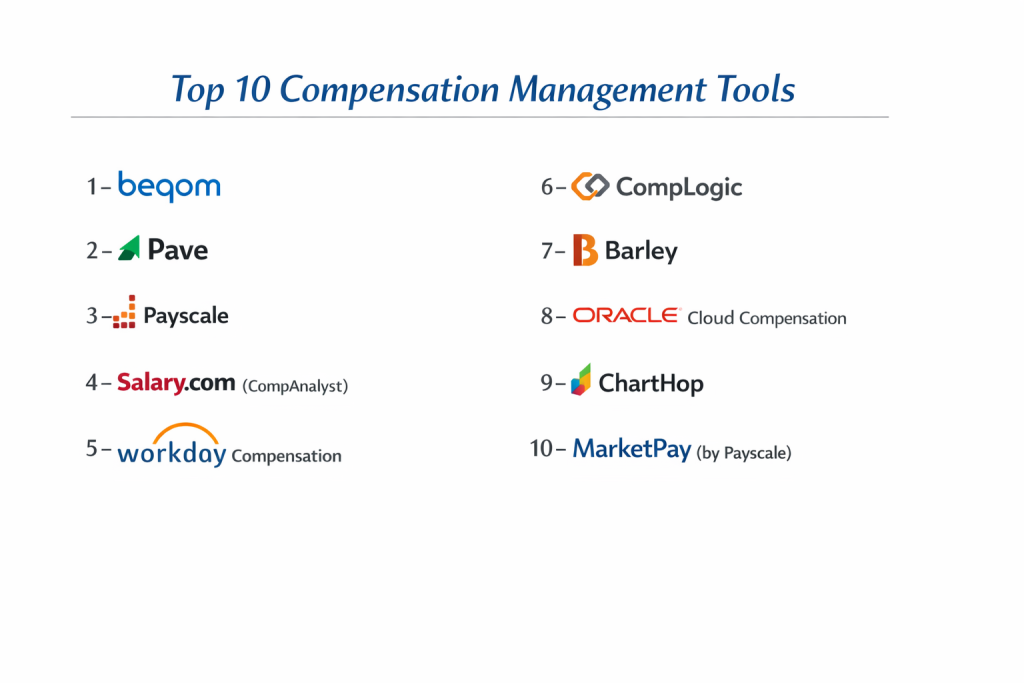
Top 10 Compensation Management Tools
1 — Beqom
Beqom is a high-end, “total compensation” platform built for massive global enterprises. It is designed to handle every aspect of compensation, from base salary to complex sales commissions and long-term incentives, all in one place.
- Key features:
- Unified platform for salary, bonus, equity, and sales incentives.
- Highly flexible modeling for complex, global business units.
- Advanced “Pay Equity” module for deep statistical analysis.
- Real-time tracking of performance-based compensation.
- Multi-currency and multi-language support for global workforces.
- Pros:
- Handles the most complex “edge case” compensation rules that other tools can’t touch.
- Strongest “Total Rewards” visualization for large-scale employee bases.
- Cons:
- Very high cost and long implementation timelines.
- The interface can feel overwhelming for smaller, simpler organizations.
- Security & compliance: SOC 1, SOC 2, ISO 27001, and GDPR compliant.
- Support & community: Enterprise-grade support with dedicated account managers and a professional services arm for custom builds.
2 — Pave
Pave is a modern, tech-forward platform that has gained massive popularity with startups and high-growth companies. It focuses on real-time market data and transparent communication of equity.
- Key features:
- Real-time salary and equity benchmarking using “live” data from peer companies.
- Beautifully designed Total Rewards portals for employees.
- Seamless integration with major HRIS (Workday, Rippling, BambooHR).
- Automated merit cycle workflows for managers.
- Visual equity trackers that show employees the potential value of their stock.
- Pros:
- The most modern and “clean” user interface in the compensation space.
- Excellent for attracting talent by making complex equity offers easy to understand.
- Cons:
- Benchmarking data is strongest for tech and venture-backed industries.
- Lacks some of the “deep” legacy accounting features found in enterprise suites.
- Security & compliance: SOC 2 Type II compliant and uses AES-256 encryption.
- Support & community: Very active online presence, modern documentation, and responsive chat support.
3 — Payscale
Payscale is perhaps the most famous name in the industry, known primarily for its massive database of salary information. Their software, Payscale Compensation Planning, uses this data to drive decision-making.
- Key features:
- Access to one of the world’s largest databases of crowdsourced and company-sourced salary data.
- Automated “Pay Factors” that adjust salary based on specific skills or certifications.
- Robust gender pay gap analysis tools.
- Guided merit cycle planning with built-in budget guardrails.
- Comprehensive reporting for executive board presentations.
- Pros:
- Unrivaled data depth; if you need to know what a niche role pays, Payscale has it.
- Very strong for companies that need to defend their pay decisions with external market data.
- Cons:
- The software interface can feel a bit dated compared to newer “SaaS-native” tools.
- Navigating the different data sets can be confusing for beginners.
- Security & compliance: SOC 2 Type II, HIPAA, and GDPR compliant.
- Support & community: Large library of whitepapers, webinars, and a dedicated customer success team.
4 — Salary.com (CompAnalyst)
CompAnalyst by Salary.com is a powerhouse tool designed for HR professionals who need to combine market pricing with internal pay structures. It is a favorite for mid-market and enterprise compensation specialists.
- Key features:
- “Market Pricing” engine that matches internal jobs to over 15,000 job titles.
- Geographic pay differential calculators for moving employees between cities.
- Intelligent “Job Description” management that links to pay grades.
- Advanced analytics for identifying “flight risks” based on low pay.
- Total rewards statement generator.
- Pros:
- Excellent at handling “Hybrid Jobs” that don’t fit into standard categories.
- Highly reliable data that is vetted by compensation professionals.
- Cons:
- The implementation process is thorough but can be slow and technical.
- Can be expensive for companies that only need basic merit cycle tools.
- Security & compliance: SOC 2 Type II and ISO 27001.
- Support & community: Offers professional compensation consulting as an add-on service.
5 — Workday Compensation
For companies already using Workday for their HRIS, the Compensation module is the natural choice. It provides a seamless experience that pulls data directly from employee records and performance reviews.
- Key features:
- Unified “one-system” experience for HR, Payroll, and Compensation.
- Global “Grade” and “Step” structures for standardized pay.
- Real-time budget tracking as managers enter raise recommendations.
- Automated “Event-Driven” compensation (e.g., pay changes triggered by promotions).
- Deep integration with Workday’s advanced reporting and analytics.
- Pros:
- No need for data “syncing” since all employee data is already in the system.
- Extremely secure and trusted by the world’s largest public companies.
- Cons:
- Only available if you are already a Workday HCM customer.
- The flexibility comes with high complexity; usually requires a certified Workday admin.
- Security & compliance: FedRAMP, SOC 1, SOC 2, ISO 27001, and HIPAA.
- Support & community: Massive “Workday Community” portal and global enterprise support network.
6 — CompLogic
CompLogic is a specialized tool that focuses heavily on the administrative side of the merit cycle. It is known for its “spreadsheet-like” flexibility but with the security of a database.
- Key features:
- Customizable “Worksheets” that look like Excel but have built-in rules.
- Real-time budget alerts for managers.
- Automated letter generation for pay increase notifications.
- Sophisticated “Logic Engine” for complex bonus calculations.
- Historical audit trails for every pay decision made.
- Pros:
- Great for teams that are currently using Excel and want a tool that feels familiar.
- Highly responsive and can be configured to match very specific company workflows.
- Cons:
- Smaller brand recognition compared to Payscale or Workday.
- Lacks its own native salary benchmarking database.
- Security & compliance: SOC 2 Type II and GDPR compliant.
- Support & community: High-touch, personalized support during the implementation phase.
7 — Barley
Barley is a newer, fast-growing platform that aims to make pay transparency easy. It is built for companies that want to focus on “Pay Branding” and equitable compensation structures.
- Key features:
- Integrated “Pay Transparency” tools to comply with new laws.
- Automated “Pay Grades” and “Salary Bands” visualization.
- Guided manager experience for salary reviews.
- Direct integrations with Greenhouse, Lever, and major HRIS.
- Real-time “Equity Gap” monitoring.
- Pros:
- Very easy for recruiters to use when talking to candidates about pay bands.
- Helps build a culture of trust around pay through clear visualizations.
- Cons:
- Still growing its feature set; may not be deep enough for complex global conglomerates.
- Integration list is modern but shorter than legacy players.
- Security & compliance: SOC 2 Type II and GDPR.
- Support & community: Modern customer success focus with frequent product updates.
8 — Oracle Cloud Compensation
Similar to Workday, Oracle’s offering is part of their massive HCM suite. It is built for the “Global 2000” companies that need to manage millions of dollars in compensation across dozens of countries.
- Key features:
- Global “Workforce Compensation” dashboard for executives.
- Support for localized statutory requirements in almost every country.
- Integrated “Long-term Incentives” (LTI) tracking.
- Dynamic “Budget Pools” that can be moved between departments.
- AI-driven “Pay Suggestions” based on market and performance data.
- Pros:
- Highly scalable; it will never “slow down” regardless of employee count.
- Robust security that meets the requirements of government and defense agencies.
- Cons:
- User interface can be complex and requires significant user training.
- The setup is a major undertaking that requires professional implementation.
- Security & compliance: SOC 1, SOC 2, ISO 27001, HIPAA, and FedRAMP.
- Support & community: Global 24/7 support and an extensive partner ecosystem (Deloitte, PwC, etc.).
9 — ChartHop
ChartHop is primarily an “Org Chart” and “Workforce Planning” tool, but its compensation module is powerful because it visualizes pay within the context of the entire company structure.
- Key features:
- Visualizing pay gaps and salary distributions directly on the company org chart.
- Scenario planning that shows how hiring/raises affect future headcounts.
- Automated “Total Rewards” statements.
- Integration with over 50 HR and Finance tools.
- Real-time “Headcount” vs. “Budget” tracking.
- Pros:
- The most visual tool on the list; makes data easy to “see” for executives.
- Great for companies that want to plan their future growth and pay in one place.
- Cons:
- Compensation is just one part of the tool; may lack some niche “Comp-only” depth.
- Pricing is based on the whole platform, not just the compensation module.
- Security & compliance: SOC 2 Type II and GDPR.
- Support & community: Robust help center and a dedicated “People Ops” community.
10 — MarketPay (by Payscale)
While Payscale is the general tool, MarketPay is their specific enterprise-grade solution for companies that are “data-obsessed” and participate in dozens of different salary surveys.
- Key features:
- “Survey Management” tool to manage and weight multiple salary data sources.
- Advanced job-matching algorithms using machine learning.
- Global market pricing with support for local currency and cost-of-living.
- Deep integration with Tableau or PowerBI for custom analytics.
- Executive compensation specialized reporting.
- Pros:
- The “Industry Standard” for professional compensation analysts.
- Powerful enough to consolidate data from five or six different salary surveys.
- Cons:
- Too technical for most general HR people; requires a “Comp Specialist” to run it.
- Very high cost for the survey data access.
- Security & compliance: SOC 2 Type II, ISO 27001, and HIPAA.
- Support & community: Access to the most prestigious compensation research groups.
Comparison Table
| Tool Name | Best For | Platform(s) Supported | Standout Feature | Rating |
| Beqom | Global Enterprise | Cloud / Web | All-in-One Total Comp | 4.6 / 5 |
| Pave | Tech Startups | Web / Cloud | Live Benchmarking | 4.8 / 5 |
| Payscale | Data Accuracy | Web / Cloud | Massive Salary Database | 4.5 / 5 |
| Salary.com | Market Pricing | Web / Cloud | Hybrid Job Matching | 4.4 / 5 |
| Workday | Existing Users | Web / Mobile | Unified HR/Finance | 4.7 / 5 |
| CompLogic | Excel Converts | Web / Cloud | Worksheet Flexibility | 4.3 / 5 |
| Barley | Pay Transparency | Web / Cloud | Pay Band Visualization | 4.6 / 5 |
| Oracle | Global Scale | Cloud / Mobile | Strategic Budget Pools | 4.2 / 5 |
| ChartHop | Visual Planning | Web / Cloud | Org Chart Integration | 4.5 / 5 |
| MarketPay | Comp Specialists | Web / Cloud | Multi-Survey Management | 4.4 / 5 |
Evaluation & Scoring of Compensation Management Tools
| Criteria | Weight | What We Look For |
| Core Features | 25% | Merit cycles, bonus logic, and equity management. |
| Ease of Use | 15% | Can a manager use it without an hour-long training session? |
| Integrations | 15% | How well does it “talk” to Workday, Greenhouse, or NetSuite? |
| Security & Compliance | 10% | SOC 2 status and pay transparency compliance tools. |
| Performance | 10% | Reliability and speed during peak merit cycle usage. |
| Support & Community | 10% | Documentation quality and access to comp experts. |
| Price / Value | 15% | Does the efficiency gained justify the subscription cost? |
Which Compensation Management Tool Is Right for You?
Solo Users vs. SMB vs. Mid-Market vs. Enterprise
If you are an SMB (under 100 people), you likely don’t need a standalone tool; a good HRIS like Rippling often has a “Compensation” add-on that works fine. Mid-Market companies (100-1,000 employees) are the primary target for Pave or Barley, as they need to formalize their pay but still want a modern experience. Enterprises (1,000+ employees) almost certainly need Beqom, Workday, or MarketPay to handle the sheer volume and global legal complexity of their workforce.
Budget-Conscious vs. Premium Solutions
If you are on a budget, look for tools that offer “modules” so you only pay for what you use. CompLogic can be very cost-effective for companies that just need to run a merit cycle once a year. On the premium end, Beqom and Salary.com provide the most advanced technology and data, but they carry a high price tag to match their high ROI in talent retention.
Feature Depth vs. Ease of Use
If you want simplicity, ChartHop and Pave are the winners. They are designed for modern managers who don’t have time for a manual. If you need feature depth—such as calculating complex executive “Clawbacks” or multi-year LTI vestment—you will need a more technical tool like Oracle or MarketPay.
Integration and Scalability Needs
Consider your “Data Ecosystem.” If your recruiters use Greenhouse and your HR uses BambooHR, pick a tool like Pave that connects both. If you are a global bank, you need the scalability and security of Oracle or Beqom, which are designed to never fail even with millions of records.
Security and Compliance Requirements
Pay data is the most sensitive data in your company. If you operate in California, New York, or the EU, look for a tool like Barley or Payscale that specifically includes modules for Pay Transparency and GDPR. Ensure the provider has a current SOC 2 Type II report before you upload any salary data.
Frequently Asked Questions (FAQs)
What is a compensation management tool?
It is software that helps companies plan and distribute salaries, bonuses, and stock options to employees while keeping pay fair and within budget.
Is it better than using Excel?
Yes. Excel is prone to errors (like a broken formula giving someone a 30% raise instead of 3%) and lacks an “audit trail” to show why a pay decision was made.
Does it help with pay transparency?
Many modern tools (like Barley or Pave) help you create public pay bands so you can comply with new laws requiring you to list salary ranges on job posts.
Can these tools calculate bonuses automatically?
Yes. You can input your “Bonus Logic” (e.g., % of base salary multiplied by performance score), and the tool will calculate the exact payout for every employee.
How do these tools get salary data?
Some crowdsource data from employees, while others (like Salary.com) use surveys from HR departments. Most offer a “vetted” database that is more accurate than free websites.
What is a “Total Rewards Statement”?
It is a report given to employees that shows their “True Value”—not just their salary, but the cost of their health insurance, 401k match, and equity.
Can I manage equity/stock options in these tools?
Many tools (like Pave or Beqom) have built-in equity trackers. If not, they usually sync with equity tools like Carta or Shareworks.
How long does implementation take?
For modern SaaS tools, 4–8 weeks. For massive enterprise tools, it can take 6 months to a year to integrate all your global data.
Do these tools prevent pay discrimination?
They provide “Analytics” that flag if a certain group (like women in engineering) is being paid less than their peers, allowing HR to fix the problem before it becomes a legal issue.
Is the data secure?
Top tools use bank-level encryption. Since pay data is highly sensitive, these companies undergo strict annual security audits (like SOC 2).
Conclusion
Managing compensation is no longer just a “once-a-year” task; it is a year-round strategic priority. Whether you are a small tech startup trying to explain the value of your stock options with Pave, or a global enterprise ensuring pay equity across 50 countries with Beqom, the right tool can transform how your company treats its most valuable asset: its people.
The “best” tool isn’t necessarily the one with the most features; it is the one that your managers will actually use and that provides the data your executives need to sleep soundly. By moving away from manual spreadsheets and adopting a modern compensation management platform, you ensure that your pay is competitive, fair, and perfectly aligned with your business goals.