Introduction
Code Signing Tools are digital security solutions that allow developers and software organizations to append a cryptographic digital signature to executables, scripts, and software packages. This process serves two vital purposes: it verifies that the software originated from a specific, legitimate source (authentication) and ensures that the code has not been altered or corrupted since it was signed (integrity). When a user downloads a signed file, their operating system checks the signature against a trusted Certificate Authority (CA). If the signature is valid, the “Unknown Publisher” warning vanishes, replaced by a professional, branded installation experience.
The importance of these tools has skyrocketed due to stricter requirements from platforms like Windows (Microsoft SmartScreen), macOS (Gatekeeper), and mobile app stores. Real-world use cases include signing Windows .exe or .msi files, notarizing macOS applications, securing IoT firmware updates, and signing Docker images in a DevSecOps pipeline. When evaluating a tool, you should prioritize Hardware Security Module (HSM) integration, automated CI/CD support, centralized key management, and compliance with industry standards such as the CA/Browser Forum requirements.
- Best for: Software developers, DevOps engineers, and security teams across all company sizes—from independent app developers to global tech enterprises. Industries like Finance, Healthcare, and Defense find these tools mandatory for regulatory compliance.
- Not ideal for: Purely internal web application developers who do not distribute binary files, or hobbyists working on open-source scripts that are intended for manual review rather than automated installation.
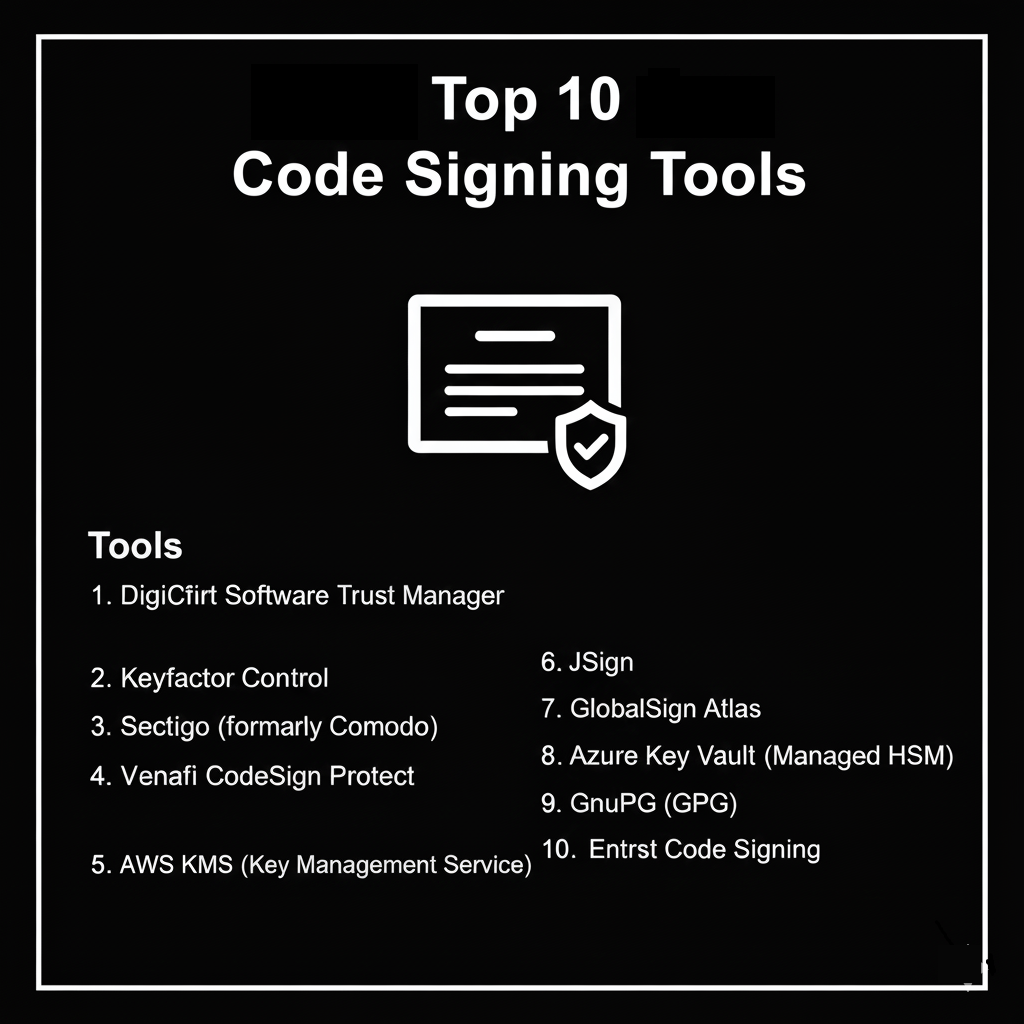
Top 10 Code Signing Tools
1 — DigiCert Software Trust Manager
DigiCert Software Trust Manager is a modern, enterprise-grade solution that moves code signing to the cloud, eliminating the need for physical USB tokens while maintaining the highest security standards.
- Key Features:
- Automated Key Management: Generates and stores private keys in a FIPS 140-2 Level 3 compliant cloud HSM.
- CI/CD Integration: Native plugins for Jenkins, Azure DevOps, GitHub Actions, and GitLab.
- Broad Format Support: Signs Windows, Java, Android, macOS, and Linux binaries.
- Delegated Permissions: Allows administrators to grant signing permissions to specific developers or teams.
- GPG and S/MIME Support: Extends beyond binaries to secure commits and communications.
- Scheduling: Ability to set specific windows for when signing can occur.
- Pros:
- Removes the “bottleneck” of physical hardware tokens by using secure cloud access.
- Provides a comprehensive audit trail for every signing event in the organization.
- Cons:
- The feature set can be overwhelming for small teams with simple needs.
- Pricing is positioned at the premium end of the market.
- Security & compliance: SOC 2 Type II, HIPAA, GDPR, and ISO 27001 compliant. FIPS 140-2 Level 3 HSM storage.
- Support & community: 24/7 global enterprise support; extensive technical documentation and whitepapers; dedicated account management.
2 — Keyfactor Control
Keyfactor Control (formerly CodeSign-as-a-Service) is designed for organizations that need to centralize signing operations across disparate global teams while enforcing strict security policies.
- Key Features:
- Unified Dashboard: A single pane of glass for all signing activities and certificate lifecycles.
- Flexible Deployment: Available as a cloud-hosted service or an on-premise installation.
- Policy Enforcement: Define which algorithms and key lengths are permitted for different project types.
- Remote Signing: Developers can sign code from their local machines without ever touching the private key.
- Timestamping: Built-in RFC 3161 compliant timestamping services.
- Integration Ecosystem: Connects with major CAs including DigiCert, Sectigo, and GlobalSign.
- Pros:
- Highly effective at preventing “Key Sprawl” where developers store keys on local drives.
- Excellent scalability for companies with thousands of developers.
- Cons:
- Implementation requires significant initial configuration to align with corporate policies.
- Requires a mature IT/Security team to manage effectively.
- Security & compliance: SOC 2, PCI DSS, and GDPR compliant. Supports multi-factor authentication (MFA) for signing requests.
- Support & community: High-touch customer success teams; professional services for implementation; robust online knowledge base.
3 — Sectigo (formerly Comodo)
Sectigo is one of the world’s largest Certificate Authorities, offering a straightforward and cost-effective approach to code signing for both individual developers and enterprises.
- Key Features:
- EV (Extended Validation): Provides the highest level of trust, instantly bypassing Microsoft SmartScreen warnings.
- Physical or Cloud HSM: Options for traditional USB tokens or modern cloud-based key storage.
- Multi-Platform Support: Compatible with Authenticode, Silverlight, Java, and Adobe Air.
- Bulk Issuance: Capabilities for enterprise customers to manage large volumes of certificates.
- Web-based Portal: Simple management interface for tracking expiration dates and renewals.
- Pros:
- One of the most budget-friendly options for high-trust EV certificates.
- The issuance process is streamlined and well-documented for newcomers.
- Cons:
- The user interface of the management portal can feel dated compared to newer SaaS competitors.
- Support response times can vary depending on the plan level.
- Security & compliance: WebTrust certified; GDPR and HIPAA compliant. Keys stored on FIPS-compliant hardware.
- Support & community: Extensive library of troubleshooting guides; ticket-based support; large community of users.
4 — Venafi CodeSign Protect
Venafi is the market leader in Machine Identity Management, and their CodeSign Protect tool focuses on securing the “Machine Identities” of software throughout the build process.
- Key Features:
- Invisible Signing: Integrates into developer tools (like Visual Studio) so signing happens in the background.
- Risk Detection: Automatically identifies if unauthorized or suspicious signing activities are occurring.
- HSM Integration: Connects to existing on-premise HSMs (nCipher, Thales) or cloud HSMs.
- Workflow Approvals: Multi-step approval process for high-stakes production signatures.
- Certificate Revocation: Rapidly revoke and replace certificates if a key is compromised.
- Pros:
- Provides deep visibility and “forensics” for security teams.
- Reduces developer friction by integrating with tools they already use.
- Cons:
- Usually requires a broader commitment to the Venafi platform to unlock full value.
- Very high cost, making it a “big enterprise” solution only.
- Security & compliance: FIPS 140-2 Level 2/3; SOC 2; GDPR. Extensive audit logs for compliance reporting.
- Support & community: Global 24/7 support; “Venafi Warrior” community for security experts; white-glove onboarding.
5 — AWS KMS (Key Management Service)
For organizations built entirely on Amazon Web Services, AWS KMS provides a programmatic way to perform code signing, particularly for Lambda functions and IoT devices.
- Key Features:
- Asymmetric Keys: Support for RSA and ECC keys required for code signing.
- AWS Signer: A fully managed service that works with KMS to sign code at scale.
- Identity & Access Management (IAM): Granular control over who can use a key for signing.
- CloudTrail Integration: Every signing operation is logged in your AWS audit logs.
- Serverless Integration: Native signing for AWS Lambda to ensure only authorized code runs.
- Pros:
- Deeply integrated into the AWS ecosystem; no need to manage third-party vendors.
- Incredibly cost-effective for small-scale or purely cloud-native projects.
- Cons:
- Not a full-service “Certificate Authority”; you still need to import certificates or use private CAs.
- Can be complex to set up for signing traditional Windows desktop applications.
- Security & compliance: FIPS 140-2 Level 2 (standard) or Level 3 (Custom Key Store). HIPAA, PCI DSS, and SOC 1/2/3 compliant.
- Support & community: Standard AWS support tiers; massive documentation library; vast community of AWS experts.
6 — GlobalSign Atlas
GlobalSign’s Atlas platform is a high-volume, automated certificate issuance engine that simplifies the management of code signing across large enterprises.
- Key Features:
- ACME Support: Uses the ACME protocol for automated certificate issuance and renewal.
- Cloud-Based Signing: Digital signing service that removes the need for hardware management.
- Identity Validation: Efficient vetting process for corporate identities.
- Scalable Throughput: Designed to handle thousands of signing requests per second.
- S/MIME and Document Signing: A unified platform for all digital signing needs.
- Pros:
- Excellent for automation-heavy environments that want to “set and forget” their signing.
- High reliability and uptime from a globally trusted CA.
- Cons:
- Integration with legacy, non-automated systems can be challenging.
- Requires a certain volume of usage to justify the enterprise pricing.
- Security & compliance: WebTrust certified; ISO 27001; GDPR. HSM-backed cloud storage.
- Support & community: Multi-language support; localized offices globally; extensive developer API documentation.
7 — Azure Key Vault (Managed HSM)
Similar to AWS, Microsoft Azure offers a sophisticated key management service that is the backbone for code signing within the Microsoft cloud ecosystem.
- Key Features:
- Managed HSM: Single-tenant, high-availability, FIPS 140-2 Level 3 HSM.
- Azure Pipelines Integration: Native task for signing binaries during the build process.
- Role-Based Access Control (RBAC): Tight integration with Azure Active Directory (Entra ID).
- Soft Delete: Protects against accidental deletion of signing keys.
- Certificate Management: Provision and renew SSL/TLS and Code Signing certificates.
- Pros:
- The natural choice for .NET developers and Windows-centric shops.
- Provides the highest level of hardware security without the overhead of physical servers.
- Cons:
- The Managed HSM tier is significantly more expensive than the standard Key Vault.
- Limited “out-of-the-box” support for non-Azure workflows.
- Security & compliance: FIPS 140-2 Level 3; SOC 1/2/3; HIPAA; GDPR.
- Support & community: Azure Support Plans; deep integration with Microsoft Learn; massive global community.
8 — GnuPG (GPG)
GnuPG is the open-source standard for signing code, widely used in the Linux community and for signing Git commits and software packages (like .deb and .rpm).
- Key Features:
- Open Source: Completely free to use and audit.
- Web of Trust: Decentralized trust model (though it also supports standard CAs).
- Cross-Platform: Works on virtually every operating system.
- Git Integration: The standard tool for verifying that code commits come from authorized developers.
- CLI-Heavy: Highly scriptable for automated build environments.
- Pros:
- Zero licensing costs.
- The de facto standard for open-source development and package repository integrity.
- Cons:
- No built-in “Extended Validation” for Windows; Windows will still show “Unknown Publisher” unless paired with a paid CA.
- Requires a high level of technical expertise to manage keys securely (e.g., using YubiKeys).
- Security & compliance: Security depends on user implementation; supports high-bit-rate RSA and ECC.
- Support & community: Community-driven; extensive man pages and community forums; no professional enterprise support.
9 — JSign
JSign is a specialized, open-source Java implementation of the Microsoft Authenticode toolset, designed to sign Windows executables and installers on any platform.
- Key Features:
- Platform Independent: Sign Windows
.exeand.msifiles from a Linux or macOS build server. - Cloud Vault Support: Integrates with AWS KMS, Azure Key Vault, and Google Cloud KMS.
- Ant and Maven Plugins: Easy integration for Java-based build pipelines.
- No Native Dependencies: Does not require
signtool.exeor a Windows environment. - Timestamping: Built-in support for multiple timestamping authorities.
- Platform Independent: Sign Windows
- Pros:
- Perfect for teams that use Linux build servers to target Windows users.
- Lightweight and easy to integrate into Java-centric ecosystems.
- Cons:
- Limited to Microsoft Authenticode and Java formats.
- Does not offer its own key management or CA services.
- Security & compliance: N/A (Standard library security).
- Support & community: GitHub-based community; well-maintained by a small group of contributors.
10 — Entrust Code Signing
Entrust is a veteran in the security space, offering a robust code signing solution that focuses on high-assurance enterprise environments and physical hardware security.
- Key Features:
- Physical HSM Options: Strong focus on on-premise, tamper-proof hardware.
- Managed Services: Entrust can manage the entire PKI infrastructure for the client.
- Multi-Platform Signing: Supports everything from Adobe Air to Windows and Java.
- Global Trusted Root: High compatibility with all major operating systems.
- Audit-Ready Reporting: Detailed logs specifically designed for regulatory audits.
- Pros:
- Extremely high trust and reputation in the government and banking sectors.
- Solid, “no-nonsense” approach to security.
- Cons:
- Can be slower to innovate on modern, developer-first SaaS features.
- Pricing and sales process are geared toward larger contract sizes.
- Security & compliance: WebTrust certified; FIPS 140-2 Level 3; GDPR; HIPAA.
- Support & community: Professional enterprise support; extensive training documentation; localized support teams.
Comparison Table
| Tool Name | Best For | Platform(s) Supported | Standout Feature | Rating (Gartner/G2) |
| DigiCert Trust Mgr | Modern Enterprise | All (Win, Mac, Linux) | Cloud HSM / Automation | 4.8 / 5 |
| Keyfactor Control | Global Teams | Cloud / On-Prem | Centralized Key Governance | 4.7 / 5 |
| Sectigo | SMBs / Individuals | Windows, Java, Android | Affordable EV Certificates | 4.4 / 5 |
| Venafi | High Security / DevSecOps | All Enterprise | Machine Identity Forensics | 4.6 / 5 |
| AWS KMS | Cloud-Native AWS | AWS / IoT / Lambda | Native AWS Integration | 4.5 / 5 |
| GlobalSign Atlas | High-Volume Signing | All (ACME enabled) | ACME Automation Engine | 4.6 / 5 |
| Azure Key Vault | Microsoft Ecosystem | Azure / Windows | Managed HSM (FIPS L3) | 4.7 / 5 |
| GnuPG (GPG) | Open Source / Git | All (Linux focus) | Free / Industry Standard | N/A |
| JSign | Cross-Platform Java | Windows binaries | Sign Win apps on Linux | N/A |
| Entrust | Gov / Banking | All (High Assurance) | Physical HSM Expertise | 4.5 / 5 |
Evaluation & Scoring of Code Signing Tools
Choosing the right tool depends on your specific infrastructure, but the following rubric highlights how we weighted the top performers in this guide.
| Category | Weight | Evaluation Criteria |
| Core Features | 25% | Multi-platform support, EV certificate availability, and timestamping. |
| Ease of Use | 15% | Developer friction, CLI/API quality, and management portal intuitiveness. |
| Integrations | 15% | Support for GitHub, Jenkins, Azure DevOps, and popular IDEs. |
| Security & Compliance | 10% | FIPS levels, audit logs, MFA, and SOC 2 / GDPR status. |
| Performance | 10% | Signing speed, API uptime, and global latency. |
| Support & Community | 10% | Documentation quality, support response times, and community activity. |
| Price / Value | 15% | Transparent pricing, ROI, and availability of SMB or free tiers. |
Which Code Signing Tool Is Right for You?
Solo Users vs. SMB vs. Mid-Market vs. Enterprise
- Solo Users: If you are a single developer, Sectigo or DigiCert (standard edition) offer the most direct path to getting a certificate and signing your first app.
- SMBs: Look for tools that offer a balance of price and cloud convenience, such as Sectigo or the cloud-signing tiers of GlobalSign.
- Mid-Market: As teams grow, you need the governance of DigiCert Software Trust Manager or Keyfactor Control to ensure developers aren’t sharing physical tokens.
- Enterprise: Massive organizations with strict audit requirements should look at Venafi or Entrust, which provide the forensics and high-assurance hardware required for global compliance.
Budget-Conscious vs. Premium Solutions
If budget is your only constraint, GnuPG is free, but remember that Windows and macOS will still flag your apps as “untrusted” unless you pay a CA for a certificate. For a paid solution with great value, Sectigo is often the price leader. If you need the best security and automation money can buy, DigiCert and Venafi are the premium standard.
Feature Depth vs. Ease of Use
If you need “Set it and Forget it” ease of use, AWS KMS or Azure Key Vault are unbeatable for cloud users. However, if you need feature depth (like snippet scanning, multi-stage approvals, and cross-platform notarization), Keyfactor and DigiCert provide more specialized tools than the generic cloud providers.
Frequently Asked Questions (FAQs)
1. What is the difference between Standard and EV (Extended Validation) Code Signing?
Standard certificates require basic business validation. EV certificates require a more rigorous background check of your company. Crucially, EV certificates provide an immediate reputation boost in Microsoft SmartScreen, while Standard certificates require a “warm-up” period where users may still see warnings.
2. Why do I need a physical USB token or an HSM?
As of June 2023, the CA/Browser Forum requires all code signing private keys to be stored on FIPS 140-2 Level 2 or higher hardware. This prevents attackers from stealing your private key if your developer’s computer is hacked.
3. Does code signing make my software “safe”?
No. Code signing only proves that the software hasn’t been changed and that it came from you. It does not mean the code itself isn’t buggy or malicious—it just provides an identity that can be held accountable.
4. What happens if my certificate expires?
If you used a timestamp when you signed the code, the signature remains valid even after the certificate expires. If you did not use a timestamp, the software will become “untrusted” the moment the certificate dies.
5. Can I sign Windows apps on a Linux build server?
Yes, using tools like JSign or DigiCert Software Trust Manager, you can perform signing operations on a Linux runner that target Windows binaries.
6. Is code signing different for macOS?
Yes. Apple requires “Notarization” in addition to signing. While some third-party tools help manage the certificates, you ultimately must interact with Apple’s Notary Service to get your app cleared for Gatekeeper.
7. How much does a code signing certificate cost?
Standard certificates usually range from $200 to $500 per year. EV certificates generally cost between $400 and $900 per year, depending on the CA and the length of the term.
8. Can I use a self-signed certificate?
You can, but it will only be trusted on machines where you have manually installed your Root Certificate. For public distribution, self-signed certificates will trigger “Dangerous Software” warnings in all major browsers and OSs.
9. What is “Signature Stripping”?
This is a type of attack where a malicious actor removes the valid signature from a file and replaces it with their own or none at all. Robust code signing tools include protections to make this obvious to the end-user.
10. Do IoT devices need code signing?
Absolutely. Code signing is the primary way to ensure that a firmware update for a smart lock, car, or medical device is authentic and hasn’t been replaced by a hacker’s version.
Conclusion
Code signing is the “ID card” of the digital world. As the industry moves away from physical USB tokens and toward secure, automated cloud HSMs, the barrier to entry has lowered while the security bar has been raised.
Choosing the right Code Signing Tool is a balance of your current tech stack and your future scaling needs. If you are deeply embedded in a cloud provider, AWS or Azure offer the path of least resistance. If you are a global software house, the centralized governance of DigiCert or Keyfactor will save you from a compliance nightmare. Regardless of which tool you choose, the most important step is to stop treating signing as an afterthought and start integrating it into the heart of your development lifecycle.