Introduction
Code Review Tools are software platforms that facilitate the systematic examination of computer source code. They allow developers to comment on, approve, or suggest changes to code before it is merged into the main project. Essentially, these tools act as a digital meeting room where peers can collaborate to catch bugs, enforce style guidelines, and share knowledge across the team.
The importance of these tools cannot be overestimated. They are the primary defense against “spaghetti code” and security vulnerabilities. Real-world use cases include preventing sensitive data leaks, ensuring that a new feature doesn’t slow down a mobile app, and helping junior developers learn best practices from senior architects. When evaluating these tools, users should prioritize integration capabilities with existing version control systems, the intuitiveness of the commenting interface, and automated scanning features that can catch simple errors without human intervention.
- Best for: Software engineering teams, DevOps specialists, and security auditors. They are vital for any organization—from small startups to global enterprises—that prioritizes code quality and collaborative learning.
- Not ideal for: Solo developers working on private, non-commercial hobby projects where peer feedback isn’t possible, or extremely small teams that prefer face-to-face pair programming for every single line of code.
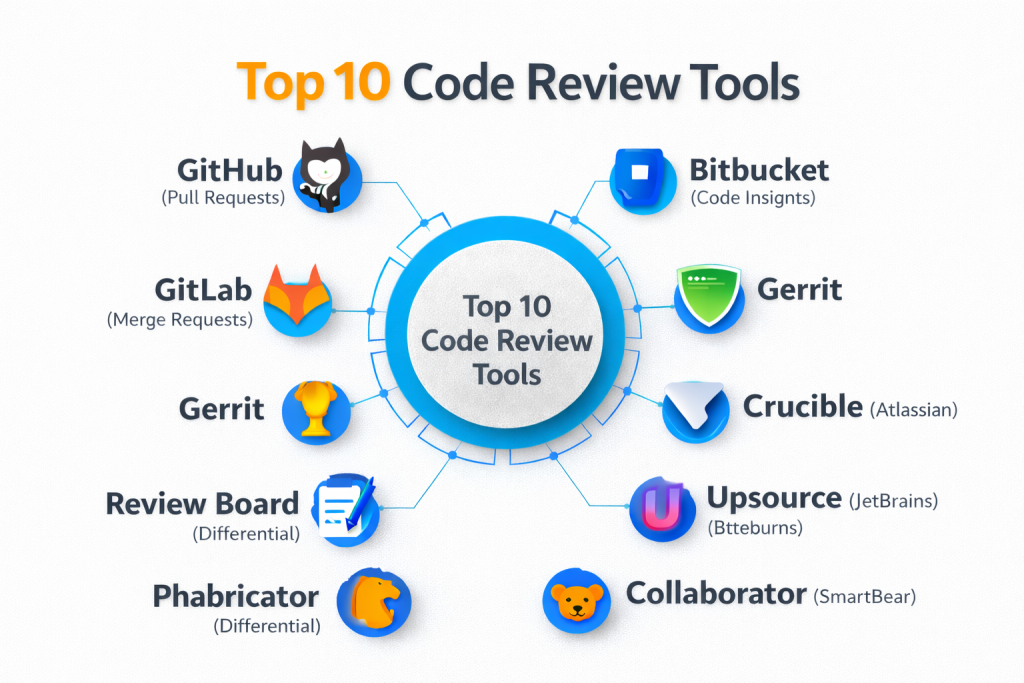
Top 10 Code Review Tools
1 — GitHub (Pull Requests)
GitHub is the world’s most popular hosting service for software development, and its Pull Request (PR) system is the industry standard for code reviews. It is designed for developers of all levels, from open-source contributors to enterprise engineers.
- Key Features:
- Integrated “Conversation” view for line-by-line commenting.
- Suggested Changes: Reviewers can apply code fixes directly in the UI.
- Draft Pull Requests: Allow developers to share work-in-progress code.
- Reviewer Assignments: Automatically or manually tag specific team members.
- Status Checks: Integrated CI/CD results show right next to the code.
- Protected Branches: Prevent merging until specific approval criteria are met.
- Pros:
- Almost every developer already knows how to use it, reducing training time.
- Seamless integration with the largest ecosystem of third-party developer tools.
- Cons:
- The interface can become sluggish with massive, multi-thousand-line PRs.
- Native reporting features for team productivity are somewhat basic.
- Security & compliance: SOC 1/2, ISO 27001, GDPR, and HIPAA compliant. Features include SAML SSO and secret scanning.
- Support & community: Unparalleled community support; extensive documentation; professional enterprise support tiers available.
2 — GitLab (Merge Requests)
GitLab provides a comprehensive DevOps platform that handles everything from planning to monitoring. Its Merge Request (MR) tool is a powerhouse for teams that want a highly structured and automated review process.
- Key Features:
- Conflict Resolution: Resolve simple merge conflicts directly in the browser.
- Approval Rules: Mandate approvals from specific departments (e.g., Security or QA).
- Code Quality Reports: Shows how a change affects the overall health of the project.
- Visual Reviews: Provides links to a “live” version of the changed app for testing.
- Threaded Discussions: Keeps related comments organized and resolvable.
- Multi-Project Pipelines: Track how a code change impacts multiple linked services.
- Pros:
- Ideal for teams that want one single tool for the entire development lifecycle.
- Highly customizable “Merge Trains” ensure the main branch never breaks.
- Cons:
- The sheer number of features can make the user interface feel cluttered.
- Higher memory and resource requirements for self-hosted installations.
- Security & compliance: SOC 2 Type II, GDPR, and ISO 27001 compliant. Includes built-in DAST and SAST scanning.
- Support & community: Strong community; professional support via a dedicated customer success manager for enterprise accounts.
3 — Bitbucket (Code Insights)
Bitbucket is Atlassian’s Git-based repository manager. It is specifically designed to work hand-in-hand with Jira, making it the top choice for project managers and enterprise teams.
- Key Features:
- Deep Jira Integration: Transition Jira tickets automatically when a review is approved.
- Code Insights: View report data from third-party security and testing tools in the diff.
- Deployment Gates: Set conditions based on review status before pushing to production.
- Smart Mirroring: Speeds up review times for globally distributed teams.
- Built-in Trello Integration: For teams that prefer card-based project tracking.
- Pros:
- The best choice for organizations already deeply invested in the Atlassian suite.
- Clean, focused interface that prioritizes the code diff over social features.
- Cons:
- The transition between the Cloud and Data Center versions can be confusing.
- Lacks the massive public “open source” feel of GitHub.
- Security & compliance: SOC 2, ISO 27001, and GDPR compliant. Supports IP whitelisting and 2FA.
- Support & community: Excellent professional support through Atlassian; massive library of enterprise documentation.
4 — Gerrit
Gerrit is a free, web-based code review tool that is famously used by the Android Open Source Project and Chromium. It is designed for large-scale projects that require a strict “gatekeeper” style of review.
- Key Features:
- Change-Based Review: Every commit is reviewed individually before becoming part of a branch.
- Side-by-Side Diff: Classic, highly readable comparison view.
- Granular Permissions: Extremely detailed control over who can approve or merge code.
- Voting System: Reviewers give scores (e.g., +1, +2, -2) to determine code readiness.
- Git-Backend: Uses the Git protocol natively for all operations.
- Pros:
- Extremely powerful for large projects where “zero bugs” is the priority.
- Open-source and free, making it great for budget-conscious organizations.
- Cons:
- Notorious for having a very steep learning curve for new developers.
- The UI looks dated compared to modern tools like GitHub or GitLab.
- Security & compliance: Varies; as a self-hosted tool, compliance depends on the host infrastructure.
- Support & community: Strong community of expert users; documentation is technical and thorough.
5 — Crucible (Atlassian)
Crucible is a dedicated code review tool for enterprise teams that might still be using older version control systems like SVN or Perforce alongside Git.
- Key Features:
- Multi-VCS Support: Works with Git, SVN, Mercurial, and Perforce.
- Iterative Reviews: Track how code has evolved across several review sessions.
- Review Templates: Standardize the review process for compliance and auditing.
- Audit Trails: Comprehensive logs of every comment and approval for regulatory needs.
- Activity Streams: Real-time dashboard showing the status of all active reviews.
- Pros:
- One of the few professional tools that supports non-Git version control systems.
- Excellent for industries with heavy auditing requirements (Finance, MedTech).
- Cons:
- Atlassian is slowly moving away from standalone server products toward Cloud.
- Requires a separate license and installation from Bitbucket.
- Security & compliance: SOC 2 and GDPR compliant; designed for high-security enterprise environments.
- Support & community: Backed by Atlassian’s professional support teams; legacy documentation is very mature.
6 — Review Board
Review Board is an open-source, web-based tool that provides a sophisticated interface for reviewing both code and images. It is designed for companies that need a flexible, multi-purpose review system.
- Key Features:
- Diff Viewer: Handles complex moves and renames within the code.
- Screenshot Review: Allows UI/UX designers to comment on images and mockups.
- Extensions API: Build custom features and integrations for your workflow.
- Multi-Repository Support: Connect to Git, Mercurial, ClearCase, and Perforce.
- Markdown Support: Write clear, formatted comments and documentation.
- Pros:
- Very flexible; can be used for more than just code (e.g., documentation and design).
- No per-user licensing fees for the open-source version.
- Cons:
- Setup and maintenance can be difficult for teams without a dedicated DevOps person.
- Lacks the “all-in-one” project management features of GitLab.
- Security & compliance: Varies / N/A (Standard encryption and LDAP support).
- Support & community: Active community; paid support contracts available through the main developers.
7 — Phabricator (Differential)
Originally developed at Facebook, Phabricator is a suite of web-based development tools. Its code review module, “Differential,” is built for speed and large-scale engineering.
- Key Features:
- Pre-commit Review: Code is reviewed before it ever reaches the repository.
- Audit: Allows for “post-commit” reviews for low-risk changes.
- Herald: A powerful automation engine to trigger reviews based on file types.
- Linting Integration: Automatically highlights style errors during the review.
- Unified/Side-by-side Diffs: Users can choose their preferred viewing mode.
- Pros:
- Extremely fast and built for heavy-duty engineering workflows.
- Completely free to use (the developer has stopped active updates, but the tool is stable).
- Cons:
- The lead developer has officially “sunsetted” the project; community forks like Phorge are now used.
- The aesthetic and terminology (e.g., “Arkanist”) can be confusing to newcomers.
- Security & compliance: Varies; highly secure architecture used by top-tier tech firms for years.
- Support & community: Transitioning to community-led support (Phorge); vast amount of legacy tutorials.
8 — SonarQube
While many tools focus on human review, SonarQube is the leader in automated code review. It is designed to find bugs and security “smells” using static analysis.
- Key Features:
- Quality Gates: Automatically stop a merge if code quality drops below a limit.
- Security Hotspots: Identifies areas of code that are likely to have vulnerabilities.
- Multi-Language: Supports over 30 languages, from COBOL to TypeScript.
- Technical Debt Calculation: Estimates how many hours it will take to fix code issues.
- IDE Integration: Show errors directly in the developer’s editor (SonarLint).
- Pros:
- Saves human reviewers from wasting time on simple syntax or logic errors.
- Provides high-level “Executive Dashboards” for management to track project health.
- Cons:
- Does not replace the need for human peer review (it can’t check for “business logic”).
- The enterprise version can be extremely expensive.
- Security & compliance: SOC 2, GDPR, and ISO 27001 compliant. Focuses on OWASP and CWE standards.
- Support & community: Excellent enterprise support; huge community of security researchers.
9 — Upsource (JetBrains)
Upsource is JetBrains’ entry into the code review market. It is designed for teams that want the same “intelligence” found in their IDEs (like IntelliJ or PyCharm) to exist in their review tool.
- Key Features:
- Static Code Analysis: Performs server-side code checks for Java, PHP, and JS.
- Code Navigation: Click on a variable in the web UI to see its definition.
- Analytics: Tracks review turnaround time and team participation.
- IDE Integration: Open a review comment directly in your JetBrains IDE.
- Discussion Labels: Tag comments as “Bug,” “Question,” or “Must Fix.”
- Pros:
- The “smartest” tool for navigating code in a browser.
- Seamless workflow for developers who already live in JetBrains tools.
- Cons:
- JetBrains has put the project into “maintenance mode” to focus on their new platform, Space.
- Setting up the server can be memory-heavy.
- Security & compliance: SOC 2 and GDPR compliant. Supports SSO and audit logging.
- Support & community: Professional JetBrains support; documentation is high-quality but legacy-focused.
10 — Collaborator (SmartBear)
Collaborator is a heavy-duty enterprise review tool built for teams in highly regulated industries. It is designed to handle code, documents, and even PDF reviews in one secure place.
- Key Features:
- Document Review: Review Word, PDF, and PowerPoint files alongside code.
- Electronic Signatures: Compliant with FDA and other regulatory standards.
- Custom Checklists: Ensure reviewers follow specific steps every time.
- VCS Agnostic: Integrates with 11 different version control systems.
- Detailed Reporting: Built-in reports for “Time Spent Reviewing” and “Defect Density.”
- Pros:
- The best choice for medical, aerospace, or defense industries.
- Allows cross-functional teams (Legal, QA, Dev) to work in one tool.
- Cons:
- The interface feels more like traditional enterprise software than a modern dev tool.
- High cost per user makes it difficult for small startups.
- Security & compliance: SOC 2, HIPAA, and ISO compliant. Built for strict regulatory audits.
- Support & community: Professional 24/7 support; dedicated onboarding for enterprise clients.
Comparison Table
| Tool Name | Best For | Platform(s) Supported | Standout Feature | Rating (Gartner) |
| GitHub | General Collaboration | Cloud, On-Prem | Market-leading ecosystem | 4.8 / 5 |
| GitLab | Full DevOps Lifecycle | Cloud, On-Prem | Integrated Security Scans | 4.6 / 5 |
| Bitbucket | Jira/Atlassian Teams | Cloud, On-Prem | Native Jira Integration | 4.4 / 5 |
| Gerrit | Strict Gatekeeping | On-Prem | Atomic Change Review | N/A |
| Crucible | Legacy VCS (SVN/Perforce) | On-Prem | Multi-VCS History | 4.2 / 5 |
| Review Board | Code + Design Review | On-Prem | Screenshot Commenting | 4.5 / 5 |
| Phabricator | High-Scale Engineering | On-Prem | Pre-commit Review | 4.5 / 5 |
| SonarQube | Automated Review | Cloud, On-Prem | Technical Debt Tracking | 4.7 / 5 |
| Upsource | JetBrains Users | On-Prem | In-Browser Code Intel | 4.4 / 5 |
| Collaborator | Regulated Industries | Cloud, On-Prem | Electronic Signatures | 4.3 / 5 |
Evaluation & Scoring of Code Review Tools
The following rubric reflects the core priorities for professional engineering teams in today’s market.
| Category | Weight | Evaluation Criteria |
| Core Features | 25% | Diff quality, commenting, approval workflows, and automation. |
| Ease of Use | 15% | Intuitiveness for reviewers and setup speed for developers. |
| Integrations | 15% | Connections to Jira, Slack, CI/CD, and various VCS. |
| Security & Compliance | 10% | SSO, audit logs, and industry certifications. |
| Performance | 10% | Handling of large files and speed of the web interface. |
| Support & Community | 10% | Availability of documentation and professional help. |
| Price / Value | 15% | Cost relative to features and productivity gains. |
Which Code Review Tool Is Right for You?
Solo Users vs. SMBs vs. Mid-Market vs. Enterprise
- Solo Users: If you are building alone, you primarily need SonarQube (free version) to catch your own mistakes. Peer review tools like GitHub are still great for when you eventually hire your first employee.
- SMBs: GitHub or GitLab are the standard. They are affordable, require zero maintenance in their cloud versions, and everyone knows how to use them.
- Mid-Market: Teams with 50-200 developers often benefit from the structured approval rules in GitLab or the deep Jira integrations in Bitbucket.
- Enterprise: Companies in finance or healthcare should look at Collaborator or Bitbucket Data Center for the audit trails and compliance features required by law.
Budget-Conscious vs. Premium Solutions
If you have zero budget, Gerrit and Review Board are powerful open-source options. If you are willing to pay for productivity, GitHub Enterprise or Upsource provide “smart” features that save developers hours of manual effort.
Feature Depth vs. Ease of Use
If you want a tool that just “stays out of the way,” GitHub is the winner. If you need deep architectural checks and automated security gates, you will have to sacrifice some ease of use for the power of GitLab or SonarQube.
Frequently Asked Questions (FAQs)
1. Is code review really necessary for small teams?
Yes. Even a two-person team can miss simple bugs or security holes. Code review also ensures that more than one person understands how a feature works, preventing knowledge silos.
2. What is the difference between static analysis and peer review?
Static analysis (like SonarQube) uses a computer to find errors in code. Peer review (like GitHub PRs) uses a human to check if the code actually solves the business problem correctly.
3. How much time should code review take?
Ideally, a review should take no more than 30–60 minutes. If a code change is too big to review in an hour, it should probably be broken into smaller pieces.
4. Can I use these tools for non-code files?
Some can. Collaborator and Review Board are specifically designed to review PDFs, Word documents, and images alongside code.
5. Do these tools work with older systems like SVN?
Most modern tools focus on Git. However, Crucible, Review Board, and Collaborator still offer excellent support for SVN and Perforce.
6. What is a “Merge Request” vs a “Pull Request”?
They are essentially the same thing. GitHub calls it a Pull Request (PR), while GitLab calls it a Merge Request (MR). Both refer to the process of asking to merge code into the project.
7. Can code review tools find security bugs?
To an extent. Automated tools like SonarQube can find known vulnerabilities (like SQL injection). Human reviewers are better at finding “logical” security flaws (like a missing permission check).
8. Is it better to host code review tools on-premise or in the cloud?
Cloud is easier and cheaper for most. On-premise (Self-hosted) is better for companies with extreme privacy requirements or those who need to integrate with internal legacy servers.
9. What is the most common mistake in code reviews?
Focusing on “nitpicks” like spaces vs tabs instead of looking at the logic. Using an automated tool like SonarQube can handle the style, allowing humans to focus on the architecture.
10. Do I need a specific tool to review mobile app code?
No, any of the top 10 tools can handle the languages used for mobile (Swift, Kotlin, React Native). However, GitLab is great for mobile because it can automatically build and show you a preview of the app.
Conclusion
The “best” code review tool depends entirely on your team’s size, your technical stack, and your industry’s regulations. For the vast majority of modern web and mobile teams, GitHub or GitLab will provide the perfect balance of ease and power.
If you are dealing with massive scale and strict quality requirements, Gerrit or Phabricator are proven workhorses. For those in the enterprise space where compliance is non-negotiable, Collaborator stands alone.
The goal of any of these tools is the same: to foster a culture of collaboration and to ensure that the code you ship is something your entire team can be proud of.