Introduction
Cloud Security Posture Management (CSPM) is a category of security tools designed to identify misconfigurations and compliance risks in the cloud. As organizations migrate from on-premise data centers to environments like AWS, Azure, and Google Cloud, the “perimeter” disappears, replaced by thousands of settings and permissions. A CSPM tool acts as a continuous auditor, scanning these settings to ensure that storage buckets aren’t left open to the public, encryption is active, and multi-factor authentication is enforced. Essentially, it automates the process of “keeping the digital doors locked” in the cloud.
The importance of CSPM cannot be overstated: the vast majority of cloud data breaches are caused by customer misconfigurations rather than provider failures. Key real-world use cases include achieving “continuous compliance” with frameworks like HIPAA or PCI-DSS, detecting “Shadow IT” (cloud resources created without approval), and providing a unified security view across multiple cloud providers. When evaluating a CSPM, users should look for multi-cloud support, automated remediation (the ability to fix a bug automatically), and low false-positive rates.
Best for: CSPM tools are ideal for Cloud Architects, DevSecOps engineers, and Compliance Officers. They provide the most value to mid-market and enterprise organizations, particularly those in fintech, healthcare, and SaaS development where data privacy is a legal mandate.
Not ideal for: Individual developers running a single hobbyist server or very small businesses with a simple “lift and shift” setup. For these users, the native security dashboards provided for free by AWS (Trusted Advisor) or Microsoft (Defender for Cloud) are often sufficient without the overhead of a dedicated third-party tool.
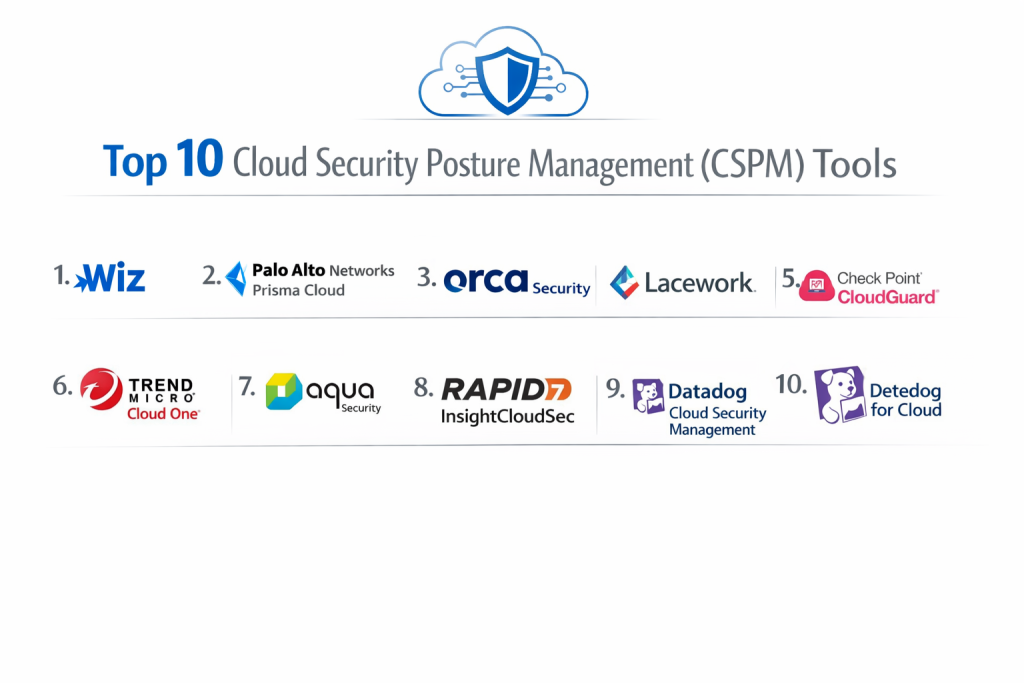
Top 10 Cloud Security Posture Management (CSPM) Tools
1 — Wiz
Wiz is widely considered the pioneer of the “agentless” cloud security movement. It provides a full-stack view of cloud risk by connecting via API and scanning every layer of the cloud environment without requiring software installation on virtual machines.
- Key Features:
- The Wiz Graph: Visualizes the complex relationships between vulnerabilities, identities, and network paths.
- Agentless Scanning: Analyzes disk snapshots to find vulnerabilities and secrets without performance impact.
- Unified Security Graph: Correlates misconfigurations with software vulnerabilities and exposed secrets.
- Cross-Cloud Support: Comprehensive coverage for AWS, Azure, GCP, OCI, and Alibaba Cloud.
- Cloud Detection and Response (CDR): Monitors for active threats in real-time.
- Pros:
- Extremely fast time-to-value; you can see your entire risk posture in minutes.
- The visualization graph makes it easy to see how a small misconfiguration leads to a critical data path.
- Cons:
- Can be significantly more expensive than “traditional” security tools.
- Some advanced remediation features require deep permissions that conservative IT teams might hesitate to grant.
- Security & Compliance: SOC 2 Type II, ISO 27001, HIPAA, and GDPR compliant. Supports SSO and hardware-based encryption.
- Support & Community: High-touch enterprise support, an extensive “Wiz Academy” for training, and a rapidly growing user community.
2 — Palo Alto Networks Prisma Cloud
Prisma Cloud is one of the most comprehensive Cloud Native Application Protection Platforms (CNAPP) on the market, offering CSPM alongside container security and web app firewalls.
- Key Features:
- Code-to-Cloud Traceability: Links a cloud misconfiguration back to the specific line of code in GitHub.
- Shift-Left Security: Scans Infrastructure-as-Code (IaC) templates (Terraform, CloudFormation) before they are deployed.
- Compliance Dashboards: Out-of-the-box reports for GDPR, NIST, SOC 2, and PCI-DSS.
- Identity Security (CIEM): Deep analysis of “who has access to what” across the cloud.
- Automated Remediation: Can trigger scripts to automatically close open ports or delete unencrypted buckets.
- Pros:
- Best-in-class for organizations that want a single platform for all cloud security needs.
- Incredible depth in “Shift-Left” security, stopping bugs during the development phase.
- Cons:
- The platform is massive and can be overwhelming for smaller teams to navigate.
- Integrating all modules can be a lengthy process compared to leaner tools.
- Security & Compliance: FedRAMP Moderate, SOC 2, ISO 27001, and HIPAA compliant.
- Support & Community: Global 24/7 enterprise support, dedicated account managers, and a vast professional certification program.
3 — Orca Security
Orca is famous for its “SideScanning” technology, which allows it to see into the “guts” of a cloud environment without agents, similar to Wiz but with a focus on deep workload visibility.
- Key Features:
- SideScanning: Directly reads the block storage of cloud workloads to find malware and vulnerabilities.
- Unified Data Model: Treats the cloud as a single entity rather than a collection of separate silos.
- Attack Path Analysis: Identifies how an attacker could move from a public-facing web server to a private database.
- Sensitive Data Discovery: Automatically finds PII (Personally Identifiable Information) in open buckets.
- API Security: Scans for exposed or unauthenticated APIs.
- Pros:
- 100% coverage of your cloud environment from the moment it is connected.
- Very low noise; the platform does an excellent job of prioritizing only critical risks.
- Cons:
- As an “agentless” tool, it may lack the real-time “active blocking” capabilities of agent-based EDRs.
- Pricing is generally geared toward larger enterprises.
- Security & Compliance: SOC 2 Type II, ISO 27001, and GDPR compliant.
- Support & Community: Excellent documentation and a very responsive technical support team.
4 — Lacework
Lacework focuses on “Polygraph” technology, which uses machine learning to learn how your cloud normally behaves and alerts you when something changes.
- Key Features:
- Polygraph Data Platform: Automatically maps all your cloud entities and their communication patterns.
- Anomaly Detection: Finds threats based on behavior rather than just “rules” (e.g., a user logging in from an unusual country).
- Host & Container Security: Deep visibility into the workloads running on your cloud.
- Automated Alert Grouping: Reduces 1,000 alerts into a single “story” about a security event.
- Multi-Cloud Visibility: Consistent view across AWS, Azure, and GCP.
- Pros:
- Exceptional at finding “Zero-Day” threats that don’t match a known rule.
- Dramatically reduces alert fatigue through its behavioral grouping.
- Cons:
- Requires some time to “learn” the environment before it becomes highly accurate.
- Can be more complex to troubleshoot why a specific alert was triggered.
- Security & Compliance: SOC 2 Type II and HIPAA compliant.
- Support & Community: Strong online community and detailed onboarding workshops for new customers.
5 — Check Point CloudGuard
CloudGuard is a mature platform that brings Check Point’s decades of network security expertise into the cloud, focusing on high-fidelity visibility and prevention.
- Key Features:
- High-Fidelity Posture Management: Deep configuration checks based on thousands of built-in rules.
- Network Security Posture: Visualizes cloud network traffic to find hidden lateral movement paths.
- Serverless Security: Specifically protects AWS Lambda and Azure Functions.
- Intelligence & Threat Hunting: Correlates cloud logs with global threat intelligence.
- IAM Safety: Adds an extra layer of protection to administrative cloud actions.
- Pros:
- Excellent for organizations that already use Check Point on-premise.
- Very strong network visualization tools compared to newer “API-only” tools.
- Cons:
- The user interface can feel more like a traditional “firewall” tool than a modern cloud app.
- Setup can be more manual and technical than agentless competitors.
- Security & Compliance: ISO 27001, SOC 2, and GDPR compliant.
- Support & Community: Extensive global support network and professional training centers worldwide.
6 — Trend Micro Cloud One
Trend Micro is a veteran in the security space, and Cloud One is their modular platform designed to protect builders through the entire development lifecycle.
- Key Features:
- Conformity Module: A dedicated CSPM tool that provides real-time monitoring against 1,000+ best practice checks.
- File Storage Security: Scans files being uploaded to S3 buckets for malware.
- Workload Security: Traditional agent-based protection for “un-patchable” legacy cloud servers.
- Open Source Security: Scans libraries used by developers for vulnerabilities.
- Multi-Cloud Governance: Centralized dashboard for massive, distributed organizations.
- Pros:
- The modular approach allows you to buy only the security you need.
- Highly regarded for its support of legacy systems moving to the cloud.
- Cons:
- Managing multiple modules can feel like managing multiple different products.
- Agent-based components require more maintenance than agentless solutions.
- Security & Compliance: FedRAMP authorized, SOC 2, and GDPR compliant.
- Support & Community: Decades of support experience and a massive global knowledge base.
7 — Aqua Security
Aqua is the leader in “Cloud Native” security, with a heavy focus on protecting modern architectures like Kubernetes, Docker, and Serverless.
- Key Features:
- Full Lifecycle Security: Protects the app from the build pipeline to the running production environment.
- KSPM (Kubernetes Security Posture Management): Deep, specialized checks for Kubernetes clusters.
- Supply Chain Security: Verifies the integrity of your code and container images.
- Enforced Policies: Can automatically block “non-compliant” containers from being deployed.
- Dynamic Threat Analysis: Runs container images in a sandbox to find hidden malware.
- Pros:
- If your organization is “all-in” on Kubernetes, this is the gold standard.
- Very strong open-source presence (Trivy) makes it a favorite for developers.
- Cons:
- Less focus on “traditional” cloud infrastructure (like VM configuration) than Wiz or Prisma.
- The UI is highly technical and designed for engineers, not generalists.
- Security & Compliance: SOC 2, ISO 27001, and HIPAA compliant.
- Support & Community: Excellent GitHub community and enterprise support for large-scale deployments.
8 — Rapid7 InsightCloudSec
Formerly known as DivvyCloud, Rapid7’s CSPM is built for large organizations that need to automate the “fixing” of security issues at scale.
- Key Features:
- Real-time Remediation: A powerful “Bot” engine that can automatically fix issues (e.g., “if bucket is public, make it private”).
- Unified Visibility: Brings AWS, Azure, GCP, Alibaba, and Oracle into one view.
- IAM Governance: Identifies over-privileged users and orphaned accounts.
- Infrastructure-as-Code Scanning: Scans templates before they are used to build the cloud.
- Customizable Reporting: Tailors views for different departments (Finance, Security, IT).
- Pros:
- The most powerful automation engine in the category for self-healing clouds.
- Very clean and logical organization of multi-cloud data.
- Cons:
- The automation engine requires significant time to configure properly and safely.
- Reporting can be slow when managing millions of cloud resources.
- Security & Compliance: SOC 2 Type II and GDPR compliant.
- Support & Community: Rapid7 has a very strong reputation for customer success and technical training.
9 — Datadog Cloud Security Management
Datadog has successfully pivoted from “observability” to “security,” allowing teams to see their security posture in the same tool they use to monitor app performance.
- Key Features:
- Unified Platform: Security data sits right next to performance logs and metrics.
- Resource Catalog: A live inventory of every cloud resource across all accounts.
- Compliance Tracking: Real-time monitoring against benchmarks like CIS AWS Foundations.
- Threat Detection: Uses existing Datadog agents to find attacks in real-time.
- Cloud SIEM Integration: Seamlessly feeds security events into Datadog’s log management.
- Pros:
- Zero “tool fatigue”—if you use Datadog for monitoring, security is just a new tab.
- Incredible at correlating a security event with a performance spike or a code deploy.
- Cons:
- CSPM features are less “deep” than specialized tools like Wiz or Orca.
- Costs can escalate quickly because Datadog’s pricing is based on data volume.
- Security & Compliance: SOC 2, ISO 27001, and HIPAA compliant.
- Support & Community: Massive global user base and excellent technical documentation.
10 — Microsoft Defender for Cloud
For organizations that are 100% committed to the Microsoft ecosystem, the built-in Defender for Cloud offers a native experience that is hard to beat.
- Key Features:
- Secure Score: A simple numerical value that tells you how secure your cloud is.
- Native Azure Integration: “Zero-click” deployment for Azure resources.
- Regulatory Compliance Dashboard: Excellent support for government and local standards.
- Multi-Cloud Support: Can now scan AWS and GCP resources via Azure Arc.
- Attack Path Analysis: Built-in visualization of how risks connect.
- Pros:
- Deepest possible integration with Azure; it understands Azure permissions better than any third party.
- Pricing is integrated into your existing Azure billing.
- Cons:
- While it supports AWS and GCP, the experience is not as “seamless” as the Azure experience.
- The UI is tied to the Azure Portal, which some users find cluttered.
- Security & Compliance: Meets all Microsoft global standards (FedRAMP High, ISO, GDPR).
- Support & Community: Supported by the massive Microsoft global enterprise support structure.
Comparison Table
| Tool Name | Best For | Platform(s) Supported | Standout Feature | Rating (Gartner) |
| Wiz | Rapid Visibility | AWS, Azure, GCP, OCI | Agentless Graph | 4.8 / 5 |
| Prisma Cloud | Full CNAPP Suite | AWS, Azure, GCP | Code-to-Cloud Trace | 4.7 / 5 |
| Orca Security | Deep Workloads | AWS, Azure, GCP | SideScanning Tech | 4.7 / 5 |
| Lacework | Anomaly Detection | AWS, Azure, GCP | Polygraph ML | 4.5 / 5 |
| Check Point | Network Security | Multi-Cloud | Traffic Visualization | 4.4 / 5 |
| Trend Micro | Legacy & Hybrid | Multi-Cloud | Modular Flexibility | 4.3 / 5 |
| Aqua Security | Kubernetes | K8s, Cloud-Native | Supply Chain Security | 4.6 / 5 |
| Rapid7 | Auto-Remediation | Multi-Cloud | Automation “Bots” | 4.5 / 5 |
| Datadog | DevOps / SREs | Multi-Cloud | Monitoring + Security | 4.4 / 5 |
| MS Defender | Azure Ecosystem | Azure (AWS/GCP) | Microsoft Secure Score | 4.5 / 5 |
Evaluation & Scoring of [Cloud Security Posture Management (CSPM)]
We evaluated the top 10 tools using a weighted rubric designed to reflect the priorities of modern security leaders.
| Criteria | Weight | Evaluation Focus |
| Core Features | 25% | Multi-cloud support, inventory depth, and compliance mapping. |
| Ease of Use | 15% | Time-to-value, UI clarity, and dashboard customizability. |
| Integrations | 15% | Connectivity with CI/CD, SIEM, and ticket systems like Jira. |
| Security & Compliance | 10% | Platform’s own certifications (SOC2) and data encryption. |
| Performance | 10% | Scan frequency and impact on cloud resource performance. |
| Support & Community | 10% | Training quality, documentation, and user community size. |
| Price / Value | 15% | Pricing transparency and ROI for different company sizes. |
Which [Cloud Security Posture Management (CSPM)] Tool Is Right for You?
Solo Users vs SMB vs Mid-market vs Enterprise
- SMBs: Often struggle with security bandwidth. Wiz or Orca are best here because they require almost zero setup and tell you exactly what to fix.
- Mid-market: Datadog is a great choice if you are already using it for monitoring. Otherwise, Rapid7 offers great scaling.
- Enterprise: Prisma Cloud or Wiz are the only ones capable of handling the extreme complexity of thousands of cloud accounts.
Budget-conscious vs Premium Solutions
- Budget: If you are strictly Azure or AWS, use the native tools (Defender or Trusted Advisor) first. They are often “free” or very low-cost for basic features.
- Premium: Wiz and Prisma Cloud are premium products with premium pricing, but they save countless hours in manual auditing.
Feature Depth vs Ease of Use
- If you want Ease of Use, Wiz has the best UI in the business.
- If you want Feature Depth, Prisma Cloud offers more security modules (like WAF and Container Security) than anyone else.
Integration and Scalability Needs
If your cloud is mostly Kubernetes and microservices, Aqua Security is the specialized choice. If your goal is to automate remediation so that your team doesn’t have to manually “fix” things, Rapid7 InsightCloudSec is the leader.
Frequently Asked Questions (FAQs)
1. Is CSPM different from a Cloud Firewall?
Yes. A firewall blocks traffic. A CSPM checks the settings of your cloud (like “is this bucket public?”) to make sure you didn’t accidentally leave a door open.
2. What is “Agentless” scanning?
It means the tool connects to your cloud via API. You don’t have to install any software on your virtual servers. It’s faster to set up and doesn’t slow down your apps.
3. Does CSPM fix issues automatically?
Many tools (like Rapid7 and Prisma) can, but most organizations start by using the tool to “notify” them first. You can turn on “auto-fix” once you trust the tool.
4. Can CSPM help with HIPAA or SOC 2 compliance?
Absolutely. Most CSPM tools have a “one-click” report that shows you exactly where you fail these standards and how to fix them.
5. Does CSPM work for Hybrid Cloud (On-prem + Cloud)?
Most CSPMs focus strictly on Public Cloud (AWS/Azure/GCP). For on-prem, you usually need a separate “Vulnerability Management” tool, though some platforms like Trend Micro cover both.
6. Why can’t I just use the security dashboard provided by AWS?
You can! But if you use both AWS and Azure, you’ll have two different dashboards with two different formats. A CSPM tool brings them into one single view.
7. How much do CSPM tools cost?
Pricing is usually based on the number of “resources” or “workloads” you have. For a mid-sized company, it can range from $15,000 to $50,000+ per year.
8. What is “Shift-Left” in CSPM?
It means scanning your code (Terraform/ARM templates) before it ever becomes a real server. This stops the mistake from happening in the first place.
9. Is CSPM only for DevOps teams?
No, it’s for Security and Compliance teams too. It gives them a way to “audit” the cloud without having to ask the DevOps team for reports every day.
10. What is a “False Positive” in CSPM?
It’s when a tool says a setting is “dangerous,” but it’s actually intentional. Better tools have lower false-positive rates, which saves your team time.
Conclusion
The “best” CSPM tool is the one that your team will actually use. While Wiz and Orca have redefined the market with their agentless ease of use, veterans like Prisma Cloud and Check Point offer a depth of security that some high-compliance organizations require.
When choosing, prioritize visibility first—you can’t protect what you can’t see. Once you have visibility, look at remediation. A tool that tells you about a problem is helpful; a tool that tells you how to fix it (or fixes it for you) is a game-changer. Ultimately, CSPM is about turning the complex, “scary” world of cloud configuration into a simple, manageable security posture.