Introduction
Cloud migration tools are specialized software solutions designed to automate and streamline the process of moving digital assets—such as data, applications, IT resources, and workloads—from on-premises data centers or one cloud environment to another. These tools function as the “bridge” in the digital transformation journey, handling the complex tasks of discovery, assessment, replication, and validation. By utilizing sophisticated algorithms, they can map dependencies between servers and ensure that when an application moves, all its associated databases and configurations follow without breaking.
The importance of these tools has escalated as businesses realize that manual migration is prone to human error, significant downtime, and cost overruns. A structured migration tool minimizes business disruption by allowing “live” replication, meaning services stay online while data is copied to the new environment. They provide the necessary visibility to answer critical questions: What do we actually own? What is the most cost-effective server size for this workload? Is our data secure during the move? In a landscape where agility is a competitive advantage, cloud migration tools act as the catalyst for modernizing legacy infrastructure with minimal risk.
Key Real-World Use Cases
- Data Center Retirement: Large enterprises moving away from physical hardware maintenance to focus on core business logic.
- Disaster Recovery Setup: Using migration tools to create a synchronized “shadow” copy of an on-premises environment in the cloud for high availability.
- Cross-Cloud Transition: Moving workloads from one provider to another to take advantage of better pricing or specialized AI/ML services.
- Application Modernization: Replatforming legacy applications into containerized environments during the move to improve scalability.
- Database Refactoring: Migrating traditional SQL databases to cloud-native managed services to reduce administrative overhead.
What to Look For (Evaluation Criteria)
When selecting a cloud migration tool, you should evaluate it based on the following technical pillars:
- Automation Level: Does the tool handle the “heavy lifting,” such as driver conversions and network configuration, or does it require extensive manual scripting?
- Downtime Management: Look for tools that offer near-zero downtime via continuous data replication and “cutover” windows.
- Discovery & Assessment: Can the tool scan your existing network to identify hidden dependencies between applications?
- Compatibility: Ensure the tool supports your specific source (e.g., VMware, Physical Servers) and your target cloud (AWS, Azure, Google Cloud).
- Cost Estimation: High-quality tools provide a “pre-migration” report estimating what your monthly cloud bill will look like based on current usage.
Best for:
CTOs, IT Infrastructure Managers, DevOps Engineers, and System Architects. These tools are indispensable for organizations ranging from mid-market firms undergoing digital growth to global enterprises managing thousands of server instances across multiple continents.
Not ideal for:
Very small businesses with only a few static files or basic websites that can be moved manually via FTP or simple cloud storage uploads. It is also not ideal for organizations with highly specialized, air-gapped legacy hardware that lacks a virtualized interface for the migration tool to interact with.
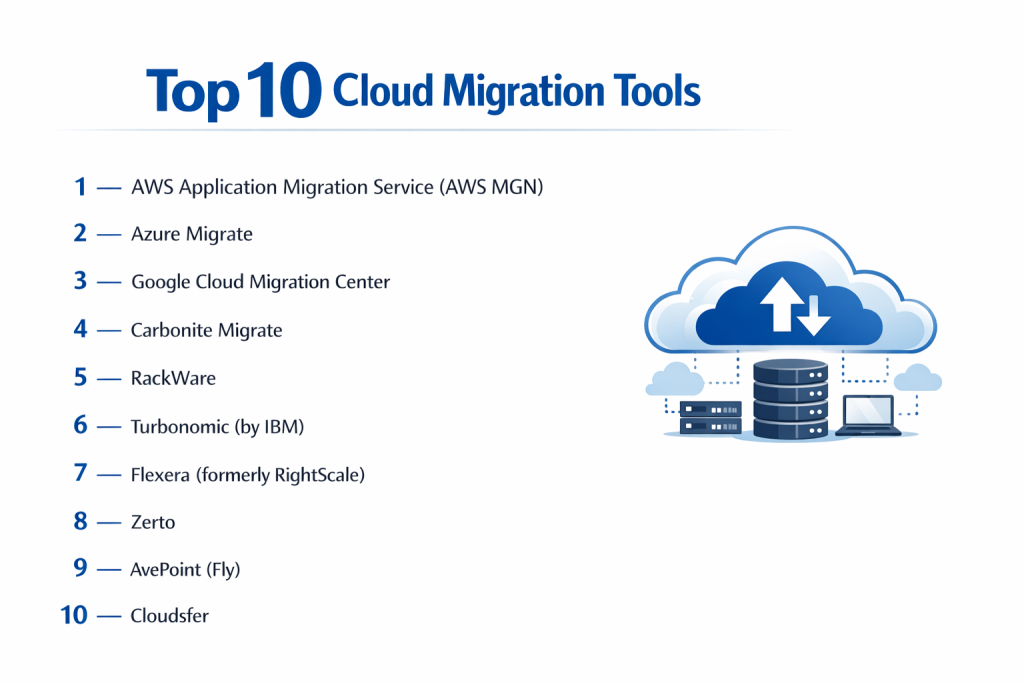
Top 10 Cloud Migration Tools Tools
1 — AWS Application Migration Service (AWS MGN)
AWS MGN is the primary tool for moving workloads to Amazon Web Services. It simplifies the process by allowing users to replicate their source servers into an AWS account, automatically converting them to run natively on EC2.
- Key features: Minimal downtime during migration, support for physical and virtual servers, automated server conversion, wide range of supported operating systems, and integrated discovery.
- Pros: Extremely reliable for AWS-specific targets; provides a high degree of automation for rehosting.
- Cons: Limited to migrations where AWS is the destination; requires some networking knowledge to configure VPCs.
- Security & compliance: HIPAA, GDPR, SOC 1/2/3, and ISO 27001 compliant.
- Support & community: Extensive AWS documentation, premium enterprise support plans, and a vast network of AWS certified partners.
2 — Azure Migrate
Azure Migrate serves as a central hub for all migration needs within the Microsoft ecosystem. It provides a comprehensive suite of tools for discovering, assessing, and migrating servers, databases, and even web apps to Azure.
- Key features: Unified migration dashboard, agentless discovery for VMware and Hyper-V, SQL database assessment, web app migration assistant, and cost estimation reports.
- Pros: Seamless integration with existing Microsoft environments; excellent cost-benefit analysis tools.
- Cons: Can be overwhelming due to the sheer number of integrated sub-tools; specific focus on Microsoft ecosystem.
- Security & compliance: FedRAMP, HIPAA, GDPR, and ISO compliant.
- Support & community: Deep integration with Microsoft Learn, dedicated Azure support teams, and a massive global community.
3 — Google Cloud Migration Center
Google’s unified platform helps businesses move to GCP (Google Cloud Platform). It focuses heavily on “intelligence,” using data-driven insights to recommend the best migration path, whether it’s rehosting, replatforming, or refactoring.
- Key features: TCO (Total Cost of Ownership) analysis, automated server discovery, data-driven migration planning, integration with Velostrata technology, and support for SAP workloads.
- Pros: Exceptional analytics and “smart” recommendations; very fast data transfer speeds.
- Cons: Newer than AWS and Azure tools, so some legacy OS support may be narrower.
- Security & compliance: SOC 2 Type II, ISO 27017, and GDPR compliant.
- Support & community: Strong Google Cloud documentation and specialized support for high-scale enterprise migrations.
4 — Carbonite Migrate
Carbonite Migrate (by OpenText) is a highly flexible, platform-agnostic tool that excels in migrating workloads between any combination of physical, virtual, and cloud platforms with near-zero downtime.
- Key features: Real-time byte-level replication, hardware-independent migration, automated cutover, minimal bandwidth usage, and support for multiple targets simultaneously.
- Pros: Excellent for complex, “messy” environments with mixed hardware; very low impact on production performance during sync.
- Cons: License-based pricing can become expensive for massive server fleets.
- Security & compliance: AES-256 encryption for data in transit; Varies / N/A.
- Support & community: Professional 24/7 technical support and a solid reputation for reliability in the IT channel.
5 — RackWare
RackWare is known for its “Management Module,” which provides a highly automated way to move workloads while also offering disaster recovery and cloud cost optimization features in a single package.
- Key features: Any-to-any migration (Physical to Cloud, Cloud to Cloud), automated right-sizing, integrated disaster recovery, and policy-based workload management.
- Pros: “Right-sizing” feature prevents over-provisioning and saves money; very strong for multi-cloud strategies.
- Cons: Interface is more technical and less “polished” than major cloud provider tools.
- Security & compliance: Secure data transfer protocols; HIPAA and PCI DSS ready.
- Support & community: Direct enterprise support and specialized consulting services.
6 — Turbonomic (by IBM)
While often categorized as a performance tool, Turbonomic is a powerhouse for migration planning. It uses AI to analyze application demand and recommends the exact cloud configuration needed for optimal performance.
- Key features: AI-driven placement and sizing, real-time workload monitoring, automated cloud cost optimization, and visual dependency mapping.
- Pros: Best-in-class for planning “what goes where” to ensure performance doesn’t dip after a move.
- Cons: Not a “replication” tool—you typically use it in tandem with another tool to do the actual data move.
- Security & compliance: SOC 2 Type II and GDPR compliant.
- Support & community: Comprehensive IBM enterprise support and a large corporate user base.
7 — Flexera (formerly RightScale)
Flexera is an enterprise-grade solution that focuses on the governance and cost management side of migration. It is designed for companies that need to manage a massive portfolio of applications during a multi-year transition.
- Key features: Comprehensive IT asset discovery, cloud cost transparency, automated policy enforcement, and multi-cloud governance.
- Pros: Unmatched visibility into “Shadow IT” and legacy assets; excellent for large-scale financial planning.
- Cons: High entry cost; designed for large enterprises rather than small teams.
- Security & compliance: ISO 27001 and SOC 2 compliant.
- Support & community: Global support network and detailed executive-level reporting.
8 — Zerto
Zerto is a leader in disaster recovery that has adapted its “Continuous Data Protection” (CDP) technology for cloud migration. It is ideal for organizations that cannot afford even a single minute of downtime.
- Key features: Journal-based recovery, non-disruptive testing, automated orchestration, and multi-cloud mobility.
- Pros: “Roll-back” capability is superior; if a migration fails, you can revert to a point seconds before the failure.
- Cons: Higher bandwidth requirements due to the continuous nature of the data replication.
- Security & compliance: Encryption at rest and in transit; HIPAA and GDPR compliant.
- Support & community: Very strong community of engineers and 24/7 mission-critical support.
9 — AvePoint (Fly)
AvePoint’s “Fly” tool is specifically designed for SaaS migrations, particularly moving between Microsoft 365 tenants or from Slack/Box/Google into the Microsoft ecosystem.
- Key features: Granular content migration, automated discovery for Teams/SharePoint, pre-migration validation, and scheduled migration windows.
- Pros: The gold standard for moving complex Microsoft 365 environments without losing permissions.
- Cons: Specifically focused on SaaS and data, not for moving virtual machines or servers.
- Security & compliance: ISO 27001 and SOC 2 Type II compliant.
- Support & community: Excellent onboarding and a very helpful support team for M365 admins.
10 — Cloudsfer
Cloudsfer is a user-friendly, web-based tool designed for fast data migration between over 20 different cloud storage providers (e.g., Dropbox to Google Drive or OneDrive to S3).
- Key features: Easy-to-use web interface, support for 20+ cloud providers, automated metadata retention, and scheduled data sync.
- Pros: Perfect for small businesses or departments needing to move files without IT intervention.
- Cons: Not designed for server-level or application-level migrations.
- Security & compliance: 256-bit SSL encryption; Varies / N/A.
- Support & community: Fast email support and a straightforward knowledge base.
Comparison Table
| Tool Name | Best For | Platform(s) Supported | Standout Feature | Rating |
| AWS MGN | Moving to AWS | Physical, VM to AWS | Native AWS Conversion | 4.8 / 5 |
| Azure Migrate | Moving to Azure | Hyper-V, VMware to Azure | Integrated TCO Reports | 4.7 / 5 |
| Google Cloud Center | Moving to GCP | Physical, VM to GCP | AI Migration Insights | 4.6 / 5 |
| Carbonite Migrate | Low-Downtime Moves | Any-to-Any | Byte-level Replication | 4.5 / 5 |
| RackWare | Multi-Cloud strategy | Any-to-Any | Auto Right-Sizing | 4.4 / 5 |
| Turbonomic | Performance Planning | Cloud & On-Prem | AI Demand Analysis | 4.7 / 5 |
| Flexera | Governance & Cost | Enterprise Portfolios | IT Asset Visibility | 4.3 / 5 |
| Zerto | Mission-Critical | VM to Cloud | Continuous Data Protection | 4.8 / 5 |
| AvePoint Fly | SaaS/M365 moves | M365, Google, Slack | M365 Permission Sync | 4.6 / 5 |
| Cloudsfer | File/Drive Moves | 20+ Cloud Storages | Web-based Simplicity | N/A |
Evaluation & Scoring of Cloud Migration Tools
| Category | Weight | AWS MGN | Azure Migrate | Zerto | Carbonite | RackWare |
| Core Features | 25% | 24/25 | 24/25 | 23/25 | 22/25 | 22/25 |
| Ease of Use | 15% | 12/15 | 13/15 | 11/15 | 14/15 | 10/15 |
| Integrations | 15% | 15/15 | 15/15 | 14/15 | 13/15 | 15/15 |
| Security | 10% | 10/10 | 10/10 | 10/10 | 9/10 | 9/10 |
| Performance | 10% | 9/10 | 9/10 | 10/10 | 10/10 | 9/10 |
| Support | 10% | 10/10 | 10/10 | 10/10 | 8/10 | 8/10 |
| Price / Value | 15% | 15/15 | 15/15 | 9/15 | 11/15 | 13/15 |
| Total Score | 100% | 95/100 | 96/100 | 87/100 | 87/100 | 86/100 |
Which Cloud Migration Tools Tool Is Right for You?
Small to Mid-Market vs. Enterprise
For Small to Mid-Market businesses, simplicity and cost are usually the driving factors. AWS MGN or Azure Migrate are excellent because they are often free to use for the initial migration into their respective platforms. Enterprise users, however, will need the sophisticated governance and portfolio management of Flexera or Turbonomic, as they likely have thousands of applications and need to ensure compliance across multiple business units.
Budget-Conscious vs. Premium Solutions
If you are on a tight budget, using the native cloud provider tools is almost always the most economical route. However, if your budget allows for a “premium” experience to ensure zero downtime, investing in Zerto or Carbonite is worthwhile. These tools act like insurance; the higher cost pays for the peace of mind that a migration failure won’t result in a massive loss of revenue due to downtime.
Technical Depth vs. Simplicity
If your team is highly technical and wants granular control over every aspect of the replication, RackWare provides the technical depth required for “any-to-any” transitions. If you want a tool that guides you through the process with a clean, web-based interface and simple “click-to-move” functionality, Cloudsfer (for files) or Azure Migrate (for servers) are more appropriate.
Integration and Scalability Needs
For companies already running their entire operation on Microsoft products, Azure Migrate is the logical choice for its native integration with Windows Server and SQL. For those pursuing a Multi-Cloud or Hybrid-Cloud strategy, a platform-agnostic tool like RackWare or Zerto is better because it prevents “vendor lock-in,” allowing you to move workloads between clouds as your business needs evolve.
Security and Compliance Requirements
If you are in a highly regulated industry like healthcare or finance, ensure your tool supports encryption at rest and in transit and provides audit logs of the migration process. AWS, Azure, and Google native tools offer the highest level of regulatory certifications, while Zerto provides the “point-in-time” recovery needed to satisfy strict disaster recovery audits.
Frequently Asked Questions (FAQs)
1. How long does a typical cloud migration take?
It varies wildly based on data volume. Moving a single server can take a few hours, while an enterprise-scale migration of 500 servers typically takes 6 to 18 months, including assessment and testing.
2. Can I migrate while my servers are still running?
Yes. Most professional migration tools use “agent-based” or “agentless” replication to copy data in the background while the application stays live. Only a small “cutover” window is needed at the very end.
3. What is the “6 Rs” of migration?
It’s a framework for migration strategy: Retire, Retain, Rehost (Lift & Shift), Replatform (Lift & Reshape), Refactor (Rewrite), and Repurchase (SaaS).
4. Is cloud migration expensive?
The initial move has costs (tooling, labor, data transfer fees). However, most businesses see a long-term ROI through reduced physical hardware maintenance and improved scalability.
5. What is “Cloud Lock-in”?
It’s when you use a provider’s proprietary tools so heavily that it becomes difficult to move elsewhere. Using agnostic tools like RackWare can help mitigate this.
6. Do I need to rewrite my code to move to the cloud?
Not necessarily. “Rehosting” (Lift & Shift) allows you to move your application exactly as it is. Rewriting (Refactoring) is only needed if you want to use “serverless” or cloud-native features.
7. Can I move my data back out of the cloud?
Yes. This is called “Cloud Egress.” However, be aware that many providers charge fees for moving large volumes of data out of their environment.
8. What is a “Migration Assessment”?
It’s the first phase where a tool scans your network to tell you how much CPU, RAM, and Storage you are actually using, helping you avoid overpaying in the cloud.
9. Can these tools move databases?
Yes. Specialized tools like Azure Database Migration Service or AWS DMS are designed specifically to move databases with minimal interruption to the application.
10. What is the most common mistake in cloud migration?
Failing to map application dependencies. If you move an application but forget to move the database it talks to, the application will break.
Conclusion
Cloud migration is no longer a “one-size-fits-all” project. Whether you are performing a simple file move with Cloudsfer, a massive enterprise transition with Azure Migrate, or a mission-critical zero-downtime shift with Zerto, the success of your journey depends on choosing the right tool for the job.
The key to a successful migration is not just the move itself, but the Assessment phase that comes before it. By using tools that provide deep visibility into your current infrastructure, you can ensure that your new cloud environment is sized correctly, secured appropriately, and optimized for cost. The “best” tool is the one that fits your technical skill set and your business’s tolerance for downtime.