Introduction
A Cloud Access Security Broker (CASB) is a security tool that acts as a watchful middleman between a company’s employees and the cloud services they use, such as Google Workspace, Microsoft 365, or Slack. Think of it as a security guard standing at the entrance of a digital building. It makes sure that only the right people get in and that no sensitive information is taken out without permission.
These tools are important because traditional security systems often struggle to see what is happening inside cloud apps. A CASB provides “visibility,” which is a fancy way of saying it lets the IT team see exactly which apps are being used and how data is moving.
Key Use Cases
- Shadow IT Discovery: Finding “hidden” apps that employees use without the IT department’s knowledge.
- Data Protection: Preventing sensitive files (like credit card numbers or passwords) from being shared publicly.
- Threat Protection: Identifying if an account has been hacked by spotting unusual behavior, such as someone logging in from two different countries at the same time.
- Compliance: Ensuring the company follows laws like GDPR or HIPAA by tracking how data is handled.
What to Look For
When choosing a tool, you should look for how easily it connects to your current apps, how much it slows down your internet speed, and whether it can block threats in real-time or only after they happen.
Best for: Large companies with many remote workers, healthcare organizations handling private patient data, and financial firms that need to follow strict privacy laws.
Not ideal for: Very small businesses that only use one or two basic apps, or companies that keep all their data on physical servers in their own office rather than on the internet.
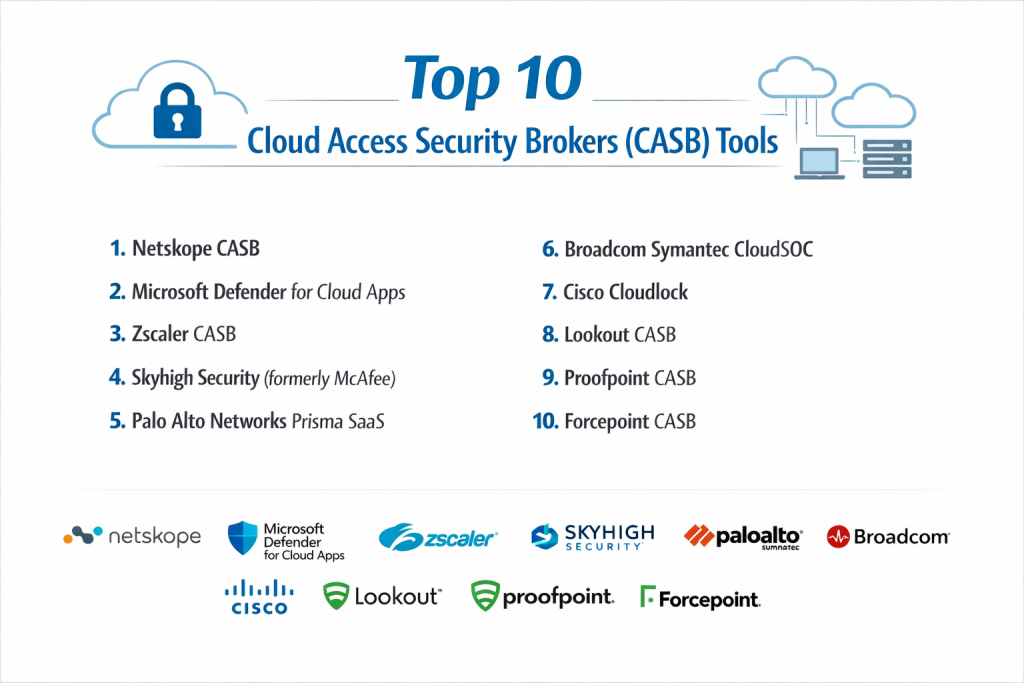
Top 10 Cloud Access Security Brokers (CASB) Tools
1 — Netskope CASB
Netskope is often considered a leader in this space because it is built to handle the heavy traffic of large global companies. It is designed for businesses that need very deep details about what users are doing inside their cloud apps.
- Key Features:
- Cloud Confidence Index: A database that rates the safety of thousands of different apps.
- Real-time Protection: Can block a file upload the moment it starts if it contains sensitive data.
- Advanced DLP: High-level tools to spot sensitive information in images and documents.
- Granular Control: Allows you to set specific rules, like “allow viewing files but block downloading them.”
- Encrypted Traffic Inspection: Can look inside secure web traffic to find hidden threats.
- Pros:
- Extremely detailed reporting that shows exactly what is happening.
- Works very well even for users who are not in the office.
- Cons:
- The setup process can be complicated for beginners.
- The management dashboard has so many options it can feel overwhelming.
- Security & Compliance: Supports SOC 2, GDPR, HIPAA, and ISO 27001.
- Support & Community: Offers 24/7 enterprise support and extensive online training manuals.
2 — Microsoft Defender for Cloud Apps
This tool is the natural choice for companies that already use Microsoft 365. It is built to work perfectly with Windows and other Microsoft security products.
- Key Features:
- Native Integration: Connects instantly with Microsoft 365 and Azure.
- App Governance: Monitors how different apps talk to each other.
- Shadow IT Discovery: Uses your existing firewall logs to find hidden apps.
- Conditional Access: Changes security rules based on the user’s location or device.
- Automatic Remediation: Can automatically freeze a hacked account.
- Pros:
- Very easy to turn on if you already have a Microsoft license.
- The interface is familiar to anyone who uses Microsoft tools.
- Cons:
- Does not always offer the same depth for non-Microsoft apps (like Google or AWS).
- Can be expensive if you aren’t already on a high-tier Microsoft plan.
- Security & Compliance: Fully compliant with major global standards like GDPR and HIPAA.
- Support & Community: Backed by Microsoft’s massive global support network and community forums.
3 — Zscaler CASB
Zscaler is unique because it is part of a larger “cloud security” platform. Instead of a separate tool, it acts as a gateway that all your internet traffic passes through, making it very fast and secure.
- Key Features:
- Zero Trust Architecture: Never trusts a user automatically; always checks identity.
- Unified Platform: One dashboard for web security and cloud security.
- Agentless Access: Can protect users even if they don’t have special software installed.
- SSL Inspection: Scans secure traffic at very high speeds without lagging.
- Multi-mode Coverage: Uses both API and proxy methods to watch over data.
- Pros:
- Excellent for companies with workers spread out all over the world.
- The “zero trust” approach is very effective at stopping modern hacks.
- Cons:
- Can be expensive for smaller teams.
- Changing from an old system to Zscaler can take a lot of time and planning.
- Security & Compliance: SOC 2 Type II, ISO 27001, and FedRAMP authorized.
- Support & Community: High-quality professional services for big companies; good documentation.
4 — Skyhigh Security (formerly McAfee)
Skyhigh was one of the first companies to ever create a CASB. It is very popular in industries like banking because it has very strong data encryption features.
- Key Features:
- Cloud Registry: Tracks over 30,000 cloud services to see if they are safe.
- Structured Data Encryption: Keeps data safe even if it leaves your company.
- User Behavior Analytics: Learns how employees normally act so it can spot weird behavior.
- Unified Policy: Set one rule that works across the web and the cloud.
- Collaboration Control: Can see if people are sharing too much on apps like Slack or Teams.
- Pros:
- One of the best at protecting data in highly regulated industries.
- Very strong search and reporting tools.
- Cons:
- The user interface can look a bit dated compared to newer tools.
- Some users report that the software can be heavy on computer memory.
- Security & Compliance: HIPAA, PCI DSS, GDPR, and ISO 27001.
- Support & Community: Large user community and 24/7 technical support for enterprises.
5 — Palo Alto Networks Prisma SaaS
Palo Alto is known for its high-end firewalls, and its CASB tool brings that same level of “next-generation” security to the cloud.
- Key Features:
- ML-Powered Discovery: Uses machine learning to find new apps automatically.
- Data Leakage Prevention: Scans for “secrets” like API keys hidden in code.
- SaaS Security Posture: Checks if your app settings are safe or if they are left “open.”
- Advanced Threat Prevention: Uses the WildFire system to stop unknown viruses.
- API-Based Control: Works directly with the cloud provider for better performance.
- Pros:
- Great at finding advanced threats that other tools might miss.
- Integrates perfectly if you already use Palo Alto firewalls.
- Cons:
- Can be very costly.
- Usually requires a specialized security person to manage it properly.
- Security & Compliance: SOC 2, GDPR, and HIPAA.
- Support & Community: Professional enterprise support with global coverage.
6 — Broadcom Symantec CloudSOC
Symantec is a classic name in security. Their CASB, called CloudSOC, is built for very large businesses that have complicated rules about how data should be handled.
- Key Features:
- Mirror Gateway: A unique way to secure devices that the company doesn’t own (like a personal laptop).
- ThreatScore: Gives every user a “risk score” based on what they do.
- Deep API Integration: Works very closely with apps like Box, Salesforce, and Dropbox.
- Visual Forensics: Provides charts and maps showing how a security event happened.
- Automatic Remediation: Can unshare a file or alert an admin instantly.
- Pros:
- Excellent for securing “BYOD” (Bring Your Own Device) environments.
- The data science behind the threat detection is very accurate.
- Cons:
- Can be complex to integrate with tools not made by Symantec.
- Customer support can sometimes be slow to respond to non-emergency issues.
- Security & Compliance: GDPR, HIPAA, and ISO standards.
- Support & Community: Strong online resource center and global partner network.
7 — Cisco Cloudlock
Cloudlock is an “API-first” CASB. This means it doesn’t sit in the middle of your traffic; instead, it talks directly to the apps. This makes it very easy to set up and invisible to the user.
- Key Features:
- Easy Setup: Since it uses APIs, you can turn it on in minutes.
- Community Trust Rating: Uses data from all Cisco users to identify risky apps.
- OAuth Security: Checks if “add-on” apps have too much access to your data.
- Lightweight DLP: Simple templates for PII (names, emails) and PCI (credit cards).
- Incident Management: A simple dashboard to see and fix security alerts.
- Pros:
- Does not slow down the user’s internet speed at all.
- Very cost-effective for medium-sized businesses.
- Cons:
- Does not have the “real-time” blocking power of proxy-based tools.
- The threat detection is not as deep as some competitors.
- Security & Compliance: SOC 2, ISO 27001, and HIPAA.
- Support & Community: Backed by Cisco’s world-class support and the Talos threat network.
8 — Lookout CASB
Lookout started as a mobile security company, so their CASB is excellent for businesses where employees mostly work from their phones or tablets.
- Key Features:
- Mobile-Centric: Built to protect data on small screens and mobile networks.
- Endpoint-to-Cloud: Watches the security of the phone and the cloud at the same time.
- Zero Trust Access: Makes sure the phone isn’t hacked before allowing access to files.
- Dynamic Policies: Changes rules based on how risky the connection is.
- User Privacy: Protects company data without looking at the user’s personal files.
- Pros:
- The best choice for a mobile-first workforce.
- The interface is modern and very easy to navigate.
- Cons:
- Not as many integrations for older “legacy” office systems.
- Smaller feature set for desktop-only environments.
- Security & Compliance: FedRAMP authorized, GDPR, and SOC 2.
- Support & Community: Very responsive technical support team.
9 — Proofpoint CASB
Proofpoint is famous for email security. Their CASB focus is on “People-Centric” security—protecting the specific people in your company who are attacked the most.
- Key Features:
- VAP Discovery: Identifies “Very Attacked People” so you can give them extra protection.
- Email-to-Cloud Correlation: Sees if a phishing email led to a cloud account hack.
- Information Protection: Uses the same rules for email and cloud files.
- Shadow IT Reporting: Shows which apps people are using and why they are risky.
- Adaptive Access: Asks for extra passwords if a login looks suspicious.
- Pros:
- Unique visibility into how attacks move from email to the cloud.
- Great for stopping account takeovers.
- Cons:
- Works best if you already use Proofpoint for email; otherwise, it’s less powerful.
- Some reporting features can be hard to customize.
- Security & Compliance: SOC 2 Type II, ISO 27001, and HIPAA.
- Support & Community: Strong enterprise support and a popular user training platform.
10 — Forcepoint CASB
Forcepoint is a solid choice for companies that want a tool that adjusts itself. It uses “risk-adaptive” security, meaning the rules get stricter if it notices a user is acting strangely.
- Key Features:
- Risk-Adaptive Protection: Automatically tightens security if a user starts behaving oddly.
- Seamless DLP: Works with on-premise security tools to keep rules consistent.
- Fingerprinting: Can identify sensitive files even if they are renamed or changed.
- Discovery Scanning: Finds where sensitive data is hidden across all cloud storage.
- User Analytics: Provides a clear picture of user risk over time.
- Pros:
- Reduces the work for IT teams by automating many security actions.
- Very good at finding “insider threats” (unhappy or careless employees).
- Cons:
- Setting up the “risk-adaptive” rules takes time and fine-tuning.
- The backend system can sometimes feel slow when running large reports.
- Security & Compliance: GDPR, HIPAA, and ISO 27001.
- Support & Community: Reliable 24/7 support and professional services.
Comparison Table
| Tool Name | Best For | Platform(s) Supported | Standout Feature | Rating (Gartner) |
| Netskope | Multi-Cloud Enterprise | Windows, Mac, iOS, Android | Cloud Confidence Index | 4.6 / 5 |
| MS Defender | Microsoft Ecosystem | Windows, Azure, M365 | Native M365 Integration | 4.5 / 5 |
| Zscaler | Remote Workforce | All (Cloud-native) | Zero Trust Exchange | 4.6 / 5 |
| Skyhigh Sec. | Regulated Industries | All Major Cloud Apps | Data Encryption | 4.5 / 5 |
| Prisma SaaS | Advanced Threats | All (Cloud-native) | ML-based App Discovery | 4.6 / 5 |
| Symantec | BYOD Environments | All (Cloud-native) | Mirror Gateway | 4.3 / 5 |
| Cisco Cloudlock | SMB / Ease of Use | API-supported SaaS | API-First Simplicity | 4.4 / 5 |
| Lookout | Mobile-First Teams | iOS, Android, Desktop | Endpoint-to-Cloud | 4.6 / 5 |
| Proofpoint | Phishing Protection | All (Cloud-native) | VAP Attack Tracking | 4.5 / 5 |
| Forcepoint | Insider Threats | All (Cloud-native) | Risk-Adaptive Security | 4.4 / 5 |
Evaluation & Scoring of CASB Tools
To help you understand how these tools are judged by experts, we have scored them based on seven key categories.
| Category | Weight | Evaluation Rationale |
| Core Features | 25% | Ability to discover apps, protect data, and stop threats. |
| Ease of Use | 15% | How simple the dashboard is and how easy it is to set up rules. |
| Integrations | 15% | How well it talks to other tools like firewalls and email. |
| Security/Compliance | 10% | Support for laws like GDPR and certifications like ISO. |
| Performance | 10% | Does the tool slow down the user’s internet or app speed? |
| Support | 10% | Quality of help desk and online documentation. |
| Price / Value | 15% | Is the cost worth the protection you get? |
Which CASB Tool Is Right for You?
Choosing the right tool depends on your specific situation. Here is a simple guide to help you decide.
Based on Company Size
- Small Businesses: If you are a small team, look for Cisco Cloudlock. It is easy to use and won’t require a full-time security expert to manage.
- Mid-Market: Lookout or Proofpoint are great options that offer a balance of power and simplicity.
- Large Enterprises: Netskope, Zscaler, or Palo Alto are the best choices because they can handle thousands of users across the globe.
Based on Budget
- Budget-Conscious: If you already pay for Microsoft 365 E5, Microsoft Defender for Cloud Apps might already be included in your bill.
- Premium Solutions: Netskope and Zscaler are often more expensive but offer the most “granular” (detailed) control.
Based on Your Goals
- Need speed? Choose an API-based tool like Cisco Cloudlock.
- Need to stop data leaks in real-time? Choose a proxy-based tool like Netskope or Zscaler.
- Worried about mobile phones? Lookout is your best bet.
Frequently Asked Questions (FAQs)
1. What is the difference between an API and a Proxy CASB?
An API CASB talks directly to the cloud provider; it is easy to set up but sometimes only sees things after they happen. A Proxy CASB sits in the middle of the traffic; it is harder to set up but can block things in real-time.
2. Will a CASB slow down my employees’ internet speed?
Modern CASBs (like Zscaler) are built to be very fast, but some older “proxy” systems can cause a slight delay. Most users will not notice a difference.
3. Does a CASB protect personal devices?
Yes, many tools like Symantec use “Mirror Gateways” or agentless technology to protect company data even if an employee is using their own personal laptop.
4. Can a CASB find “Shadow IT”?
Yes, this is one of their main jobs. They scan your network traffic to find apps that employees are using which the IT department hasn’t approved.
5. Is a CASB the same as a Firewall?
No. A firewall protects your office network. A CASB protects the data that lives on the internet inside other people’s servers (like Google or Microsoft).
6. Do I need a CASB if I only use Microsoft 365?
While Microsoft has its own basic security, a CASB provides much deeper control and better protection against advanced threats and data leaks.
7. Can a CASB stop ransomware?
Yes, many tools can spot the “behavior” of ransomware—like a user suddenly changing or deleting thousands of files—and freeze the account automatically.
8. How long does it take to set up a CASB?
API-based tools can be set up in a few hours. Comprehensive proxy systems for large companies can take several weeks or months to fully configure.
9. Are these tools hard to manage?
The top-tier tools require someone with security knowledge. However, tools like Cisco Cloudlock are designed to be managed by general IT staff.
10. What is the most important feature to look for?
Visibility and Data Loss Prevention (DLP) are the most critical. If you can’t see the data and can’t stop it from leaving, the tool isn’t doing its main job.
Conclusion
Finding the right Cloud Access Security Broker (CASB) is about finding a balance. You need a tool that is strong enough to keep your data safe but simple enough for your team to use without getting frustrated.
If you are a Microsoft-heavy shop, starting with Microsoft Defender is a smart move. If you have a complex, global workforce, Netskope or Zscaler provide the most power. For those who care most about simplicity, Cisco Cloudlock is a great entry point.
Remember, there is no single “best” tool for everyone. The right choice depends on which apps you use, how many employees you have, and how much sensitive data you need to protect.