Introduction
Child Safety Monitoring Apps are advanced software solutions designed to help parents and legal guardians oversee their children’s digital interactions and physical movements. In an era where children are immersed in a complex web of social media, online gaming, and instant messaging, these tools act as a vital protective layer. They work by integrating directly with mobile operating systems to provide features such as real-time GPS tracking, automated web filtering, and AI-driven content analysis. By identifying risks like cyberbullying, online predators, or signs of mental health distress, these apps empower caregivers to intervene proactively and guide their children toward responsible digital citizenship.
The primary goal of these tools is to bridge the gap between a child’s natural curiosity and the mature judgment required to navigate the internet safely. Beyond simple restriction, modern child safety apps focus on education and habit-building. They allow parents to set healthy boundaries around screen time, filter out adult or violent content, and maintain a pulse on the child’s whereabouts through geofencing technology. Whether managing a teenager’s first smartphone or protecting a younger child on a tablet, these applications offer a practical way to foster a safe, balanced, and transparent digital environment for the whole family.
Key Real-World Use Cases
- Cyberbullying & Predator Detection: AI scans private messages and social media comments for aggressive language, grooming patterns, or “red-flag” keywords.
- Safe Physical Exploration: Geofencing alerts notify parents the moment a child arrives at school or leaves a pre-defined “Safe Zone,” like a neighbor’s house.
- Mental Health Support: Monitoring search history for terms related to depression, self-harm, or eating disorders, providing parents with early warning signals.
- Promoting Sleep Hygiene: Automatic device lockouts during “Bedtime” or “School Hours” ensure children are resting and focusing rather than late-night scrolling.
- Emergency Response: Integrated SOS buttons allow children to send an instant distress signal with their exact live coordinates to all family members simultaneously.
What to Look For (Evaluation Criteria)
When evaluating child safety apps, parents should focus on these critical performance benchmarks to ensure the tool meets their family’s specific needs:
- Monitoring Depth: Does the app simply track web history, or can it peer into social media DMs and encrypted messaging platforms like WhatsApp?
- Platform Compatibility: Is the software effective across all devices in the home (iOS, Android, Windows, Mac, and Chromebook)?
- Proactive Alerting: Does the app provide real-time push notifications for high-risk activity, or do you have to manually check a dashboard daily?
- Tamper Resistance: Can a tech-savvy child easily bypass the controls using a VPN, factory reset, or by simply deleting the app?
- Privacy Calibration: Does the tool offer a “risk-only” view to respect an older child’s privacy, or does it display every single interaction regardless of safety?
Best for:
These tools are ideal for parents of children aged 5–17, guardians of at-risk youth, and foster parents who require documented safety measures. They are particularly beneficial for families introducing a first personal smartphone or transitioning a child into independent social media use.
Not ideal for:
Parents who prefer a philosophy of total, unmonitored trust. These tools are also strictly prohibited for monitoring adults or employees without legal consent, as doing so may violate privacy regulations such as GDPR or CCPA and result in account termination.
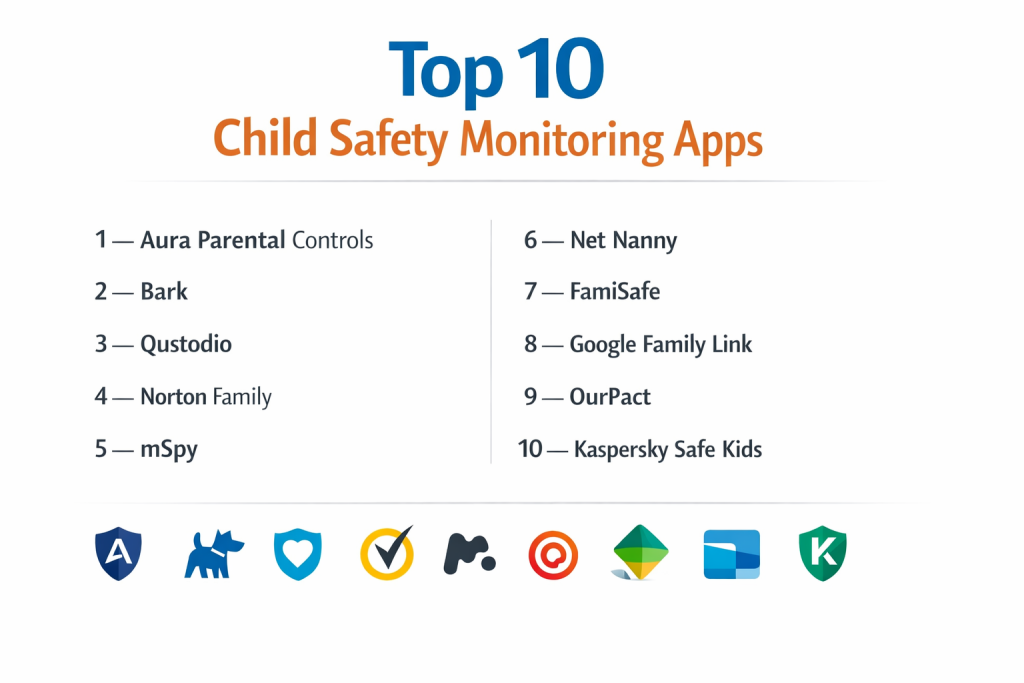
Top 10 Child Safety Monitoring Apps
1 — Aura Parental Controls
Aura has rapidly become the premier choice for families seeking a comprehensive “all-in-one” safety suite that combines device management with identity and financial protection.
- Key features:
- AI-powered content filtering across 28+ categories.
- Safe Gaming monitoring for toxic interactions in 200+ popular games.
- Real-time location tracking with customized geofence alerts.
- Integrated VPN, Antivirus, and Identity Theft Protection for the whole family.
- Collaborative dashboard for multiple guardians.
- Pros:
- Unmatched focus on “prevention” rather than just monitoring.
- Extremely easy setup process (often under 15 minutes).
- Cons:
- More expensive than standalone monitoring apps.
- Social media monitoring is not as deep as Bark’s AI engine.
- Security & compliance: Bank-grade encryption; SOC 2 Type II compliant; GDPR-ready.
- Support & community: 24/7 white-glove support and a dedicated family safety blog.
2 — Bark
Bark is the industry leader in intelligent risk detection, famous for its “privacy-first” approach that only alerts parents when a potential danger is detected by its AI.
- Key features:
- Advanced AI scanning of 30+ social media platforms and email.
- Detection of cyberbullying, suicidal ideation, and online predators.
- Remote web filtering and YouTube monitoring.
- Location sharing and “Check-in” prompts for children.
- Expert-curated tips on how to handle safety alerts.
- Pros:
- Saves parents from “alert fatigue” by only flagging actual risks.
- Monitors more social platforms than any other competitor.
- Cons:
- iOS setup requires a computer for initial synchronization.
- Does not provide a “live view” of the child’s screen.
- Security & compliance: Uses SSL/TLS encryption; CCPA and GDPR compliant.
- Support & community: Active “Bark for Schools” community and extensive video guides.
3 — Qustodio
Qustodio is a versatile, all-encompassing tool known for its powerful time-management features and cross-platform reliability.
- Key features:
- Granular screen time limits (daily, hourly, or app-specific).
- Panic Button for children to send instant emergency alerts (Android).
- SMS and Call tracking with a detailed log of all contacts (Android).
- Web filtering that works even in “Incognito” or private modes.
- 30-day activity reports sent directly to the parent’s inbox.
- Pros:
- The most intuitive and scannable parent dashboard on the market.
- Supports a wide variety of devices, including Kindle Fire and Chromebooks.
- Cons:
- Call and text monitoring are not available on the iOS version.
- Web filtering can occasionally be bypassed by sophisticated users.
- Security & compliance: ISO 27001 certified; high-level data encryption.
- Support & community: Priority phone support for premium users; large FAQ database.
4 — Norton Family
Part of the Norton security ecosystem, this tool is built for families who want robust web monitoring and unlimited device coverage.
- Key features:
- Web supervision with 40+ category-based filters.
- “School Time” mode to restrict non-educational apps during study hours.
- Instant device lock feature from the parent’s mobile app.
- Search supervision for Google, YouTube, and Bing.
- Location tracking with routine “check-in” scheduling.
- Pros:
- Supports an unlimited number of devices on most plans.
- Extremely reliable web filtering backed by Norton’s global database.
- Cons:
- Does not support macOS devices.
- Social media monitoring is limited compared to Bark or Qustodio.
- Security & compliance: Enterprise-level security infrastructure; HIPAA compliant.
- Support & community: 24/7 global support network and active user forums.
5 — mSpy
mSpy is a “deep-monitoring” solution designed for parents who need total visibility into every interaction on their child’s mobile device.
- Key features:
- View sent and received SMS, emails, and IM messages (WhatsApp, Snapchat).
- Keylogger technology to capture every stroke typed on the device.
- Real-time GPS location with comprehensive route history.
- Remote screen recorder (Android) to see exactly what the child sees.
- Monitoring of contacts, calendar events, and media gallery.
- Pros:
- Provides the most detailed data of any app on this list.
- Operates in a discreet “background” mode if desired.
- Cons:
- Requires a more technical setup process.
- Can feel highly invasive to the child, potentially damaging trust.
- Security & compliance: 256-bit encryption; private access keys for parents.
- Support & community: 24/7 multilingual technical support and live chat.
6 — Net Nanny
Net Nanny is widely regarded as the best web filter available, using AI to evaluate page content in real-time as it loads.
- Key features:
- Real-time content filtering that scans text for context.
- Profanity Masking (censors swear words on any web page).
- Family Feed: A chronological timeline of all digital activity.
- Screen time scheduling with “Time Allowance” bank.
- Geofencing and location history tracking.
- Pros:
- Best-in-class filtering for inappropriate web content.
- The “Family Feed” makes it very easy to stay informed quickly.
- Cons:
- More expensive than most basic parental control apps.
- iOS feature set is slightly more restricted than Android.
- Security & compliance: Secure cloud architecture; regular independent audits.
- Support & community: Responsive email and chat support with a long history of trust.
7 — FamiSafe
FamiSafe stands out for its unique physical safety features and “visual” monitoring capabilities, making it ideal for parents of teenagers.
- Key features:
- Explicit image detection in the phone gallery and social media apps.
- Driving safety reports (speeding, harsh braking, and mileage tracking).
- Real-time screen capture and remote monitoring.
- Geofencing with instant entry/exit notifications.
- App blocking and usage scheduling.
- Pros:
- Unique features like driving safety and photo detection are highly valuable.
- Very visual and easy-to-read reports.
- Cons:
- Can have a significant impact on the child’s phone battery life.
- Setup requires installing multiple certificates on iOS.
- Security & compliance: Data is fully encrypted; GDPR and HIPAA compliant.
- Support & community: Robust help center and video tutorials for every feature.
8 — Google Family Link
The gold standard for free monitoring, Family Link is a must-have for families heavily invested in the Android and Google ecosystem.
- Key features:
- App download approval directly from the parent’s phone.
- Daily screen time limits and device-specific “Bedtimes.”
- Real-time GPS tracking integrated with Google Maps.
- Activity reports showing time spent in each individual app.
- Remote device lock and location-based alerts.
- Pros:
- Completely free to use with no hidden costs.
- Deeply integrated into the Android OS, making it hard to bypass.
- Cons:
- Limited features for families using iPhones.
- No proactive AI monitoring for bullying or predatory behavior.
- Security & compliance: Backed by Google’s world-class security infrastructure.
- Support & community: Massive user community and integrated Google support.
9 — OurPact
OurPact is a “management-first” tool designed for parents who prioritize controlling app usage and screen time over data monitoring.
- Key features:
- Instant manual block for all apps or the entire phone.
- Automated screen time schedules (School, Sleep, Meals).
- Periodic screenshots of the child’s phone (Premium+ plan).
- Family Locator with geofencing and historical logs.
- “Always Allow” lists for educational and safety apps.
- Pros:
- The most intuitive “on/off” switch for device management.
- Extremely difficult for children to uninstall or bypass on iOS.
- Cons:
- Does not scan message content or social media for risks.
- Many key features are locked behind the most expensive tier.
- Security & compliance: SSL encrypted data; CCPA and GDPR compliant.
- Support & community: Specialized support for iOS MDM (Mobile Device Management) setup.
10 — Kaspersky Safe Kids
Kaspersky offers a high-value, budget-friendly suite that includes unique safety features such as battery level monitoring.
- Key features:
- Battery Tracking: Alerts you when your child’s phone is running low.
- YouTube Safe Search and viewing history monitoring.
- Geofencing with “Safe Area” alerts and location history.
- App management and categorized web filtering.
- Professional advice from child psychologists built into the app.
- Pros:
- Extremely affordable premium tier compared to the competition.
- Psychologically-grounded tips help parents handle difficult situations.
- Cons:
- The desktop version of the dashboard is not as polished as the mobile app.
- Some features are limited on the iOS version.
- Security & compliance: 256-bit AES encryption; GDPR and CCPA compliant.
- Support & community: 24/7 technical support and a massive library of safety articles.
Comparison Table
| Tool Name | Best For | Platform(s) Supported | Standout Feature | Rating |
| Aura | All-in-One Safety | iOS, Android, Desktop | Safe Gaming Monitoring | N/A |
| Bark | Social Media AI | iOS, Android, Desktop | 30+ Social App Scanning | N/A |
| Qustodio | Time Management | All Major Platforms | Intuitive Parent Dashboard | N/A |
| Norton Family | Large Families | Android, iOS, Windows | Unlimited Device Support | N/A |
| mSpy | Deep Visibility | iOS, Android | Keylogger & Chat View | N/A |
| Net Nanny | Web Filtering | All Major Platforms | Real-Time AI Filter | N/A |
| FamiSafe | Driving Safety | iOS, Android, Desktop | Teen Driving Reports | N/A |
| Family Link | Free Basics | Android (best) | Google Play Integration | N/A |
| OurPact | App Management | iOS, Android | Instant Remote Block | N/A |
| Kaspersky | Budget Value | All Major Platforms | Battery Level Tracking | N/A |
Evaluation & Scoring of Child Safety Monitoring Apps
| Criteria | Weight | Evaluation Focus |
| Core Monitoring | 25% | Quality of social media scanning, filtering, and location accuracy. |
| Ease of Use | 15% | Simplicity of setup and the intuitiveness of the parent dashboard. |
| Device Integration | 15% | Support for various operating systems and specific social apps. |
| Security & Privacy | 10% | Data encryption standards and adherence to privacy laws (GDPR/CCPA). |
| Reliability | 10% | Speed of alerts and the app’s resistance to child tampering. |
| Support & Community | 10% | Availability of help resources and active user peer groups. |
| Overall Value | 15% | Feature set and device limits relative to the monthly or annual cost. |
Which Child Safety Monitoring Tool Is Right for You?
Small to Mid-Market vs. Enterprise
For single families or small households (Small/Mid-Market), a tool like Qustodio or Aura is perfect because they offer “plug-and-play” simplicity. While true “Enterprise” tools are usually reserved for schools, large families with 10 or more devices (Mid-Market) will find the best value in Norton Family or Bark, as they offer flat-rate pricing for unlimited devices.
Budget and Value
If your budget is a primary concern, Google Family Link is the best free option, though it lacks deep safety alerts. For those looking for a low-cost premium solution, Kaspersky Safe Kids offers advanced features at a fraction of the cost of other suites. If you are willing to pay for peace of mind, Aura provides the most comprehensive value by bundling identity protection and antivirus.
Technical Depth vs. Simplicity
Parents who want a detailed, granular look at every interaction should opt for mSpy or Bark. However, if you are looking for a simple, “set-it-and-forget-it” tool that focuses strictly on time and app limits, OurPact or Mobicip are much easier to manage without becoming overwhelmed by data.
Security and Compliance Requirements
If you live in a region with strict data laws or are concerned about your family’s data privacy, stick to established global brands. Norton, Aura, and Kaspersky have the most robust security infrastructures and are strictly compliant with international privacy standards. Avoid unknown “spy apps” that do not clearly list their security certifications.
Frequently Asked Questions (FAQs)
1. Is it legal for me to monitor my child’s phone?
Yes, it is legal for a parent or legal guardian to monitor their minor child’s device for safety. However, monitoring an adult or an employee without their consent is a violation of privacy laws.
2. Can my child delete these apps?
Most premium apps use “Administrative Locks” or MDM profiles that require the parent’s password to remove. You will also receive an instant alert if the app is tampered with.
3. Do these apps work on both iPhone and Android?
Yes, most work on both, but Android generally allows for deeper monitoring (like SMS logs), whereas Apple’s iOS has stricter privacy settings that limit certain features.
4. Will the app drain my child’s battery?
Because these apps run in the background, they can use some battery. However, modern apps are highly optimized to minimize their impact on device performance.
5. Can I see what my child is saying on Snapchat or Instagram?
Apps like Bark and mSpy are specifically designed for this. Bark uses AI to scan for risks, while mSpy allows you to view the actual messages.
6. What is “Geofencing”?
It is a virtual boundary you create on a map. You get a notification the moment your child enters or leaves a specific area, like “School” or “Home.”
7. Can I block specific websites or apps?
Yes, all the apps on this list allow you to block specific URLs, categories of websites, or individual apps entirely.
8. Do I have to tell my child I am monitoring them?
While you aren’t legally required to, child safety experts recommend being transparent. This helps build a foundation of trust and open communication.
9. Can I track my child’s location if the phone is off?
No. The device must be powered on and connected to a cellular or Wi-Fi network for the GPS tracking to function.
10. How much do these apps typically cost?
Prices range from free (Family Link) to approximately $5–$15 per month for premium versions with advanced AI and multi-device support.
Conclusion
The digital safety of our children is one of the most significant challenges for modern parents. Child Safety Monitoring Apps are not intended to replace parenting, but to serve as a critical assistant in a world that moves faster than we can watch. Whether you choose the AI-driven protection of Bark, the comprehensive family security of Aura, or the simple time-management tools of OurPact, the “best” app is the one that fits your family’s unique dynamics and values. By combining these tools with open communication, you are not just monitoring your child—you are equipping them with the boundaries and habits they need to thrive in a digital world.