Introduction
Chess software is a broad term for computer programs and digital apps that help you play, study, and analyze the game of chess. In the past, players had to carry around heavy books and boards to learn new strategies, but today, all of that power fits onto a laptop or a smartphone. These tools act like a private grandmaster coach that is available 24 hours a day to show you exactly where you made a mistake in your last game. They use very advanced technology called “engines” to calculate millions of moves in a split second, providing you with the “perfect” answer to any position you put in front of them.
Having the right chess software is important because the game has become very technical and fast-paced. If you want to improve your rating or win tournaments, you need a way to check your ideas against the world’s strongest players (which are now computers). These tools are also vital for keeping your games organized in a digital library so you can review them years later to see how much you have grown. In the real world, chess software is used by coaches to teach students online, by professional players to prepare “secret” opening moves for their opponents, and by casual fans who just want to play a fun game against a computer that can play at their exact level.
When you are looking for the right software, there are several things to keep in mind. First, check if the “interface” (the way the board and menus look) is easy for you to navigate without feeling confused. Second, look at the database size, as having millions of master games to look at is a huge advantage for learning. Third, make sure the software can connect to the latest engines like Stockfish so you always have the most accurate analysis. Finally, check if the tool offers “training modes” like puzzles or guess-the-move exercises, which make the learning process much more active and fun than just staring at a screen.
- Best for: These tools are perfect for competitive tournament players who need to prepare for specific opponents. They are also excellent for chess coaches who want to share lessons with their students and for young players who want to reach a high level quickly. Even casual fans who enjoy solving puzzles or playing against realistic “human-like” computer personalities will find these tools very rewarding.
- Not ideal for: You might not need professional-grade chess software if you only play a quick game once a month with a friend at a coffee shop. It is also not a great fit for people who find technology overwhelming and prefer the feel of a real wooden board and a physical book. If you are a complete beginner, some of the very technical database tools might feel too complicated until you learn the basic rules of the game.
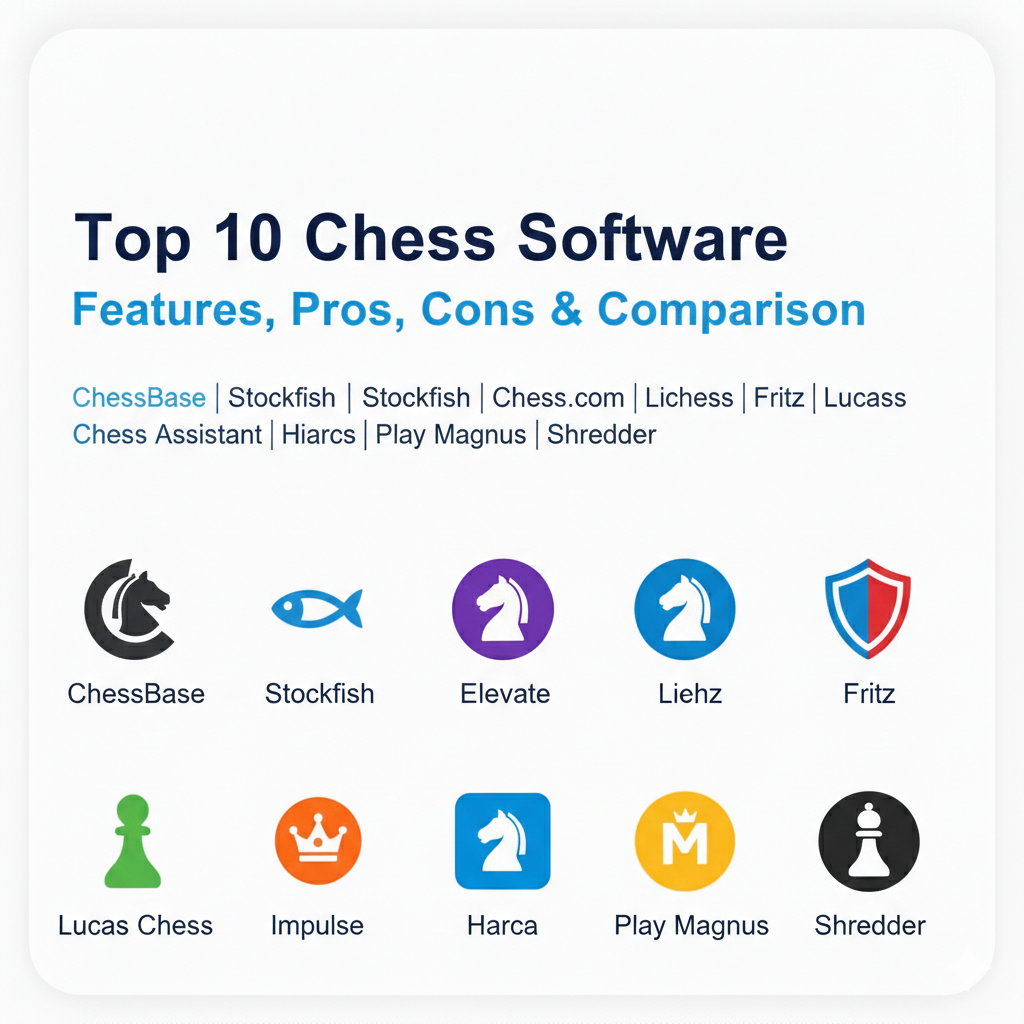
Top 10 Chess Software Tools
Tool 1 — ChessBase
ChessBase is the most famous professional chess software in the world and is used by almost every top grandmaster. It is not just a game; it is a massive filing system that stores millions of chess games and allows you to search through them in seconds. It is designed for serious players who want to build a “repertoire” of opening moves and study how the world champions play. It is the industry standard for anyone who takes the game of chess as a serious profession or high-level hobby.
- Key features:
- Stores a “Mega Database” with over 10 million historical games.
- Allows you to search for specific board positions across all of history.
- Automatically generates reports on your opponents’ favorite openings.
- Includes a “Cloud” feature to save your analysis and access it anywhere.
- Can find “novelties” (new moves that have never been played before).
- Integrates with high-power engines for the deepest possible analysis.
- Allows you to create your own chess books and training materials.
- Features a “Monte Carlo” analysis to see which moves win most often.
- Pros:
- It is the most powerful tool for professional tournament preparation.
- The search features are much faster than any other program on the market.
- It is the only software that can handle truly massive amounts of data.
- Cons:
- It is very expensive and requires you to buy new versions often.
- The menus can be very confusing for someone who isn’t a computer expert.
- It only works on Windows computers and not directly on Mac or Linux.
- Security & compliance: Standard license-key protection and GDPR compliant data handling.
- Support & community: Very deep online manuals, video tutorials, and a massive global community of pro users.
Tool 2 — Stockfish
Stockfish is not a full “app” with a board, but rather the “brain” or engine that does the calculations. It is widely considered the strongest chess player in history—man or machine. It is completely free and open-source, which means anyone can use its power to find the best moves in their games. Because it is an engine, you usually need to plug it into a board program like ChessBase or Lichess to actually see the pieces and play.
- Key features:
- Provides the most accurate move suggestions in the world today.
- Uses “Neural Networks” to understand the board like a human would.
- Completely free to download and use for any purpose.
- Works on almost any device, including phones and old computers.
- Can analyze millions of positions every single second of the day.
- Constantly being updated by a team of volunteer experts.
- Allows you to adjust its strength so it doesn’t always crush you.
- Provides a clear “evaluation” number (like +1.5) to show who is winning.
- Pros:
- It is 100% free and often stronger than programs that cost hundreds of dollars.
- It is the “gold standard” that all other chess players use for truth.
- Because it is open-source, it is very safe and trusted by everyone.
- Cons:
- It does not come with its own board, so you have to set it up yourself.
- It can be very technical to install for people who aren’t tech-savvy.
- It plays so perfectly that it can be boring to play against directly.
- Security & compliance: N/A (Open-source software that stays on your local machine).
- Support & community: Huge community of developers on GitHub and many user forums online.
Tool 3 — Chess.com
Chess.com is the biggest online chess platform in the world, combining playing, learning, and socializing in one place. It is designed to be very friendly and fun, with colorful graphics and many different types of games. It is the best choice for people who want a “one-stop shop” where they can play a friend, watch a professional tournament, and take a lesson all in the same ten minutes. It is especially great for beginners because it explains your mistakes in simple language.
- Key features:
- Allows you to play against millions of people from all over the world.
- Includes a “Game Review” that explains your moves with a “coach” voice.
- Offers thousands of interactive video lessons from master players.
- Features “Puzzle Rush” which is a fast-paced game to practice tactics.
- Has a specialized area for kids to learn in a safe environment.
- Works perfectly on web browsers and as a high-quality mobile app.
- Allows you to join clubs and play in giant online tournaments.
- Includes a “Drill” feature to practice specific endgame positions.
- Pros:
- It is very easy to use and looks more modern than older programs.
- You can always find an opponent at your exact level within seconds.
- The learning tools are very structured and take you from zero to hero.
- Cons:
- Many of the best features require you to pay a monthly subscription.
- The website can sometimes feel slow or “laggy” if your internet is weak.
- It can be a little distracting with so many different buttons and ads.
- Security & compliance: High-level anti-cheat systems, SSO, and GDPR compliant.
- Support & community: 24/7 customer support, massive Discord groups, and many live streamers.
Tool 4 — Lichess
Lichess is a very special chess platform because it is completely free and has no advertisements. It is run by a non-profit group that believes everyone should have access to great chess tools for zero cost. It is designed for players who want a clean, fast experience without any “fluff” or “paywalls.” Many serious players prefer Lichess because the interface is very simple and it provides professional-level analysis tools for everyone.
- Key features:
- Everything is free—no subscriptions and no hidden fees ever.
- Provides unlimited computer analysis for every game you play.
- Features “Lichess Studies” where you can create your own lessons.
- Has a very large library of free puzzles to help you practice.
- Supports many “variants” of chess, like Antichess or Chess960.
- The website is incredibly fast and works well even on slow computers.
- Allows you to create “Simuls” where you play many people at once.
- Includes an “Opening Explorer” to see what moves are most popular.
- Pros:
- It is the most honest and fair platform because it doesn’t want your money.
- The interface is very “clean” and doesn’t have distracting ads.
- It is open-source, so you can trust that it isn’t doing anything sneaky.
- Cons:
- It doesn’t have as many professional video lessons as Chess.com.
- The community is slightly smaller, though still very large.
- It doesn’t have as many “flashy” graphics or fun badges to earn.
- Security & compliance: Open-source transparency and fully GDPR compliant.
- Support & community: Volunteer-run forums and a very passionate group of supporters.
Tool 5 — Fritz
Fritz is one of the oldest and most famous names in chess software, and it is built for the “club player.” While engines like Stockfish are too strong to be fun, Fritz is designed to play like a human, making mistakes and giving you chances to win. It is perfect for people who want to practice playing against a computer that feels like a real person across the table. It also includes many “sparring” modes that help you find tactical wins while you are playing.
- Key features:
- “Opponent Zoo” lets you play against different “animal” personalities.
- Provides “Assisted Calculation” to show you if a move is safe or risky.
- Includes 3D boards that make it look like a real physical set.
- Gives you a “Buddy Engine” that checks your work while you study.
- Includes training modules to help you memorize your favorite openings.
- Warns you if you are about to make a huge mistake during a game.
- Can be used to review your own games and find better moves.
- Connects to the ChessBase cloud for extra data and storage.
- Pros:
- It is the best tool for practicing against a computer that feels human.
- The 3D graphics are beautiful and make the game feel more immersive.
- It is a great middle-ground between a game and a professional tool.
- Cons:
- It requires a fairly good computer to show the 3D graphics smoothly.
- It is a paid software and you have to buy it as a one-time purchase.
- The menus can sometimes feel a bit “busy” with too many options.
- Security & compliance: Standard desktop software licensing and GDPR compliant.
- Support & community: Detailed help files and a long history of professional support.
Tool 6 — Lucas Chess
Lucas Chess is a hidden gem that is completely free and focused entirely on training. It is designed for students who want a structured way to improve their skills without spending any money. The software includes dozens of different engines and hundreds of “training paths” that take you through different levels of difficulty. It is perfect for someone who wants to “level up” their chess skills by completing specific challenges and beating computer opponents of different strengths.
- Key features:
- Includes over 40 different engines to play against.
- Features “Competition” modes where you earn a rating like a real pro.
- Has thousands of built-in puzzles for tactics and endgames.
- Includes a “Trans-Siberian Railway” game that makes training fun.
- Allows you to create your own training “database” of positions.
- Provides a “tutor” that suggests moves if you get stuck.
- Works entirely offline so you don’t need the internet to study.
- Very lightweight and runs on almost any old PC.
- Pros:
- It is the most comprehensive free training tool you can find.
- The “gamified” training paths keep you motivated to keep learning.
- It is totally private and doesn’t require an online account.
- Cons:
- The design looks very old and “clunky” compared to modern apps.
- It is only available for Windows and can be tricky to set up on Mac.
- It has so many features that it can be hard to know where to start.
- Security & compliance: Standard local file security; no data is shared online.
- Support & community: Small but dedicated community and a helpful website.
Tool 7 — Chess Assistant
Chess Assistant is a professional-level database and analysis tool that is a direct competitor to ChessBase. It is designed for serious players who want to manage large amounts of games and perform very deep engine searches. It is famous for its “Monte Carlo” analysis, which helps you understand the “probability” of winning from a certain position. It is perfect for technical players who love data and want to see the “statistics” behind every move they make.
- Key features:
- Manages databases with millions of games very quickly.
- Includes the “GigaKing” database with 8 million master games.
- Features advanced “Monte Carlo” analysis for every position.
- Allows you to organize your own games into custom folders.
- Includes a tool to create opening “trees” to see every variation.
- Can connect to your phone so you can study on the go.
- Provides video lessons from some of the world’s best grandmasters.
- Supports advanced search filters to find very specific patterns.
- Pros:
- It is often cheaper than ChessBase while doing many of same things.
- The statistical analysis is some of the best in the chess world.
- It is a very robust tool that has been around for many years.
- Cons:
- The interface looks a bit like a spreadsheet and isn’t very pretty.
- It can be difficult to learn how to use all the advanced filters.
- It is only built for Windows computers.
- Security & compliance: Standard commercial software security and GDPR compliant.
- Support & community: Official support team and an active user forum.
Tool 8 — Hiarcs Chess Explorer
Hiarcs is a clean and very fast chess program that is especially popular with Mac users. It focuses on being “friendly” and easy to use, while still providing enough power for a professional player. It is designed for people who want to manage their own games and study openings without the complexity of ChessBase. Many people love it because it is very stable and doesn’t “crash” or get slow, even when you are looking at a lot of data at once.
- Key features:
- Provides a very clean “tabbed” interface like a web browser.
- Includes a “Player Explorer” to see the stats for any master.
- Has a world-class opening book to help you find the best moves.
- Works perfectly on both Windows and Mac computers.
- Allows you to add your own engines for custom analysis.
- Includes a very simple way to create and edit your own game files.
- Automatically highlights the best move on the board for you.
- Very lightweight and doesn’t use much of your computer’s power.
- Pros:
- The easiest “pro” database tool to learn for a normal person.
- It is the absolute best choice for people who use a Mac.
- It feels very fast and responsive compared to big heavy programs.
- Cons:
- It doesn’t have as many “training games” as a program like Fritz.
- The database searching is a little bit slower than ChessBase.
- It is a paid product and doesn’t have a full free version.
- Security & compliance: Standard commercial security and data protection.
- Support & community: Very responsive developer and high-quality help pages.
Tool 9 — Play Magnus
Play Magnus is a suite of mobile apps built around the world-famous champion Magnus Carlsen. It is designed to make chess improvement feel like a mobile game, with fun graphics and a progression system. It is perfect for children or adult beginners who want to learn the game in a way that feels exciting and rewarding. The app lets you play against “Magnus” at different ages, from a 5-year-old child to the adult world champion, giving you a clear way to see how you are improving.
- Key features:
- “Magnus Age-Bots” let you play against him at any stage of his life.
- Includes gamified “tactics” games to build your vision.
- Offers video lessons and tips directly from Magnus’s own team.
- Features a “Magnometer” to show if your move was a mistake.
- Allows you to compete for prizes and meet the champion himself.
- The graphics are very modern and look great on a phone or tablet.
- Includes “Coach” feedback to help you understand your errors.
- Syncs your progress across multiple mobile devices.
- Pros:
- It makes learning chess feel like a fun game rather than “studying.”
- It is very engaging and great for keeping kids interested in the game.
- The “age” system is a very unique and fun way to practice.
- Cons:
- It lacks the deep professional tools for tournament preparation.
- Many of the lessons require a monthly paid subscription.
- It is mostly for mobile and isn’t as good on a big computer screen.
- Security & compliance: Standard mobile app security and GDPR compliant.
- Support & community: Large social media community and email help.
Tool 10 — Shredder Chess
Shredder Chess is a veteran in the chess world and has won many computer championships over the years. It is known for its “adaptive” playing strength, which means it watches how you play and automatically adjusts its own level so that it is always a challenge but never impossible. It is designed for players who want a reliable sparring partner that helps them grow naturally. It is very simple and doesn’t have many distracting features, making it a great choice for someone who just wants to “shut up and play.”
- Key features:
- “Adaptive” engine that matches your exact playing level.
- Includes a “Coach” that warns you before you make a mistake.
- Has over 1,000 built-in tactics puzzles to solve.
- Provides an “Endgame Database” for perfect play at the end.
- Works on Windows, Mac, Linux, and even mobile phones.
- The design is very simple and doesn’t have any ads or fluff.
- Includes a “rating” system to show your progress over time.
- Very stable and works well even on 10-year-old computers.
- Pros:
- The best tool for a “fair” game against the computer.
- It is very simple to use and doesn’t require any setup.
- It is a one-time purchase that you can keep for many years.
- Cons:
- The graphics look very old and “plain” compared to others.
- It doesn’t have the “AI” features of the very latest engines.
- It doesn’t have as many database features for studying pro games.
- Security & compliance: Standard software security and local data storage.
- Support & community: Official tech support and a very clear FAQ page.
Comparison Table
| Tool Name | Best For | Platform(s) Supported | Standout Feature | Rating |
| ChessBase | Pro Preparation | Windows | 10M+ Game Database | N/A |
| Stockfish | Raw Truth | Cross-platform | World’s Strongest Engine | N/A |
| Chess.com | Social & Lessons | Web, Mobile | “Game Review” Coach | 4.7/5 |
| Lichess | Free Pro Tools | Web, Mobile | Everything is Free Forever | 4.8/5 |
| Fritz | Real Sparring | Windows | Human-like Personalities | N/A |
| Lucas Chess | Free Training | Windows | Structured Learning Paths | N/A |
| Chess Assistant | Data Analysts | Windows | Monte Carlo Statistics | N/A |
| Hiarcs | Mac Users | Mac, Windows | Clean and Fast Interface | N/A |
| Play Magnus | Gamified Fun | Mobile | Play Magnus at Any Age | 4.3/5 |
| Shredder | Sparring Partner | Cross-platform | Adaptive Difficulty Level | N/A |
Evaluation & Scoring of Chess Software
| Category | Weight | Description |
| Core Features | 25% | Engine strength, database size, and analysis depth. |
| Ease of Use | 15% | How easy it is for a beginner to start using it. |
| Integrations | 15% | Does it work with phones and other chess engines? |
| Security | 10% | Anti-cheat, data privacy, and account safety. |
| Reliability | 10% | How fast it runs and if it crashes on old PCs. |
| Support | 10% | Help docs, community forums, and expert help. |
| Price / Value | 15% | Is the free version good or the paid version worth it? |
Which Chess Software Tool Is Right for You?
Choosing the right chess software depends mostly on your goals and your budget. If you are a solo user who just wants to play and get a little bit better every day, Chess.com or Lichess are the best choices. They are easy to use and have everything you need in one place. If you are part of a small club or academy, you might want to look at Chess Assistant or Chess King because they help you track the progress of many different students at once.
For serious tournament players, you really need the power of ChessBase. It is the only tool that gives you the deep data you need to prepare for real-life matches against strong opponents. If you are budget-conscious, don’t worry—you can reach a very high level just by using Lichess, Stockfish, and Lucas Chess without ever spending a single dollar. If you care most about ease of use, stick to Hiarcs or Play Magnus as they don’t have the scary menus and buttons of the professional programs. Finally, if you want a safe environment for your kids, ChessKid (from Chess.com) is the industry leader for safety and child-friendly learning.
Frequently Asked Questions (FAQs)
1. Is it better to use a phone app or a computer program? For just playing games, a phone app is great. But for serious study and analyzing your games deeply, a computer program is much better because it has a bigger screen and a faster processor for the engine.
2. Can I use these tools to help me win games online? You should only use these tools for learning and reviewing your games. Using an engine to help you while you are playing against another person is considered cheating and will get you banned from every major website.
3. Do I need a very expensive computer to run this software? Most of these tools work fine on a normal laptop. However, if you want to use the deepest analysis of an engine like Stockfish, a faster computer will find the answers much more quickly.
4. Which tool is the best for absolute beginners? Chess.com is usually the best because it has very simple lessons and a “coach” that explains why your move was a blunder in plain English that anyone can understand.
5. How much does a professional chess database cost? A full package with ChessBase and a master database can cost over $200. This is a big investment, so most people wait until they are serious tournament players before buying it.
6. Can I move my games from one app to another? Yes, almost every chess tool uses a standard file format called “PGN.” You can download your games as a PGN file from one app and then open them in any other chess program on this list.
7. Why is Stockfish free if it is the strongest? The people who made Stockfish believe that the world’s best chess knowledge should belong to everyone. They are a community of volunteers who work on it because they love the game.
8. Can I play against the computer without the internet? Yes, programs like Fritz, Shredder, and Lucas Chess work entirely on your hard drive. This is great for studying when you are traveling or don’t have a good connection.
9. What are “chess tactics” and how do I practice them? Tactics are short sequences of moves where you can win a piece or checkmate your opponent. Apps like Chess.com, Lichess, and Chess King have thousands of “puzzles” to help you practice this.
10. Do grandmasters really use the same apps as me? Yes! Top players like Magnus Carlsen use Chess.com and Lichess to play training games, and they use ChessBase and Stockfish to do their serious work before big tournaments.
Conclusion
Choosing the right chess software is one of the best investments you can make in your own improvement as a player. Throughout this guide, we have explored everything from the world-class power of Stockfish to the fun, gamified learning of Play Magnus. The most important thing to remember is that the “best” tool is the one that you actually enjoy using every day. You don’t need the most expensive program to become a great player; you just need a tool that helps you understand your mistakes and keeps you excited about the game.
When you sit down to make your final choice, think about whether you want to play against others, study deep history, or just solve fun puzzles. If you are just starting out, try the free versions of Lichess and Chess.com first. See which one feels more natural to you. As you get stronger, you can always move to a more professional tool like ChessBase. Chess is a beautiful game of infinite depth, and these digital partners are here to help you enjoy that journey and reach your full potential. Good luck with your training, and may your rating always keep climbing!