Introduction
Certificate Management Tools are specialized software platforms designed to oversee the entire lifespan of X.509 digital certificates. As the “identity cards” of the internet, these certificates authenticate servers, users, and devices while encrypting the data transmitted between them. Without centralized management, organizations often fall victim to “certificate sprawl,” leading to unexpected expirations that result in costly website outages, broken application interfaces, and significant security vulnerabilities.
The importance of these tools has surged as the CA/Browser Forum continues to shorten certificate validity periods, with a shift toward 90-day (and potentially 47-day) lifecycles. Key real-world use cases include managing SSL/TLS for massive web properties, securing IoT device communication, and handling S/MIME for encrypted email. When choosing a tool, evaluation criteria should include automation capabilities (ACME/SCEP support), CA-agnosticism, discovery depth, and compliance reporting.
- Best for: IT Security teams, DevOps engineers, and compliance officers in mid-to-large enterprises. Industries like finance, healthcare, and government—where encryption and uptime are non-negotiable—benefit the most.
- Not ideal for: Small personal blogs or hobbyist sites where a single “Let’s Encrypt” certificate managed via a simple host plugin is sufficient.
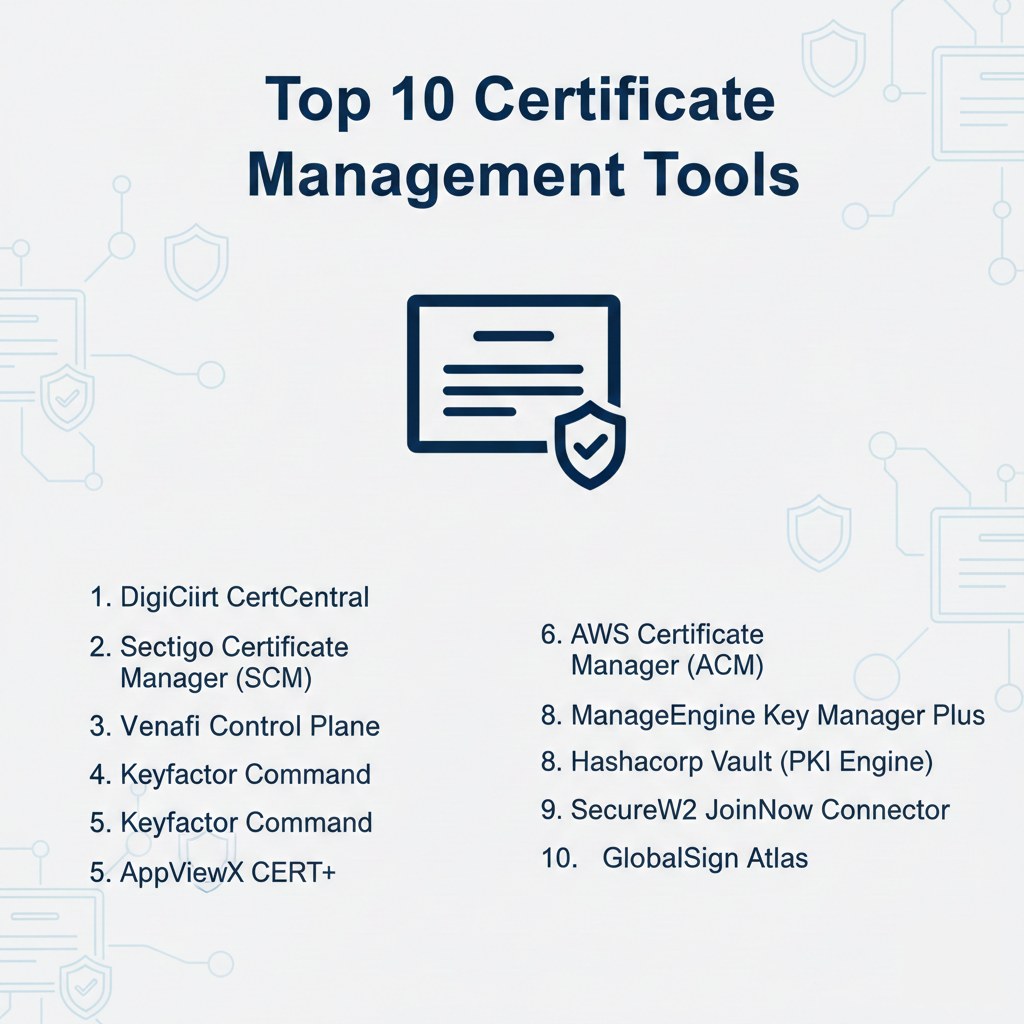
Top 10 Certificate Management Tools
1 — DigiCert CertCentral
DigiCert CertCentral is a premier enterprise-grade platform that simplifies digital trust by consolidating the management of TLS/SSL, code-signing, and document-signing certificates.
- Key Features:
- Automated Discovery: Scans your network to find every certificate, regardless of the issuer.
- One-Click Renewal: Streamlines the process of updating expiring certificates.
- Advanced Analytics: Provides a high-level overview of certificate health and risk.
- Quantum-Safe Transition: Tools to help organizations move toward post-quantum cryptography.
- Multi-User Roles: Granular RBAC (Role-Based Access Control) for large teams.
- API-First Approach: Deep integration with CI/CD and DevOps pipelines.
- Pros:
- Unparalleled scalability for global enterprises managing thousands of identities.
- World-class customer support and a highly intuitive dashboard.
- Cons:
- Premium pricing that may be prohibitive for smaller businesses.
- Advanced features can have a steep learning curve for non-experts.
- Security & compliance: SOC 2 Type II, ISO 27001, HIPAA, and GDPR compliant. Supports SAML SSO and detailed audit logs.
- Support & community: Extensive documentation, 24/7 global support, and a robust user community.
2 — Sectigo Certificate Manager (SCM)
Sectigo offers a cloud-native, CA-agnostic platform that manages the lifecycle of all public and private certificates from a single pane of glass.
- Key Features:
- CA-Agnostic: Manages certificates from Sectigo and other CAs like DigiCert or GlobalSign.
- IoT Manager: Specialized tools for securing millions of Internet of Things devices.
- ACME/SCEP/EST Support: Leverages industry-standard protocols for full automation.
- S/MIME Automation: Simplifies the deployment of email encryption across an organization.
- Code Signing: Centralized management of keys for software integrity.
- Policy Enforcement: Automatically blocks the issuance of non-compliant certificates.
- Pros:
- Excellent for hybrid environments (cloud and on-premise).
- The “Single Pane of Glass” vision is well-executed, reducing operational silos.
- Cons:
- User interface can occasionally feel cluttered due to the sheer volume of features.
- Integration with older, legacy systems may require custom configuration.
- Security & compliance: PCI DSS, HIPAA, SOC 2, and GDPR compliant.
- Support & community: Solid documentation library and dedicated enterprise account managers.
3 — Venafi Control Plane
Venafi is the industry leader in Machine Identity Management. Their platform is designed for high-end security environments that need to protect identities across complex, multi-cloud infrastructures.
- Key Features:
- Machine Identity Protection: Focuses on the “who” and “what” of every connection.
- Global Visibility: Finds certificates hidden in load balancers, clouds, and containers.
- Zero-Touch Automation: Automatically replaces certificates before they expire without human intervention.
- Outage Prevention: Advanced alerting and intelligence to stop downtime before it starts.
- Kubernetes Integration: Native support for cert-manager and cloud-native workloads.
- Crypto-Agility: Quickly swap out compromised CAs or weak algorithms across the board.
- Pros:
- The most sophisticated tool for organizations with complex “Machine Identity” needs.
- Deep focus on security and prevention of cryptographic risks.
- Cons:
- Requires a significant investment in both time and budget.
- Can be “overkill” for organizations that only need simple SSL management.
- Security & compliance: FedRAMP authorized, SOC 2 Type II, and ISO 27001 compliant.
- Support & community: Premium support tiers and a highly active expert community (Venafi Warrior).
4 — Keyfactor Command
Keyfactor Command provides a unified platform for managing digital certificates and PKI-as-a-Service, catering to enterprises that want to outsource the complexity of PKI.
- Key Features:
- PKI-as-a-Service: Delivers a fully managed, cloud-based private CA.
- Orchestration: Automates certificate deployment to web servers, F5, and NetScaler.
- SSH Key Management: Centralizes the management of both certificates and SSH keys.
- EJBCA Integration: Leverages the power of the open-source EJBCA project.
- Detailed Inventory: Maintains an up-to-the-minute record of all machine identities.
- Workflow Approvals: Customizable workflows for certificate requests and issuance.
- Pros:
- Reduces the need for internal PKI experts by providing managed services.
- Highly modular architecture that grows with your organization.
- Cons:
- Configuration for complex enterprise environments can be time-consuming.
- Documentation is comprehensive but can be dense for beginners.
- Security & compliance: FIPS 140-2 Level 3, SOC 2, and GDPR compliant.
- Support & community: Strong professional services team and extensive training resources.
5 — AppViewX CERT+
AppViewX CERT+ is an automated certificate lifecycle management and orchestration platform that emphasizes visual workflows and ease of integration.
- Key Features:
- Visual Workflow Automation: Drag-and-drop builder for certificate processes.
- Hybrid Cloud Support: Manages certificates across AWS, Azure, GCP, and on-premise.
- Self-Service Portal: Allows developers to request certificates within set guardrails.
- Vulnerability Scanning: Checks for weak keys and deprecated protocols.
- Multi-CA Support: Connects to Microsoft CA, Entrust, and public CAs simultaneously.
- Compliance Dashboard: Real-time tracking of crypto-compliance status.
- Pros:
- The visual approach makes complex automation accessible to more team members.
- Excellent for fostering collaboration between Security and DevOps teams.
- Cons:
- Performance can lag slightly when managing extremely large inventories (tens of thousands).
- Initial setup requires a clear understanding of your organization’s internal workflows.
- Security & compliance: SOC 2, HIPAA, and GDPR compliant. Detailed audit trails for every action.
- Support & community: High customer satisfaction ratings for their implementation support.
6 — AWS Certificate Manager (ACM)
AWS Certificate Manager is a service that lets you easily provision, manage, and deploy public and private SSL/TLS certificates for use with AWS services.
- Key Features:
- Managed Renewals: AWS handles the renewal of public certificates automatically.
- CloudFront/ALB Integration: Seamlessly deploy certificates to AWS infrastructure.
- Private CA: Create a private CA hierarchy for your internal resources.
- Pay-as-you-go: No upfront costs for public certificates; competitive pricing for private CA.
- CloudWatch Alerts: Integration with AWS monitoring for expiry notifications.
- IAM Integration: Control access using standard AWS permissions.
- Pros:
- Unbeatable ease of use for organizations already running on AWS.
- Public certificates are essentially free for use within the AWS ecosystem.
- Cons:
- Strictly limited to the AWS ecosystem; cannot manage certificates on-premise or in other clouds.
- Does not support Extended Validation (EV) certificates.
- Security & compliance: FedRAMP, SOC 2, and HIPAA compliant. Integrated with AWS KMS for encryption.
- Support & community: Backed by AWS’s massive support infrastructure and documentation.
7 — ManageEngine Key Manager Plus
Key Manager Plus is a cost-effective, web-based solution that helps users consolidate and manage the entire lifecycle of both SSH keys and SSL certificates.
- Key Features:
- Centralized Repository: A single vault for all keys and certificates.
- Automated Discovery: Finds certificates across your local network.
- Let’s Encrypt Integration: Native support for automating free Let’s Encrypt certificates.
- Active Directory Integration: Uses AD for user authentication and management.
- Expiry Alerts: Customizable email and dashboard notifications.
- Audit Reports: Detailed tracking for compliance with PCI DSS and other standards.
- Pros:
- Budget-friendly option for SMBs and mid-market companies.
- Covers both SSH and SSL, reducing the need for multiple tools.
- Cons:
- Lacks some of the high-end “Machine Identity” features of Venafi or DigiCert.
- The user interface is functional but feels slightly dated compared to modern SaaS tools.
- Security & compliance: Varies by deployment; follows standard industry encryption practices.
- Support & community: Strong support from the ManageEngine ecosystem; active user forums.
8 — HashiCorp Vault (PKI Engine)
While primarily a secrets management tool, HashiCorp Vault includes a powerful PKI secrets engine that allows it to function as a highly scalable, automated private CA.
- Key Features:
- Dynamic Certificates: Generates short-lived certificates on-demand.
- Identity-Based Access: Issues certificates based on the identity of the machine or user.
- REST API: Fully programmable certificate management for developers.
- High Availability: Designed to handle massive request volumes across multiple regions.
- Leasing/Renewal: Certificates have a built-in TTL (Time-To-Live).
- Integration: Works perfectly with Kubernetes, Terraform, and Nomad.
- Pros:
- The best tool for developers who want to integrate certificates into their code.
- Ideal for high-velocity, cloud-native environments using microservices.
- Cons:
- Requires significant technical expertise to set up and manage.
- Not a “traditional” management tool; lacks the graphical dashboard and reporting of others.
- Security & compliance: FIPS 140-2 Level 3, SOC 2, and GDPR compliant.
- Support & community: Massive open-source community and top-tier enterprise support.
9 — SecureW2 JoinNow Connector
SecureW2 focuses specifically on the intersection of certificate management and network access control (NAC), making it a top choice for securing Wi-Fi and VPNs.
- Key Features:
- Cloud RADIUS: Secure, passwordless authentication for network access.
- Onboarding Automation: Helps users self-enroll their devices for certificates.
- Managed PKI: A simple, cloud-hosted PKI that integrates with Okta, Azure, and Google.
- MDM Integration: Works seamlessly with Intune, Jamf, and Kandji.
- Certificate Revocation: Instantly revokes network access when a user leaves the company.
- User-Centric Design: Focuses on the human element of certificate management.
- Pros:
- The clear winner for organizations moving toward passwordless network security.
- Very easy for end-users to navigate without IT assistance.
- Cons:
- Niche focus on network access; not a general-purpose SSL manager for web servers.
- Pricing is per-user, which can scale up for very large organizations.
- Security & compliance: SOC 2 Type II and HIPAA compliant.
- Support & community: High ratings for customer onboarding and technical documentation.
10 — GlobalSign Atlas
GlobalSign Atlas is a high-volume, automated certificate issuance engine designed to solve the challenges of certificate management at modern enterprise speeds.
- Key Features:
- Massive Scalability: Built to handle the issuance of millions of certificates.
- Cloud-First Architecture: No on-premise hardware required to manage the PKI.
- ACME/SCEP/EST: Broad support for automated enrollment protocols.
- Inventory Tools: Centralized view of all certificates across the organization.
- Short-Lived Certificates: Supports the shift toward 90-day validity periods.
- Global Trusted Root: Certificates are recognized by all major browsers and OSs.
- Pros:
- Combines the trust of a legacy CA with the speed of a modern SaaS platform.
- Simplified pricing model compared to some traditional enterprise competitors.
- Cons:
- Best suited for “GlobalSign-first” shops; managing other CAs is possible but less central.
- Lacks some of the advanced machine forensics found in Venafi.
- Security & compliance: WebTrust certified, SOC 2, and GDPR compliant.
- Support & community: 24/7 multilingual support and a global presence.
Comparison Table
| Tool Name | Best For | Platform(s) Supported | Standout Feature | Rating (Gartner) |
| DigiCert CertCentral | Global Enterprises | Cloud / On-Prem | Quantum-Safe Readiness | 4.6 / 5 |
| Sectigo SCM | Hybrid / IoT Security | Cloud-Native | IoT Lifecycle Manager | 4.6 / 5 |
| Venafi Control Plane | Machine Identity | Multi-Cloud | Global Visibility/Forensics | 4.8 / 5 |
| Keyfactor Command | Managed PKI | SaaS / Hybrid | PKI-as-a-Service | 4.7 / 5 |
| AppViewX CERT+ | Visual Automation | Cloud / On-Prem | Visual Workflow Builder | 4.7 / 5 |
| AWS Certificate Mgr | AWS Environments | AWS Only | Native Service Integration | 4.5 / 5 |
| ManageEngine KMP | SMB / SSH & SSL | Web-based | SSH Key + SSL Management | 4.8 / 5 |
| HashiCorp Vault | DevOps / Cloud-Native | Any / K8s | Short-lived Dynamic Certs | 4.8 / 5 |
| SecureW2 JoinNow | Passwordless Wi-Fi | SaaS | Cloud RADIUS Integration | 4.8 / 5 |
| GlobalSign Atlas | High-Volume Issuance | Cloud | Millions-per-day Scale | N/A |
Evaluation & Scoring of Certificate Management Tools
To ensure a fair comparison, we have evaluated these tools using a weighted scoring rubric that reflects the most critical needs of modern IT environments.
| Category | Weight | Evaluation Criteria |
| Core Features | 25% | Discovery, issuance, automated renewal, and revocation capabilities. |
| Ease of Use | 15% | Dashboard intuitiveness, ease of deployment, and self-service features. |
| Integrations | 15% | Support for multiple clouds, CAs, and DevOps/CI/CD tools. |
| Security & Compliance | 10% | Encryption standards, SOC 2/ISO compliance, and audit log depth. |
| Performance | 10% | Scalability, reliability of the CA, and API responsiveness. |
| Support & Community | 10% | Documentation quality, support response times, and community size. |
| Price / Value | 15% | Transparent pricing model and overall return on investment. |
Which Certificate Management Tool Is Right for You?
The “best” tool depends entirely on your current infrastructure and future security roadmap.
Solo Users vs. SMB vs. Mid-Market vs. Enterprise
- Solo Users: For simple website protection, AWS Certificate Manager (if on AWS) or ManageEngine (for small internal projects) provide the most straightforward path.
- SMBs: ManageEngine Key Manager Plus offers a great balance of cost and functionality, covering both SSH and SSL for a growing team.
- Mid-Market: Sectigo SCM and AppViewX are excellent choices for organizations that are outgrowing manual spreadsheets but don’t yet have the budget for a full Machine Identity platform.
- Enterprise: Venafi, DigiCert, and Keyfactor are the heavyweights. They provide the global visibility and risk management needed for organizations with thousands of certificates.
Budget-Conscious vs. Premium Solutions
If budget is the primary driver, AWS Certificate Manager (for AWS assets) and the open-source integration of HashiCorp Vault are top contenders. For organizations that see certificate outages as a multi-million dollar risk, the premium price of Venafi or DigiCert is a justifiable insurance policy.
Feature Depth vs. Ease of Use
- Highest Feature Depth: Venafi, Keyfactor Command, and DigiCert.
- Highest Ease of Use: AWS Certificate Manager, SecureW2, and AppViewX.
Integration and Scalability Needs
If you are moving toward a Cloud-Native or Microservices model, the API-first design of HashiCorp Vault or AppViewX will serve you best. If you need to secure IoT or Global Mobile workforces, Sectigo and SecureW2 have specialized features for those use cases.
Frequently Asked Questions (FAQs)
1. What happens if an SSL certificate expires unexpectedly?
A website outage occurs. Browsers will block access with a “Your connection is not private” warning, which destroys user trust and halts sales. Internal services may also stop communicating, causing application crashes.
2. Why are certificate lifecycles getting shorter?
Shorter lifecycles increase security. If a private key is compromised, it is only useful to an attacker for a few months rather than years. It also forces organizations to automate their security processes.
3. Is “Let’s Encrypt” a certificate management tool?
No, Let’s Encrypt is a Certificate Authority (CA) that provides free certificates. You still need a management tool or script (like Certbot or a CLM platform) to handle the renewal and deployment of those certificates.
4. Can one tool manage certificates from different CAs?
Yes, “CA-agnostic” tools like Sectigo, Venafi, and AppViewX are designed specifically to manage certificates from multiple different issuers in one place.
5. What is the difference between a Public and Private CA?
A Public CA (like DigiCert or Sectigo) issues certificates trusted by all internet browsers. A Private CA is used for internal devices, servers, and VPNs that don’t need to be recognized by the general public.
6. Do I still need an HSM (Hardware Security Module)?
For high-assurance environments, yes. Most top-tier tools like Keyfactor and Venafi integrate with HSMs to ensure that the “keys to the kingdom” are stored in tamper-proof hardware.
7. How do I automate certificate renewal on a web server?
Most modern tools use the ACME (Automated Certificate Management Environment) protocol. Once configured, the tool communicates with the CA and the web server to swap out the old certificate for a new one automatically.
8. Can these tools find “shadow” certificates I don’t know about?
Yes, most of these tools have a Discovery feature. They scan your network and IP ranges to find every active certificate, even those installed by developers without official IT approval.
9. What is “Crypto-Agility”?
It is the ability of an organization to quickly switch its cryptographic standards (e.g., moving from RSA to ECC or changing CAs) across the entire company in response to a newly discovered vulnerability.
10. Is it possible to manage SSH keys with these tools?
Some tools, such as ManageEngine Key Manager Plus and Keyfactor Command, specifically include SSH key management alongside SSL/TLS certificates.
Conclusion
The era of manual certificate management via Excel spreadsheets is over. As certificate validity periods shrink and machine identities multiply, the risk of a catastrophic outage grows every day. The right Certificate Management Tool acts as a silent guardian for your digital infrastructure, ensuring that encryption is always-on and trust is never broken.
Whether you prioritize the developer-centric power of HashiCorp Vault, the cloud simplicity of AWS Certificate Manager, or the enterprise visibility of Venafi, the key is to move toward Automation. The “best” tool is the one that fits your current infrastructure today while giving you the agility to adapt to the security threats of tomorrow.