Introduction
Catering Management Software is an all-in-one digital platform designed to handle the unique complexities of a catering business. Unlike a standard restaurant, catering involves managing off-site events, custom proposals, detailed kitchen production sheets, and complex delivery logistics. These tools act as a central hub where a business can manage everything from the initial inquiry and menu planning to invoicing and staff scheduling. Instead of juggling spreadsheets, paper calendars, and endless email threads, caterers use this software to keep every department—sales, kitchen, and delivery—on the same page.
The importance of these tools cannot be overstated. In catering, a single forgotten detail—like a gluten-free meal or the correct delivery time—can ruin an entire event. Management software reduces human error by automating tasks like “BEO” (Banquet Event Order) generation and ingredient scaling. It allows owners to see their true profit margins by calculating the exact cost of every hors d’oeuvre and staff hour. By streamlining the administrative “busy work,” these tools give catering teams the time to focus on what they do best: creating great food and memorable experiences for their clients.
Key Real-World Use Cases
- Automated Proposal Generation: Quickly creating a professional, branded PDF quote that a client can sign digitally to lock in their event date.
- Kitchen Production Lists: Automatically converting an order for 500 guests into a precise “prep list” that tells the kitchen exactly how many pounds of chicken or bags of flour to order.
- Packing and Equipment Lists: Generating checklists for off-site events to ensure that no chafing dishes, linens, or serving spoons are left behind at the warehouse.
- Staffing and Scheduling: Sending out shift requests to part-time servers and bartenders and tracking their hours for payroll.
What to Look For (Evaluation Criteria)
When choosing a tool, you should prioritize Flexibility in Menu Building. Catering menus change constantly, so the software must make it easy to swap ingredients or adjust portions. Mobile Accessibility is also vital, as your team will often be on-site at a venue and need to check the event details on their phone. Finally, look for Integrated Payment Processing; the faster a client can pay their deposit online via credit card, the better your company’s cash flow will be.
Best for: Full-service catering companies, corporate drop-off caterers, hotel banquet departments, and private chefs who handle events ranging from small dinner parties to massive weddings.
Not ideal for: Fast-food restaurants with very occasional party platters or “pop-up” food stalls that do not take advance bookings or require detailed event planning.
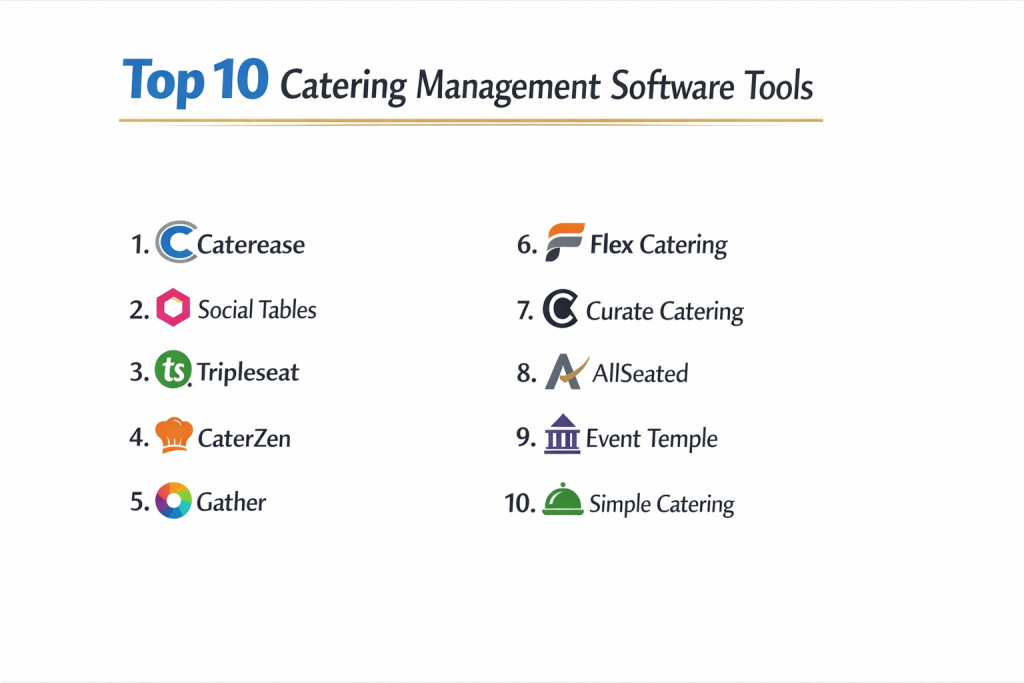
Top 10 Catering Management Software Tools
1 — Caterease
Caterease is widely considered the industry standard and is used by some of the largest catering organizations in the world. It is a feature-rich platform that can be customized to fit almost any event-based business.
- Key features
- High-level event wizard for rapid data entry of new inquiries.
- Customizable Banquet Event Orders (BEOs) and contracts.
- Robust query tools to find specific past events or guest preferences.
- Integration with various lead-generation platforms and websites.
- Automated reminders for deposits and contract signatures.
- Visual room diagramming to plan table layouts.
- Pros
- Incredible depth; if there is a catering task you need to do, Caterease likely has a button for it.
- Very professional output—your printed menus and quotes look polished and high-end.
- Cons
- The interface can feel a bit dated and “clunky” compared to newer web-based apps.
- Because it is so powerful, the learning curve for new staff can be quite steep.
- Security & compliance: Password encryption, customizable user permissions, and secure cloud hosting.
- Support & community: Extensive video training library, live regional workshops, and phone-based technical support.
2 — Tripleseat
Tripleseat is a modern, web-based platform that focuses heavily on the “sales” side of catering. It is a favorite for restaurants that do high-volume private dining and catering events.
- Key features
- Streamlined lead management system that captures inquiries directly from your website.
- Interactive, web-based proposals that clients can sign on their mobile phones.
- Integrated “Tripleseat Direct” for customers to book simple catering orders themselves.
- Centralized communication log for all emails between the caterer and the client.
- Task management and “to-do” lists for sales managers.
- Reporting dashboard to track sales goals and venue performance.
- Pros
- Very intuitive and easy for staff to pick up without days of training.
- The mobile experience for both the caterer and the client is excellent.
- Cons
- Lacks some of the deep “kitchen production” and “inventory” features found in other tools.
- Can be expensive for smaller businesses that don’t need the heavy sales tracking.
- Security & compliance: PCI DSS compliant for payments, GDPR compliant, and uses modern SSL encryption.
- Support & community: Highly responsive online chat support and a dedicated “Tripleseat University” for training.
3 — Total Party Planner (TPP)
Total Party Planner was built by a caterer, for caterers. It strikes a perfect balance between the sales/booking side and the kitchen/operational side of the business.
- Key features
- Deep recipe costing that calculates profit margins down to the cent.
- Automatic scaling of recipes based on the final guest count.
- Detailed packing lists and equipment tracking for off-site events.
- Financial reporting that syncs with accounting software like QuickBooks.
- Staff scheduling with an integrated “staff portal” for shift claims.
- Client relationship management (CRM) with a history of all past menus.
- Pros
- Excellent kitchen management features that truly help reduce food waste.
- Customer service is consistently rated as some of the best in the industry.
- Cons
- The reporting suite can be a bit complex to set up initially.
- The mobile app is functional but doesn’t have 100% of the desktop features.
- Security & compliance: Encrypted data storage and regular security audits.
- Support & community: Personal onboarding specialists and a very active user community.
4 — Better Cater
Better Cater is designed for the smaller catering company or solo chef who needs a simple, affordable way to stay organized without a massive monthly bill.
- Key features
- Simplified drag-and-drop calendar for managing event dates.
- Quick creation of invoices and basic event orders.
- Recipe and menu management with basic costing tools.
- Web-based access from any device with an internet connection.
- Simple contact management for tracking client history.
- Online payment integration via popular processors.
- Pros
- One of the most affordable options for a growing business.
- Very clean and uncluttered interface that doesn’t overwhelm the user.
- Cons
- Lacks advanced features like room diagramming or complex staff scheduling.
- Not designed to handle massive, multi-venue enterprise catering groups.
- Security & compliance: Varies / Standard cloud security protocols.
- Support & community: Email-based support and a helpful library of tutorial videos.
5 — Caterings
Caterings is a specialized tool that focuses on “corporate drop-off” catering—think lunch platters for offices rather than formal weddings. It is built for speed and high order volume.
- Key features
- Online ordering portal specifically for corporate clients.
- Delivery zone and “minimum order” logic built into the checkout.
- Recurring order features for “Monday Morning Meetings.”
- Kitchen production reports that group similar items across different orders.
- Automated delivery routing and driver dispatching.
- House account management for corporate billing.
- Pros
- The best option for businesses that do a lot of “repeat” office lunch business.
- Minimizes the need for phone calls; clients can handle everything online.
- Cons
- Not suitable for full-service events that require custom proposals and floor plans.
- Limited flexibility for “bespoke” or one-off custom menus.
- Security & compliance: PCI compliant for online transactions; standard encryption.
- Support & community: Focused on technical setup and driver logistics support.
6 — Planning Pod
Planning Pod is a comprehensive event management suite that includes specific modules for catering. It is perfect for caterers who also provide full event planning services.
- Key features
- Floor plan and seating chart builder with 3D views.
- Comprehensive attendee management and RSVP tracking.
- Detailed task managers and project timelines.
- Budget tracking and expense management for each event.
- Integrated file storage for floor plans and inspirational photos.
- Mobile-responsive interface for on-site management.
- Pros
- Excellent for “Full Service” caterers who handle rentals, decor, and planning.
- Great visual tools that help clients see what their event will look like.
- Cons
- The catering-specific features (like recipe costing) aren’t as deep as TPP.
- Can feel like “too much software” if you only need to send a simple invoice.
- Security & compliance: SSL encryption, SOC 2 compliant servers, and daily data backups.
- Support & community: Extensive help center and responsive email/chat support.
7 — Spoonfed
Spoonfed is another powerful contender in the corporate catering space. It focuses on reducing the “admin time” involved in taking and fulfilling daily catering orders.
- Key features
- Highly sophisticated online ordering engine with custom branding.
- Multiple kitchen support for caterers with different production centers.
- Automated printing of kitchen labels and delivery notes.
- Detailed tax and financial reporting for complex business structures.
- Customer “Self-Service” portal for reprinting invoices.
- Marketing tools to send promotions to corporate admins.
- Pros
- Extremely efficient; it can save hours of manual entry every day.
- Very strong reporting for businesses that need to track high-volume sales.
- Cons
- The setup can be time-consuming because of the many configuration options.
- Better suited for “drop-off” than for “social/wedding” catering.
- Security & compliance: GDPR compliant and uses bank-level security for transactions.
- Support & community: Dedicated UK and US-based support teams and one-on-one training.
8 — CaterZen
CaterZen is built for caterers who want to grow their business through marketing. It combines catering operations with a powerful CRM and marketing engine.
- Key features
- Built-in email marketing and “Thank You” note automation.
- Detailed sales funnel tracking to see where leads are coming from.
- Online ordering and “Loyalty Program” features for guests.
- Recipe costing and production reports.
- Integrated phone system to track client calls.
- Delivery management and driver tracking.
- Pros
- Exceptional for owners who are focused on “Sales and Marketing.”
- The “All-in-one” nature means you don’t need a separate email tool like Mailchimp.
- Cons
- The interface has many buttons and can look a bit “busy” to a new user.
- Some of the operational tools are less “pretty” than the marketing tools.
- Security & compliance: Standard web encryption and secure payment processing.
- Support & community: Known for “Mastermind” groups and high-level marketing coaching for users.
9 — Flex Catering
Flex Catering is a modern, global platform that excels in providing a seamless “Diner-to-Kitchen” experience. It is very flexible and works well for various catering types.
- Key features
- Advanced “Product Bundling” for packages (e.g., The Wedding Package).
- Real-time kitchen production schedules.
- Customer portal for managing upcoming deliveries and payments.
- Integration with accounting systems like Xero and QuickBooks.
- Management of “Production Batches” for large-scale food prep.
- Advanced delivery management with Google Maps integration.
- Pros
- Very modern and “clean” look that is easy on the eyes.
- Handles both on-demand catering and scheduled events very well.
- Cons
- Still growing its user community in the North American market.
- Some of the more advanced reporting takes time to customize.
- Security & compliance: GDPR compliant and uses encrypted cloud storage.
- Support & community: Responsive chat and email support with detailed documentation.
10 — ReServe Interactive
ReServe Interactive is an enterprise-level tool often found in stadiums, large hotels, and convention centers where the events are massive and the rules are complex.
- Key features
- Smart software that “suggests” menus based on previous client spend.
- Management of multiple venues and distinct dining rooms.
- Sophisticated labor and payroll tracking for large event teams.
- Advanced banquet and catering contract templates.
- Detailed financial audits and performance tracking.
- Integration with high-end property management systems (PMS).
- Pros
- Built to handle the massive volume of a convention center without crashing.
- Offers a high degree of automation for complex booking rules.
- Cons
- Too expensive and complex for a small, local catering shop.
- Requires a significant investment in time for staff training.
- Security & compliance: PCI compliant, SOC 2 standards, and full audit logs.
- Support & community: Enterprise-grade 24/7 support and dedicated account management.
Comparison Table
| Tool Name | Best For | Platform(s) Supported | Standout Feature | Rating |
| Caterease | Full-Service/Enterprise | Web, Windows, Mobile | Detailed Event Wizard | 4.6 / 5 |
| Tripleseat | Sales & Social Events | Web, Mobile | Web-based Proposals | 4.8 / 5 |
| Total Party Planner | Kitchen & Costing | Web, Mobile | Recipe Scaling | 4.7 / 5 |
| Better Cater | Small Biz/Solo Chefs | Web | Simple Affordability | 4.2 / 5 |
| Caterings | Corporate Drop-off | Web | Office Subscription Logic | N/A |
| Planning Pod | Planners & Caterers | Web, Mobile | 3D Room Diagramming | 4.5 / 5 |
| Spoonfed | High-Volume Corporate | Web | Multi-Kitchen Control | 4.9 / 5 |
| CaterZen | Marketing Focus | Web | Integrated CRM/Email | 4.4 / 5 |
| Flex Catering | Modern All-rounder | Web | Production Batches | 4.6 / 5 |
| ReServe Interactive | Stadiums/Conventions | Web, Desktop | Venue Multi-management | 4.1 / 5 |
Evaluation & Scoring of Catering Management Software
| Evaluation Criteria | Weight | Content & Scoring Logic |
| Core Features | 25% | Presence of recipe costing, BEO generation, and client contracts. |
| Ease of Use | 15% | How quickly a sales manager or chef can navigate the software. |
| Integrations | 15% | Connections to QuickBooks, Xero, and website lead forms. |
| Security/Compliance | 10% | Encryption levels and PCI compliance for guest credit cards. |
| Performance | 10% | Load times and reliability during busy holiday booking seasons. |
| Support | 10% | Quality of the “Knowledge Base” and speed of the help desk. |
| Price / Value | 15% | Return on investment based on time saved and food waste reduced. |
Which Catering Management Tool Is Right for You?
Small to Mid-Market vs. Enterprise
If you are a small business or just starting out, simplicity is your best friend. Tools like Better Cater or Flex Catering provide exactly what you need without a confusing amount of extra buttons. Mid-market companies that are growing fast and doing weddings should look at Total Party Planner or Tripleseat. However, if you are an Enterprise operation, such as a university or a large hotel group, you need the heavy-duty power of Caterease or ReServe Interactive, which are built to handle multiple users and complex legal contracts simultaneously.
Budget and Value
Catering software usually ranges from $50 a month to over $500. For a budget-conscious solo chef, Better Cater offers the best value. If you have the budget to invest in a premium solution, Spoonfed or CaterZen can actually pay for themselves by bringing in more sales through their marketing tools or saving you thousands in labor through automated order taking.
Technical Depth vs. Simplicity
Do you want to spend your time in the kitchen or on the computer? If you want Simplicity, Tripleseat is famous for being easy to use. If you need Technical Depth—meaning you want to track every single ounce of salt and every server’s minute of overtime—then Caterease or Total Party Planner will give you the deep data you crave, provided you are willing to spend the time learning the system.
Security and Compliance Requirements
Always ensure your tool is PCI compliant if you take credit cards. If you work with large corporations or government contracts, they may require you to use a tool that is SOC 2 compliant to ensure their data is safe. Most of the top 10 tools on this list follow high security standards, but it is always worth asking about their data backup policy so you never lose your event calendar.
Frequently Asked Questions (FAQs)
1. Can I use these tools on my phone during an event?
Most modern tools like Tripleseat or Planning Pod are “mobile-responsive,” meaning you can log in through your phone’s browser and see everything. Some also have dedicated apps for checking your “BEOs” while on the floor.
2. Will this software calculate how much chicken I need to buy?
Yes. Tools like Total Party Planner have “Recipe Scaling.” If you have a recipe for 10 people and you book a party for 250, the software will instantly tell you the total weight of chicken and other ingredients to order.
3. Do these tools handle my taxes and accounting?
Most do not replace accounting software like QuickBooks, but they “talk” to it. They will send your catering invoices directly to your accounting software so you don’t have to enter them twice.
4. Can my clients sign their contracts online?
Yes. Almost all modern catering tools (especially Tripleseat and Caterease) have “Digital Signature” features. This allows clients to sign on their phone or computer, which locks in the event much faster.
5. How do I get my current client list into a new tool?
Most software companies offer an “Import” service. You can send them your client list in an Excel or CSV file, and they will upload it into the new system for you during your onboarding.
6. Can I manage my staff schedules with these tools?
Many “full-service” tools like Caterease and TPP have staffing modules. You can put in the number of servers needed, and the system can even send out emails to your staff asking them to “claim” the shift.
7. Does the software work for “Drop-off” catering?
Yes, but some are better than others. Tools like Spoonfed and Caterings are built specifically for “Drop-off” and “Corporate Lunch” models, while others are better for formal seated dinners.
8. Can I create “Floor Plans” within the software?
Planning Pod and Caterease have very strong room-diagramming tools. You can drag and drop tables, dance floors, and bars to show your client exactly how the room will look.
9. Is it hard to train my team to use it?
It depends on the tool. Tripleseat usually takes a few hours of training, while Caterease might take a few days of study to master all the advanced features. Most companies provide training videos to help.
10. What happens if I want to cancel my subscription?
Most of these tools are “Software as a Service” (SaaS), meaning you pay monthly. Before you cancel, make sure you “export” your client list and event history to a spreadsheet so you don’t lose your data.
Conclusion
A Catering Management Software is the invisible backbone of a successful hospitality business. It turns the “organized chaos” of event planning into a structured, profitable process. When choosing your tool, remember that there is no “perfect” software for everyone. A wedding caterer needs beautiful proposals and floor plans, while an office caterer needs a fast online ordering site and delivery routes.
The best approach is to pick two or three tools from this list that match your specific style of catering and request a “demo.” Watch how the software handles a typical order for your business. Does it feel natural? Does it save you time? By choosing the right partner, you aren’t just buying software; you are buying the peace of mind that comes with knowing every detail of your event is under control.