Introduction
Corrective and Preventive Action (CAPA) Management Tools are specialized software solutions designed to automate the process of investigating, resolving, and preventing systemic issues within an organization. At its core, a CAPA tool provides a structured workflow for identifying “Non-Conformances” (what went wrong), performing “Root Cause Analysis” (why it went wrong), implementing “Corrective Actions” (fixing the immediate problem), and establishing “Preventive Actions” (ensuring it never happens again). These tools transition companies away from reactive firefighting and manual spreadsheet tracking toward a proactive, data-driven quality culture.
The significance of these tools is most visible in highly regulated sectors where a single process failure can lead to product recalls, legal liability, or loss of life. By centralizing the CAPA lifecycle, organizations can ensure 100% traceability for auditors, reduce the cycle time for resolving incidents, and identify recurring trends that manual tracking often misses. Modern CAPA tools leverage AI and advanced analytics to predict risks before they manifest, making them indispensable for maintaining ISO certifications and FDA compliance.
Key Real-World Use Cases
- Medical Device Recalls: Investigating a component failure in a heart monitor and coordinating a global update to prevent future occurrences.
- Food Safety Incidents: Identifying the source of a bacterial contamination in a processing plant and implementing new thermal processing checkpoints.
- Aerospace Engineering: Tracking a recurring manufacturing defect in a wing assembly and redesigning the jig to eliminate human error.
- Pharmaceutical Batch Deviations: Managing a temperature excursion during vaccine storage and automating the impact assessment to determine if the batch is salvageable.
- Automotive Warranty Trends: Analyzing a spike in transmission failures reported by dealerships and triggering a design change in the supply chain.
What to Look For (Evaluation Criteria)
When selecting a CAPA tool, the primary focus should be on Root Cause Analysis (RCA) Methodology Support—does it natively include tools like the “5 Whys” or “Fishbone Diagrams”? Workflow Automation is equally vital; the system should automatically route tasks to the appropriate stakeholders and escalate overdue actions. Integration Depth is a must-have, as CAPA data often originates in ERP, MES, or CRM systems. Finally, look for Audit Trail Integrity, ensuring that every change made to a record is timestamped, signed, and unalterable.
Best for: Quality assurance teams, regulatory affairs managers, and operations directors in the Life Sciences, Automotive, Aerospace, and High-Tech manufacturing sectors.
Not ideal for: Small startups with very simple workflows that can still be managed via basic task management apps, or companies without any regulatory or ISO certification requirements.
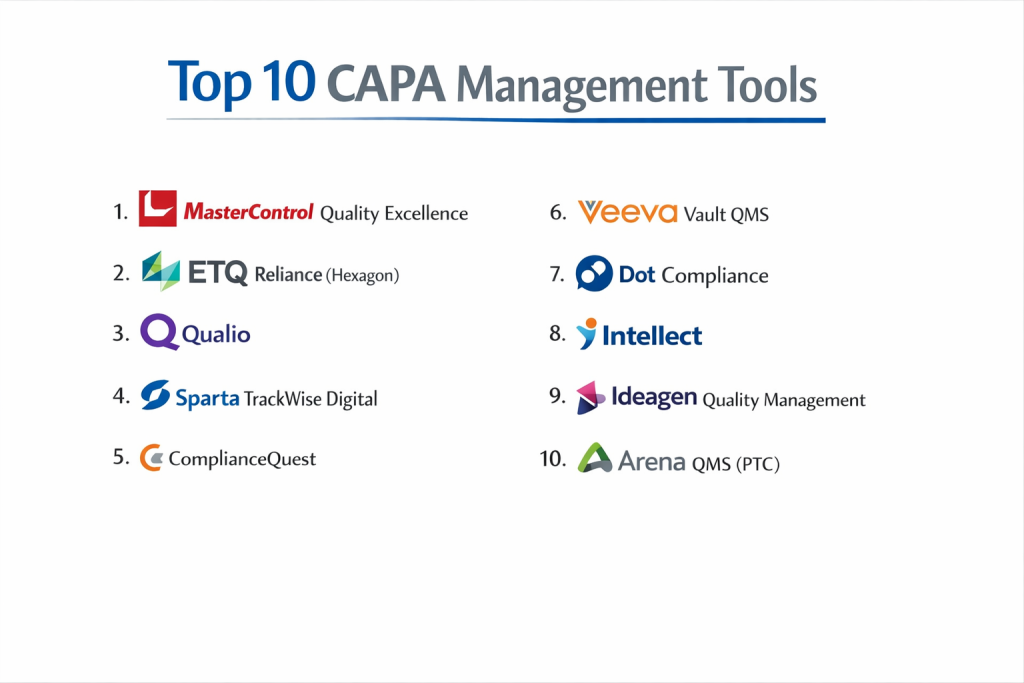
Top 10 CAPA Management Tools
1 — MasterControl Quality Excellence
MasterControl is widely regarded as the gold standard for CAPA management within the Life Sciences, offering a closed-loop system that integrates with training and document control.
- Key features:
- Best-Practice Workflows: Pre-configured forms that guide users through the entire CAPA process.
- Integrated Training: Automatically triggers training tasks when a corrective action involves a process change.
- Cross-Module Integration: Links CAPA records directly to Deviations, Non-Conformances, and Audits.
- Advanced Analytics: Real-time dashboards to identify bottlenecked investigations and quality trends.
- Electronic Signatures: Fully compliant with 21 CFR Part 11 for authenticated approvals.
- Pros:
- Exceptional for passing FDA and ISO audits due to its rigid, compliant-by-design structure.
- Eliminates “death by CAPA” by helping users distinguish between minor incidents and systemic issues.
- Cons:
- The high price point is a barrier for smaller organizations.
- Customizing the pre-set workflows can be a complex technical endeavor.
- Security & compliance: 21 CFR Part 11, SOC 2 Type II, ISO 27001, HIPAA, and GDPR.
- Support & community: Dedicated enterprise support, “MasterControl University,” and annual user summits.
2 — ETQ Reliance (Hexagon)
ETQ Reliance is a highly flexible, enterprise-grade QMS platform known for its powerful CAPA module that can be tailored to almost any industrial requirement.
- Key features:
- Drag-and-Drop Workflow: Allows non-technical users to modify the CAPA path as business needs change.
- Fishbone & 5 Whys: Built-in graphical tools for performing deep-dive root cause analysis.
- Escalation Engine: Automatically alerts management if a critical corrective action is stalling.
- Global Search: Find historical CAPAs across different manufacturing sites to leverage previous solutions.
- Supplier Portal: Extends the CAPA process to external vendors for supply chain accountability.
- Pros:
- Unmatched flexibility; it scales from a single site to a global multi-national.
- Excellent data visualization for reporting “Quality Cost” to executive leadership.
- Cons:
- The sheer number of features can lead to a steep learning curve for casual users.
- Requires a significant investment in time during the initial implementation phase.
- Security & compliance: ISO 27001, SOC 2, and localized data residency options.
- Support & community: Robust partner network and a comprehensive online learning portal.
3 — Qualio
Qualio is the leading cloud-native QMS for high-growth medical device and biotech companies that need a simple, fast way to manage CAPAs.
- Key features:
- Simplified CAPA Forms: Focuses on the essentials to get investigations moving quickly.
- Automated Task Routing: Ensures that once a root cause is found, the action plan goes to the right desk.
- Real-time Collaboration: Multiple users can comment and contribute to an investigation simultaneously.
- Cloud-First Architecture: No on-premise servers required; works in any modern web browser.
- Audit-Ready Reports: Generate a full CAPA history for an auditor with a single click.
- Pros:
- The most intuitive UI in the industry; requires almost zero training for new staff.
- Much faster time-to-value; companies can be live in weeks rather than months.
- Cons:
- Lacks the deep “no-code” customization found in enterprise platforms like ETQ.
- Not designed for heavy industrial or automotive sectors; very pharma/med-tech focused.
- Security & compliance: 21 CFR Part 11, SOC 2 Type II, and GDPR.
- Support & community: Excellent customer success teams and a library of “Compliance” best-practice guides.
4 — Sparta TrackWise Digital
Built on the Salesforce platform, TrackWise Digital is a powerhouse for CAPA management, combining Honeywell’s industrial expertise with Salesforce’s cloud reliability.
- Key features:
- Guided Quality Events: AI-assisted suggestions for root cause identification.
- Salesforce Ecosystem: Seamlessly integrates with CRM and Service Cloud for complaint-driven CAPAs.
- Dynamic Dashboards: High-level executive views of “Quality Health” across the organization.
- Mobile Accessibility: Manage and approve CAPA tasks from a smartphone or tablet.
- Inter-departmental Visibility: Connects quality data with R&D and Manufacturing.
- Pros:
- Leverages the world-class security and uptime of the Salesforce infrastructure.
- Highly scalable for organizations with tens of thousands of users.
- Cons:
- Licensing costs can be confusing due to the Salesforce underlying platform.
- Small teams may find the platform “too big” for their specific needs.
- Security & compliance: HIPAA, GDPR, FedRAMP, and ISO 27001.
- Support & community: Massive global community and extensive professional certification paths.
5 — ComplianceQuest
ComplianceQuest is another Salesforce-native solution that offers an exceptionally modern approach to CAPA, focusing on usability and AI insights.
- Key features:
- CQ.AI: Uses artificial intelligence to spot recurring patterns across different CAPA records.
- Risk-Based CAPA: Prioritizes investigations based on the potential impact on the business.
- Integrated Document Control: Directly link updated SOPs to the preventive action that triggered them.
- Supplier CAPA: Streamlined workflow for issuing corrective actions to vendors.
- Visual RCA Tools: Native support for Pareto charts and brainstorming tools.
- Pros:
- Very high “user satisfaction” ratings due to its clean, modern interface.
- Excellent “EHS” (Environment, Health, and Safety) integration.
- Cons:
- Locked into the Salesforce ecosystem; if you don’t use Salesforce, it’s a separate silo.
- Some advanced features require higher-tier licensing.
- Security & compliance: SOC 2 Type II, ISO 9001, AS9100, and IATF 16949.
- Support & community: Strong webinar series and active LinkedIn user community.
6 — Veeva Vault QMS
Veeva is a juggernaut in the Life Sciences world, offering a unified QMS where CAPA is part of a larger clinical and regulatory suite.
- Key features:
- Unified Data Model: CAPA data flows seamlessly into regulatory filings.
- Veeva Snap: Mobile app for capturing evidence (photos/videos) for a CAPA investigation.
- Intelligent Assignment: Routes tasks based on user load and expertise.
- Lifecycle Visualizer: See exactly where a CAPA is in the pipeline at a glance.
- External Collaboration: Securely share investigation data with clinical partners.
- Pros:
- The clear choice for global pharma companies needing a “single source of truth.”
- Extremely high performance even with millions of records.
- Cons:
- Extremely expensive; strictly an enterprise-tier solution.
- Very narrow focus on Life Sciences; not suitable for general manufacturing.
- Security & compliance: 21 CFR Part 11, Annex 11, HIPAA, and GDPR.
- Support & community: Elite-tier professional services and a strong global presence.
7 — Dot Compliance
Dot Compliance provides a “QMS in a Box” solution, specifically targeting mid-market companies that need a pre-configured, validated CAPA system.
- Key features:
- Pre-Validated: Comes with a full validation package out of the box to satisfy regulators.
- Ready-to-Use Modules: CAPA, Training, and Change Control are pre-linked.
- Simple Investigation Logs: Designed for speed and clarity.
- Automated Audit Trails: Continuous tracking of every system interaction.
- Multi-site Management: Manage quality across different physical locations.
- Pros:
- Dramatic reduction in implementation time and cost.
- Ideal for companies moving from paper/Excel to their first digital system.
- Cons:
- Less flexible than “blank slate” platforms; you must follow their best-practice flow.
- The reporting engine is less powerful than ETQ or MasterControl.
- Security & compliance: ISO 13485, 21 CFR Part 11, and GDPR.
- Support & community: Responsive customer support with a focus on mid-sized growth companies.
8 — Intellect
Intellect is a “No-Code” quality platform that empowers quality managers to build and modify their own CAPA applications without writing code.
- Key features:
- No-Code App Builder: Modify forms, fields, and workflows with a visual editor.
- Offline Access: Mobile auditing and CAPA updates without an internet connection.
- Risk Management Integration: Link CAPAs to the corporate risk register.
- Executive Reporting: Customizable GANTT and Pareto views.
- Audit Management: Manage the transition from an audit finding to a CAPA.
- Pros:
- You aren’t “locked in” to the vendor’s vision; you can build exactly what you need.
- Very strong for field-heavy industries like construction or heavy manufacturing.
- Cons:
- Requires a dedicated administrator who enjoys building and configuring software.
- The initial “freedom” of no-code can lead to inconsistent processes if not governed.
- Security & compliance: ISO 9001, 14001, and supports FDA compliance needs.
- Support & community: Strong professional services and personalized onboarding.
9 — Ideagen Quality Management
Ideagen (formerly Coruson/Gael) is a UK-based leader in GRC (Governance, Risk, and Compliance) with a strong focus on high-stakes industries like aviation.
- Key features:
- Risk-Centric CAPA: Focuses on the “Safety” aspect of corrective actions.
- Incident Reporting: Simple interface for any employee to flag a potential issue.
- Workflow Designer: Visual map of the approval and verification process.
- Mobile App: High-performance app for inspections and on-the-spot data entry.
- Inter-system Connectivity: Links with flight data or maintenance systems.
- Pros:
- Exceptional for aviation, rail, and energy sectors where safety is the priority.
- Highly reputable in the UK and European regulatory environments.
- Cons:
- The UI can feel a bit more “corporate” and dense than modern SaaS tools.
- Less specialized for the “Batch” manufacturing needs of pharma.
- Security & compliance: ISO 27001, GDPR, and various aviation-specific standards.
- Support & community: Global 24/7 support and a dedicated user forum.
10 — Arena QMS (PTC)
Arena is a combined PLM and QMS solution, making it the top choice for high-tech and electronics manufacturers where product design and quality are inseparable.
- Key features:
- Unified BOM/CAPA: Link a corrective action directly to the specific part in the Bill of Materials.
- Change Control Integration: A preventive action can automatically trigger an Engineering Change Order (ECO).
- Supplier Collaboration: Invite vendors to participate in the CAPA investigation within the same platform.
- Quality Record Tracking: Full history of every design change and its quality impact.
- Cloud-Native: Easy to deploy for distributed engineering teams.
- Pros:
- Eliminates the “wall” between Engineering and Quality departments.
- Excellent for managing complex electronics with frequent design iterations.
- Cons:
- If you don’t need the PLM (Product Lifecycle Management) part, it’s very expensive for just CAPA.
- Not as “regulatory-heavy” as systems like MasterControl.
- Security & compliance: SOC 2 Type II, ITAR (for aerospace), and GDPR.
- Support & community: Backed by PTC’s massive global enterprise support network.
Comparison Table
| Tool Name | Best For | Platform(s) Supported | Standout Feature | Rating (TrueReview) |
| MasterControl | Pharma & Med-Tech | Cloud (SaaS) | Training-Linked CAPA | 4.6 / 5 |
| ETQ Reliance | Multi-Industry Enterprise | Cloud / On-Prem | Drag-and-Drop Workflow | 4.7 / 5 |
| Qualio | Scale-ups & Startups | Cloud (SaaS) | Speed of Implementation | 4.9 / 5 |
| TrackWise Digital | Salesforce Users | Cloud (SaaS) | AI-Powered Root Cause | 4.5 / 5 |
| ComplianceQuest | AI-Driven Insights | Cloud (SaaS) | “CQ.AI” Pattern Recognition | 4.7 / 5 |
| Veeva Vault | Global Life Sciences | Cloud (SaaS) | Regulatory Sync | 4.8 / 5 |
| Dot Compliance | Mid-Market Pharma | Cloud (SaaS) | Pre-Validated “In a Box” | 4.4 / 5 |
| Intellect | Custom Workflows | Cloud (SaaS) | No-Code App Builder | 4.6 / 5 |
| Ideagen | Aviation & Rail | Cloud / On-Prem | Risk/Safety Integration | 4.3 / 5 |
| Arena QMS | High-Tech & Electronics | Cloud (SaaS) | Direct BOM Connectivity | 4.5 / 5 |
Evaluation & Scoring of CAPA Management Tools
| Category | Weight | Evaluation Logic |
| Core Features | 25% | Presence of RCA tools (5 Whys/Fishbone), automated routing, and escalation. |
| Ease of Use | 15% | Intuitiveness for casual users and “mobile-readiness” for the shop floor. |
| Integrations | 15% | Ability to connect to ERP, MES, and CRM systems (API availability). |
| Security & Compliance | 10% | Support for 21 CFR Part 11, ISO, SOC 2, and localized data laws. |
| Performance | 10% | Calculation speed for reports and global cloud uptime. |
| Support & Community | 10% | Availability of onboarding services, training, and active user forums. |
| Price / Value | 15% | TCO (Total Cost of Ownership) relative to functionality. |
Which CAPA Management Tool Is Right for You?
Small to Mid-Market vs Enterprise
If you are a Startup or SMB, your biggest enemies are complexity and time-to-value. Tools like Qualio and Dot Compliance are designed for you; they provide the guardrails of a compliant system without the 12-month setup time. Conversely, if you are an Enterprise with multiple divisions and global regulatory needs, you require the “platform” power of ETQ Reliance, Veeva, or MasterControl, which can manage complex permissions and global data roll-ups.
Budget and Value
For companies on a Budget, Intellect or Dot Compliance offer high value. They allow you to digitize your processes without the “Enterprise Tax” of the top-tier Life Science tools. However, if you are in a high-stakes industry, the Premium cost of a tool like MasterControl is essentially an insurance policy against a million-dollar FDA fine.
Technical Depth vs Simplicity
There is a direct trade-off between Feature Depth and Ease of Use. Siemens and ETQ can model almost any complex industrial scenario, but they require a dedicated administrator. If you want your engineers and operators to actually enjoy using the tool, ComplianceQuest and Qualio have spent significant resources on UX (User Experience) to make the software feel like a consumer app.
Security and Compliance Requirements
If you are in the Medical Device or Pharma space, there is no compromise on 21 CFR Part 11 and Annex 11. You must choose a vendor that provides a “Validation Package.” If you are in Aerospace or Defense, look for ITAR compliance and the option for On-Premise or GovCloud hosting, which tools like Arena and Ideagen provide.
Frequently Asked Questions (FAQs)
1. What is the difference between a Corrective Action and a Preventive Action?
A Corrective Action fixes a problem that has already occurred (reactive). A Preventive Action addresses a potential problem identified through data or risk analysis before it happens (proactive).
2. Can I use Excel or SharePoint for CAPA?
While possible, it is highly discouraged in regulated industries. Excel lacks audit trails, electronic signatures, and automated task routing, which are core requirements for ISO and FDA auditors.
3. What is “Root Cause Analysis” (RCA)?
RCA is the process of discovering the underlying cause of a problem. CAPA tools often include digital versions of the “5 Whys,” “Fishbone (Ishikawa) diagrams,” and “Pareto analysis.”Shutterstock
4. How long does it take to implement a CAPA tool?
Cloud-native tools like Qualio can take 4–8 weeks. Enterprise-wide deployments of systems like MasterControl or TrackWise typically take 6–12 months.
5. What is 21 CFR Part 11?
It is a regulation by the FDA that defines the criteria under which electronic records and electronic signatures are considered trustworthy and equivalent to paper records.
6. Does a CAPA tool reduce the number of quality issues?
Not directly, but it provides the data needed to fix systemic issues. Over time, this “closes the loop,” leading to fewer recurring defects and lower waste.
7. Can I integrate my CAPA tool with my ERP?
Yes, most modern CAPA tools have “REST APIs” that allow them to talk to ERPs like SAP, Oracle, or Microsoft Dynamics to pull inventory and batch data.
8. Is “No-Code” CAPA better than pre-configured?
It depends. “No-Code” (Intellect) is better if your processes are unique. Pre-configured (MasterControl) is better if you want to follow industry-standard best practices immediately.
9. What happens if a CAPA is left open too long?
Most CAPA tools have an “Escalation Engine” that notifies senior management. Leaving CAPAs open too long is a major “red flag” for auditors and indicates a lack of quality control.
10. Do these tools help with ISO 9001 certification?
Absolutely. Section 10.2 of ISO 9001:2015 specifically requires organizations to manage non-conformity and corrective action. A CAPA tool provides the direct evidence needed for this.
Conclusion
Selecting the right CAPA Management Tool is a pivotal decision that transforms quality from a “department” into a strategic advantage. The “best” tool is not the one with the most features, but the one that aligns with your specific regulatory burden and your team’s technical maturity. For those in the high-stakes world of pharmaceuticals, the rigor of MasterControl or Veeva is unmatched. For growing manufacturers looking for agility, Qualio or ComplianceQuest offer a path to compliance without the friction of legacy software.
Ultimately, a CAPA tool should not just be a repository for mistakes; it should be a “knowledge engine” that prevents them. By choosing a system that facilitates deep root-cause analysis and integrates with your existing operations, you ensure that your organization doesn’t just fix problems, but evolves past them.