Introduction
CAE simulation software, or Computer-Aided Engineering simulation tools, are advanced programs that allow engineers to model, analyze, and optimize physical phenomena in virtual environments. These tools use mathematical models to simulate real-world behaviors like stress, fluid flow, heat transfer, and electromagnetic fields, helping predict how products or systems will perform without building physical prototypes. From finite element analysis (FEA) for structural integrity to computational fluid dynamics (CFD) for aerodynamics, CAE software integrates with CAD and CAM systems to streamline the engineering design process.
Its importance lies in accelerating innovation while cutting costs and risks. By identifying design flaws early, CAE reduces the need for expensive iterations and physical testing, potentially saving companies millions in development. In a competitive global market, it enables faster time-to-market, compliance with safety standards, and sustainable designs through material optimization. As industries push for digital twins and AI-driven simulations, CAE has become indispensable for efficient engineering.
Key real-world use cases include automotive crash testing, where simulations ensure vehicle safety; aerospace for aerodynamic optimization of aircraft; electronics for thermal management in circuit boards; and biomedical for modeling blood flow in prosthetics. For instance, manufacturers use CAE to simulate manufacturing processes like injection molding, while energy firms model wind turbine efficiency under varying conditions.
When choosing CAE simulation software, users should focus on evaluation criteria such as multiphysics capabilities for handling coupled simulations, solver accuracy and speed, user interface intuitiveness, integration with other tools like CAD software, scalability for large models, and support for cloud or high-performance computing (HPC). Additionally, consider licensing models, customization options via scripting, and validation against industry benchmarks for reliability.
Best for: Engineers, designers, and analysts in roles like mechanical, aerospace, or civil engineering benefit most, along with R&D teams in large enterprises, mid-sized manufacturers, and academic researchers. SMBs in product development and startups prototyping innovations find value in accessible tools, while industries such as automotive, aerospace, energy, and consumer electronics rely heavily on them for precision.
Not ideal for: Hobbyists or non-technical users might find simpler sketching apps sufficient without simulation needs. For purely artistic 3D modeling or basic drafting, standalone CAD tools like AutoCAD are better alternatives, as full CAE suites can be overkill and resource-intensive for non-analytical tasks.
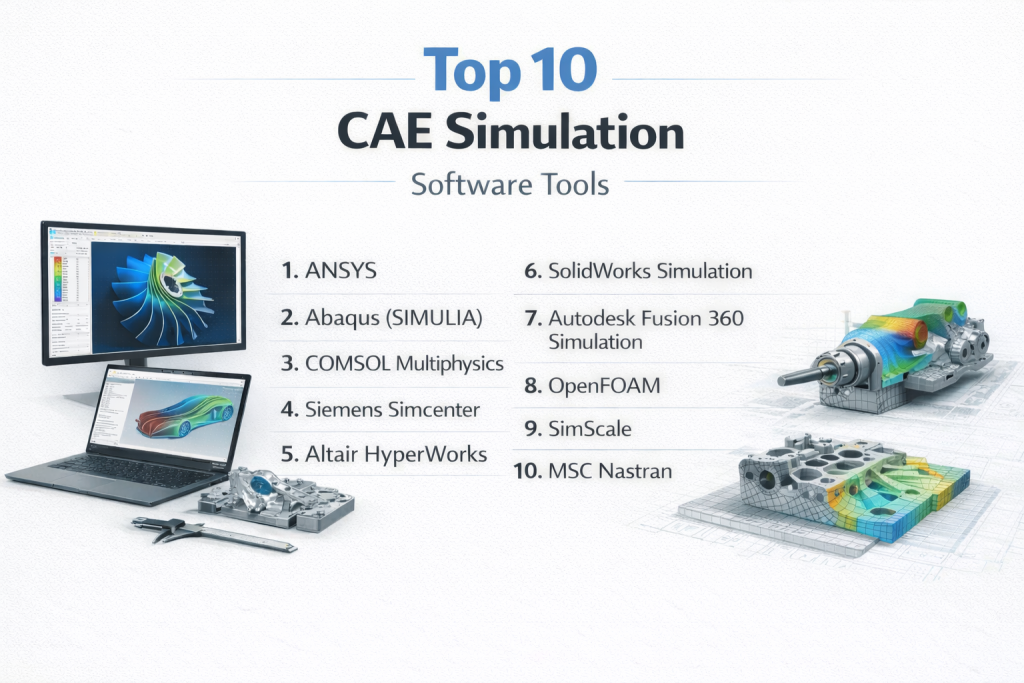
Top 10 CAE Simulation Software Tools
1 — ANSYS
ANSYS is a comprehensive multiphysics simulation platform that excels in finite element analysis, computational fluid dynamics, and electromagnetics, designed for engineers in demanding industries like aerospace and automotive who need high-fidelity simulations for complex systems.
Key features:
- Advanced solvers for structural, thermal, fluid, and electromagnetic analyses.
- Multiphysics coupling for simulating interactions like fluid-structure or electro-thermal effects.
- AI-enhanced optimization tools for design exploration and topology optimization.
- High-performance computing support with GPU acceleration.
- Extensive material libraries and customizable scripting via Python or APDL.
- Integration with CAD tools like SolidWorks and Autodesk Inventor.
- Digital twin capabilities for real-time monitoring and predictive maintenance.
Pros:
- Delivers highly accurate results validated against real-world tests, reducing prototyping costs.
- Scalable for enterprise use, handling massive models efficiently in HPC environments.
- Strong ecosystem with add-ons for specialized simulations like additive manufacturing.
Cons:
- Steep learning curve for beginners due to its depth and complexity.
- High licensing costs can be prohibitive for small teams or individual users.
- Resource-intensive, requiring powerful hardware for optimal performance.
Security & compliance: Offers SSO, data encryption, audit logs; compliant with SOC 2, GDPR, ISO 27001; suitable for regulated industries with export controls.
Support & community: Excellent documentation with tutorials and webinars; robust onboarding programs; 24/7 customer support for enterprises; large user community via forums and ANSYS Learning Hub.
2 — Abaqus (SIMULIA)
Abaqus, part of Dassault Systèmes’ SIMULIA suite, focuses on realistic simulation of nonlinear behaviors and advanced materials, ideal for structural engineers and researchers dealing with complex deformations in manufacturing and civil engineering.
Key features:
- Nonlinear FEA for contact, fracture, and large deformations.
- Multiphysics simulations including coupled Eulerian-Lagrangian for fluids and solids.
- Material modeling for composites, rubbers, and hyperelastics.
- Fatigue and durability analysis tools.
- Scripting with Python for automation and customization.
- Integration with 3DEXPERIENCE platform for collaborative workflows.
- High-fidelity meshing and adaptive refinement.
Pros:
- Exceptional for simulating real-world failures and impacts, improving product reliability.
- Seamless integration with CATIA and other Dassault tools for end-to-end design.
- Proven in industries requiring precision, like automotive crash testing.
Cons:
- Interface can feel outdated compared to modern competitors.
- Computationally demanding for very large simulations without HPC.
- Vendor lock-in potential within the Dassault ecosystem.
Security & compliance: SSO, encryption, audit logs; SOC 2, GDPR, HIPAA options; ISO compliant for aerospace and defense.
Support & community: Comprehensive guides and video resources; dedicated enterprise support; active user forums and training academies.
3 — COMSOL Multiphysics
COMSOL Multiphysics is a flexible platform for modeling any physics-based system, tailored for researchers and engineers in academia and R&D who require custom equations and multiphysics coupling for innovative simulations.
Key features:
- Over 500 physics interfaces for acoustics, heat transfer, and chemical reactions.
- Equation-based modeling for custom PDEs and user-defined functions.
- App builder for deploying simulations as standalone applications.
- Optimization and parameter sweep tools.
- CAD import and geometry modeling kernel.
- LiveLink integrations with MATLAB, Excel, and CAD software.
- Cluster computing support for parallel processing.
Pros:
- Highly customizable, allowing unique simulations not possible in rigid tools.
- User-friendly interface with drag-and-drop physics setup.
- Excellent for multiphysics problems, like battery thermal runaway.
Cons:
- Performance slows with extremely large or complex models.
- Modular pricing can lead to high costs for full capabilities.
- Less optimized for very specific industry workflows compared to specialized tools.
Security & compliance: Encryption, SSO; GDPR, ISO compliant; audit logs available; varies for HIPAA.
Support & community: Detailed documentation and model gallery; webinars and training; responsive support; vibrant community forums.
4 — Siemens Simcenter
Siemens Simcenter is an integrated suite for predictive engineering analytics, suited for systems engineers in automotive and aerospace needing multidisciplinary simulations and digital twins.
Key features:
- Unified platform for 1D, 3D, and system-level simulations.
- CFD, FEA, and NVH (noise, vibration, harshness) analysis.
- Test correlation and model updating tools.
- AI-driven design exploration and optimization.
- Integration with NX CAD and Teamcenter PLM.
- Real-time co-simulation with hardware-in-the-loop.
- Scalable to cloud and HPC environments.
Pros:
- Bridges simulation and testing for accurate validation.
- Enhances collaboration in large teams via PLM integration.
- Strong for mechatronics and systems engineering.
Cons:
- Overwhelming for users not embedded in Siemens ecosystem.
- Higher initial setup time for complex integrations.
- Premium pricing for advanced modules.
Security & compliance: SSO, encryption, audit logs; SOC 2, GDPR, ISO; compliant for automotive standards.
Support & community: Extensive resources and academies; enterprise SLAs; user groups and conferences.
5 — Altair HyperWorks
Altair HyperWorks is a CAE platform emphasizing design and optimization, perfect for optimization specialists in manufacturing who focus on lightweighting and performance tuning.
Key features:
- HyperMesh for high-quality meshing and pre-processing.
- OptiStruct for topology and shape optimization.
- Multiphysics solvers for structural, CFD, and electromagnetics.
- Data analytics and AI tools for simulation-driven design.
- Open architecture with scripting in Tcl/Tk.
- Integration with CAD and PLM systems.
- Cloud bursting for on-demand computing.
Pros:
- Leader in optimization, reducing material use and costs.
- Flexible licensing model based on units.
- Large library of solvers for diverse applications.
Cons:
- Interface may require adaptation for new users.
- Less emphasis on real-time simulations.
- Additional costs for specialized add-ons.
Security & compliance: Encryption, SSO; GDPR, ISO; audit logs; varies for SOC 2.
Support & community: Robust docs and tutorials; global support; active community and university programs.
6 — SolidWorks Simulation
SolidWorks Simulation is an embedded CAE tool within the SolidWorks CAD environment, designed for mechanical designers and engineers seeking seamless design validation in product development.
Key features:
- Linear and nonlinear static analysis.
- Fatigue, drop test, and vibration simulations.
- Thermal and flow simulation modules.
- Parametric optimization and what-if scenarios.
- Direct integration with SolidWorks CAD models.
- Motion analysis for kinematics.
- Composite material support.
Pros:
- Intuitive for CAD users, minimizing workflow disruptions.
- Cost-effective for SMBs with built-in tools.
- Quick setup for iterative design changes.
Cons:
- Limited to SolidWorks ecosystem, less flexible for multi-CAD.
- Not as advanced for extreme multiphysics.
- Performance caps on very large assemblies.
Security & compliance: SSO via Dassault; encryption; GDPR; varies for HIPAA.
Support & community: SolidWorks resources; forums; certified training.
7 — Autodesk Fusion 360 Simulation
Autodesk Fusion 360 Simulation offers cloud-based CAE within a unified CAD/CAM platform, ideal for collaborative teams in startups and SMBs needing affordable, accessible simulations.
Key features:
- Generative design with simulation constraints.
- Static stress, modal, and buckling analyses.
- Event simulation for impacts and drops.
- Cloud solving for unlimited compute power.
- Collaboration tools with version control.
- Electronics cooling and injection molding simulations.
- API for extensions.
Pros:
- Affordable subscription with cloud benefits.
- Integrated workflow from design to manufacturing.
- Great for remote teams with real-time sharing.
Cons:
- Dependent on internet for full functionality.
- Less depth in specialized physics.
- Learning curve for advanced features.
Security & compliance: SSO, encryption; SOC 2, GDPR; audit logs.
Support & community: Autodesk forums; tutorials; live support.
8 — OpenFOAM
OpenFOAM is an open-source CFD toolbox with broad simulation capabilities, suited for academic researchers and cost-conscious engineers customizing solvers for fluid dynamics and beyond.
Key features:
- Extensive libraries for turbulent flows, multiphase, and reacting flows.
- Parallel processing for large-scale simulations.
- Customizable solvers via C++ coding.
- Pre- and post-processing tools like ParaView.
- Support for FSI and heat transfer.
- Community-contributed modules.
- No licensing fees.
Pros:
- Free and highly extensible for unique needs.
- Strong for CFD research with validation.
- Active community drives innovations.
Cons:
- Steep learning curve without GUI.
- Lacks polished interface.
- Support varies by user expertise.
Security & compliance: Open-source; varies/N/A; self-managed.
Support & community: Docs; forums; user groups.
9 — SimScale
SimScale is a browser-based CAE platform for CFD, FEA, and thermal simulations, targeted at engineers preferring cloud accessibility without hardware investments.
Key features:
- Web-based interface with no installation.
- Parallel cloud computing for fast results.
- CAD import and meshing tools.
- Multiphysics for conjugate heat transfer.
- API and scripting for automation.
- Collaboration features.
- Free community plan.
Pros:
- Scalable without local hardware.
- User-friendly for quick setups.
- Cost-effective for occasional use.
Cons:
- Internet-reliant; offline limited.
- Less control over solvers.
- Subscription for pro features.
Security & compliance: Encryption, SSO; GDPR, ISO.
Support & community: Tutorials; forums; enterprise support.
10 — MSC Nastran
MSC Nastran is a veteran FEA solver for linear and nonlinear structural analysis, best for aerospace and automotive analysts requiring industry-standard accuracy in dynamics and aeroelasticity.
Key features:
- Advanced dynamics and vibro-acoustics.
- Composite and fatigue analysis.
- Multidisciplinary optimization.
- Integration with Patran pre/post.
- HPC and distributed solving.
- Scripting support.
- Validation for regulatory compliance.
Pros:
- Trusted for mission-critical simulations.
- Comprehensive for structures.
- Good interoperability.
Cons:
- Dated interface.
- Expensive.
- Focused on structures.
Security & compliance: SSO, encryption; ISO, GDPR.
Support & community: Docs; Hexagon support; forums.
Comparison Table
| Tool Name | Best For | Platform(s) Supported | Standout Feature | Rating |
|---|---|---|---|---|
| ANSYS | Enterprise multiphysics simulations | Windows, Linux, Cloud | AI-driven optimization | N/A |
| Abaqus (SIMULIA) | Nonlinear structural analysis | Windows, Linux | Advanced material modeling | N/A |
| COMSOL Multiphysics | Custom physics research | Windows, Mac, Linux | Equation-based modeling | N/A |
| Siemens Simcenter | Systems-level digital twins | Windows, Cloud | Test-simulation correlation | N/A |
| Altair HyperWorks | Design optimization | Windows, Linux, Cloud | Topology optimization | N/A |
| SolidWorks Simulation | CAD-integrated mechanical design | Windows | Parametric studies | N/A |
| Autodesk Fusion 360 | Collaborative cloud workflows | Cloud, Windows, Mac | Generative design | N/A |
| OpenFOAM | Custom CFD research | Linux, Windows | Open-source extensibility | N/A |
| SimScale | Browser-based accessibility | Cloud | Unlimited cloud compute | N/A |
| MSC Nastran | Aerospace structural dynamics | Windows, Linux | Aeroelasticity analysis | N/A |
Evaluation & Scoring of CAE Simulation Software
| Tool Name | Core Features (25%) | Ease of Use (15%) | Integrations & Ecosystem (15%) | Security & Compliance (10%) | Performance & Reliability (10%) | Support & Community (10%) | Price / Value (15%) | Overall Score |
|---|---|---|---|---|---|---|---|---|
| ANSYS | 9 | 7 | 9 | 9 | 9 | 9 | 7 | 8.3 |
| Abaqus (SIMULIA) | 9 | 6 | 8 | 9 | 9 | 8 | 6 | 7.9 |
| COMSOL Multiphysics | 9 | 8 | 8 | 8 | 8 | 8 | 7 | 8.1 |
| Siemens Simcenter | 8 | 7 | 9 | 9 | 9 | 9 | 6 | 7.9 |
| Altair HyperWorks | 8 | 7 | 8 | 8 | 8 | 8 | 8 | 7.8 |
| SolidWorks Simulation | 7 | 9 | 8 | 7 | 8 | 8 | 8 | 7.8 |
| Autodesk Fusion 360 | 7 | 9 | 8 | 8 | 7 | 8 | 9 | 7.9 |
| OpenFOAM | 8 | 5 | 7 | 6 | 8 | 7 | 10 | 7.5 |
| SimScale | 7 | 9 | 7 | 8 | 7 | 7 | 9 | 7.7 |
| MSC Nastran | 8 | 6 | 7 | 8 | 9 | 7 | 6 | 7.3 |
Which CAE Simulation Software Tool Is Right for You?
Selecting the ideal CAE simulation software hinges on your operational scale, budget, and technical demands. For solo users or freelancers, tools like Autodesk Fusion 360 or SimScale shine with their cloud-based accessibility and lower entry costs, allowing quick validations without heavy investments. These are perfect for iterating designs independently.
SMBs and mid-market firms often favor SolidWorks Simulation or Altair HyperWorks, which balance affordability with robust features for team collaborations. They support growing needs like multi-user access and integration with existing CAD setups, helping scale from prototypes to production without overhauling systems.
Enterprises with complex, high-stakes projects should lean toward ANSYS, Siemens Simcenter, or Abaqus, which offer enterprise-grade scalability, HPC support, and deep multiphysics for large-scale simulations. These handle massive datasets and comply with stringent regulations in sectors like aerospace.
Budget-conscious users gravitate to open-source like OpenFOAM or free tiers of SimScale, providing high value for research or occasional use. Premium solutions like COMSOL or ANSYS justify costs through advanced accuracy and time savings in R&D.
If feature depth is key for intricate analyses, choose ANSYS or COMSOL over easier tools like SolidWorks, which prioritize simplicity. For integration and scalability, evaluate ecosystem compatibility—Siemens excels in PLM, while Fusion 360 offers seamless cloud growth. Finally, for security-sensitive environments, prioritize tools with SOC 2 and GDPR like ANSYS, ensuring data protection in regulated industries.
Frequently Asked Questions (FAQs)
What is CAE simulation software? CAE simulation software uses computational methods to model and analyze engineering designs, predicting behaviors like stress or flow to optimize products virtually.
Why is CAE important in engineering? It minimizes physical testing costs, accelerates development, and enhances safety by identifying issues early, crucial for industries facing tight regulations and innovation pressures.
How do I choose between FEA and CFD-focused tools? Select based on needs: FEA for structures (e.g., Abaqus), CFD for fluids (e.g., OpenFOAM); multiphysics tools like ANSYS handle both.
What are typical pricing models? Options include perpetual licenses (e.g., MSC Nastran at $10,000+), subscriptions (e.g., Fusion 360 at $500/year), or free open-source (OpenFOAM).
Is cloud-based CAE secure? Yes, platforms like SimScale use encryption and compliance standards; always verify SSO and audit logs for sensitive data.
How scalable are these tools? Most support HPC or cloud; enterprises use ANSYS for massive models, while SMBs scale with Fusion 360’s on-demand compute.
What implementation challenges exist? Common issues include hardware setup for on-premise tools or data migration; start with trials and training to ease adoption.
Are there free alternatives? OpenFOAM and community versions of SimScale offer robust features without costs, ideal for learning or basic simulations.
What mistakes do buyers make? Underestimating learning curves or ignoring integrations; always assess team skills and workflow compatibility first.
Best practices for CAE use? Validate models against benchmarks, use automation for iterations, and collaborate via shared platforms to maximize efficiency.
How does AI integrate with CAE? AI enhances optimization in tools like ANSYS, automating design exploration and predicting outcomes faster.
Can CAE software handle multiphysics? Yes, leaders like COMSOL excel in coupling physics, simulating real-world interactions accurately.
Conclusion
This exploration of the top 10 CAE simulation software reveals a landscape rich with options, from powerhouse enterprise tools like ANSYS and Siemens Simcenter to accessible cloud platforms like SimScale and Fusion 360. Key insights underscore the evolution toward AI integration, cloud scalability, and multiphysics accuracy, enabling engineers to push boundaries in design and efficiency across industries.
What matters most in selection is alignment with your workflow—prioritize solver precision, usability, and cost-value balance. Ultimately, the “best” tool isn’t a one-size-fits-all; it varies by your team’s size, industry demands, and simulation complexity. Test through demos, weigh long-term ROI, and choose one that empowers your specific engineering goals for sustained success.