Introduction
CAD/CAM Manufacturing Software is a unified digital ecosystem that combines design tools (CAD) with manufacturing instructions (CAM). While CAD allows engineers to create precise 2D and 3D geometric models, CAM translates those models into numerical control (NC) code—the language understood by CNC machines, 3D printers, and robotic arms.
The importance of this integration cannot be overstated. In an era of high-mix, low-volume production, the ability to seamlessly transition from a design change to an updated toolpath is a critical competitive advantage. It minimizes human error, optimizes material usage, and ensures that the physical part matches the digital intent with micron-level precision.
Evaluation Criteria
When choosing a CAD/CAM suite, industry experts focus on several key pillars:
- Toolpath Versatility: Support for 2.5D, 3D, and complex 5-axis machining.
- Post-Processor Library: The software’s ability to “speak” to your specific brand of CNC machine (Haas, Mazak, Fanuc, etc.).
- Feature Recognition: AI-driven tools that automatically identify holes, pockets, and bosses.
- Simulation & Verification: The ability to run a “digital twin” of the cut to prevent expensive machine crashes.
Best for: CNC programmers, mechanical designers, and manufacturing engineers in industries like aerospace, automotive, medical device manufacturing, and high-precision machine shops.
Not ideal for: Pure artistic designers or graphic illustrators who do not require physical manufacturing outputs, or hobbyists with very basic 2D cutting needs (where simple, free alternatives may suffice).
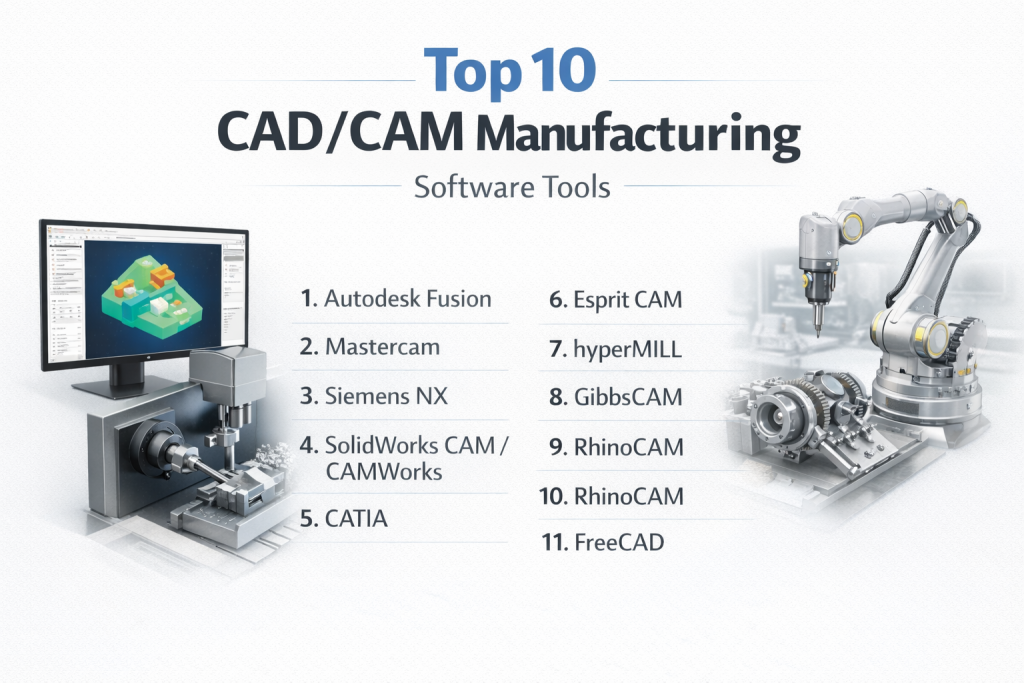
Top 10 CAD/CAM Manufacturing Software Tools
1 — Autodesk Fusion
Autodesk Fusion has revolutionized the market as a cloud-based powerhouse that unifies design, engineering, and manufacturing into a single platform. It is particularly popular for its accessibility and modern, intuitive interface.
- Key Features:
- Unified Environment: No file translation needed between design and toolpath generation.
- Generative Design: AI-driven optimization to find the lightest, strongest part shapes.
- Simultaneous 5-Axis: Advanced strategies for complex geometries.
- Cloud Collaboration: Real-time version control and team sharing.
- Additive Manufacturing: Dedicated tools for metal and polymer 3D printing.
- Pros:
- Unbeatable price-to-performance ratio for SMBs.
- Massive library of online tutorials and a large, active community.
- Cons:
- Cloud-dependency can be a hurdle for ITAR/restricted data environments.
- Occasional performance lag on extremely large assemblies compared to local-heavy suites.
- Security & Compliance: SOC 2 Type 2, GDPR, and ISO 27001 compliant; offers limited offline modes.
- Support & Community: Extensive documentation, YouTube learning paths, and robust enterprise support tiers.
2 — Mastercam
As the most widely used CAM software in the world, Mastercam is the industry benchmark for CNC programming. It is a “machinist-first” tool known for its powerful toolpath engine and flexibility.
- Key Features:
- Dynamic Motion Technology: Extends tool life by maintaining consistent chip load.
- Extensive Post-Processor Library: Supports virtually every machine tool on the market.
- Multi-Axis Machining: World-class 4-axis and 5-axis control.
- Mill-Turn Support: Complex programming for machines that combine a lathe and a mill.
- Mastercam Simulator: High-fidelity verification to prevent collisions.
- Pros:
- The “gold standard” for hiring; most CNC programmers are already trained in it.
- Exceptional reliability in heavy-duty industrial settings.
- Cons:
- Interface can feel dated and “heavy” compared to newer cloud apps.
- High initial cost and mandatory maintenance fees for updates.
- Security & Compliance: Varies / Local-first installation; adheres to standard enterprise security protocols.
- Support & Community: Unmatched reseller network providing local, on-site training and support.
3 — Siemens NX
Siemens NX is the “heavyweight” of the group, designed for the world’s most complex manufacturing challenges. It is the preferred choice for aerospace and automotive giants.
- Key Features:
- Digital Twin Integration: Full synchronization with the Siemens Xcelerator ecosystem.
- Synchronous Technology: Edit geometry regardless of how it was created.
- Automated Feature-Based Machining: Drastically reduces programming time for repeat features.
- Robotic Machining: Specialized toolpaths for multi-axis industrial robots.
- Advanced Simulation: Machine-code-level simulation for total peace of mind.
- Pros:
- Unparalleled scalability; handles assemblies with 100,000+ parts.
- Deep integration with PLM (Teamcenter) for enterprise-wide data management.
- Cons:
- Significant learning curve; requires dedicated training.
- Cost-prohibitive for many small-to-medium shops.
- Security & Compliance: ISO 27001, GDPR, and robust SSO integration for enterprise security.
- Support & Community: Premium enterprise-level support and global training centers.
4 — SolidWorks CAM / CAMWorks
SolidWorks is the world’s most popular CAD tool, and its integrated CAM (powered by CAMWorks) allows users to program directly inside the design window they already know.
- Key Features:
- Tolerance-Based Machining: Automatically adjusts toolpaths based on design tolerances.
- Knowledge-Based Machining (KBM): Captures your shop’s best practices in a database.
- Feature Recognition: Automatically identifies holes, pockets, and slots.
- Associative Data: If the design changes, the toolpath updates automatically.
- Virtual Gibbs Engine: High-speed machining strategies for reduced cycle times.
- Pros:
- Eliminates the “import/export” headache for SolidWorks users.
- Very fast learning curve for those already familiar with the CAD interface.
- Cons:
- Windows-only; no support for Mac or Linux.
- Some advanced multi-axis features require expensive add-on modules.
- Security & Compliance: Standard enterprise security; supports SSO and encrypted file management.
- Support & Community: Massive global reseller network and user group ecosystem.
5 — CATIA
Also from Dassault Systèmes, CATIA is the standard for high-end surface modeling and “starchitecture.” It is a multi-platform suite for CAD, CAM, and CAE (Engineering).
- Key Features:
- High-End Surface Machining: Perfect for aerodynamic or aesthetic body panels.
- Composite Manufacturing: Specialized tools for carbon fiber and composite layups.
- Product Lifecycle Management: Native integration with ENOVIA for data governance.
- Immersive Reviews: Built-in VR/AR support for design and manufacturing walkthroughs.
- Pros:
- The most powerful tool available for complex surfacing and large-scale assembly.
- Industry requirement for many Boeing and Airbus subcontractors.
- Cons:
- Extremely complex user interface.
- One of the most expensive licensing models in the industry.
- Security & Compliance: SOC 2, ISO 27001, and high-level defense industry compliance.
- Support & Community: Deeply entrenched in the enterprise world; limited community resources for beginners.
6 — Esprit CAM
Esprit is renowned for its high-performance CNC programming, particularly in the realm of Mill-Turn and Swiss-style machining.
- Key Features:
- Machine-Optimized G-Code: Tailored code that maximizes your specific machine’s potential.
- Swiss-Style Machining: The industry leader for small, high-precision turned parts.
- AI-Engine: Recommends toolpaths based on the machine’s capabilities.
- Digital Twin Simulation: Dynamic simulation of the entire machine environment.
- Pros:
- Exceptional at handling multi-tasking machines (milling and turning in one).
- Fast, reliable technical support.
- Cons:
- Not as strong in the “CAD” design side as Fusion or SolidWorks.
- Higher price point than many mid-range alternatives.
- Security & Compliance: Standard commercial software security.
- Support & Community: Strong technical support team; professional training programs.
7 — HyperMill
HyperMill is an high-end CAM software developed by OPEN MIND Technologies, often cited as having the best 5-axis machining strategies on the market.
- Key Features:
- 5-Axis Radial Machining: High-efficiency strategies for complex blade and impeller parts.
- Virtual Machining Center: Simulates NC code directly from the machine’s controller.
- Automated Programming: Uses a robust “macro” system to automate repetitive parts.
- Collision Avoidance: Advanced proximity sensors in the virtual environment.
- Pros:
- Often achieves the best surface finish in the industry.
- Unrivaled for turbine and aerospace component manufacturing.
- Cons:
- Very steep price tag.
- Requires high-end workstations for optimal performance.
- Security & Compliance: N/A (Local-first installation).
- Support & Community: Specialized engineering support for high-end manufacturing challenges.
8 — GibbsCAM
GibbsCAM is a powerhouse for production machining, known for its unique, streamlined interface that many long-time machinists find more intuitive than standard CAD-like menus.
- Key Features:
- Single Interface: Perform milling, turning, and mill-turn in one screen.
- Multi-Task Machining (MTM): Specialized logic for complex multi-spindle machines.
- Intermediate Tooling: Allows for complex tool setups and offsets.
- VoluMill: Integrated high-speed roughing for faster material removal.
- Pros:
- Extremely fast for programming everyday production parts.
- Excellent support for older and legacy machine tools.
- Cons:
- The interface paradigm is different from most modern software, leading to a learning “hump.”
- CAD modeling tools are functional but not as deep as dedicated design apps.
- Security & Compliance: Varies / N/A.
- Support & Community: Reliable local support through authorized resellers.
9 — RhinoCAM
RhinoCAM is a plug-in for Rhinoceros 3D, bringing professional-grade CAM to one of the most popular organic modeling tools in the world.
- Key Features:
- Seamless Integration: Runs entirely inside the Rhino 3D environment.
- Modular Pricing: Buy only the axes you need (2.5, 3, 4, or 5).
- FreeMILL: Includes a basic free version for entry-level tasks.
- Art-to-Part: Excellent for jewelers, artists, and architectural designers.
- Pros:
- Best value for users who are already Rhino experts.
- Handles free-form and organic geometry better than many engineering CADs.
- Cons:
- Not built for high-volume automotive or aerospace production.
- Post-processor library is not as vast as Mastercam.
- Security & Compliance: Local-first software.
- Support & Community: Very strong “maker” and design community.
10 — FreeCAD
FreeCAD is the leading open-source parametric 3D modeler. While its CAM (Path) workbench is not as advanced as commercial suites, it is a vital tool for the “Open Source Manufacturing” movement.
- Key Features:
- Parametric Modeling: Completely history-based design.
- Path Workbench: Generates G-code for basic milling and laser cutting.
- Open Architecture: Highly customizable via Python scripts.
- Multi-Platform: Runs on Windows, Mac, and Linux.
- Pros:
- Completely free with no subscription or hidden fees.
- Ultimate transparency and data ownership.
- Cons:
- Unpolished user interface; frequent “quirks” and bugs.
- Not suitable for complex 5-axis or high-stakes industrial production.
- Security & Compliance: Community-vetted; no native enterprise SSO.
- Support & Community: Massive, passionate community of volunteers and forums.
Comparison Table
| Tool Name | Best For | Platform(s) | Standout Feature | Rating (Approx.) |
| Autodesk Fusion | SMBs / Startups | Win, Mac | Cloud Collaboration | 4.7/5 |
| Mastercam | Professional Shops | Windows | Huge Post-Processor Library | 4.6/5 |
| Siemens NX | Enterprise / Aerospace | Win, Linux | Full Digital Twin Sync | 4.8/5 |
| SolidWorks CAM | SolidWorks Users | Windows | Feature-Based Machining | 4.5/5 |
| CATIA | High-End Design | Win, Unix | Complex Surfacing | 4.6/5 |
| Esprit CAM | Swiss-Style/Mill-Turn | Windows | Machine-Optimized Code | 4.5/5 |
| HyperMill | 5-Axis Precision | Windows | 5-Axis Radial Strategies | 4.7/5 |
| GibbsCAM | Production Machining | Windows | Single Interface Workflow | 4.4/5 |
| RhinoCAM | Artistic / Design | Windows | Organic Geometry Handling | 4.3/5 |
| FreeCAD | Open Source / Hobby | Win, Mac, Lin | Modular & Totally Free | 4.2/5 |
Evaluation & Scoring of CAD/CAM Software
This scoring rubric reflects the average performance of a “Top Tier” tool in this category based on industry-standard weights for professional manufacturing environments.
| Category | Weight | Score (1-10) | Weighted Score |
| Core Features | 25% | 9 | 2.25 |
| Ease of Use | 15% | 7 | 1.05 |
| Integrations & Ecosystem | 15% | 8 | 1.20 |
| Security & Compliance | 10% | 8 | 0.80 |
| Performance & Reliability | 10% | 9 | 0.90 |
| Support & Community | 10% | 8 | 0.80 |
| Price / Value | 15% | 7 | 1.05 |
| Total | 100% | 8.0 | Final Score: 8.05/10 |
Which CAD/CAM Tool Is Right for You?
Choosing a tool depends largely on the “density” of your needs—both in terms of geometry complexity and production volume.
Solo Users vs. SMB vs. Enterprise
- Solo Users/Learners: If you’re just starting, Autodesk Fusion or FreeCAD are the clear winners. They allow you to learn the fundamentals of G-code and toolpaths without a $10,000 investment.
- Small-to-Medium Shops: Mastercam or SolidWorks CAM are the workhorses. They offer the reliability and post-processor support needed to handle a variety of client jobs every day.
- Enterprise: Large-scale organizations with complex supply chains should look toward Siemens NX or CATIA. These tools aren’t just for cutting metal; they are for managing the entire lifecycle of a product.
Budget-Conscious vs. Premium Solutions
- Budget: Fusion (approx. $500–$700/year) or RhinoCAM (modular pricing) offer the best entry points.
- Premium: HyperMill and Siemens NX are significant investments (often $20,000+ per seat), but the time saved in cycle optimization can pay for the software in months.
Feature Depth vs. Ease of Use
If you need to program a 5-axis impeller, do not prioritize “Ease of Use”—prioritize “Feature Depth” (HyperMill). Conversely, if you are a job shop doing mostly 2D pockets and holes, GibbsCAM or SolidWorks CAM will get your machines running much faster than the more complex suites.
Frequently Asked Questions (FAQs)
1. What is the difference between CAD and CAM? CAD (Computer-Aided Design) is used to draw the object; CAM (Computer-Aided Manufacturing) is used to tell a machine how to make it. Integrated CAD/CAM software does both in one program.
2. Can I use these tools for 3D printing? Yes. Most modern CAD/CAM tools like Fusion and NX have dedicated modules for additive manufacturing that generate “slicer” instructions for 3D printers.
3. Is cloud-based CAD/CAM safe for government work? It depends. Standard cloud versions may not meet ITAR or EAR requirements. However, providers like Autodesk and Onshape offer specific “Government Cloud” versions designed for high-security compliance.
4. Does the software include the “Post-Processor”? Usually, you must obtain a post-processor for your specific machine. High-end tools like Mastercam often have these built-in or provided by the reseller, while free tools might require custom coding.
5. How much does a typical seat cost? It ranges from free (FreeCAD) to $2,000/year (Fusion) to over $30,000 for a perpetual license of enterprise software like CATIA with all modules.
6. Can I switch between software easily? While you can export models (STEP/IGES files), the toolpaths and manufacturing data usually do not transfer between different brands of CAM software.
7. Do I need a specialized computer? Yes. Professional CAD/CAM requires a workstation with a dedicated GPU (Nvidia RTX is standard), a high-frequency CPU, and at least 32GB of RAM for complex simulations.
8. What is “Simultaneous 5-Axis”? It means the machine moves in five different directions at the same time. This is necessary for complex shapes like engine turbines and medical implants.
9. Is it worth paying for maintenance fees? For professional shops, yes. Maintenance fees provide critical updates to post-processors, new security patches, and technical support when a machine is down.
10. How long does it take to learn these tools? Basic 2D milling can be learned in a week. Advanced 5-axis programming and macro automation can take 6–12 months of daily use to master.
Conclusion
Selecting the right CAD/CAM Manufacturing Software is one of the most significant investments a modern machine shop can make. There is no “perfect” tool—only the one that best matches your machine floor and your team’s expertise.
If you are looking for agility and value, Autodesk Fusion is currently leading the pack. If you need pure, unadulterated machining power, Mastercam remains the king of the shop floor. For those pushing the boundaries of engineering physics, Siemens NX and HyperMill provide the specialized strategies required for the future of manufacturing. Always utilize free trials and request “proof of concept” demos on your own parts before signing a contract.