Introduction
Business Rules & Decision Management System is a type of software that separates “business logic” from the rest of the computer code. Usually, the rules of a company are buried deep inside complicated programming that only IT experts can see. With a BRMS, those rules—like “If a customer is over 18 and has $500, give them a silver card”—are written in plain language. This allows managers and office workers to change the rules themselves without waiting weeks for a programmer to help them.
This technology is very important because it allows a company to be fast and fair. If a new law changes how taxes work, a manager can update the rule in the system, and it instantly changes across the whole company. Key real-world uses include fraud detection in credit cards, patient triaging in hospitals, and discount calculations in online stores. When you look for a tool in this category, you should check for a friendly “drag-and-drop” interface, the ability to test rules before they go live, and how fast the system can handle thousands of decisions at once.
Best for: Large banks, insurance firms, healthcare providers, and government agencies. It is perfect for Policy Managers, Compliance Officers, and Business Analysts who need to manage complex logic without writing code.
Not ideal for: Very small businesses where the owner makes every choice by hand. It is also not needed for simple apps that only have one or two basic rules. If your rules never change, a simple spreadsheet might be a better and cheaper alternative.
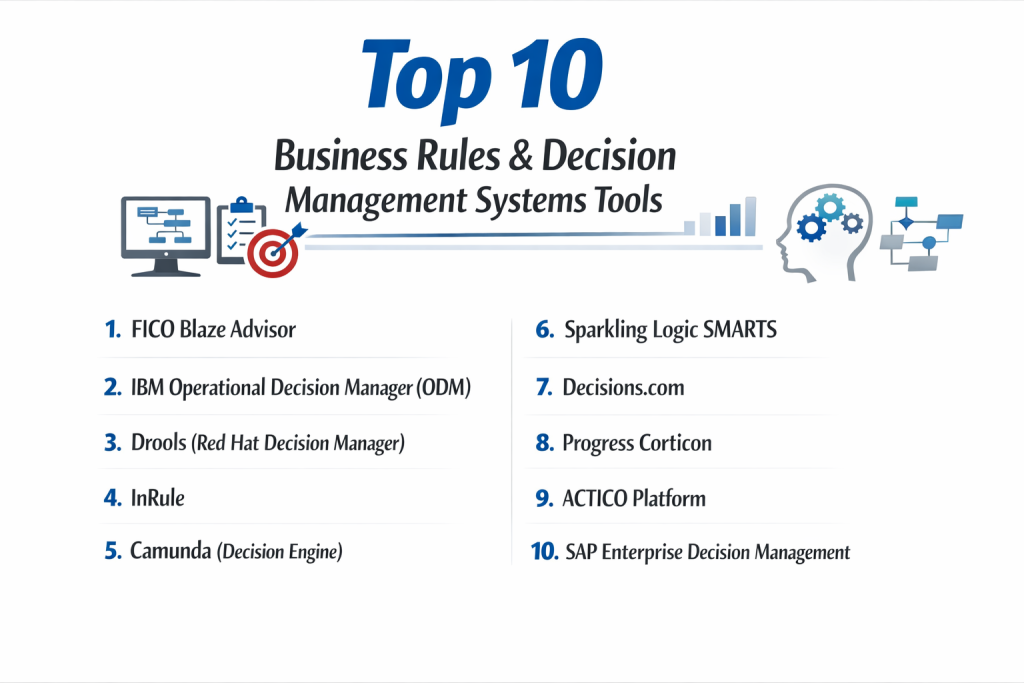
Top 10 Business Rules & Decision Management Systems Tools
1 — FICO Blaze Advisor
FICO is one of the oldest and most respected names in the decision world. Their Blaze Advisor tool is a high-end system used by the world’s biggest banks to handle incredibly complex financial choices.
- Key features:
- Visual Rule Builder: Users can create rules using decision trees, tables, or a natural language editor.
- High-Speed Engine: It can process millions of decisions in a few seconds without slowing down.
- Simulation Tools: You can run “what-if” tests to see how a new rule would have changed things last month.
- Multi-Platform Support: It works on big mainframes, regular servers, and the cloud.
- Explainable Decisions: It keeps a record of exactly why a choice was made, which is great for auditors.
- Decision Graphing: A way to see how different rules connect to each other in a big map.
- Pros:
- It is incredibly powerful and can handle the most difficult logic imaginable.
- It is very stable and has been trusted by the biggest companies in the world for decades.
- Cons:
- It is very expensive and is usually out of reach for smaller companies.
- The learning curve is quite steep; you will likely need professional training to master it.
- Security & compliance: Top-tier security; supports SSO, role-based access, encryption, and is fully GDPR and HIPAA ready.
- Support & community: Excellent professional support for large businesses, including a dedicated training academy and global consultants.
2 — IBM Operational Decision Manager (ODM)
IBM ODM is a massive, enterprise-grade system. It is designed to let business people and IT workers collaborate on rules in a shared environment.
- Key features:
- Decision Center: A web-based hub where business managers can write and edit rules.
- Decision Server: The technical engine that runs the rules at high speed.
- Natural Language: Rules are written in a way that looks like normal English sentences.
- Governance Tools: It tracks who changed a rule and when, and requires a manager to “approve” changes.
- Mobile Support: Decisions can be pushed to mobile apps or web tools instantly.
- Integration: It plugs directly into IBM’s other big business tools.
- Pros:
- It is the gold standard for large companies that need “governance” (control) over who changes what.
- The separation between the “business side” and the “IT side” is very well managed.
- Cons:
- It can feel very “heavy” and slow to set up compared to modern cloud-only tools.
- The cost of licensing and the servers to run it is very high.
- Security & compliance: Meets all global standards including ISO 27001, SOC 2, HIPAA, and GDPR.
- Support & community: Massive library of documentation, global support teams, and a very large user community.
3 — Drools (Red Hat Decision Manager)
Drools is the most famous “open-source” rule engine. It is a favorite for developers because the basic version is free, but Red Hat offers a paid version with extra safety for big businesses.
- Key features:
- DMN Support: It uses the world-standard “Decision Model and Notation” for drawing rules.
- Business Central: A web tool for non-coders to manage their decision tables.
- KIE Server: A modern way to host rules so other apps can ask them questions via the internet.
- Excel Integration: You can actually write your rules in an Excel spreadsheet and upload them.
- Complex Event Processing (CEP): It can look for patterns in data over time, like “Is this person trying their password too many times?”
- Cloud Native: Built to run perfectly in modern “containers” like Docker and Kubernetes.
- Pros:
- Because it is open-source, it has a massive community of thousands of developers helping each other.
- It is extremely flexible and can be customized to do almost anything.
- Cons:
- The free version doesn’t come with a “help desk,” so you are on your own if something breaks.
- It is more technical than FICO or IBM; you really need a programmer to help get it started.
- Security & compliance: The Red Hat version includes enterprise-grade security, audit logs, and SSO.
- Support & community: Huge community on GitHub and StackOverflow; Red Hat provides professional support for the paid version.
4 — InRule
InRule is a tool that says, “If you can use a computer, you can manage rules.” It is designed to be very friendly and focuses on getting rid of the “middleman” between business and IT.
- Key features:
- irAuthor: A tool that looks a bit like Microsoft Word or Excel for writing rules.
- irVerify: A built-in testing tool that lets you check your rules instantly.
- irCatalog: A central library where all your rules are stored safely.
- No-Code Integration: It connects easily to tools like Salesforce and Microsoft Dynamics.
- Machine Learning Link: It can use AI to help make better decisions over time.
- Mobile & JavaScript: Rules can run directly inside a web browser or on a phone.
- Pros:
- It is one of the easiest tools for “non-technical” people to use.
- It works very well with the software that most sales and marketing teams already use.
- Cons:
- It is not as powerful as IBM or FICO for extremely large, global data processing.
- Some users find the interface feels a bit dated compared to newer cloud apps.
- Security & compliance: SOC 2 Type II certified; supports encryption and detailed audit trails.
- Support & community: Very responsive customer support and a good library of “how-to” videos for new users.
5 — Camunda (Decision Engine)
Camunda is famous for “workflow,” but their decision engine is world-class. It is built for companies that want their decisions and their business steps to live in the same place.
- Key features:
- DMN 1.3 Standard: Full support for the latest way of drawing decision tables.
- Developer-First: It is built for teams that love to write code but want a visual way to see the logic.
- REST API: Any other program can easily talk to Camunda to get a decision.
- Cockpit: A dashboard that shows you exactly where decisions are failing or getting stuck.
- Version Control: It keeps every old version of your rules so you can go back if you make a mistake.
- Cloud or On-Prem: You can run it on your own hardware or let Camunda host it for you.
- Pros:
- It is very fast and “lightweight,” meaning it doesn’t take much computer power to run.
- It is great for modern companies that use “microservices” (lots of small computer programs).
- Cons:
- It requires a technical team to set up; it is not a “plug-and-play” tool for a manager.
- The focus is more on the “engine” than on the “pretty interface” for business users.
- Security & compliance: GDPR compliant; the Enterprise version includes SSO, LDAP, and ISO certifications.
- Support & community: Very active developer forum and professional support for paying customers.
6 — Sparkling Logic SMARTS
SMARTS is a modern, cloud-focused tool that tries to make rule management feel like a social app. It is very fast and uses AI to help you find better rules.
- Key features:
- Pencil Icon Editing: Users can click on any decision and change it like they are editing a document.
- Red Pen/Blue Pen: A way for different people to work on rules together and see who is changing what.
- Decision Analytics: It shows you a “map” of your data to find patterns you didn’t know existed.
- Fast Deployment: You can update a rule in the morning and have it live in the afternoon.
- Predictive Models: It can mix “old-fashioned” rules with “new” AI models in the same choice.
- Pros:
- The interface is very modern and easy to look at for long periods.
- It is very good at “collaborative” work where many people need to talk about a rule.
- Cons:
- It is a smaller company, so there are fewer independent consultants who know how to use it.
- It might not have as many “plugs” for old, 40-year-old computer systems.
- Security & compliance: SOC 2 compliant and follows standard cloud encryption practices.
- Support & community: Very personal customer support; they are known for helping customers very quickly.
7 — Decisions.com
Decisions is a “no-code” platform that does everything. It handles rules, workflows, and data all in one big box. It is designed for businesses that want to build whole systems without a single line of code.
- Key features:
- Graphical Rule Designer: You build rules by dragging shapes and connecting them with lines.
- Truth Tables: A very clear way to see every possible combination of a rule.
- Form Builder: You can build the screens that people use to enter data for the rules.
- Reporting: It creates beautiful charts and graphs automatically.
- Workflow Integration: Rules can trigger emails, messages, or other tasks.
- Pros:
- You can build entire business apps, not just rules, inside this one tool.
- It is very visually appealing and easy to show to a boss or a client.
- Cons:
- Because it does so many things, it can be a bit slow compared to a “pure” rule engine.
- Sometimes the “drag-and-drop” can get messy if you have a thousand rules.
- Security & compliance: HIPAA, SOC 2, and GDPR compliant; supports high-level encryption.
- Support & community: Excellent documentation and a very helpful “Decisions University” for training.
8 — Progress Corticon
Corticon is famous for its “No-Code” approach and its patented “integrity check” that makes sure your rules don’t contradict each other.
- Key features:
- Model-Driven: You draw the rules and the system creates the computer code automatically.
- Conflict Detection: It warns you if you have two rules that say opposite things (e.g., Rule A says “Yes” and Rule B says “No” for the same person).
- Data Integration: It can pull data from spreadsheets or huge databases very easily.
- Scalability: It can handle a huge increase in users without crashing.
- Cloud-First: Designed to be run in the cloud with almost no maintenance.
- Pros:
- The “conflict detection” is a life-saver for companies with thousands of rules.
- It is very fast to go from an idea to a working system.
- Cons:
- The licensing can be expensive as you grow.
- It is not quite as flexible as Drools for programmers who want to do “weird” things.
- Security & compliance: SOC 2, HIPAA, and GDPR ready; uses strong data masking for safety.
- Support & community: Very solid support from Progress (a large company) and a good library of articles.
9 — ACTICO Platform
ACTICO is a European tool that is very popular in the world of “FinTech” and banking. It is built to be extremely precise and safe for managing money.
- Key features:
- Graphical Modeling: Uses visual maps to show how a decision is made.
- Compliance Focus: Built-in tools for “Know Your Customer” (KYC) and Anti-Money Laundering.
- Machine Learning: You can teach the system by showing it old data.
- Execution Cockpit: A control center to watch the “heartbeat” of the system.
- Traceability: It can prove to a judge or an auditor exactly why a loan was rejected.
- Pros:
- It is one of the best tools for companies that have to follow very strict government laws.
- It mixes AI and human rules very smoothly.
- Cons:
- Most of their experts are in Europe, which might be tricky for small US companies.
- The interface is very “professional” and maybe a bit less “fun” than Sparkling Logic.
- Security & compliance: Meets the highest European banking standards, including GDPR and ISO.
- Support & community: Very high-quality professional services and technical support.
10 — SAP Enterprise Decision Management
If your company already uses SAP for your accounting or warehouse, this tool is the natural choice. It connects everything together in the SAP ecosystem.
- Key features:
- Native SAP Link: It knows all about your SAP data without you having to move it.
- Business Rule Framework plus (BRFplus): A tool built into SAP for managing simple logic.
- Decision Services: It can share rules with other SAP programs like S/4HANA.
- Transport Management: It uses the same system SAP uses to move rules from “testing” to “live.”
- High Security: Built on the standard SAP safety platform.
- Pros:
- It is the most convenient tool for people who already live in the SAP world.
- You don’t have to learn a whole new security system.
- Cons:
- If you don’t use SAP, this tool is not for you.
- It can feel very “old school” and complex compared to modern web apps.
- Security & compliance: Follows all SAP global security protocols (which are very high).
- Support & community: Massive global support and millions of SAP users who can offer advice.
Comparison Table
| Tool Name | Best For | Platform(s) Supported | Standout Feature | Rating (Gartner) |
| FICO Blaze | Global Banking | Windows, Linux, Mainframe | High-speed processing | 4.6 / 5 |
| IBM ODM | Heavy Governance | Cloud, Hybrid, On-Prem | Natural Language rules | 4.5 / 5 |
| Drools | Developers / Open Source | Java, Cloud, Multi | Free basic version | 4.4 / 5 |
| InRule | Salesforce Users | Windows, Web, SaaS | No-code friendly | 4.7 / 5 |
| Camunda | Modern Microservices | Java, Web, Cloud | DMN standard support | 4.8 / 5 |
| Sparkling Logic | Collaborative Teams | Cloud / SaaS | Social “Red Pen” editing | 4.6 / 5 |
| Decisions.com | Building Full Apps | Web / SaaS | Drag-and-drop everything | 4.5 / 5 |
| Corticon | High Accuracy | Windows, Web, Cloud | Automatic rule checking | 4.4 / 5 |
| ACTICO | Finance & Compliance | Cloud / On-Prem | European banking focus | 4.5 / 5 |
| SAP EDM | Existing SAP users | SAP Ecosystem | Native SAP integration | 4.1 / 5 |
Evaluation & Scoring of Decision Management Systems
We scored these tools based on what matters most to a business. A tool might be great at “features” but too hard to use, or it might be “cheap” but too slow. Here is how we weighed our scores:
| Category | Weight | What we look for |
| Core Features | 25% | Can it do tables, trees, and natural language? |
| Ease of Use | 15% | Can a regular manager change a rule in 5 minutes? |
| Integrations | 15% | Does it work with Excel, Salesforce, and modern APIs? |
| Security & Compliance | 10% | Does it meet HIPAA, GDPR, and SOC 2? |
| Performance | 10% | Can it handle 10,000 decisions per second? |
| Support & Community | 10% | Is there a manual and a phone number to call? |
| Price / Value | 15% | Is the ROI clear for the cost? |
Which System Tool Is Right for You?
Choosing a tool is like choosing a car; a race car is great for speed, but a truck is better for moving boxes.
Solo Users vs SMB vs Mid-market vs Enterprise
If you are a solo user or a tiny shop, honestly, you should probably just use Excel or a simple coding script. For an SMB (Small Business), InRule or Decisions.com are great because they don’t require a big IT team. Mid-market companies often love Drools because it is affordable but powerful. Enterprise giants (like 1,000+ employees) should stick with IBM, FICO, or SAP.
Budget-conscious vs Premium Solutions
If you have no budget, Drools is the winner because the code is free. If you have a huge budget and need to be 100% sure you are safe, IBM or FICO are the premium “insurance” you are paying for.
Feature Depth vs Ease of Use
If you need Ease of Use above all else, InRule and Sparkling Logic are the clear winners. If you need Feature Depth (meaning you have rules that are 50 pages long), you need the heavy lifting of FICO Blaze Advisor.
Integration and Scalability Needs
If you use Salesforce, InRule has the best “plug.” If you use Java and modern web tools, Camunda and Drools are the best fit. For companies that need to scale to billions of decisions, the high-speed engines of FICO or IBM are required.
Frequently Asked Questions (FAQs)
1. What is the difference between a Rule Engine and AI?
A Rule Engine follows “strict rules” (If X, then Y). AI “learns” from data and makes a guess. Rule engines are better for laws and money because they are always 100% predictable.
2. Can a manager really change rules without IT?
In tools like InRule or Sparkling Logic, yes! In more technical tools like Drools, a manager can change a table, but IT usually needs to “push the button” to make it live.
3. Is it hard to move my rules from one tool to another?
It can be. However, tools that use the DMN (Decision Model and Notation) standard make it much easier to move your rules between systems.
4. How much do these systems cost?
It varies wildly. Open-source is free. Small cloud tools can be $500/month. Large enterprise tools can cost $100,000+ per year.
5. How long does it take to set up?
A simple cloud tool can be ready in a day. A big bank migration to a tool like IBM ODM can take 6 months to a year.
6. Does RPA (Robots) replace these tools?
No. RPA moves the mouse and types. A Decision System is the “brain” that tells the robot what to click. They work best together.
7. Can these tools run without the internet?
Yes, most enterprise tools like Blue Prism or Drools can run on your own private servers inside your office.
8. What is a “Decision Table”?
It looks like a spreadsheet. Each row is a rule. For example: “If Age > 18” AND “If Credit > 600” THEN “Result = Approved.”
9. Why not just let my programmers write the rules in the code?
Because then every time a rule changes, you have to wait for the programmer to be free. A BRMS lets the business move at its own speed.
10. What is the biggest mistake companies make?
Trying to automate a process that they don’t understand yet. You should write your rules on paper first before you buy any software.
Conclusion
Finding the “best” Business Rules & Decision Management System is about finding the right balance for your specific team. If you have a team of great programmers and a small budget, Drools or Camunda are fantastic. If you are a big company that needs to be 100% sure you are following government laws, IBM or FICO are the industry standards.
The most important thing to remember is that these tools are built to give the power back to the business. By separating your rules from your code, you allow your company to react to the world in real-time. Whether you are choosing which discount to give a customer or which medical treatment is best, a BRMS ensures that every decision is fast, fair, and documented.